warning CADILLAC SEVILLE 2003 5.G User Guide
[x] Cancel search | Manufacturer: CADILLAC, Model Year: 2003, Model line: SEVILLE, Model: CADILLAC SEVILLE 2003 5.GPages: 408, PDF Size: 2.72 MB
Page 135 of 408

Battery Load Management
The battery load management feature is designed to
monitor the vehicle's electrical load and determine when
the battery is in a heavy discharge condition. During
times of high electrical loading, the engine may idle at a
higher revolutions per minute (rpm) setting than
normal to make sure the battery charges. High electrical
loads may occur when several of the following are
on: headlamps, high beams, fog lamps, rear window
defogger, the climate control fan at high speeds, heated
seats and engine cooling fans.
If the battery continues to discharge, even with the
engine idling at a higher rpm setting, some electrical
loads will automatically be reduced. When this occurs,
the rear window defogger may take slightly longer
to clear the glass, the heated seats may not get as warm
as they usually do and the fan may cut back to a
lower speed. For more battery saving information, see
ªBattery Saver Active Messageº under
DIC Warnings
and Messages on page 3-56.
Inadvertent Power Battery Saver
This feature is designed to protect your vehicle's battery
against drainage from the interior lamps, trunk lamp,
glove box lamp, cigarette lighters or the garage
door opener. When the ignition is turned off, the power
to these features will automatically turn off after
10 minutes (three minutes if a new car has 15 miles
(24 km) or less). Power will be restored for an additional
10 minutes if any door is opened, the trunk is opened
or the courtesy lamp switch is turned on.
3-23
Page 149 of 408

Warning Lights, Gages and
Indicators
This part describes the warning lights and gages that
may be on your vehicle. The pictures will help you
locate them.
Warning lights and gages can signal that something is
wrong before it becomes serious enough to cause
an expensive repair or replacement. Paying attention to
your warning lights and gages could also save you
or others from injury.
Warning lights come on when there may be or is a
problem with one of your vehicle's functions. As you will
see in the details on the next few pages, some
warning lights come on brie¯y when you start the
engine just to let you know they're working. If you are
familiar with this section, you should not be alarmed
when this happens.Gages can indicate when there may be or is a problem
with one of your vehicle's functions. Often gages
and warning lights work together to let you know when
there's a problem with your vehicle.
When one of the warning lights comes on and stays on
when you are driving, or when one of the gages
shows there may be a problem, check the section that
tells you what to do about it. Follow this manual's
advice. Waiting to do repairs can be costly ± and even
dangerous. So please get to know your warning
lights and gages. They're a big help.
Your vehicle also has a Driver Information Center (DIC)
that works along with the warning lights and gages.
See
Driver Information Center (DIC) on page 3-53for
more information.
3-37
Page 153 of 408

Vehicle Speed Limiter
This feature prevents your vehicle from exceeding
speeds that the tires are not rated for. When this
happens, the engine's fuel supply is shut off. When
the vehicle speed slows, the fuel supply will come
on again.
Tachometer
This gage indicates the
engine speed in
revolutions per
minute (rpm).
Notice:Do not operate the engine with the
tachometer in the shaded warning area, or engine
damage may occur.
Engine Speed Limiter
This feature prevents the engine from operating at too
many revolutions per minute (rpm). When the engine's
rpm are critically high, the fuel supply to the engine
is shut off. When the engine speed slows, the fuel
supply will come on again. This helps prevent damage
to the engine.
Safety Belt Reminder Light
When the key is turned to ON or START, a chime will
come on for several seconds to remind people to fasten
their safety belts.
The safety belt light will
also come on and stay on
for several seconds. If
the driver's belt is already
buckled, the light will
come on brie¯y, but the
chime will not sound.
3-41
Page 155 of 408

Charging System Light
When you turn the key to
ON or START, this light
will come on brie¯y
to show that the generator
and battery charging
systems are working
properly.
If this light stays on, you need service and you should
take your vehicle to the dealer at once. To save
your battery until you get there, turn off all accessories.
Brake System Warning and Parking
Brake Indicator Light
Your vehicle's hydraulic brake system is divided into two
parts. If one part isn't working, the other part can still
work and stop you. For good braking, though, you need
both parts working well.
If the warning light comes on, there is a brake problem.
Have your brake system inspected right away.
This light should come on
brie¯y when you turn the
ignition key to ON. If it
doesn't come on
then, have it ®xed so it will
be ready to warn you if
there's a problem.
3-43
Page 156 of 408
When the ignition is on, the brake system warning light
will also come on when you set your parking brake.
The light will stay on if your parking brake doesn't fully
release. If it stays on after your parking brake is
fully released, it means you have a brake problem.
{CAUTION:
Your brake system may not be working
properly if the brake system warning light is on.
Driving with the brake system warning light on
can lead to an accident. If the light is still on
after you have pulled off the road and stopped
carefully, have the vehicle towed for service.
If the light comes on while you are driving, pull off the
road and stop carefully. You may notice that the pedal is
harder to push. Or, the pedal may go closer to the
¯oor. It may take longer to stop. If the light is still on,
have the vehicle towed for service. See
Towing
Your Vehicle on page 4-31.
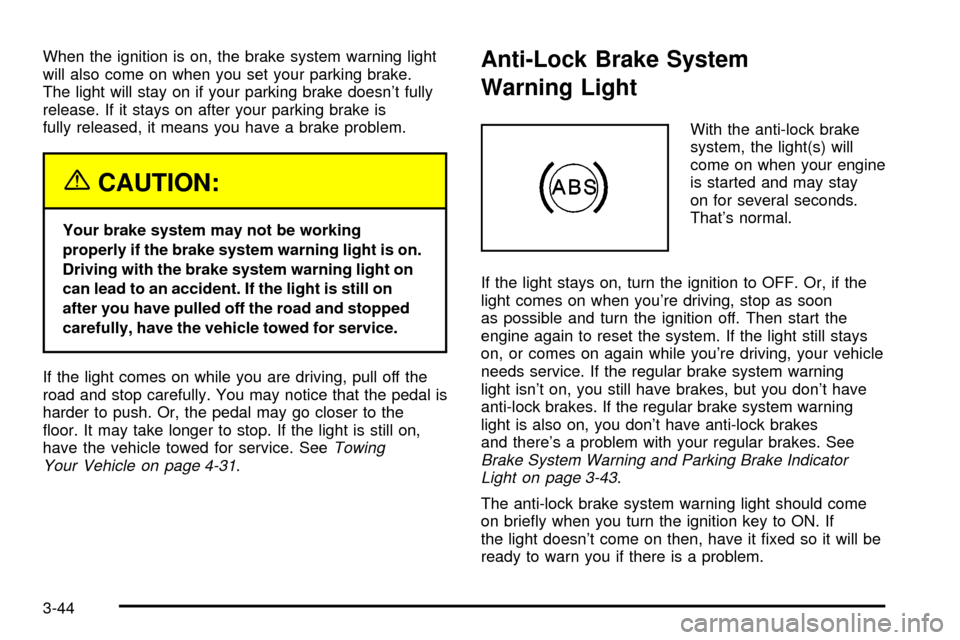
Anti-Lock Brake System
Warning Light
With the anti-lock brake
system, the light(s) will
come on when your engine
is started and may stay
on for several seconds.
That's normal.
If the light stays on, turn the ignition to OFF. Or, if the
light comes on when you're driving, stop as soon
as possible and turn the ignition off. Then start the
engine again to reset the system. If the light still stays
on, or comes on again while you're driving, your vehicle
needs service. If the regular brake system warning
light isn't on, you still have brakes, but you don't have
anti-lock brakes. If the regular brake system warning
light is also on, you don't have anti-lock brakes
and there's a problem with your regular brakes. See
Brake System Warning and Parking Brake Indicator
Light on page 3-43.
The anti-lock brake system warning light should come
on brie¯y when you turn the ignition key to ON. If
the light doesn't come on then, have it ®xed so it will be
ready to warn you if there is a problem.
3-44
Page 157 of 408

Traction Control System (TCS)
Warning Light
This warning light should come on brie¯y when the
engine is started.
If the warning light doesn't come on then, have it ®xed
so it will be ready to warn you if there's a problem.
If it stays on, or comes on when you're driving, there
may be a problem with your traction control system and
your vehicle may need service. When this warning
light is on, the system will not limit wheel spin. Adjust
your driving accordingly.The traction control system warning light may come on
for the following reasons:
·If there's a brake system problem that is speci®cally
related to traction control, the traction control
system will turn off and the warning light will
come on.
·If the traction control system is affected by an
engine-related problem, the system will turn off and
the warning light will come on.
If the traction control system warning light comes
on and stays on for an extended period of time
when the system is turned on, your vehicle needs
service. United States
Canada
3-45
Page 158 of 408

Engine Coolant Temperature
Warning Light
This light tells you that
your engine has
overheated. As a check,
the light should come
on for a few seconds when
you start your engine.
If this light comes on and stays on, you should
stop your vehicle and turn the engine off as soon as
possible. A warning chime should also sound if this light
comes on.
See
Engine Overheating on page 5-28.
Engine Coolant Temperature Gage
This gage shows the engine coolant temperature. If the
gage pointer moves into the shaded area, the engine
is too hot.
That reading means the same thing as the warning
light ± the engine coolant has overheated. See
Engine
Overheating on page 5-28.
United StatesCanada
3-46
Page 165 of 408
Driver Information Center (DIC)
This display gives you the status of many of your
vehicle's systems. The DIC is also used to display driver
personalization features and warning/status messages.
All messages will appear in the DIC display, located
at the bottom of the instrument panel cluster.
DIC Controls and Displays
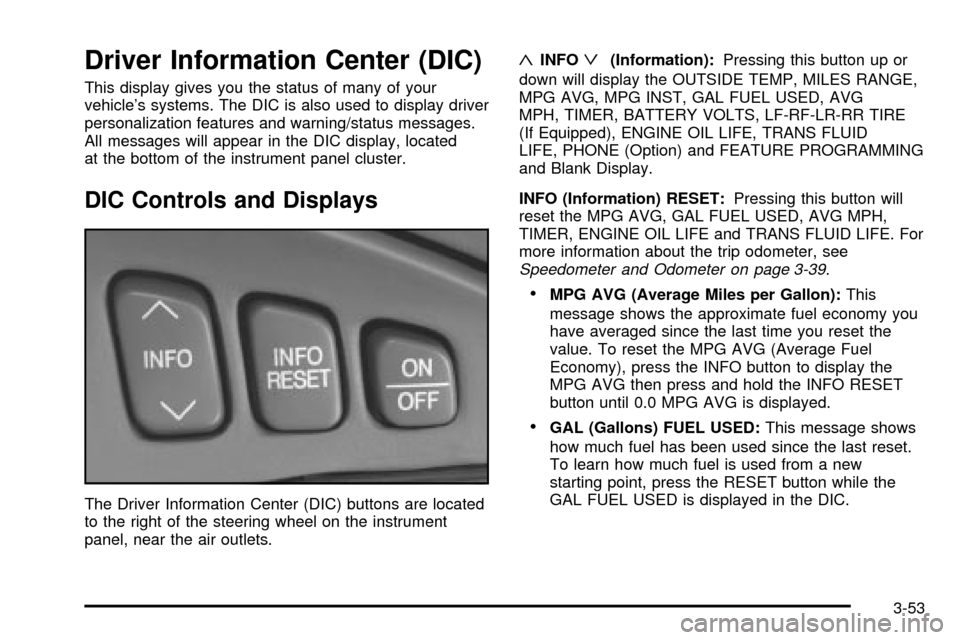
The Driver Information Center (DIC) buttons are located
to the right of the steering wheel on the instrument
panel, near the air outlets.
«INFOª(Information):Pressing this button up or
down will display the OUTSIDE TEMP, MILES RANGE,
MPG AVG, MPG INST, GAL FUEL USED, AVG
MPH, TIMER, BATTERY VOLTS, LF-RF-LR-RR TIRE
(If Equipped), ENGINE OIL LIFE, TRANS FLUID
LIFE, PHONE (Option) and FEATURE PROGRAMMING
and Blank Display.
INFO (Information) RESET:Pressing this button will
reset the MPG AVG, GAL FUEL USED, AVG MPH,
TIMER, ENGINE OIL LIFE and TRANS FLUID LIFE. For
more information about the trip odometer, see
Speedometer and Odometer on page 3-39.
·MPG AVG (Average Miles per Gallon):This
message shows the approximate fuel economy you
have averaged since the last time you reset the
value. To reset the MPG AVG (Average Fuel
Economy), press the INFO button to display the
MPG AVG then press and hold the INFO RESET
button until 0.0 MPG AVG is displayed.
·GAL (Gallons) FUEL USED:This message shows
how much fuel has been used since the last reset.
To learn how much fuel is used from a new
starting point, press the RESET button while the
GAL FUEL USED is displayed in the DIC.
3-53
Page 167 of 408

OUTSIDE TEMP (Temperature):This message shows
the outside temperature. After this display has been
on the DIC for about ®ve seconds, the words OUTSIDE
TEMP will disappear so that only the temperature
remains.
MILES RANGE:This message shows about how many
miles you can drive without re®lling your fuel tank.
Once the range drops below 40 miles (64 km) remaining,
the display will show LOW.
MPG INST (Instantaneous Miles per Gallon):This
message shows the instantaneous fuel economy which
varies with your driving conditions, such as acceleration,
braking and the grade of the road being traveled.
The INFO RESET button does not function in this mode.
BATTERY VOLTS:This message shows the current
battery voltage. If the voltage is normal the display
will show BATTERY VOLTS OK. If the voltage drops
below 10.5 volts, the display will show BATTERY
VOLTS LOW. If the voltage is above 16 volts, the
display will show BATTERY VOLTS HIGH. If the display
shows the high or low message, you will need to
have your battery checked. See
DIC Warnings and
Messages on page 3-56for more information.LF-RF-LR-RR TIRE (If Equipped):On vehicles
equipped with the tire pressure monitor, this message
shows the tire pressure for each tire (left front, right
front, left rear and right rear). Pressing the INFO button
will scroll through the tire pressure for each of the
four tires, such as the following:
·34 PSI LF TIRE OK or
·234 kPa LF TIRE OK
If a tire pressure is below 25 PSI (172 kPa) or above
38 PSI (265 kPa), the message will appear as shown
above except it will show TIRE LOW or TIRE HIGH as
appropriate. If desired, the tire pressure information
can be programmed not to appear when using the INFO
button to scroll through the DIC displays. See
DIC
Vehicle Personalization on page 3-64.
If a low or high tire pressure is detected by the system
while driving, a CHECK TIRE PRESSURE message
will appear in the display. If this occurs, press the INFO
button to scroll to the tire(s) with a low or high
pressure condition. See
DIC Warnings and Messages
on page 3-56for more information.
ENG/MET (English/Metric):Press this button to
display information in the English (miles) or metric
(kilometers) system.
3-55
Page 168 of 408

DIC Warnings and Messages
These messages will appear if there is a problem
sensed in one of your vehicle's systems. Vehicles that
are ®rst sold in Canada will have a number after
each message. This number helps to identify the
problem. You must then press INFO or INFO RESET to
clear the display screen for further use. However, be
sure to take any message that appears on the display
screen seriously and remember that pressing the
INFO or INFO RESET button will only make the
message disappear, not the problem.
DIC messages can also be displayed in French,
German, Spanish and Japanese. Contact your dealer to
have the language display adjusted for your vehicle.
BATTERY NOT CHARGING ± 7:This message
will appear if the battery is not being charged. Have the
electrical system checked by your dealership at your
earliest convenience.
BATTERY SAVER ACTIVE ± 27:This message is
displayed when the vehicle has detected that the battery
voltage is dropping beyond a reasonable point. The
battery saver system will start reducing certain features
of the vehicle that you may not be able to notice. At
the point that features are disabled, this message
is displayed. It means that the vehicle is trying to save
the charge in the battery. Turn off unnecessary
accessories to allow the battery to recharge.BATTERY VOLTAGE HIGH ± 8:This message shows
that the electrical charging system is overcharging
(more than 16 volts). To avoid being stranded, have the
electrical system checked by your dealership. You
can reduce the charging overload by using the
accessories. Turn on the lamps and radio, set the
climate control on AUTO and the fan speed on HI, and
turn the rear window defogger on. You can monitor
battery voltage on the DIC by pressing the INFO button.
The normal range is 11.5 to 15.5 volts when the
engine is running.
BATTERY VOLTAGE LOW ± 6:This message will
appear when the electrical system is charging less than
10 volts or if the battery has been drained. If this
message appears immediately after starting, it is
possible that the generator can still recharge the battery.
The battery should recharge while driving but may
take a few hours to do so. Consider using an auxiliary
charger (be sure to follow the manufacturer's
instructions) to boost the battery after returning home or
to a ®nal destination. If this message appears while
driving or after starting your vehicle and stays on, have
it checked immediately to determine the cause of
this problem. To help the generator recharge the battery
quickly, you can reduce the load on the electrical
system by turning off the accessories. You can monitor
battery voltage on the DIC by pressing the INFO
button. The normal range is 11.5 to 15.5 volts.
3-56