automatic transmission CADILLAC SRX 2004 1.G User Guide
[x] Cancel search | Manufacturer: CADILLAC, Model Year: 2004, Model line: SRX, Model: CADILLAC SRX 2004 1.GPages: 468, PDF Size: 2.92 MB
Page 159 of 468
Speedometer and Odometer
The speedometer lets you see your speed in either
miles per hour (mph) or kilometers per hour (km/h).
The odometer shows how far your vehicle has been
driven, in either miles (used in the United States)
or kilometers (used in Canada).
You may wonder what happens if a vehicle has to have
a new odometer installed. The new one may read
the correct mileage. This is because your vehicle’s
computer has stored the mileage in memory.
While the tap up/tap down feature is active, the
odometer will change to show the gear range. See
Automatic Transmission Operation on page 2-25
for more information.
Trip Odometers
The trip odometer can record the number of miles or
kilometers traveled for up to two trips.
The trip odometer is part of the Driver Information
Center (DIC). To access the trip odometer, use one of
the following procedures:
Using the Base audio system, do the following:
1. Press the INFO (Information) button located to the
right of the screen to access the DIC menu.
2. Scroll through the menu using the up or down
arrows on the INFO button until you reach Trip
Odometer A or Trip Odometer B.
The selected trip odometer (A or B) will be
displayed at the top of the screen with the
accumulated mileage.
3. Repeat the steps to view the other trip odometer.
You can reset the selected trip odometer by pressing
CLR (Clear) button located in the center of the INFO
button to the right of the screen. The mileage for that trip
odometer will return to zero. Each trip odometer must be
reset individually.
3-37
Page 171 of 468
Sport Mode Light
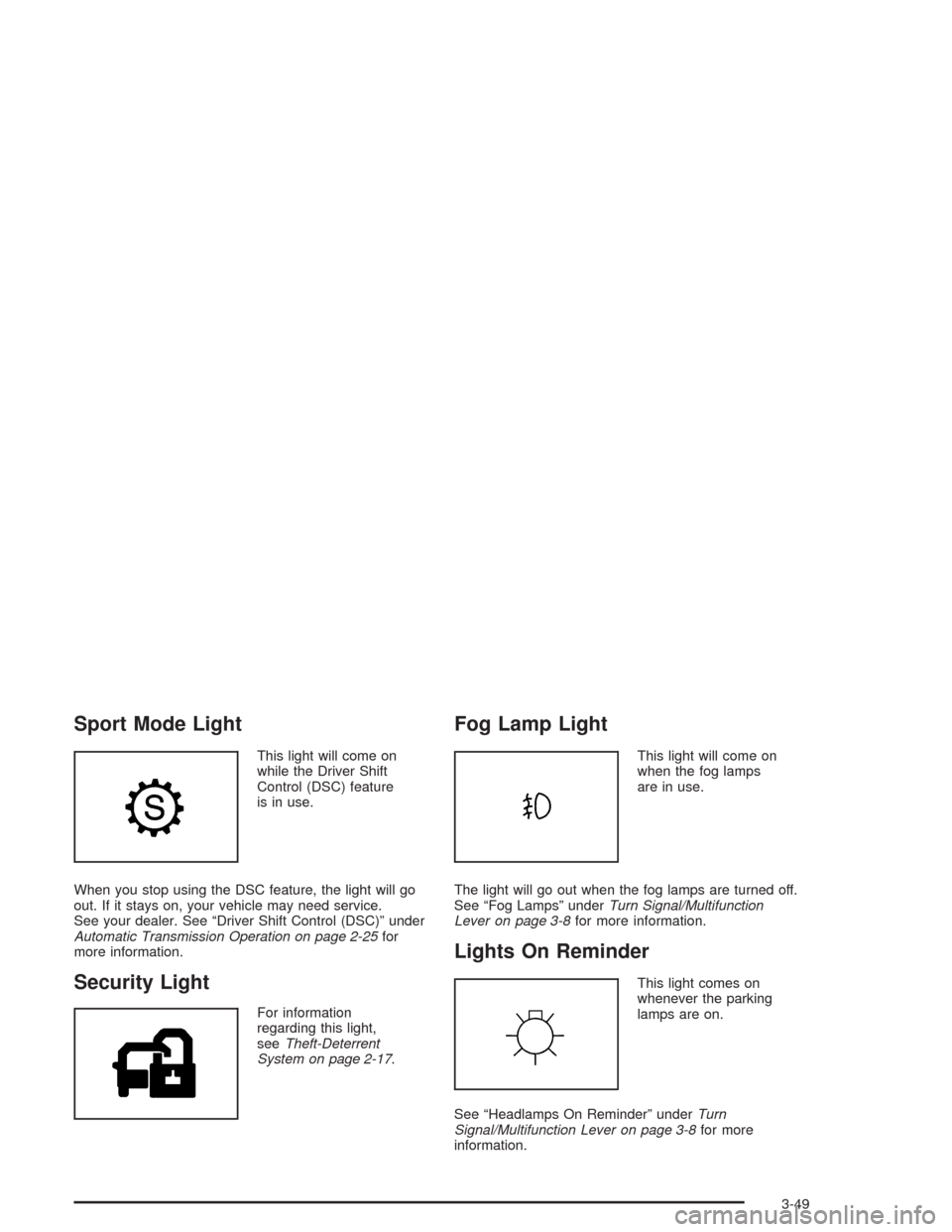
This light will come on
while the Driver Shift
Control (DSC) feature
is in use.
When you stop using the DSC feature, the light will go
out. If it stays on, your vehicle may need service.
See your dealer. See “Driver Shift Control (DSC)” under
Automatic Transmission Operation on page 2-25for
more information.
Security Light
For information
regarding this light,
seeTheft-Deterrent
System on page 2-17.
Fog Lamp Light
This light will come on
when the fog lamps
are in use.
The light will go out when the fog lamps are turned off.
See “Fog Lamps” underTurn Signal/Multifunction
Lever on page 3-8for more information.
Lights On Reminder
This light comes on
whenever the parking
lamps are on.
See “Headlamps On Reminder” underTurn
Signal/Multifunction Lever on page 3-8for more
information.
3-49
Page 181 of 468
ENGINE OIL LIFE/Engine Oil Life:If you select this
item, the percentage of remaining oil life is displayed.
If you see 99% Oil Life on the display, that means
that 99% of the current oil life remains.
When the oil life is depleted, the Change Engine Oil
message will appear on the display. It means that
service is required for your vehicle. SeeEngine Oil on
page 5-15andScheduled Maintenance on page 6-4
for more information.
When you reset the Change Engine Oil message by
clearing it from the display, you still must reset the
engine oil life monitor separately. For more information
on resetting the engine oil life monitor, seeEngine
Oil on page 5-15.
The engine oil life monitor does not check the amount
of oil your vehicle has, so you should check the oil level
periodically. SeeEngine Oil on page 5-15for more
information.TRANS FLUID LIFE/Transmission Fluid Life:If you
select this item, the percentage of remaining
transmission uid life is displayed. If you see 99% Trans
Fluid Life on the display, that means that 99% of the
current transmission uid life remains.
When the transmission uid life is depleted, the Change
Transmission Fluid message will appear on the
display. You should change the transmission uid as
soon as possible within 200 miles (320 km). Be sure to
keep a written record of the mileage and date of the
uid change so you will have it for future reference.
When you reset the Change Transmission Fluid
message by clearing it from the display, you still must
reset the transmission uid life monitor separately.
For more information on resetting the transmission uid
life monitor, seeAutomatic Transmission Fluid on
page 5-24.
3-59
Page 188 of 468
Change Trans (Transmission) Fluid
This message indicates that the life of the transmission
uid has expired and it should be changed within
200 miles (320 km). SeeScheduled Maintenance on
page 6-4andRecommended Fluids and Lubricants on
page 6-13for the proper uid and change intervals.
When you reset the Change Trans Fluid message by
clearing it from the display, you still must reset the
transmission uid life monitor separately. For more
information on resetting the transmission uid life
monitor, seeAutomatic Transmission Fluid on
page 5-24.
Check Brake Fluid
This message will display if the ignition is in ON to
inform the driver that the brake uid level is low.
Have the brake system serviced by a technician as
soon as possible. SeeBrake System Warning Light on
page 3-41for more information.
Check Coolant Level
This message will appear when there is a low level of
engine coolant. Have the cooling system serviced
by a technician as soon as possible. SeeEngine
Coolant on page 5-25for more information.
Check Gas Cap
When this message appears on the display, the gas cap
has not been fully tightened. You should recheck the
gas cap to ensure that it’s on and tightened properly.
Check Washer Fluid
When this message appears on the display, it means that
your vehicle is low on windshield washer uid. You should
rell the tank as soon as possible. SeeWindshield
Washer Fluid on page 5-38for more information.
Driver Door Ajar
When this message appears on the display, it means
that the driver’s door was not closed completely.
You should make sure that the driver’s door is closed
completely.
3-66
Page 189 of 468

Engine Coolant Hot – Idle Engine
This message will appear when the engine coolant
temperature is too hot. Stop and allow the vehicle to idle
until it cools down.
Notice:If you drive your vehicle while the engine is
overheating, severe engine damage may occur.
If an overheat warning appears on the instrument
panel cluster and/or DIC, stop the vehicle as soon as
possible. Do not increase the engine speed above
normal idling speed. SeeEngine Overheating
on page 5-28for more information.
Engine Coolant Hot – AC
(Air Conditioning) Off
This message displays when the engine coolant
becomes hotter than the normal operating temperature.
To avoid added strain on a hot engine, the air
conditioning compressor is automatically turned off.
When the coolant temperature returns to normal, the air
conditioning compressor will turn back on. You can
continue to drive your vehicle.
If this message continues to appear, have the system
repaired as soon as possible to avoid compressor
damage.
Engine Overheated – Stop Engine
This message will appear when the engine has
overheated. Stop the vehicle and turn the engine off
immediately to avoid severe engine damage.
SeeEngine Overheating on page 5-28. A chime will
also sound when this message is displayed.
Notice:If you drive your vehicle while the engine is
overheating, severe engine damage may occur.
If an overheat warning appears on the instrument
panel cluster and/or DIC, stop the vehicle as soon as
possible. Do not increase the engine speed above
normal idling speed. SeeEngine Overheating
on page 5-28for more information.
Engine Power Reduced
This message informs you that the vehicle is reducing
engine power because the transmission is being
placed in gear under conditions that may cause damage
to the vehicle’s engine or transmission. This also can
affect the vehicle’s ability to accelerate.
3-67
Page 207 of 468
Driver Unlock in Park
The feature allows the driver’s door to automatically
unlock when the transmission is shifted into PARK (P).
Programmable Modes
Mode 1:ON
Mode 2:OFF
Before your vehicle was shipped from the factory, it was
programmed to Mode 2. The mode to which the
vehicle was programmed may have been changed since
it left the factory. To program the vehicle to a different
mode, use one of the following procedures:
To change the mode using the Base audio system,
do the following:
1. Enter the personalization portion of the SETUP
menu following the instructions listed previously.
2. Scroll to DRIVER UNLOCK IN PARK to highlight it.
3. Press the TUNE/SEL knob to switch back and
forth between on and off.
When the mode is turned on, a check mark will
appear next to the feature name.To change the mode using the Navigation system,
do the following:
1. Enter the Personalization menu by following the
instructions listed previously.
2. Scroll to DRIVER UNLOCK IN PARK and press the
ON or OFF button next to it as desired. If the item
is turned on the color of the ON button will be
light blue. If the item is turned off the color of the
OFF button will be light blue.
If DRIVER UNLOCK IN PARK is turned on, this will
also turn off DRIVER UNLOCK KEY OUT,
DOORS UNLOCK IN PARK and DOORS UNLOCK
KEY OUT if they are not already turned off.
The mode you selected is now set. You can either exit
the programming mode by following the instructions
later in this section or program the next feature available
on your vehicle.
3-85
Page 209 of 468
Doors Unlock in Park
The feature allows the doors to automatically unlock
when the transmission is shifted into PARK (P).
Programmable Modes
Mode 1:ON
Mode 2:OFF
Before your vehicle was shipped from the factory, it was
programmed to Mode 2. The mode to which the
vehicle was programmed may have been changed since
it left the factory. To program the vehicle to a different
mode, use one of the following procedures:
To change the mode using the Base audio system,
do the following:
1. Enter the personalization portion of the SETUP
menu following the instructions listed previously.
2. Scroll to DOORS UNLOCK IN PARK to highlight it.
3. Press the TUNE/SEL knob to switch back and
forth between on and off.
When the mode is turned on, a check mark will
appear next to the feature name.To change the mode using the Navigation system,
do the following:
1. Enter the Personalization menu by following the
instructions listed previously.
2. Scroll to DOORS UNLOCK IN PARK and press the
ON or OFF button next to it as desired. If the item
is turned on the color of the ON button will be
light blue. If the item is turned off the color of the
OFF button will be light blue.
If DOORS UNLOCK IN PARK is turned on, this will
also turn off DRIVER UNLOCK IN PARK, DRIVER
UNLOCK KEY OUT and DOORS UNLOCK
KEY OUT if they are not already turned off.
The mode you selected is now set. You can either exit
the programming mode by following the instructions
later in this section or program the next feature available
on your vehicle.
3-87
Page 302 of 468
Level Control
This feature keeps the rear of your vehicle level as the
load changes. It’s automatic — you don’t need to
adjust anything.
Towing a Trailer
{CAUTION:
If you do not use the correct equipment and
drive properly, you can lose control when you
pull a trailer. For example, if the trailer is too
heavy, the brakes may not work well — or even
at all. You and your passengers could be
seriously injured. You may also damage your
vehicle; the resulting repairs would not be
covered by your warranty. Pull a trailer only if
you have followed all the steps in this section.
Ask your dealer for advice and information
about towing a trailer with your vehicle.Your vehicle can tow a trailer if it is equipped with the
proper trailer towing equipment. To identify what
the vehicle trailering capacity is for your vehicle, you
should read the information in “Weight of the Trailer” that
appears later in this section. But trailering is different
than just driving your vehicle by itself. Trailering means
changes in handling, acceleration, braking, durability
and fuel economy. Successful, safe trailering takes
correct equipment, and it has to be used properly.
That’s the reason for this part. In it are many time-tested,
important trailering tips and safety rules. Many of
these are important for your safety and that of your
passengers. So please read this section carefully before
you pull a trailer.
Load-pulling components such as the engine,
transmission, rear axle, wheel assemblies and tires are
forced to work harder against the drag of the added
weight. The engine is required to operate at relatively
higher speeds and under greater loads, generating extra
heat. What’s more, the trailer adds considerably to
wind resistance, increasing the pulling requirements.
4-52
Page 308 of 468

When You Are Ready to Leave After
Parking on a Hill
1. Apply your regular brakes and hold the pedal down
while you:
start your engine,
shift into a gear, and
release the parking brake.
2. Let up on the brake pedal.
3. Drive slowly until the trailer is clear of the chocks.
4. Stop and have someone pick up and store the
chocks.
Maintenance When Trailer Towing
Your vehicle will need service more often when you’re
pulling a trailer. SeeScheduled Maintenance on
page 6-4for more information. Things that are especially
important in trailer operation are automatic transmission
uid (don’t overll), engine oil, axle lubricant, drive
belt, cooling system and brake system. Each of these is
covered in this manual, and the Index will help you
nd them quickly. If you’re trailering, it’s a good idea to
review this information before you start your trip.
Check periodically to see that all hitch nuts and bolts
are tight.
Engine Cooling When Trailer Towing
Your cooling system may temporarily overheat during
severe operating conditions. SeeEngine Overheating
on page 5-28.
4-58
Page 309 of 468

Service............................................................5-3
Doing Your Own Service Work.........................5-4
Adding Equipment to the Outside of Your
Vehicle......................................................5-5
Fuel................................................................5-5
Gasoline Octane............................................5-5
Gasoline Specications....................................5-6
California Fuel...............................................5-6
Additives.......................................................5-7
Fuels in Foreign Countries...............................5-7
Filling Your Tank............................................5-8
Filling a Portable Fuel Container.....................5-10
Checking Things Under the Hood....................5-10
Hood Release..............................................5-11
Engine Compartment Overview.......................5-12
Engine Oil...................................................5-15
Engine Air Cleaner/Filter................................5-22
Automatic Transmission Fluid.........................5-24
Engine Coolant.............................................5-25
Coolant Surge Tank Pressure Cap..................5-28
Engine Overheating.......................................5-28
Cooling System............................................5-31
Power Steering Fluid.....................................5-37
Windshield Washer Fluid................................5-38Brakes........................................................5-40
Battery........................................................5-43
Jump Starting...............................................5-44
All-Wheel Drive..............................................5-51
Rear Axle.......................................................5-52
Front Axle......................................................5-53
Bulb Replacement..........................................5-54
High Intensity Discharge (HID) Lighting............5-54
Halogen Bulbs..............................................5-54
Headlamps, Sidemarker, and Parking Lamps......5-55
Front Turn Signal and Fog Lamps...................5-56
Sidemarker Lamps........................................5-57
Center High-Mounted Stoplamp (CHMSL).........5-57
Taillamps, Turn Signal, Stoplamps and
Sidemarker Lamps.....................................5-57
Back-Up and License Plate Lamps..................5-57
Replacement Bulbs.......................................5-58
Windshield Wiper Blade Replacement..............5-59
Tires..............................................................5-61
Ination - Tire Pressure.................................5-68
Tire Pressure Monitor System.........................5-69
Tire Inspection and Rotation...........................5-71
When It Is Time for New Tires.......................5-72
Section 5 Service and Appearance Care
5-1