phone CADILLAC SRX 2004 1.G Owners Manual
[x] Cancel search | Manufacturer: CADILLAC, Model Year: 2004, Model line: SRX, Model: CADILLAC SRX 2004 1.GPages: 468, PDF Size: 2.92 MB
Page 70 of 468
Storage Areas................................................2-45
Glove Box...................................................2-45
Cupholder(s)................................................2-45
Cell Phone Storage Area...............................2-45
Center Console Storage Area.........................2-46
Map Pocket.................................................2-46
Assist Handles.............................................2-46
Garment Hooks............................................2-46
Luggage Carrier...........................................2-46Convenience Net..........................................2-47
Cargo Cover................................................2-47
Cargo Management System...........................2-48
Sunroof.........................................................2-48
Sunroof (UltraView).......................................2-48
Sunroof (UltraView Plus)................................2-50
Vehicle Personalization...................................2-52
Memory Seat and Mirrors..............................2-52
Section 2 Features and Controls
2-2
Page 109 of 468
Luxury and Leisure Plan
All Directions and Connections Plan services
Personal Concierge
OnStar®Personal Calling
With OnStar®Personal Calling, you have a safer way to
stay connected while driving. It’s a hands-free wireless
phone that’s integrated into your vehicle. You can place
calls nationwide using voice-activated dialing with no
contracts and no additional roaming charges. To nd out
more about OnStar
®Personal Calling, refer to the
OnStar®user’s guide in your vehicle’s glove box, or call
OnStar®at 1-888-4-ONSTAR (1-888-466-7827).
OnStar®Virtual Advisor
With OnStar®Virtual Advisor you can listen to the news,
entertainment and informative topics, such as traffic
and weather reports. You are able to listen and reply to
your e-mail through your vehicle’s speakers.
OnStar®Steering Wheel Controls
You can use the steering wheel controls to interact with
the OnStar®system. See the OnStar®manual provided
with your vehicle for more information. SeeAudio
Steering Wheel Controls on page 3-124.
HomeLink®Transmitter
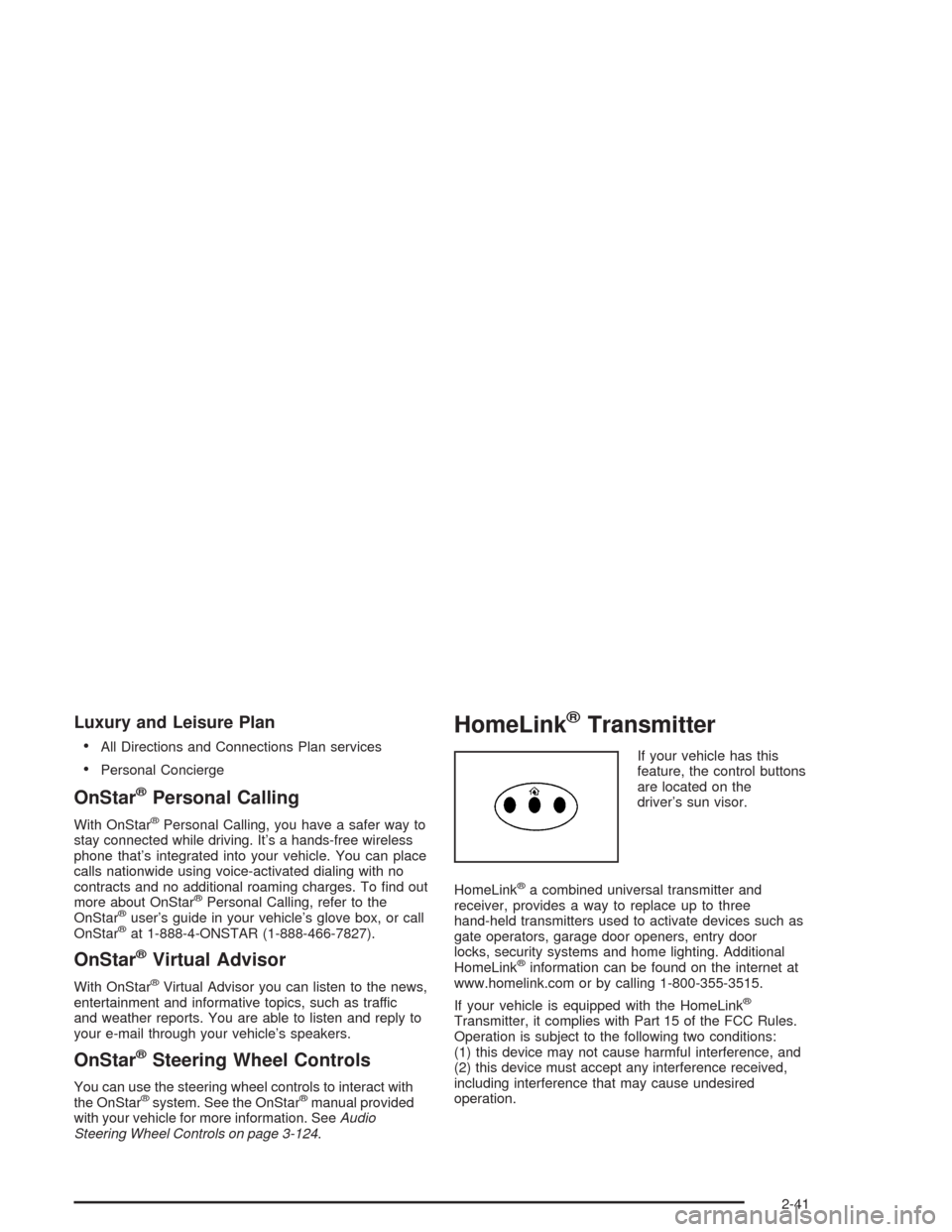
If your vehicle has this
feature, the control buttons
are located on the
driver’s sun visor.
HomeLink
®a combined universal transmitter and
receiver, provides a way to replace up to three
hand-held transmitters used to activate devices such as
gate operators, garage door openers, entry door
locks, security systems and home lighting. Additional
HomeLink
®information can be found on the internet at
www.homelink.com or by calling 1-800-355-3515.
If your vehicle is equipped with the HomeLink
®
Transmitter, it complies with Part 15 of the FCC Rules.
Operation is subject to the following two conditions:
(1) this device may not cause harmful interference, and
(2) this device must accept any interference received,
including interference that may cause undesired
operation.
2-41
Page 113 of 468

Reprogramming a Single HomeLink®
Button
To program a device to HomeLink®using a HomeLink®
button previously trained, follow these steps:
1. Press and hold the desired HomeLink
®button.
Do not release the button.
2. The indicator light will begin to ash after
20 seconds. While still holding the HomeLink
®
button, proceed with Step 2 under “Programming
HomeLink®.”
Resetting Defaults
To reset HomeLink®to default settings do the following:
1. Hold down the two outside buttons for about
20 seconds until the indicator light begins to ash.
2. Continue to hold both buttons until the HomeLink
®
indicator light turns off.
3. Release both buttons.
For questions or comments, contact HomeLink
®at
1-800-355-3515, or on the internet at
www.homelink.com.
Storage Areas
Glove Box
The glove box is located in front of the passenger’s seat
on the instrument panel. To lock the glove box door,
insert your key into the lock cylinder and turn it
clockwise. Turn the key counterclockwise to unlock
the door.
Cupholder(s)
Your vehicle has cupholders located between the front
seats. Slide the cover back to expose them. There are
also cupholders in the armrest of the second row
seat. Press the panel on the front of the armrest to
expose the cupholders. On the outboard sides of
the third row there may also be cupholders.
Cell Phone Storage Area
Your vehicle has a closeable cell phone/sunglasses
storage area inside both of the front doors. Press
the button to open the door.
2-45
Page 146 of 468
Accessory Power Outlets
Your vehicle is equipped with accessory power outlets.
The outlets can be used to plug in electrical equipment
such as a cellular telephone, CB radio, etc.
Your vehicle has one outlet in front of the center
console, one in the rear of the center console, one in
the rear compartment, and there may be an additional
outlet in the rear of the center console.
Your vehicle may have a small cap that must be
removed to access the accessory power outlet. If it
does, when not using the outlet be sure to cover it with
the protective cap.
Notice:Leaving electrical equipment on for
extended periods will drain the battery. Always turn
off electrical equipment when not in use and do
not plug in equipment that exceeds the maximum
amperage rating.Certain accessory power plugs may not be compatible
to the accessory power outlet and could result in
blown vehicle or adapter fuses. If you experience a
problem see your dealer for additional information on the
accessory power outlets.
Notice:Adding any electrical equipment to your
vehicle may damage it or keep other components
from working as they should. The repairs would not
be covered by your warranty. Check with your
dealer before adding electrical equipment.
Follow the proper installation instructions that are
included with any electrical equipment you install.
Notice:Improper use of the power outlet can cause
damage not covered by your warranty. Do not
hang any type of accessory or accessory bracket
from the plug because the power outlets are
designed for accessory power plugs only.
3-24
Page 215 of 468

Audio System(s)
Notice:Before adding any sound equipment to
your vehicle, like a tape player, CB radio, mobile
telephone, or two-way radio, make sure that it can
be added by checking with your dealer. Also,
check federal rules covering mobile radio and
telephone units. If sound equipment can be added,
it is very important to do it properly. Added
sound equipment may interfere with the operation
of your vehicle’s engine, radio, or other systems,
and even damage them. Your vehicle’s systems may
interfere with the operation of sound equipment
that has been added improperly.
Figure out which audio system is in your vehicle, nd
out what your audio system can do, and how to operate
all of its controls.
Your vehicle has a feature called Retained Accessory
Power (RAP). With RAP, the audio system can be
played even after the ignition is turned off. See
“Retained Accessory Power (RAP)” underIgnition
Positions on page 2-21.
Setting the Time
1. Press the TUNE/SEL knob to enter the main menu.
2. Turn the TUNE/SEL knob until SET CLOCK
appears on the display.
3. Press the TUNE/SEL knob to select SET CLOCK.
4. Turn the TUNE/SEL knob to adjust the time.
5. Press the TUNE/SEL knob to update the time.
VEHICLE TIME UPDATED will appear on the
display.
If the CLOCK/RADIO DISP is congured into one of the
congurable keys, pressing the key will switch the
display between the radio station frequency and the
time. See “Congurable Radio Display Keys” under
Radio with CD on page 3-94for more information on
conguring the keys.
3-93
Page 232 of 468
9. Press the TUNE/SEL knob when you have found
the feature to be stored. The display will update,
by showing the symbol of the feature that you
selected next to the congurable key.
10. Repeat the previous steps for each congurable key.
Once a feature is programmed to a key, the feature will
not appear on the display when programming the
remaining congurable keys. The congurable keys can
be changed at any time.
Navigation/Radio System
Your vehicle may have an AM-FM navigation radio
system that includes Digital Signal Processing (DSP),
a Radio Data System (RDS) with Program Type
(PTY) selections that will seek out the kind of music
you want to listen to. The radio can also communicate
with the navigation system to broadcast announcements
on traffic, weather, and emergency alert
communications. For information on how to use this
system, see the “Navigation System” manual.
Rear Seat Entertainment System
Your vehicle may have the DVD Rear Seat
Entertainment (RSE) system. The RSE system includes
a DVD player, a video display screen, two sets of
wireless headphones, and a remote control.
RSE is available in a base and an uplevel version.
The uplevel version is provided with the navigation radio
(if equipped). The uplevel RSE system offers the rear
seat passengers to have shared control of FM1,
FM2, AM, weather, CDC, and XM™ Satellite Radio
Service (if equipped).
Before You Drive
The RSE system is for rear seat passengers only.
The driver cannot safely view the video screen while
driving and should not try to do so.
3-110
Page 233 of 468
Headphones
The RSE system includes two sets of wireless
headphones.
Each set of headphones has an ON/OFF control.
An indicator light will illuminate on the headphones when
they are on. If the light does not illuminate, the batteries
may need to be replaced. See “Battery Replacement”
later in this section for more information. To turn
the headphones OFF activate the ON/OFF control.
Each set of headphones has a volume knob. To adjust
the volume, adjust this knob.
The transmitters are located below the video display
screen. The headphones will shut off to save battery
power if they lose the signal from the system after about
four minutes. The signal may be lost if the system is
turned off or if the headphones are out of range of the
signal transmitters.
Notice:Do not store the headphones in heat or
direct sunlight. This could damage the headphones
and repairs would not be covered by your warranty.
Keep the headphones stored in a cool, dry place.
Battery Replacement
To change the batteries, do the following:
1. Loosen the screw on the battery compartment door
located on the left side of the headphone earpiece.
2. Replace the two AAA batteries in the compartment.
Make sure that they are installed correctly, using
the diagram on the inside of the battery
compartment.
3. Tighten the screws to close the compartment door.
If the headphones are to be stored for a long period
of time, remove the batteries and keep them in a cool,
dry place.
3-111
Page 235 of 468

Audio Output
Audio from the DVD player or auxiliary inputs may be
heard through the following possible sources:
Wireless Headphones
Vehicle Speakers
Wired Headphones (not included)
The RSE system will always transmit the audio signal
by infrared to the wireless headphones, if there is audio
available. See “Headphones” previously for more
information.
The RSE system is capable of outputting audio to the
vehicle speakers by using the radio. The RSE system
may be selected as an audio source on the radio if the
RSE system power is on. Once the RSE system is
selected as an audio source on the radio, adjust the
speaker volume on the radio, if necessary. If the RSE
system power is not on, the RSE system will not be an
available source on the radio. Refer to the radio
information for the radio that your vehicle has for more
information.
Video Screen
The video screen is located in the oor console. Lift up
the screen by the top or the sides into the full open
position. Adjust the screen’s position as desired.
When the video screen is not in use, close the screen.
The DVD player and display will continue to operate
when the screen is in the up or the down position.
The video screen contains the transmitters for the
wireless headphones and the remote control. If the
screen is in the closed position, the signals will not be
available for the operation of the headphones and
the remote control.
Notice:Directly touching the video screen may
damage it. Do not touch the screen. See “Cleaning
the Video Screen” later in this section for more
information.
3-113
Page 237 of 468
Pressing the enter button when this menu appears on
the display will switch the RSE setting between all
speaker and rear video. All speaker will not be available
if the front passenger has turned on the parental
control.
All Speaker:The radio and the RSE unit will share
control of what is heard through the vehicle
speakers. All audio and video sources are available
for selection with the SRCE button when in all
speaker.
Rear Video:The RSE unit will only control what is
seen on the rear display and what is heard through
the headphones.
o(Stop):Press this button to stop playing a DVD.
Press this button twice to return to the beginning of
the DVD.
s(Play/Pause):Press this button to turn the
DVD player on, to start play of a DVD or CD, and to
switch between play and pause of a DVD or CD.
y(Menu):Press this button to access the DVD menu.
This button only operates with a DVD.
If your vehicle is equipped with the TV option, the menu
button will display a TV specic menu.
z(Display Menu):Press this button to modify the
video screen display characteristics.
n,q,p,o(Menu Navigation):Use the arrow
keys to navigate through a menu.
r(Enter):Press this button to select items within
a menu.
If your vehicle is equipped with the navigation system,
after pressing the SRCE button, the enter button
can select all speaker or rear video. See the SRCE
button previously for more information.
Audio/Video Jack:See “Stereo RCA Jacks” earlier in
this section for more information.
X(Headphone Jack):These jacks allow you to listen
to the RSE through wired headphones (not included).
O(Headphone Volume):Turn the left knob to
increase the volume of the headphone connected to the
left headphone jack. Turn the right knob to increase
the volume of the headphone connected to the
right headphone jack.
3-115
Page 244 of 468
Problem Recommended Action
After stopping the player,
I push Play but
sometimes the DVD starts
where I left off and
sometimes at the
beginning.If the stop button was
pressed one time, the
DVD player will resume
playing where the DVD
was stopped. If the stop
button was pressed two
times the DVD player will
begin to play from the
beginning of the DVD.
The auxiliary source is
running but there is no
picture or sound.Press the MODE button
to change from the DVD
player mode to the
auxiliary source mode.
Check to make sure that
the auxiliary source is
connected to the inputs
properly.Problem Recommended Action
My disc is stuck in the
player. The Load/Eject
button does not work.Press the eject/load
button on the DVD player.
Turn the power off, then
on again, then press the
eject/load button on the
DVD player.
Do not attempt to forcibly
remove the disc from the
DVD player. This could
permanently damage the
disc and the DVD player.
Sometimes the wireless
headphone audio cuts out
or buzzes.This could be caused by
interference from cellular
telephone towers or by
using your cellular
telephone in the vehicle.
I lost the remote and/or
the headphones.See your dealer for
assistance.
3-122