ignition CADILLAC SRX 2004 1.G User Guide
[x] Cancel search | Manufacturer: CADILLAC, Model Year: 2004, Model line: SRX, Model: CADILLAC SRX 2004 1.GPages: 468, PDF Size: 2.92 MB
Page 83 of 468

Programming the Power Windows
If the battery on your vehicle has been recharged,
disconnected or is not working, you will need to
reprogram each front power window for the express-up
feature to work. Before reprogramming, you will need
to replace or recharge your vehicle’s battery.
To program each front window, follow these steps:
1. With the ignition in ACCESSORY, ON or when
Retained Accessory Power (RAP) is active, close
all doors.
2. Press and hold the down arrow on the power
window switch until the window has fully opened.
3. Press the up arrow on the power window switch
until the window is fully closed.
4. Continue holding up arrow on the switch for
approximately two seconds after the window
is completely closed.
The window is now reprogrammed. Repeat the process
for the other front window.
Anti-Pinch Feature
If a hand, an arm or another object is above the middle
of the window and is in the path of the window when
the express-up feature is active, the window will stop at
the obstruction and express-open to a factory preset
position.
{CAUTION:
Pressing and holding the power window control
will turn off the anti-pinch feature. If this
happens, a power window won’t stop if
something gets in the way. You or others could
be injured, and your window could be damaged.
Be careful not to press and hold the power
window control.
2-15
Page 85 of 468
Theft-Deterrent Systems
Vehicle theft is big business, especially in some cities.
Although your vehicle has a number of theft-deterrent
features, we know that nothing we put on it can make it
impossible to steal.
Theft-Deterrent System
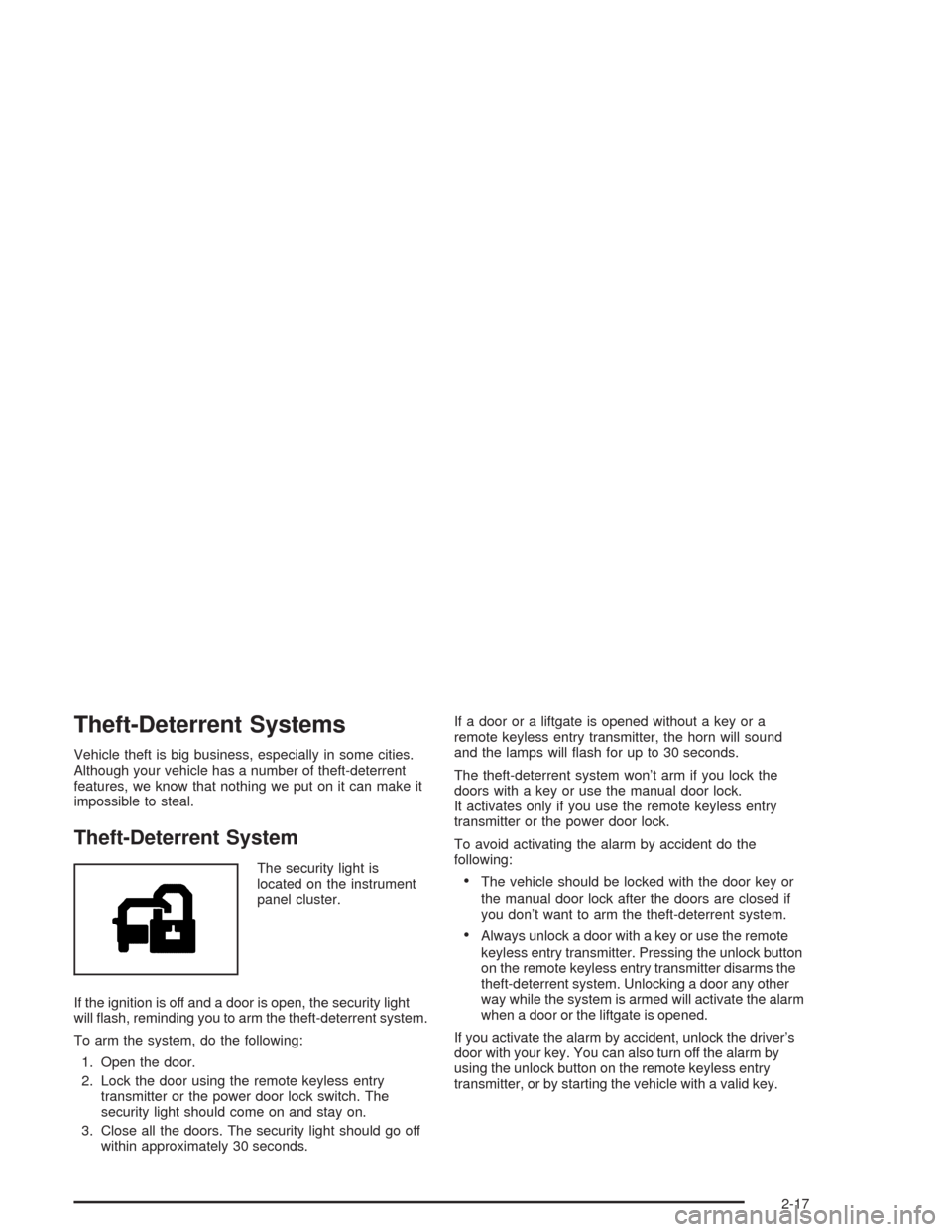
The security light is
located on the instrument
panel cluster.
If the ignition is off and a door is open, the security light
will ash, reminding you to arm the theft-deterrent system.
To arm the system, do the following:
1. Open the door.
2. Lock the door using the remote keyless entry
transmitter or the power door lock switch. The
security light should come on and stay on.
3. Close all the doors. The security light should go off
within approximately 30 seconds.If a door or a liftgate is opened without a key or a
remote keyless entry transmitter, the horn will sound
and the lamps will ash for up to 30 seconds.
The theft-deterrent system won’t arm if you lock the
doors with a key or use the manual door lock.
It activates only if you use the remote keyless entry
transmitter or the power door lock.
To avoid activating the alarm by accident do the
following:The vehicle should be locked with the door key or
the manual door lock after the doors are closed if
you don’t want to arm the theft-deterrent system.
Always unlock a door with a key or use the remote
keyless entry transmitter. Pressing the unlock button
on the remote keyless entry transmitter disarms the
theft-deterrent system. Unlocking a door any other
way while the system is armed will activate the alarm
when a door or the liftgate is opened.
If you activate the alarm by accident, unlock the driver’s
door with your key. You can also turn off the alarm by
using the unlock button on the remote keyless entry
transmitter, or by starting the vehicle with a valid key.
2-17
Page 87 of 468
Immobilizer Operation
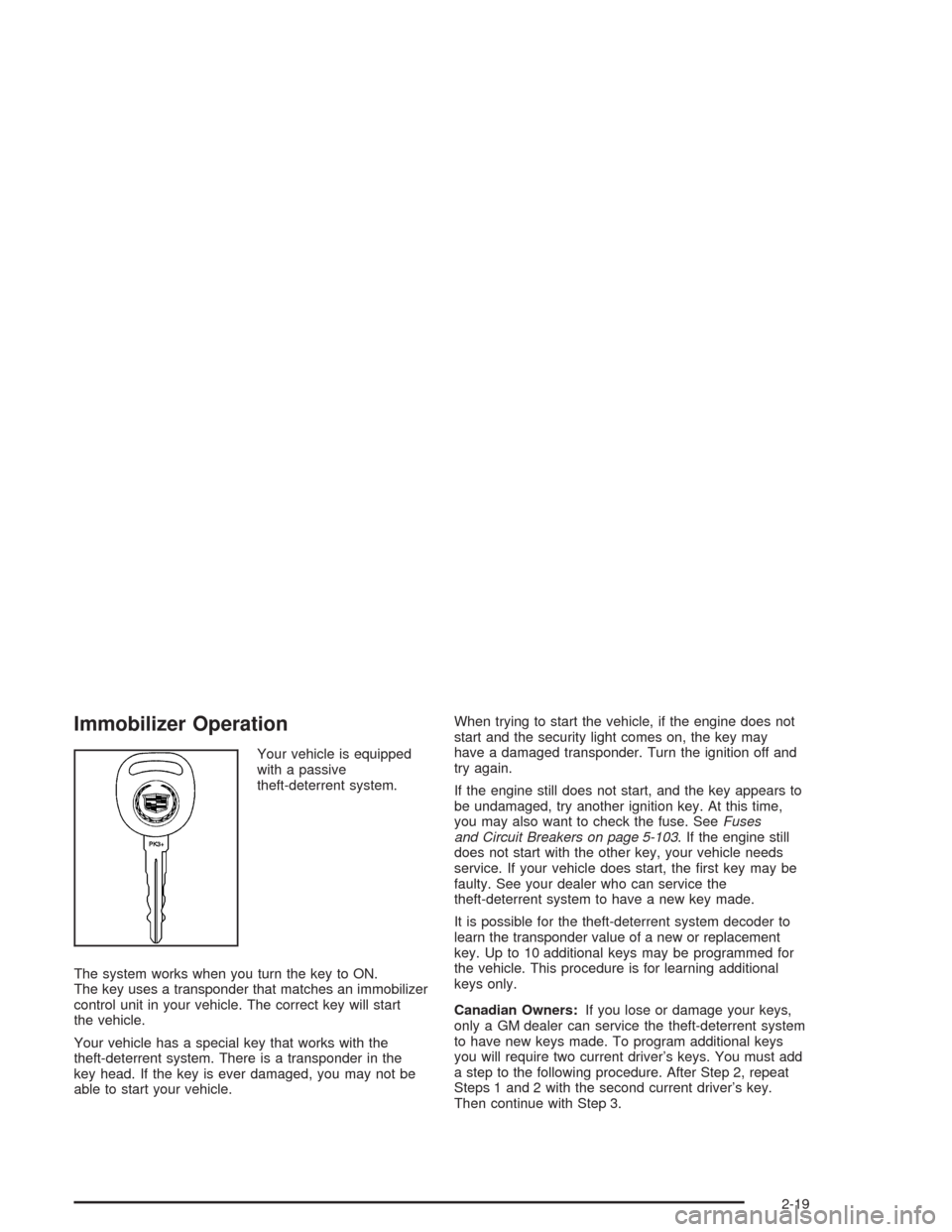
Your vehicle is equipped
with a passive
theft-deterrent system.
The system works when you turn the key to ON.
The key uses a transponder that matches an immobilizer
control unit in your vehicle. The correct key will start
the vehicle.
Your vehicle has a special key that works with the
theft-deterrent system. There is a transponder in the
key head. If the key is ever damaged, you may not be
able to start your vehicle.When trying to start the vehicle, if the engine does not
start and the security light comes on, the key may
have a damaged transponder. Turn the ignition off and
try again.
If the engine still does not start, and the key appears to
be undamaged, try another ignition key. At this time,
you may also want to check the fuse. SeeFuses
and Circuit Breakers on page 5-103. If the engine still
does not start with the other key, your vehicle needs
service. If your vehicle does start, the rst key may be
faulty. See your dealer who can service the
theft-deterrent system to have a new key made.
It is possible for the theft-deterrent system decoder to
learn the transponder value of a new or replacement
key. Up to 10 additional keys may be programmed for
the vehicle. This procedure is for learning additional
keys only.
Canadian Owners:If you lose or damage your keys,
only a GM dealer can service the theft-deterrent system
to have new keys made. To program additional keys
you will require two current driver’s keys. You must add
a step to the following procedure. After Step 2, repeat
Steps 1 and 2 with the second current driver’s key.
Then continue with Step 3.
2-19
Page 88 of 468
To program a new key do the following:
1. Verify that the new key has PK3+ stamped on it.
2. Insert the current driver’s key in the ignition and
start the engine. If the engine will not start see
your dealer for service.
3. After the engine has started, turn the key to OFF,
and remove the key.
4. Insert the key to be programmed and turn it to ON
within ten seconds of removing the previous key.
5. The security light will turn off once the key has been
programmed. It may not be apparent that the
security light went on due to how quickly the key is
programmed.
6. Repeat the Steps 1 through 4 if additional keys are
to be programmed.
If you are ever driving and the security light comes on
and stays on, you will be able to restart your engine
if you turn it off. The theft-deterrent system, however,
is not working properly and must be serviced by
your dealer. Your vehicle is not protected by the
theft-deterrent system at this time.
In an emergency, contact Cadillac Roadside Assistance.
SeeRoadside Service on page 7-5.Starting and Operating
Your Vehicle
New Vehicle Break-In
Notice:Your vehicle does not need an elaborate
“break-in.” But it will perform better in the long run
if you follow these guidelines for the rst 500 miles
(805 km):
Do not drive at any one speed — fast or slow.
Do not exceed 70 mph (113 km/h).
Do not make full-throttle starts; also refrain
from using the full throttle while driving.
If these procedures are not followed, your engine,
axle or other parts could be damaged.
Avoid making hard stops for the rst 200 miles
(322 km) or so. During this time your new brake
linings are not yet broken in. Hard stops with new
linings can mean premature wear and earlier
replacement. Follow this break-in guideline every
time you get new linings.
Do not tow a trailer during break-in. SeeTowing a
Trailer on page 4-52for more information.
2-20
Page 89 of 468
Ignition Positions
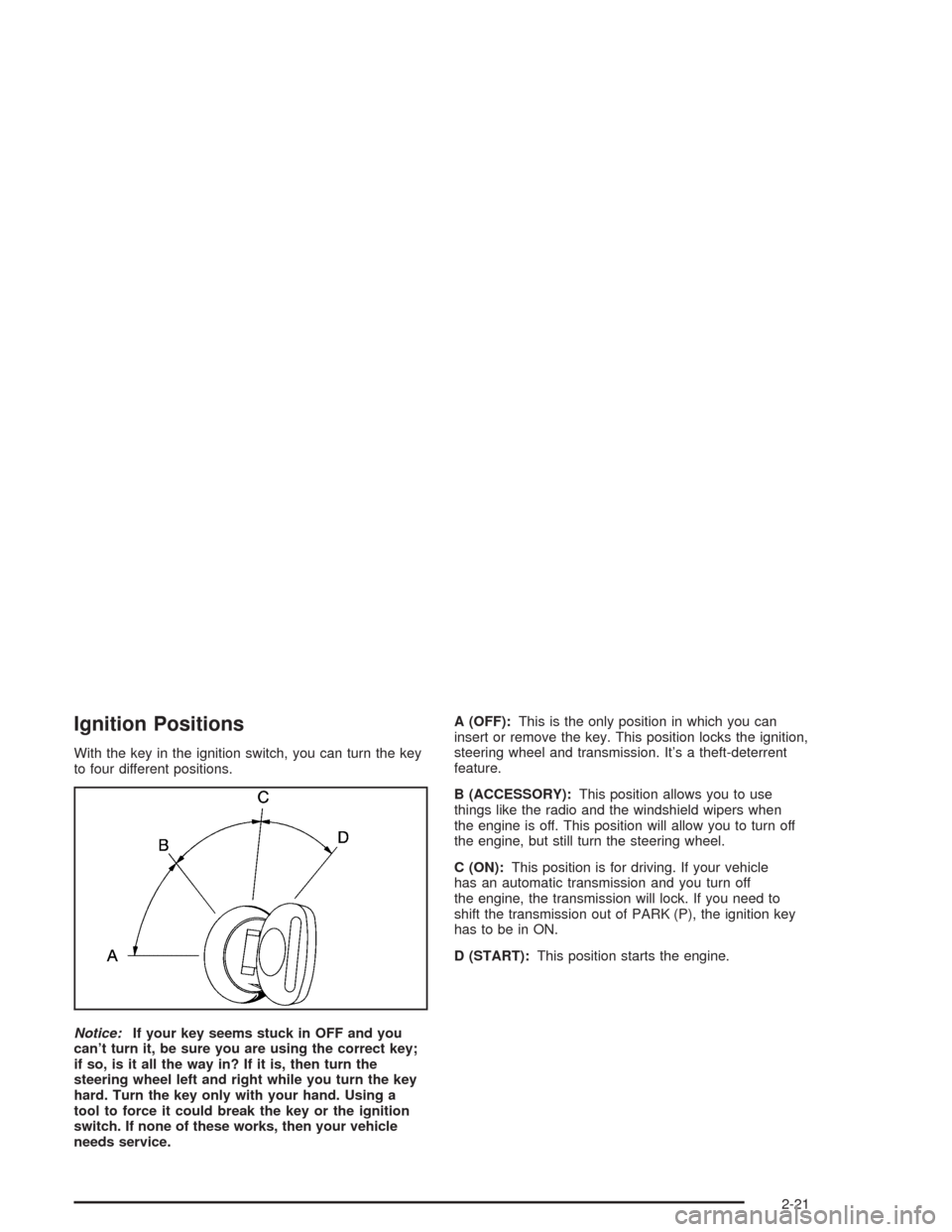
With the key in the ignition switch, you can turn the key
to four different positions.
Notice:If your key seems stuck in OFF and you
can’t turn it, be sure you are using the correct key;
if so, is it all the way in? If it is, then turn the
steering wheel left and right while you turn the key
hard. Turn the key only with your hand. Using a
tool to force it could break the key or the ignition
switch. If none of these works, then your vehicle
needs service.A (OFF):This is the only position in which you can
insert or remove the key. This position locks the ignition,
steering wheel and transmission. It’s a theft-deterrent
feature.
B (ACCESSORY):This position allows you to use
things like the radio and the windshield wipers when
the engine is off. This position will allow you to turn off
the engine, but still turn the steering wheel.
C (ON):This position is for driving. If your vehicle
has an automatic transmission and you turn off
the engine, the transmission will lock. If you need to
shift the transmission out of PARK (P), the ignition key
has to be in ON.
D (START):This position starts the engine.
2-21
Page 90 of 468
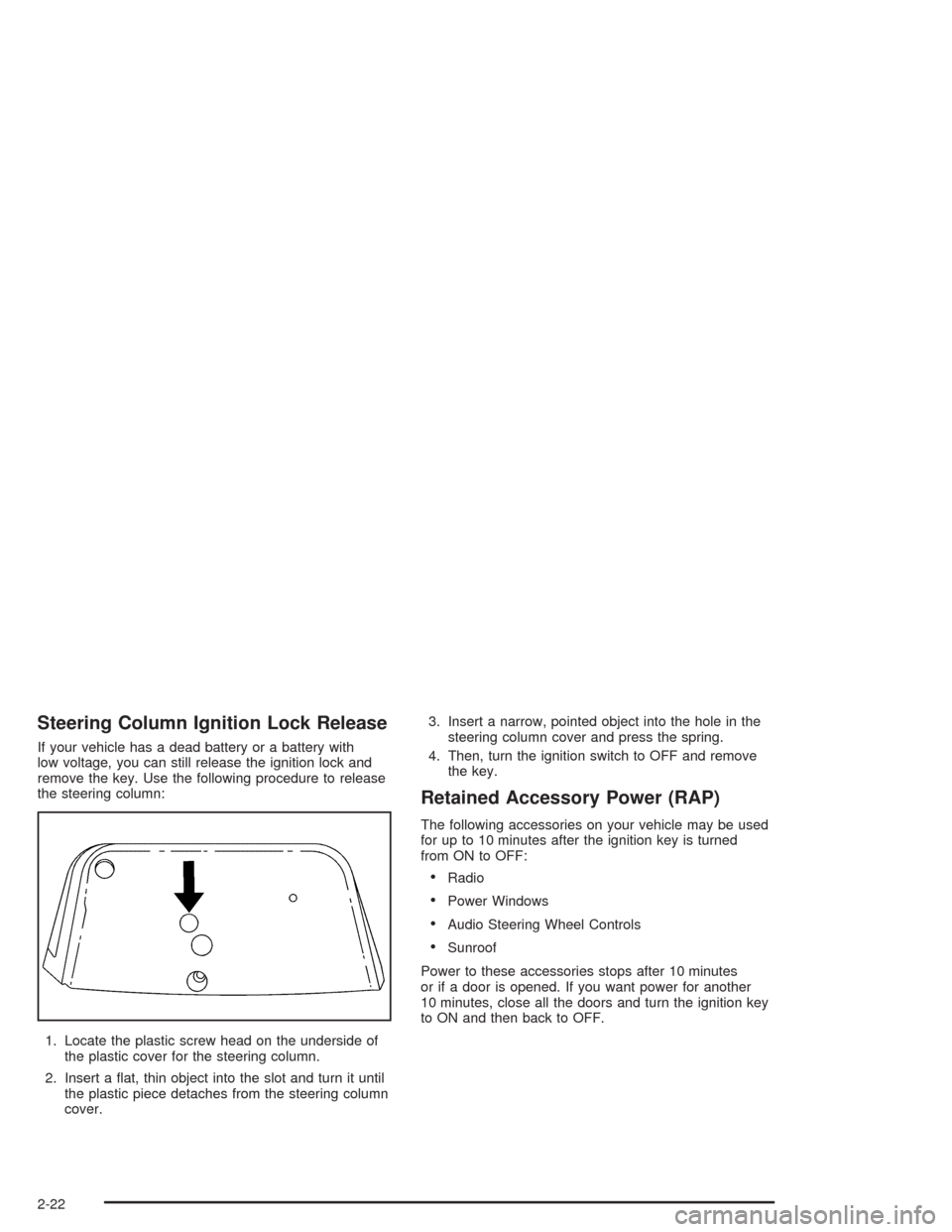
Steering Column Ignition Lock Release
If your vehicle has a dead battery or a battery with
low voltage, you can still release the ignition lock and
remove the key. Use the following procedure to release
the steering column:
1. Locate the plastic screw head on the underside of
the plastic cover for the steering column.
2. Insert a at, thin object into the slot and turn it until
the plastic piece detaches from the steering column
cover.3. Insert a narrow, pointed object into the hole in the
steering column cover and press the spring.
4. Then, turn the ignition switch to OFF and remove
the key.
Retained Accessory Power (RAP)
The following accessories on your vehicle may be used
for up to 10 minutes after the ignition key is turned
from ON to OFF:
Radio
Power Windows
Audio Steering Wheel Controls
Sunroof
Power to these accessories stops after 10 minutes
or if a door is opened. If you want power for another
10 minutes, close all the doors and turn the ignition key
to ON and then back to OFF.
2-22
Page 91 of 468
Starting Your Engine
Move your shift lever to PARK (P) or NEUTRAL (N).
Your engine won’t start in any other position – that’s a
safety feature. To restart when you’re already moving,
use NEUTRAL (N) only.
Notice:Do not try to shift to PARK (P) if your
vehicle is moving. If you do, you could damage the
transmission. Shift to PARK (P) only when your
vehicle is stopped.
1. With your foot off the accelerator pedal, turn your
ignition key to START. Then, let go of the key; the
engine will start automatically. The idle speed
will go down as your engine gets warm.
2. If your engine won’t start (or starts but then stops),
it could be ooded with too much gasoline. Try
pushing your accelerator pedal all the way to the
oor and holding it there as you turn the key
to START. If the vehicle starts briey but then stops
again, do the same thing.
Notice:Your engine is designed to work with the
electronics in your vehicle. If you add electrical
parts or accessories, you could change the way the
engine operates. Before adding electrical equipment,
check with your dealer. If you do not, your engine
might not perform properly.
Adjustable Throttle and Brake Pedal
If your vehicle is equipped with this feature, you can
change the position of the throttle and brake pedals.
This feature is designed for short or very tall drivers.
The vehicle must be in PARK (P) for this feature
to operate.
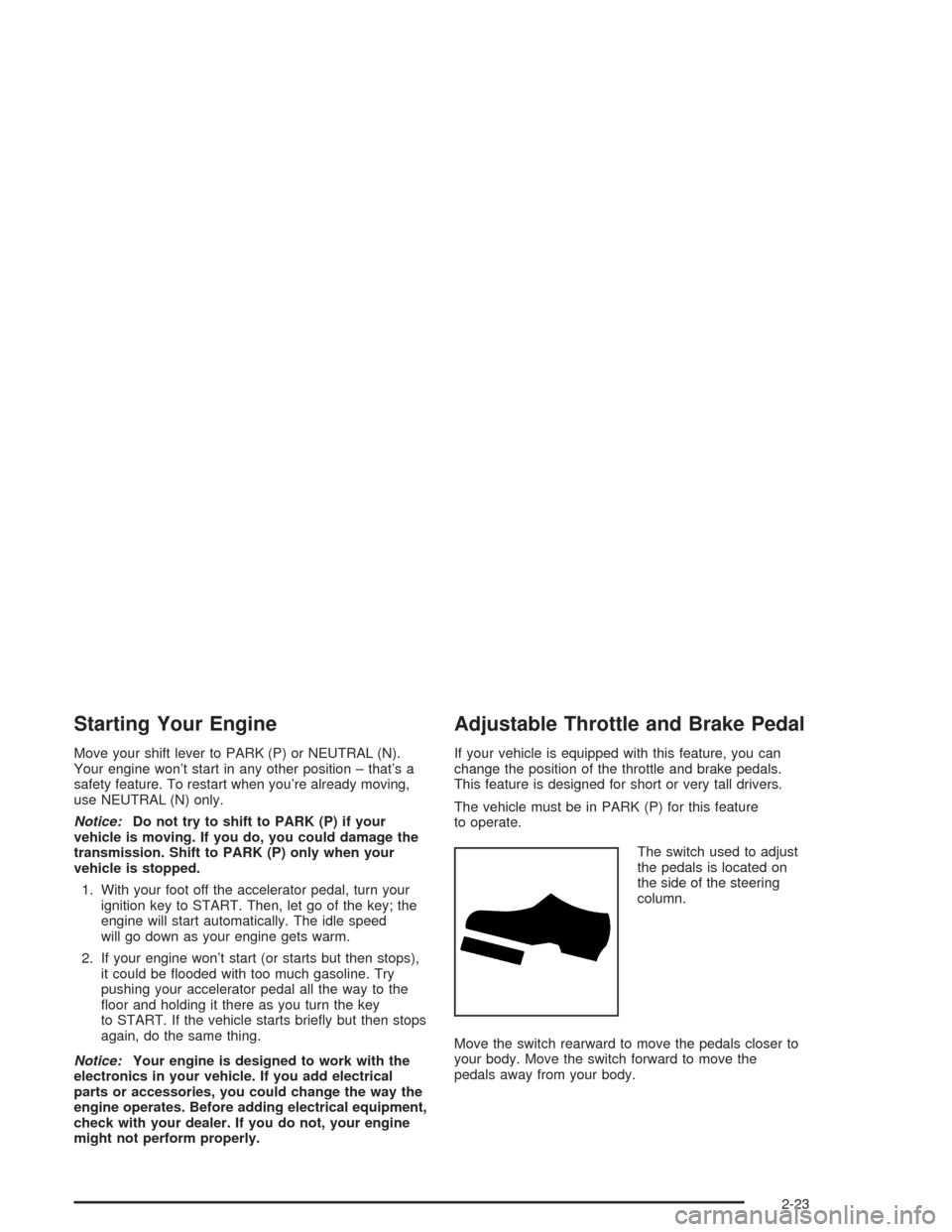
The switch used to adjust
the pedals is located on
the side of the steering
column.
Move the switch rearward to move the pedals closer to
your body. Move the switch forward to move the
pedals away from your body.
2-23
Page 94 of 468
Ensure the shift lever is fully in PARK (P) before starting
the engine. Your vehicle has an automatic transmission
shift lock control system. You must fully apply your
regular brakes before you can shift from PARK (P) when
the ignition key is in ON. If you cannot shift out of
PARK (P), ease pressure on the shift lever. Push the
shift lever all the way into PARK (P) while pressing the
button on the shift lever as you maintain brake
application. Then move the shift lever into the gear you
wish. SeeShifting Out of Park (P) on page 2-32.
Notice:Shifting to REVERSE (R) while your vehicle
is moving forward could damage the transmission.
The repairs would not be covered by your warranty.
Shift to REVERSE (R) only after your vehicle is
stopped.
REVERSE (R):Use this gear to back up.
At low vehicle speeds, you can also use REVERSE (R)
to rock your vehicle back and forth to get out of
snow, ice or sand without damaging your transmission.
SeeIf You Are Stuck: In Sand, Mud, Ice or Snow on
page 4-44for additional information.NEUTRAL (N):In this position, the engine doesn’t
connect with the wheels. To restart when you’re already
moving, use NEUTRAL (N) only. You can also use
NEUTRAL (N) when your vehicle is being towed.
{CAUTION:
Shifting into a drive gear while your engine is
running at high speed is dangerous. Unless
your foot is rmly on the brake pedal, your
vehicle could move very rapidly. You could
lose control and hit people or objects. Do not
shift into a drive gear while your engine is
running at high speed.
Notice:Shifting out of PARK (P) or NEUTRAL (N)
with the engine running at high speed may damage
the transmission. The repairs would not be covered
by your warranty. Be sure the engine is not running
at high speed when shifting your vehicle.
2-26
Page 95 of 468
AUTOMATIC OVERDRIVE (D):This position is for
normal driving. If you need more power for passing,
and you’re:
Going less than 35 mph (55 km/h), push the
accelerator pedal about halfway down.
Going about 35 mph (55 km/h) or more, push the
accelerator all the way down.
The transmission will shift down to a lower gear
and have more power.
Notice:Spinning the tires or holding the vehicle
in one place on a hill using only the accelerator
pedal may damage the transmission. If you
are stuck, do not spin the tires. When stopping on
a hill, use the brakes to hold the vehicle in place.
FOURTH (4):This position is also used for normal
driving. However, it offers more power and lower fuel
economy than AUTOMATIC OVERDRIVE (D).
Here are examples for using FOURTH (4) instead of
AUTOMATIC OVERDRIVE (D).
When driving on hilly, winding roads.
When going down a steep hill.
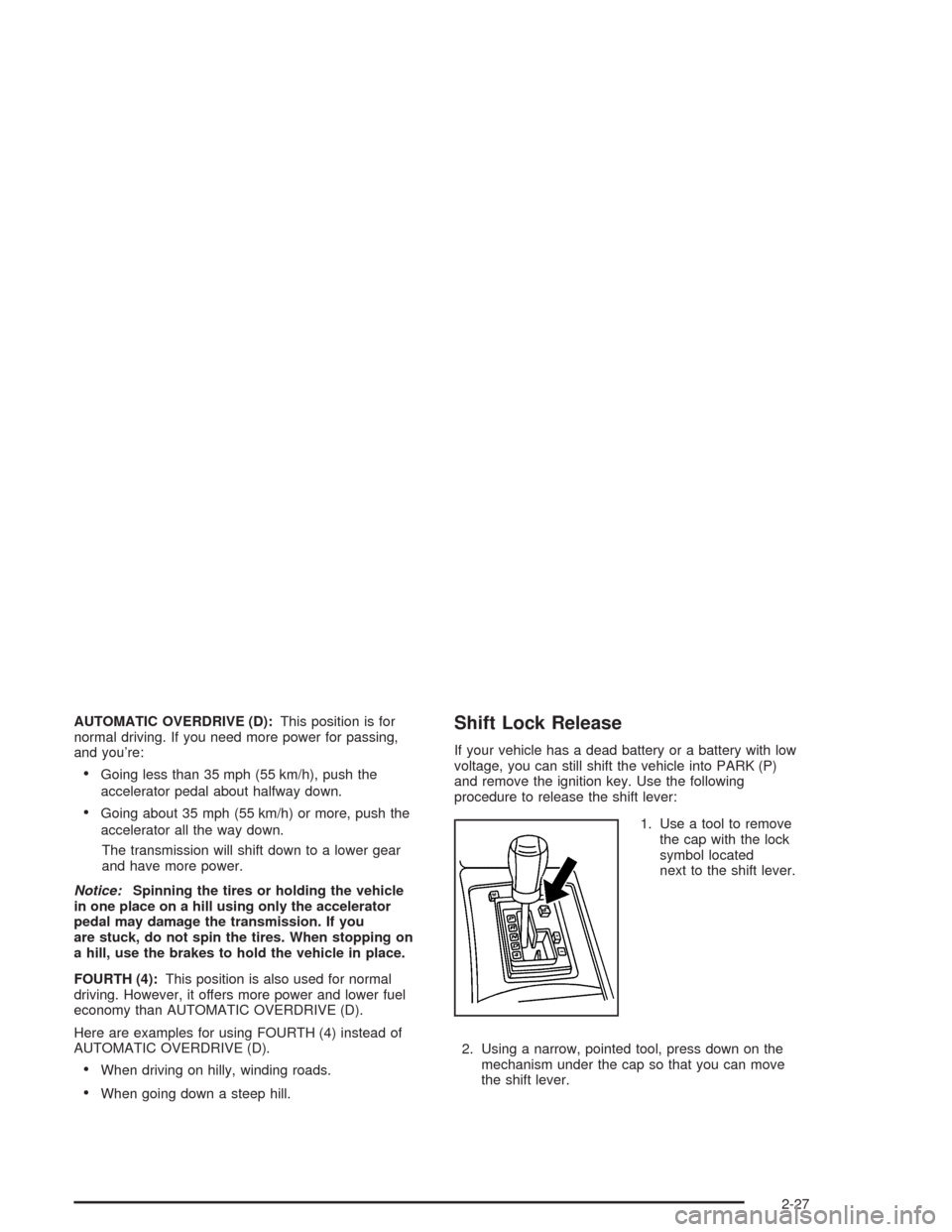
Shift Lock Release
If your vehicle has a dead battery or a battery with low
voltage, you can still shift the vehicle into PARK (P)
and remove the ignition key. Use the following
procedure to release the shift lever:
1. Use a tool to remove
the cap with the lock
symbol located
next to the shift lever.
2. Using a narrow, pointed tool, press down on the
mechanism under the cap so that you can move
the shift lever.
2-27
Page 97 of 468
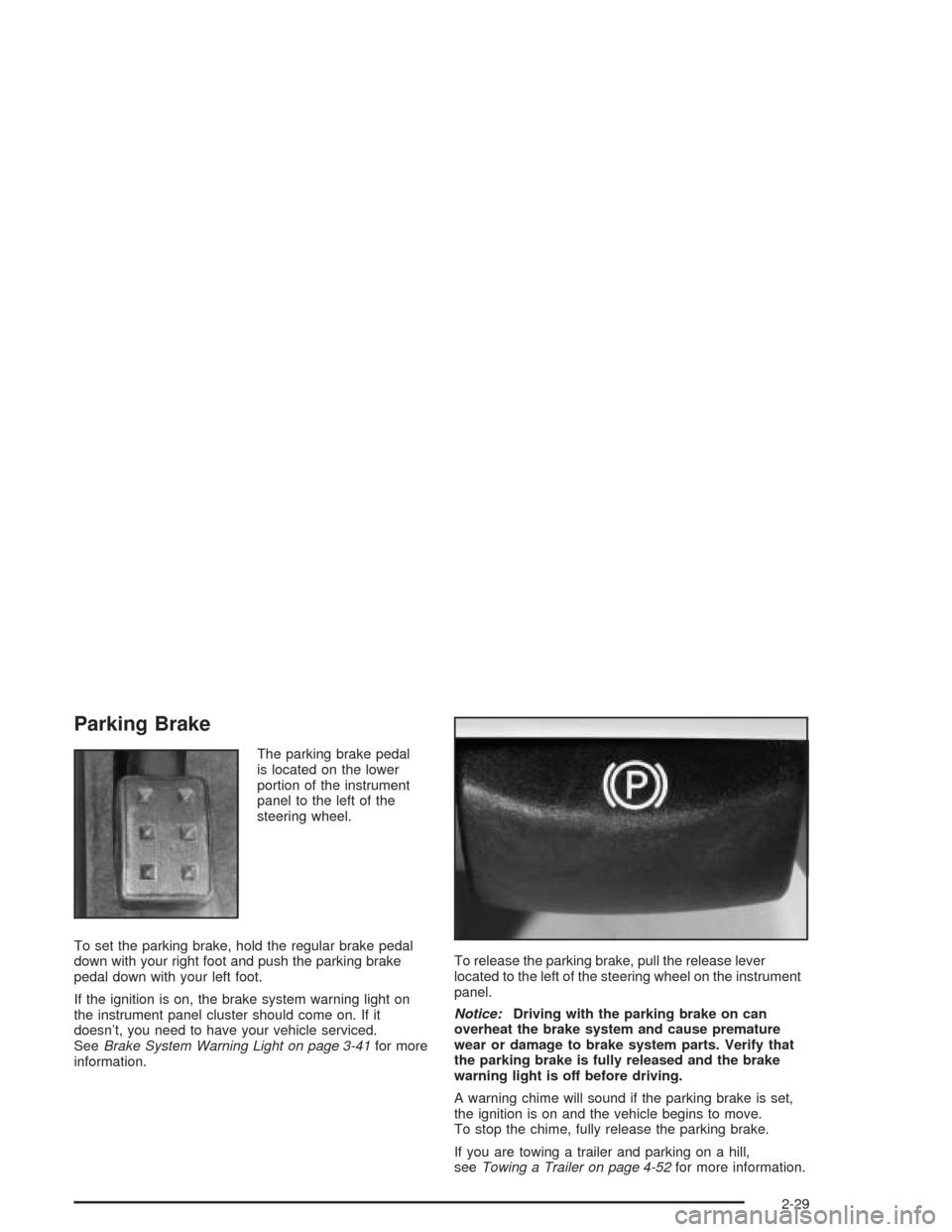
Parking Brake
The parking brake pedal
is located on the lower
portion of the instrument
panel to the left of the
steering wheel.
To set the parking brake, hold the regular brake pedal
down with your right foot and push the parking brake
pedal down with your left foot.
If the ignition is on, the brake system warning light on
the instrument panel cluster should come on. If it
doesn’t, you need to have your vehicle serviced.
SeeBrake System Warning Light on page 3-41for more
information.To release the parking brake, pull the release lever
located to the left of the steering wheel on the instrument
panel.
Notice:Driving with the parking brake on can
overheat the brake system and cause premature
wear or damage to brake system parts. Verify that
the parking brake is fully released and the brake
warning light is off before driving.
A warning chime will sound if the parking brake is set,
the ignition is on and the vehicle begins to move.
To stop the chime, fully release the parking brake.
If you are towing a trailer and parking on a hill,
seeTowing a Trailer on page 4-52for more information.
2-29