instrument panel CADILLAC SRX 2004 1.G Owner's Guide
[x] Cancel search | Manufacturer: CADILLAC, Model Year: 2004, Model line: SRX, Model: CADILLAC SRX 2004 1.GPages: 468, PDF Size: 2.92 MB
Page 185 of 468

9(English/Metric Units):Use this menu item to
adjust the measurement units.
You can choose between ENGLISH UNITS and
METRIC UNITS. To switch between the two, press the
TUNE/SEL knob. Once your choice is displayed,
turn the knob to set your choice and continue scrolling
through the main menu.
The measurement units that you choose will be reected
on all the vehicle system displays, not just the DIC
information. For example, the climate control panel will
display degrees Celsius if you choose METRIC UNITS.
TCS (Traction Control System):You can enable or
disable the traction control system using this menu item.
Press the TUNE/SEL knob to switch between on and off.
You can also turn the traction control system off using the
traction control button located near the shift lever.
When you disable the traction control system, the
Traction Suspended message will appear on the DIC and
the traction control system warning light on the instrument
panel cluster will come on. SeeDIC Warnings and
Messages on page 3-64andTraction Control System
(TCS) Warning Light on page 3-42for more information.8(Clock):Use this menu item to set the time on the
vehicle’s clock.
SeeSetting the Time on page 3-93for more information.
8/4(Clock/Information Display):Use this menu
item to toggle between the clock display and the XM™
Information (Song, Artist, Title), if available.
SeeAudio System(s) on page 3-93for more information.
SETUP:When you select this menu item, the following
submenu is available:
Personalization
Language
Congure Display Keys
To change the language displayed on the radio,
select LANGUAGE by pressing the TUNE/SEL knob.
Turn the TUNE/SEL knob to scroll through the available
languages and press the knob to make your selection.
If you accidentally select a language that you did
not want, ENGLISH is always at the top of the
language list.
For more information on the other items in the SETUP
menu, seeDIC Vehicle Personalization on page 3-73.
3-63
Page 189 of 468

Engine Coolant Hot – Idle Engine
This message will appear when the engine coolant
temperature is too hot. Stop and allow the vehicle to idle
until it cools down.
Notice:If you drive your vehicle while the engine is
overheating, severe engine damage may occur.
If an overheat warning appears on the instrument
panel cluster and/or DIC, stop the vehicle as soon as
possible. Do not increase the engine speed above
normal idling speed. SeeEngine Overheating
on page 5-28for more information.
Engine Coolant Hot – AC
(Air Conditioning) Off
This message displays when the engine coolant
becomes hotter than the normal operating temperature.
To avoid added strain on a hot engine, the air
conditioning compressor is automatically turned off.
When the coolant temperature returns to normal, the air
conditioning compressor will turn back on. You can
continue to drive your vehicle.
If this message continues to appear, have the system
repaired as soon as possible to avoid compressor
damage.
Engine Overheated – Stop Engine
This message will appear when the engine has
overheated. Stop the vehicle and turn the engine off
immediately to avoid severe engine damage.
SeeEngine Overheating on page 5-28. A chime will
also sound when this message is displayed.
Notice:If you drive your vehicle while the engine is
overheating, severe engine damage may occur.
If an overheat warning appears on the instrument
panel cluster and/or DIC, stop the vehicle as soon as
possible. Do not increase the engine speed above
normal idling speed. SeeEngine Overheating
on page 5-28for more information.
Engine Power Reduced
This message informs you that the vehicle is reducing
engine power because the transmission is being
placed in gear under conditions that may cause damage
to the vehicle’s engine or transmission. This also can
affect the vehicle’s ability to accelerate.
3-67
Page 190 of 468
Fuel Level Low
When this message appears on the display, it means
that your vehicle is low on fuel. You should rell the tank
as soon as possible. A single chime will sound when
this message is displayed.
Headlamps Suggested
This message will appear when the amount of available
light outside the vehicle is low and the exterior lamp
control is off. This message informs the driver that
turning on the exterior lamps is recommended even
though the DRL are still illuminated and it has become
dark enough outside to require the headlamps and/or
other exterior lamps.
This message will also appear when the windshield
wipers have been on for more than six seconds and the
exterior lamp control is off or in the parking lamp position.
Ice Possible
This message appears when the outside temperature is
cold enough to create icy road conditions.
Left Rear Door Ajar
When this message appears on the display, it means
that the driver’s side rear door was not closed
completely. You should make sure that the door is
closed completely.
Lift Gate Ajar
When this message appears on the display, it means that
the liftgate was not closed completely. You should make
sure that the liftgate is closed completely.
Oil Pressure Low – Stop Engine
A multiple chime will sound when this message is
displayed.
Notice:If you drive your vehicle while the engine
oil pressure is low, severe engine damage may
occur. If a low oil pressure warning appears on the
instrument panel cluster and/or DIC, stop the
vehicle as soon as possible. Do not drive the vehicle
until the cause of the low oil pressure is corrected.
SeeEngine Oil on page 5-15for more information.
3-68
Page 294 of 468
If You Are Stuck: In Sand, Mud,
Ice or Snow
In order to free your vehicle when it is stuck, you will
need to spin the wheels, but you do not want to
spin your wheels too fast. The method known as
“rocking” can help you get out when you are stuck,
but you must use caution.
{CAUTION:
If you let your tires spin at high speed, they can
explode, and you or others could be injured.
And, the transmission or other parts of the
vehicle can overheat. That could cause an
engine compartment re or other damage.
When you are stuck, spin the wheels as little as
possible. Do not spin the wheels above 35 mph
(55 km/h) as shown on the speedometer.Notice:Spinning your wheels can destroy parts of
your vehicle as well as the tires. If you spin the
wheels too fast while shifting your transmission
back and forth, you can destroy your transmission.
For information about using tire chains on your
vehicle, seeTire Chains on page 5-77.
Rocking Your Vehicle To Get It Out
First, turn your steering wheel left and right. That will
clear the area around your front wheels. If your vehicle
has the Stabilitrak
®System, turn the system off by
pressing and holding the Traction button so that
the STABILITY SYS DISABLED message and the
traction off light are illuminated on the instrument
panel cluster. Then shift back and forth between
REVERSE (R) and a forward gear, spinning the wheels
as little as possible. Release the accelerator pedal
while you shift, and press lightly on the accelerator pedal
when the transmission is in gear. By slowly spinning
your wheels in the forward and reverse directions,
you will cause a rocking motion that may free your
vehicle. If that does not get you out after a few tries,
you may need to be towed out. Or, you can use
your recovery hook if your vehicle has one. If you do
need to be towed out, seeTowing Your Vehicle on
page 4-45.
4-44
Page 307 of 468

Turn Signals When Towing a Trailer
When you tow a trailer, your vehicle may need a
different turn signal asher and/or extra wiring.
Check with your dealer. The arrows on your instrument
panel will ash whenever you signal a turn or lane
change. Properly hooked up, the trailer lamps will also
ash, telling other drivers you’re about to turn,
change lanes or stop.
When towing a trailer, the arrows on your instrument
panel will ash for turns even if the bulbs on the trailer
are burned out. Thus, you may think drivers behind
you are seeing your signal when they are not.
It’s important to check occasionally to be sure the trailer
bulbs are still working.
Driving on Grades
Reduce speed and shift to a lower gear before you start
down a long or steep downgrade. If you don’t shift
down, you might have to use your brakes so much that
they would get hot and no longer work well.
On a long uphill grade, shift down and reduce your
speed to around 45 mph (70 km/h) to reduce the
possibility of the engine and the transmission
overheating.
Parking on Hills
{CAUTION:
You really should not park your vehicle, with a
trailer attached, on a hill. If something goes
wrong, your rig could start to move. People
can be injured, and both your vehicle and the
trailer can be damaged.
But if you ever have to park your rig on a hill, here’s
how to do it:
1. Apply your regular brakes, but don’t shift into
PARK (P).
When parking uphill, turn your wheels away from
the curb. When parking downhill, turn your wheels
into the curb.
2. Have someone place chocks behind the trailer
wheels.
3. When the chocks are in place, release the regular
brakes until the chocks absorb the load.
4. Reapply the regular brakes. Then apply your
parking brake and shift into PARK (P).
5. Release the regular brakes.
4-57
Page 313 of 468

Adding Equipment to the Outside of
Your Vehicle
Things you might add to the outside of your vehicle
can affect the airow around it. This may cause
wind noise and affect windshield washer performance.
Check with your dealer before adding equipment to
the outside of your vehicle.
Fuel
The 8th digit of your vehicle identication number (VIN)
shows the code letter or number that identies your
engine. You will nd the VIN at the top left of the
instrument panel. SeeVehicle Identication
Number (VIN) on page 5-101.
Gasoline Octane
If your vehicle has the 3.6L V6 engine, use regular
unleaded gasoline with a posted octane of 87 or higher.
However, for best performance and for trailer towing,
you may wish to use middle grade or premium unleaded
gasoline. If the octane is less than 87, you may get a
heavy knocking noise when you drive. If this occurs, use
a gasoline rated at 87 octane or higher as soon as
possible. Otherwise, you might damage your engine.
If your vehicle has the 4.6L V8 engine, use premium
unleaded gasoline with a posted octane of 91 or higher
for best performance. You may also use middle
grade or regular unleaded gasoline rated at 87 octane
or higher, but your vehicle’s acceleration may be slightly
reduced. If the octane is less than 87, you may get a
heavy knocking noise when you drive. If this occurs, use
a gasoline rated at 87 octane or higher as soon as
possible. Otherwise, you might damage your engine.
5-5
Page 319 of 468
Hood Release
To lift the hood, use the following steps:
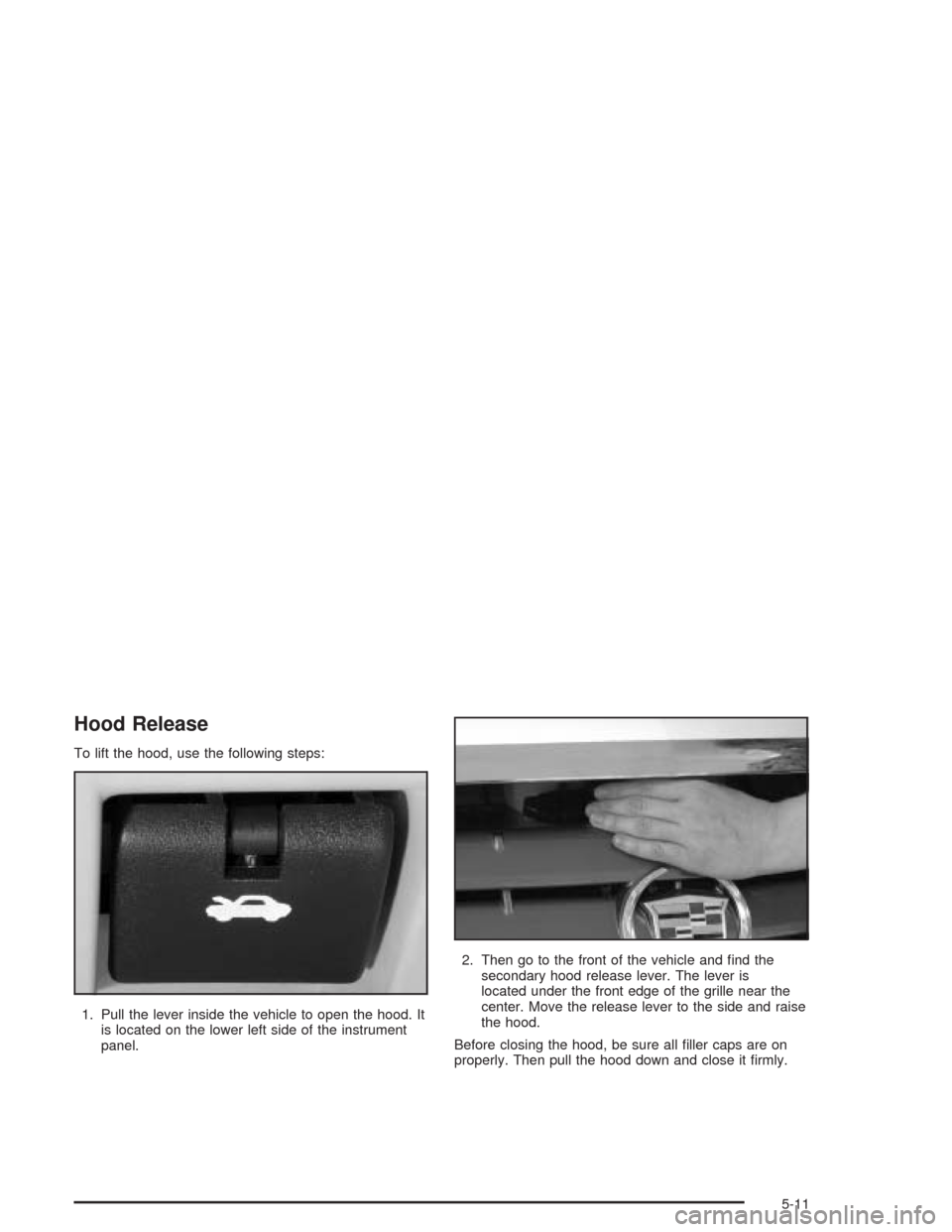
1. Pull the lever inside the vehicle to open the hood. It
is located on the lower left side of the instrument
panel.2. Then go to the front of the vehicle and nd the
secondary hood release lever. The lever is
located under the front edge of the grille near the
center. Move the release lever to the side and raise
the hood.
Before closing the hood, be sure all ller caps are on
properly. Then pull the hood down and close it rmly.
5-11
Page 377 of 468
Tire Pressure Monitor System
Your vehicle may have this feature. The Tire Pressure
Monitor (TPM) system uses radio and sensor technology
to check tire pressure levels. If your vehicle has this
feature, sensors are mounted on each tire and wheel
assembly, except for the compact spare tire and wheel.
Tire pressure readings are sent to a receiver located
in the vehicle.
When a low tire pressure condition is detected, the TPM
system will display the Check Tire Pressure warning
message on the Driver Information Center (DIC) and, at
the same time, illuminate the low tire pressure warning
symbol, on the instrument panel cluster. For additional
information and details about the DIC operation and
displays seeSystem Controls on page 3-51and
DIC Warnings and Messages on page 3-64.
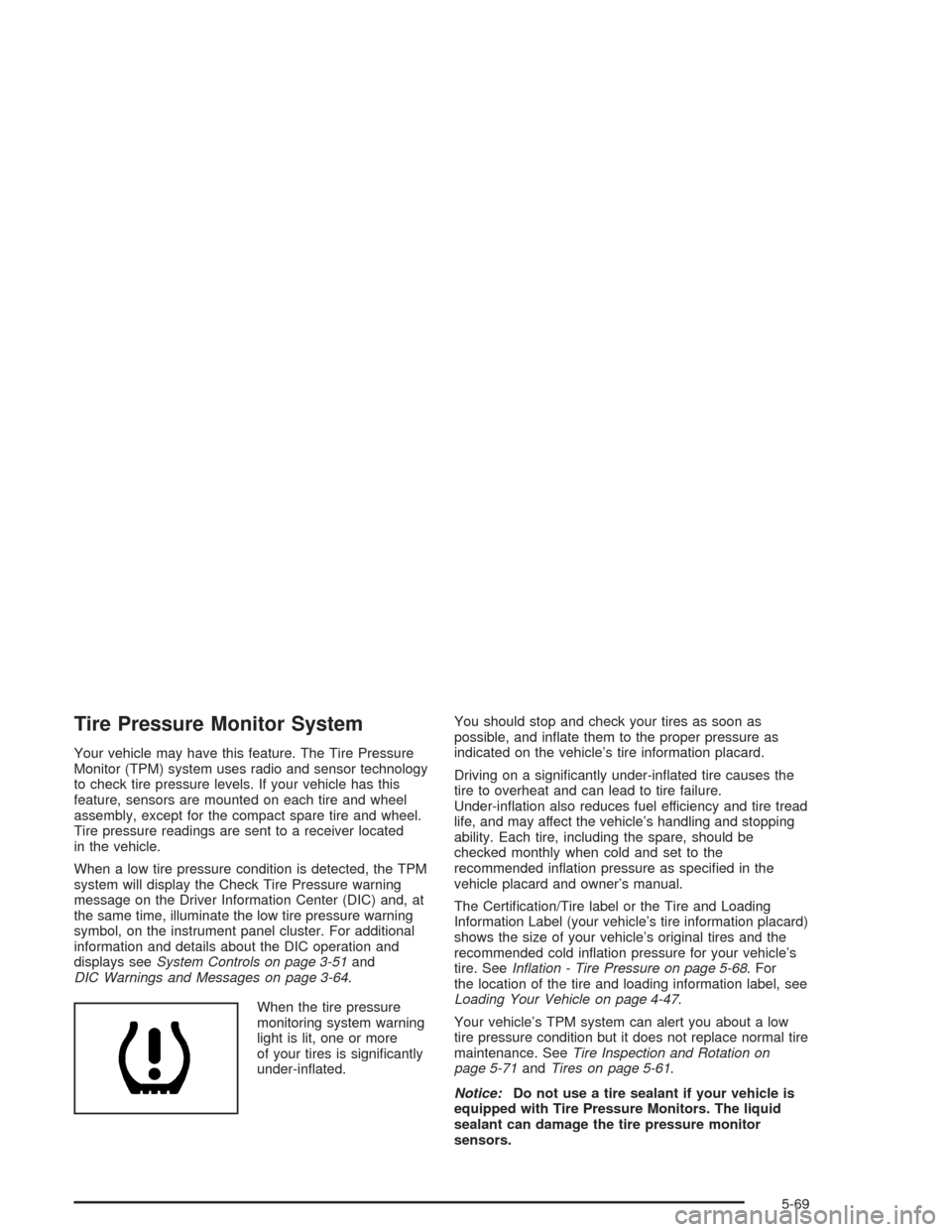
When the tire pressure
monitoring system warning
light is lit, one or more
of your tires is signicantly
under-inated.You should stop and check your tires as soon as
possible, and inate them to the proper pressure as
indicated on the vehicle’s tire information placard.
Driving on a signicantly under-inated tire causes the
tire to overheat and can lead to tire failure.
Under-ination also reduces fuel efficiency and tire tread
life, and may affect the vehicle’s handling and stopping
ability. Each tire, including the spare, should be
checked monthly when cold and set to the
recommended ination pressure as specied in the
vehicle placard and owner’s manual.
The Certication/Tire label or the Tire and Loading
Information Label (your vehicle’s tire information placard)
shows the size of your vehicle’s original tires and the
recommended cold ination pressure for your vehicle’s
tire. SeeInation - Tire Pressure on page 5-68. For
the location of the tire and loading information label, see
Loading Your Vehicle on page 4-47.
Your vehicle’s TPM system can alert you about a low
tire pressure condition but it does not replace normal tire
maintenance. SeeTire Inspection and Rotation on
page 5-71andTires on page 5-61.
Notice:Do not use a tire sealant if your vehicle is
equipped with Tire Pressure Monitors. The liquid
sealant can damage the tire pressure monitor
sensors.
5-69
Page 403 of 468
Use a clean cloth or sponge, and change to a clean
area often. A soft brush may be used if stains are
stubborn.
If a ring forms on fabric after spot cleaning, clean
the entire area immediately or it will set.
Cleaning Vinyl
Use warm water and a clean cloth.
Rub with a clean, damp cloth to remove dirt. You
may have to do this more than once.
Things like tar, asphalt and shoe polish will stain if
you don’t get them off quickly. Use a clean cloth
and vinyl cleaner. See your dealer for this product.
Cleaning Leather
Use a soft cloth with lukewarm water and a mild soap or
saddle soap and wipe dry with a soft cloth. Then, let
the leather dry naturally. Do not use heat to dry.
For stubborn stains, use a leather cleaner.
Neveruse oils, varnishes, solvent-based or abrasive
cleaners, furniture polish or shoe polish on leather.
Soiled or stained leather should be cleaned
immediately. If dirt is allowed to work into the nish,
it can harm the leather.
Cleaning the Top of the Instrument
Panel
Use only mild soap and water to clean the top surfaces
of the instrument panel. Sprays containing silicones
or waxes may cause annoying reections in the
windshield and even make it difficult to see through the
windshield under certain conditions.
Cleaning Interior Plastic Components
Use on a mild soap and water solution on a soft cloth or
sponge. Commercial cleaners may affect the surface
nish.
Cleaning Wood Panels
Use a clean cloth moistened in warm, soapy water (use
mild dish washing soap). Dry the wood immediately
with a clean cloth.
Cleaning the Speaker Covers
Vacuum around a speaker cover gently, so that the
speaker won’t be damaged. Clean spots with just water
and mild soap.
5-95
Page 409 of 468
Vehicle Identication
Vehicle Identication Number (VIN)
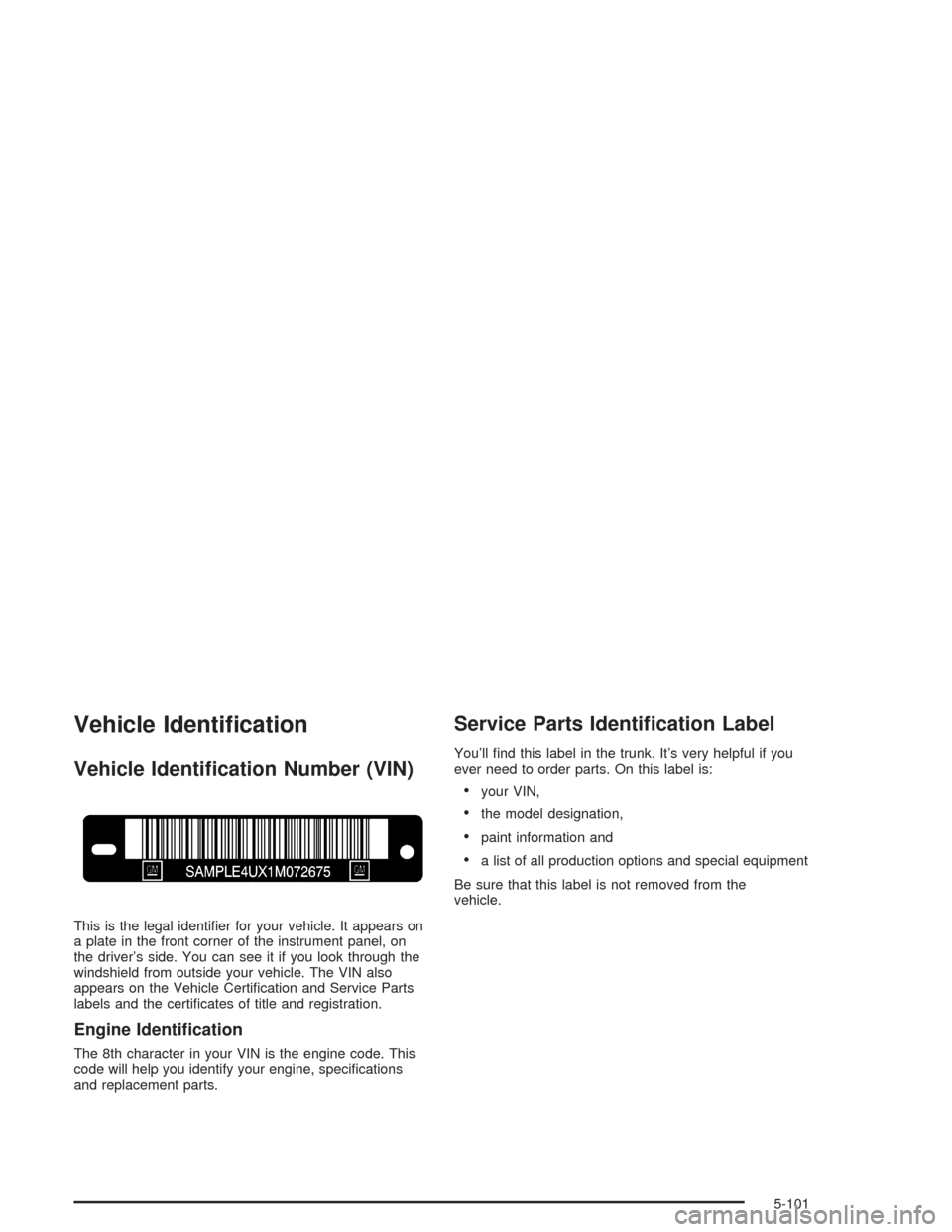
This is the legal identier for your vehicle. It appears on
a plate in the front corner of the instrument panel, on
the driver’s side. You can see it if you look through the
windshield from outside your vehicle. The VIN also
appears on the Vehicle Certication and Service Parts
labels and the certicates of title and registration.
Engine Identication
The 8th character in your VIN is the engine code. This
code will help you identify your engine, specications
and replacement parts.
Service Parts Identication Label
You’ll nd this label in the trunk. It’s very helpful if you
ever need to order parts. On this label is:
your VIN,
the model designation,
paint information and
a list of all production options and special equipment
Be sure that this label is not removed from the
vehicle.
5-101