audio CADILLAC SRX 2004 1.G Repair Manual
[x] Cancel search | Manufacturer: CADILLAC, Model Year: 2004, Model line: SRX, Model: CADILLAC SRX 2004 1.GPages: 468, PDF Size: 2.92 MB
Page 246 of 468

Audio Steering Wheel Controls
Some audio controls can be adjusted at the steering
wheel. They include the following:
>(Mute):Press this button to silence the system.
Press this button again, or any other radio button, to turn
the sound on.
SRCE (Source):Press this button to switch between
FM1, FM2, AM, or XM1 or XM2 (if equipped), radio,
or CD.
g(OnStar/Voice Recognition):If your vehicle has
the Radio with CD or Radio with Six-Disc CD audio
system, press this button to interact with the OnStar
®
system. See the OnStar®manual provided with
your vehicle for more information.
If your vehicle has the navigation system, press this
button to initiate voice recognition. See “Voice
Recognition” in the Navigation System manual for more
information. You may be able to interact with the
OnStar
®system using this button. See the OnStar®
manual provided with your vehicle for more information.
1–6 (Preset Stations):Press this button to play
stations that are programmed on the radio preset
pushbuttons. The radio will only seek preset stations
with a strong signal that are in the selected band.
When a CD is playing, press this button to go to the
next track.
When a CD is playing in the six-disc CD changer, press
this button to go to the next available CD, if multiple
CDs are loaded.
+
u— (Volume):Press this button to increase or to
decrease the volume.
3-124
Page 247 of 468

+tu— (Seek):Press either arrow to go to the
next or the previous radio station and stay there.
The radio will only seek stations with a strong signal
that are in the selected band.
When a CD is playing, press the minus sign to go to the
start of the current track, if more than 10 seconds
have played. Press the plus sign to go to the next track.
If either the minus or the plus button are pressed
more than once, the player will continue moving
backward or forward through the CD.
Press and hold the SEEK plus or minus button, until
you hear a beep. The CD will fast forward or fast reverse
through the CD. Press either button again to play the
passage.
If you have the navigation system, some of the audio
steering wheel controls work when a DVD is playing in
the navigation radio. See the Navigation System
manual for more information.Radio Reception
AM
The range for most AM stations is greater than for FM,
especially at night. The longer range can cause
station frequencies to interfere with each other.
Static can occur on AM stations caused by things like
storms and power lines. Try reducing the treble to
reduce this noise.
FM Stereo
FM stereo will give the best sound, but FM signals will
reach only about 10 to 40 miles (16 to 65 km).
Tall buildings or hills can interfere with FM signals,
causing the sound to fade in and out.
XM™ Satellite Radio Service
XM™ Satellite Radio Service gives digital radio
reception from coast to coast. Just as with FM, tall
buildings or hills can interfere with satellite radio signals,
causing the sound to fade in and out. The radio may
display NO XM SIGNAL to indicate interference.
3-125
Page 329 of 468

Base Audio System
Press the CLR button located to the right of the DIC
display to acknowledge the Change Engine Oil
message. This will clear the message from the display
and reset it.
To reset the oil life indicator, use the following steps:
1. Press the up or down arrow on the INFO button
located to the right of the DIC display to access
the DIC menu.
2. Once XXX% ENGINE OIL LIFE menu item is
highlighted, press and hold the CLR button.
The percentage will return to 100, and the oil life
indicator will be reset.
3. Turn the key to OFF.
If the Change Engine Oil message comes back on
when you start your vehicle or the percentage does not
return to 100, the engine oil life system has not reset.
Repeat the procedure.
Navigation System
Press the display button to acknowledge the Change
Engine Oil message. This will clear the message
from the display and reset it.
To reset the oil life indicator using the Navigation
system, use the following steps:
1. Turn the ignition to ON with the engine running.
2. Turn the system on by pressing the PWR/VOL knob
located to the lower left of the DIC display screen.
3. Press and hold the vehicle information display
button located in the upper right of the screen
for 3 seconds to enter the vehicle information menu.
4. Use the scroll up or down display keys to select
Engine Oil Life.
5. Press and hold the RESET button on the display.
The percentage will return to 100, and the oil life
indicator will be reset. Repeat the steps if the
percentage does not return to 100.
6. Press the RETURN button on the display to return
to the main page.
7. Turn the key to OFF.
If the Change Engine Oil message comes back on
when you start your vehicle, the engine oil life system
has not reset. Repeat the procedure.
5-21
Page 332 of 468
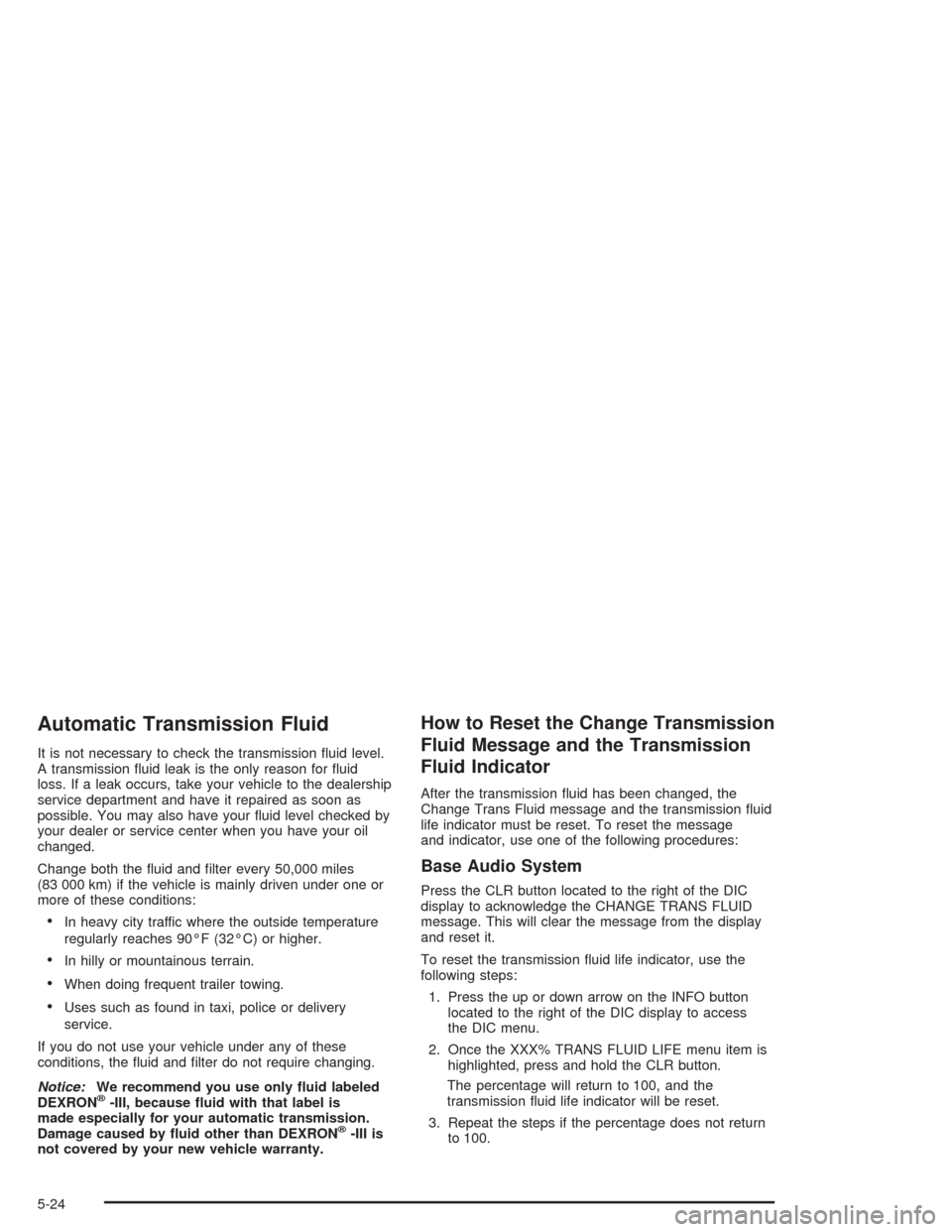
Automatic Transmission Fluid
It is not necessary to check the transmission uid level.
A transmission uid leak is the only reason for uid
loss. If a leak occurs, take your vehicle to the dealership
service department and have it repaired as soon as
possible. You may also have your uid level checked by
your dealer or service center when you have your oil
changed.
Change both the uid and lter every 50,000 miles
(83 000 km) if the vehicle is mainly driven under one or
more of these conditions:
In heavy city traffic where the outside temperature
regularly reaches 90°F (32°C) or higher.
In hilly or mountainous terrain.
When doing frequent trailer towing.
Uses such as found in taxi, police or delivery
service.
If you do not use your vehicle under any of these
conditions, the uid and lter do not require changing.
Notice:We recommend you use only uid labeled
DEXRON
®-III, because uid with that label is
made especially for your automatic transmission.
Damage caused by uid other than DEXRON
®-III is
not covered by your new vehicle warranty.
How to Reset the Change Transmission
Fluid Message and the Transmission
Fluid Indicator
After the transmission uid has been changed, the
Change Trans Fluid message and the transmission uid
life indicator must be reset. To reset the message
and indicator, use one of the following procedures:
Base Audio System
Press the CLR button located to the right of the DIC
display to acknowledge the CHANGE TRANS FLUID
message. This will clear the message from the display
and reset it.
To reset the transmission uid life indicator, use the
following steps:
1. Press the up or down arrow on the INFO button
located to the right of the DIC display to access
the DIC menu.
2. Once the XXX% TRANS FLUID LIFE menu item is
highlighted, press and hold the CLR button.
The percentage will return to 100, and the
transmission uid life indicator will be reset.
3. Repeat the steps if the percentage does not return
to 100.
5-24
Page 352 of 468
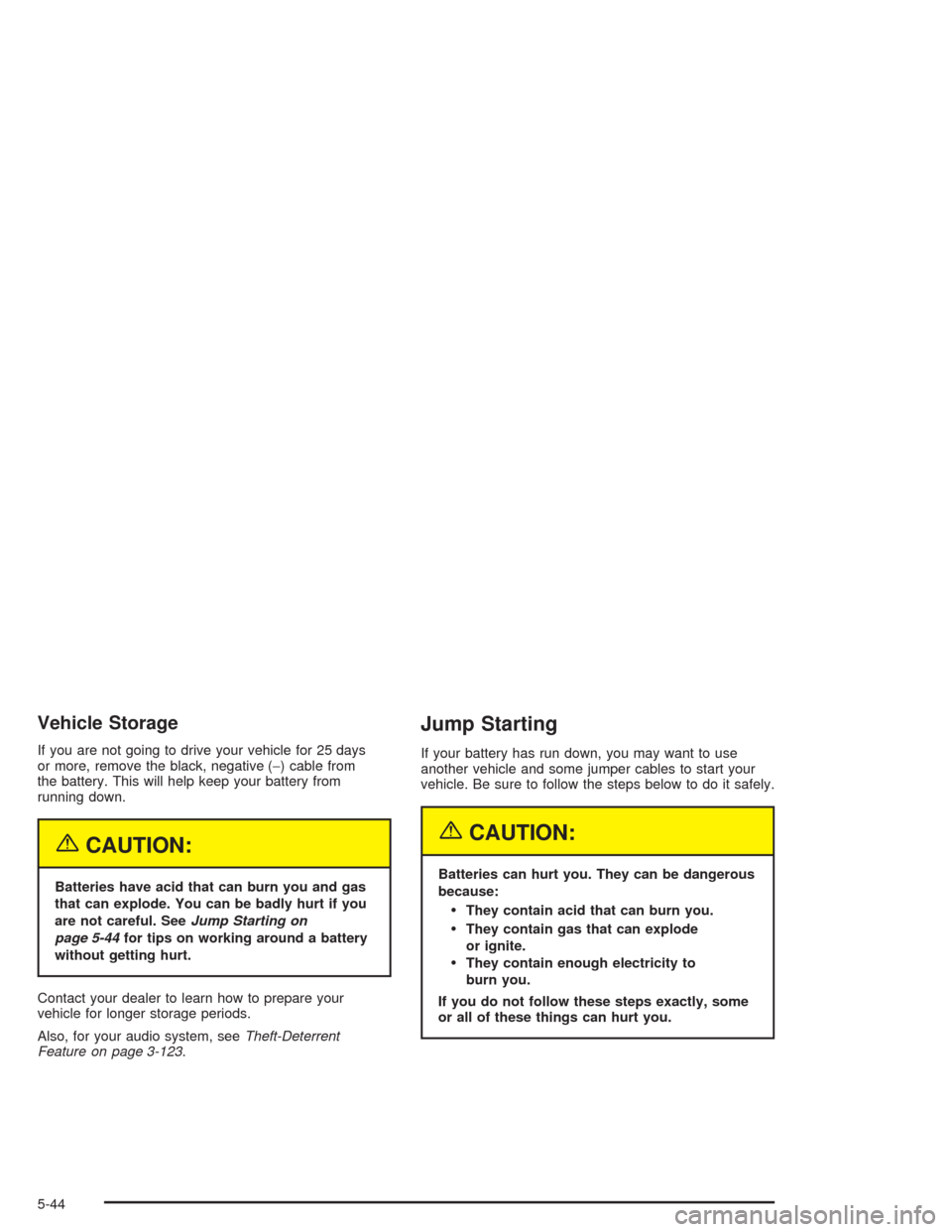
Vehicle Storage
If you are not going to drive your vehicle for 25 days
or more, remove the black, negative (−) cable from
the battery. This will help keep your battery from
running down.
{CAUTION:
Batteries have acid that can burn you and gas
that can explode. You can be badly hurt if you
are not careful. SeeJump Starting on
page 5-44for tips on working around a battery
without getting hurt.
Contact your dealer to learn how to prepare your
vehicle for longer storage periods.
Also, for your audio system, seeTheft-Deterrent
Feature on page 3-123.
Jump Starting
If your battery has run down, you may want to use
another vehicle and some jumper cables to start your
vehicle. Be sure to follow the steps below to do it safely.
{CAUTION:
Batteries can hurt you. They can be dangerous
because:
They contain acid that can burn you.
They contain gas that can explode
or ignite.
They contain enough electricity to
burn you.
If you do not follow these steps exactly, some
or all of these things can hurt you.
5-44
Page 416 of 468
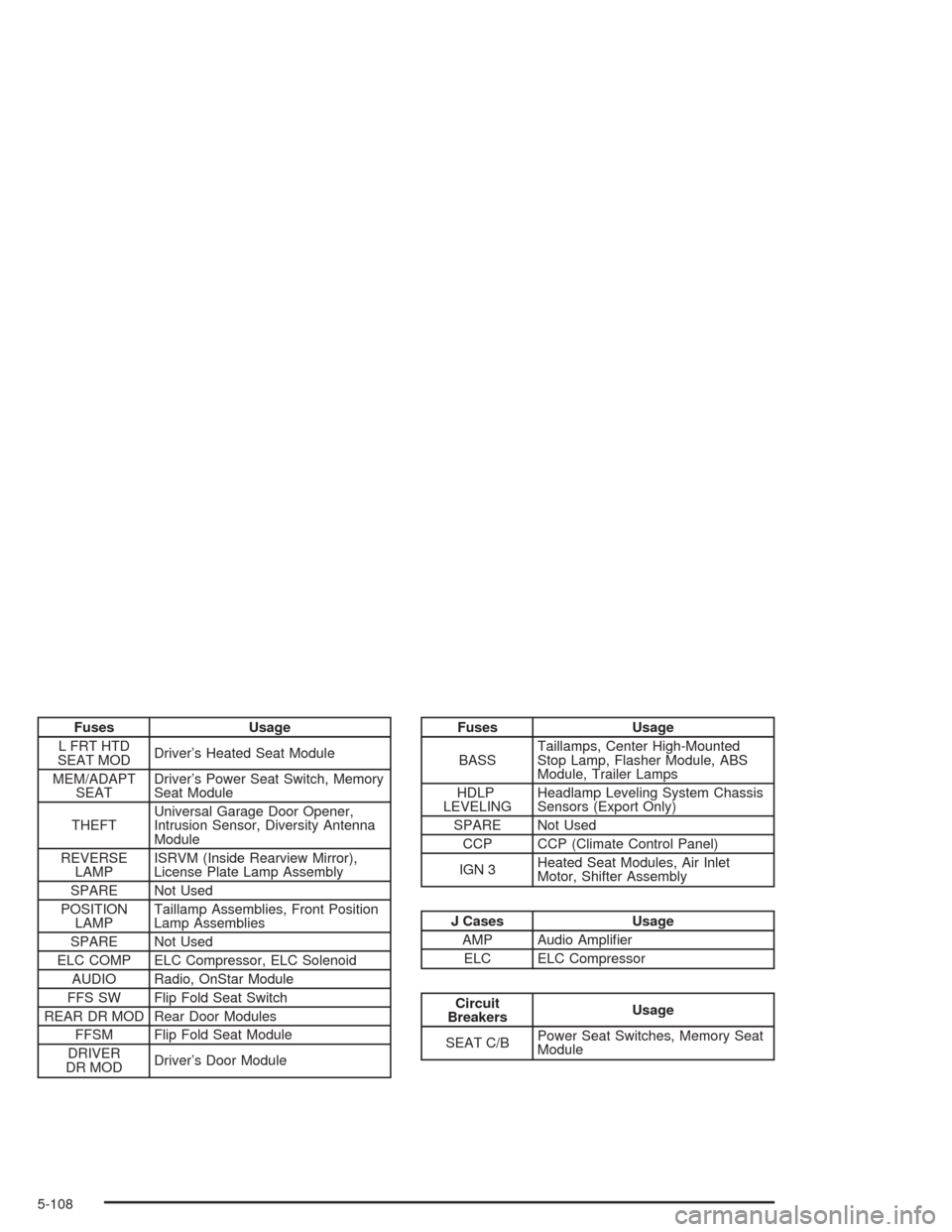
Fuses Usage
L FRT HTD
SEAT MODDriver’s Heated Seat Module
MEM/ADAPT
SEATDriver’s Power Seat Switch, Memory
Seat Module
THEFTUniversal Garage Door Opener,
Intrusion Sensor, Diversity Antenna
Module
REVERSE
LAMPISRVM (Inside Rearview Mirror),
License Plate Lamp Assembly
SPARE Not Used
POSITION
LAMPTaillamp Assemblies, Front Position
Lamp Assemblies
SPARE Not Used
ELC COMP ELC Compressor, ELC Solenoid
AUDIO Radio, OnStar Module
FFS SW Flip Fold Seat Switch
REAR DR MOD Rear Door Modules
FFSM Flip Fold Seat Module
DRIVER
DR MODDriver’s Door ModuleFuses Usage
BASSTaillamps, Center High-Mounted
Stop Lamp, Flasher Module, ABS
Module, Trailer Lamps
HDLP
LEVELINGHeadlamp Leveling System Chassis
Sensors (Export Only)
SPARE Not Used
CCP CCP (Climate Control Panel)
IGN 3Heated Seat Modules, Air Inlet
Motor, Shifter Assembly
J Cases Usage
AMP Audio Amplier
ELC ELC Compressor
Circuit
BreakersUsage
SEAT C/BPower Seat Switches, Memory Seat
Module
5-108
Page 451 of 468
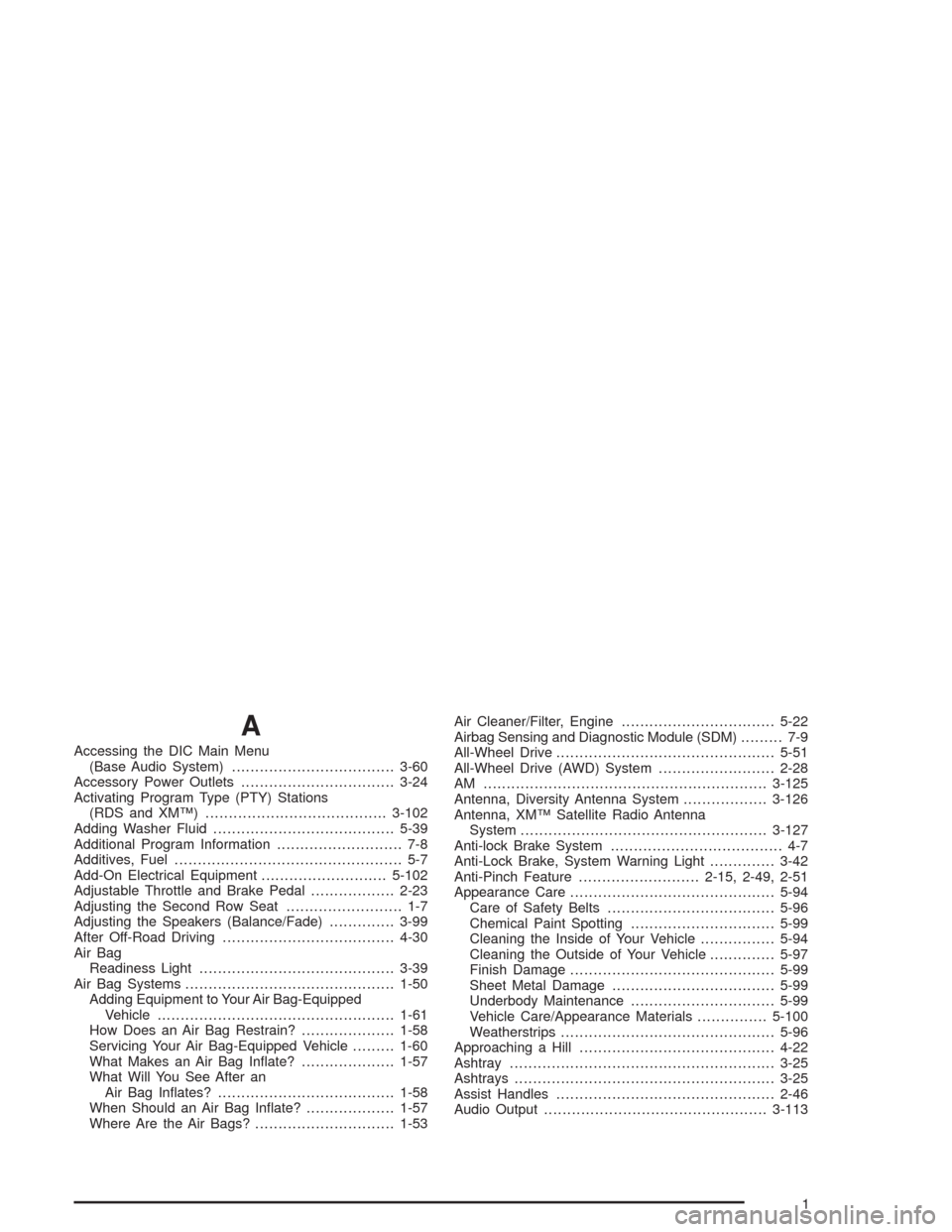
A
Accessing the DIC Main Menu
(Base Audio System)...................................3-60
Accessory Power Outlets.................................3-24
Activating Program Type (PTY) Stations
(RDS and XM™).......................................3-102
Adding Washer Fluid.......................................5-39
Additional Program Information........................... 7-8
Additives, Fuel................................................. 5-7
Add-On Electrical Equipment...........................5-102
Adjustable Throttle and Brake Pedal..................2-23
Adjusting the Second Row Seat......................... 1-7
Adjusting the Speakers (Balance/Fade)..............3-99
After Off-Road Driving.....................................4-30
Air Bag
Readiness Light..........................................3-39
Air Bag Systems.............................................1-50
Adding Equipment to Your Air Bag-Equipped
Vehicle...................................................1-61
How Does an Air Bag Restrain?....................1-58
Servicing Your Air Bag-Equipped Vehicle.........1-60
What Makes an Air Bag Inate?....................1-57
What Will You See After an
Air Bag Inates?......................................1-58
When Should an Air Bag Inate?...................1-57
Where Are the Air Bags?..............................1-53Air Cleaner/Filter, Engine.................................5-22
Airbag Sensing and Diagnostic Module (SDM)......... 7-9
All-Wheel Drive...............................................5-51
All-Wheel Drive (AWD) System.........................2-28
AM .............................................................3-125
Antenna, Diversity Antenna System..................3-126
Antenna, XM™ Satellite Radio Antenna
System.....................................................3-127
Anti-lock Brake System..................................... 4-7
Anti-Lock Brake, System Warning Light..............3-42
Anti-Pinch Feature..........................2-15, 2-49, 2-51
Appearance Care............................................5-94
Care of Safety Belts....................................5-96
Chemical Paint Spotting...............................5-99
Cleaning the Inside of Your Vehicle................5-94
Cleaning the Outside of Your Vehicle..............5-97
Finish Damage............................................5-99
Sheet Metal Damage...................................5-99
Underbody Maintenance...............................5-99
Vehicle Care/Appearance Materials...............5-100
Weatherstrips..............................................5-96
Approaching a Hill..........................................4-22
Ashtray.........................................................3-25
Ashtrays........................................................3-25
Assist Handles...............................................2-46
Audio Output................................................3-113
1
Page 452 of 468

Audio System(s).............................................3-93
Audio Steering Wheel Controls....................3-124
Care of Your CD and DVD Player................3-126
Care of Your CDs and DVDs.......................3-126
Diversity Antenna System............................3-126
Navigation/Radio System.............................3-110
Radio with CD............................................3-94
Setting the Time..........................................3-93
Theft-Deterrent Feature...............................3-123
Understanding Radio Reception...................3-125
XM™ Satellite Radio Antenna System...........3-127
Automatic Transmission
Fluid..........................................................5-24
Operation...................................................2-25
B
Backing Up....................................................4-56
Battery..........................................................5-43
Battery Replacement......................................... 2-7
Battery Saver Active........................................3-64
Battery Voltage High.......................................3-64
Battery Voltage Low........................................3-65
Before Leaving on a Long Trip.........................4-37
Before You Drive...........................................3-110
Before You Go Off-Roading..............................4-17Brake
Panic Assist................................................4-11
Parking......................................................2-29
System Warning Light..................................3-41
Brake Adjustment............................................5-43
Brake Fluid....................................................5-40
Brake Pedal, Throttle.......................................2-23
Brake Pedal Travel.........................................5-43
Brake Wear...................................................5-42
Brakes..........................................................5-40
Braking........................................................... 4-6
Braking in Emergencies..................................... 4-9
Break-In, New Vehicle.....................................2-20
Bulb Replacement...........................................5-54
Back-Up and License Plate Lamps.................5-57
Center High-Mounted Stoplamp (CHMSL)........5-57
Front Turn Signal and Fog Lamps..................5-56
Halogen Bulbs............................................5-54
Headlamps, Sidemarker, and Parking Lamps.....5-55
High Intensity Discharge (HID) Lighting...........5-54
Replacement Bulbs......................................5-58
Sidemarker Lamps.......................................5-57
Taillamps, Turn Signal, Stoplamps and
Sidemarker Lamps...................................5-57
Buying New Tires...........................................5-72
2
Page 455 of 468
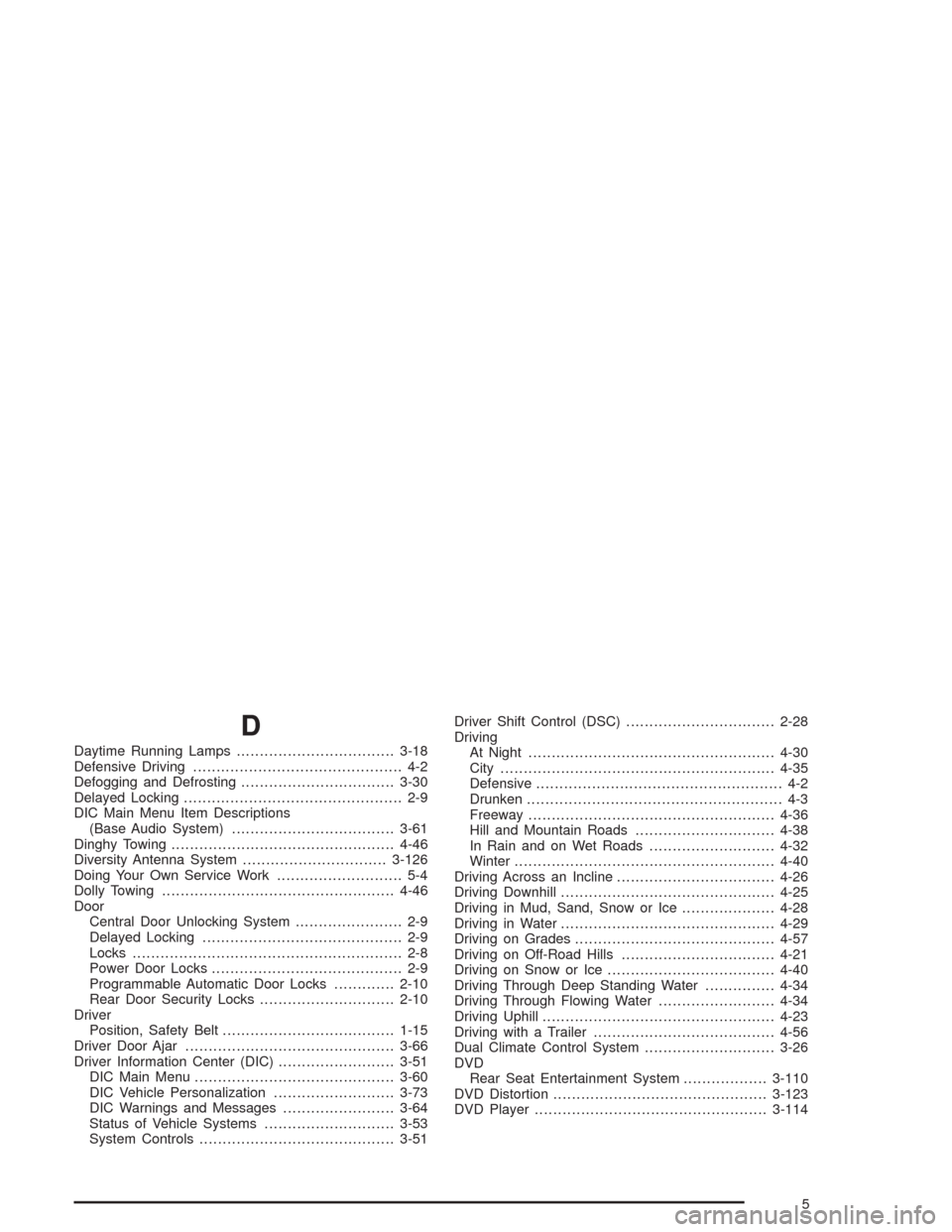
D
Daytime Running Lamps..................................3-18
Defensive Driving............................................. 4-2
Defogging and Defrosting.................................3-30
Delayed Locking............................................... 2-9
DIC Main Menu Item Descriptions
(Base Audio System)...................................3-61
Dinghy Towing................................................4-46
Diversity Antenna System...............................3-126
Doing Your Own Service Work........................... 5-4
Dolly Towing..................................................4-46
Door
Central Door Unlocking System....................... 2-9
Delayed Locking........................................... 2-9
Locks.......................................................... 2-8
Power Door Locks......................................... 2-9
Programmable Automatic Door Locks.............2-10
Rear Door Security Locks.............................2-10
Driver
Position, Safety Belt.....................................1-15
Driver Door Ajar.............................................3-66
Driver Information Center (DIC).........................3-51
DIC Main Menu...........................................3-60
DIC Vehicle Personalization..........................3-73
DIC Warnings and Messages........................3-64
Status of Vehicle Systems............................3-53
System Controls..........................................3-51Driver Shift Control (DSC)................................2-28
Driving
At Night.....................................................4-30
City...........................................................4-35
Defensive..................................................... 4-2
Drunken....................................................... 4-3
Freeway.....................................................4-36
Hill and Mountain Roads..............................4-38
In Rain and on Wet Roads...........................4-32
Winter........................................................4-40
Driving Across an Incline..................................4-26
Driving Downhill..............................................4-25
Driving in Mud, Sand, Snow or Ice....................4-28
Driving in Water..............................................4-29
Driving on Grades...........................................4-57
Driving on Off-Road Hills.................................4-21
Driving on Snow or Ice....................................4-40
Driving Through Deep Standing Water...............4-34
Driving Through Flowing Water.........................4-34
Driving Uphill..................................................4-23
Driving with a Trailer.......................................4-56
Dual Climate Control System............................3-26
DVD
Rear Seat Entertainment System..................3-110
DVD Distortion..............................................3-123
DVD Player..................................................3-114
5
Page 465 of 468
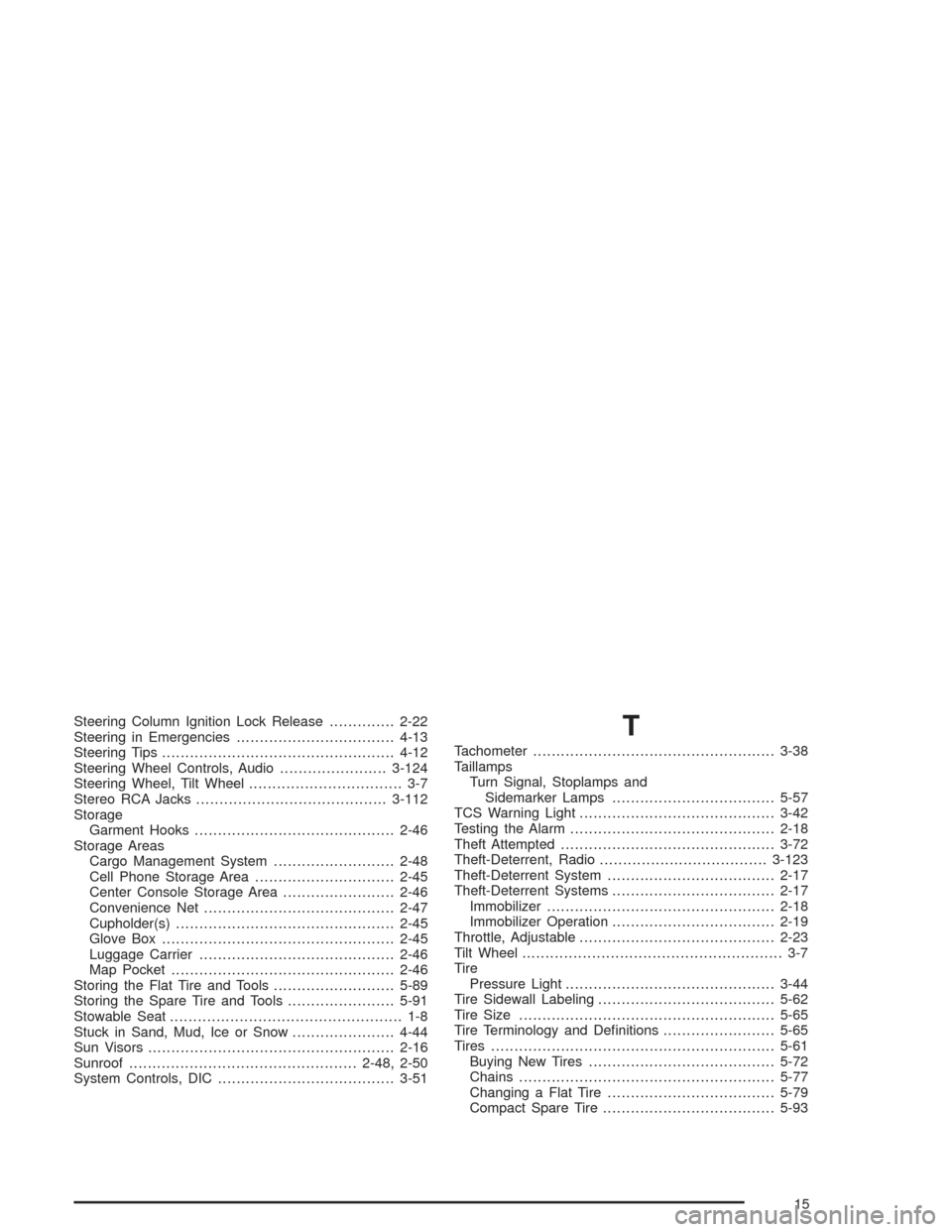
Steering Column Ignition Lock Release..............2-22
Steering in Emergencies..................................4-13
Steering Tips..................................................4-12
Steering Wheel Controls, Audio.......................3-124
Steering Wheel, Tilt Wheel................................. 3-7
Stereo RCA Jacks.........................................3-112
Storage
Garment Hooks...........................................2-46
Storage Areas
Cargo Management System..........................2-48
Cell Phone Storage Area..............................2-45
Center Console Storage Area........................2-46
Convenience Net.........................................2-47
Cupholder(s)...............................................2-45
Glove Box..................................................2-45
Luggage Carrier..........................................2-46
Map Pocket................................................2-46
Storing the Flat Tire and Tools..........................5-89
Storing the Spare Tire and Tools.......................5-91
Stowable Seat.................................................. 1-8
Stuck in Sand, Mud, Ice or Snow......................4-44
Sun Visors.....................................................2-16
Sunroof.................................................2-48, 2-50
System Controls, DIC......................................3-51T
Tachometer....................................................3-38
Taillamps
Turn Signal, Stoplamps and
Sidemarker Lamps...................................5-57
TCS Warning Light..........................................3-42
Testing the Alarm............................................2-18
Theft Attempted..............................................3-72
Theft-Deterrent, Radio....................................3-123
Theft-Deterrent System....................................2-17
Theft-Deterrent Systems...................................2-17
Immobilizer.................................................2-18
Immobilizer Operation...................................2-19
Throttle, Adjustable..........................................2-23
Tilt Wheel........................................................ 3-7
Tire
Pressure Light.............................................3-44
Tire Sidewall Labeling......................................5-62
Tire Size.......................................................5-65
Tire Terminology and Denitions........................5-65
Tires.............................................................5-61
Buying New Tires........................................5-72
Chains.......................................................5-77
Changing a Flat Tire....................................5-79
Compact Spare Tire.....................................5-93
15