battery CADILLAC SRX 2005 1.G Owner's Manual
[x] Cancel search | Manufacturer: CADILLAC, Model Year: 2005, Model line: SRX, Model: CADILLAC SRX 2005 1.GPages: 442, PDF Size: 2.52 MB
Page 219 of 442
Each set of headphones has a volume knob. To adjust
the volume, adjust this knob.
The transmitters are located below the video display
screen. The headphones will shut off to save battery
power if they lose the signal from the system after about
four minutes. The signal may be lost if the system is
turned off or if the headphones are out of range of the
signal transmitters.
Notice:Do not store the headphones in heat or
direct sunlight. This could damage the headphones
and repairs would not be covered by your warranty.
Keep the headphones stored in a cool, dry place.
Battery Replacement
To change the batteries, do the following:
1. Loosen the screw on the battery compartment door
located on the left side of the headphone earpiece.
2. Replace the two AAA batteries in the compartment.
Make sure that they are installed correctly, using
the diagram on the inside of the battery
compartment.
3. Tighten the screws to close the compartment door.
If the headphones are to be stored for a long period
of time, remove the batteries and keep them in a cool,
dry place.
Stereo RCA Jacks
The RCA jacks are located on the front of the DVD player
faceplate. These jacks allow audio and video signals to
be connected from an auxiliary device such as a
camcorder or a video game unit to the RSE system. The
L jack is for left audio input, the R jack is for right audio
input, and the V jack is used for video input. The system
requires standard RCA cables, not included, to connect
the auxiliary device to the RCA jacks. Refer to the
manufacturer’s instructions for proper usage.
To use the auxiliary audio and video inputs, connect an
external auxiliary device such as a camcorder to the RCA
jacks and turn on both the auxiliary device power and the
power on the front of the RSE player. To have use of
these jacks, select AUX using the MODE button on the
DVD player faceplate or the remote control.
3-99
Page 225 of 442

Region Code Error:This message will be
displayed if the region code of the DVD is not
compatible with the DVD player. The disc will be
automatically ejected from the DVD player.
No Disc:This message will be displayed if the
PLAY button is pressed and no disc is in the player.
Parental Control Button:This button is located on the
navigation system screen. Press this button while a
DVD or CD is playing to freeze the video and mute the
audio. The video screen will display Parental Control
ON and the power indicator light on the DVD player will
ash. It will also disable all other button operations
from the remote control and the DVD player, with the
exception of the eject button. The driver will then be able
to gain the attention of the rear seat passengers.
Press this button again to restore normal operation of
the DVD player.
This button may also be used to turn the DVD player
power on and automatically resume play if the vehicle is
in an enabled power mode.
Remote Control
To use the remote control, aim it at the transmitter
window above the video screen and press the desired
button. Direct sunlight or very bright light may affect
the ability of the RSE system to receive signals from the
remote control. If the remote control does not seem to
be working, the batteries may need to be replaced. See
“Battery Replacement” later in this section.
Objects blocking the line of sight may also affect the
function of the remote control.
Notice:Storing the remote control in a hot area or
in direct sunlight may damage it, and the repairs
would not be covered by your warranty. Keep
the remote control stored in a cool, dry place.
3-105
Page 228 of 442
Battery Replacement
To change the batteries, do the following:
1. Remove the battery compartment door located on
the bottom of the remote control.
2. Replace the two AA batteries in the compartment.
Make sure that they are installed correctly, using
the diagram on the inside of the battery
compartment.
3. Close the battery door securely.
If the remote control is to be stored for a long period of
time, remove the batteries and keep them in a cool,
dry place.
Problem Recommended Action
No power. The ignition might not be
in on or accessory.
The parental control
button might have been
turned on. The power
indicator light will ash.
Disc will not play. The system might be off.
The parental control
button might have been
turned on. The power
indicator light will ash.
The system might be in
auxiliary source mode.
Press the MODE button to
switch between the DVD
player and the auxiliary
source.
The disc is upside down
or is not compatible.
The picture does not ll
the screen. There are
black borders on the top
and bottom or on both
sides or it looks
stretched out.Press the DISP button on
the DVD player or on the
remote control. Change
the display mode.
3-108
Page 233 of 442

Radio Reception
AM
The range for most AM stations is greater than for FM,
especially at night. The longer range can cause
station frequencies to interfere with each other. Static
can occur on AM stations caused by things like
storms and power lines. Try reducing the treble to
reduce this noise.
FM Stereo
FM stereo will give the best sound, but FM signals will
reach only about 10 to 40 miles (16 to 65 km). Tall
buildings or hills can interfere with FM signals, causing
the sound to fade in and out.
XM™ Satellite Radio Service
XM™ Satellite Radio Service gives digital radio
reception from coast to coast. Just as with FM, tall
buildings or hills can interfere with satellite radio signals,
causing the sound to fade in and out. The radio may
display NO XM SIGNAL to indicate interference.
Cellular Phone Usage
Cellular phone usage may cause interference with your
vehicle’s radio. This interference may occur when
making or receiving phone calls, charging the phone’s
battery, or simply having the phone on. This interference
is an increased level of static while listening to the
radio. If static is received while listening to the radio,
unplug the cellular phone and turn it off.
Care of Your CDs and DVDs
Handle discs carefully. Store them in their original cases
or other protective cases and away from direct sunlight
and dust. If the surface of a disc is soiled, dampen
a clean, soft cloth in a mild, neutral detergent solution
and clean it, wiping from the center to the edge.
Be sure never to touch the side without writing when
handling discs. Pick up discs by grasping the outer
edges or the edge of the hole and the outer edge.
Care of the CD and DVD Player
The use of CD lens cleaners for CDs is not advised,
due to the risk of contaminating the lens of the CD optics
with lubricants internal to the CD mechanism.
3-113
Page 276 of 442

You can run the engine to keep warm, but be careful.
{CAUTION:
Snow can trap exhaust gases under your
vehicle. This can cause deadly CO (carbon
monoxide) gas to get inside. CO could
overcome you and kill you. You cannot see it
or smell it, so you might not know it is in your
vehicle. Clear away snow from around the
base of your vehicle, especially any that is
blocking your exhaust pipe. And check around
again from time to time to be sure snow does
not collect there.
Open a window just a little on the side of the
vehicle that is away from the wind. This will
help keep CO out.
Run your engine only as long as you must. This saves
fuel. When you run the engine, make it go a little
faster than just idle. That is, push the accelerator
slightly. This uses less fuel for the heat that you get and
it keeps the battery charged. You will need a
well-charged battery to restart the vehicle, and possibly
for signaling later on with your headlamps. Let the
heater run for a while.
4-42
Page 295 of 442
Service............................................................5-3
Doing Your Own Service Work.........................5-4
Adding Equipment to the Outside of
Your Vehicle..............................................5-5
Fuel................................................................5-5
Gasoline Octane............................................5-5
Gasoline Specications....................................5-5
California Fuel...............................................5-6
Additives.......................................................5-6
Fuels in Foreign Countries...............................5-7
Filling the Tank..............................................5-8
Filling a Portable Fuel Container.....................5-10
Checking Things Under the Hood....................5-10
Hood Release..............................................5-11
Engine Compartment Overview.......................5-12
Engine Oil...................................................5-16
Engine Oil Life System..................................5-19
Engine Air Cleaner/Filter................................5-21
Automatic Transmission Fluid.........................5-22
Engine Coolant.............................................5-23
Coolant Surge Tank Pressure Cap..................5-26
Engine Overheating.......................................5-26
Overheated Engine Protection
Operating Mode........................................5-28Cooling System............................................5-29
Power Steering Fluid.....................................5-34
Windshield Washer Fluid................................5-35
Brakes........................................................5-36
Battery........................................................5-39
Jump Starting...............................................5-40
All-Wheel Drive..............................................5-45
Rear Axle.......................................................5-47
Front Axle......................................................5-48
Bulb Replacement..........................................5-49
High Intensity Discharge (HID) Lighting............5-49
Windshield Wiper Blade Replacement..............5-49
Tires..............................................................5-51
Tire Sidewall Labelling...................................5-52
Tire Terminology and Denitions.....................5-56
Ination - Tire Pressure.................................5-58
Tire Pressure Monitor System.........................5-61
Tire Inspection and Rotation...........................5-63
When It Is Time for New Tires.......................5-64
Buying New Tires.........................................5-64
Uniform Tire Quality Grading..........................5-66
Wheel Alignment and Tire Balance..................5-67
Wheel Replacement......................................5-67
Section 5 Service and Appearance Care
5-1
Page 307 of 442
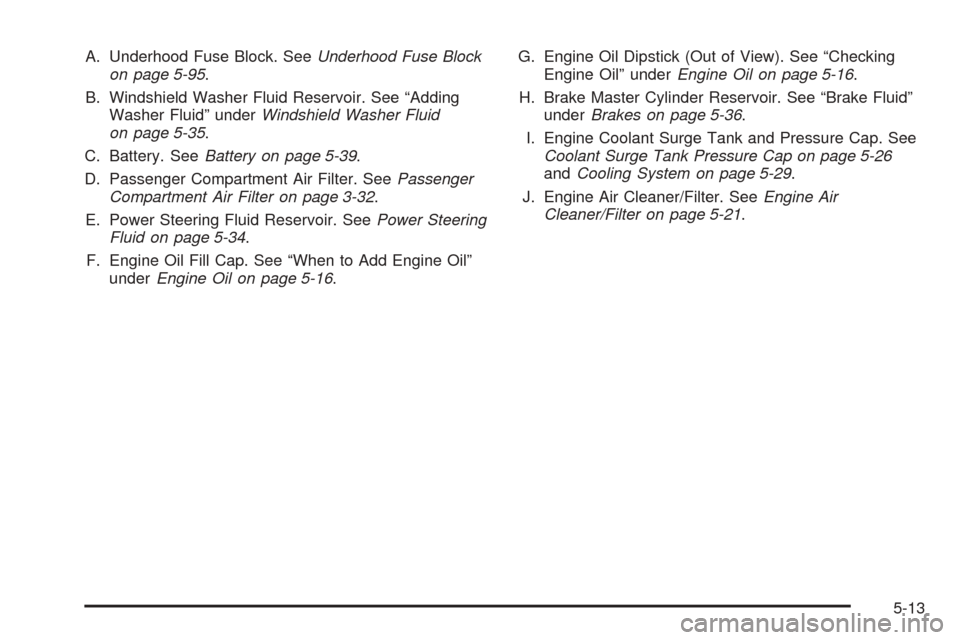
A. Underhood Fuse Block. SeeUnderhood Fuse Block
on page 5-95.
B. Windshield Washer Fluid Reservoir. See “Adding
Washer Fluid” underWindshield Washer Fluid
on page 5-35.
C. Battery. SeeBattery on page 5-39.
D. Passenger Compartment Air Filter. SeePassenger
Compartment Air Filter on page 3-32.
E. Power Steering Fluid Reservoir. SeePower Steering
Fluid on page 5-34.
F. Engine Oil Fill Cap. See “When to Add Engine Oil”
underEngine Oil on page 5-16.G. Engine Oil Dipstick (Out of View). See “Checking
Engine Oil” underEngine Oil on page 5-16.
H. Brake Master Cylinder Reservoir. See “Brake Fluid”
underBrakes on page 5-36.
I. Engine Coolant Surge Tank and Pressure Cap. See
Coolant Surge Tank Pressure Cap on page 5-26
andCooling System on page 5-29.
J. Engine Air Cleaner/Filter. SeeEngine Air
Cleaner/Filter on page 5-21.
5-13
Page 309 of 442
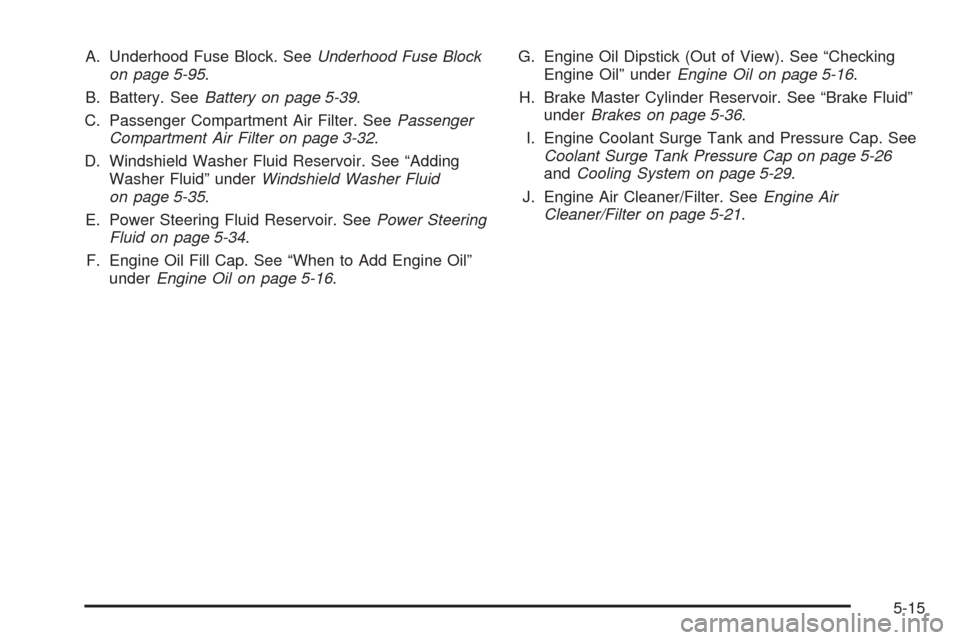
A. Underhood Fuse Block. SeeUnderhood Fuse Block
on page 5-95.
B. Battery. SeeBattery on page 5-39.
C. Passenger Compartment Air Filter. SeePassenger
Compartment Air Filter on page 3-32.
D. Windshield Washer Fluid Reservoir. See “Adding
Washer Fluid” underWindshield Washer Fluid
on page 5-35.
E. Power Steering Fluid Reservoir. SeePower Steering
Fluid on page 5-34.
F. Engine Oil Fill Cap. See “When to Add Engine Oil”
underEngine Oil on page 5-16.G. Engine Oil Dipstick (Out of View). See “Checking
Engine Oil” underEngine Oil on page 5-16.
H. Brake Master Cylinder Reservoir. See “Brake Fluid”
underBrakes on page 5-36.
I. Engine Coolant Surge Tank and Pressure Cap. See
Coolant Surge Tank Pressure Cap on page 5-26
andCooling System on page 5-29.
J. Engine Air Cleaner/Filter. SeeEngine Air
Cleaner/Filter on page 5-21.
5-15
Page 333 of 442
Replacing Brake System Parts
The braking system on a vehicle is complex. Its many
parts have to be of top quality and work well together if
the vehicle is to have really good braking. Your
vehicle was designed and tested with top-quality GM
brake parts. When you replace parts of your braking
system — for example, when your brake linings
wear down and you need new ones put in — be
sure you get new approved GM replacement parts. If
you do not, your brakes may no longer work properly.
For example, if someone puts in brake linings that
are wrong for your vehicle, the balance between your
front and rear brakes can change — for the worse. The
braking performance you have come to expect can
change in many other ways if someone puts in
the wrong replacement brake parts.
Battery
Your vehicle has a maintenance free battery. When it is
time for a new battery, get one that has the replacement
number shown on the original battery’s label. We
recommend an ACDelco
®replacement battery. See
Engine Compartment Overview on page 5-12for battery
location.
Warning:Battery posts, terminals and related
accessories contain lead and lead compounds,
chemicals known to the State of California to cause
cancer and reproductive harm. Wash hands after
handling.
5-39
Page 334 of 442
Vehicle Storage
If you are not going to drive your vehicle for 25 days or
more, remove the black, negative (−) cable from
the battery. This will help keep your battery from
running down.
{CAUTION:
Batteries have acid that can burn you and gas
that can explode. You can be badly hurt if you
are not careful. SeeJump Starting on
page 5-40for tips on working around a battery
without getting hurt.
Jump Starting
If your battery has run down, you may want to use
another vehicle and some jumper cables to start your
vehicle. Be sure to use the following steps to do it safely.
{CAUTION:
Batteries can hurt you. They can be dangerous
because:
They contain acid that can burn you.
They contain gas that can explode or
ignite.
They contain enough electricity to
burn you.
If you do not follow these steps exactly, some
or all of these things can hurt you.
Notice:Ignoring these steps could result in costly
damage to your vehicle that would not be covered
by your warranty.
Trying to start your vehicle by pushing or pulling it
will not work, and it could damage your vehicle.
1. Check the other vehicle. It must have a 12-volt
battery with a negative ground system.
5-40