reset CADILLAC SRX 2005 1.G Owners Manual
[x] Cancel search | Manufacturer: CADILLAC, Model Year: 2005, Model line: SRX, Model: CADILLAC SRX 2005 1.GPages: 442, PDF Size: 2.52 MB
Page 75 of 442

Central Door Unlocking System
Your vehicle has a central door unlocking feature. When
unlocking the driver’s door, you can unlock the other
doors by holding the key in the turned position for a few
seconds or by quickly turning the key twice in the
lock cylinder.
Power Door Locks
The power door lock
switches are located on
the front doors.
Press the bottom part of the power door lock switch to
lock or the top of the switch to unlock all the doors
at once.The rear doors do not have power door lock switches.
You must use the manual levers to lock and unlock
the rear doors when riding in the rear seat.
Delayed Locking
With this feature, you can delay the actual locking of
the doors.
When the power door lock switch or the lock button on
the remote keyless entry transmitter is pressed when
the key is not in the ignition and the driver’s door
is opened, a chime will sound three times indicating that
delayed locking is active.
When all the doors are closed, the doors will lock
automatically after ve seconds. If a door is reopened
before ve seconds have elapsed, the ve second timer
will reset itself once all the doors are closed again.
You can press the door lock switch or the lock button
on the remote keyless entry transmitter again to override
this feature and lock the doors immediately.
You can turn this feature off using the Driver Information
Center (DIC). When delayed locking is off, the doors
will lock immediately when you press the power
door lock switch or the lock button on the remote keyless
entry transmitter. SeeDIC Vehicle Personalization on
page 3-66for more information.
2-9
Page 81 of 442
To program each front window, follow these steps:
1. With the ignition in ACCESSORY, ON, or when
Retained Accessory Power (RAP) is active, close
all doors.
2. Press and hold the down arrow on the power
window switch until the window has fully opened.
3. Press the up arrow on the power window switch
until the window is fully closed.
4. Continue holding the up arrow on the switch for
approximately two seconds after the window is
completely closed.
The window is now reprogrammed. Repeat the process
for the other front window.
Express Window Anti-Pinch Feature
If any object is in the path of the window when
the express-up is active, the window will stop at the
obstruction and auto-reverse to a preset factory position.
Weather conditions such as severe icing may also
cause the window to auto-reverse. The window
will return to normal operation once the obstruction or
condition is removed.
{CAUTION:
If express override is activated, the window
will not reverse automatically. You or others
could be injured and the window could be
damaged. Before you use express override,
make sure that all people and obstructions are
clear of the window path.
Express Window Anti-Pinch Override
In an emergency, the express window anti-pinch feature
can be overridden in a supervised mode. Hold the
window switch all the way down in the express position.
The window will rise for as long as the switch is held.
Once the switch is released, the express mode is
re-activated.
In this mode, the window can still close on an object in
its path. Use care when using the override mode.
2-15
Page 102 of 442
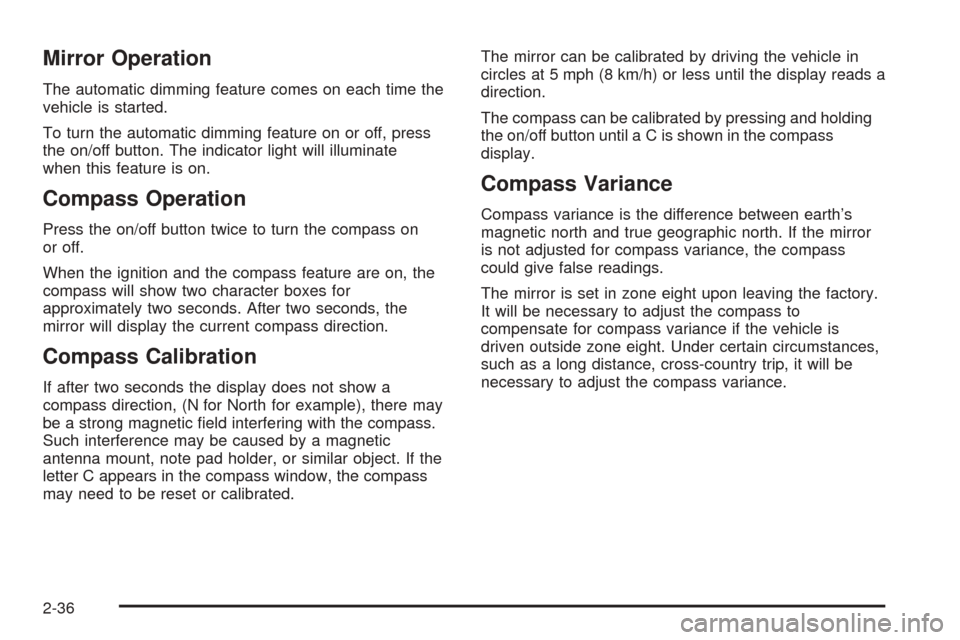
Mirror Operation
The automatic dimming feature comes on each time the
vehicle is started.
To turn the automatic dimming feature on or off, press
the on/off button. The indicator light will illuminate
when this feature is on.
Compass Operation
Press the on/off button twice to turn the compass on
or off.
When the ignition and the compass feature are on, the
compass will show two character boxes for
approximately two seconds. After two seconds, the
mirror will display the current compass direction.
Compass Calibration
If after two seconds the display does not show a
compass direction, (N for North for example), there may
be a strong magnetic eld interfering with the compass.
Such interference may be caused by a magnetic
antenna mount, note pad holder, or similar object. If the
letter C appears in the compass window, the compass
may need to be reset or calibrated.The mirror can be calibrated by driving the vehicle in
circles at 5 mph (8 km/h) or less until the display reads a
direction.
The compass can be calibrated by pressing and holding
the on/off button until a C is shown in the compass
display.
Compass Variance
Compass variance is the difference between earth’s
magnetic north and true geographic north. If the mirror
is not adjusted for compass variance, the compass
could give false readings.
The mirror is set in zone eight upon leaving the factory.
It will be necessary to adjust the compass to
compensate for compass variance if the vehicle is
driven outside zone eight. Under certain circumstances,
such as a long distance, cross-country trip, it will be
necessary to adjust the compass variance.
2-36
Page 112 of 442

Using HomeLink®
Press and hold the appropriate HomeLink®button for at
least half of a second. The indicator light will come
on while the signal is being transmitted.
Erasing HomeLink®Buttons
To erase programming from the three buttons do the
following:
1. Press and hold down the two outside buttons until
the indicator light begins to ash, after 20 seconds.
Do not hold the two outside buttons for longer
than 30 seconds.
2. Release both buttons.
HomeLink
®is now in the train (learning) mode and can
be programmed at any time beginning with Step 2
under “Programming HomeLink
®” shown earlier in this
section.
Individual buttons cannot be erased, but they can be
reprogrammed. See “Reprogramming a Single
HomeLink
®Button” following this section.
Reprogramming a Single HomeLink®
Button
To program a device to HomeLink®using a HomeLink®
button previously trained, follow these steps:
1. Press and hold the desired HomeLink
®button.
Do not release the button.
2. The indicator light will begin to ash after
20 seconds. While still holding the HomeLink
®
button, proceed with Step 2 under “Programming
HomeLink®” shown earlier in this section.
Resetting Defaults
To reset HomeLink®to default settings do the following:
1. Hold down the two outside buttons for about
20 seconds until the indicator light begins to ash.
2. Continue to hold both buttons until the HomeLink
®
indicator light turns off.
3. Release both buttons.
For questions or comments, contact HomeLink
®at
1-800-355-3515, or on the Internet at
www.homelink.com.
2-46
Page 116 of 442
Sunroof
Sunroof (UltraView)
{CAUTION:
People who are in a crash and not wearing a
safety belt properly can suffer much worse
injuries. They can hit things inside the vehicle
or be ejected from it, and be seriously injured
or killed. This is true for any vehicle occupant,
in any motor vehicle, but if you have the
Ultraview roof it is, if anything, even more
important. In a rollover or other crash, the
Ultraview roof can be damaged or destroyed.
People who are unbelted would then be at
even greater risk of being ejected from the
vehicle. Always fasten your safety belt, and
check that your passengers’ belts are fastened
properly too.
The vehicle may have an UltraView sunroof over the
rst two rows of seats. The ignition must be on, or
in accessory, or the Retained Accessory Power (RAP)
must be active for to operate it. SeeRetained Accessory
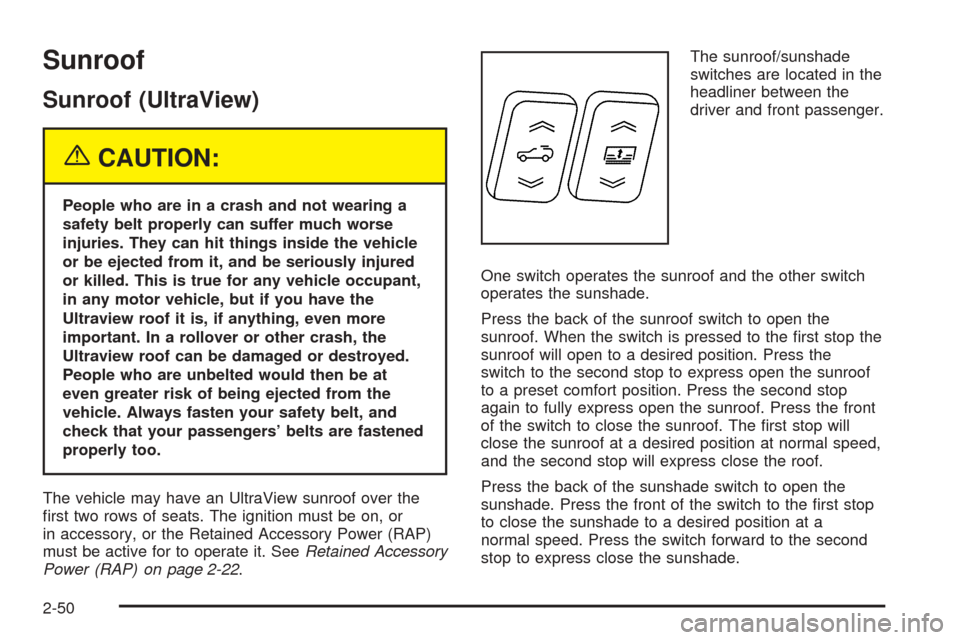
Power (RAP) on page 2-22.The sunroof/sunshade
switches are located in the
headliner between the
driver and front passenger.
One switch operates the sunroof and the other switch
operates the sunshade.
Press the back of the sunroof switch to open the
sunroof. When the switch is pressed to the rst stop the
sunroof will open to a desired position. Press the
switch to the second stop to express open the sunroof
to a preset comfort position. Press the second stop
again to fully express open the sunroof. Press the front
of the switch to close the sunroof. The rst stop will
close the sunroof at a desired position at normal speed,
and the second stop will express close the roof.
Press the back of the sunshade switch to open the
sunshade. Press the front of the switch to the rst stop
to close the sunshade to a desired position at a
normal speed. Press the switch forward to the second
stop to express close the sunshade.
2-50
Page 118 of 442
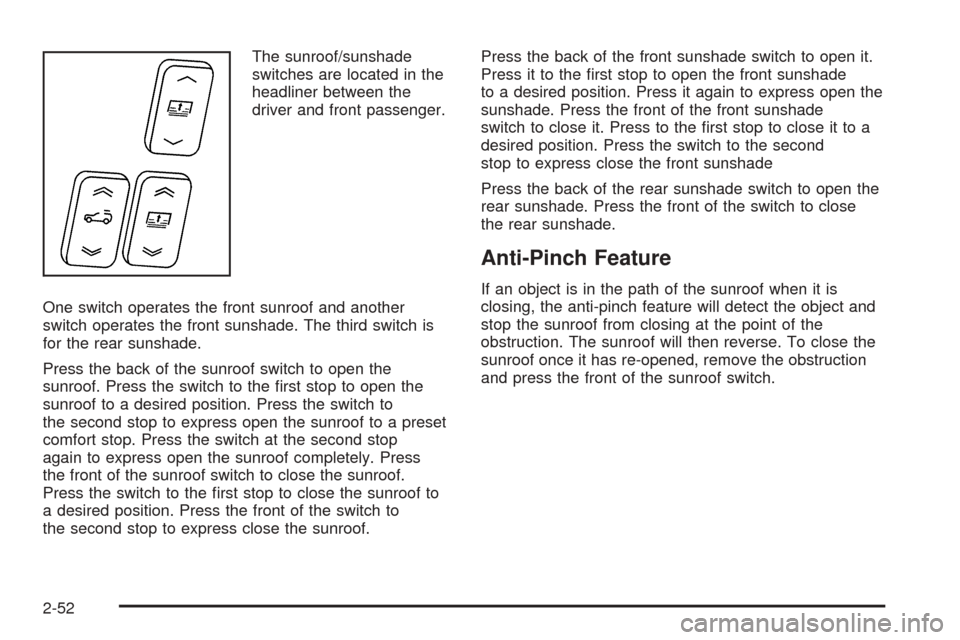
The sunroof/sunshade
switches are located in the
headliner between the
driver and front passenger.
One switch operates the front sunroof and another
switch operates the front sunshade. The third switch is
for the rear sunshade.
Press the back of the sunroof switch to open the
sunroof. Press the switch to the rst stop to open the
sunroof to a desired position. Press the switch to
the second stop to express open the sunroof to a preset
comfort stop. Press the switch at the second stop
again to express open the sunroof completely. Press
the front of the sunroof switch to close the sunroof.
Press the switch to the rst stop to close the sunroof to
a desired position. Press the front of the switch to
the second stop to express close the sunroof.Press the back of the front sunshade switch to open it.
Press it to the rst stop to open the front sunshade
to a desired position. Press it again to express open the
sunshade. Press the front of the front sunshade
switch to close it. Press to the rst stop to close it to a
desired position. Press the switch to the second
stop to express close the front sunshade
Press the back of the rear sunshade switch to open the
rear sunshade. Press the front of the switch to close
the rear sunshade.
Anti-Pinch Feature
If an object is in the path of the sunroof when it is
closing, the anti-pinch feature will detect the object and
stop the sunroof from closing at the point of the
obstruction. The sunroof will then reverse. To close the
sunroof once it has re-opened, remove the obstruction
and press the front of the sunroof switch.
2-52
Page 134 of 442
Setting Cruise Control
{CAUTION:
If you leave your cruise control on when you
are not using cruise, you might hit a button
and go into cruise when you do not want to.
You could be startled and even lose control.
Keep the cruise control switch off until you
want to use cruise control.
1. Move the cruise control switch to on.
2. Get up to the speed you want.
3. Press in the set button at the end of the
lever and release it.
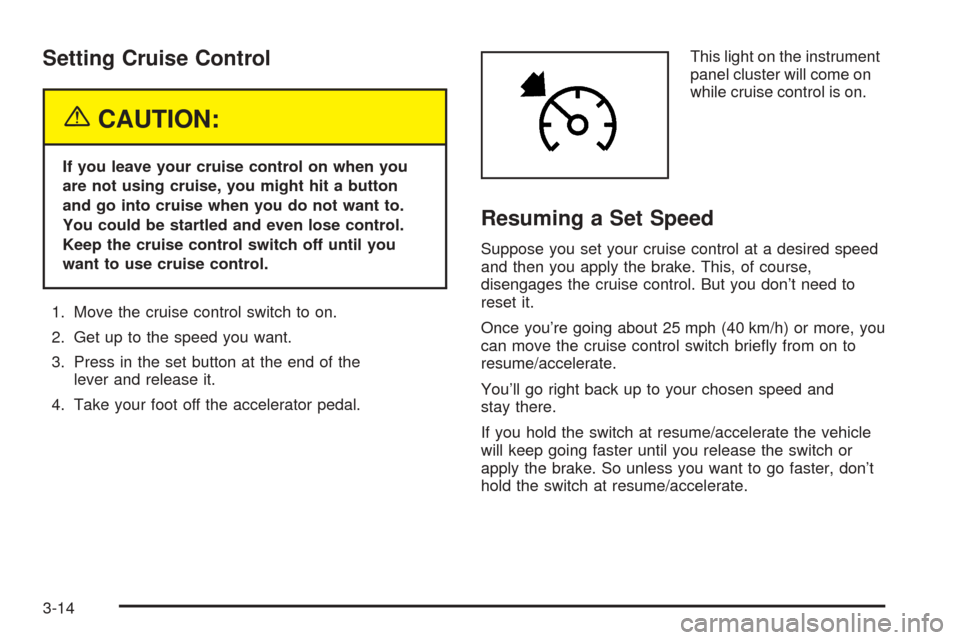
4. Take your foot off the accelerator pedal.This light on the instrument
panel cluster will come on
while cruise control is on.
Resuming a Set Speed
Suppose you set your cruise control at a desired speed
and then you apply the brake. This, of course,
disengages the cruise control. But you don’t need to
reset it.
Once you’re going about 25 mph (40 km/h) or more, you
can move the cruise control switch briey from on to
resume/accelerate.
You’ll go right back up to your chosen speed and
stay there.
If you hold the switch at resume/accelerate the vehicle
will keep going faster until you release the switch or
apply the brake. So unless you want to go faster, don’t
hold the switch at resume/accelerate.
3-14
Page 135 of 442
Increasing Speed While Using Cruise
Control
There are two ways to go to a higher speed:
Use the accelerator pedal to get to the higher
speed. Press the set button at the end of the lever,
then release the button and the accelerator
pedal. You’ll now cruise at the higher speed.
Move the cruise switch from on to
resume/accelerate. Hold it there until you get up to
the speed you want, and then release the switch.
To increase your speed in very small amounts,
move the switch briey to resume/accelerate. Each
time you do this, your vehicle will go about
1 mph (1.6 km/h) faster.
If using the accelerator pedal and the set button at end
of the lever to increase cruise set speed, your new
set speed must be at least 10 mph higher than current
speed for this method to work. If it is not 10 mph
higher, switch cruise switch off, then on, and then reset
your speed using the set button.
Reducing Speed While Using Cruise
Control
There are two ways to reduce your speed while using
cruise control:
Press in the button at the end of the lever until you
reach the lower speed you want, then release it.
To slow down in very small amounts, briey press
the set button. Each time you do this, you’ll go
about 1 mph (1.6 km/h) slower.
Passing Another Vehicle While Using
Cruise Control
Use the accelerator pedal to increase your speed.
When you take your foot off the pedal, your vehicle will
slow down to the cruise control speed you set earlier.
Using Cruise Control on Hills
How well your cruise control will work on hills depends
upon your speed, load and the steepness of the
hills. When going up steep hills, you may have to step
on the accelerator pedal to maintain your speed.
When going downhill, you may have to brake to keep
your speed down. Applying the brake will take you out of
cruise control. If you need to apply the brake due to
the grade of the downhill slope, you may not want
to attempt to use your cruise control feature.
3-15
Page 155 of 442
Speedometer and Odometer
The speedometer lets you see your speed in either
miles per hour (mph) or kilometers per hour (km/h). The
odometer shows how far your vehicle has been
driven, in either miles (used in the United States) or
kilometers (used in Canada).
If your vehicle has to have a new odometer installed,
the new one may read the correct mileage. This is
because your vehicle’s computer has stored the mileage
in memory.
While the Driver Shift Control (DSC) feature is active,
the odometer will change to show the gear range.
SeeAutomatic Transmission Operation on page 2-25for
more information.
Trip Odometers
The trip odometer can record the number of miles or
kilometers traveled for up to two trips.
The trip odometer is part of the Driver Information
Center (DIC). To access the trip odometer, use one of
the following procedures:
Using the Base audio system, do the following:
1. Press the INFO (Information) button located to the
right of the screen to access the DIC menu.
2. Scroll through the menu using the up or down
arrows on the INFO button until you reach Trip
Odometer A or Trip Odometer B.
The selected trip odometer (A or B) will be displayed
at the top of the screen with the accumulated
mileage.
3. Repeat the steps to view the other trip odometer.
You can reset the selected trip odometer by pressing
CLR (Clear) button located in the center of the
INFO button to the right of the screen. The mileage for
that trip odometer will return to zero. Each trip
odometer must be reset individually.
3-35
Page 159 of 442

When the ignition is on, the brake system warning light
will also come on when you set your parking brake.
The light will stay on if your parking brake doesn’t
release fully. If it stays on after your parking brake is
fully released, it means you have a brake problem.
If the light comes on while you are driving, pull off the
road and stop carefully. You may notice that the pedal is
harder to push, or the pedal may go closer to the
oor. It may take longer to stop. If the light is still on,
have the vehicle towed for service. SeeTowing
Your Vehicle on page 4-50.
{CAUTION:
Your brake system may not be working
properly if the brake system warning light is
on. Driving with the brake system warning light
on can lead to an accident. If the light is still
on after you have pulled off the road and
stopped carefully, have the vehicle towed for
service.
Anti-Lock Brake System
Warning Light
With the anti-lock brake
system, the light will come
on when your engine is
started and may stay on for
several seconds. That is
normal.
If the ABS warning light comes on and stays on, there
may be a problem with the anti-lock portion of the brake
system. If the red BRAKE light is not on, you still
have brakes, but you do not have anti-lock brakes.
SeeBrake System Warning Light on page 3-38.
If the light stays on, turn the ignition to OFF. If the light
comes on when you are driving, stop as soon as
possible and turn the ignition off. Then start the engine
again to reset the system. If the light still stays on,
or comes on again while you are driving, your vehicle
needs service. If the regular brake system warning light
is not on, you still have brakes, but you do not have
anti-lock brakes. If the regular brake system warning
light is also on, you do not have anti-lock brakes
and there is a problem with your regular brakes.
SeeBrake System Warning Light on page 3-38.
3-39