light CADILLAC SRX 2005 1.G Owner's Guide
[x] Cancel search | Manufacturer: CADILLAC, Model Year: 2005, Model line: SRX, Model: CADILLAC SRX 2005 1.GPages: 442, PDF Size: 2.52 MB
Page 138 of 442

To operate your vehicle with the DRL off, turn the
exterior lamp control off. Then turn on the fog lamps or
parking lamps, and the DRL will turn off. The
Headlamps Suggested message will appear on the DIC
display. This will work regardless of gear position
and whether or not the parking brake is set.
As with any vehicle, you should turn on the regular
headlamp system when you need it.
Light Sensor
The light sensor for the DRL and AUTO headlamp
feature is located on top of the instrument panel. If you
cover the sensor, it will read dark, and the exterior
lamps or the Headlamps Suggested message will
appear on the DIC whenever the ignition is on.
Fog Lamps
Use the fog lamps for better vision in foggy or misty
conditions.
The fog lamp controls are located on the turn
signal/multifunction lever.
-:The band with this symbol is used to turn the front
fog lamps on and off.
The parking lamps must be on for the fog lamps to work.
To turn the fog lamps on, turn the fog lamp band on the
lever up to the dot and release it. The band will
return to its original position.
To turn the fog lamps off, turn the fog lamp band up to
the dot and release it. The band will return to its
original position, and the fog lamps will turn off. If you
turn on the high-beam headlamps, the fog lamps
will also turn off. They’ll turn back on again when you
switch back to low-beam headlamps.
3-18
Page 139 of 442
Exterior Lighting Battery Saver
If the parking lamps or headlamps have been left on,
the exterior lamps will turn off about 10 minutes after the
ignition is turned to OFF. This protects against draining
the battery in case you have accidentally left the
headlamps or parking lamps on. The battery saver does
not work if the headlamps are turned on after the
ignition is turned to OFF.
If you need to leave the lamps on for more than
10 minutes, use the exterior lamp control to turn the
lamps back on.
Instrument Panel Brightness
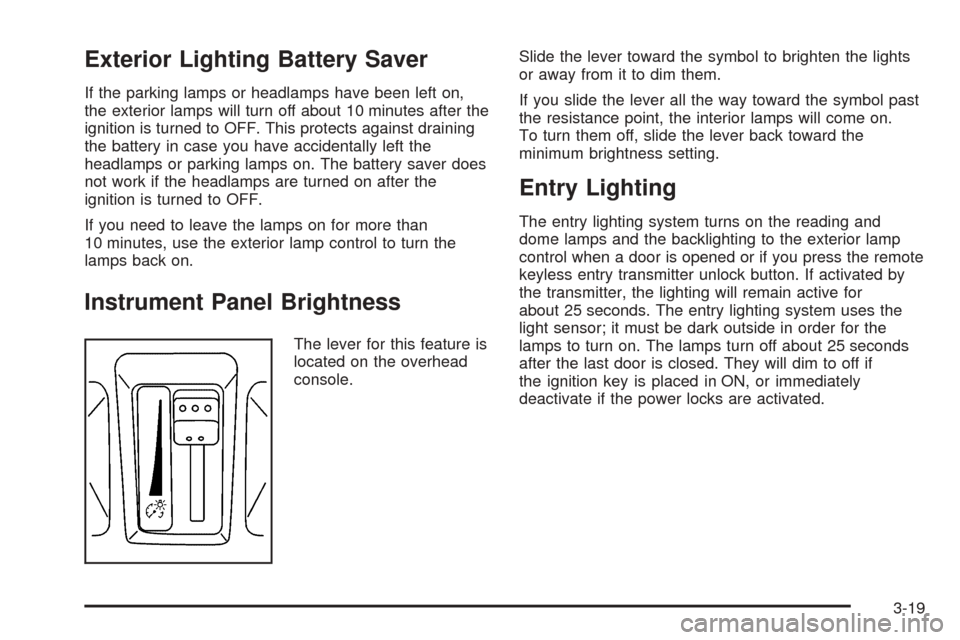
The lever for this feature is
located on the overhead
console.Slide the lever toward the symbol to brighten the lights
or away from it to dim them.
If you slide the lever all the way toward the symbol past
the resistance point, the interior lamps will come on.
To turn them off, slide the lever back toward the
minimum brightness setting.
Entry Lighting
The entry lighting system turns on the reading and
dome lamps and the backlighting to the exterior lamp
control when a door is opened or if you press the remote
keyless entry transmitter unlock button. If activated by
the transmitter, the lighting will remain active for
about 25 seconds. The entry lighting system uses the
light sensor; it must be dark outside in order for the
lamps to turn on. The lamps turn off about 25 seconds
after the last door is closed. They will dim to off if
the ignition key is placed in ON, or immediately
deactivate if the power locks are activated.
3-19
Page 140 of 442
Parade Dimming
This feature prohibits dimming of the instrument panel
displays and backlighting during daylight hours when the
key is in the ignition and the headlamps are on. This
feature operates with the light sensor and is fully
automatic. When the light sensor reads darkness outside
and the parking lamps are active, the instrument
panel displays can be adjusted by sliding the instrument
panel brightness lever toward the symbol to brighten
or away from the symbol to dim the lighting.
Reading Lamps
The reading lamps are located on the overhead console.
These lamps come on automatically when any door is
opened.
For manual operation, press the button next to each
lamp to turn it on. Press it again to turn the lamp off.
If the reading lamps are left on, they automatically shut
off 10 minutes after the ignition has been turned off.
Ultrasonic Parking Assist
Your vehicle may have the Ultrasonic Rear Parking
Assist (URPA) system. It is designed to help you park
while the vehicle is in REVERSE (R). It operates only at
very low speeds, less than 3 mph (5 km/h). URPA
can help make parking easier and help you avoid
colliding with objects such as parked vehicles. The
URPA system can detect objects up to 5 feet (1.5 m)
behind the vehicle, and tell you how close these objects
are from your rear bumper.
3-20
Page 141 of 442
{CAUTION:
Even with the Ultrasonic Rear Park Assist
system, the driver must check carefully before
backing up. The system does not operate above
typical backing speeds of 3 mph (5 km/h) while
parking. And, the system does not detect
objects that are more than 5 feet (1.5 meters)
behind the vehicle.
So, unless you check carefully behind you
before and when you back up, you could strike
children, pedestrians, bicyclists or pets behind
you, and they could be injured or killed.
Whether or not you are using rear park assist,
always check carefully behind your vehicle
before you back up and then watch closely as
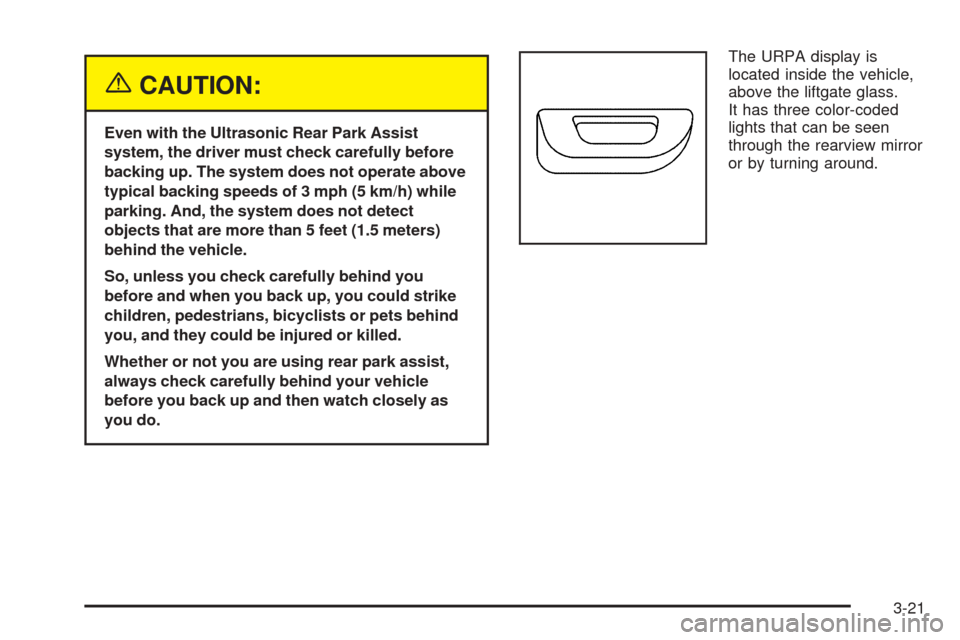
you do.The URPA display is
located inside the vehicle,
above the liftgate glass.
It has three color-coded
lights that can be seen
through the rearview mirror
or by turning around.
3-21
Page 142 of 442

How the System Works
URPA comes on automatically when the shift lever is
moved into REVERSE (R) and the vehicle speed is less
than 3 mph (5 km/h). When the system turns on, the
three lights on the display will illuminate for one and a
half seconds to let you know that the system is
working. If your vehicle is moving in REVERSE (R) at a
speed greater than 3 mph (5 km/h), the red light will
ash to remind you that the system does not work at a
speed greater than 3 mph (5 km/h).
If an object is detected at a REVERSE (R) speed of
less than 3 mph (5 km/h), one of the following will occur:
Description English Metric
Amber light 5 ft 1.5 m
Amber/amber lights 40 in 1.0 m
Amber/amber/red lights &
continuous chime20 in 0.5 m
Amber/amber/red lights
ashing & continuous
chime1 ft 0.3 m
A chime will sound the rst time an object is detected
between 20 inches (0.5 m) and 5 feet (1.5 m) away.
URPA cannot detect objects that are above liftgate level.
In order for the rear sensors to recognize an object, it
must be within detection range behind the vehicle.
When the System Does Not Seem to Work
Properly
The light may ash red when the vehicle is in
REVERSE (R), if the ultrasonic sensors are not kept
clean. So be sure to keep your rear bumper free of mud,
dirt, snow, ice and slush. Other conditions that may affect
system performance include things like the vibrations
from a jackhammer or the compression of air brakes on a
very large truck. If after cleaning the rear bumper and
then driving forward at least 15 mph (25 km/h), the
display continues to ash red, see your dealer.
If a trailer was attached to your vehicle, or a bicycle or
an object was on the back of, or hanging out of your
liftgate during your last drive cycle, the light may
also ash red. The light will continue to ash whenever
in REVERSE (R) until your vehicle is driven forward
at least 15 mph (25 km/h) without any obstructions
behind the vehicle.
For cleaning instructions, seeWashing Your Vehicle on
page 5-88.
3-22
Page 144 of 442
Ashtrays and Cigarette Lighter
Your vehicle may have an ashtray and cigarette lighter.
Notice:If you put papers, pins, or other ammable
items in the ashtray, hot cigarettes or other
smoking materials could ignite them and possibly
damage your vehicle. Never put ammable items in
the ashtray.
Ashtray
The ashtray is located under the climate control panel
on the center console. Press on the door to release the
ashtray.
To empty the ashtray, remove it from the center
console by gripping the edges and pulling straight out.
To reinstall, push the tray back into place.
There may also be ashtrays in the rear doors.
Cigarette Lighter
Notice:Holding a cigarette lighter in while it is
heating will not allow the lighter to back away from
the heating element when it is hot. Damage from
overheating may occur to the lighter or heating
element, or a fuse could be blown. Do not hold a
cigarette lighter in while it is heating.
The cigarette lighter is located next to the ashtray. The
vehicle does not have any cigarette lighters for the
rear seat passengers.
Press the lighter all the way in and release it. It will pop
back out by itself once the element has heated for use.
3-24
Page 153 of 442
Warning Lights, Gages, and
Indicators
This part describes the warning lights and gages that
may be on your vehicle. The pictures will help you
locate them.
Warning lights and gages can signal that something is
wrong before it becomes serious enough to cause
an expensive repair or replacement. Paying attention to
your warning lights and gages could also save you
or others from injury.
Warning lights come on when there may be or is a
problem with one of your vehicle’s functions. As you will
see in the details on the next few pages, some
warning lights come on briey when you start the
engine just to let you know they’re working. If you are
familiar with this section, you should not be alarmed
when this happens.Gages can indicate when there may be or is a problem
with one of your vehicle’s functions. Often gages
and warning lights work together to let you know when
there’s a problem with your vehicle.
When one of the warning lights comes on and stays on
when you are driving, or when one of the gages
shows there may be a problem, check the section that
tells you what to do about it. Follow this manual’s
advice. Waiting to do repairs can be costly – and even
dangerous. So please get to know your warning
lights and gages. They’re a big help.
Your vehicle also has a Driver Information Center (DIC)
that works along with the warning lights and gages.
SeeDriver Information Center (DIC) on page 3-48for
more information.
3-33
Page 156 of 442

Tachometer
This gage indicates the
engine speed in
revolutions per
minute (rpm).
Engine Speed Limiter
This feature prevents the engine from operating at too
many revolutions per minute (rpm). When the engine’s
rpms are too high, the throttle is closed to reduce
speed. If this is not sufficient, then the fuel supply to the
engine will be limited. When the rpms return to
normal, the fuel supply will return to normal. This helps
prevent damage to the engine.
Safety Belt Reminder Light
When the key is turned to ON or START, a chime will
be provided for several seconds to remind people
to buckle their safety belts. The driver safety belt light
will also be provided and stay on for several seconds,
then it will ash for several more. You should buckle
your seat belt.
This chime and light will be
repeated if the driver
remains unbuckled and the
vehicle is in motion.
If the driver’s belt is buckled, neither the chime nor the
light will be provided.
3-36
Page 157 of 442
Airbag Readiness Light
There is an airbag readiness light on the instrument
panel, which shows the airbag symbol. The system
checks the airbag’s electrical system for malfunctions.
The light tells you if there is an electrical problem.
The system check includes the airbag sensors, the
airbag modules, the wiring and the diagnostic module.
For more information on the airbag system, see
Airbag System on page 1-47.
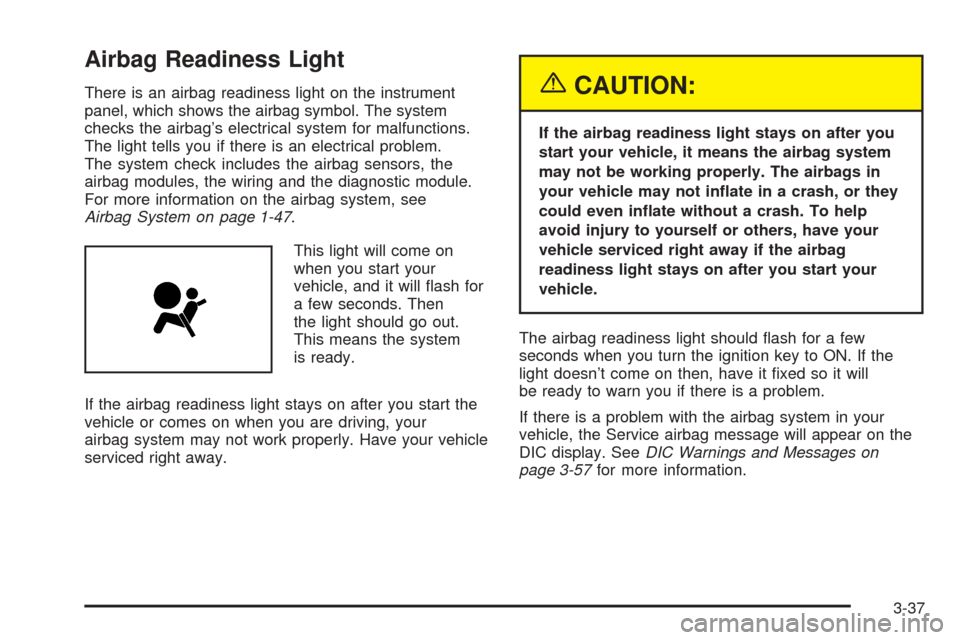
This light will come on
when you start your
vehicle, and it will ash for
a few seconds. Then
the light should go out.
This means the system
is ready.
If the airbag readiness light stays on after you start the
vehicle or comes on when you are driving, your
airbag system may not work properly. Have your vehicle
serviced right away.{CAUTION:
If the airbag readiness light stays on after you
start your vehicle, it means the airbag system
may not be working properly. The airbags in
your vehicle may not inate in a crash, or they
could even inate without a crash. To help
avoid injury to yourself or others, have your
vehicle serviced right away if the airbag
readiness light stays on after you start your
vehicle.
The airbag readiness light should ash for a few
seconds when you turn the ignition key to ON. If the
light doesn’t come on then, have it xed so it will
be ready to warn you if there is a problem.
If there is a problem with the airbag system in your
vehicle, the Service airbag message will appear on the
DIC display. SeeDIC Warnings and Messages on
page 3-57for more information.
3-37
Page 158 of 442

Charging System Light
When you turn the key to
ON or START, this light
will come on briey
to show that the generator
and battery charging
systems are working
properly.
If this light stays on, your vehicle needs service. You
should take your vehicle to the dealer at once. To save
your battery until you get there, turn off all accessories.
Brake System Warning Light
Your vehicle’s hydraulic brake system is divided into two
parts. If one part isn’t working, the other part can still
work and stop you. For good braking, though, you need
both parts working well.
If the warning light comes on, there is a brake problem.
Have your brake system inspected right away.
This light should come on briey when you turn the
ignition key to ON. If it doesn’t come on then, have it
xed so it will be ready to warn you if there’s a problem.
United StatesCanada
3-38