CD player CADILLAC SRX 2006 1.G Owner's Manual
[x] Cancel search | Manufacturer: CADILLAC, Model Year: 2006, Model line: SRX, Model: CADILLAC SRX 2006 1.GPages: 456, PDF Size: 2.55 MB
Page 242 of 456
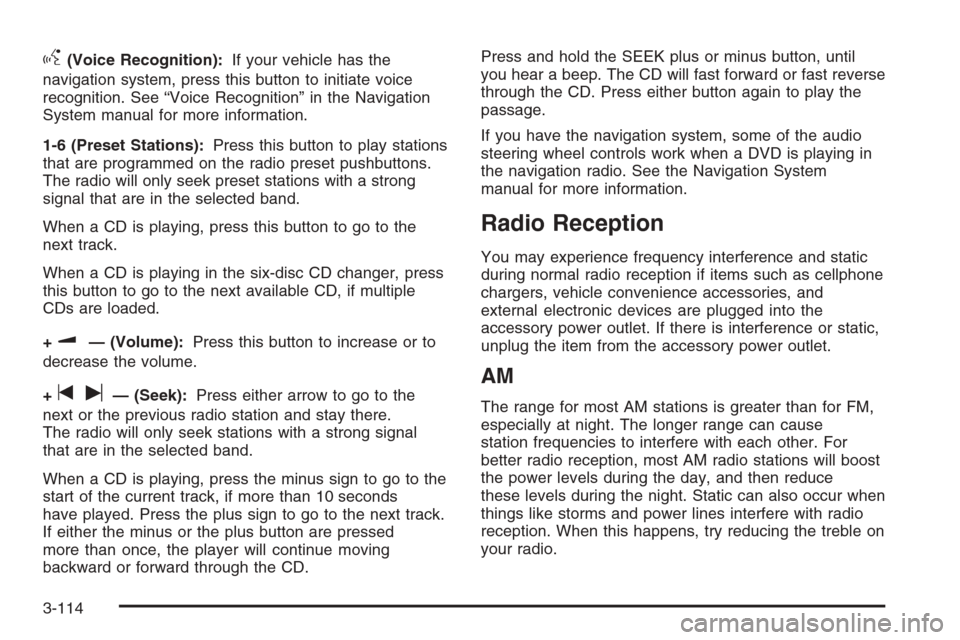
g(Voice Recognition):If your vehicle has the
navigation system, press this button to initiate voice
recognition. See “Voice Recognition” in the Navigation
System manual for more information.
1-6 (Preset Stations):Press this button to play stations
that are programmed on the radio preset pushbuttons.
The radio will only seek preset stations with a strong
signal that are in the selected band.
When a CD is playing, press this button to go to the
next track.
When a CD is playing in the six-disc CD changer, press
this button to go to the next available CD, if multiple
CDs are loaded.
+
u— (Volume):Press this button to increase or to
decrease the volume.
+
tu— (Seek):Press either arrow to go to the
next or the previous radio station and stay there.
The radio will only seek stations with a strong signal
that are in the selected band.
When a CD is playing, press the minus sign to go to the
start of the current track, if more than 10 seconds
have played. Press the plus sign to go to the next track.
If either the minus or the plus button are pressed
more than once, the player will continue moving
backward or forward through the CD.Press and hold the SEEK plus or minus button, until
you hear a beep. The CD will fast forward or fast reverse
through the CD. Press either button again to play the
passage.
If you have the navigation system, some of the audio
steering wheel controls work when a DVD is playing in
the navigation radio. See the Navigation System
manual for more information.
Radio Reception
You may experience frequency interference and static
during normal radio reception if items such as cellphone
chargers, vehicle convenience accessories, and
external electronic devices are plugged into the
accessory power outlet. If there is interference or static,
unplug the item from the accessory power outlet.
AM
The range for most AM stations is greater than for FM,
especially at night. The longer range can cause
station frequencies to interfere with each other. For
better radio reception, most AM radio stations will boost
the power levels during the day, and then reduce
these levels during the night. Static can also occur when
things like storms and power lines interfere with radio
reception. When this happens, try reducing the treble on
your radio.
3-114
Page 243 of 456
FM Stereo
FM stereo will give the best sound, but FM signals will
reach only about 10 to 40 miles (16 to 65 km). Tall
buildings or hills can interfere with FM signals, causing
the sound to fade in and out.
XM™ Satellite Radio Service
XM™ Satellite Radio Service gives digital radio
reception from coast-to-coast in the 48 contiguous
United States, and in Canada (if available). Just as with
FM, tall buildings or hills can interfere with satellite
radio signals, causing the sound to fade in and out. In
addition, traveling or standing under heavy foliage,
bridges, garages, or tunnels may cause loss of
XM signal for a period of time. The radio may display
NO XM SIGNAL to indicate interference.
Cellular Phone Usage
Cellular phone usage may cause interference with your
vehicle’s radio. This interference may occur when
making or receiving phone calls, charging the phone’s
battery, or simply having the phone on. This interference
is an increased level of static while listening to the
radio. If static is received while listening to the radio,
unplug the cellular phone and turn it off.
Care of Your CDs and DVDs
Handle CDs carefully. Store them in their original cases
or other protective cases and away from direct
sunlight and dust. The CD player scans the bottom
surface of the disc. If the surface of a CD is damaged,
such as cracked, broken, or scratched, the CD will
not play properly or not at all. If the surface of a CD is
soiled, take a soft, lint free cloth or dampen a clean, soft
cloth in a mild, neutral detergent solution mixed with
water, and clean it. Make sure the wiping process starts
from the center to the edge.
Do not touch the bottom side of a CD while handling it;
this could damage the surface. Pick up CDs by
grasping the outer edges or the edge of the hole and
the outer edge.
Care of the CD and DVD Player
The use of CD lens cleaners for CDs is not advised,
due to the risk of contaminating the lens of the CD optics
with lubricants internal to the CD mechanism.
3-115
Page 443 of 456
A
Accessories and Modications............................ 5-3
Accessory Power Outlet(s)...............................3-24
Adding Equipment to Your Airbag-Equipped
Vehicle.......................................................1-64
Additives, Fuel................................................. 5-6
Add-On Electrical Equipment............................5-94
Adjustable Throttle and Brake Pedal..................2-26
Air Cleaner/Filter, Engine.................................5-22
Air Conditioning..............................................3-26
Airbag
Readiness Light..........................................3-38
Airbag Sensing and Diagnostic Module (SDM)....7-10
Airbag System................................................1-53
Adding Equipment to Your Airbag-Equipped
Vehicle...................................................1-64
How Does an Airbag Restrain?......................1-61
Servicing Your Airbag-Equipped Vehicle..........1-63
What Makes an Airbag Inate?......................1-61
What Will You See After an Airbag Inates?....1-62
When Should an Airbag Inate?....................1-59
Where Are the Airbags?...............................1-56
All-Wheel Drive...............................................5-47
All-Wheel-Drive (AWD) System.........................4-12
Antenna, Diversity Antenna System..................3-116
Antenna, XM™ Satellite Radio Antenna
System.....................................................3-116Anti-Lock Brake System (ABS)........................... 4-7
Anti-Lock Brake, System Warning Light..............3-40
Appearance Care
Aluminum or Chrome-Plated Wheels..............5-90
Care of Safety Belts....................................5-88
Chemical Paint Spotting...............................5-91
Cleaning Exterior Lamps/Lenses....................5-89
Cleaning the Inside of Your Vehicle................5-85
Fabric/Carpet..............................................5-86
Finish Care.................................................5-89
Finish Damage............................................5-91
Instrument Panel, Vinyl, and Other
Plastic Surfaces.......................................5-87
Leather......................................................5-87
Sheet Metal Damage...................................5-91
Speaker Covers..........................................5-88
Tires..........................................................5-90
Underbody Maintenance...............................5-91
Vehicle Care/Appearance Materials................5-92
Washing Your Vehicle...................................5-88
Weatherstrips..............................................5-88
Windshield and Wiper Blades........................5-89
Wood Panels..............................................5-88
Ashtray(s)......................................................3-25
Audio System(s).............................................3-81
Audio Steering Wheel Controls....................3-113
Care of Your CD and DVD Player................3-115
Care of Your CDs and DVDs .......................3-115
1
Page 444 of 456
Audio System(s) (cont.)
Diversity Antenna System............................3-116
Navigation/Radio System,
see Navigation Manual............................3-100
Radio with CD............................................3-83
Setting the Time..........................................3-82
Theft-Deterrent Feature...............................3-113
Understanding Radio Reception...................3-114
XM™ Satellite Radio Antenna System...........3-116
Automatic Transmission
Fluid..........................................................5-23
Operation...................................................2-28
B
Battery..........................................................5-40
Exterior Lighting Battery Saver......................3-20
Before Leaving on a Long Trip.........................4-36
Brake
Anti-Lock Brake System (ABS)........................ 4-7
Emergencies................................................ 4-8
Panic Assist................................................4-11
Parking......................................................2-31
System Warning Light..................................3-39
Brake Pedal, Throttle.......................................2-26
Brakes..........................................................5-37
Braking........................................................... 4-6Braking in Emergencies..................................... 4-8
Break-In, New Vehicle.....................................2-22
Bulb Replacement...........................................5-50
Halogen Bulbs............................................5-50
High Intensity Discharge (HID) Lighting...........5-50
Buying New Tires...........................................5-64
C
Calibration.....................................................2-37
California Fuel.................................................. 5-6
California Proposition 65 Warning....................... 5-3
Canadian Owners................................................ ii
Capacities and Specications..........................5-103
Carbon Monoxide....................2-12, 2-35, 4-39, 4-52
Care of
Safety Belts................................................5-88
Your CD and DVD Player...........................3-115
Your CDs and DVDs ..................................3-115
Cargo Cover..................................................2-50
Cargo Management System.............................2-50
Cell Phone Storage Area.................................2-48
Center Console Storage Area...........................2-48
Chains, Tire...................................................5-69
Charging System Light....................................3-39
Check
Engine Light...............................................3-43
2
Page 452 of 456
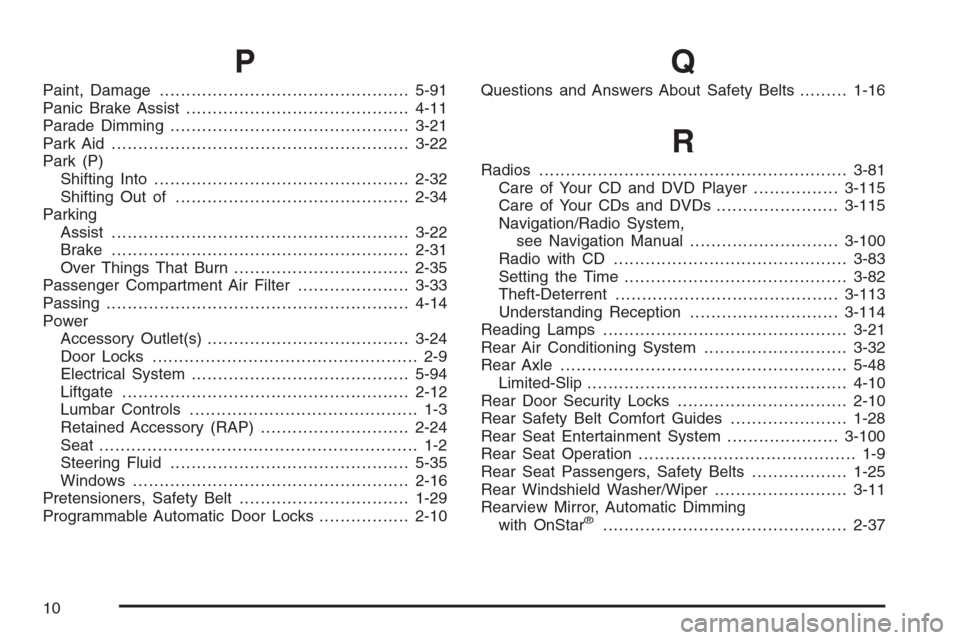
P
Paint, Damage...............................................5-91
Panic Brake Assist..........................................4-11
Parade Dimming.............................................3-21
Park Aid........................................................3-22
Park (P)
Shifting Into................................................2-32
Shifting Out of............................................2-34
Parking
Assist........................................................3-22
Brake........................................................2-31
Over Things That Burn.................................2-35
Passenger Compartment Air Filter.....................3-33
Passing.........................................................4-14
Power
Accessory Outlet(s)......................................3-24
Door Locks.................................................. 2-9
Electrical System.........................................5-94
Liftgate......................................................2-12
Lumbar Controls........................................... 1-3
Retained Accessory (RAP)............................2-24
Seat ............................................................ 1-2
Steering Fluid.............................................5-35
Windows....................................................2-16
Pretensioners, Safety Belt................................1-29
Programmable Automatic Door Locks.................2-10
Q
Questions and Answers About Safety Belts.........1-16
R
Radios..........................................................3-81
Care of Your CD and DVD Player................3-115
Care of Your CDs and DVDs .......................3-115
Navigation/Radio System,
see Navigation Manual............................3-100
Radio with CD............................................3-83
Setting the Time..........................................3-82
Theft-Deterrent..........................................3-113
Understanding Reception............................3-114
Reading Lamps..............................................3-21
Rear Air Conditioning System...........................3-32
Rear Axle......................................................5-48
Limited-Slip.................................................4-10
Rear Door Security Locks................................2-10
Rear Safety Belt Comfort Guides......................1-28
Rear Seat Entertainment System.....................3-100
Rear Seat Operation......................................... 1-9
Rear Seat Passengers, Safety Belts..................1-25
Rear Windshield Washer/Wiper.........................3-11
Rearview Mirror, Automatic Dimming
with OnStar
®..............................................2-37
10