instrument panel CADILLAC SRX 2006 1.G Owner's Guide
[x] Cancel search | Manufacturer: CADILLAC, Model Year: 2006, Model line: SRX, Model: CADILLAC SRX 2006 1.GPages: 456, PDF Size: 2.55 MB
Page 157 of 456
Using recirculation for long periods of time may cause
the air inside your vehicle to become too dry or stuffy.
To prevent this from happening, after the air in your
vehicle has cooled, turn the recirculation mode off.
QPWRR(Power/Driver’s Temperature):Press
the PWR button located on the driver’s side of
the climate control panel to turn the entire climate
control system on or off. Press the up or down arrow on
the switch to increase or decrease the temperature
inside your vehicle.
QPWRR(Power/Passenger’s Temperature):Press
the PWR button located on the passenger’s side of
the climate control panel to turn the passenger’s climate
control system on. Press the up or down arrow on
the switch to increase or decrease the temperature for
the front passenger.
A/C OFF (Air Conditioning):Press this button to
manually turn off the air conditioning compressor. Press
AUTO to return to automatic operation or press the
A/C OFF button again.
Sensors
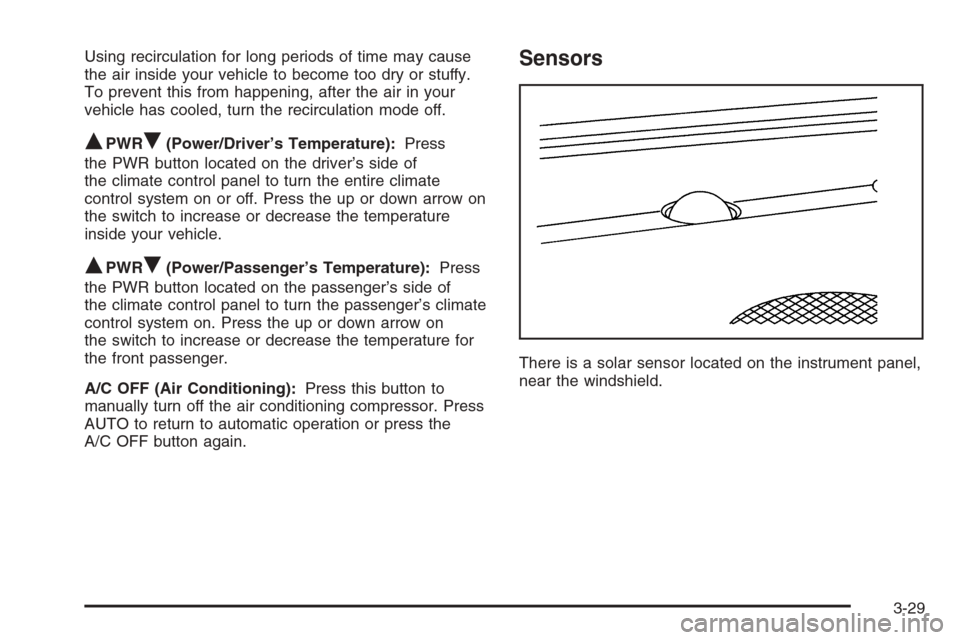
There is a solar sensor located on the instrument panel,
near the windshield.
3-29
Page 158 of 456
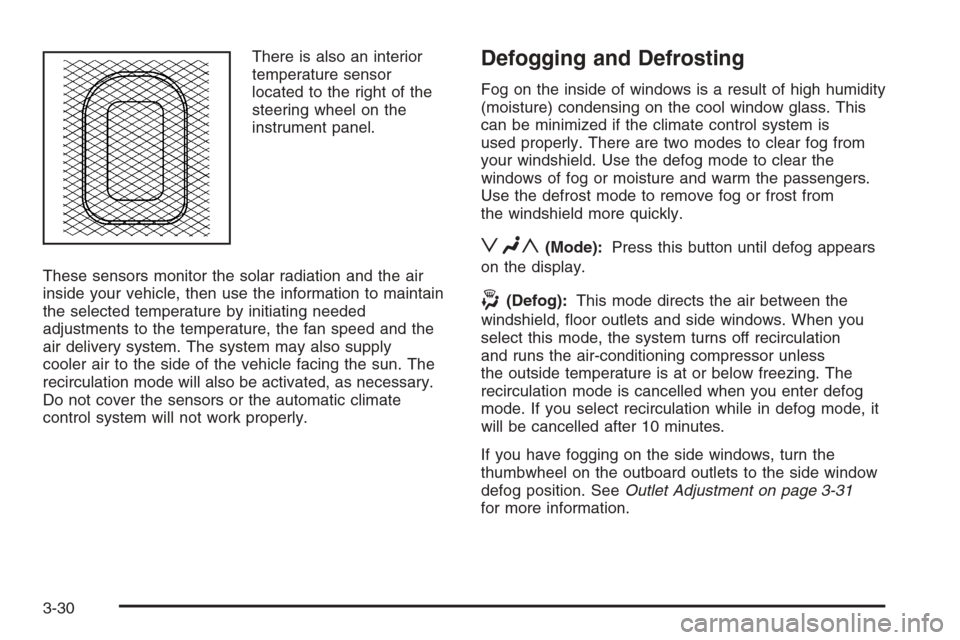
There is also an interior
temperature sensor
located to the right of the
steering wheel on the
instrument panel.
These sensors monitor the solar radiation and the air
inside your vehicle, then use the information to maintain
the selected temperature by initiating needed
adjustments to the temperature, the fan speed and the
air delivery system. The system may also supply
cooler air to the side of the vehicle facing the sun. The
recirculation mode will also be activated, as necessary.
Do not cover the sensors or the automatic climate
control system will not work properly.Defogging and Defrosting
Fog on the inside of windows is a result of high humidity
(moisture) condensing on the cool window glass. This
can be minimized if the climate control system is
used properly. There are two modes to clear fog from
your windshield. Use the defog mode to clear the
windows of fog or moisture and warm the passengers.
Use the defrost mode to remove fog or frost from
the windshield more quickly.
zNy(Mode):Press this button until defog appears
on the display.
-(Defog):This mode directs the air between the
windshield, oor outlets and side windows. When you
select this mode, the system turns off recirculation
and runs the air-conditioning compressor unless
the outside temperature is at or below freezing. The
recirculation mode is cancelled when you enter defog
mode. If you select recirculation while in defog mode, it
will be cancelled after 10 minutes.
If you have fogging on the side windows, turn the
thumbwheel on the outboard outlets to the side window
defog position. SeeOutlet Adjustment on page 3-31
for more information.
3-30
Page 163 of 456
Instrument Panel Cluster
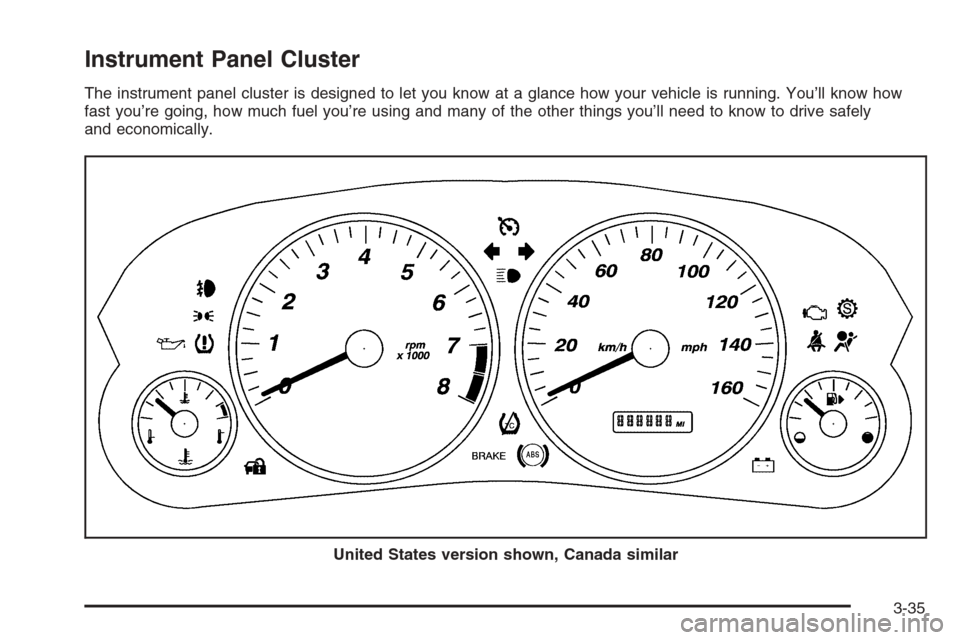
The instrument panel cluster is designed to let you know at a glance how your vehicle is running. You’ll know how
fast you’re going, how much fuel you’re using and many of the other things you’ll need to know to drive safely
and economically.
United States version shown, Canada similar
3-35
Page 166 of 456
Airbag Readiness Light
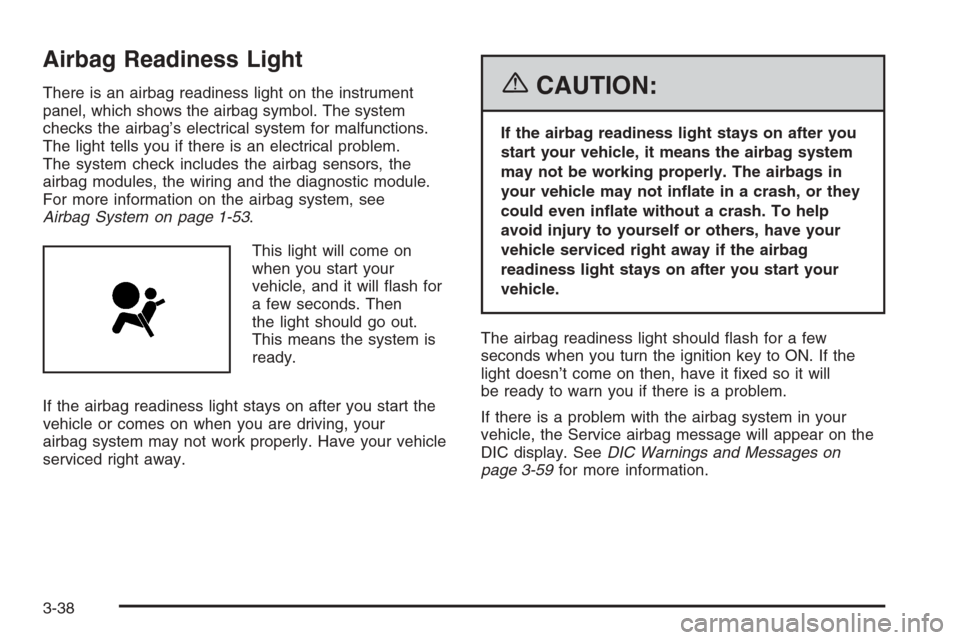
There is an airbag readiness light on the instrument
panel, which shows the airbag symbol. The system
checks the airbag’s electrical system for malfunctions.
The light tells you if there is an electrical problem.
The system check includes the airbag sensors, the
airbag modules, the wiring and the diagnostic module.
For more information on the airbag system, see
Airbag System on page 1-53.
This light will come on
when you start your
vehicle, and it will ash for
a few seconds. Then
the light should go out.
This means the system is
ready.
If the airbag readiness light stays on after you start the
vehicle or comes on when you are driving, your
airbag system may not work properly. Have your vehicle
serviced right away.{CAUTION:
If the airbag readiness light stays on after you
start your vehicle, it means the airbag system
may not be working properly. The airbags in
your vehicle may not inate in a crash, or they
could even inate without a crash. To help
avoid injury to yourself or others, have your
vehicle serviced right away if the airbag
readiness light stays on after you start your
vehicle.
The airbag readiness light should ash for a few
seconds when you turn the ignition key to ON. If the
light doesn’t come on then, have it xed so it will
be ready to warn you if there is a problem.
If there is a problem with the airbag system in your
vehicle, the Service airbag message will appear on the
DIC display. SeeDIC Warnings and Messages on
page 3-59for more information.
3-38
Page 186 of 456
9(English/Metric Units):Use this menu item to
adjust the measurement units.
You can choose between ENGLISH UNITS and
METRIC UNITS. To switch between the two, press the
TUNE/SEL knob. Once your choice is displayed,
turn the knob to set your choice and continue scrolling
through the main menu.
The measurement units that you choose will be
reected on all the vehicle system displays, not just
the DIC information. For example, the climate control
panel will display degrees Celsius if you choose
METRIC UNITS.
TCS (Traction Control System):You can enable
or disable the traction control system using this menu
item. Press the TUNE/SEL knob to switch between
on and off.
You can also turn the traction control system off using
the traction control button located near the shift lever.
When you disable the traction control system, the
traction control system warning light on the instrument
panel cluster will come on. SeeTraction Control System
(TCS) Warning Light on page 3-41for more information.8(Clock):Use this menu item to set the time on the
vehicle’s clock.
SeeSetting the Time on page 3-82for more information.
8/4(Clock/Information Display):Use this menu
item to toggle between the clock display and the XM™
Information (Song, Artist, Title), if available.
SeeSetting the Time on page 3-82and “XM™ Satellite
Radio Service” underRadio with CD on page 3-83
for more information.
SETUP:When you select this menu item, the following
submenu is available:
LANGUAGE
PERSONALIZATION
CONFIGURE DISPLAY KEYS
To change the language displayed on the radio, select
LANGUAGE by pressing the TUNE/SEL knob. Turn
the TUNE/SEL knob to scroll through the available
languages and press the knob to make your selection. If
you accidentally select a language that you did not
want, ENGLISH is always at the top of the language list.
For more information on the other items in the SETUP
menu, seeDIC Vehicle Personalization on page 3-67.
3-58
Page 190 of 456
Engine Coolant Hot – AC
(Air Conditioning) Off
This message displays when the engine coolant
becomes hotter than the normal operating temperature.
To avoid added strain on a hot engine, the air
conditioning compressor is automatically turned off.
When the coolant temperature returns to normal, the air
conditioning compressor will turn back on. You can
continue to drive your vehicle.
If this message continues to appear, have the system
repaired by your GM dealer as soon as possible to avoid
compressor damage.
Engine Coolant Hot – Idle Engine
Notice:If you drive your vehicle while the engine is
overheating, severe engine damage may occur. If
an overheat warning appears on the instrument
panel cluster and/or DIC, stop the vehicle as soon
as possible. Do not increase the engine speed above
normal idling speed. SeeEngine Overheating on
page 5-27for more information.
This message will appear when the engine coolant
temperature is too hot. Stop and allow the vehicle to idle
until it cools down.
Engine Overheated – Stop Engine
Notice:If you drive your vehicle while the engine is
overheating, severe engine damage may occur. If
an overheat warning appears on the instrument
panel cluster and/or DIC, stop the vehicle as soon
as possible. Do not increase the engine speed above
normal idling speed. SeeEngine Overheating on
page 5-27for more information.
This message will appear when the engine has
overheated. Stop the vehicle and turn the engine off
immediately to avoid severe engine damage. See
Engine Overheating on page 5-27. A chime will also
sound when this message is displayed.
Engine Power Reduced
This message informs you that the vehicle is reducing
engine power because the transmission is being
placed in gear under conditions that may cause damage
to the vehicle’s engine or transmission. Reduced
engine power can affect the vehicle’s ability to
accelerate. If this message is on, but there is no
reduction in performance, proceed to your destination.
The performance may be reduced the next time the
vehicle is driven. The vehicle may be driven at a
reduced speed while this message is on, but
acceleration and speed may be reduced. Anytime this
message stays on, the vehicle should be taken to
your GM dealer for service as soon as possible.
3-62
Page 191 of 456
Fuel Level Low
When this message appears on the display, it means
that your vehicle is low on fuel. You should rell the fuel
tank as soon as possible. A single chime will sound
when this message is displayed.
Headlamps Suggested
This message will appear when the amount of available
light outside the vehicle is low and the exterior lamp
control is off. This message informs the driver that
turning on the exterior lamps is recommended even
though the daytime running lamps (DRL) are still
illuminated and it has become dark enough outside to
require the headlamps and/or other exterior lamps.
This message will also appear when the windshield
wipers have been on for more than six seconds and the
exterior lamp control is off or in the parking lamp
position.
Ice Possible
This message appears when the outside temperature is
cold enough to create icy road conditions.
Left Rear Door Ajar
When this message appears on the display, it means
that the driver’s side rear door was not closed
completely. You should make sure that the door is
closed completely.
Lift Gate Ajar
When this message appears on the display, it means
that the liftgate was not closed completely. You
should make sure that the liftgate is closed completely.
Oil Pressure Low – Stop Engine
Notice:If you drive your vehicle while the engine
oil pressure is low, severe engine damage may
occur. If a low oil pressure warning appears on the
instrument panel cluster and/or DIC, stop the
vehicle as soon as possible. Do not drive the vehicle
until the cause of the low oil pressure is corrected.
SeeEngine Oil on page 5-16for more information.
A multiple chime will sound when this message is
displayed.
3-63
Page 288 of 456
Rocking Your Vehicle to Get It Out
First, turn your steering wheel left and right. That
will clear the area around your front wheels. If your
vehicle has the StabiliTrak
®System, turn the system off
by pressing and holding the Traction button so that
the STABILITY SYS DISABLED message and the
traction off light are illuminated on the instrument panel
cluster. Then shift back and forth between
REVERSE (R) and a forward gear, spinning the wheels
as little as possible. Release the accelerator pedal
while you shift, and press lightly on the accelerator pedal
when the transmission is in gear. By slowly spinning
your wheels in the forward and reverse directions, you
will cause a rocking motion that may free your
vehicle. If that does not get you out after a few tries,
you may need to be towed out. Or, you can use
your recovery hook if your vehicle has one. If you do
need to be towed out, seeTowing Your Vehicle on
page 4-50.
Loading Your Vehicle
It is very important to know how much weight your
vehicle can carry. This weight is called the vehicle
capacity weight and includes the weight of all occupants,
cargo, and all nonfactory-installed options. Two labels
on your vehicle show how much weight it may properly
carry, the Tire and Loading Information label and the
Certication/Tire label.
{CAUTION:
Do not load your vehicle any heavier than the
Gross Vehicle Weight Rating (GVWR), or either
the maximum front or rear Gross Axle Weight
Rating (GAWR). If you do, parts on your
vehicle can break, and it can change the way
your vehicle handles. These could cause you
to lose control and crash. Also, overloading
can shorten the life of your vehicle.
4-44
Page 303 of 456
Turn Signals When Towing a Trailer
When you tow a trailer, your vehicle may need a
different turn signal asher and/or extra wiring. Check
with your dealer. The arrows on your instrument
panel will ash whenever you signal a turn or lane
change. Properly hooked up, the trailer lamps will also
ash, telling other drivers you’re about to turn,
change lanes or stop.
When towing a trailer, the arrows on your instrument
panel will ash for turns even if the bulbs on the trailer
are burned out. Thus, you may think drivers behind
you are seeing your signal when they are not. It’s
important to check occasionally to be sure the trailer
bulbs are still working.
Driving on Grades
Reduce speed and shift to a lower gear before you start
down a long or steep downgrade. If you don’t shift
down, you might have to use your brakes so much that
they would get hot and no longer work well.
On a long uphill grade, shift down and reduce your
speed to around 45 mph (70 km/h) to reduce the
possibility of the engine and the transmission
overheating.
Parking on Hills
{CAUTION:
You really should not park your vehicle, with a
trailer attached, on a hill. If something goes
wrong, your rig could start to move. People
can be injured, and both your vehicle and the
trailer can be damaged.
But if you ever have to park your rig on a hill, here’s
how to do it:
1. Apply your regular brakes, but don’t shift into
PARK (P).
When parking uphill, turn your wheels away from
the curb. When parking downhill, turn your wheels
into the curb.
2. Have someone place chocks behind the trailer
wheels.
3. When the chocks are in place, release the regular
brakes until the chocks absorb the load.
4. Reapply the regular brakes. Then apply your
parking brake and shift into PARK (P).
5. Release the regular brakes.
4-59
Page 306 of 456
Different Size Tires and Wheels......................5-66
Uniform Tire Quality Grading..........................5-67
Wheel Alignment and Tire Balance..................5-68
Wheel Replacement......................................5-68
Tire Chains..................................................5-69
If a Tire Goes Flat........................................5-70
Changing a Flat Tire.....................................5-70
Removing the Spare Tire and Tools................5-71
Removing the Flat Tire and Installing
the Spare Tire..........................................5-74
Secondary Latch System...............................5-79
Storing a Flat or Spare Tire and Tools............5-81
Compact Spare Tire......................................5-84
Appearance Care............................................5-85
Cleaning the Inside of Your Vehicle.................5-85
Fabric/Carpet...............................................5-86
Leather.......................................................5-87
Instrument Panel, Vinyl, and Other
Plastic Surfaces........................................5-87
Wood Panels...............................................5-88
Speaker Covers............................................5-88
Care of Safety Belts......................................5-88
Weatherstrips...............................................5-88
Washing Your Vehicle...................................5-88
Cleaning Exterior Lamps/Lenses.....................5-89Finish Care..................................................5-89
Windshield and Wiper Blades.........................5-89
Aluminum or Chrome-Plated Wheels................5-90
Tires...........................................................5-90
Sheet Metal Damage.....................................5-91
Finish Damage.............................................5-91
Underbody Maintenance................................5-91
Chemical Paint Spotting.................................5-91
Vehicle Care/Appearance Materials..................5-92
Vehicle Identication......................................5-93
Vehicle Identication Number (VIN).................5-93
Service Parts Identication Label.....................5-93
Electrical System............................................5-94
Add-On Electrical Equipment..........................5-94
Windshield Wiper Fuses................................5-94
Power Windows and Other Power Options.......5-94
Fuses and Circuit Breakers............................5-94
Underhood Fuse Block..................................5-95
Rear Underseat Fuse Block
(Driver Side).............................................5-99
Rear Underseat Fuse Block
(Passenger Side).....................................5-101
Capacities and Specications........................5-103
Section 5 Service and Appearance Care
5-2