change wheel CADILLAC SRX 2006 1.G Owners Manual
[x] Cancel search | Manufacturer: CADILLAC, Model Year: 2006, Model line: SRX, Model: CADILLAC SRX 2006 1.GPages: 456, PDF Size: 2.55 MB
Page 70 of 456
Adding Equipment to Your
Airbag-Equipped Vehicle
Q:Is there anything I might add to the front or
sides of the vehicle that could keep the
airbags from working properly?
A:Yes. If you add things that change your vehicle’s
frame, bumper system, height, front end or side
sheet metal, they may keep the airbag system from
working properly. Also, the airbag system may
not work properly if you relocate any of the airbag
sensors. If you have any questions about this,
you should contact Customer Assistance before you
modify your vehicle. The phone numbers and
addresses for Customer Assistance are in Step Two
of the Customer Satisfaction Procedure in this
manual. SeeCustomer Satisfaction Procedure on
page 7-2.
Q:Because I have a disability, I have to get my
vehicle modied. How can I nd out whether
this will affect my airbag system?
A:Changing or moving any parts of the front seats,
safety belts, the airbag sensing and diagnostic
module, steering wheel, instrument panel, ceiling
headliner, ceiling and pillar garnish trim,
roof-mounted airbag modules, or airbag wiring can
affect the operation of the airbag system. If you
have questions, call Customer Assistance.
The phone numbers and addresses for Customer
Assistance are in Step Two of the Customer
Satisfaction Procedure in this manual. See
Customer Satisfaction Procedure on page 7-2.
1-64
Page 103 of 456
2. Press the shift lever forward to upshift or rearward
to downshift.
The odometer on the instrument panel cluster will
change from the mileage to a number indicating the
requested gear range when moving the shift
lever forward or rearward. SeeSpeedometer and
Odometer on page 3-36for more information on the
odometer.
While using the DSC feature the vehicle will have rmer
shifting and increased performance. You can use this
for sport driving or when climbing/descending hills
to stay in gear longer or to down shift for more power or
engine braking.
The transmission will only allow you to shift into gears
appropriate for the vehicle speed and engine
Revolutions Per Minute (RPM). The transmission will
not automatically shift to the next higher gear if the
engine rpm is too high.
If shifting is prevented for any reason, the currently
selected gear will ash multiple times, indicating that the
transmission has not shifted gears.
The transmission will allow you to shift to the gear
selected and will automatically downshift when
the vehicle comes to a stop. This will allow for more
power during take-off and passing.When accelerating your vehicle from a stop in snowy
and icy conditions, you may want to shift into second
gear. A higher gear ratio allows you to gain more traction
on slippery surfaces.
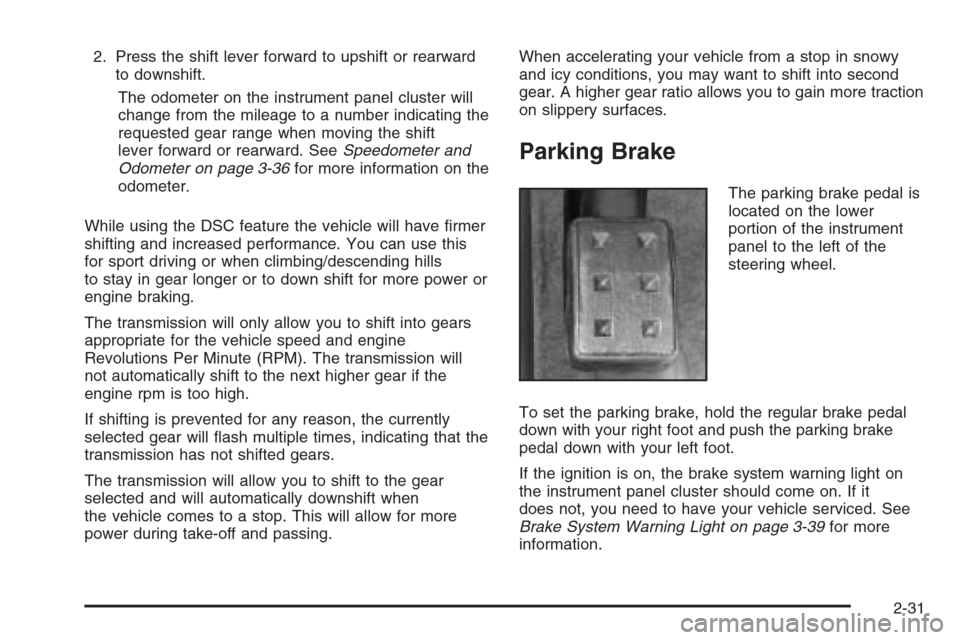
Parking Brake
The parking brake pedal is
located on the lower
portion of the instrument
panel to the left of the
steering wheel.
To set the parking brake, hold the regular brake pedal
down with your right foot and push the parking brake
pedal down with your left foot.
If the ignition is on, the brake system warning light on
the instrument panel cluster should come on. If it
does not, you need to have your vehicle serviced. See
Brake System Warning Light on page 3-39for more
information.
2-31
Page 129 of 456
Instrument Panel Overview...............................3-4
Hazard Warning Flashers................................3-6
Other Warning Devices...................................3-6
Horn .............................................................3-6
Tilt Wheel.....................................................3-7
Turn Signal/Multifunction Lever.........................3-7
Turn and Lane-Change Signals........................3-8
Headlamp High/Low-Beam Changer..................3-8
Flash-to-Pass.................................................3-9
Windshield Wipers..........................................3-9
Windshield Washer.......................................3-10
Rear Window Wiper/Washer...........................3-11
Headlamp Washer........................................3-12
Cruise Control..............................................3-12
Headlamps..................................................3-16
Wiper Activated Headlamps............................3-17
Headlamps on Reminder................................3-17
Daytime Running Lamps (DRL).......................3-17
Fog Lamps ..................................................3-19
Exterior Lighting Battery Saver........................3-20
Instrument Panel Brightness...........................3-20
Entry Lighting...............................................3-21
Parade Dimming...........................................3-21
Reading Lamps............................................3-21
Ultrasonic Rear Parking Assist (URPA)............3-22
Accessory Power Outlet(s).............................3-24
Ashtray(s) and Cigarette Lighter......................3-25Climate Controls............................................3-26
Dual Climate Control System..........................3-26
Outlet Adjustment.........................................3-31
Rear Air Conditioning System.........................3-32
Passenger Compartment Air Filter...................3-33
Warning Lights, Gages, and Indicators............3-34
Instrument Panel Cluster................................3-35
Speedometer and Odometer...........................3-36
Trip Odometers............................................3-36
Tachometer.................................................3-37
Engine Speed Limiter....................................3-37
Safety Belt Reminder Light.............................3-37
Airbag Readiness Light..................................3-38
Charging System Light..................................3-39
Brake System Warning Light..........................3-39
Anti-Lock Brake System
Warning Light...........................................3-40
Traction Control System (TCS)
Warning Light...........................................3-41
Engine Coolant Temperature
Warning Light...........................................3-42
Engine Coolant Temperature Gage..................3-42
Tire Pressure Light.......................................3-43
Malfunction Indicator Lamp.............................3-43
Oil Pressure Light.........................................3-46
Sport Mode Light..........................................3-47
Section 3 Instrument Panel
3-1
Page 135 of 456
Tilt Wheel
A tilt wheel allows you to adjust the steering wheel
before you drive. You can raise it to the highest level
to give your legs more room when you exit and enter the
vehicle.
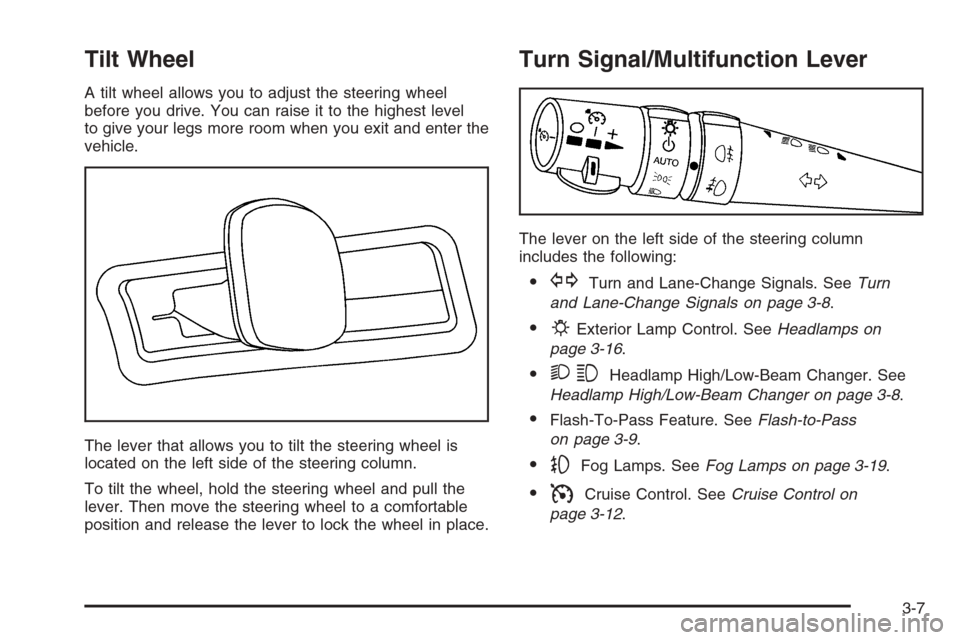
The lever that allows you to tilt the steering wheel is
located on the left side of the steering column.
To tilt the wheel, hold the steering wheel and pull the
lever. Then move the steering wheel to a comfortable
position and release the lever to lock the wheel in place.
Turn Signal/Multifunction Lever
The lever on the left side of the steering column
includes the following:
GTurn and Lane-Change Signals. SeeTurn
and Lane-Change Signals on page 3-8.
PExterior Lamp Control. SeeHeadlamps on
page 3-16.
23Headlamp High/Low-Beam Changer. See
Headlamp High/Low-Beam Changer on page 3-8.
Flash-To-Pass Feature. SeeFlash-to-Pass
on page 3-9.
-Fog Lamps. SeeFog Lamps on page 3-19.
ICruise Control. SeeCruise Control on
page 3-12.
3-7
Page 141 of 456
+ (Resume/Accelerate):Push the lever to this symbol
to make the vehicle resume to a previously set speed
or to accelerate when cruise is already active.
T(Set/Decrease):Press this button to set the speed
or to decrease the speed when cruise is already
active.
With cruise control, you can maintain a speed of about
25 mph (40 km/h) or more without keeping your foot
on the accelerator. This can really help on long
trips. Cruise control does not work at speeds below
about 25 mph (40 km/h).
If you apply your brakes, the cruise control will shut off.
{CAUTION:
Cruise control can be dangerous where you
cannot drive safely at a steady speed. So, do
not use your cruise control on winding roads
or in heavy traffic.
Cruise control can be dangerous on slippery
roads. On such roads, fast changes in tire
traction can cause excessive wheel slip, and
you could lose control. Do not use cruise
control on slippery roads.
If your vehicle is in cruise control when the traction
control system begins to limit wheel spin, the cruise
control will automatically disengage. SeeTraction
Control System (TCS) on page 4-9andStabiliTrak
®
System on page 4-11. When road conditions allow you
to safely use it again, you may turn the cruise control
back on.
3-13
Page 159 of 456
0(Defrost):Pressing defrost directs most of the air
to the windshield, with some air directed to the side
windows. In this mode, the system will automatically turn
off recirculation and run the air-conditioning compressor,
unless the outside temperature is at or below freezing.
Recirculation cannot be selected while in the
defrost mode.
This mode may also cause the fan speed and air
temperature to increase.
If you have fogging on the side windows, turn the
thumbwheel on the outboard outlets to the side window
defog position. SeeOutlet Adjustment on page 3-31
for more information. Do not drive the vehicle until all the
windows are clear.
Rear Window Defogger
The rear window defogger uses a warming grid to
remove fog or frost from the rear window.
The rear window defogger will only work when the
ignition is in ON.
=(Rear Window Defogger):Press this button to
turn the rear window defogger on or off. Be sure to clear
as much snow from the rear window as possible.The rear window defogger will turn off about 10 minutes
after the button is pressed. Or, if the vehicle’s speed
is above 30 mph (48 km/h), the rear defogger will stay
on continuously. If turned on again, the defogger
will only run for about ve minutes before turning off.
The defogger can also be turned off by pressing
the button again or by turning off the engine.
The heated outside rearview mirrors will heat to help
clear fog or frost from the surface of the mirror when the
rear window defogger button is on.
Notice:Do not use a razor blade or sharp object to
clear the inside rear window. Do not adhere
anything to the defogger grid lines in the rear glass.
These actions may damage the rear defogger.
Repairs would not be covered by your warranty.
Outlet Adjustment
Use the knobs located in the center of each outlet to
change the direction of the airow. Use the thumbwheels
to open or close the outlets.
j(Side Window Defog):Turn the thumbwheel to this
symbol to use the side window defog setting. The air
coming through the outlets will be directed toward
the side windows to clear fog.
3-31
Page 242 of 456
g(Voice Recognition):If your vehicle has the
navigation system, press this button to initiate voice
recognition. See “Voice Recognition” in the Navigation
System manual for more information.
1-6 (Preset Stations):Press this button to play stations
that are programmed on the radio preset pushbuttons.
The radio will only seek preset stations with a strong
signal that are in the selected band.
When a CD is playing, press this button to go to the
next track.
When a CD is playing in the six-disc CD changer, press
this button to go to the next available CD, if multiple
CDs are loaded.
+
u— (Volume):Press this button to increase or to
decrease the volume.
+
tu— (Seek):Press either arrow to go to the
next or the previous radio station and stay there.
The radio will only seek stations with a strong signal
that are in the selected band.
When a CD is playing, press the minus sign to go to the
start of the current track, if more than 10 seconds
have played. Press the plus sign to go to the next track.
If either the minus or the plus button are pressed
more than once, the player will continue moving
backward or forward through the CD.Press and hold the SEEK plus or minus button, until
you hear a beep. The CD will fast forward or fast reverse
through the CD. Press either button again to play the
passage.
If you have the navigation system, some of the audio
steering wheel controls work when a DVD is playing in
the navigation radio. See the Navigation System
manual for more information.
Radio Reception
You may experience frequency interference and static
during normal radio reception if items such as cellphone
chargers, vehicle convenience accessories, and
external electronic devices are plugged into the
accessory power outlet. If there is interference or static,
unplug the item from the accessory power outlet.
AM
The range for most AM stations is greater than for FM,
especially at night. The longer range can cause
station frequencies to interfere with each other. For
better radio reception, most AM radio stations will boost
the power levels during the day, and then reduce
these levels during the night. Static can also occur when
things like storms and power lines interfere with radio
reception. When this happens, try reducing the treble on
your radio.
3-114
Page 252 of 456
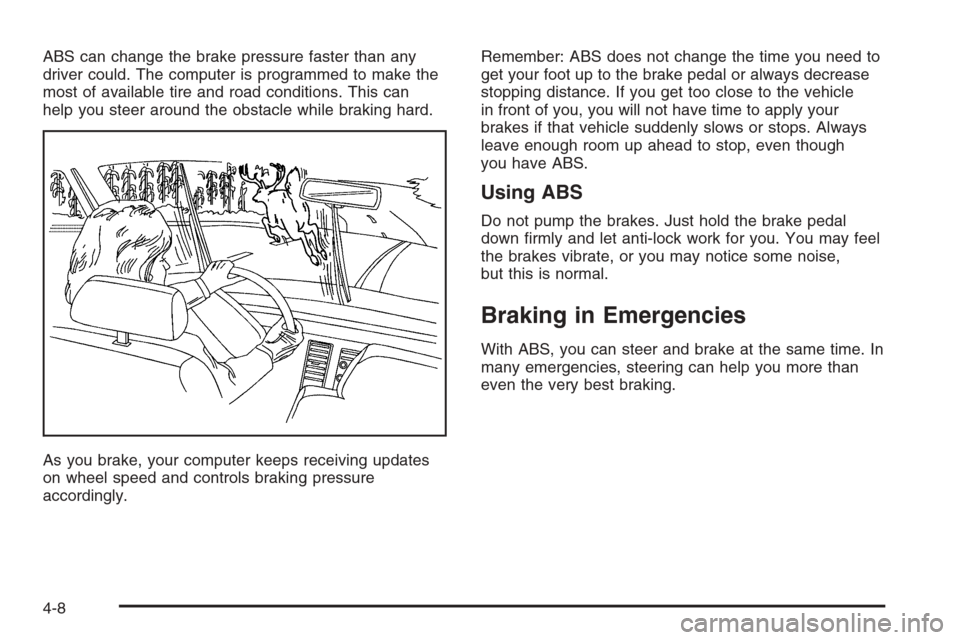
ABS can change the brake pressure faster than any
driver could. The computer is programmed to make the
most of available tire and road conditions. This can
help you steer around the obstacle while braking hard.
As you brake, your computer keeps receiving updates
on wheel speed and controls braking pressure
accordingly.Remember: ABS does not change the time you need to
get your foot up to the brake pedal or always decrease
stopping distance. If you get too close to the vehicle
in front of you, you will not have time to apply your
brakes if that vehicle suddenly slows or stops. Always
leave enough room up ahead to stop, even though
you have ABS.
Using ABS
Do not pump the brakes. Just hold the brake pedal
down rmly and let anti-lock work for you. You may feel
the brakes vibrate, or you may notice some noise,
but this is normal.
Braking in Emergencies
With ABS, you can steer and brake at the same time. In
many emergencies, steering can help you more than
even the very best braking.
4-8
Page 256 of 456
All-Wheel Drive (AWD) System
If your vehicle is equipped with this feature, engine
power is sent to all four wheels all the time. This is like
four-wheel drive, but it is fully automatic.
Steering
Power Steering
If you lose power steering assist because the engine
stops or the system is not functioning, you can steer but
it will take much more effort.
Steering Tips
It is important to take curves at a reasonable speed.
A lot of the “driver lost control” accidents mentioned on
the news happen on curves. Here is why:
Experienced driver or beginner, each of us is subject to
the same laws of physics when driving on curves.
The traction of the tires against the road surface makes
it possible for the vehicle to change its path when
you turn the front wheels. If there is no traction, inertia
will keep the vehicle going in the same direction. If
you have ever tried to steer a vehicle on wet ice, you
will understand this.The traction you can get in a curve depends on the
condition of your tires and the road surface, the angle at
which the curve is banked, and your speed. While
you are in a curve, speed is the one factor you
can control.
Suppose you are steering through a sharp curve.
Then you suddenly accelerate. Both control
systems — steering and acceleration — have to do
their work where the tires meet the road. Adding
the sudden acceleration can demand too much of those
places. You can lose control. SeeStabiliTrak
®System
on page 4-11.
What should you do if this ever happens? Ease up on
the accelerator pedal, steer the vehicle the way you
want it to go, and slow down.
If you have StabiliTrak
®, you may see the STABILITY
SYSTEM ACTIVE message on the message center. See
“Stability System Active Message” underDIC Warnings
and Messages on page 3-59.
Speed limit signs near curves warn that you should
adjust your speed. Of course, the posted speeds
are based on good weather and road conditions. Under
less favorable conditions you will want to go slower.
If you need to reduce your speed as you approach
a curve, do it before you enter the curve, while your front
wheels are straight ahead.
4-12
Page 260 of 456
Loss of Control
Let us review what driving experts say about what
happens when the three control systems — brakes,
steering, and acceleration — do not have enough friction
where the tires meet the road to do what the driver
has asked.
In any emergency, do not give up. Keep trying to
steer and constantly seek an escape route or area of
less danger.
Skidding
In a skid, a driver can lose control of the vehicle.
Defensive drivers avoid most skids by taking reasonable
care suited to existing conditions, and by not overdriving
those conditions. But skids are always possible.
The three types of skids correspond to your vehicle’s
three control systems. In the braking skid, your wheels
are not rolling. In the steering or cornering skid, too
much speed or steering in a curve causes tires to slip
and lose cornering force. And in the acceleration
skid, too much throttle causes the driving wheels
to spin.
A cornering skid is best handled by easing your foot off
the accelerator pedal.Remember: Any traction control system helps avoid
only the acceleration skid. If your traction control system
is off, then an acceleration skid is also best handled
by easing your foot off the accelerator pedal.
If your vehicle starts to slide, ease your foot off the
accelerator pedal and quickly steer the way you want
the vehicle to go. If you start steering quickly enough,
your vehicle may straighten out. Always be ready
for a second skid if it occurs.
Of course, traction is reduced when water, snow, ice,
gravel, or other material is on the road. For safety, you
will want to slow down and adjust your driving to
these conditions. It is important to slow down on slippery
surfaces because stopping distance will be longer and
vehicle control more limited.
While driving on a surface with reduced traction, try
your best to avoid sudden steering, acceleration,
or braking, including reducing vehicle speed by shifting
to a lower gear. Any sudden changes could cause
the tires to slide. You may not realize the surface is
slippery until your vehicle is skidding. Learn to recognize
warning clues — such as enough water, ice, or packed
snow on the road to make a mirrored surface — and
slow down when you have any doubt.
Remember: Any Anti-Lock Brake System (ABS) helps
avoid only the braking skid.
4-16