cruise control CADILLAC SRX 2006 1.G Owners Manual
[x] Cancel search | Manufacturer: CADILLAC, Model Year: 2006, Model line: SRX, Model: CADILLAC SRX 2006 1.GPages: 456, PDF Size: 2.55 MB
Page 129 of 456
Instrument Panel Overview...............................3-4
Hazard Warning Flashers................................3-6
Other Warning Devices...................................3-6
Horn .............................................................3-6
Tilt Wheel.....................................................3-7
Turn Signal/Multifunction Lever.........................3-7
Turn and Lane-Change Signals........................3-8
Headlamp High/Low-Beam Changer..................3-8
Flash-to-Pass.................................................3-9
Windshield Wipers..........................................3-9
Windshield Washer.......................................3-10
Rear Window Wiper/Washer...........................3-11
Headlamp Washer........................................3-12
Cruise Control..............................................3-12
Headlamps..................................................3-16
Wiper Activated Headlamps............................3-17
Headlamps on Reminder................................3-17
Daytime Running Lamps (DRL).......................3-17
Fog Lamps ..................................................3-19
Exterior Lighting Battery Saver........................3-20
Instrument Panel Brightness...........................3-20
Entry Lighting...............................................3-21
Parade Dimming...........................................3-21
Reading Lamps............................................3-21
Ultrasonic Rear Parking Assist (URPA)............3-22
Accessory Power Outlet(s).............................3-24
Ashtray(s) and Cigarette Lighter......................3-25Climate Controls............................................3-26
Dual Climate Control System..........................3-26
Outlet Adjustment.........................................3-31
Rear Air Conditioning System.........................3-32
Passenger Compartment Air Filter...................3-33
Warning Lights, Gages, and Indicators............3-34
Instrument Panel Cluster................................3-35
Speedometer and Odometer...........................3-36
Trip Odometers............................................3-36
Tachometer.................................................3-37
Engine Speed Limiter....................................3-37
Safety Belt Reminder Light.............................3-37
Airbag Readiness Light..................................3-38
Charging System Light..................................3-39
Brake System Warning Light..........................3-39
Anti-Lock Brake System
Warning Light...........................................3-40
Traction Control System (TCS)
Warning Light...........................................3-41
Engine Coolant Temperature
Warning Light...........................................3-42
Engine Coolant Temperature Gage..................3-42
Tire Pressure Light.......................................3-43
Malfunction Indicator Lamp.............................3-43
Oil Pressure Light.........................................3-46
Sport Mode Light..........................................3-47
Section 3 Instrument Panel
3-1
Page 130 of 456
Security Light...............................................3-47
Fog Lamp Light............................................3-47
Lights On Reminder......................................3-48
Cruise Control Light......................................3-48
Highbeam On Light.......................................3-48
Fuel Gage...................................................3-48
Driver Information Center (DIC).......................3-49
System Controls...........................................3-50
Status of Vehicle Systems.............................3-50
DIC Main Menu ............................................3-55
DIC Warnings and Messages.........................3-59
DIC Vehicle Personalization............................3-67Audio System(s).............................................3-81
Setting the Time...........................................3-82
Radio with CD..............................................3-83
Navigation/Radio System..............................3-100
Rear Seat Entertainment System...................3-100
Theft-Deterrent Feature................................3-113
Audio Steering Wheel Controls......................3-113
Radio Reception.........................................3-114
Care of Your CDs and DVDs........................3-115
Care of the CD and DVD Player...................3-115
Diversity Antenna System.............................3-116
XM™ Satellite Radio Antenna System............3-116
Section 3 Instrument Panel
3-2
Page 135 of 456
Tilt Wheel
A tilt wheel allows you to adjust the steering wheel
before you drive. You can raise it to the highest level
to give your legs more room when you exit and enter the
vehicle.
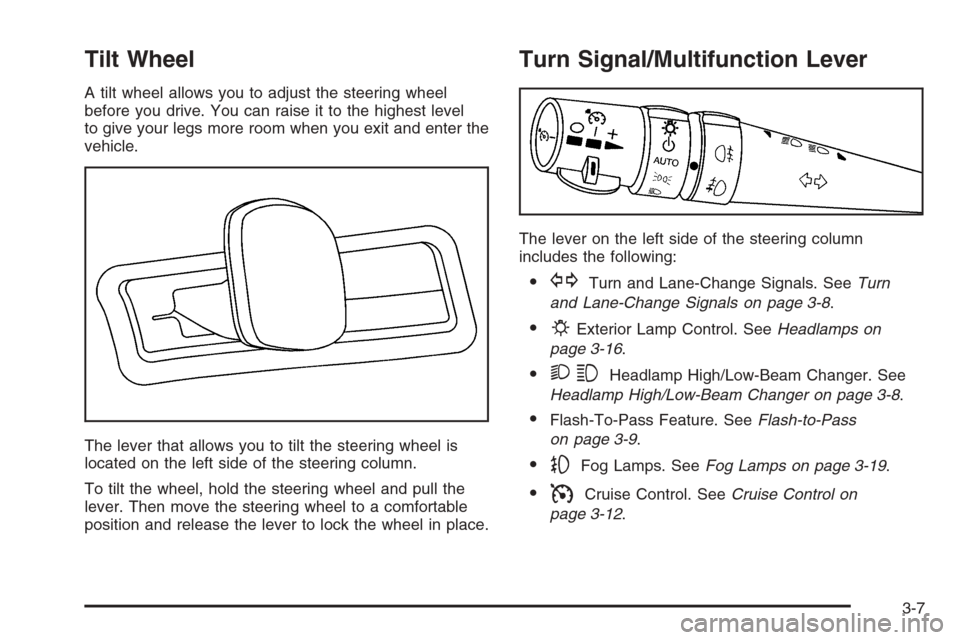
The lever that allows you to tilt the steering wheel is
located on the left side of the steering column.
To tilt the wheel, hold the steering wheel and pull the
lever. Then move the steering wheel to a comfortable
position and release the lever to lock the wheel in place.
Turn Signal/Multifunction Lever
The lever on the left side of the steering column
includes the following:
GTurn and Lane-Change Signals. SeeTurn
and Lane-Change Signals on page 3-8.
PExterior Lamp Control. SeeHeadlamps on
page 3-16.
23Headlamp High/Low-Beam Changer. See
Headlamp High/Low-Beam Changer on page 3-8.
Flash-To-Pass Feature. SeeFlash-to-Pass
on page 3-9.
-Fog Lamps. SeeFog Lamps on page 3-19.
ICruise Control. SeeCruise Control on
page 3-12.
3-7
Page 140 of 456
Headlamp Washer
Your vehicle may have headlamp washers. The
headlamp washers clear debris from the headlamp
lenses.
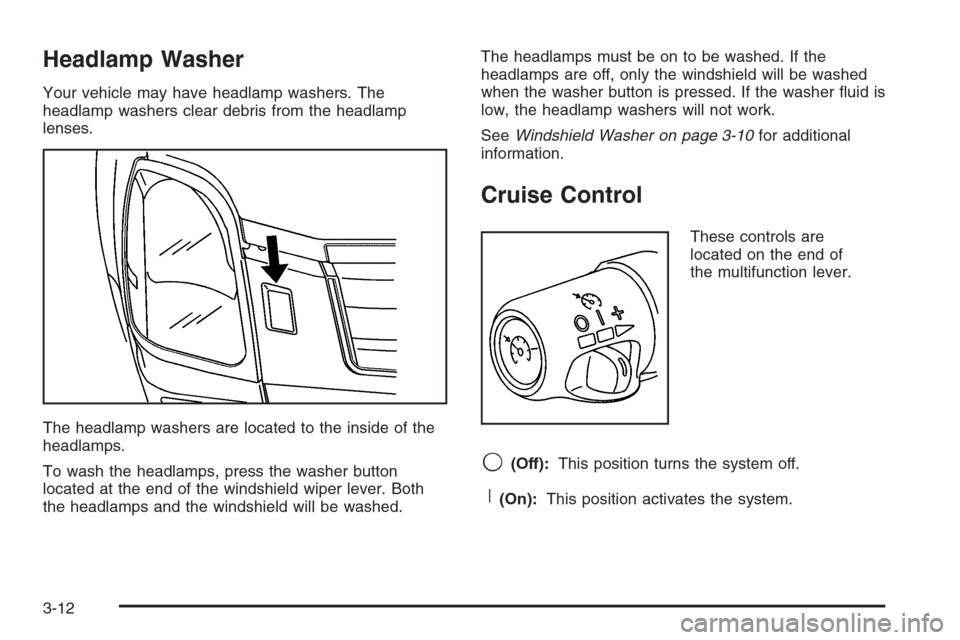
The headlamp washers are located to the inside of the
headlamps.
To wash the headlamps, press the washer button
located at the end of the windshield wiper lever. Both
the headlamps and the windshield will be washed.The headlamps must be on to be washed. If the
headlamps are off, only the windshield will be washed
when the washer button is pressed. If the washer uid is
low, the headlamp washers will not work.
SeeWindshield Washer on page 3-10for additional
information.
Cruise Control
These controls are
located on the end of
the multifunction lever.
9(Off):This position turns the system off.
R(On):This position activates the system.
3-12
Page 141 of 456
+ (Resume/Accelerate):Push the lever to this symbol
to make the vehicle resume to a previously set speed
or to accelerate when cruise is already active.
T(Set/Decrease):Press this button to set the speed
or to decrease the speed when cruise is already
active.
With cruise control, you can maintain a speed of about
25 mph (40 km/h) or more without keeping your foot
on the accelerator. This can really help on long
trips. Cruise control does not work at speeds below
about 25 mph (40 km/h).
If you apply your brakes, the cruise control will shut off.
{CAUTION:
Cruise control can be dangerous where you
cannot drive safely at a steady speed. So, do
not use your cruise control on winding roads
or in heavy traffic.
Cruise control can be dangerous on slippery
roads. On such roads, fast changes in tire
traction can cause excessive wheel slip, and
you could lose control. Do not use cruise
control on slippery roads.
If your vehicle is in cruise control when the traction
control system begins to limit wheel spin, the cruise
control will automatically disengage. SeeTraction
Control System (TCS) on page 4-9andStabiliTrak
®
System on page 4-11. When road conditions allow you
to safely use it again, you may turn the cruise control
back on.
3-13
Page 142 of 456
Setting Cruise Control
{CAUTION:
If you leave your cruise control on when you
are not using cruise, you might hit a button
and go into cruise when you do not want to.
You could be startled and even lose control.
Keep the cruise control switch off until you
want to use cruise control.
1. Move the cruise control switch to on.
2. Get up to the speed you want.
3. Press in the set button at the end of the lever and
release it.
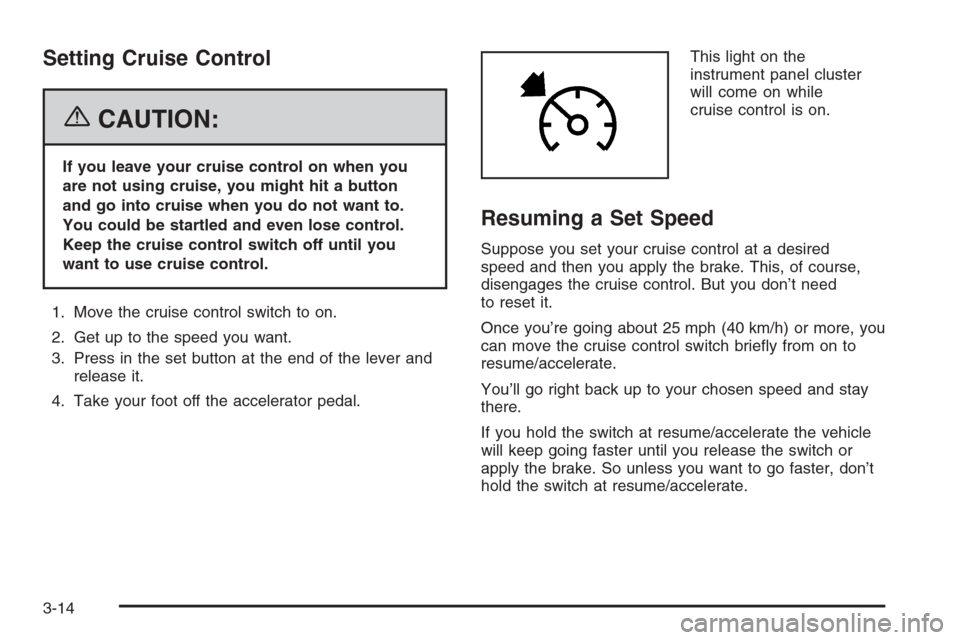
4. Take your foot off the accelerator pedal.This light on the
instrument panel cluster
will come on while
cruise control is on.
Resuming a Set Speed
Suppose you set your cruise control at a desired
speed and then you apply the brake. This, of course,
disengages the cruise control. But you don’t need
to reset it.
Once you’re going about 25 mph (40 km/h) or more, you
can move the cruise control switch briey from on to
resume/accelerate.
You’ll go right back up to your chosen speed and stay
there.
If you hold the switch at resume/accelerate the vehicle
will keep going faster until you release the switch or
apply the brake. So unless you want to go faster, don’t
hold the switch at resume/accelerate.
3-14
Page 143 of 456
Increasing Speed While Using
Cruise Control
There are two ways to go to a higher speed:
Use the accelerator pedal to get to the higher
speed. Press the set button at the end of the lever,
then release the button and the accelerator
pedal. You’ll now cruise at the higher speed.
Move the cruise switch from on to resume/
accelerate. Hold it there until you get up to the
speed you want, and then release the switch.
To increase your speed in very small amounts,
move the switch briey to resume/accelerate. Each
time you do this, your vehicle will go about
1 mph (1.6 km/h) faster.
If using the accelerator pedal and the set button at end
of the lever to increase cruise set speed, your new
set speed must be at least 5 mph higher than current
speed for this method to work. If it is not 5 mph higher,
switch cruise switch off, then on, and then reset your
speed using the set button.
Reducing Speed While Using
Cruise Control
There are two ways to reduce your speed while using
cruise control:
Press in the button at the end of the lever until you
reach the lower speed you want, then release it.
To slow down in very small amounts, briey press
the set button. Each time you do this, you’ll go
about 1 mph (1.6 km/h) slower.
Passing Another Vehicle While Using
Cruise Control
Use the accelerator pedal to increase your speed.
When you take your foot off the pedal, your vehicle will
slow down to the cruise control speed you set earlier.
Using Cruise Control on Hills
How well your cruise control will work on hills depends
upon your speed, load and the steepness of the
hills. When going up steep hills, you may have to step
on the accelerator pedal to maintain your speed.
When going downhill, you may have to brake to keep
your speed down. Applying the brake will take you out of
cruise control. If you need to apply the brake due to
the grade of the downhill slope, you may not want
to attempt to use your cruise control feature.
3-15
Page 144 of 456
Ending Cruise Control
To end a cruise control session, step lightly on the
brake pedal.
Stepping on the brake pedal will end the current cruise
control session only. Move the cruise control switch
to off to turn off the system completely.
Erasing Speed Memory
When you turn off the cruise control or the ignition, your
cruise control set speed memory is erased.
Headlamps
The exterior lamp control is located in the middle of the
turn signal/multifunction lever.
O(Exterior Lamp Control):Turn the control with this
symbol on it to operate the exterior lamps.The exterior lamp control has four positions:
O(On/Off):Turn the control to this position to turn off
all lamps except the Daytime Running Lamps (DRL).
AUTO (Automatic):Turn the control to this position to
put the headlamps in automatic mode. AUTO mode
will turn the exterior lamps on and off depending upon
how much light is available outside of the vehicle.
;(Parking Lamps):Turn the control to this position
to turn on the parking lamps together with the
following:
Sidemarker Lamps
Taillamps
License Plate Lamps
Instrument Panel Lights
5(Headlamps):Turn the control to this position to
turn on the headlamps, together with the previously
listed lamps and lights.
3-16
Page 176 of 456
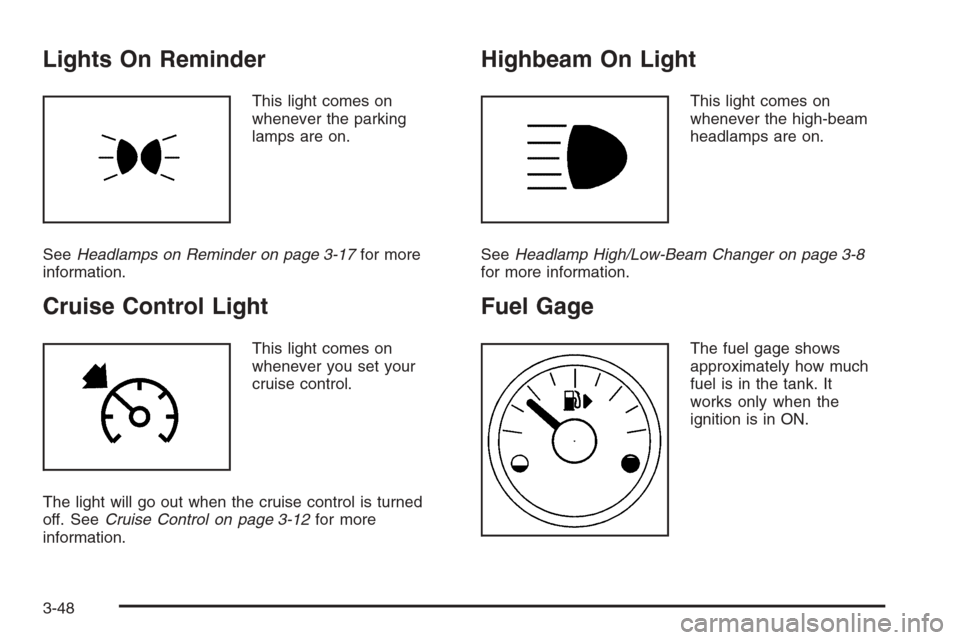
Lights On Reminder
This light comes on
whenever the parking
lamps are on.
SeeHeadlamps on Reminder on page 3-17for more
information.
Cruise Control Light
This light comes on
whenever you set your
cruise control.
The light will go out when the cruise control is turned
off. SeeCruise Control on page 3-12for more
information.
Highbeam On Light
This light comes on
whenever the high-beam
headlamps are on.
SeeHeadlamp High/Low-Beam Changer on page 3-8
for more information.
Fuel Gage
The fuel gage shows
approximately how much
fuel is in the tank. It
works only when the
ignition is in ON.
3-48
Page 255 of 456
StabiliTrak®System
Your vehicle is equipped with a vehicle stability
enhancement system called StabiliTrak®.Itisan
advanced computer controlled system that assists
you with directional control of the vehicle in difficult
driving conditions.
StabiliTrak
®activates when the computer senses a
discrepancy between your intended path and the
direction the vehicle is actually traveling. StabiliTrak
®
selectively applies braking pressure at any one of
the vehicle’s brakes to help steer the vehicle in the
direction which you are steering.
When the system activates, a Stability System Engaged
message will be displayed on the Driver Information
Center. SeeDIC Warnings and Messages on page 3-59.
You may also hear a noise or feel vibration in the
brake pedal. This is normal. Continue to steer the
vehicle in the direction you want it to go.
If there is a problem detected with StabiliTrak
®,a
Service Stability System message will be displayed on
the Driver Information Center. SeeDIC Warnings
and Messages on page 3-59. When this message is
displayed, the system is not operational. Driving should
be adjusted accordingly.StabiliTrak
®comes on automatically whenever you
start your vehicle. To help assist you with directional
control of the vehicle, you should always leave the
system on. You can turn StabiliTrak
®off if you ever need
to through the TC (traction control) on/off button. See
Traction Control System (TCS) on page 4-9.
If your vehicle is in cruise control when the StabiliTrak
®
activates, the cruise control will automatically
disengage. When road conditions allow you to safely
use it again, you may reengage the cruise control. See
Cruise Control on page 3-12for more information.
Panic Brake Assist
Your vehicle has a panic brake assist system that
monitors the intention of the driver while braking. If the
system senses that the driver has applied hard/fast
pressure to the brake pedal, the system will generate
additional pressure, making it easier for the driver
to maintain brake application. When this happens the
brake pedal will feel easier to push. Just hold the brake
pedal down rmly and let the system work for you.
You may feel the brakes vibrate, or you may notice
some noise but this is normal. The brakes will return to
normal operation after the brake pedal has been
released.
4-11