light CADILLAC SRX 2007 1.G Service Manual
[x] Cancel search | Manufacturer: CADILLAC, Model Year: 2007, Model line: SRX, Model: CADILLAC SRX 2007 1.GPages: 522, PDF Size: 2.71 MB
Page 180 of 522
When the exterior lamp control is in AUTO and it is
dark enough outside, the DRL will turn off and the
low-beam headlamps will turn on. When it is bright
enough outside, the low-beam headlamps will go
off, and the DRL will turn back on. If you start the
vehicle in a dark garage, the automatic headlamp
system will come on immediately. Once you leave
the garage, it will take about one minute for the
automatic headlamp system to change to DRL if it
is light outside. During that delay, the instrument
panel cluster may not be as bright as usual. Make
sure the instrument panel brightness lever is in the
full bright position. SeeInstrument Panel Brightness
on page 181.
To drive the vehicle with the DRL off, turn the
exterior lamp control off. Then turn on the
fog lamps or parking lamps, and the DRL will turn
off. This will work regardless of gear position
and whether or not the parking brake is set.
As with any vehicle, you should turn on the regular
headlamp system when you need it.Light Sensor
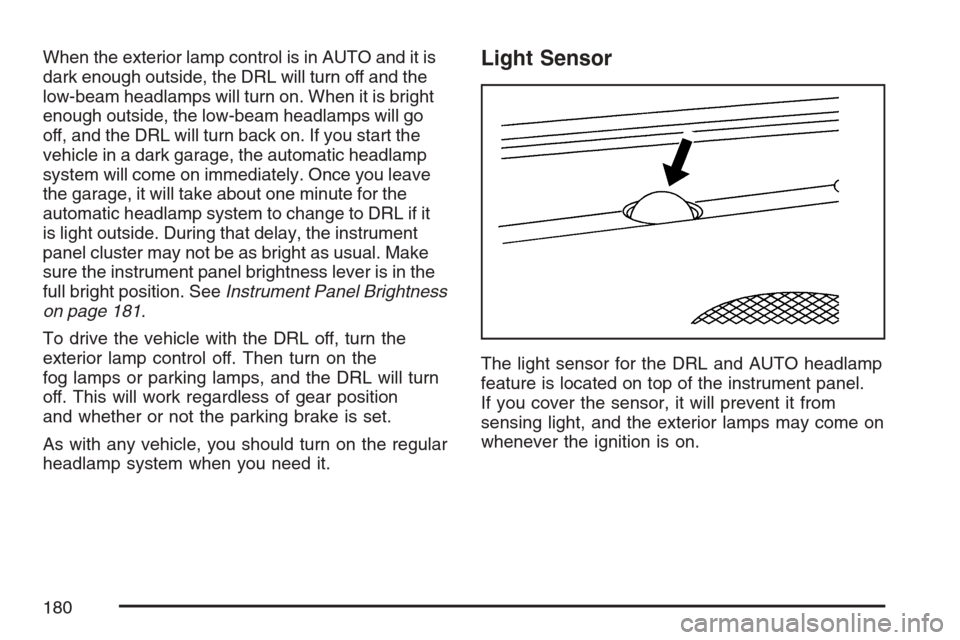
The light sensor for the DRL and AUTO headlamp
feature is located on top of the instrument panel.
If you cover the sensor, it will prevent it from
sensing light, and the exterior lamps may come on
whenever the ignition is on.
180
Page 181 of 522
Fog Lamps
Use the fog lamps for better vision in foggy or
misty conditions.
The fog lamp controls are located on the turn
signal/multifunction lever.
-(Fog Lamps):The band with this symbol is
used to turn the fog lamps on and off.
The parking lamps must be on for the fog lamps
to work.
To turn the fog lamps on, turn the fog lamp band
on the lever up to the dot and release it. The
band will return to its original position.
To turn the fog lamps off, turn the fog lamp band
up to the dot and release it. The band will
return to its original position, and the fog lamps
will turn off. If the high-beam headlamps are turned
on, the fog lamps will also turn off. They will turn
back on again when you switch back to low-beam
headlamps.
Some localities have laws that require the
headlamps to be on along with the fog lamps.
Exterior Lighting Battery Saver
If the parking lamps or headlamps have been left
on, the exterior lamps will turn off about 10 minutes
after the ignition is turned to OFF. This protects
against draining the battery in case the headlamps
or parking lamps have been left on. The battery
saver does not work if the headlamps are turned on
after the ignition is turned to OFF.
If you need to leave the lamps on for more than
10 minutes, use the exterior lamp control to
turn the lamps back on.
Instrument Panel Brightness
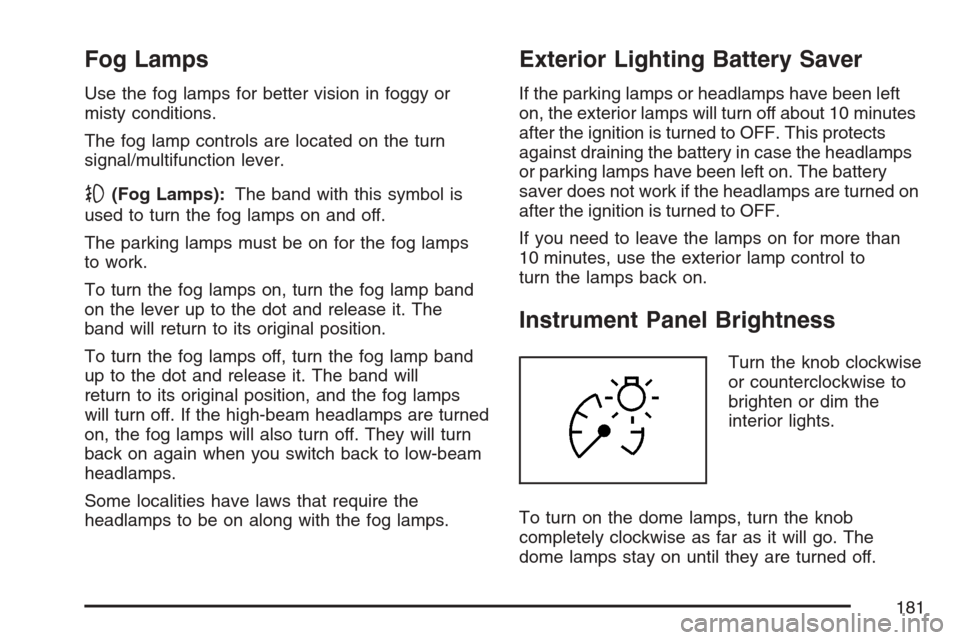
Turn the knob clockwise
or counterclockwise to
brighten or dim the
interior lights.
To turn on the dome lamps, turn the knob
completely clockwise as far as it will go. The
dome lamps stay on until they are turned off.
181
Page 182 of 522
Entry Lighting
The entry lighting system turns on the reading and
dome lamps and the backlighting to the exterior
lamp control when a door is opened or if the
Remote Keyless Entry (RKE) transmitter unlock
button is pressed. If activated by the (RKE),
the lighting will remain active for about 25 seconds.
The entry lighting system uses the light sensor
on the instrument panel; so it must be dark outside
in order for the lamps to turn on. The lamps turn
off about 25 seconds after the last door is
closed. They will dim to off if the ignition key is
turned to ON, or immediately turn off if the power
locks are used.
Parade Dimming
This feature prohibits dimming of the instrument
panel displays and backlighting during daylight
hours when the key is in the ignition and the
headlamps are on. This feature operates with the
light sensor and is fully automatic. When the light
sensor reads darkness outside and the parking
lamps are active, the instrument panel displays can
be adjusted by sliding the instrument panel
brightness lever toward the symbol to brighten or
away from the symbol to dim the lighting.
Reading Lamps
The reading lamps are located on the overhead
console. These lamps come on automatically when
any door is opened.
For manual operation, press the button next to
each lamp to turn it on or off.
If the reading lamps are left on, they automatically
shut off 10 minutes after the ignition has been
turned off.
182
Page 183 of 522
Electric Power Management
The vehicle has Electric Power Management
(EPM) that estimates the battery’s temperature and
state of charge. It then adjusts the voltage for
best performance and extended life of the battery.
When the battery’s state of charge is low, the
voltage is raised slightly to quickly put the charge
back in. When the state of charge is high, the
voltage is lowered slightly to prevent overcharging.
If the vehicle has a voltmeter gage or voltage
display on the Driver Information Center (DIC), you
may see the voltage move up or down. This is
normal. If there is a problem, an alert will be
displayed.
The battery can be discharged at idle if the
electrical loads are very high. This is true for all
vehicles. This is because the generator (alternator)
may not be spinning fast enough at idle to
produce all the power that is needed for very high
electrical loads.A high electrical load occurs when several of the
following loads are on: headlamps, high beams, fog
lamps, rear window defogger, climate control fan at
high speed, heated seats, engine cooling fans,
trailer loads, and loads plugged into accessory
power outlets.
EPM works to prevent excessive discharge of the
battery. It does this by balancing the generator’s
output and the vehicle’s electrical needs. It
can increase engine idle speed to generate more
power, whenever needed. It can temporarily
reduce the power demands of some accessories.
Normally, these actions occur in steps or levels,
without being noticeable. In rare cases at the
highest levels of corrective action, this action may
be noticeable to the driver. If so, a Driver
Information Center (DIC) message might be
displayed, such as Battery Saver Active or Service
Battery Charging System. If this message is
displayed, it is recommended that the driver
reduce the electrical loads as much as possible.
SeeDIC Warnings and Messages on page 220.
183
Page 185 of 522

The URPA display is
located inside the
vehicle, above the
liftgate glass. It
has three color-coded
lights that can be
seen through the
rearview mirror or by
turning around.
How the System Works
URPA comes on automatically when the shift lever
is moved into REVERSE (R) and the vehicle
speed is less than 3 mph (5 km/h). When
the system turns on, the three lights on the display
will illuminate for one and a half seconds to let
you know that the system is working. If your
vehicle is moving in REVERSE (R) at a speed
greater than 3 mph (5 km/h), the red light will ash
to remind you that the system does not work at
a speed greater than 3 mph (5 km/h).If an object is detected at a REVERSE (R) speed
of less than 3 mph (5 km/h), one of the following
will occur:
Description English Metric
Amber light 5 ft 1.5 m
Amber/amber lights 40 in 1.0 m
Amber/amber/red lights &
continuous chime20 in 0.5 m
Amber/amber/red lights
ashing & continuous
chime1 ft 0.3 m
A chime will sound the rst time an object is
detected between 20 inches (0.5 m) and 5 feet
(1.5 m) away.
URPA cannot detect objects that are above liftgate
level. In order for the rear sensors to recognize
an object, it must be within detection range behind
the vehicle.
185
Page 186 of 522
When the System Does Not Seem to Work
Properly
The light may ash red when the vehicle is in
REVERSE (R), if the ultrasonic sensors are not
kept clean. So be sure to keep your rear bumper
free of mud, dirt, snow, ice and slush. Other
conditions that may affect system performance
include things like the vibrations from a jackhammer
or the compression of air brakes on a very large
truck. If after cleaning the rear bumper and then
driving forward at least 15 mph (25 km/h), the
display continues to ash red, see your dealer.
If a trailer was attached to your vehicle, or a
bicycle or an object was on the back of, or hanging
out of your liftgate during your last drive cycle,
the light may also ash red. The light will continue
to ash whenever in REVERSE (R) until your
vehicle is driven forward at least 15 mph (25 km/h)
without any obstructions behind the vehicle.
For cleaning instructions, seeWashing Your
Vehicle on page 447.
Accessory Power Outlet(s)
The accessory power outlets can be used to plug
in electrical equipment such as a cellular
telephone, CB radio, etc.
The vehicle has one outlet in front of the center
console on the instrument panel and one in
the rear compartment. Your vehicle may have
one or two outlets in the rear of the center console.
There is a small cap that must be removed to
access the accessory power outlet. When
not using the outlet be sure to cover it with the
protective cap.
Notice:Leaving electrical equipment plugged
in for an extended period of time while the
vehicle is off will drain the battery. Power is
always supplied to the outlets. Always unplug
electrical equipment when not in use and
do not plug in equipment that exceeds
the maximum 20 ampere rating.
186
Page 187 of 522
Certain accessory power plugs may not be
compatible to the accessory power outlet and
could result in blown vehicle or adapter fuses. If
you experience a problem, see your dealer
for additional information on the accessory power
outlets.
Notice:Adding any electrical equipment to
your vehicle may damage it or keep other
components from working as they should. The
repairs would not be covered by your
warranty. Do not use equipment exceeding
maximum amperage rating of 20 amperes.
Check with your dealer before adding electrical
equipment.
Follow the proper installation instructions that are
included with any electrical equipment you
install.
Notice:Improper use of the power outlet can
cause damage not covered by your warranty.
Do not hang any type of accessory or
accessory bracket from the plug because the
power outlets are designed for accessory
power plugs only.Ashtray(s) and Cigarette Lighter
Your vehicle may have an ashtray and cigarette
lighter.
Notice:If you put papers, pins, or other
ammable items in the ashtray, hot cigarettes
or other smoking materials could ignite
them and possibly damage your vehicle. Never
put ammable items in the ashtray.
Ashtray
The ashtray is located under the climate control
panel on the instrument panel. Press on the
door to release the ashtray.
To empty the ashtray, remove it from the
instrument panel by gripping the edges and pulling
straight out. To reinstall, push the tray back into
place.
There may also be ashtrays in the rear doors.
187
Page 188 of 522
Cigarette Lighter
Notice:Holding a cigarette lighter in while it
is heating does not let the lighter back
away from the heating element when it is hot.
Damage from overheating can occur to the
lighter or heating element, or a fuse could be
blown. Do not hold a cigarette lighter in while it
is heating.
The cigarette lighter is located next to the ashtray.
The vehicle does not have any cigarette lighters
for the rear seat passengers.
To activate the cigarette lighter, push it into the
heating element and let go. When the lighter
is ready it will pop back out by itself.
Analog Clock
The analog clock is located on the instrument
panel above the radio. The clock is not connected
with any other vehicle system and runs by
itself. To adjust the clock, do the following:
1. Locate the adjustment button directly below
the clock face.
2. Push and hold the adjustment button to
advance the clock hands. Holding the
button down will cause the clock to advance
faster. Release the buttonbeforeyou get
to the desired time.
3. Push and release the button to increase the
time by one minute increments until the
desired time is reached.
188
Page 197 of 522
Warning Lights, Gages, and
Indicators
This part describes the warning lights and gages
that may be on your vehicle. The pictures will
help you locate them.
Warning lights and gages can signal that something
is wrong before it becomes serious enough to
cause an expensive repair or replacement. Paying
attention to the warning lights and gages could also
save you or others from injury.
Warning lights come on when there may be or is a
problem with one of your vehicle’s functions. As
you will see in the details on the next few
pages, some warning lights come on briey when
you start the engine just to let you know they
are working. If you are familiar with this section,
you should not be alarmed when this happens.Gages can indicate when there may be or is a
problem with one of your vehicle’s functions. Often
gages and warning lights work together to let
you know when there is a problem with your
vehicle.
When one of the warning lights comes on and
stays on while you are driving, or when one of the
gages shows there may be a problem, check
the section that tells you what to do about
it. Waiting to do repairs can be costly – and even
dangerous. So please get to know your warning
lights and gages. They are a big help.
Your vehicle also has a Driver Information Center
(DIC) that works along with the warning lights
and gages. SeeDriver Information Center (DIC)
on page 214for more information.
197
Page 200 of 522
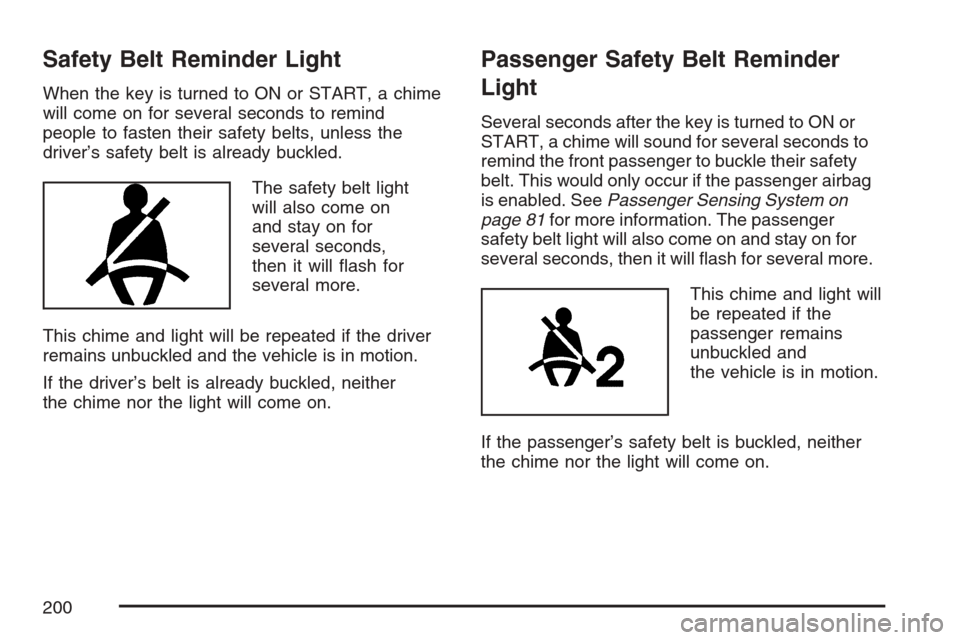
Safety Belt Reminder Light
When the key is turned to ON or START, a chime
will come on for several seconds to remind
people to fasten their safety belts, unless the
driver’s safety belt is already buckled.
The safety belt light
will also come on
and stay on for
several seconds,
then it will ash for
several more.
This chime and light will be repeated if the driver
remains unbuckled and the vehicle is in motion.
If the driver’s belt is already buckled, neither
the chime nor the light will come on.
Passenger Safety Belt Reminder
Light
Several seconds after the key is turned to ON or
START, a chime will sound for several seconds to
remind the front passenger to buckle their safety
belt. This would only occur if the passenger airbag
is enabled. SeePassenger Sensing System on
page 81for more information. The passenger
safety belt light will also come on and stay on for
several seconds, then it will ash for several more.
This chime and light will
be repeated if the
passenger remains
unbuckled and
the vehicle is in motion.
If the passenger’s safety belt is buckled, neither
the chime nor the light will come on.
200