light CADILLAC SRX 2007 1.G Manual PDF
[x] Cancel search | Manufacturer: CADILLAC, Model Year: 2007, Model line: SRX, Model: CADILLAC SRX 2007 1.GPages: 522, PDF Size: 2.71 MB
Page 228 of 522
SERVICE TRACTION CONTROL
This message displays when there is a problem
with the Traction Control System (TCS). When this
message displays, the system will not limit
wheel spin. Adjust your driving accordingly. See
your dealer for service. SeeTraction Control
System (TCS) on page 281for more information.
SERVICE TRANSMISSION
This message displays when there is a problem
with the vehicle’s transmission. Have your vehicle
serviced by your dealer.
SERVICE VEHICLE SOON
This message displays when a non-emissions
related malfunction occurs. Have your vehicle
serviced by your dealer as soon as possible.
SPEED LIMITED TO XXX MPH (km/h)
This message displays when your vehicle speed is
limited to 80 mph (128 km/h) because the
vehicle detects a problem in the speed variable
assist steering, magnetic ride control, or automatic
leveling control systems. Have your vehicle
serviced by your dealer.
STABILITRAK NOT READY
This message may display and the Traction
Control System and StabiliTrak®Warning Light on
the instrument panel cluster may be on after
rst driving the vehicle and exceeding 19 mph
(30 km/h) for 30 seconds. The StabiliTrak
®system
is not functional until the light has turned off.
SeeStabiliTrak
®System on page 283for more
information.
STABILITRAK OFF
This message displays when you turn off
StabiliTrak®, or when the stability control has been
automatically disabled. To limit wheel spin and
realize the full benets of the stability
enhancement system, you should normally leave
StabiliTrak
®on. However, you should turn
StabiliTrak®off if your vehicle gets stuck in sand,
mud, ice, or snow and you want to rock your
vehicle to attempt to free it, or if you are driving in
extreme off-road conditions and require more
wheel spin. SeeIf Your Vehicle is Stuck in Sand,
Mud, Ice, or Snow on page 321. To turn the
StabiliTrak
®system on or off, seeStabiliTrak®
System on page 283.
228
Page 229 of 522
There are several conditions that can cause this
message to appear.
One condition is overheating, which could
occur if StabiliTrak®activates continuously
for an extended period of time.
The message also displays if the brake
system warning light is on. SeeBrake System
Warning Light on page 204.
The message could display if the stability
system takes longer than usual to complete its
diagnostic checks due to driving conditions.
The message displays if an engine or vehicle
related problem has been detected and the
vehicle needs service. See your dealer.
The message turns off as soon as the conditions
that caused the message to be displayed are
no longer present.
STARTING DISABLED SERVICE
THROTTLE
This message displays when your vehicle’s throttle
system is not functioning properly. Have your
vehicle serviced by your dealer.
THEFT ATTEMPTED
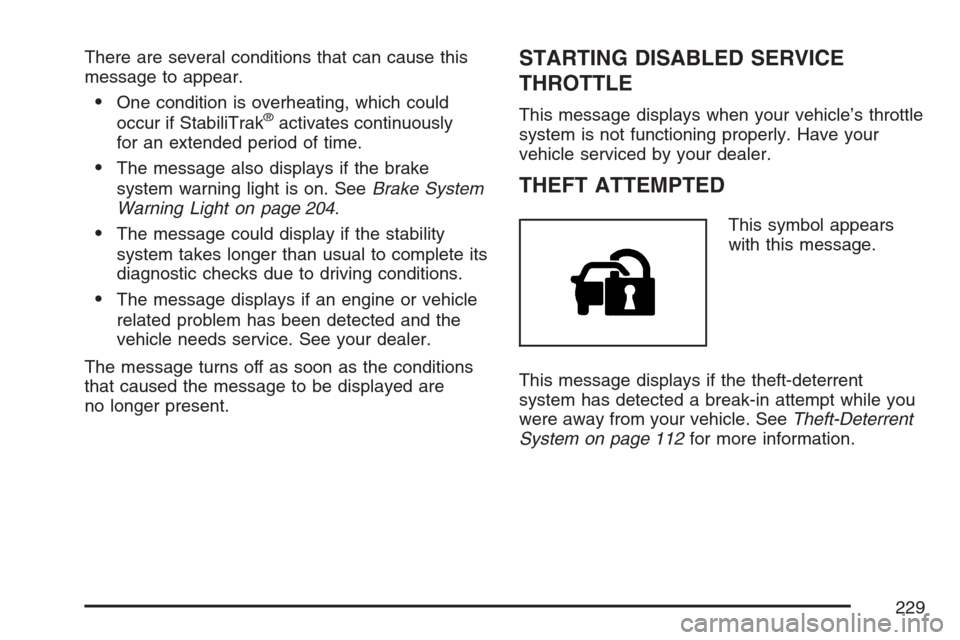
This symbol appears
with this message.
This message displays if the theft-deterrent
system has detected a break-in attempt while you
were away from your vehicle. SeeTheft-Deterrent
System on page 112for more information.
229
Page 234 of 522
REMOTE DOOR LOCK
This feature allows you to select the type of
feedback you will receive when locking the vehicle
with the Remote Keyless Entry (RKE) transmitter.
You will not receive feedback when locking
the vehicle with the RKE transmitter if the doors
are open. SeeRemote Keyless Entry (RKE)
System Operation on page 96for more
information.
Press the customization button until REMOTE
DOOR LOCK appears on the DIC display. Press
the set/reset button to access the settings for
this feature. Then press the menu up/down button
to scroll through the following settings:
OFF:There will be no feedback when you press
the lock button on the RKE transmitter.
LIGHTS ONLY:The exterior lamps will ash
when you press the lock button on the RKE
transmitter.
HORN ONLY:The horn will sound on the second
press of the lock button on the RKE transmitter.HORN & LIGHTS (default):The exterior lamps
will ash when you press the lock button on the
RKE transmitter, and the horn will sound when the
lock button is pressed again within ve seconds of
the previous command.
NO CHANGE:No change will be made to this
feature. The current setting will remain.
Choose one of the available settings and press
the set/reset button while it is displayed on the DIC
to select it.
REMOTE DOOR UNLOCK
This feature allows you to select the type of
feedback you will receive when unlocking the
vehicle with the Remote Keyless Entry (RKE)
transmitter. You will not receive feedback when
unlocking the vehicle with the RKE transmitter
if the doors are open. SeeRemote Keyless Entry
(RKE) System Operation on page 96for more
information.
234
Page 235 of 522
Press the customization button until REMOTE
DOOR UNLOCK appears on the DIC display.
Press the set/reset button to access the settings
for this feature. Then press the menu up/down
button to scroll through the following settings:
LIGHTS OFF:The exterior lamps will not ash
when you press the unlock button on the RKE
transmitter.
LIGHTS ON (default):The exterior lamps will
ash when you press the unlock button on
the RKE transmitter.
NO CHANGE:No change will be made to this
feature. The current setting will remain.
Choose one of the available settings and press
the set/reset button while it is displayed on the DIC
to select it.DELAY DOOR LOCK
This feature allows you to select whether or not the
locking of the vehicle’s doors will be delayed. The
locking of the vehicle’s doors is delayed for up to
ve seconds after a power door lock switch is
pressed when a door is open, or after the lock
button on the Remote Keyless Entry (RKE)
transmitter is pressed while a door is open. The key
must be out of the ignition for this feature to work.
Press the customization button until DELAY DOOR
LOCK appears on the DIC display. Press the
set/reset button to access the settings for
this feature. Then press the menu up/down button
to scroll through the following settings:
OFF:There will be no delayed locking of the
vehicle’s doors.
ON (default):The locking of the vehicle’s doors
will be delayed by ve seconds after a power door
lock switch is pressed when a door is open, or
the lock button on the RKE transmitter is pressed
while a door is open.
235
Page 236 of 522
NO CHANGE:No change will be made to this
feature. The current setting will remain.
Choose one of the available settings and press
the set/reset button while it is displayed on the DIC
to select it.
EXIT LIGHTING
If it is dark enough outside, this feature allows you
to select the amount of time you want the
exterior lamps to remain on. This happens after
the key is turned from ON to OFF.
Press the customization button until EXIT
LIGHTING appears on the DIC display. Press the
set/reset button to access the settings for this
feature. Then press the menu up/down button to
scroll through the following settings:
OFF:The exterior lamps will not turn on.
30 SECONDS (default):The exterior lamps will
stay on for 30 seconds.
1 MINUTE:The exterior lamps will stay on for
one minute.
2 MINUTES:The exterior lamps will stay on for
two minutes.NO CHANGE:No change will be made to this
feature. The current setting will remain.
Choose one of the available settings and press
the set/reset button while it is displayed on the DIC
to select it.
APPROACH LIGHTING
This feature allows you to select whether or not to
have the exterior lights turn on briey during
low light periods after unlocking the vehicle using
the Remote Keyless Entry (RKE) transmitter.
Press the customization button until APPROACH
LIGHTING appears on the DIC display. Press
the set/reset button to access the settings for this
feature. Then press the menu up/down button
to scroll through the following settings:
OFF:The exterior lights will not turn on when you
unlock the vehicle with the RKE transmitter.
236
Page 237 of 522
ON (default):If it is dark enough outside, the
exterior lights will turn on briey when you unlock
the vehicle with the RKE transmitter.
The lights will remain on for 20 seconds or until
the lock button on the RKE transmitter is pressed,
or the vehicle is no longer off. SeeRemote
Keyless Entry (RKE) System Operation on page 96
for more information.
NO CHANGE:No change will be made to this
feature. The current setting will remain.
Choose one of the available settings and press
the set/reset button while it is displayed on the DIC
to select it.
CHIME VOLUME
This feature allows you to select the volume level
of the chime.
Press the customization button until CHIME
VOLUME appears on the DIC display. Press the
set/reset button to access the settings for this
feature. Then press the menu up/down button to
scroll through the following settings:
NORMAL (default):The chime volume will be set
to a normal level.LOUD:The chime volume will be set to a loud
level.
NO CHANGE:No change will be made to this
feature. The current setting will remain.
Choose one of the available settings and press
the set/reset button while it is displayed on the DIC
to select it.
PARK TILT MIRRORS
If your vehicle has this feature, it allows you to
select whether or not the outside mirror(s)
will automatically tilt down when the vehicle is
shifted into REVERSE (R). SeeOutside Curb View
Assist Mirror on page 138for more information.
Press the customization button until PARK
TILT MIRRORS appears on the DIC display. Press
the set/reset button to access the settings for
this feature. Then press the menu up/down button
to scroll through the following settings:
OFF (default):Neither outside mirror will be
tilted down when the vehicle is shifted into
REVERSE (R).
237
Page 248 of 522
4(Information) (XM™ Satellite Radio Service,
MP3, and RDS Features):Press the information
button to display additional text information
related to the current FM-RDS or XM™ station, or
MP3 song. A choice of additional information
such as: Channel, Song, Artist, CAT (category)
can appear. Continue pressing the information
button to highlight the desired label, or press the
pushbutton positioned under any one of the
labels and the information about that label
displays.
When information is not available, No Info
displays.
Storing a Radio Station as a Favorite
Drivers are encouraged to set up their radio station
favorites while the vehicle is parked. Tune to
your favorite stations using the presets, favorites
button, and steering wheel controls, if your vehicle
has this feature. SeeDefensive Driving on
page 274.FAV (Favorites):A maximum of 36 stations can
be programmed as favorites using the
six pushbuttons positioned below the radio station
frequency labels and by using the radio favorites
page button (FAV button). Press the FAV button to
go through up to six pages of favorites, each
having six favorite stations available per page.
Each page of favorites can contain any
combination of AM, FM, or XM™ (if equipped)
stations. To store a station as a favorite, perform
the following steps:
1. Tune to the desired radio station.
2. Press the FAV button to display the page
where you want the station stored.
3. Press and hold one of the six pushbuttons
until a beep sounds. Whenever that
pushbutton is pressed and released, the
station that was set, returns.
4. Repeat the steps for each pushbutton radio
station you want stored as a favorite.
248
Page 249 of 522
The number of favorites pages can be setup using
the MENU button. To setup the number of
favorites pages, perform the following steps:
1. Press the MENU button to display the radio
setup menu.
2. Press the pushbutton located below the
FAV 1-6 label.
3. Select the desired number of favorites pages
by pressing the pushbutton located below the
displayed page numbers.
4. Press the FAV button, or let the menu time
out, to return to the original main radio
screen showing the radio station frequency
labels and to begin the process of
programming your favorites for the chosen
amount of numbered pages.Setting the Tone
(Bass/Midrange/Treble)
BASS/MID/TREB (Bass, Midrange, or Treble):
To adjust bass, midrange, or treble, press the tune
knob until the tone control labels display.
Continue pressing to highlight the desired label, or
press the pushbutton positioned under the
desired label. Turn the tune knob clockwise or
counterclockwise to adjust the highlighted setting.
The highlighted setting can also be adjusted by
pressing either the SEEK, FWD (forward), or REV
(reverse) button until the desired levels are
obtained. If a station’s frequency is weak, or if
there is static, decrease the treble.
To quickly adjust bass, midrange, or treble to the
middle position, press the tune knob for more
than two seconds. A beep sounds and the level
adjusts to the middle position. Pressing the
tune knob for more than two seconds will also
center the fade and balance settings to the factory
default positions.
249
Page 271 of 522
XM™ Satellite Radio Service
XM™ Satellite Radio Service gives digital radio
reception from coast-to-coast in the 48 contiguous
United States, and in Canada. Just as with FM,
tall buildings or hills can interfere with satellite
radio signals, causing the sound to fade in and out.
In addition, traveling or standing under heavy
foliage, bridges, garages, or tunnels may cause
the loss of XM™ signal for a period of time.
The radio might display NO XM SIGNAL to
indicate interference.
Cellular Phone Usage
Cellular phone usage could cause interference
with your vehicle’s radio. This interference
could occur when making or receiving phone calls,
charging the phone’s battery, or simply having
the phone on. This interference is an increased
level of static while listening to the radio. If static is
received while listening to the radio, unplug the
cellular phone and turn it off.
Care of Your CDs
Handle CDs carefully. Store them in their original
cases or other protective cases and away from
direct sunlight and dust. The CD player scans the
bottom surface of the disc. If the surface of a CD is
damaged, such as cracked, broken, or scratched,
the CD will not play properly or not at all. If the
surface of a CD is soiled, take a soft, lint free cloth
or dampen a clean, soft cloth in a mild, neutral
detergent solution mixed with water, and clean it.
Make sure the wiping process starts from the center
to the edge.
Do not touch the bottom side of a CD while
handling it; this could damage the surface. Pick up
CDs by grasping the outer edges or the edge of
the hole and the outer edge.
Care of the CD Player
Do not use CD lens cleaners for CD players
because the lens of the CD optics can become
contaminated by lubricants.
271
Page 278 of 522
Control of a Vehicle
You have three systems that make your vehicle go
where you want it to go. They are the brakes, the
steering, and the accelerator. All three systems
have to do their work at the places where the tires
meet the road.
Sometimes, as when you are driving on snow or
ice, it is easy to ask more of those control systems
than the tires and road can provide. That means
you can lose control of your vehicle. See
StabiliTrak
®System on page 283.
Adding non-GM accessories can affect your
vehicle’s performance. SeeAccessories and
Modications on page 347.
Braking
SeeBrake System Warning Light on page 204.
Braking action involves perception time and
reaction time.
First, you have to decide to push on the brake
pedal. That is perception time. Then you have to
bring up your foot and do it. That is reaction time.
Average reaction time is about three-fourths of a
second. But that is only an average. It might
be less with one driver and as long as two or
three seconds or more with another. Age, physical
condition, alertness, coordination, and eyesight
all play a part. So do alcohol, drugs, and
frustration. But even in three-fourths of a second,
a vehicle moving at 60 mph (100 km/h) travels
66 feet (20 m). That could be a lot of distance in an
emergency, so keeping enough space between
your vehicle and others is important.
And, of course, actual stopping distances vary
greatly with the surface of the road, whether it is
pavement or gravel; the condition of the road,
whether it is wet, dry, or icy; tire tread; the
condition of the brakes; the weight of the vehicle;
and the amount of brake force applied.
278