change wheel CADILLAC SRX 2007 1.G Owners Manual
[x] Cancel search | Manufacturer: CADILLAC, Model Year: 2007, Model line: SRX, Model: CADILLAC SRX 2007 1.GPages: 522, PDF Size: 2.71 MB
Page 88 of 522
Adding Equipment to Your
Airbag-Equipped Vehicle
Q:Is there anything I might add to the front
or sides of the vehicle that could keep the
airbags from working properly?
A:Yes. If you add things that change your
vehicle’s frame, bumper system, height,
front end or side sheet metal, they may keep
the airbag system from working properly.
Also, the airbag system may not work properly
if you relocate any of the airbag sensors. If
you have any questions about this, you should
contact Customer Assistance before you
modify your vehicle. The phone numbers and
addresses for Customer Assistance are in
Step Two of the Customer Satisfaction
Procedure in this manual. SeeCustomer
Satisfaction Procedure on page 488.
Q:Because I have a disability, I have to get
my vehicle modied. How can I nd out
whether this will affect my airbag system?
A:Changing or moving any parts of the
front seats, safety belts, the airbag sensing
and diagnostic module, steering wheel,
instrument panel, ceiling headliner, ceiling and
pillar garnish trim, roof-mounted airbag
modules, or airbag wiring can affect the
operation of the airbag system. If you have
questions, call Customer Assistance. The
phone numbers and addresses for Customer
Assistance are in Step Two of the Customer
Satisfaction Procedure in this manual.
SeeCustomer Satisfaction Procedure on
page 488.
88
Page 161 of 522
Instrument Panel Overview........................ 164
Hazard Warning Flashers.......................... 166
Other Warning Devices............................. 166
Horn.......................................................... 166
Tilt Wheel.................................................. 166
Turn Signal/Multifunction Lever.................. 167
Turn and Lane-Change Signals................. 168
Headlamp High/Low-Beam Changer.......... 169
Flash-to-Pass............................................ 169
Windshield Wipers..................................... 170
Windshield Washer.................................... 171
Rear Window Wiper/Washer...................... 172
Headlamp Washer..................................... 173
Cruise Control........................................... 174
Headlamps................................................ 178
Wiper Activated Headlamps....................... 178
Headlamps on Reminder........................... 179
Daytime Running Lamps (DRL)................. 179
Fog Lamps................................................ 181
Exterior Lighting Battery Saver.................. 181
Instrument Panel Brightness...................... 181
Entry Lighting............................................ 182Parade Dimming........................................ 182
Reading Lamps......................................... 182
Electric Power Management...................... 183
Ultrasonic Rear Parking
Assist (URPA)........................................ 184
Accessory Power Outlet(s)........................ 186
Ashtray(s) and Cigarette Lighter................ 187
Analog Clock............................................. 188
Climate Controls......................................... 189
Dual Climate Control System..................... 189
Outlet Adjustment...................................... 194
Rear Air Conditioning System.................... 195
Passenger Compartment Air Filter............. 195
Warning Lights, Gages, and Indicators..... 197
Instrument Panel Cluster........................... 198
Speedometer and Odometer...................... 199
Tachometer............................................... 199
Engine Speed Limiter................................ 199
Safety Belt Reminder Light........................ 200
Passenger Safety Belt Reminder Light....... 200
Airbag Readiness Light............................. 201
Section 3 Instrument Panel
161
Page 167 of 522
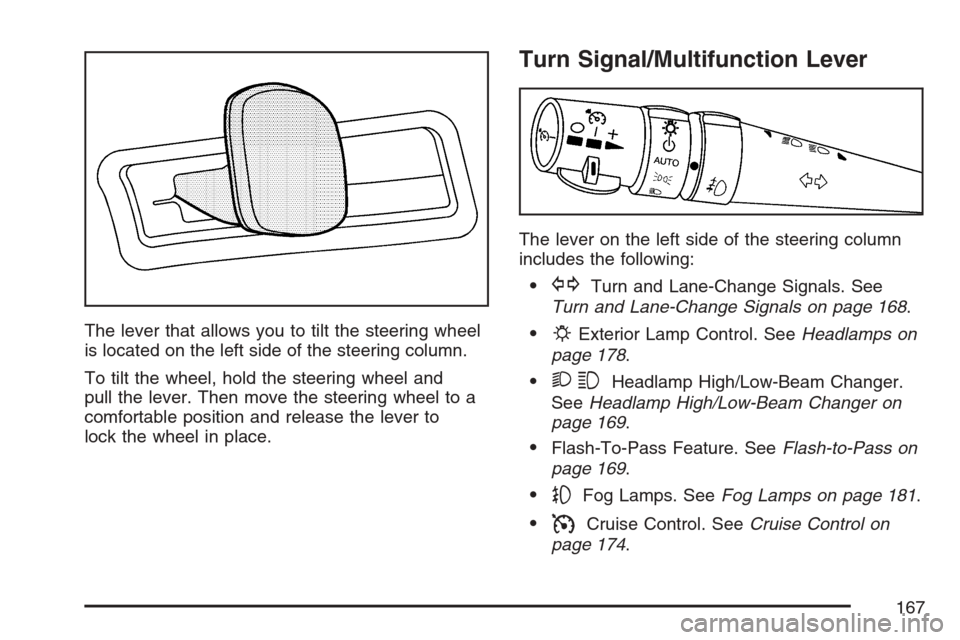
The lever that allows you to tilt the steering wheel
is located on the left side of the steering column.
To tilt the wheel, hold the steering wheel and
pull the lever. Then move the steering wheel to a
comfortable position and release the lever to
lock the wheel in place.
Turn Signal/Multifunction Lever
The lever on the left side of the steering column
includes the following:
GTurn and Lane-Change Signals. See
Turn and Lane-Change Signals on page 168.
PExterior Lamp Control. SeeHeadlamps on
page 178.
23Headlamp High/Low-Beam Changer.
SeeHeadlamp High/Low-Beam Changer on
page 169.
Flash-To-Pass Feature. SeeFlash-to-Pass on
page 169.
-Fog Lamps. SeeFog Lamps on page 181.
ICruise Control. SeeCruise Control on
page 174.
167
Page 174 of 522
Cruise Control
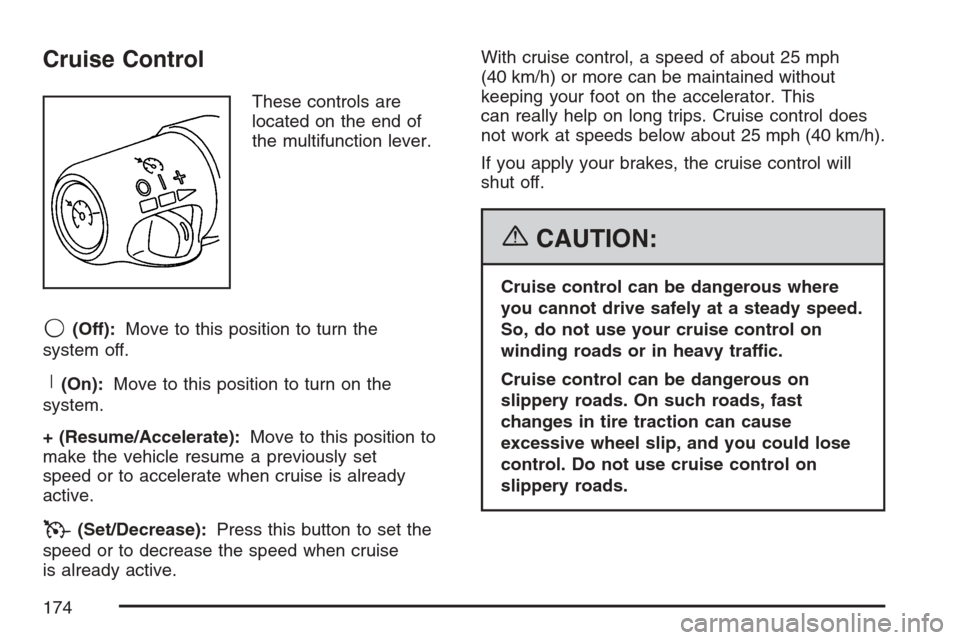
These controls are
located on the end of
the multifunction lever.
9(Off):Move to this position to turn the
system off.
R(On):Move to this position to turn on the
system.
+ (Resume/Accelerate):Move to this position to
make the vehicle resume a previously set
speed or to accelerate when cruise is already
active.
T(Set/Decrease):Press this button to set the
speed or to decrease the speed when cruise
is already active.With cruise control, a speed of about 25 mph
(40 km/h) or more can be maintained without
keeping your foot on the accelerator. This
can really help on long trips. Cruise control does
not work at speeds below about 25 mph (40 km/h).
If you apply your brakes, the cruise control will
shut off.
{CAUTION:
Cruise control can be dangerous where
you cannot drive safely at a steady speed.
So, do not use your cruise control on
winding roads or in heavy traffic.
Cruise control can be dangerous on
slippery roads. On such roads, fast
changes in tire traction can cause
excessive wheel slip, and you could lose
control. Do not use cruise control on
slippery roads.
174
Page 194 of 522
Rear Window Defogger
The rear window defogger uses a warming grid to
remove fog or frost from the rear window.
<(Rear Defogger):Press the center of the
right control to turn the rear window defogger on or
off. Be sure to clear as much snow from the
rear window as possible. The rear window
defogger turns off about 20 minutes after the
button is rst pressed if the vehicle is moving at
slower speeds. At higher vehicle speeds, the rear
defogger can stay on continuously. Each
additional press runs the defogger for about
10 minutes.
The heated outside rearview mirrors also heat to
help clear fog or frost from the surface of the
mirror when the rear window defogger is on.
Notice:Do not use a razor blade or sharp
object to clear the inside rear window. Do not
adhere anything to the defogger grid lines
in the rear glass. These actions may damage
the rear defogger. Repairs would not be
covered by your warranty.
Outlet Adjustment
Use the knobs located in the center of each outlet
to change the direction of the airow. Use the
thumbwheels to open or close the outlets.
Operation Tips
Clear away any ice, snow, or leaves from the
air inlets at the base of the windshield that
could block the ow of air into the vehicle.
Use of non-GM approved hood deectors may
adversely affect the performance of the
system.
Keep the path under the front seats clear of
objects to help circulate the air inside of the
vehicle more effectively.
If the airow seems low when the fan speed is
at the highest setting, the passenger
compartment air lter might need to be
replaced. For more information, see
Passenger Compartment Air Filter on
page 195.
Set the climate control system to AUTO fan
and mode and then adjust the temperature
setting up or down a few degrees for
best comfort.
194
Page 214 of 522

All of the following situations are normal and do
not indicate that anything is wrong with the
fuel gage:
At the gas station the gas pump shuts off
before the gage reads full.
The gage may change when you turn, stop
quickly or accelerate quickly.
It takes a little more or less fuel to ll the tank
than the gage indicated. For example, the gage
may have indicated that the tank was half full,
but it actually took a little more or less than half
the tank’s capacity to ll the tank.
Driver Information Center (DIC)
The Driver Information Center (DIC) gives you the
status of many of your vehicle’s systems. The DIC
is also used to display warning/status messages.
All messages will appear in the DIC display located
at the bottom of the instrument panel cluster, below
the tachometer and speedometer. The DIC buttons
are located on the instrument panel, to the left of
the steering wheel.
The DIC comes on when the ignition is on. After a
short delay, the DIC will display the information
that was last displayed before the engine was
turned off.
The top line of the DIC display shows the vehicle
system information and the warning/status
messages. The bottom line of the DIC display
shows the odometer on the left side, the outside
air temperature on the right side, and the shift
position indicator in the center. For more
information on the shift position indicator, see
Automatic Transmission Operation on page 122.
214
Page 215 of 522
When the sport mode is active, an S will appear
next to the shift position indicator on the center of
the DIC display. When the manual mode is
active, an M will appear on the DIC display. When
the normal mode is active, only the shift position
indicator will appear. While the Driver Shift Control
(DSC) feature is active, the DIC will change to
show the selected gear. See″Driver Shift Control
(DSC)″underAutomatic Transmission Operation
on page 122for more information.
If a problem is detected, a warning message will
appear on the display. Be sure to take any
message that appears on the display seriously
and remember that clearing the message will only
make the message disappear, not correct the
problem.DIC Controls and Displays
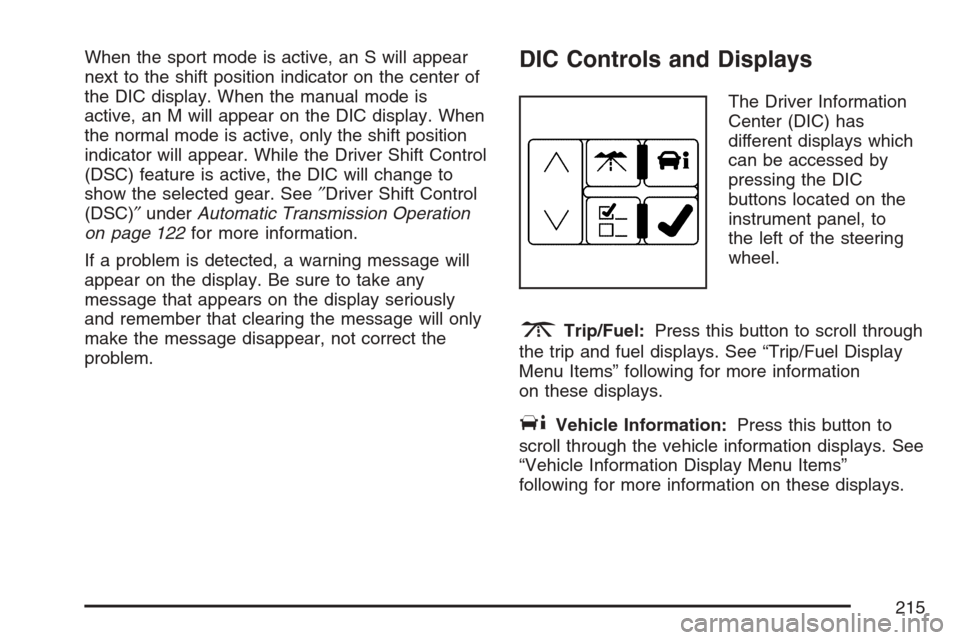
The Driver Information
Center (DIC) has
different displays which
can be accessed by
pressing the DIC
buttons located on the
instrument panel, to
the left of the steering
wheel.
3Trip/Fuel:Press this button to scroll through
the trip and fuel displays. See “Trip/Fuel Display
Menu Items” following for more information
on these displays.
TVehicle Information:Press this button to
scroll through the vehicle information displays. See
“Vehicle Information Display Menu Items”
following for more information on these displays.
215
Page 280 of 522
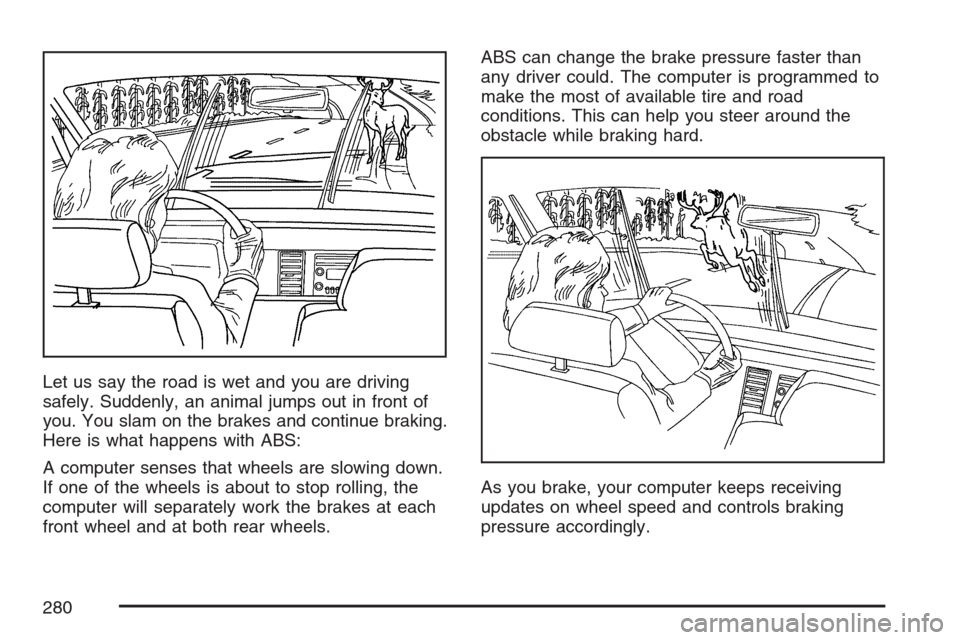
Let us say the road is wet and you are driving
safely. Suddenly, an animal jumps out in front of
you. You slam on the brakes and continue braking.
Here is what happens with ABS:
A computer senses that wheels are slowing down.
If one of the wheels is about to stop rolling, the
computer will separately work the brakes at each
front wheel and at both rear wheels.ABS can change the brake pressure faster than
any driver could. The computer is programmed to
make the most of available tire and road
conditions. This can help you steer around the
obstacle while braking hard.
As you brake, your computer keeps receiving
updates on wheel speed and controls braking
pressure accordingly.
280
Page 281 of 522
Remember: ABS does not change the time you
need to get your foot up to the brake pedal
or always decrease stopping distance. If you get
too close to the vehicle in front of you, you will not
have time to apply your brakes if that vehicle
suddenly slows or stops. Always leave enough
room up ahead to stop, even though you
have ABS.
Using ABS
Do not pump the brakes. Just hold the brake
pedal down rmly and let anti-lock work for you.
You may feel the brakes vibrate, or you may notice
some noise, but this is normal.
Braking in Emergencies
With ABS, you can steer and brake at the same
time. In many emergencies, steering can help you
more than even the very best braking.
Traction Control System (TCS)
Your vehicle has a traction control system that
limits wheel spin. This is especially useful in
slippery road conditions. On a rear-wheel-drive
vehicle, the system operates if it senses that
one or both of the rear wheels are spinning or
beginning to lose traction. On an All-Wheel-Drive
(AWD) vehicle, the system will operate if it
senses that any of the wheels are spinning or
beginning to lose traction. When this happens, the
system brakes the spinning wheel(s) and/or
reduces engine power to limit wheel spin.
You may feel or hear the system working, but this
is normal.
The TCS warning light will also ash to indicate
that the traction control system is active.
This warning light will
come on to let you
know if there is
a problem with your
traction control system.
281
Page 285 of 522
Steering
Power Steering
If you lose power steering assist because the
engine stops or the system is not functioning, you
can steer but it will take much more effort.
Steering Tips
It is important to take curves at a reasonable
speed.
A lot of the “driver lost control” accidents
mentioned on the news happen on curves.
Here is why:
Experienced driver or beginner, each of us is
subject to the same laws of physics when driving
on curves. The traction of the tires against the
road surface makes it possible for the vehicle to
change its path when you turn the front wheels. If
there is no traction, inertia will keep the vehicle
going in the same direction. If you have ever
tried to steer a vehicle on wet ice, you will
understand this.The traction you can get in a curve depends on
the condition of the tires and the road surface, the
angle at which the curve is banked, and your
speed. While you are in a curve, speed is the
one factor you can control.
Suppose you are steering through a sharp curve.
Then you suddenly accelerate. Both control
systems — steering and acceleration — have to
do their work where the tires meet the road.
Adding the sudden acceleration can demand too
much of those places. You can lose control.
SeeStabiliTrak
®System on page 283.
What should you do if this ever happens? Ease up
on the accelerator pedal, steer the vehicle the
way you want it to go, and slow down.
Speed limit signs near curves warn that you
should adjust your speed. Of course, the posted
speeds are based on good weather and road
conditions. Under less favorable conditions you will
want to go slower.
If you need to reduce your speed as you approach
a curve, do it before you enter the curve, while
the front wheels are straight ahead.
285