ECO mode CADILLAC SRX 2011 2.G User Guide
[x] Cancel search | Manufacturer: CADILLAC, Model Year: 2011, Model line: SRX, Model: CADILLAC SRX 2011 2.GPages: 498, PDF Size: 7.62 MB
Page 172 of 498
Black plate (26,1)Cadillac SRX Owner Manual - 2011
5-26 Instruments and Controls
Engine Oil Pressure Light
{WARNING
Do not keep driving if the oil
pressure is low. The engine can
become so hot that it catches fire.
Someone could be burned. Check
the oil as soon as possible and
have the vehicle serviced.
Notice: Lack of proper engine oil
maintenance can damage the
engine. The repairs would not be
covered by the vehicle warranty.
Always follow the maintenance
schedule for changing engine oil.
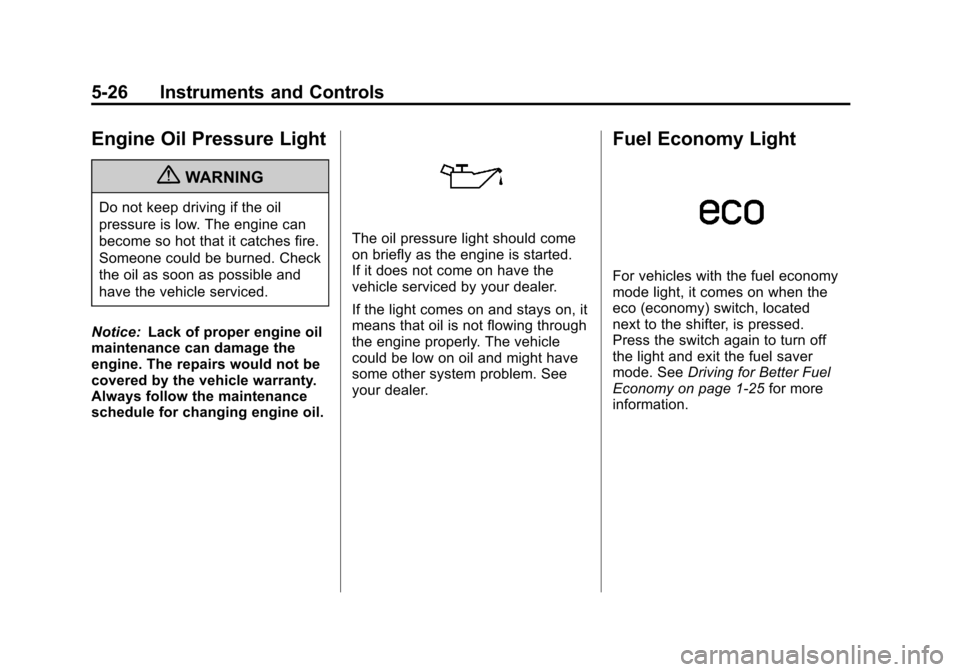
The oil pressure light should come
on briefly as the engine is started.
If it does not come on have the
vehicle serviced by your dealer.
If the light comes on and stays on, it
means that oil is not flowing through
the engine properly. The vehicle
could be low on oil and might have
some other system problem. See
your dealer.
Fuel Economy Light
For vehicles with the fuel economy
mode light, it comes on when the
eco (economy) switch, located
next to the shifter, is pressed.
Press the switch again to turn off
the light and exit the fuel saver
mode. See Driving for Better Fuel
Economy on page 1‑25 for more
information.
Page 192 of 498
Black plate (46,1)Cadillac SRX Owner Manual - 2011
5-46 Instruments and Controls
Universal Remote
System
SeeRadio Frequency
Statement on page 13‑20 for
information regarding Part 15
of the Federal Communications
Commission (FCC) rules and
Industry Canada Standards
RSS-210/220/310.
Universal Remote System
Programming
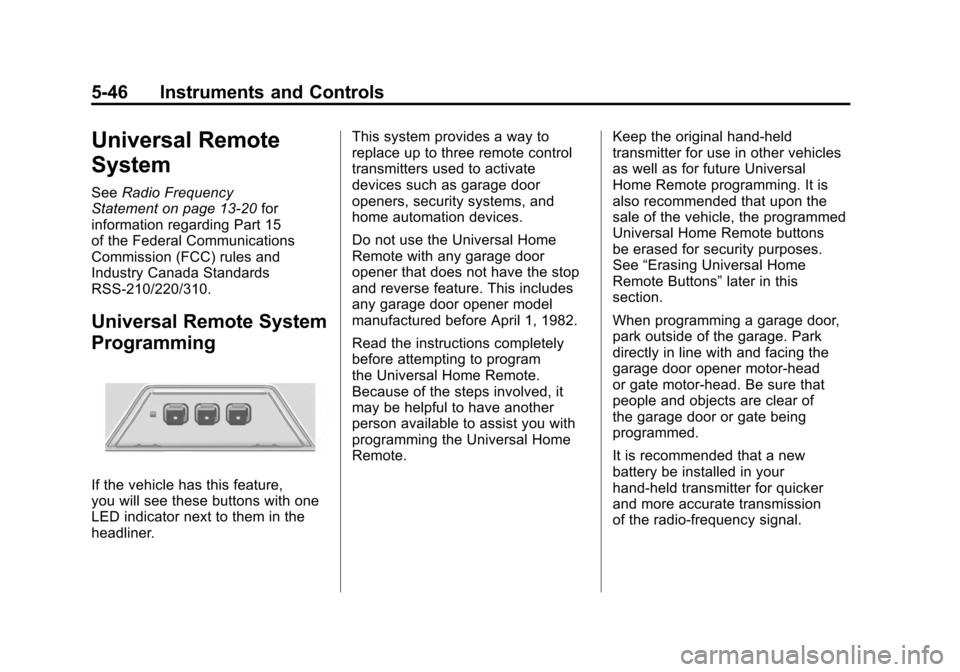
If the vehicle has this feature,
you will see these buttons with one
LED indicator next to them in the
headliner. This system provides a way to
replace up to three remote control
transmitters used to activate
devices such as garage door
openers, security systems, and
home automation devices.
Do not use the Universal Home
Remote with any garage door
opener that does not have the stop
and reverse feature. This includes
any garage door opener model
manufactured before April 1, 1982.
Read the instructions completely
before attempting to program
the Universal Home Remote.
Because of the steps involved, it
may be helpful to have another
person available to assist you with
programming the Universal Home
Remote.
Keep the original hand-held
transmitter for use in other vehicles
as well as for future Universal
Home Remote programming. It is
also recommended that upon the
sale of the vehicle, the programmed
Universal Home Remote buttons
be erased for security purposes.
See
“Erasing Universal Home
Remote Buttons” later in this
section.
When programming a garage door,
park outside of the garage. Park
directly in line with and facing the
garage door opener motor-head
or gate motor-head. Be sure that
people and objects are clear of
the garage door or gate being
programmed.
It is recommended that a new
battery be installed in your
hand-held transmitter for quicker
and more accurate transmission
of the radio-frequency signal.
Page 214 of 498
Black plate (10,1)Cadillac SRX Owner Manual - 2011
7-10 Infotainment System
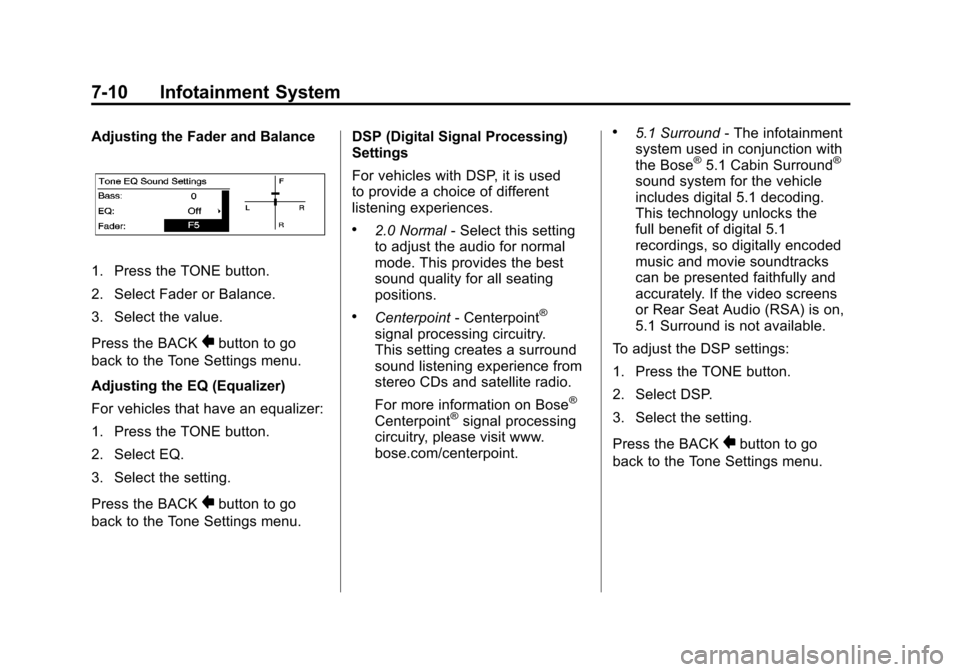
Adjusting the Fader and Balance
1. Press the TONE button.
2. Select Fader or Balance.
3. Select the value.
Press the BACK
0button to go
back to the Tone Settings menu.
Adjusting the EQ (Equalizer)
For vehicles that have an equalizer:
1. Press the TONE button.
2. Select EQ.
3. Select the setting.
Press the BACK
0button to go
back to the Tone Settings menu. DSP (Digital Signal Processing)
Settings
For vehicles with DSP, it is used
to provide a choice of different
listening experiences.
.2.0 Normal
‐Select this setting
to adjust the audio for normal
mode. This provides the best
sound quality for all seating
positions.
.Centerpoint ‐Centerpoint®
signal processing circuitry.
This setting creates a surround
sound listening experience from
stereo CDs and satellite radio.
For more information on Bose
®
Centerpoint®signal processing
circuitry, please visit www.
bose.com/centerpoint.
.5.1 Surround ‐The infotainment
system used in conjunction with
the Bose
®5.1 Cabin Surround®
sound system for the vehicle
includes digital 5.1 decoding.
This technology unlocks the
full benefit of digital 5.1
recordings, so digitally encoded
music and movie soundtracks
can be presented faithfully and
accurately. If the video screens
or Rear Seat Audio (RSA) is on,
5.1 Surround is not available.
To adjust the DSP settings:
1. Press the TONE button.
2. Select DSP.
3. Select the setting.
Press the BACK
0button to go
back to the Tone Settings menu.
Page 248 of 498
Black plate (44,1)Cadillac SRX Owner Manual - 2011
7-44 Infotainment System
See“Battery Replacement” later in
this section. Objects blocking the
line of sight could also affect the
function of the remote control.
If a CD, DVD, or MP3 disc is in the
Radio DVD slot, the remote control
Obutton can be used to turn on
the video screen display and start
the disc. The infotainment system
can also turn on the video screen
display. See CD/DVD Player on
page 7‑22 or the separate
navigation system manual for
more information.
Notice: Storing the remote
control in a hot area or in direct
sunlight can damage it, and the
repairs will not be covered by the
warranty. Storage in extreme cold
can weaken the batteries. Keep
the remote control stored in a
cool, dry place. Remote Control Buttons
O(Power):
Press to turn the video
screens on and off.
P(Illumination): Press to turn
the remote control backlight on.
The backlight times out after
several seconds if no other
button is pressed.
v(Title): Press to return to
the main menu of the DVD. This
function could vary for each disc.
y(Main Menu): Press to access
the DVD menu. The DVD menu is
different on every DVD. Use the
navigation arrows to move the
cursor. After making a selection
press the enter button. This button
only operates when using a DVD.
n,q,p,o(Menu Navigation
Arrows): Use the arrow buttons to
navigate through a menu.
r(Enter): Press to select the
highlighted choice in any menu.
z(Display Menu): Press to
adjust the brightness and screen
display mode, and display the
language menu.
q(Return): Press to exit the
current active menu and return to
the previous menu. This button
operates only when the display
menu or a DVD menu is active.
c(Stop): Press to stop playing,
rewinding, or fast forwarding a
DVD. Press twice to return to the
beginning of the DVD.
Page 251 of 498
Black plate (47,1)Cadillac SRX Owner Manual - 2011
Infotainment System 7-47
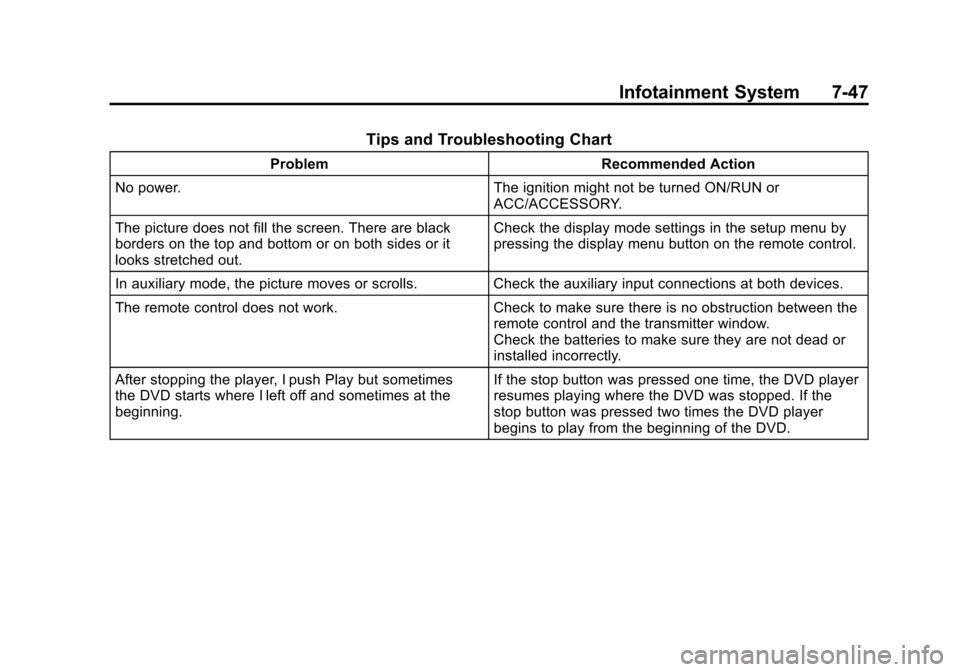
Tips and Troubleshooting Chart
ProblemRecommended Action
No power. The ignition might not be turned ON/RUN or
ACC/ACCESSORY.
The picture does not fill the screen. There are black
borders on the top and bottom or on both sides or it
looks stretched out. Check the display mode settings in the setup menu by
pressing the display menu button on the remote control.
In auxiliary mode, the picture moves or scrolls. Check the auxiliary input connections at both devices.
The remote control does not work. Check to make sure there is no obstruction between the
remote control and the transmitter window.
Check the batteries to make sure they are not dead or
installed incorrectly.
After stopping the player, I push Play but sometimes
the DVD starts where I left off and sometimes at the
beginning. If the stop button was pressed one time, the DVD player
resumes playing where the DVD was stopped. If the
stop button was pressed two times the DVD player
begins to play from the beginning of the DVD.
Page 252 of 498
Black plate (48,1)Cadillac SRX Owner Manual - 2011
7-48 Infotainment System
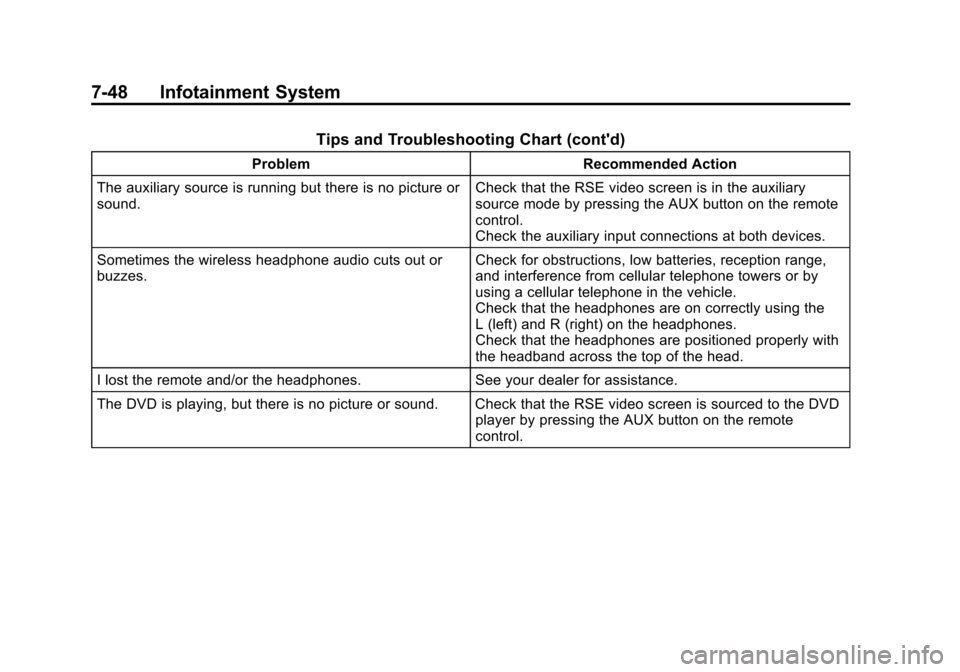
Tips and Troubleshooting Chart (cont'd)
ProblemRecommended Action
The auxiliary source is running but there is no picture or
sound. Check that the RSE video screen is in the auxiliary
source mode by pressing the AUX button on the remote
control.
Check the auxiliary input connections at both devices.
Sometimes the wireless headphone audio cuts out or
buzzes. Check for obstructions, low batteries, reception range,
and interference from cellular telephone towers or by
using a cellular telephone in the vehicle.
Check that the headphones are on correctly using the
L (left) and R (right) on the headphones.
Check that the headphones are positioned properly with
the headband across the top of the head.
I lost the remote and/or the headphones. See your dealer for assistance.
The DVD is playing, but there is no picture or sound. Check that the RSE video screen is sourced to the DVD player by pressing the AUX button on the remote
control.
Page 277 of 498
Black plate (1,1)Cadillac SRX Owner Manual - 2011
Driving and Operating 9-1
Driving and
Operating
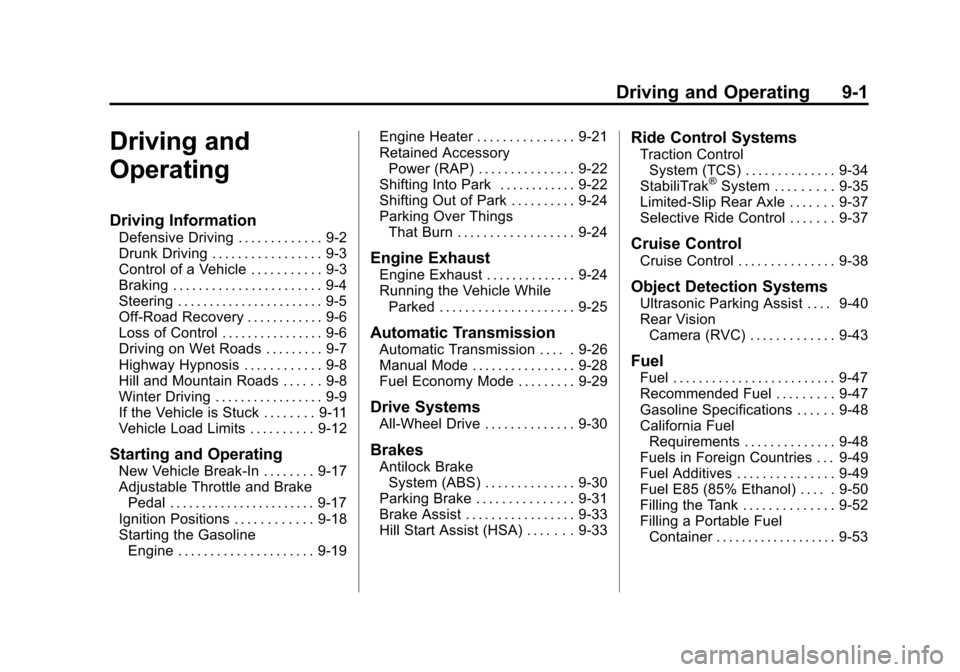
Driving Information
Defensive Driving . . . . . . . . . . . . . 9-2
Drunk Driving . . . . . . . . . . . . . . . . . 9-3
Control of a Vehicle . . . . . . . . . . . 9-3
Braking . . . . . . . . . . . . . . . . . . . . . . . 9-4
Steering . . . . . . . . . . . . . . . . . . . . . . . 9-5
Off-Road Recovery . . . . . . . . . . . . 9-6
Loss of Control . . . . . . . . . . . . . . . . 9-6
Driving on Wet Roads . . . . . . . . . 9-7
Highway Hypnosis . . . . . . . . . . . . 9-8
Hill and Mountain Roads . . . . . . 9-8
Winter Driving . . . . . . . . . . . . . . . . . 9-9
If the Vehicle is Stuck . . . . . . . . 9-11
Vehicle Load Limits . . . . . . . . . . 9-12
Starting and Operating
New Vehicle Break-In . . . . . . . . 9-17
Adjustable Throttle and BrakePedal . . . . . . . . . . . . . . . . . . . . . . . 9-17
Ignition Positions . . . . . . . . . . . . 9-18
Starting the Gasoline Engine . . . . . . . . . . . . . . . . . . . . . 9-19 Engine Heater . . . . . . . . . . . . . . . 9-21
Retained Accessory
Power (RAP) . . . . . . . . . . . . . . . 9-22
Shifting Into Park . . . . . . . . . . . . 9-22
Shifting Out of Park . . . . . . . . . . 9-24
Parking Over Things That Burn . . . . . . . . . . . . . . . . . . 9-24
Engine Exhaust
Engine Exhaust . . . . . . . . . . . . . . 9-24
Running the Vehicle WhileParked . . . . . . . . . . . . . . . . . . . . . 9-25
Automatic Transmission
Automatic Transmission . . . . . 9-26
Manual Mode . . . . . . . . . . . . . . . . 9-28
Fuel Economy Mode . . . . . . . . . 9-29
Drive Systems
All-Wheel Drive . . . . . . . . . . . . . . 9-30
Brakes
Antilock BrakeSystem (ABS) . . . . . . . . . . . . . . 9-30
Parking Brake . . . . . . . . . . . . . . . 9-31
Brake Assist . . . . . . . . . . . . . . . . . 9-33
Hill Start Assist (HSA) . . . . . . . 9-33
Ride Control Systems
Traction Control System (TCS) . . . . . . . . . . . . . . 9-34
StabiliTrak
®System . . . . . . . . . 9-35
Limited-Slip Rear Axle . . . . . . . 9-37
Selective Ride Control . . . . . . . 9-37
Cruise Control
Cruise Control . . . . . . . . . . . . . . . 9-38
Object Detection Systems
Ultrasonic Parking Assist . . . . 9-40
Rear Vision Camera (RVC) . . . . . . . . . . . . . 9-43
Fuel
Fuel . . . . . . . . . . . . . . . . . . . . . . . . . 9-47
Recommended Fuel . . . . . . . . . 9-47
Gasoline Specifications . . . . . . 9-48
California FuelRequirements . . . . . . . . . . . . . . 9-48
Fuels in Foreign Countries . . . 9-49
Fuel Additives . . . . . . . . . . . . . . . 9-49
Fuel E85 (85% Ethanol) . . . . . 9-50
Filling the Tank . . . . . . . . . . . . . . 9-52
Filling a Portable Fuel Container . . . . . . . . . . . . . . . . . . . 9-53
Page 305 of 498
Black plate (29,1)Cadillac SRX Owner Manual - 2011
Driving and Operating 9-29
The transmission will only allow
you to shift into gears appropriate
for the vehicle speed and engine
Revolutions Per Minute (RPM).
The transmission will not
automatically shift to the next
lower gear if the engine RPM
is too high, nor to the next higher
gear when the maximum engine
RPM is reached.
If shifting is prevented for any
reason, the currently selected gear
will flash multiple times, indicating
that the transmission has not shifted
gears.
While in the DSC mode, the
transmission will automatically
downshift when the vehicle comes
to a stop. This will allow for more
power during take-off.
When accelerating the vehicle from
a stop in snowy and icy conditions,
you may want to shift into second
gear. A higher gear ratio allows you
to gain more traction on slippery
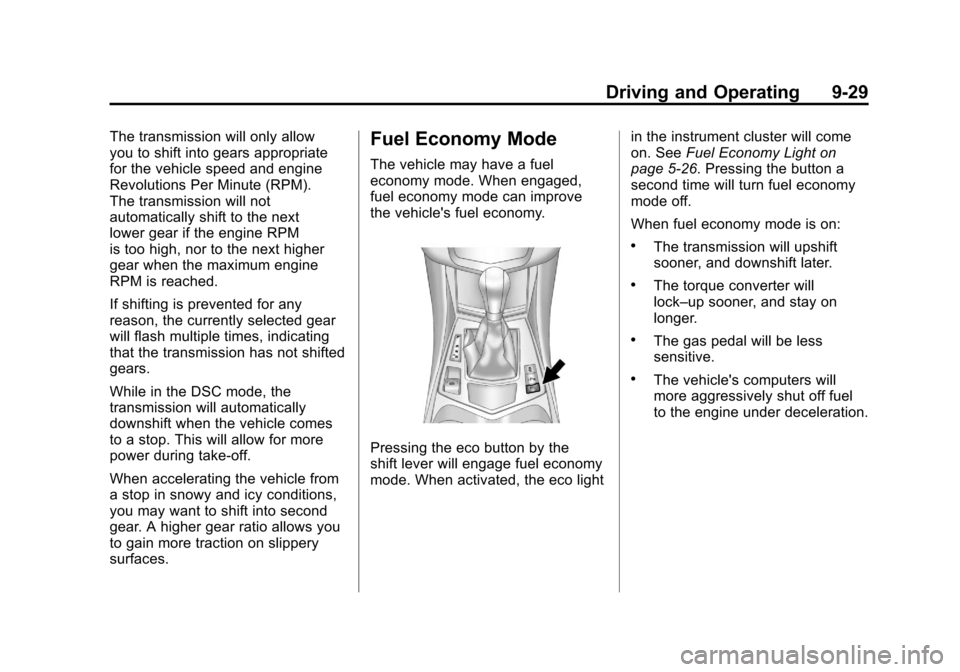
surfaces.Fuel Economy Mode
The vehicle may have a fuel
economy mode. When engaged,
fuel economy mode can improve
the vehicle's fuel economy.
Pressing the eco button by the
shift lever will engage fuel economy
mode. When activated, the eco lightin the instrument cluster will come
on. See
Fuel Economy Light on
page 5‑26. Pressing the button a
second time will turn fuel economy
mode off.
When fuel economy mode is on:
.The transmission will upshift
sooner, and downshift later.
.The torque converter will
lock–up sooner, and stay on
longer.
.The gas pedal will be less
sensitive.
.The vehicle's computers will
more aggressively shut off fuel
to the engine under deceleration.
Page 331 of 498
Black plate (55,1)Cadillac SRX Owner Manual - 2011
Driving and Operating 9-55
The following information has
important trailering tips and rules
for your safety and that of your
passengers. Read this section
carefully before pulling a trailer.
Pulling a Trailer
Here are some important points:
.There are many laws, including
speed limit restrictions that apply
to trailering. Check for legal
requirements.
.Do not tow a trailer at all during
the first 1 600 km (1,000 miles)
the new vehicle is driven.
The engine, axle or other parts
could be damaged.
.During the first 800 km
(500 miles) that a trailer is
towed, do not drive over 80 km/h
(50 mph) and do not make starts
at full throttle. This reduces wear
on the vehicle.
.The vehicle can tow in
D (Drive). Use a lower gear if the
transmission shifts too often.
.Do not use the Fuel Economy
Mode when towing.
.Obey speed limit restrictions.
Do not drive faster than the
maximum posted speed for
trailers, or no more than 90 km/h
(55 mph), to reduce wear on the
vehicle.
Driving with a Trailer
Towing a trailer requires experience.
Get familiar with handling and
braking with the added trailer
weight. The vehicle is now longer
and not as responsive as the
vehicle is by itself.
Check all trailer hitch parts and
attachments, safety chains,
electrical connectors, lamps, tires
and mirror adjustments. If the trailer
has electric brakes, start the vehicle
and trailer moving and then apply
the trailer brake controller by hand
to be sure the brakes are working.
During the trip, check regularly to be
sure that the load is secure, and the
lamps and trailer brakes are working
properly.
Page 397 of 498

Black plate (59,1)Cadillac SRX Owner Manual - 2011
Vehicle Care 10-59
GAWR FRT:Gross Axle
Weight Rating for the front axle.
See Vehicle Load Limits on
page 9‑12.
GAWR RR
:Gross Axle
Weight Rating for the rear axle.
See Vehicle Load Limits on
page 9‑12.
Intended Outboard Sidewall
:
The side of an asymmetrical tire,
that must always face outward
when mounted on a vehicle.
Kilopascal (kPa)
:The metric
unit for air pressure.
Light Truck (LT‐Metric) Tire
:A
tire used on light duty trucks and
some multipurpose passenger
vehicles.
Load Index
:An assigned
number ranging from 1 to 279
that corresponds to the load
carrying capacity of a tire. Maximum Inflation Pressure
:
The maximum air pressure to
which a cold tire can be inflated.
The maximum air pressure is
molded onto the sidewall.
Maximum Load Rating
:
The load rating for a tire at the
maximum permissible inflation
pressure for that tire.
Maximum Loaded Vehicle
Weight
:The sum of curb
weight, accessory weight,
vehicle capacity weight, and
production options weight.
Normal Occupant Weight
:
The number of occupants a
vehicle is designed to seat
multiplied by 68 kg (150 lbs).
See Vehicle Load Limits on
page 9‑12.
Occupant Distribution
:
Designated seating positions. Outward Facing Sidewall
:
The side of an asymmetrical tire
that has a particular side that
faces outward when mounted
on a vehicle. The side of the
tire that contains a whitewall,
bears white lettering, or bears
manufacturer, brand, and/or
model name molding that is
higher or deeper than the same
moldings on the other sidewall
of the tire.
Passenger (P-Metric) Tire
:
A tire used on passenger cars
and some light duty trucks and
multipurpose vehicles.
Recommended Inflation
Pressure
:Vehicle
manufacturer's recommended
tire inflation pressure as
shown on the tire placard.
See Tire Pressure on
page 10‑61 andVehicle
Load Limits on page 9‑12.