battery CADILLAC SRX 2011 2.G User Guide
[x] Cancel search | Manufacturer: CADILLAC, Model Year: 2011, Model line: SRX, Model: CADILLAC SRX 2011 2.GPages: 498, PDF Size: 7.62 MB
Page 165 of 498
Black plate (19,1)Cadillac SRX Owner Manual - 2011
Instruments and Controls 5-19
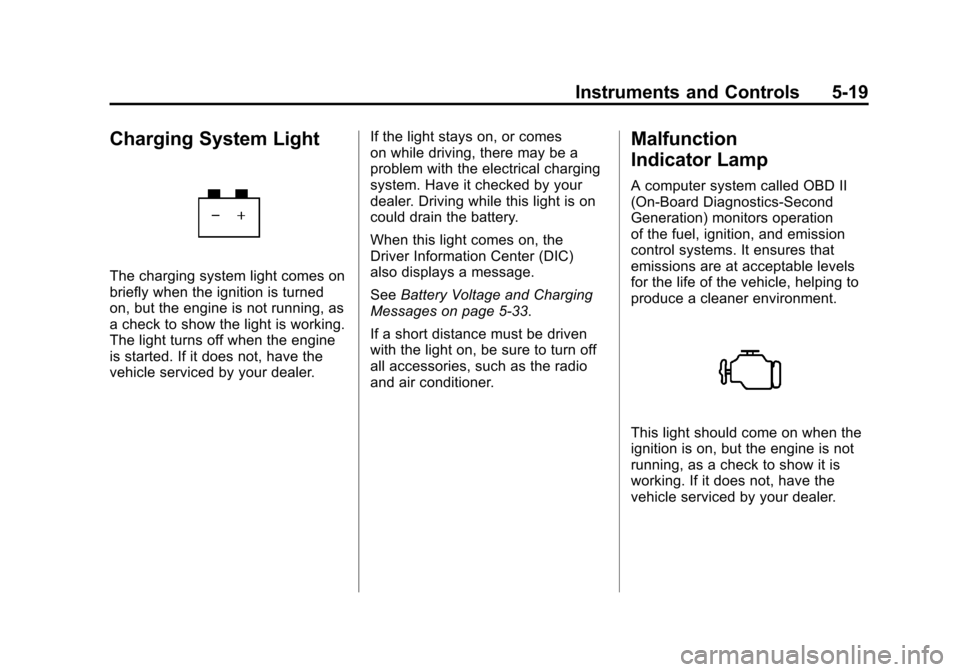
Charging System Light
The charging system light comes on
briefly when the ignition is turned
on, but the engine is not running, as
a check to show the light is working.
The light turns off when the engine
is started. If it does not, have the
vehicle serviced by your dealer.If the light stays on, or comes
on while driving, there may be a
problem with the electrical charging
system. Have it checked by your
dealer. Driving while this light is on
could drain the battery.
When this light comes on, the
Driver Information Center (DIC)
also displays a message.
See
Battery Voltage and Charging
Messages on page 5‑33.
If a short distance must be driven
with the light on, be sure to turn off
all accessories, such as the radio
and air conditioner.
Malfunction
Indicator Lamp
A computer system called OBD II
(On-Board Diagnostics-Second
Generation) monitors operation
of the fuel, ignition, and emission
control systems. It ensures that
emissions are at acceptable levels
for the life of the vehicle, helping to
produce a cleaner environment.
This light should come on when the
ignition is on, but the engine is not
running, as a check to show it is
working. If it does not, have the
vehicle serviced by your dealer.
Page 168 of 498
Black plate (22,1)Cadillac SRX Owner Manual - 2011
5-22 Instruments and Controls
The vehicle may not pass
inspection if:
.The malfunction indicator lamp is
on with the engine running, or if
the light does not come on when
the ignition is turned to ON/RUN
while the engine is off.
.The critical emission control
systems have not been
completely diagnosed by the
system. This can happen if
the battery has recently been
replaced or if the battery has
run down. The diagnostic
system evaluates critical
emission control systems
during normal driving. This can
take several days of routine
driving. If this has been done
and the vehicle still does not
pass the inspection, your dealer
can prepare the vehicle for
inspection.
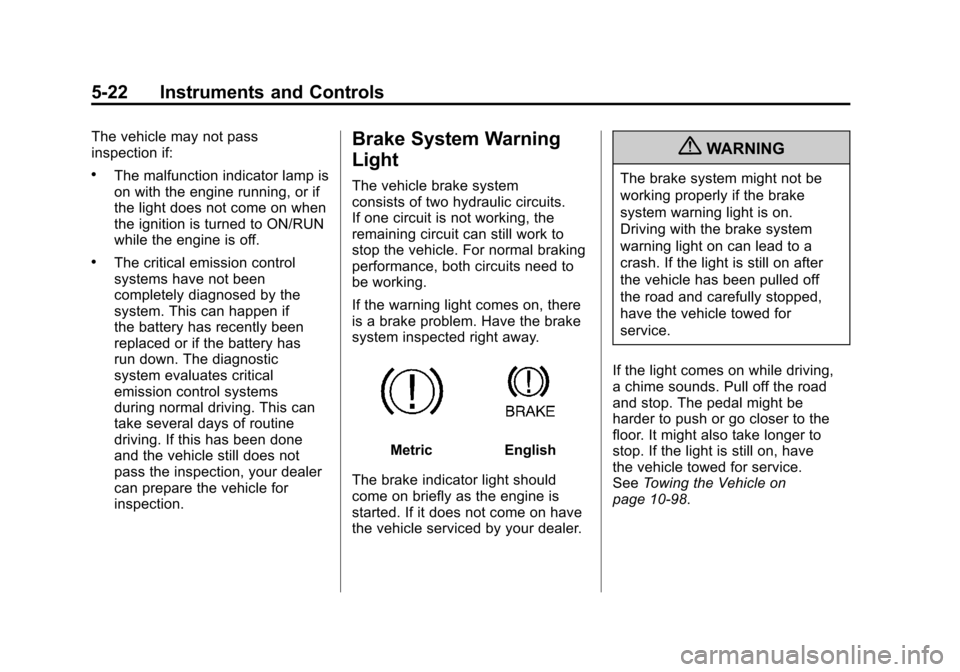
Brake System Warning
Light
The vehicle brake system
consists of two hydraulic circuits.
If one circuit is not working, the
remaining circuit can still work to
stop the vehicle. For normal braking
performance, both circuits need to
be working.
If the warning light comes on, there
is a brake problem. Have the brake
system inspected right away.
MetricEnglish
The brake indicator light should
come on briefly as the engine is
started. If it does not come on have
the vehicle serviced by your dealer.
{WARNING
The brake system might not be
working properly if the brake
system warning light is on.
Driving with the brake system
warning light on can lead to a
crash. If the light is still on after
the vehicle has been pulled off
the road and carefully stopped,
have the vehicle towed for
service.
If the light comes on while driving,
a chime sounds. Pull off the road
and stop. The pedal might be
harder to push or go closer to the
floor. It might also take longer to
stop. If the light is still on, have
the vehicle towed for service.
See Towing the Vehicle on
page 10‑98.
Page 177 of 498
Black plate (31,1)Cadillac SRX Owner Manual - 2011
Instruments and Controls 5-31
Turn by Turn
This display is used for the OnStar
or Navigation System Turn-by-Turn
guidance. See the OnStar Owner's
Guide or the Navigation manual,
if the vehicle has navigation, for
more information.
Speed and Curve Assist
This display will show the speed
limit or the advised speed as
determined by the information
provided by the navigation system.
If the map disc loaded in the
navigation system is out of date, this
display may not provide accurate
information. See the Navigation
manual for more information.
Digital Speedometer
The speedometer shows how
fast the vehicle is moving in either
kilometers per hour (km/h) or miles
per hour (mph). The speedometer
cannot be reset.
Blank Display
This display shows no information.Vehicle Information Menu
Items
Press the MENU button on the
turn signal lever until Vehicle
Information Menu is displayed.
Use the thumbwheel to scroll
through the following menu items:
.Tire Pressure
.Remaining Oil Life
.Battery Voltage
.Unit
.Blank
Tire Pressure
The display will show a vehicle
with the approximate pressures
of all four tires. Tire pressure is
displayed in either kilopascal (kPa)
or in pounds per square inch (psi).
See Tire Pressure Monitor System
on page 10‑63 andTire Pressure
Monitor Operation on page 10‑64
for more information. Remaining Oil Life
This display shows an estimate
of the oil's remaining useful life.
If REMAINING OIL LIFE 99% is
displayed, that means 99% of the
current oil life remains.
When the remaining oil life is low,
the CHANGE ENGINE OIL SOON
message will appear on the display.
See
Engine Oil Messages on
page 5‑35. The oil should be
changed as soon as possible.
See Engine Oil on page 10‑10.
In addition to the engine oil life
system monitoring the oil life,
additional maintenance is
recommended in the Maintenance
Schedule in this manual. See
Scheduled Maintenance on
page 11‑2 for more information.
Remember, the Oil Life display
must be reset after each oil
change. It will not reset itself.
Also, be careful not to reset
the Oil Life display accidentally
at any time other than when
the oil has just been changed.
Page 178 of 498
Black plate (32,1)Cadillac SRX Owner Manual - 2011
5-32 Instruments and Controls
It cannot be reset accurately
until the next oil change.
To reset the engine oil life system
press the SET/CLR button while
the Oil Life display is active.
SeeEngine Oil Life System on
page 10‑14.
Battery Voltage
This display, available on some
vehicles, shows the current battery
voltage. If the voltage is in the
normal range, the value will display.
For example, the display may
read Battery Voltage 15.0 Volts.
The vehicle's charging system
regulates voltage based on the
state of the battery. The battery
voltage can fluctuate while viewing
this information on the DIC. This is
normal. See Charging System Light
on page 5‑19 for more information.
If there is a problem with the battery
charging system, the DIC will
display a message. See Battery
Voltage and Charging Messages on
page 5‑33. Unit
Move the thumbwheel up or
down to switch between metric or
English when the Unit display is
active. Press SET/CLR to confirm
the setting. This will change the
displays on the cluster and DIC
to either metric or English
measurements.
Blank Display
This display shows no information.
Compass
The vehicle may have a compass
display in the Driver Information
Center (DIC). See
Compass on
page 5‑7.
Vehicle Messages
Messages displayed on the DIC
indicate the status of the vehicle or
some action that may be needed
to correct a condition. Multiple
messages may display one after
the other.
The messages that do not
require immediate action can be
acknowledged and cleared by
pressing SET/CLR. The messages
that require immediate action cannot
be cleared until that action is
performed. All messages should be
taken seriously and clearing the
messages does not correct the
problem.
Page 179 of 498
Black plate (33,1)Cadillac SRX Owner Manual - 2011
Instruments and Controls 5-33
Battery Voltage and
Charging Messages
BATTERY SAVER ACTIVE
This message displays when
the vehicle has detected that the
battery voltage is dropping beyond
a reasonable point. The battery
saver system starts reducing certain
features of the vehicle that you may
be able to notice. At the point that
features are disabled, this message
is displayed. It means that the
vehicle is trying to save the charge
in the battery. Turn off unnecessary
accessories to allow the battery to
recharge.
LOW BATTERY
This message is displayed when the
battery voltage is low. SeeBattery
on page 10‑28 for more information.
SERVICE BATTERY
CHARGING SYSTEM
This message is displayed when
there is a fault in the battery
charging system. Take the vehicle
to your dealer for service.
Brake System Messages
BRAKE FLUID LOW
This message is displayed when the
brake fluid level is low. See Brake
Fluid on page 10‑26.
BRAKES OVERHEATED
This message is displayed when the
brakes are becoming overheated.
You may see this when driving on
hills. Shift to a lower gear.
STEP ON BRAKE TO
RELEASE PARK BRAKE
This message is displayed if you
attempt to release the electric
parking brake without the brake
pedal applied. See Parking Brake
on page 9‑31 for more information.
RELEASE PARKING BRAKE
This message is displayed if the
electric parking brake is on while
the vehicle is in motion. Release it
before you attempt to drive. See
Parking Brake on page 9‑31 for
more information.
SERVICE BRAKE ASSIST
This message may be displayed
when there is a problem with
the brake boost assist system.
When this message is displayed,
the brake boost assist motor
might be heard operating and you
might notice pulsation in the brake
pedal. This is normal under these
conditions. Take the vehicle to your
dealer for service.
SERVICE PARKING BRAKE
This message is displayed when
there is a problem with the parking
brake. Take the vehicle to your
dealer for service.
Page 182 of 498
Black plate (36,1)Cadillac SRX Owner Manual - 2011
5-36 Instruments and Controls
Engine Power Messages
ENGINE POWER IS REDUCED
This message displays when the
vehicle's engine power is reduced.
Reduced engine power can affect
the vehicle's ability to accelerate.
If this message is on, but there
is no reduction in performance,
proceed to your destination.
The performance may be reduced
the next time the vehicle is driven.
The vehicle may be driven at a
reduced speed while this message
is on, but maximum acceleration
and speed may be reduced.
Anytime this message stays on,
the vehicle should be taken to
your dealer for service as soon
as possible.
Fuel System Messages
FUEL LEVEL LOW
This message displays when the
vehicle is low on fuel. Refuel as
soon as possible
TIGHTEN GAS CAP
This message displays when the
fuel cap is not on tight. Tighten the
fuel cap.
Key and Lock Messages
NO REMOTE DETECTED
This message displays when trying
to start the vehicle if the keyless
access system does not detect a
RKE transmitter. The transmitter
battery may be weak. See“Starting
the Vehicle with a Low Transmitter
Battery” underRemote Keyless
Entry (RKE) System Operation on
page 2‑4.
NO REMOTE PRESS BRAKE
TO RESTART
This message is displayed if the
remote is no longer detected in the
vehicle. Press the brake pedal to
restart the vehicle.
NUMBER OF KEYS
PROGRAMMED
This message displays when
programming new keys to the
vehicle.
REMOTE LEFT IN VEHICLE
This message displays when
leaving the vehicle with the RKE
transmitter still inside.
REPLACE BATTERY IN
REMOTE KEY
This message displays when the
battery in the RKE transmitter needs
to be replaced.
Page 192 of 498
Black plate (46,1)Cadillac SRX Owner Manual - 2011
5-46 Instruments and Controls
Universal Remote
System
SeeRadio Frequency
Statement on page 13‑20 for
information regarding Part 15
of the Federal Communications
Commission (FCC) rules and
Industry Canada Standards
RSS-210/220/310.
Universal Remote System
Programming
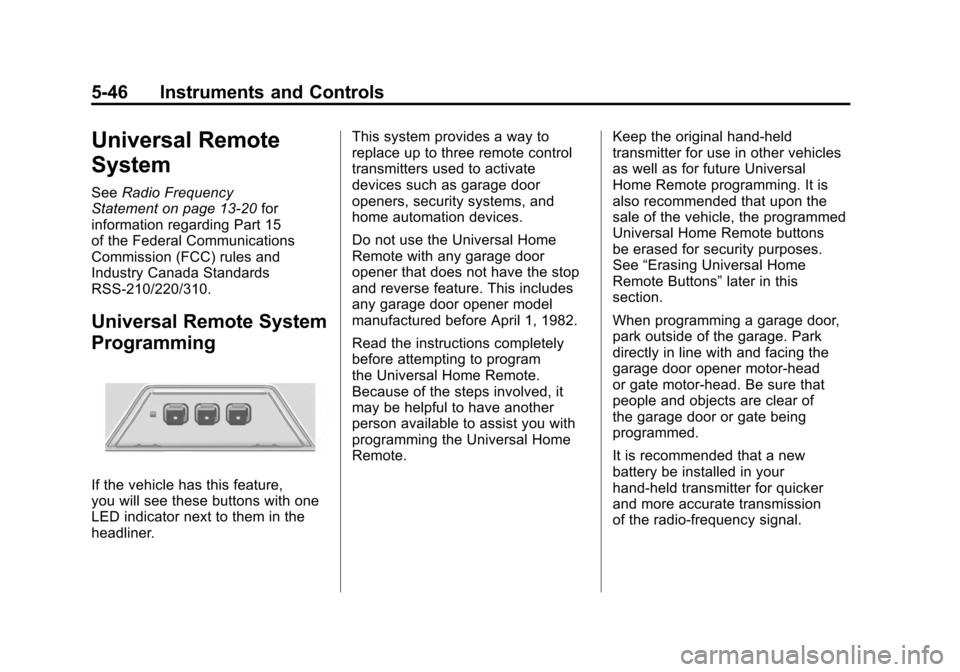
If the vehicle has this feature,
you will see these buttons with one
LED indicator next to them in the
headliner. This system provides a way to
replace up to three remote control
transmitters used to activate
devices such as garage door
openers, security systems, and
home automation devices.
Do not use the Universal Home
Remote with any garage door
opener that does not have the stop
and reverse feature. This includes
any garage door opener model
manufactured before April 1, 1982.
Read the instructions completely
before attempting to program
the Universal Home Remote.
Because of the steps involved, it
may be helpful to have another
person available to assist you with
programming the Universal Home
Remote.
Keep the original hand-held
transmitter for use in other vehicles
as well as for future Universal
Home Remote programming. It is
also recommended that upon the
sale of the vehicle, the programmed
Universal Home Remote buttons
be erased for security purposes.
See
“Erasing Universal Home
Remote Buttons” later in this
section.
When programming a garage door,
park outside of the garage. Park
directly in line with and facing the
garage door opener motor-head
or gate motor-head. Be sure that
people and objects are clear of
the garage door or gate being
programmed.
It is recommended that a new
battery be installed in your
hand-held transmitter for quicker
and more accurate transmission
of the radio-frequency signal.
Page 197 of 498
Black plate (1,1)Cadillac SRX Owner Manual - 2011
Lighting 6-1
Lighting
Exterior Lighting
Exterior Lamp Controls . . . . . . . . 6-1
Headlamp High/Low-BeamChanger . . . . . . . . . . . . . . . . . . . . . 6-2
Flash-to-Pass . . . . . . . . . . . . . . . . . 6-2
Daytime Running Lamps (DRL) . . . . . . . . . . . . . . . . 6-3
Adaptive Forward Lighting (AFL) . . . . . . . . . . . . . . . 6-3
Twilight Sentinel . . . . . . . . . . . . . . 6-4
Hazard Warning Flashers . . . . . 6-5
Turn and Lane-Change Signals . . . . . . . . . . . . . . . . . . . . . . 6-5
Front Fog Lamps . . . . . . . . . . . . . . 6-6
Interior Lighting
Instrument Panel Illumination Control . . . . . . . . . . . . . . . . . . . . . . 6-6
Cargo Lamp . . . . . . . . . . . . . . . . . . 6-6
Courtesy Lamps . . . . . . . . . . . . . . 6-6
Dome Lamps . . . . . . . . . . . . . . . . . 6-6
Reading Lamps . . . . . . . . . . . . . . . 6-7
Lighting Features
Entry Lighting . . . . . . . . . . . . . . . . . 6-7
Exit Lighting . . . . . . . . . . . . . . . . . . . 6-7
Battery Load Management . . . . 6-8
Exterior Lighting
Exterior Lamp Controls
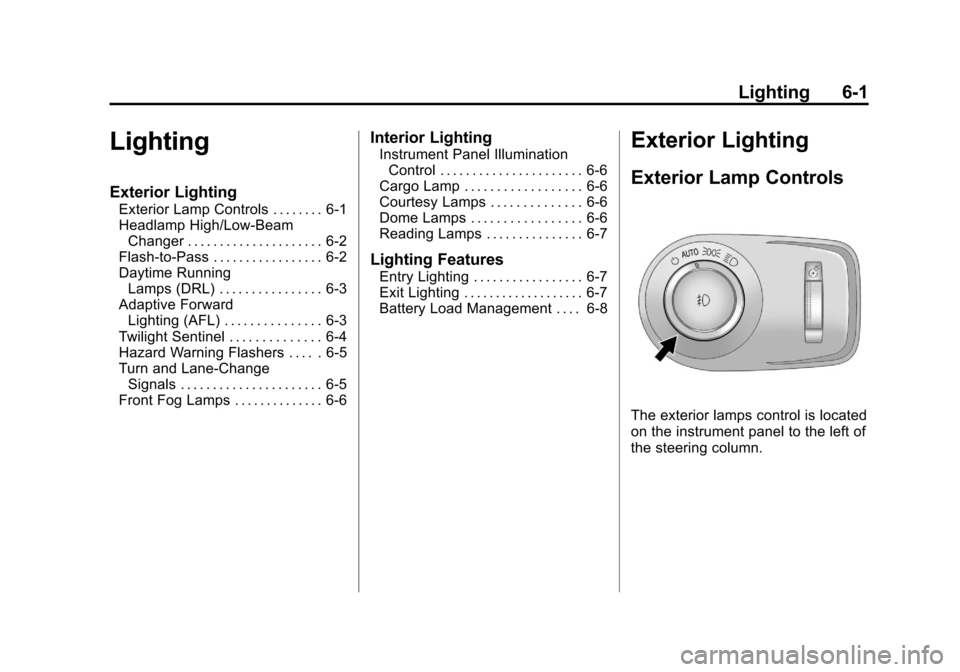
The exterior lamps control is located
on the instrument panel to the left of
the steering column.
Page 204 of 498
Black plate (8,1)Cadillac SRX Owner Manual - 2011
6-8 Lighting
Battery Load
Management
The vehicle has Electric Power
Management (EPM) that estimates
the battery's temperature and state
of charge. It then adjusts the voltage
for best performance and extended
life of the battery.
When the battery's state of charge
is low, the voltage is raised slightly
to quickly bring the charge back up.
When the state of charge is high,
the voltage is lowered slightly to
prevent overcharging. If the vehicle
has a voltmeter gauge or a voltage
display on the Driver Information
Center (DIC), you may see the
voltage move up or down. This is
normal. If there is a problem, an
alert will be displayed.The battery can be discharged at
idle if the electrical loads are very
high. This is true for all vehicles.
This is because the generator
(alternator) may not be spinning
fast enough at idle to produce all
the power that is needed for very
high electrical loads.
A high electrical load occurs when
several of the following are on,
such as: headlamps, high beams,
fog lamps, rear window defogger,
climate control fan at high speed,
heated seats, engine cooling fans,
trailer loads, and loads plugged into
accessory power outlets.
EPM works to prevent excessive
discharge of the battery. It does this
by balancing the generator's output
and the vehicle's electrical needs.
It can increase engine idle speed to
generate more power, whenever
needed. It can temporarily reduce
the power demands of some
accessories.Normally, these actions occur in
steps or levels, without being
noticeable. In rare cases at the
highest levels of corrective action,
this action may be noticeable to the
driver. If so, a Driver Information
Center (DIC) message might be
displayed, such as BATTERY
SAVER ACTIVE, BATTERY
VOLTAGE LOW, or LOW BATTERY.
If one of these messages displays,
it is recommended that the driver
reduce the electrical loads as much
as possible. See
Driver Information
Center (DIC) on page 5‑28.
Page 243 of 498
Black plate (39,1)Cadillac SRX Owner Manual - 2011
Infotainment System 7-39
Global Off
Depending on the infotainment
system, the RSE system may
have a Global Off feature.
The Global Off feature disables
all RSE system features. Press
and hold the radio power button for
more than three seconds for Global
Off to disable the RSE features.
A padlock icon may display on
the infotainment screen when the
Global Off feature is on. On some
infotainment systems, the Global
Off feature can be turned off by
performing one of the following:
.Press and hold the radio
power button for more than
three seconds.
.Insert or eject any disc.
.Insert a DVD video disc.
.Press the Remote Control power
button.
.Press the MEM/DVD/AUX button
or the
kbutton when a DVD
video disc is in the player.
.Press the SRC button on the
steering wheel when a DVD
video disc is in the player.
.Cycle the ignition.
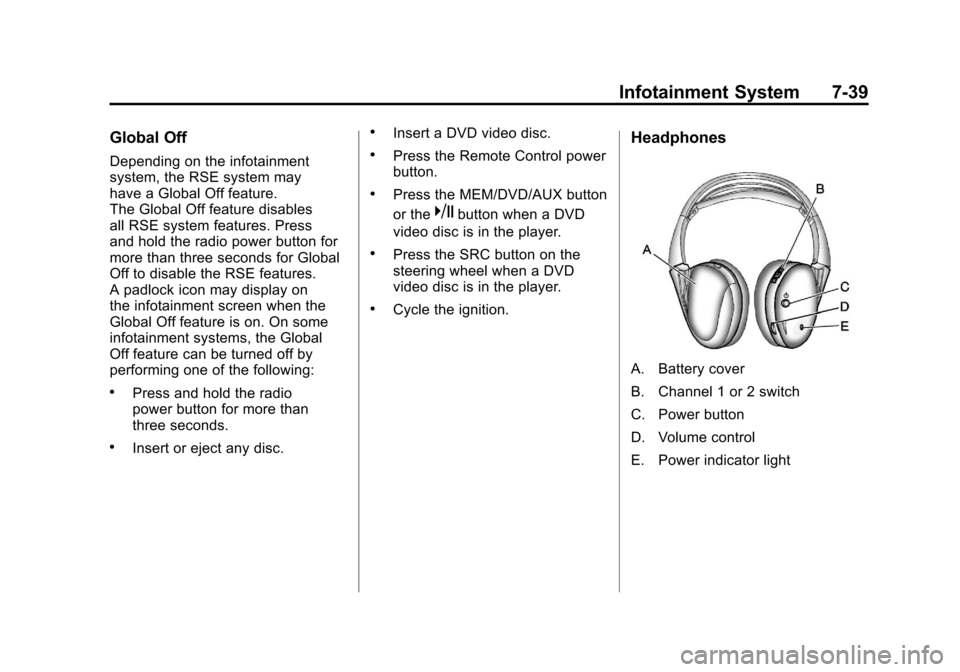
Headphones
A. Battery cover
B. Channel 1 or 2 switch
C. Power button
D. Volume control
E. Power indicator light