climate control CADILLAC SRX 2011 2.G User Guide
[x] Cancel search | Manufacturer: CADILLAC, Model Year: 2011, Model line: SRX, Model: CADILLAC SRX 2011 2.GPages: 498, PDF Size: 7.62 MB
Page 49 of 498
Black plate (15,1)Cadillac SRX Owner Manual - 2011
Keys, Doors and Windows 2-15
Liftgate (Power)
Power Liftgate Operation
{WARNING
Exhaust gases can enter the
vehicle if it is driven with the
liftgate, trunk/hatch open, or
with any objects that pass
through the seal between the
body and the trunk/hatch or
liftgate. Engine exhaust contains
Carbon Monoxide (CO) which
cannot be seen or smelled.
It can cause unconsciousness
and even death.(Continued)
WARNING (Continued)
If the vehicle must be driven with
the liftgate, or trunk/hatch open:
.Close all of the windows.
.Fully open the air outlets
on or under the instrument
panel.
.Adjust the Climate Control
system to a setting that
brings in only outside air
and set the fan speed to the
highest setting. See Climate
Control System in the Index.
.If the vehicle is equipped with
a power liftgate, disable the
power liftgate function.
For more information about
carbon monoxide, see Engine
Exhaust on page 9‑24.
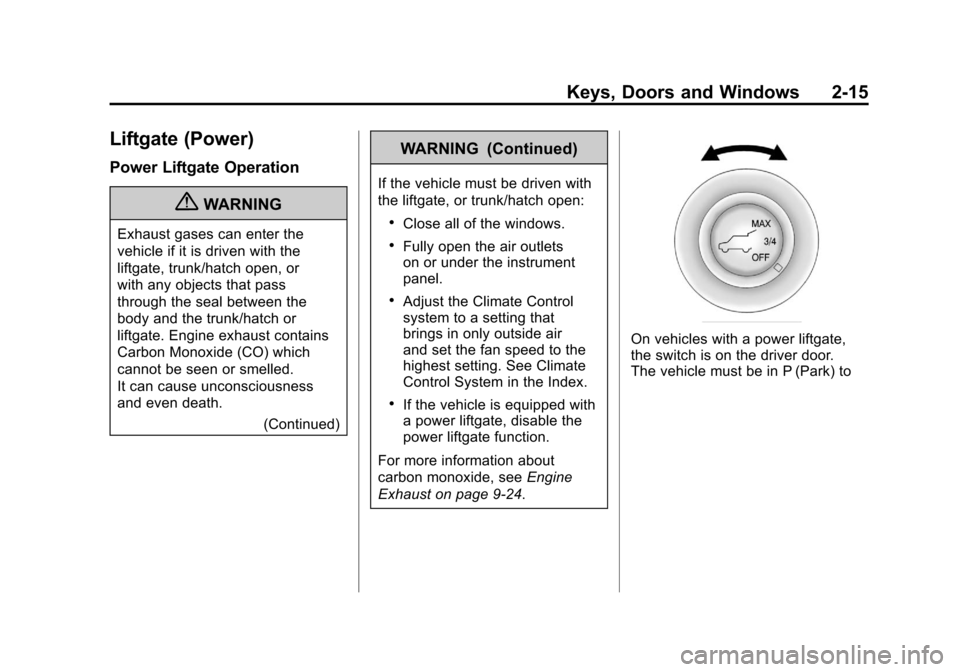
On vehicles with a power liftgate,
the switch is on the driver door.
The vehicle must be in P (Park) to
Page 57 of 498
Black plate (23,1)Cadillac SRX Owner Manual - 2011
Keys, Doors and Windows 2-23
A noise may be heard during the
resetting of the power foldaway
mirrors. This sound is normal after a
manual folding operation.
Heated Mirrors
<
(Rear Window Defogger):
Press to heat the mirrors.
See “Rear Window Defogger” under
Dual Automatic Climate Control
System on page 8‑1 for more
information.
Automatic Dimming
Mirror
If the vehicle has the automatic
dimming mirror, the driver outside
mirror automatically adjusts for the
glare of headlamps behind you.
Reverse Tilt Mirrors
If the vehicle is equipped with
memory seats, there is an option to
have the mirrors tilt down, when in
R (Reverse), to more easily see the
ground near the vehicle.
When the vehicle is shifted to
R (Reverse), both the driver and
passenger mirrors will tilt downward.
They will return to their previous
position when the vehicle is shifted
out of R (Reverse), the ignition is
turned to OFF, or the vehicle is left
in R (Reverse).
This feature can be turned on or
off. See Vehicle Personalization on
page 5‑40.
Interior Mirrors
Manual Rearview Mirror
Adjust the inside rearview mirror
for a clear view of the area behind
your vehicle. To avoid glare of the
headlamps from behind, push the
tab forward for daytime and pull it
for nighttime use.
Vehicles with OnStar
®have three
additional control buttons located at
the bottom of the mirror. See your
dealer for more information about
OnStar and how to subscribe to it.
See the OnStar Owner's Guide for
more information about the services
OnStar provides.
Page 74 of 498
Black plate (10,1)Cadillac SRX Owner Manual - 2011
3-10 Seats and Restraints
Heated Front Seats
{WARNING
If you cannot feel temperature
change or pain to the skin, the
seat heater may cause burns
even at low temperatures.
To reduce the risk of burns,
people with such a condition
should use care when using
the seat heater, especially for
long periods of time. Do not
place anything on the seat that
insulates against heat, such as
a blanket, cushion, cover or
similar item. This may cause
the seat heater to overheat.
An overheated seat heater may
cause a burn or may damage
the seat.
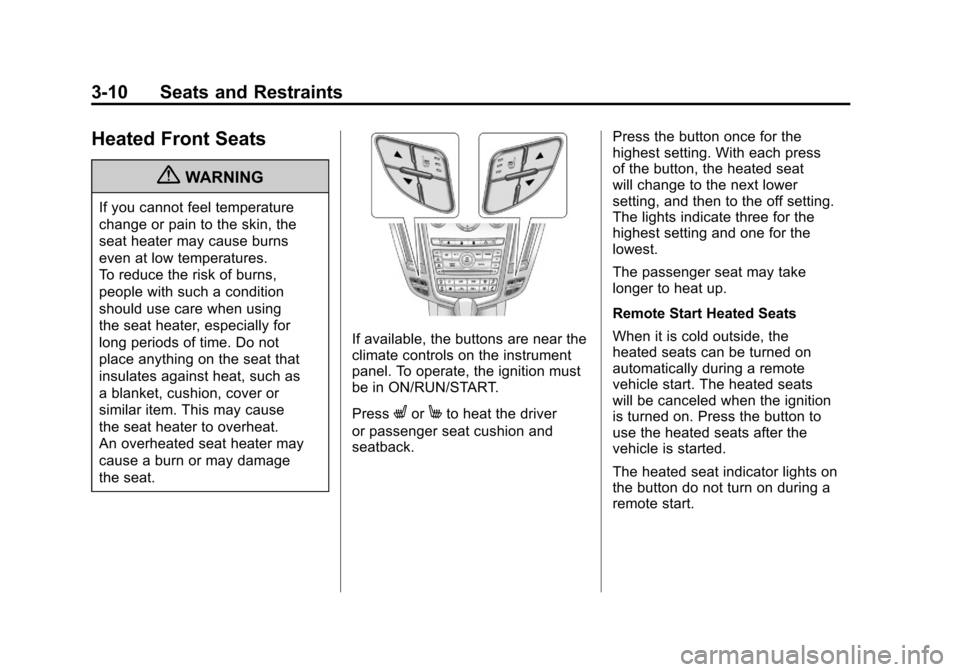
If available, the buttons are near the
climate controls on the instrument
panel. To operate, the ignition must
be in ON/RUN/START.
Press
LorMto heat the driver
or passenger seat cushion and
seatback. Press the button once for the
highest setting. With each press
of the button, the heated seat
will change to the next lower
setting, and then to the off setting.
The lights indicate three for the
highest setting and one for the
lowest.
The passenger seat may take
longer to heat up.
Remote Start Heated Seats
When it is cold outside, the
heated seats can be turned on
automatically during a remote
vehicle start. The heated seats
will be canceled when the ignition
is turned on. Press the button to
use the heated seats after the
vehicle is started.
The heated seat indicator lights on
the button do not turn on during a
remote start.
Page 75 of 498
Black plate (11,1)Cadillac SRX Owner Manual - 2011
Seats and Restraints 3-11
The temperature performance of an
unoccupied seat may be reduced.
This is normal.
The heated seats will not turn on
during a remote start unless the
heated seat feature is enabled in
the vehicle personalization menu.
SeeRemote Vehicle Start on
page 2‑10 and“Remote Start
Auto Heated Seats” underVehicle
Personalization on page 5‑40 for
more information.
Heated and Ventilated
Front Seats
{WARNING
If you cannot feel temperature
change or pain to the skin,
the seat heater may cause
burns even at low temperatures.
See the Warning under Heated
Front Seats on page 3‑10.
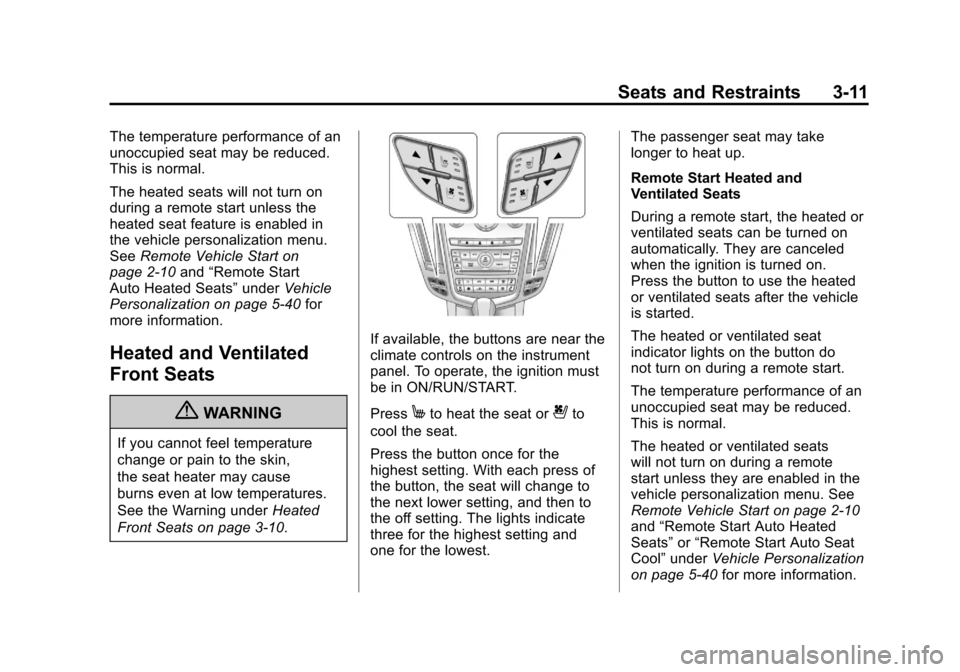
If available, the buttons are near the
climate controls on the instrument
panel. To operate, the ignition must
be in ON/RUN/START.
Press
Mto heat the seat or{to
cool the seat.
Press the button once for the
highest setting. With each press of
the button, the seat will change to
the next lower setting, and then to
the off setting. The lights indicate
three for the highest setting and
one for the lowest. The passenger seat may take
longer to heat up.
Remote Start Heated and
Ventilated Seats
During a remote start, the heated or
ventilated seats can be turned on
automatically. They are canceled
when the ignition is turned on.
Press the button to use the heated
or ventilated seats after the vehicle
is started.
The heated or ventilated seat
indicator lights on the button do
not turn on during a remote start.
The temperature performance of an
unoccupied seat may be reduced.
This is normal.
The heated or ventilated seats
will not turn on during a remote
start unless they are enabled in the
vehicle personalization menu. See
Remote Vehicle Start on page 2‑10
and
“Remote Start Auto Heated
Seats” or“Remote Start Auto Seat
Cool” under Vehicle Personalization
on page 5‑40 for more information.
Page 155 of 498
Black plate (9,1)Cadillac SRX Owner Manual - 2011
Instruments and Controls 5-9
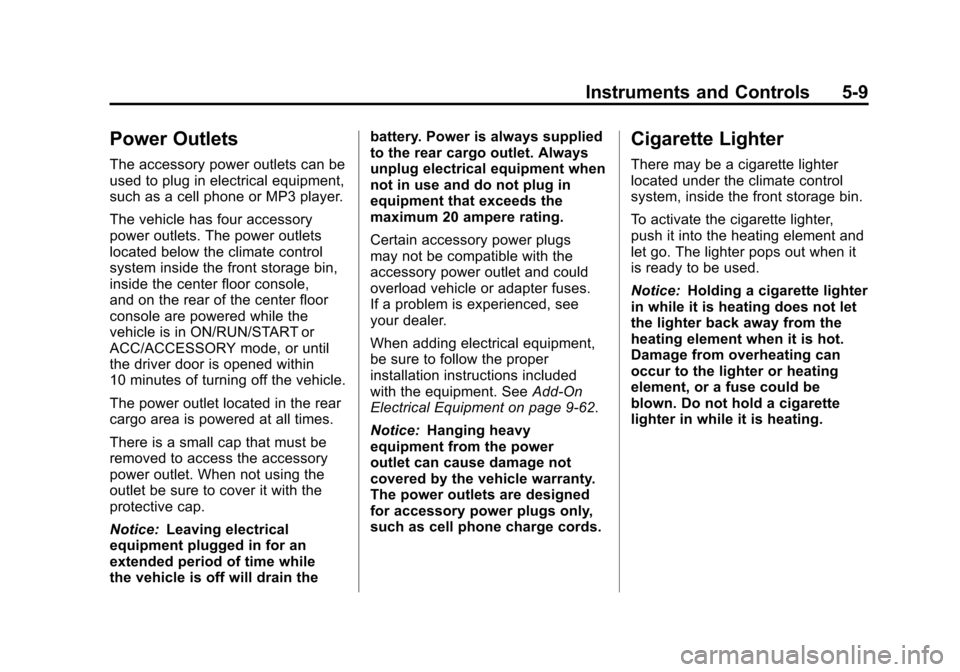
Power Outlets
The accessory power outlets can be
used to plug in electrical equipment,
such as a cell phone or MP3 player.
The vehicle has four accessory
power outlets. The power outlets
located below the climate control
system inside the front storage bin,
inside the center floor console,
and on the rear of the center floor
console are powered while the
vehicle is in ON/RUN/START or
ACC/ACCESSORY mode, or until
the driver door is opened within
10 minutes of turning off the vehicle.
The power outlet located in the rear
cargo area is powered at all times.
There is a small cap that must be
removed to access the accessory
power outlet. When not using the
outlet be sure to cover it with the
protective cap.
Notice:Leaving electrical
equipment plugged in for an
extended period of time while
the vehicle is off will drain the battery. Power is always supplied
to the rear cargo outlet. Always
unplug electrical equipment when
not in use and do not plug in
equipment that exceeds the
maximum 20 ampere rating.
Certain accessory power plugs
may not be compatible with the
accessory power outlet and could
overload vehicle or adapter fuses.
If a problem is experienced, see
your dealer.
When adding electrical equipment,
be sure to follow the proper
installation instructions included
with the equipment. See
Add-On
Electrical Equipment on page 9‑62.
Notice: Hanging heavy
equipment from the power
outlet can cause damage not
covered by the vehicle warranty.
The power outlets are designed
for accessory power plugs only,
such as cell phone charge cords.
Cigarette Lighter
There may be a cigarette lighter
located under the climate control
system, inside the front storage bin.
To activate the cigarette lighter,
push it into the heating element and
let go. The lighter pops out when it
is ready to be used.
Notice: Holding a cigarette lighter
in while it is heating does not let
the lighter back away from the
heating element when it is hot.
Damage from overheating can
occur to the lighter or heating
element, or a fuse could be
blown. Do not hold a cigarette
lighter in while it is heating.
Page 156 of 498
Black plate (10,1)Cadillac SRX Owner Manual - 2011
5-10 Instruments and Controls
Ashtrays
There may be an ashtray located
under the climate control system
on the instrument panel. Press the
door to release the ashtray.
To empty the ashtray, remove it
from the instrument panel by holding
the edges and pulling straight out.
To reinstall, push the tray back into
place.
There may also be ashtrays located
on the center floor console behind
the shift lever and in the rear doors.
Notice:If papers, pins, or other
flammable items are put in the
ashtray, hot cigarettes or other
smoking materials could ignite
them and possibly damage the
vehicle. Never put flammable
items in the ashtray.
Warning Lights,
Gauges, and
Indicators
Warning lights and gauges can
signal that something is wrong
before it becomes serious enough
to cause an expensive repair or
replacement. Paying attention to
the warning lights and gauges
could prevent injury.
Warning lights come on when there
could be a problem with a vehicle
function. Some warning lights come
on briefly when the engine is started
to indicate they are working. Gauges can indicate when there
could be a problem with a vehicle
function. Often gauges and warning
lights work together to indicate a
problem with the vehicle.
When one of the warning lights
comes on and stays on while
driving, or when one of the gauges
shows there may be a problem,
check the section that explains what
to do. Follow this manual's advice.
Waiting to do repairs can be costly
and even dangerous.
Page 186 of 498
Black plate (40,1)Cadillac SRX Owner Manual - 2011
5-40 Instruments and Controls
Vehicle Reminder
Messages
ICE POSSIBLE DRIVE
WITH CARE
This message is displayed when ice
conditions are possible.
TURN WIPER CONTROL TO
INTERMITTENT FIRST
This message is displayed when
attempting to adjust the intermittent
wiper speed without intermittent
selected on the wiper control.
SeeWindshield Wiper/Washer on
page 5‑3.
Washer Fluid Messages
WASHER FLUID LOW ADD
FLUID
This message will be displayed
when the washer fluid level is
low. For information on filling the
washer fluid, see Washer Fluid on
page 10‑24.
Vehicle
Personalization
The audio system controls are
used to access the personalization
menus for customizing vehicle
features. Not all features are
available on every vehicle. Only the
features available on a particular
vehicle will be displayed on that
vehicle.
CONFIG (Configuration): Press
to access the Configuration
Settings Menu.
MENU / SELECT Knob: Press
the center of this knob to enter
the menus and select menu items.
Turn the knob to scroll through the
menus.
0BACK: Press to exit or move
backwards in a menu. Entering the Personalization
Menus
1. Press CONFIG to access the
Configuration Settings menu.
2. Turn the MENU / SELECT knob to highlight Vehicle Settings.
3. Press the center of the MENU / SELECT knob to select
the Vehicle Settings menu.
The following list of menu items will
be available:
.Climate and Air Quality
.Comfort and Convenience
.Language
.Lighting
.Power Door Locks
.Remote Locking, Unlocking,
Starting
.Return to Factory Settings
Turn the MENU / SELECT knob to
highlight the menu. Press the knob
to select it. Each of the menus is
detailed in the following information.
Page 187 of 498
Black plate (41,1)Cadillac SRX Owner Manual - 2011
Instruments and Controls 5-41
Climate and Air Quality
Select the Climate and Air Quality
menu and the following will be
displayed:
.Auto Fan Speed
.Air Quality Sensor
.Remote Start Auto Seat Cool
.Remote Start Auto Heated Seats
.Auto Defog
.Auto Rear Defog
Auto Fan Speed
This will allow you to select the
automatic fan speed. This feature
sets the climate control fan speed to
maintain the interior temperature.
Press the MENU / SELECT knob
when Auto Fan Speed is highlighted
to open the menu. Turn the knob
to highlight High, Medium, or Low.
Press the knob to confirm the
selection and move back to the
last menu. Air Quality Sensor
This will allow you to select whether
the system will operate at high or
low sensitivity. Only vehicles with
the dual zone climate control will
have this option.
Press the MENU / SELECT
knob when Air Quality Sensor
is highlighted to open the menu.
Turn the knob to highlight High or
Low Sensitivity. Press the knob to
confirm the selection and move
back to the last menu.
Remote Start Auto Seat Cool
When on, this feature will turn the
vented seats on when using remote
start on warm days.
Press the MENU / SELECT knob
when Remote Start Auto Seat Cool
is highlighted. Turn the knob to
select On or Off. Press the knob
to confirm and go back to the
last menu.
Remote Start Auto Heated Seats
When on, this feature will turn the
heated seats on when using remote
start on cold days.
Press the MENU / SELECT knob
when Remote Start Auto Heated
Seats is highlighted. Turn the knob
to select On or Off. Press the knob
to confirm and go back to the
last menu.
Auto Defog
This will allow you to turn the auto
defog on or off.
Press the MENU / SELECT knob
when Auto Defog is highlighted to
open the menu. Turn the knob to
highlight On or Off. Press the knob
to confirm the selection and move
back to the last menu.
Page 204 of 498
Black plate (8,1)Cadillac SRX Owner Manual - 2011
6-8 Lighting
Battery Load
Management
The vehicle has Electric Power
Management (EPM) that estimates
the battery's temperature and state
of charge. It then adjusts the voltage
for best performance and extended
life of the battery.
When the battery's state of charge
is low, the voltage is raised slightly
to quickly bring the charge back up.
When the state of charge is high,
the voltage is lowered slightly to
prevent overcharging. If the vehicle
has a voltmeter gauge or a voltage
display on the Driver Information
Center (DIC), you may see the
voltage move up or down. This is
normal. If there is a problem, an
alert will be displayed.The battery can be discharged at
idle if the electrical loads are very
high. This is true for all vehicles.
This is because the generator
(alternator) may not be spinning
fast enough at idle to produce all
the power that is needed for very
high electrical loads.
A high electrical load occurs when
several of the following are on,
such as: headlamps, high beams,
fog lamps, rear window defogger,
climate control fan at high speed,
heated seats, engine cooling fans,
trailer loads, and loads plugged into
accessory power outlets.
EPM works to prevent excessive
discharge of the battery. It does this
by balancing the generator's output
and the vehicle's electrical needs.
It can increase engine idle speed to
generate more power, whenever
needed. It can temporarily reduce
the power demands of some
accessories.Normally, these actions occur in
steps or levels, without being
noticeable. In rare cases at the
highest levels of corrective action,
this action may be noticeable to the
driver. If so, a Driver Information
Center (DIC) message might be
displayed, such as BATTERY
SAVER ACTIVE, BATTERY
VOLTAGE LOW, or LOW BATTERY.
If one of these messages displays,
it is recommended that the driver
reduce the electrical loads as much
as possible. See
Driver Information
Center (DIC) on page 5‑28.
Page 269 of 498
Black plate (1,1)Cadillac SRX Owner Manual - 2011
Climate Controls 8-1
Climate Controls
Climate Control Systems
Dual Automatic Climate ControlSystem . . . . . . . . . . . . . . . . . . . . . . 8-1
Rear Climate Control System . . . . . . . . . . . . . . . . . . . . . . 8-5
Air Vents
Air Vents . . . . . . . . . . . . . . . . . . . . . . 8-6
Maintenance
Passenger Compartment AirFilter . . . . . . . . . . . . . . . . . . . . . . . . . 8-6
Climate Control Systems
Dual Automatic Climate Control System
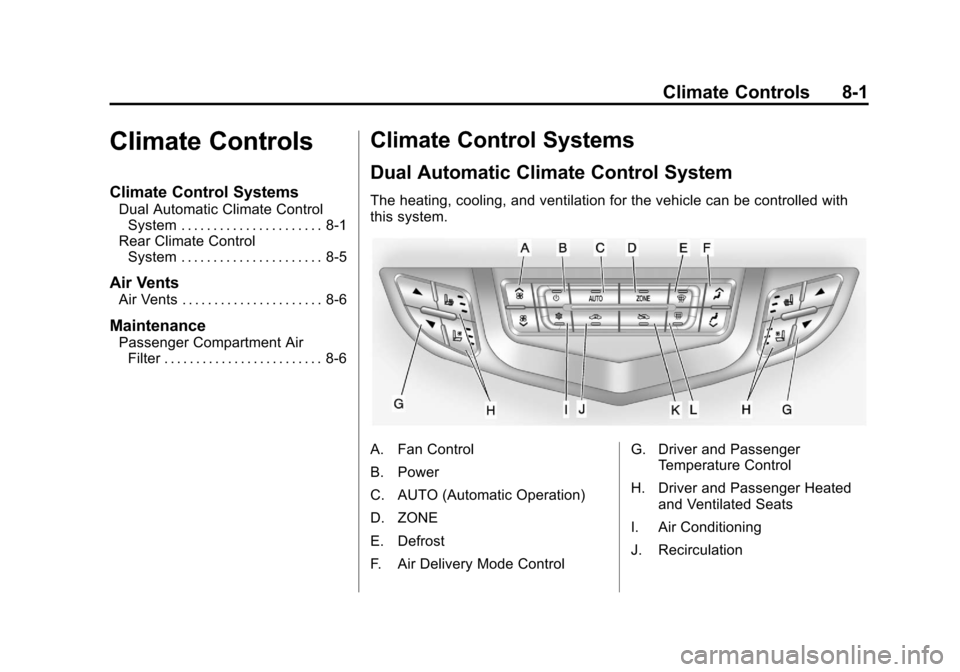
The heating, cooling, and ventilation for the vehicle can be controlled with
this system.
A. Fan Control
B. Power
C. AUTO (Automatic Operation)
D. ZONE
E. Defrost
F. Air Delivery Mode Control G. Driver and Passenger
Temperature Control
H. Driver and Passenger Heated and Ventilated Seats
I. Air Conditioning
J. Recirculation