instrument cluster CADILLAC SRX 2011 2.G User Guide
[x] Cancel search | Manufacturer: CADILLAC, Model Year: 2011, Model line: SRX, Model: CADILLAC SRX 2011 2.GPages: 498, PDF Size: 7.62 MB
Page 198 of 498
Black plate (2,1)Cadillac SRX Owner Manual - 2011
6-2 Lighting
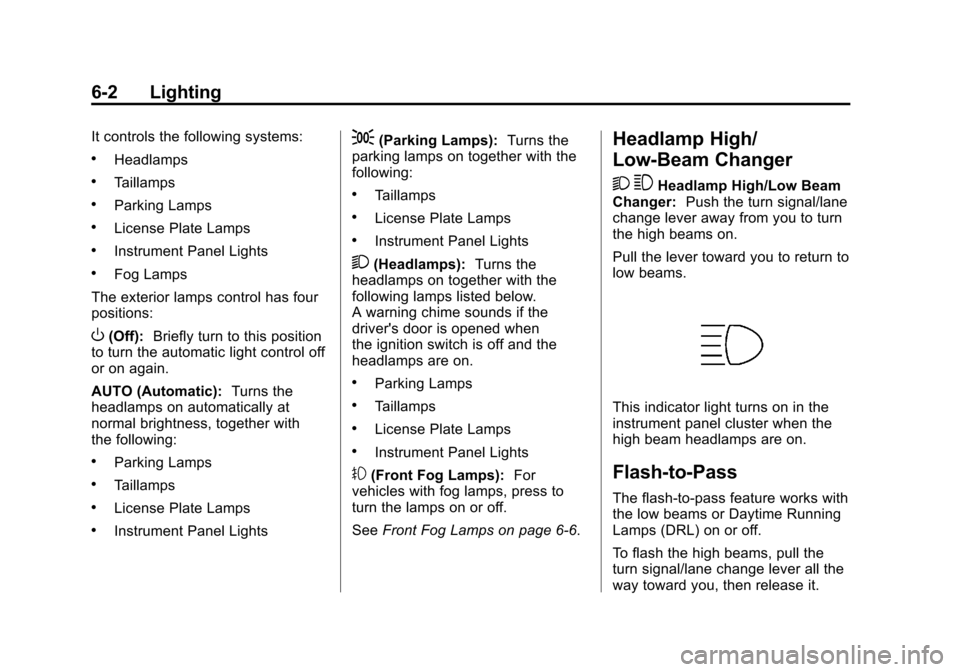
It controls the following systems:
.Headlamps
.Taillamps
.Parking Lamps
.License Plate Lamps
.Instrument Panel Lights
.Fog Lamps
The exterior lamps control has four
positions:
O(Off): Briefly turn to this position
to turn the automatic light control off
or on again.
AUTO (Automatic): Turns the
headlamps on automatically at
normal brightness, together with
the following:
.Parking Lamps
.Taillamps
.License Plate Lamps
.Instrument Panel Lights
;(Parking Lamps): Turns the
parking lamps on together with the
following:
.Taillamps
.License Plate Lamps
.Instrument Panel Lights
2(Headlamps): Turns the
headlamps on together with the
following lamps listed below.
A warning chime sounds if the
driver's door is opened when
the ignition switch is off and the
headlamps are on.
.Parking Lamps
.Taillamps
.License Plate Lamps
.Instrument Panel Lights
#(Front Fog Lamps): For
vehicles with fog lamps, press to
turn the lamps on or off.
See Front Fog Lamps on page 6‑6.
Headlamp High/
Low-Beam Changer
2 3
Headlamp High/Low Beam
Changer: Push the turn signal/lane
change lever away from you to turn
the high beams on.
Pull the lever toward you to return to
low beams.
This indicator light turns on in the
instrument panel cluster when the
high beam headlamps are on.
Flash-to-Pass
The flash‐to‐pass feature works with
the low beams or Daytime Running
Lamps (DRL) on or off.
To flash the high beams, pull the
turn signal/lane change lever all the
way toward you, then release it.
Page 200 of 498
Black plate (4,1)Cadillac SRX Owner Manual - 2011
6-4 Lighting
Curve Lighting
The Xenon light beam pivots based
on the steering wheel position and
vehicle speed of at least 10 km/h
(6 mph). The headlamps shine at
an angle of up to 15 degrees to the
right or left of the direction of travel.
Highway Lighting
If the vehicle is traveling straight
continuously at high speeds, the
light beam automatically raises
slightly to increase the headlamp
range.
City Lighting
If the vehicle speed is less than
50 km/h (31 mph), the headlamp
range is automatically reduced.Twilight Sentinel
This feature automatically turns the
lamps on and off. A light sensor on
top of the instrument panel makes
the Twilight Sentinel
®work, so be
sure it is not covered.
With Twilight Sentinel the following
will happen:
.When it is dark enough outside,
and the exterior lamps control
is in the AUTO position, the
Daytime Running Lamps (DRL)
go off, and the headlamps and
parking lamps come on. The
other lamps that come on with
the headlamps also come on.
.When it is bright enough outside,
the headlamps go off, and the
DRL come on, as long as the
exterior lamp switch is in the
AUTO position. See Exterior
Lamp Controls on page 6‑1. If the vehicle is started in a dark
garage, the automatic headlamp
system comes on immediately.
If it is light outside when the vehicle
leaves the garage, there is a
slight delay before the automatic
headlamp system changes to
the DRL. During that delay, the
instrument panel cluster may not
be as bright as usual. Make sure
the instrument panel brightness
control is in full bright position.
See
Instrument Panel Illumination
Control on page 6‑6 for more
information.
The vehicle can be idled with the
lamps off, even when it is dark
outside. After starting the vehicle,
turn the exterior lamp control to off,
then release it. The lamps will
remain off until the control is turned
to off again.
Page 201 of 498
Black plate (5,1)Cadillac SRX Owner Manual - 2011
Lighting 6-5
Twilight Sentinel also provides
exterior illumination as you leave
the vehicle. If Twilight Sentinel has
turned on the lamps when the
ignition is turned off, the lamps
remain on until:
.The exterior lamp control is
moved from
Oto the parking
lamp position, or
.the delay time selected has
elapsed.
See Vehicle Personalization on
page 5‑40 to select the delay time.
You can also select no delay time.
If the ignition is turned off with the
exterior lamp control in the parking
lamp or headlamp position, the
Twilight Sentinel delay will not
occur. The lamps will turn off as
soon as the control is turned off.
The regular headlamp system
should be turned on when needed.
Hazard Warning Flashers
|
Hazard Warning Flasher:
Press this button located on the
instrument panel near the audio
system, to make the front and rear
turn signal lamps flash on and off.
This warns others that you are
having trouble. Press again to turn
the flashers off.
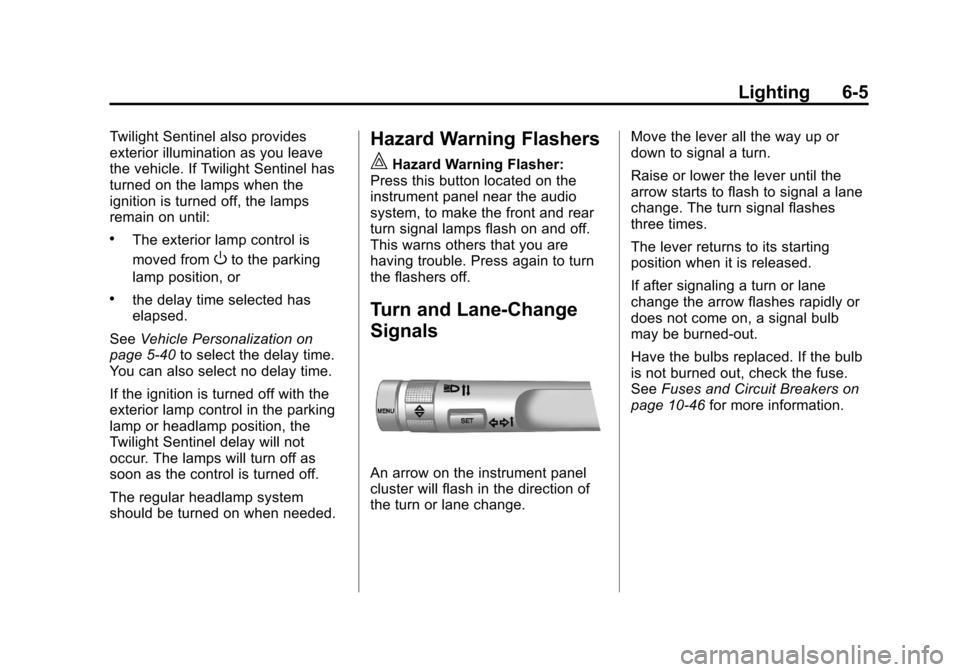
Turn and Lane-Change
Signals
An arrow on the instrument panel
cluster will flash in the direction of
the turn or lane change. Move the lever all the way up or
down to signal a turn.
Raise or lower the lever until the
arrow starts to flash to signal a lane
change. The turn signal flashes
three times.
The lever returns to its starting
position when it is released.
If after signaling a turn or lane
change the arrow flashes rapidly or
does not come on, a signal bulb
may be burned-out.
Have the bulbs replaced. If the bulb
is not burned out, check the fuse.
See
Fuses and Circuit Breakers on
page 10‑46 for more information.
Page 202 of 498
Black plate (6,1)Cadillac SRX Owner Manual - 2011
6-6 Lighting
Front Fog Lamps
For vehicles with front fog lamps,
the button is located on the exterior
lamp control, on the outboard side
of the steering wheel.
The ignition and the low‐beam
headlamps must be on to turn on
the fog lamps.
#:Press to turn the fog lamps
on or off. An indicator light on the
instrument panel cluster comes on
when the fog lamps are on.
The fog lamps come on together
with the parking lamps.
If the high‐beam headlamps are
turned on, the fog lamps will turn off.
If the high‐beam headlamps are
turned off, the fog lamps will turn
back on again.
Some localities have laws that
require the headlamps to be on
along with the fog lamps.
Interior Lighting
Instrument Panel
Illumination Control
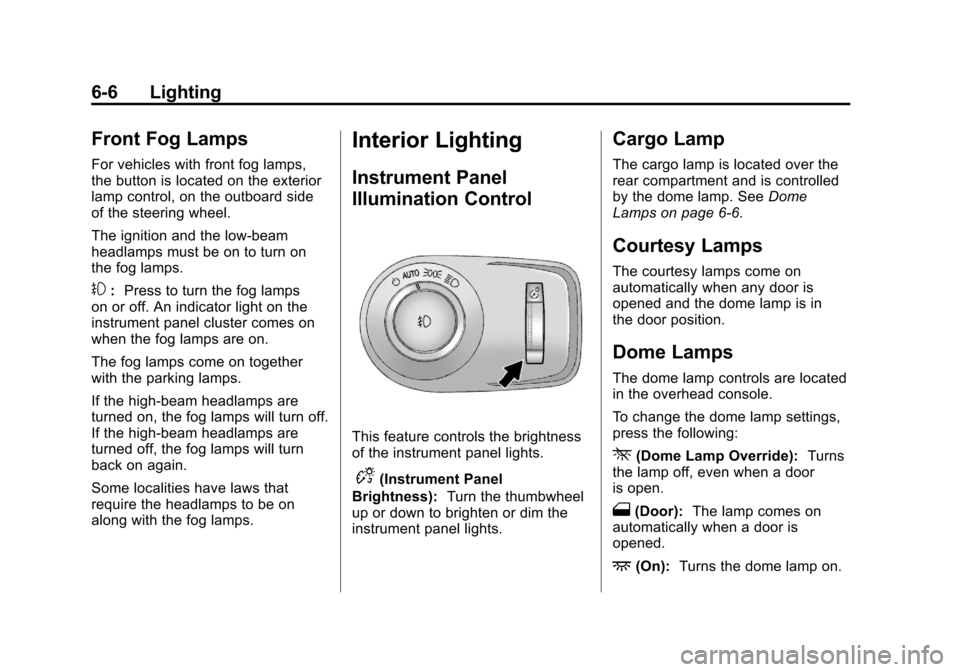
This feature controls the brightness
of the instrument panel lights.
D(Instrument Panel
Brightness): Turn the thumbwheel
up or down to brighten or dim the
instrument panel lights.
Cargo Lamp
The cargo lamp is located over the
rear compartment and is controlled
by the dome lamp. See Dome
Lamps on page 6‑6.
Courtesy Lamps
The courtesy lamps come on
automatically when any door is
opened and the dome lamp is in
the door position.
Dome Lamps
The dome lamp controls are located
in the overhead console.
To change the dome lamp settings,
press the following:
*(Dome Lamp Override): Turns
the lamp off, even when a door
is open.
1(Door): The lamp comes on
automatically when a door is
opened.
+(On): Turns the dome lamp on.
Page 304 of 498
Black plate (28,1)Cadillac SRX Owner Manual - 2011
9-28 Driving and Operating
Manual Mode
Driver Shift Control (DSC)
Notice:If you drive the vehicle
at a high rpm without upshifting
while using Driver Shift Control
(DSC), you could damage the
vehicle. Always upshift when
necessary while using DSC.
Driver Shift Control (DSC)
allows you to shift an automatic
transmission similar to a manual
transmission. To use the DSC
feature:
1. Move the shift lever to the left from D (Drive) to
M (Manual Mode).
If you do not move the shift lever
forward or rearward, the vehicle
will be in Sport Mode. When you
are in Sport Mode the vehicle
will still shift automatically.
The transmission may remain
in a gear longer than it would in
the normal driving mode based
on braking, throttle input, and
vehicle lateral acceleration. SPORT MODE ON will be
displayed in the DIC. See
Ride
Control System Messages on
page 5‑37. The word “sport”
will display below the odometer.
The gear position will also be
indicated in the tachometer.
Within Sport Mode there is a
further performance feature
called Performance Mode Lift
Foot (PMLF) Mode. The feature
is activated automatically when
sports oriented driving is
detected, based on cornering
and on/off throttle application.
PMLF allows the transmission to
hold the current gear instead of
upshifting when the throttle is
lifted.
2. To enter M (Manual Mode), press the shift lever forward to upshift
or rearward to downshift.
An M will be displayed in
the DIC. 3. To return to Sport Mode from
M (Manual Mode), press and
briefly hold the shift lever
forward.
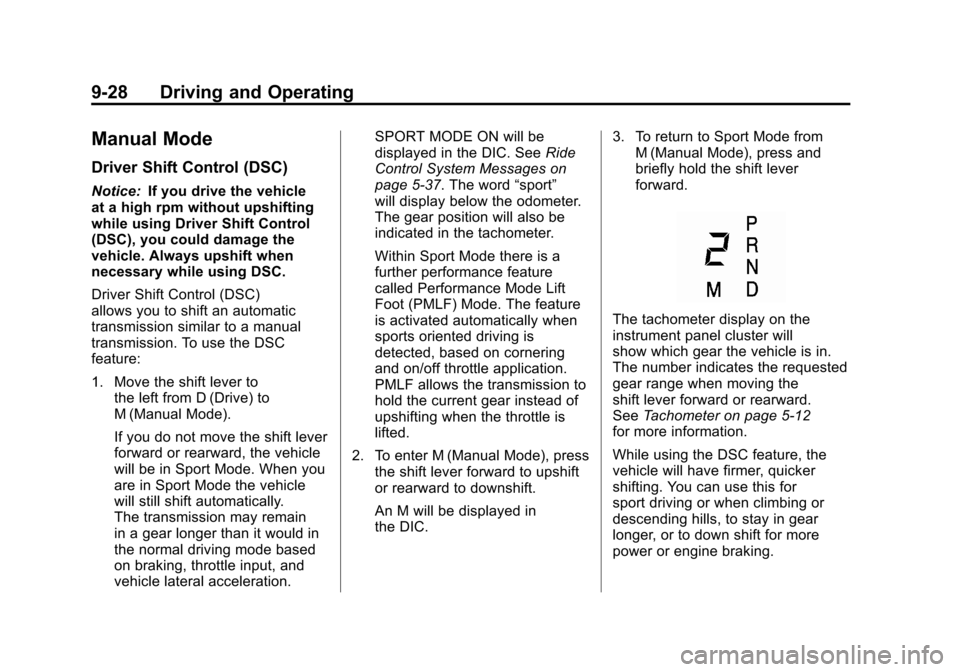
The tachometer display on the
instrument panel cluster will
show which gear the vehicle is in.
The number indicates the requested
gear range when moving the
shift lever forward or rearward.
See Tachometer on page 5‑12
for more information.
While using the DSC feature, the
vehicle will have firmer, quicker
shifting. You can use this for
sport driving or when climbing or
descending hills, to stay in gear
longer, or to down shift for more
power or engine braking.
Page 305 of 498
Black plate (29,1)Cadillac SRX Owner Manual - 2011
Driving and Operating 9-29
The transmission will only allow
you to shift into gears appropriate
for the vehicle speed and engine
Revolutions Per Minute (RPM).
The transmission will not
automatically shift to the next
lower gear if the engine RPM
is too high, nor to the next higher
gear when the maximum engine
RPM is reached.
If shifting is prevented for any
reason, the currently selected gear
will flash multiple times, indicating
that the transmission has not shifted
gears.
While in the DSC mode, the
transmission will automatically
downshift when the vehicle comes
to a stop. This will allow for more
power during take-off.
When accelerating the vehicle from
a stop in snowy and icy conditions,
you may want to shift into second
gear. A higher gear ratio allows you
to gain more traction on slippery
surfaces.Fuel Economy Mode
The vehicle may have a fuel
economy mode. When engaged,
fuel economy mode can improve
the vehicle's fuel economy.
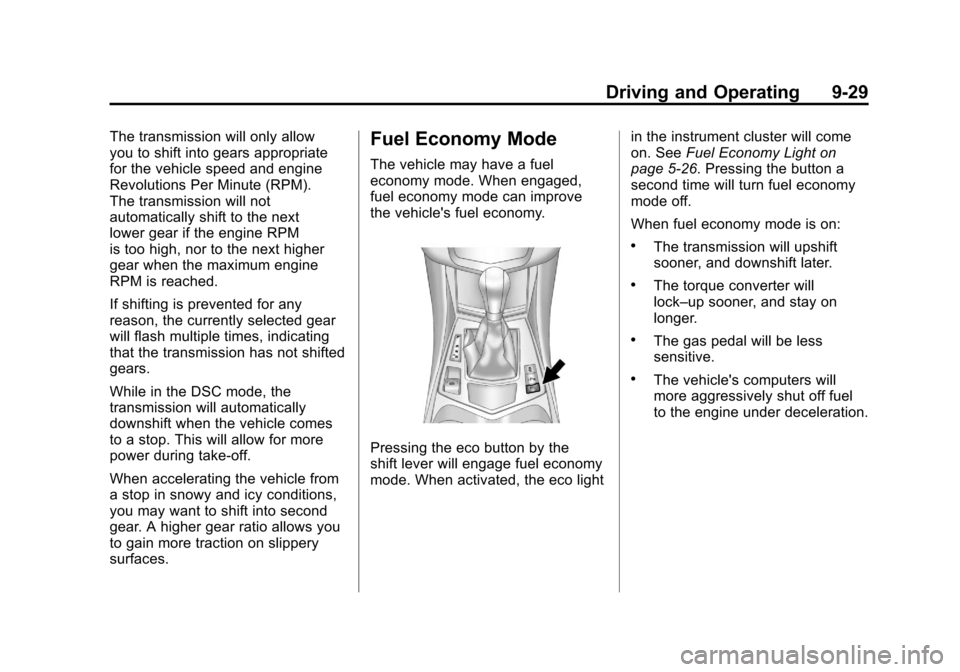
Pressing the eco button by the
shift lever will engage fuel economy
mode. When activated, the eco lightin the instrument cluster will come
on. See
Fuel Economy Light on
page 5‑26. Pressing the button a
second time will turn fuel economy
mode off.
When fuel economy mode is on:
.The transmission will upshift
sooner, and downshift later.
.The torque converter will
lock–up sooner, and stay on
longer.
.The gas pedal will be less
sensitive.
.The vehicle's computers will
more aggressively shut off fuel
to the engine under deceleration.
Page 315 of 498
Black plate (39,1)Cadillac SRX Owner Manual - 2011
Driving and Operating 9-39
The cruise control light on the
instrument panel cluster comes on
after the cruise control has been set
to the desired speed.
1. Press
T.
2. Get up to the desired speed.
3. Press and release the −SET
button located on the steering
wheel.
4. Take your foot off the accelerator.
Resuming a Set Speed
If the cruise control is set at a
desired speed and then the brakes
are applied, the cruise control is
disengaged without erasing the
set speed from memory.
Once the vehicle speed reaches
about 40 km/h (25 mph) or more,
press the +RES button on the
steering wheel. The vehicle returns
to the previous set speed and stays
there. Increasing Speed While Cruise
Control is at a Set Speed
If the cruise control system is
already activated,.Press and hold the +RES button
on the steering wheel until the
desired speed is reached, then
release it.
.To increase vehicle speed in
small amounts, press the +RES
button. Each time this is done,
the vehicle goes about 1.6 km/h
(1 mph) faster.
Reducing Speed While Cruise
Control is at a Set Speed
If the cruise control system is
already activated,
.Press and hold the −SET button
on the steering wheel until the
desired lower speed is reached,
then release it.
.To slow down in small amounts,
press the −SET button on the
steering wheel briefly. Each time
this is done, the vehicle goes
about 1.6 km/h (1 mph) slower.
Passing Another Vehicle While
Using Cruise Control
Use the accelerator pedal to
increase the vehicle speed. When
you take your foot off the pedal,
the vehicle will slow down to the
previous set cruise speed.
Using Cruise Control on Hills
How well the cruise control will work
on hills depends upon the vehicle
speed, load, and the steepness
of the hills. When going up steep
hills, you might have to step on
the accelerator pedal to maintain
the vehicle speed. When going
downhill, you might have to brake
or shift to a lower gear to keep the
vehicle speed down. If the brake
is applied the cruise control
disengages.
Page 386 of 498
Black plate (48,1)Cadillac SRX Owner Manual - 2011
10-48 Vehicle Care
Mini Fuses Usage4 Not Used
5 Engine Control
Module Run Crank
7 Post–Catalytic
Converter O2
Sensor
8 Pre–Catalytic
Converter O2
Sensor
9 Engine Control
Module Powertrain
10 Fuel Injectors–Even 11 Fuel Injectors–Odd
13 Washer
16 Instrument Panel
Cluster/Malfunction
Indicator Lamp/
Ignition
17 Air Quality Sensor
18 Headlamp Washer Mini Fuses Usage
19 Transmission
Control Module Run
Crank
20 Rear Electrical
Center Run Crank
23 Heater Motor
30 Switch Back Light
32 Battery Sense
(Regulated Voltage
Control)
33 Adaptive Forward
Lighting/Adaptive
Headlamp Leveling
Module
34 Body Control
Module 7
35 Electronic Brake
Control Module
46 Low Beam
Headlamp‐Right
47 Low Beam
Headlamp‐Left Mini Fuses Usage
50 Front Fog Lamps
51 Horn
52 Fuel System Control
Module
53 Headlamp Level
54 Sensing Diagnostic
Module Ignition
55 High Beam
Headlamp–Right
56 High Beam
Headlamp–Left
57 Ignition Steering
Column Lock
65 Trailer Right
Stop Lamp
66 Trailer Left
Stop Lamp
67 Spare
68 Spare
69 Spare
Page 389 of 498
Black plate (51,1)Cadillac SRX Owner Manual - 2011
Vehicle Care 10-51
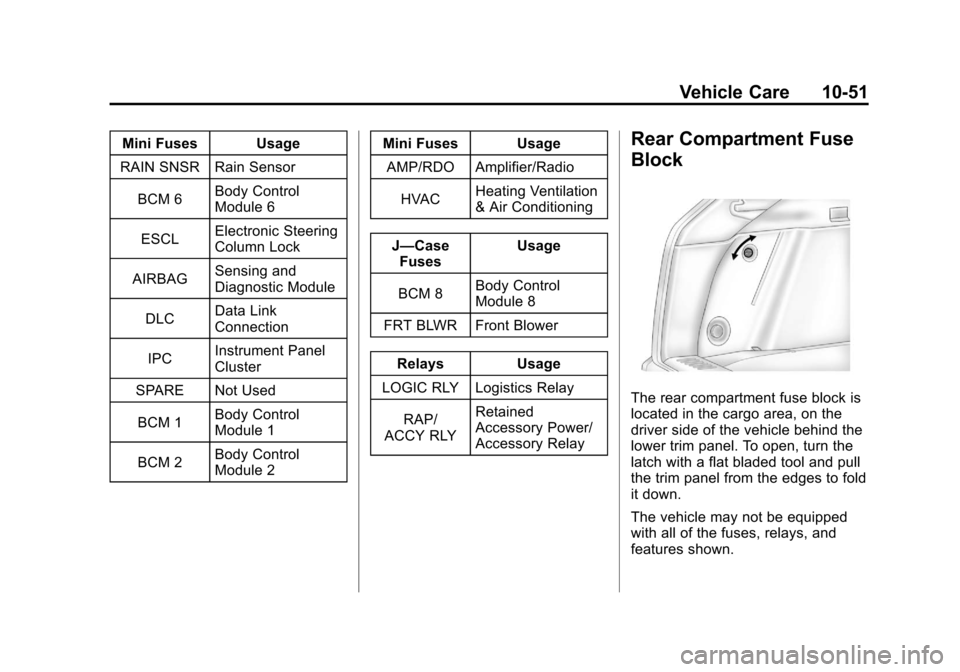
Mini Fuses Usage
RAIN SNSR Rain Sensor
BCM 6 Body Control
Module 6
ESCL Electronic Steering
Column Lock
AIRBAG Sensing and
Diagnostic Module
DLC Data Link
Connection
IPC Instrument Panel
Cluster
SPARE Not Used
BCM 1 Body Control
Module 1
BCM 2 Body Control
Module 2 Mini Fuses Usage
AMP/RDO Amplifier/Radio
HVAC Heating Ventilation
& Air Conditioning
J—Case Fuses Usage
BCM 8 Body Control
Module 8
FRT BLWR Front Blower
Relays Usage
LOGIC RLY Logistics Relay
RAP/
ACCY RLY Retained
Accessory Power/
Accessory RelayRear Compartment Fuse
Block
The rear compartment fuse block is
located in the cargo area, on the
driver side of the vehicle behind the
lower trim panel. To open, turn the
latch with a flat bladed tool and pull
the trim panel from the edges to fold
it down.
The vehicle may not be equipped
with all of the fuses, relays, and
features shown.
Page 402 of 498
Black plate (64,1)Cadillac SRX Owner Manual - 2011
10-64 Vehicle Care
The TPMS malfunction indicator is
combined with the low tire pressure
telltale. When the system detects a
malfunction, the telltale will flash for
approximately one minute and then
remain continuously illuminated.
This sequence will continue upon
subsequent vehicle start‐ups as
long as the malfunction exists.
When the malfunction indicator
is illuminated, the system may
not be able to detect or signal low
tire pressure as intended. TPMS
malfunctions may occur for a variety
of reasons, including the installation
of replacement or alternate tires or
wheels on the vehicle that prevent
the TPMS from functioning properly.
Always check the TPMS malfunction
telltale after replacing one or more
tires or wheels on your vehicle to
ensure that the replacement or
alternate tires and wheels allow
the TPMS to continue to function
properly.
SeeTire Pressure Monitor
Operation on page 10‑64 for
additional information.Federal Communications
Commission (FCC) and
Industry Canada
See Radio Frequency
Statement on page 13‑20 for
information regarding Part 15
of the Federal Communications
Commission (FCC) rules and
Industry Canada Standards
RSS-210/220/310.
Tire Pressure Monitor
Operation
This vehicle may have a Tire
Pressure Monitor System (TPMS).
The TPMS is designed to warn the
driver when a low tire pressure
condition exists. TPMS sensors are
mounted onto each tire and wheel
assembly, excluding the spare tire
and wheel assembly. The TPMS
sensors monitor the air pressure in
the vehicle's tires and transmit the
tire pressure readings to a receiver
located in the vehicle.
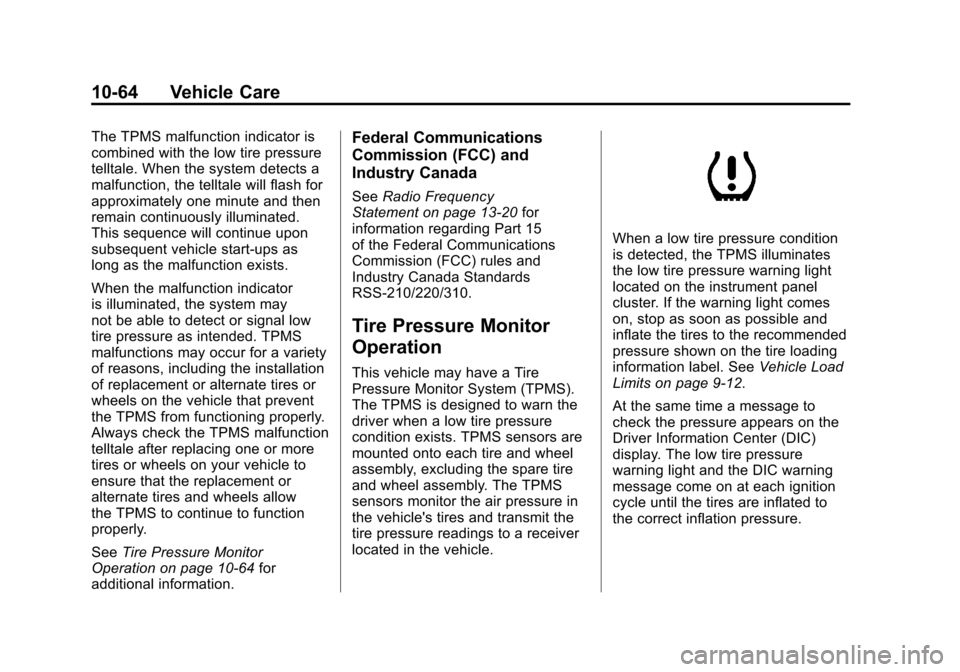
When a low tire pressure condition
is detected, the TPMS illuminates
the low tire pressure warning light
located on the instrument panel
cluster. If the warning light comes
on, stop as soon as possible and
inflate the tires to the recommended
pressure shown on the tire loading
information label. See Vehicle Load
Limits on page 9‑12.
At the same time a message to
check the pressure appears on the
Driver Information Center (DIC)
display. The low tire pressure
warning light and the DIC warning
message come on at each ignition
cycle until the tires are inflated to
the correct inflation pressure.