fuel CADILLAC SRX 2012 2.G User Guide
[x] Cancel search | Manufacturer: CADILLAC, Model Year: 2012, Model line: SRX, Model: CADILLAC SRX 2012 2.GPages: 502, PDF Size: 6.23 MB
Page 143 of 502
Black plate (13,1)Cadillac SRX Owner Manual (Include Mex) - 2012
Instruments and Controls 5-13
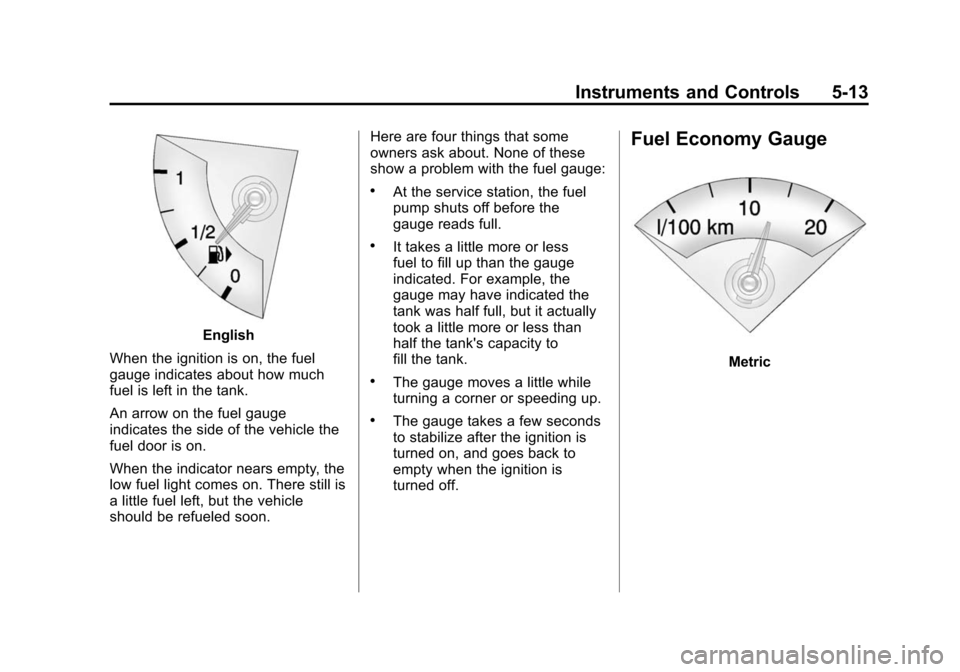
English
When the ignition is on, the fuel
gauge indicates about how much
fuel is left in the tank.
An arrow on the fuel gauge
indicates the side of the vehicle the
fuel door is on.
When the indicator nears empty, the
low fuel light comes on. There still is
a little fuel left, but the vehicle
should be refueled soon. Here are four things that some
owners ask about. None of these
show a problem with the fuel gauge:
.At the service station, the fuel
pump shuts off before the
gauge reads full.
.It takes a little more or less
fuel to fill up than the gauge
indicated. For example, the
gauge may have indicated the
tank was half full, but it actually
took a little more or less than
half the tank's capacity to
fill the tank.
.The gauge moves a little while
turning a corner or speeding up.
.The gauge takes a few seconds
to stabilize after the ignition is
turned on, and goes back to
empty when the ignition is
turned off.
Fuel Economy Gauge
Metric
Page 144 of 502
Black plate (14,1)Cadillac SRX Owner Manual (Include Mex) - 2012
5-14 Instruments and Controls
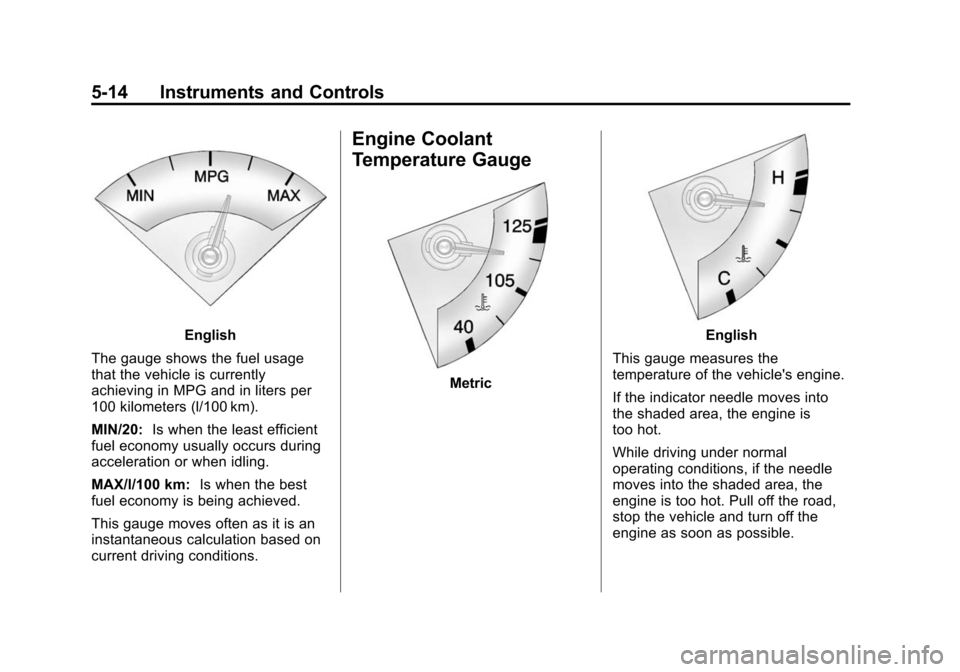
English
The gauge shows the fuel usage
that the vehicle is currently
achieving in MPG and in liters per
100 kilometers (l/100 km).
MIN/20: Is when the least efficient
fuel economy usually occurs during
acceleration or when idling.
MAX/l/100 km: Is when the best
fuel economy is being achieved.
This gauge moves often as it is an
instantaneous calculation based on
current driving conditions.
Engine Coolant
Temperature Gauge
Metric
English
This gauge measures the
temperature of the vehicle's engine.
If the indicator needle moves into
the shaded area, the engine is
too hot.
While driving under normal
operating conditions, if the needle
moves into the shaded area, the
engine is too hot. Pull off the road,
stop the vehicle and turn off the
engine as soon as possible.
Page 145 of 502
Black plate (15,1)Cadillac SRX Owner Manual (Include Mex) - 2012
Instruments and Controls 5-15
Safety Belt Reminders
Driver Safety Belt Reminder
Light
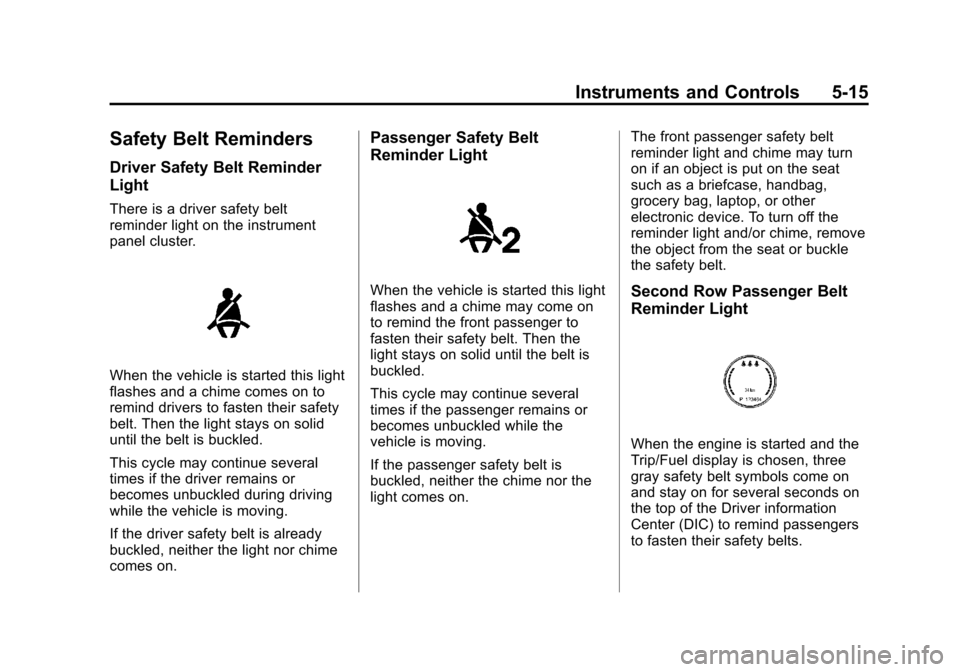
There is a driver safety belt
reminder light on the instrument
panel cluster.
When the vehicle is started this light
flashes and a chime comes on to
remind drivers to fasten their safety
belt. Then the light stays on solid
until the belt is buckled.
This cycle may continue several
times if the driver remains or
becomes unbuckled during driving
while the vehicle is moving.
If the driver safety belt is already
buckled, neither the light nor chime
comes on.
Passenger Safety Belt
Reminder Light
When the vehicle is started this light
flashes and a chime may come on
to remind the front passenger to
fasten their safety belt. Then the
light stays on solid until the belt is
buckled.
This cycle may continue several
times if the passenger remains or
becomes unbuckled while the
vehicle is moving.
If the passenger safety belt is
buckled, neither the chime nor the
light comes on.The front passenger safety belt
reminder light and chime may turn
on if an object is put on the seat
such as a briefcase, handbag,
grocery bag, laptop, or other
electronic device. To turn off the
reminder light and/or chime, remove
the object from the seat or buckle
the safety belt.Second Row Passenger Belt
Reminder Light
When the engine is started and the
Trip/Fuel display is chosen, three
gray safety belt symbols come on
and stay on for several seconds on
the top of the Driver information
Center (DIC) to remind passengers
to fasten their safety belts.
Page 149 of 502
Black plate (19,1)Cadillac SRX Owner Manual (Include Mex) - 2012
Instruments and Controls 5-19
Notice:If the vehicle is
continually driven with this light
on, the emission controls might
not work as well, the vehicle fuel
economy might not be as good,
and the engine might not run as
smoothly. This could lead to
costly repairs that might not be
covered by the vehicle warranty.
Notice: Modifications made to
the engine, transmission,
exhaust, intake, or fuel system of
the vehicle or the replacement of
the original tires with other
than those of the same Tire
Performance Criteria (TPC) can
affect the vehicle's emission
controls and can cause this light
to come on. Modifications to
these systems could lead to
costly repairs not covered by the
vehicle warranty. This could also
result in a failure to pass a
required Emission Inspection/
Maintenance test. See
Accessories and Modifications on
page 10‑3. This light comes on during a
malfunction in one of two ways:
Light Flashing:
A misfire condition
has been detected. A misfire
increases vehicle emissions and
could damage the emission control
system on the vehicle. Diagnosis
and service might be required.
To prevent more serious damage to
the vehicle:
.Reduce vehicle speed.
.Avoid hard accelerations.
.Avoid steep uphill grades.
.If towing a trailer, reduce the
amount of cargo being hauled as
soon as it is possible.
If the light continues to flash, stop
and park the vehicle. Turn the
vehicle off, wait at least 10 seconds,
and restart the engine. If the light is
still flashing, follow the previous
steps and see your dealer for
service as soon as possible. Light On Steady:
An emission
control system malfunction has
been detected on the vehicle.
Diagnosis and service might
be required.
The following may correct an
emission system malfunction:
.Check that the fuel cap is fully
installed. See Filling the Tank on
page 9‑50. The diagnostic
system can determine if the
fuel cap has been left off or
improperly installed. A loose or
missing fuel cap allows fuel to
evaporate into the atmosphere.
A few driving trips with the cap
properly installed should turn
the light off.
Page 150 of 502
Black plate (20,1)Cadillac SRX Owner Manual (Include Mex) - 2012
5-20 Instruments and Controls
.Check that good quality fuel is
used. Poor fuel quality causes
the engine not to run as
efficiently as designed and may
cause stalling after start-up,
stalling when the vehicle is
changed into gear, misfiring,
hesitation on acceleration,
or stumbling on acceleration.
These conditions might go away
once the engine is warmed up.
If one or more of these conditions
occurs, change the fuel brand used.
It will require at least one full tank of
the proper fuel to turn the light off.
See Recommended Fuel on
page 9‑47.
If none of the above have made the
light turn off, your dealer can check
the vehicle. The dealer has the
proper test equipment and
diagnostic tools to fix any
mechanical or electrical problems
that might have developed.Emissions Inspection and
Maintenance Programs
Some local governments may have
programs to inspect the on-vehicle
emission control equipment. For the
inspection, the emission system test
equipment is connected to the
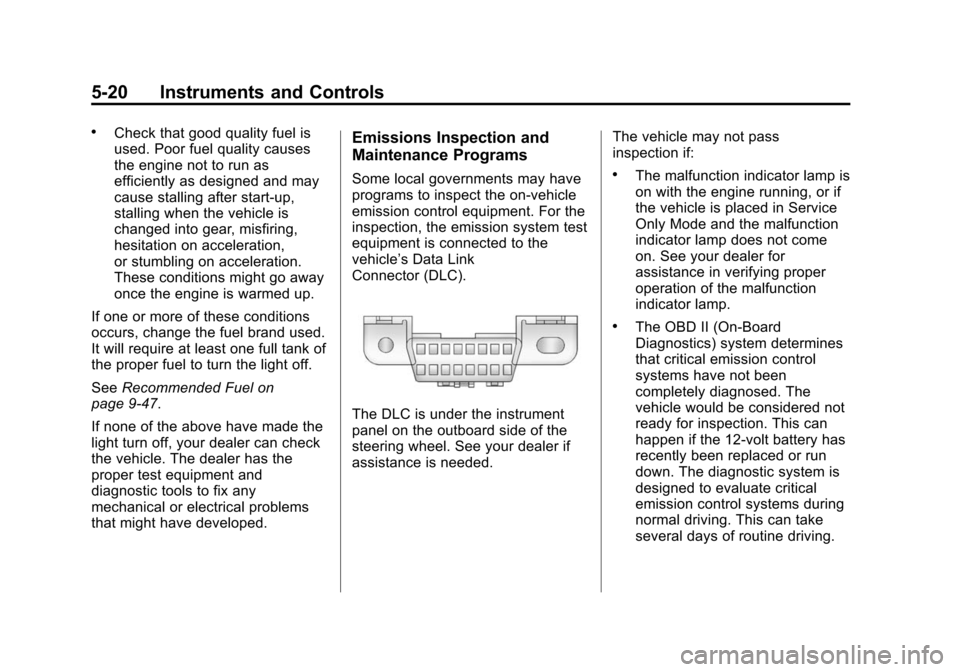
vehicle’s Data Link
Connector (DLC).
The DLC is under the instrument
panel on the outboard side of the
steering wheel. See your dealer if
assistance is needed. The vehicle may not pass
inspection if:
.The malfunction indicator lamp is
on with the engine running, or if
the vehicle is placed in Service
Only Mode and the malfunction
indicator lamp does not come
on. See your dealer for
assistance in verifying proper
operation of the malfunction
indicator lamp.
.The OBD II (On-Board
Diagnostics) system determines
that critical emission control
systems have not been
completely diagnosed. The
vehicle would be considered not
ready for inspection. This can
happen if the 12-volt battery has
recently been replaced or run
down. The diagnostic system is
designed to evaluate critical
emission control systems during
normal driving. This can take
several days of routine driving.
Page 155 of 502
Black plate (25,1)Cadillac SRX Owner Manual (Include Mex) - 2012
Instruments and Controls 5-25
Engine Oil Pressure Light
{WARNING
Do not keep driving if the oil
pressure is low. The engine can
become so hot that it catches fire.
Someone could be burned. Check
the oil as soon as possible and
have the vehicle serviced.
Notice: Lack of proper engine oil
maintenance can damage the
engine. The repairs would not be
covered by the vehicle warranty.
Always follow the maintenance
schedule for changing engine oil.
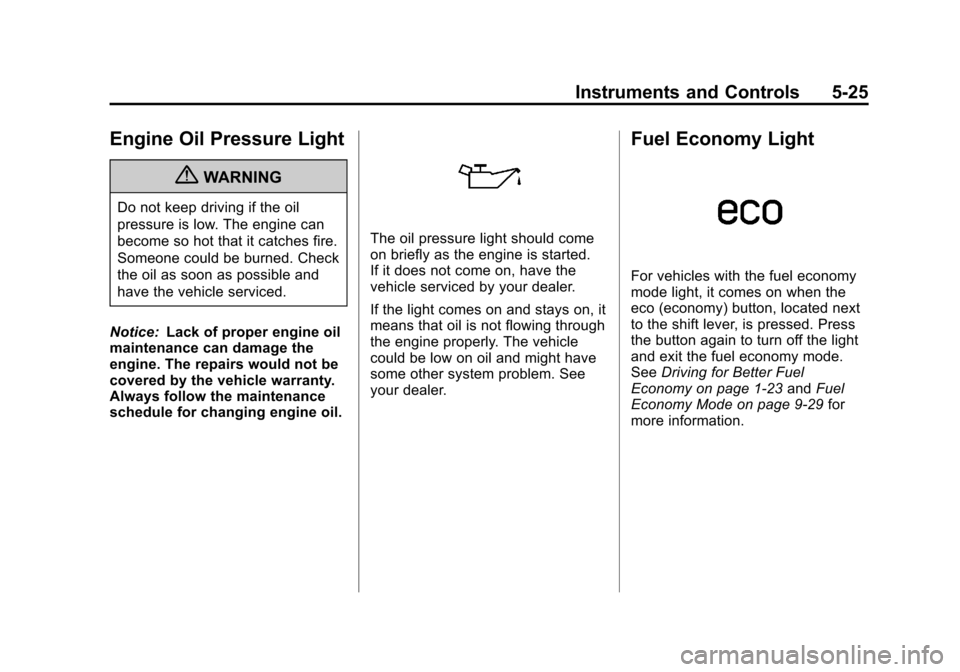
The oil pressure light should come
on briefly as the engine is started.
If it does not come on, have the
vehicle serviced by your dealer.
If the light comes on and stays on, it
means that oil is not flowing through
the engine properly. The vehicle
could be low on oil and might have
some other system problem. See
your dealer.
Fuel Economy Light
For vehicles with the fuel economy
mode light, it comes on when the
eco (economy) button, located next
to the shift lever, is pressed. Press
the button again to turn off the light
and exit the fuel economy mode.
See Driving for Better Fuel
Economy on page 1‑23 andFuel
Economy Mode on page 9‑29 for
more information.
Page 156 of 502
Black plate (26,1)Cadillac SRX Owner Manual (Include Mex) - 2012
5-26 Instruments and Controls
Low Fuel Warning Light
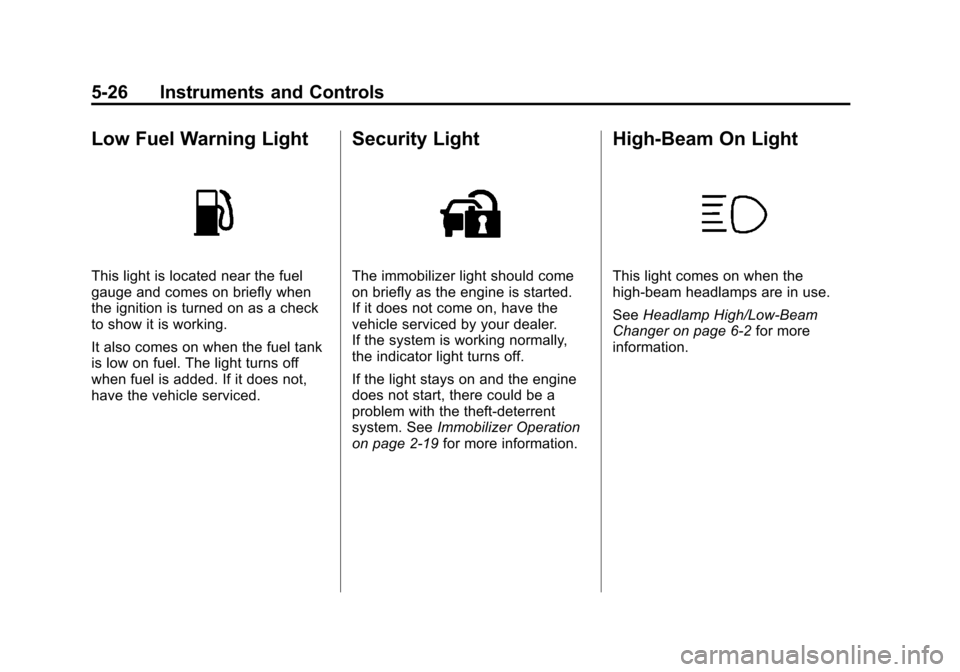
This light is located near the fuel
gauge and comes on briefly when
the ignition is turned on as a check
to show it is working.
It also comes on when the fuel tank
is low on fuel. The light turns off
when fuel is added. If it does not,
have the vehicle serviced.
Security Light
The immobilizer light should come
on briefly as the engine is started.
If it does not come on, have the
vehicle serviced by your dealer.
If the system is working normally,
the indicator light turns off.
If the light stays on and the engine
does not start, there could be a
problem with the theft-deterrent
system. SeeImmobilizer Operation
on page 2‑19 for more information.
High-Beam On Light
This light comes on when the
high-beam headlamps are in use.
SeeHeadlamp High/Low-Beam
Changer on page 6‑2 for more
information.
Page 158 of 502
Black plate (28,1)Cadillac SRX Owner Manual (Include Mex) - 2012
5-28 Instruments and Controls
Cruise Control Light
The cruise control light is white
whenever the cruise control is set,
and turns green when the cruise
control is active.
The light turns off when the cruise
control is turned off. SeeCruise
Control on page 9‑37 for more
information.
Information Displays
Driver Information
Center (DIC)
The DIC displays information about
the vehicle. It also displays warning
messages if a system problem is
detected. See Vehicle Messages on
page 5‑32 for more information. All
messages appear in the DIC display
located in the center of the
instrument panel cluster.
The vehicle may also have features
that can be customized through the
controls on the radio. See Vehicle
Personalization on page 5‑40 for
more information.
The DIC may display an indicator
when the Rainsense wipers are
active.
DIC Operation and Displays
The DIC has different displays
which can be accessed by using the
DIC buttons on the turn signal lever
located on the left side of the
steering wheel. The DIC displays
trip, fuel, vehicle system information,
and warning messages if a system
problem is detected.
The bottom of the DIC display
shows what position the shift lever
is in and the odometer. The
direction the vehicle is driving will
be shown on the top of the display.
Page 159 of 502
Black plate (29,1)Cadillac SRX Owner Manual (Include Mex) - 2012
Instruments and Controls 5-29
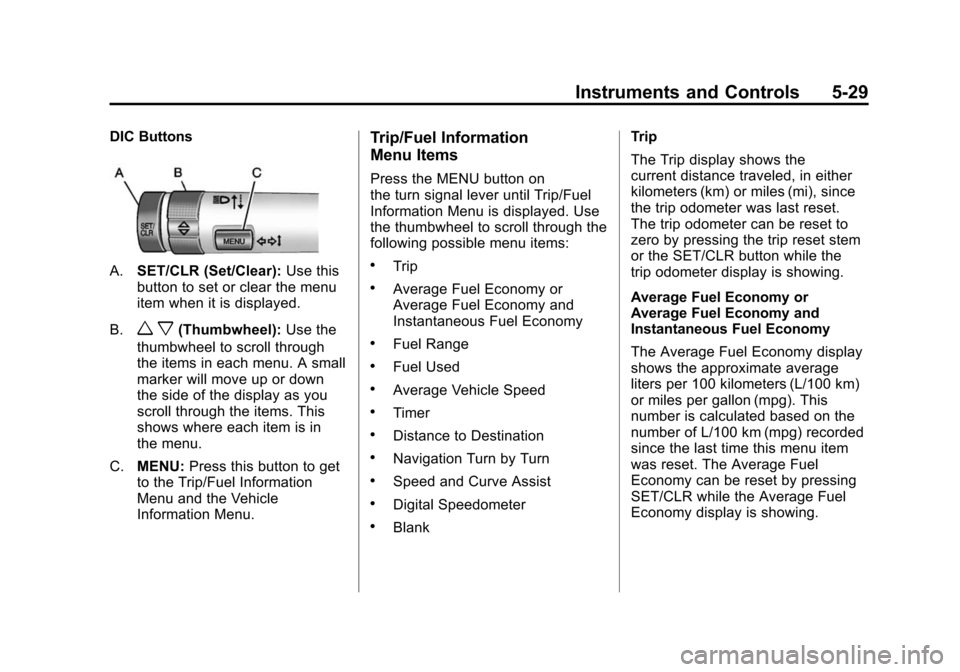
DIC Buttons
A.SET/CLR (Set/Clear): Use this
button to set or clear the menu
item when it is displayed.
B.
w x(Thumbwheel): Use the
thumbwheel to scroll through
the items in each menu. A small
marker will move up or down
the side of the display as you
scroll through the items. This
shows where each item is in
the menu.
C. MENU: Press this button to get
to the Trip/Fuel Information
Menu and the Vehicle
Information Menu.
Trip/Fuel Information
Menu Items
Press the MENU button on
the turn signal lever until Trip/Fuel
Information Menu is displayed. Use
the thumbwheel to scroll through the
following possible menu items:
.Trip
.Average Fuel Economy or
Average Fuel Economy and
Instantaneous Fuel Economy
.Fuel Range
.Fuel Used
.Average Vehicle Speed
.Timer
.Distance to Destination
.Navigation Turn by Turn
.Speed and Curve Assist
.Digital Speedometer
.Blank Trip
The Trip display shows the
current distance traveled, in either
kilometers (km) or miles (mi), since
the trip odometer was last reset.
The trip odometer can be reset to
zero by pressing the trip reset stem
or the SET/CLR button while the
trip odometer display is showing.
Average Fuel Economy or
Average Fuel Economy and
Instantaneous Fuel Economy
The Average Fuel Economy display
shows the approximate average
liters per 100 kilometers (L/100 km)
or miles per gallon (mpg). This
number is calculated based on the
number of L/100 km (mpg) recorded
since the last time this menu item
was reset. The Average Fuel
Economy can be reset by pressing
SET/CLR while the Average Fuel
Economy display is showing.
Page 160 of 502
Black plate (30,1)Cadillac SRX Owner Manual (Include Mex) - 2012
5-30 Instruments and Controls
The Instantaneous Fuel Economy
display shows the current fuel
economy in either liters per
100 kilometers (L/100 km) or miles
per gallon (mpg). This number
reflects only the fuel economy that
the vehicle has right now and
changes frequently as driving
conditions change. Unlike average
economy, this display cannot be
reset.
Fuel Range
The Fuel Range display shows the
approximate distance the vehicle
can be driven without refueling.
The fuel range estimate is based on
an average of the vehicle's fuel
economy over recent driving history
and the amount of fuel remaining in
the fuel tank. Fuel range cannot be
reset.
Fuel Used
The Fuel Used display shows
the approximate liters (L) or
gallons (gal) of fuel that have been
used since last reset.The fuel used can be reset by
pressing the SET/CLR button while
the Fuel Used display is showing.
Average Vehicle Speed
The Average Vehicle Speed display
shows the average speed of the
vehicle in kilometers per hour (km/h)
or miles per hour (mph). This
average is calculated based on the
various vehicle speeds recorded
since the last reset of this value.
The average speed can be reset by
pressing the SET/CLR button while
the Average Vehicle Speed display
is showing.
Timer
This display can be used as a timer.
To start the timer, press SET/CLR
while Timer is displayed. The
display will show the amount of time
that has passed since the timer was
last reset. To stop the timer, press
SET/CLR briefly while Elapsed Time
is displayed. To reset the timer to
zero, press and hold SET/CLR.
Distance to Destination
This display will show the vehicle
distance with estimated time of
arrival to destination. The value can
be cleared or reset by pressing
the SET/CLR button. Move the
thumbwheel up or down to increase
or decrease the destination distance
value. Once the distance value is
set, press SET/CLR to confirm
the value.
Turn-by-Turn
This display is used for the OnStar
or Navigation System Turn-by-Turn
guidance. See
OnStar Overview on
page 14‑1 or the navigation manual,
if the vehicle has navigation, for
more information.
Speed and Curve Assist
This display will show the speed
limit or the advised speed as
determined by the information
provided by the navigation system.
The map database loaded in the
navigation system may need
to be updated periodically to