Door lock CADILLAC SRX 2012 2.G Owner's Manual
[x] Cancel search | Manufacturer: CADILLAC, Model Year: 2012, Model line: SRX, Model: CADILLAC SRX 2012 2.GPages: 502, PDF Size: 6.23 MB
Page 47 of 502
Black plate (17,1)Cadillac SRX Owner Manual (Include Mex) - 2012
Keys, Doors, and Windows 2-17
Setting the Power Liftgate
3/4 Mode
To change the liftgate stop position.
1. Turn the liftgate switch to eitherthe MAX, or the 3/4 mode
position and power open the
liftgate.
2. Stop the liftgate movement at the desired height by pressing
any liftgate switch. Manually
adjust the liftgate position if
required.
3. Press and hold the button on the liftgate next to the latch until the
turn signals flash and a beep
sounds to indicate that the new
setting is recorded.
When power opened with the
3/4 mode selected, the liftgate stops
at the new set position. If you do not receive the audible and
visual feedback when setting the
intermediate stop position, you are
attempting to set the height below
the 3/4 open height minimum
(approximately 1.52 m or 5 ft).
The liftgate cannot be set below
that minimum and the new setting
will not be recorded.
Manual Operation of Power
Liftgate
To change the liftgate to manual
operation, turn the mode switch to
the OFF position.
With the power liftgate disabled and
all of the doors unlocked, the liftgate
can be manually opened and
closed. The effort required to
operate a power liftgate is greater
than the effort required to operate a
non-power liftgate.To open the liftgate, press the touch
pad on the handle on the outside of
the liftgate, and lift the gate open. To
close the liftgate, use the pull cup to
lower the liftgate and close. With the
power liftgate disabled, the liftgate
electric latch will still power latch
once contact is made with the
striker. Always close the liftgate
before driving.
If the RKE button is pressed while
power operation is disabled, the turn
signals flash and the liftgate will
not move.
The liftgate has an electric latch.
If the battery is disconnected or has
low voltage, the liftgate will not
open. The liftgate will resume
operation when the battery is
reconnected and charged.
Page 48 of 502
Black plate (18,1)Cadillac SRX Owner Manual (Include Mex) - 2012
2-18 Keys, Doors, and Windows
Vehicle Security
This vehicle has theft-deterrent
features; however, they do not make
it impossible to steal.
Anti-theft Alarm System
This vehicle has an anti-theft alarm
system.
The LED light, located on the
instrument panel near the
windshield, indicates the status of
the system.
Arming the System
1. Close all doors, liftgate,and hood.
2. Lock the vehicle using the transmitter or the power door
lock button. The LED on the
instrument panel should come
on and stay on for about
30 seconds.
3. After 30 seconds, the alarm system will arm, and the LED
will begin to slowly flash
indicating the alarm is operating. If a door, the hood, or liftgate is
opened without first unlocking with
the transmitter, the turn signals will
flash and the horn will sound for
about 30 seconds. The alarm
system will then re-arm to monitor
for the next unauthorized event.
The theft-deterrent alarm system will
not activate if the doors are locked
with the key. You can start the
vehicle with a recognized transmitter
in the vehicle if the alarm has been
set off.
Disarming the System
To disarm the system, either unlock
the doors using the transmitter,
or start the vehicle with a
recognized transmitter in the
vehicle.
To avoid setting off the alarm by
accident:
.Lock the vehicle with the
transmitter after all occupants
have left the vehicle and all
doors are closed.
.Always unlock a door with the
transmitter. Unlocking a door any
other way will not disarm the
alarm.
If you set off the alarm by accident,
turn off the alarm by pressing
Kon
the transmitter. The alarm will not
stop if you try to unlock a door any
other way.
How to Detect a Tamper
Condition
IfKis pressed and the horn chirps
three times, an attempted break-in
has occurred while the system was
armed.
If the alarm has been activated, the
THEFT ATTEMPTED message will
appear on the DIC. See Key and
Lock Messages on page 5‑36 for
additional information.
Page 49 of 502
Black plate (19,1)Cadillac SRX Owner Manual (Include Mex) - 2012
Keys, Doors, and Windows 2-19
Immobilizer
SeeRadio Frequency Statement on
page 13‑21 for information
regarding Part 15 of the Federal
Communications Commission (FCC)
rules and Industry Canada
Standards RSS-GEN/210/220/310.
Immobilizer Operation
This vehicle has a passive
theft-deterrent system.
The system does not have to be
manually armed or disarmed.
The vehicle is automatically
immobilized when the vehicle is
turned off.
The immobilization system is
disarmed when the pushbutton start
is activated to enter the ACC/
ACCESSORY mode or the ON/
RUN/START mode and a valid
transmitter is present in the vehicle.
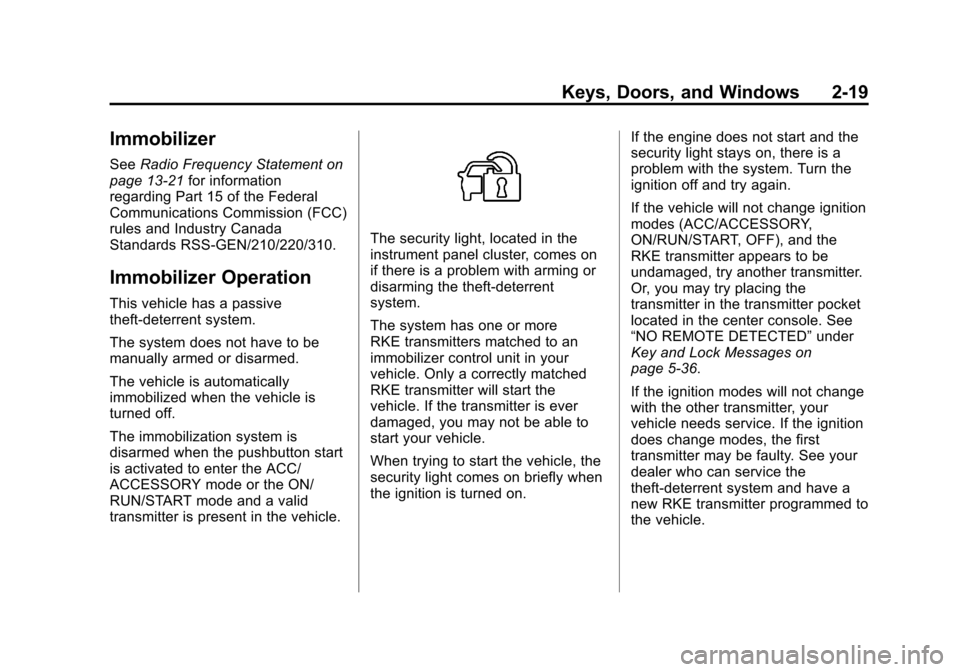
The security light, located in the
instrument panel cluster, comes on
if there is a problem with arming or
disarming the theft-deterrent
system.
The system has one or more
RKE transmitters matched to an
immobilizer control unit in your
vehicle. Only a correctly matched
RKE transmitter will start the
vehicle. If the transmitter is ever
damaged, you may not be able to
start your vehicle.
When trying to start the vehicle, the
security light comes on briefly when
the ignition is turned on. If the engine does not start and the
security light stays on, there is a
problem with the system. Turn the
ignition off and try again.
If the vehicle will not change ignition
modes (ACC/ACCESSORY,
ON/RUN/START, OFF), and the
RKE transmitter appears to be
undamaged, try another transmitter.
Or, you may try placing the
transmitter in the transmitter pocket
located in the center console. See
“NO REMOTE DETECTED”
under
Key and Lock Messages on
page 5‑36.
If the ignition modes will not change
with the other transmitter, your
vehicle needs service. If the ignition
does change modes, the first
transmitter may be faulty. See your
dealer who can service the
theft-deterrent system and have a
new RKE transmitter programmed to
the vehicle.
Page 54 of 502
Black plate (24,1)Cadillac SRX Owner Manual (Include Mex) - 2012
2-24 Keys, Doors, and Windows
Power Windows
{WARNING
Leaving children in a vehicle with
the RKE transmitter is dangerous
for many reasons; children or
others could be badly injured or
even killed. They could operate
the power windows or other
controls or even make the vehicle
move. The windows will function
with the RKE transmitter in the
vehicle and they could be
seriously injured or killed if caught
in the path of a closing window.
Do not leave the RKE transmitter
in a vehicle with children.
When there are children in the
rear seat, use the window lockout
switch to prevent unintentional
operation of the windows.
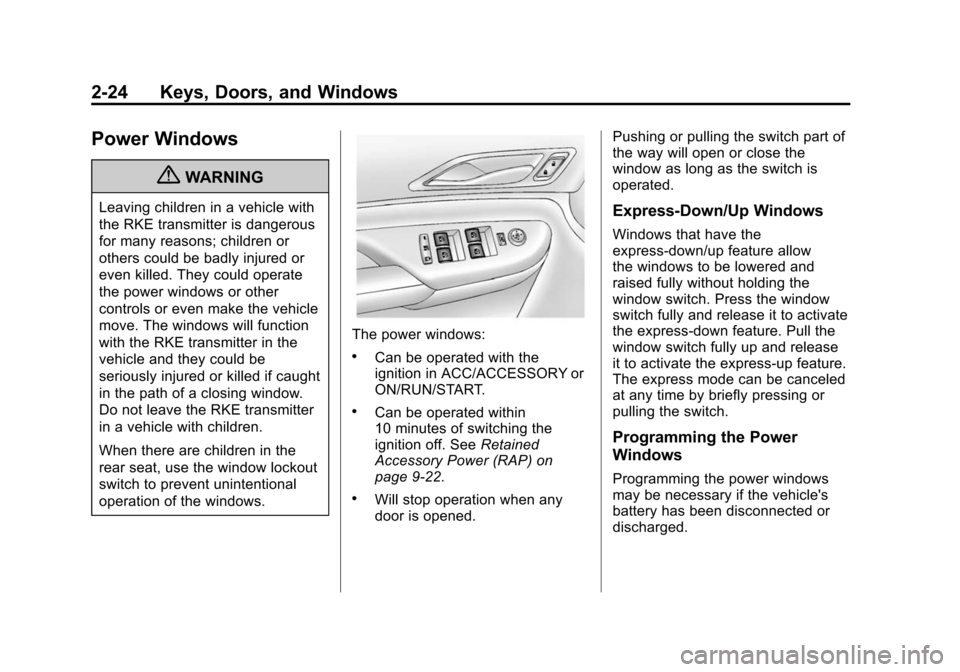
The power windows:
.Can be operated with the
ignition in ACC/ACCESSORY or
ON/RUN/START.
.Can be operated within
10 minutes of switching the
ignition off. SeeRetained
Accessory Power (RAP) on
page 9‑22.
.Will stop operation when any
door is opened. Pushing or pulling the switch part of
the way will open or close the
window as long as the switch is
operated.
Express‐Down/Up Windows
Windows that have the
express‐down/up feature allow
the windows to be lowered and
raised fully without holding the
window switch. Press the window
switch fully and release it to activate
the express‐down feature. Pull the
window switch fully up and release
it to activate the express‐up feature.
The express mode can be canceled
at any time by briefly pressing or
pulling the switch.
Programming the Power
Windows
Programming the power windows
may be necessary if the vehicle's
battery has been disconnected or
discharged.
Page 55 of 502
Black plate (25,1)Cadillac SRX Owner Manual (Include Mex) - 2012
Keys, Doors, and Windows 2-25
If the window will not express up
after power has been restored and a
message is displayed in the Driver
Information Center:
1. Close all doors.
2. Place the ignition in ACC/ACCESSORY or ON/RUN/
START.
3. From any partial open position, close the window and continue
to pull the switch briefly after the
window has fully closed.
Obstacle Detection Feature
The Obstacle Detection Feature is
part of the express-up feature and is
active:
.In the middle and upper portions
of the window opening.
.During window up movements.
.In ignition OFF during all window
up movements and during
express-up window movements
in ignition ON/RUN/START. If there is something blocking the
window during automatic closing,
the window will reverse direction for
a short distance. Weather conditions
such as extreme cold and/or
ice may cause the window to
auto-reverse. The window will return
to normal operation once the object
or condition is removed.
If conditions prevent the window
from closing and the window
continues to auto-reverse, it is
possible to close the window with
the ignition in ON/RUN/START by
holding the window switch in the
partially or fully pulled up position.
Release of the switch from the
partially pulled up position will cause
the window to stop. Release of the
switch from the fully pulled up
position will activate the express-up
and related obstacle detection
features.
Overload
If the windows are repeatedly
operated within a short time, the
window operation is disabled for a
short time.
Remote Window Operation
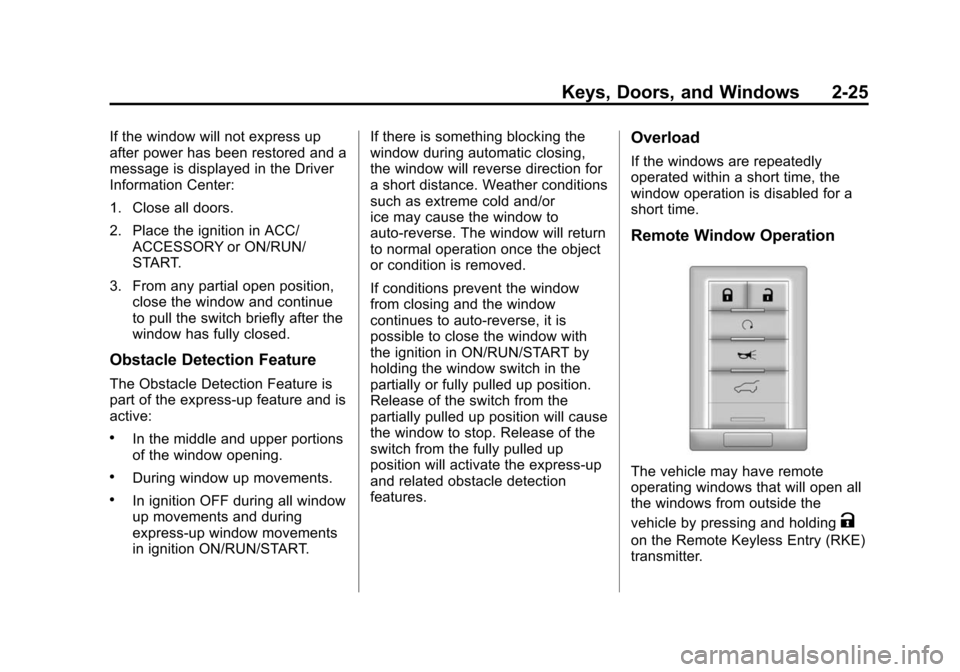
The vehicle may have remote
operating windows that will open all
the windows from outside the
vehicle by pressing and holding
K
on the Remote Keyless Entry (RKE)
transmitter.
Page 56 of 502
Black plate (26,1)Cadillac SRX Owner Manual (Include Mex) - 2012
2-26 Keys, Doors, and Windows
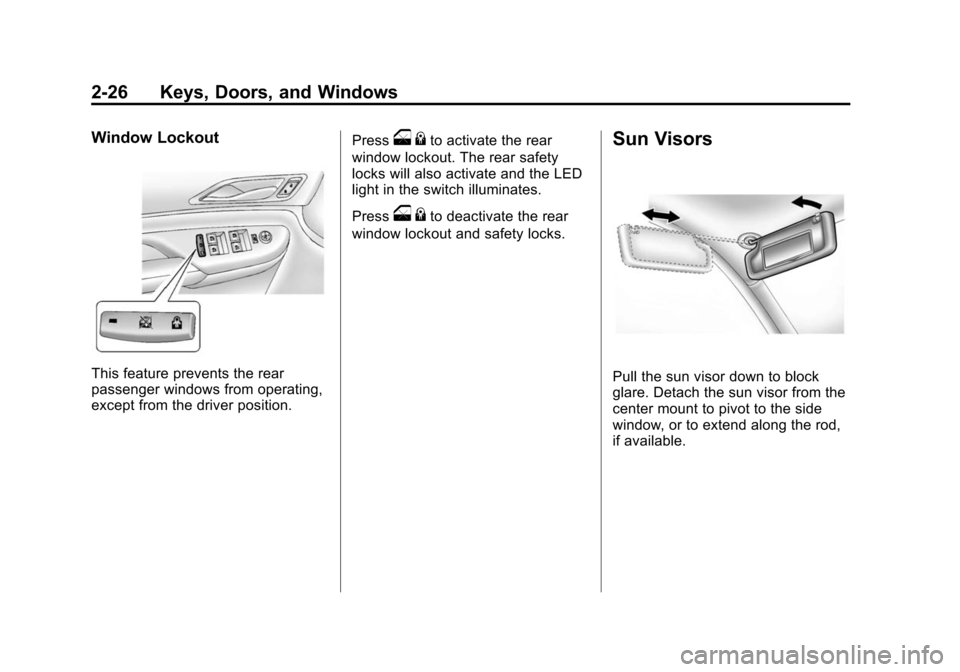
Window Lockout
This feature prevents the rear
passenger windows from operating,
except from the driver position.Press
o
{to activate the rear
window lockout. The rear safety
locks will also activate and the LED
light in the switch illuminates.
Press
o {to deactivate the rear
window lockout and safety locks.
Sun Visors
Pull the sun visor down to block
glare. Detach the sun visor from the
center mount to pivot to the side
window, or to extend along the rod,
if available.
Page 66 of 502
Black plate (8,1)Cadillac SRX Owner Manual (Include Mex) - 2012
3-8 Seats and Restraints
The vehicle will also automatically
save driver seat, outside mirror, and
adjustable throttle and brake pedal
positions to the current driver
Remote Keyless Entry (RKE)
transmitter when the ignition is
turned off. These automatically
stored positions are referred to as
RKE Memory positions. See
Remote Keyless Entry (RKE)
System Operation on page 2‑3for
more information.
Storing Button Memory Positions
To save positions into Button
Memory:
1. Adjust the driver seat, seatback recliner, both outside mirrors,
and adjustable pedals,
if available, to the desired driving
positions.
2. Press and hold MEM (Memory) and “1”at the same time until a
beep sounds.
3. Repeat Steps 1 and 2 for a second driver using “2.”Recalling Button Memory
Positions
To recall the manually saved
Button Memory positions, press
and hold
“1”or“2.” The driver seat,
outside mirrors, and adjustable
pedals, if available, move to the
positions stored to those buttons
when pressed. Releasing “1”or“2”
before the stored positions are
reached stops the recall.
If something has blocked the driver
seat and/or the adjustable pedals,
if available, while recalling a
memory position, the recall may
stop. Remove the obstruction; then
press and hold the appropriate
manual control for the memory item
that is not recalling for two seconds.
Try recalling the memory position
again by pressing the appropriate
memory button. If the memory
position is still not recalling, see
your dealer for service. Recalling RKE Memory Positions
(Memory Remote Recall)
The Memory Remote Recall feature
can recall the driver seat, outside
mirrors, and adjustable pedals,
if available, to previously stored
RKE Memory positions when
entering the vehicle.
Every time the ignition is placed in
OFF, the positions of the driver seat,
outside mirrors, and adjustable
pedals, if available, are
automatically stored to the RKE
transmitter that was used to start
the vehicle. These positions are
called RKE Memory positions and
may be different than the previously
mentioned Button Memory positions
saved to the
“1”or“2” buttons. To
automatically recall RKE Memory
positions, unlock the driver door
with the RKE transmitter, and open
the driver door. On vehicles with
Keyless Access, opening the driver
door when an RKE transmitter is
present will activate the RKE
Memory recall.
Page 67 of 502
Black plate (9,1)Cadillac SRX Owner Manual (Include Mex) - 2012
Seats and Restraints 3-9
If the driver door is already open,
pressing the RKE transmitterK
button will also activate the RKE
Memory recall. The driver seat,
outside mirrors, and pedals,
if available, will move to the
previously saved RKE Memory
positions.
This feature is turned on or off using
the vehicle personalization menu.
See Vehicle Personalization on
page 5‑40 for more information.
To stop recall movement, press one
of the memory, power mirror,
or power seat controls, or the
adjustable pedal switch, if available.
If something has blocked the driver
seat and/or the adjustable pedals,
if available, while recalling a
memory position, the recall may
stop. Remove the obstruction; then
press and hold the appropriate
manual control for the memory item
that is not recalling for two seconds. Try recalling the memory position
again by opening the driver door
and pressing the RKE transmitter
K
button. If the memory position is still
not recalling, see your dealer for
service.
Easy Exit Driver Seat
This feature moves the seat
rearward allowing the driver more
room to exit the vehicle.
To activate, place the ignition in
OFF and open the driver door. If the
driver door is already open, placing
the ignition in OFF will activate the
easy exit driver seat.
This feature is turned on or off using
the vehicle personalization menu.
See Vehicle Personalization on
page 5‑40 for more information. To stop recall movement, press one
of the memory, power seat controls,
or the adjustable pedal switch,
if available.
If something has blocked the driver
seat while recalling the exit position,
the recall may stop. Remove the
obstruction; then press and hold the
power seat control rearward for
two seconds. Try recalling the exit
position again. If the exit position is
still not recalling, see your dealer
for service.
Page 84 of 502
Black plate (26,1)Cadillac SRX Owner Manual (Include Mex) - 2012
3-26 Seats and Restraints
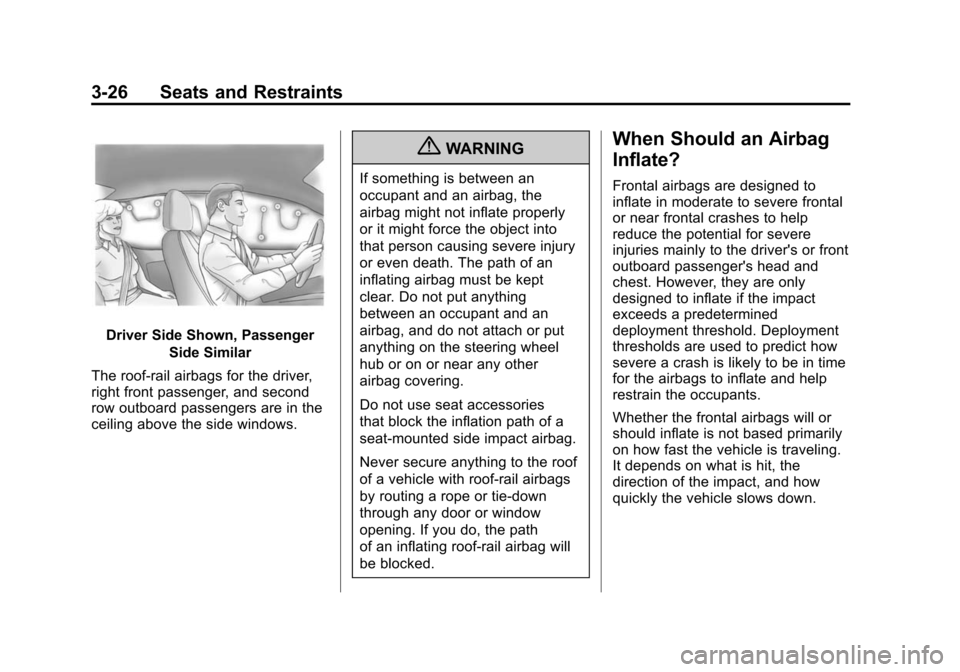
Driver Side Shown, PassengerSide Similar
The roof-rail airbags for the driver,
right front passenger, and second
row outboard passengers are in the
ceiling above the side windows.
{WARNING
If something is between an
occupant and an airbag, the
airbag might not inflate properly
or it might force the object into
that person causing severe injury
or even death. The path of an
inflating airbag must be kept
clear. Do not put anything
between an occupant and an
airbag, and do not attach or put
anything on the steering wheel
hub or on or near any other
airbag covering.
Do not use seat accessories
that block the inflation path of a
seat-mounted side impact airbag.
Never secure anything to the roof
of a vehicle with roof-rail airbags
by routing a rope or tie‐down
through any door or window
opening. If you do, the path
of an inflating roof-rail airbag will
be blocked.
When Should an Airbag
Inflate?
Frontal airbags are designed to
inflate in moderate to severe frontal
or near frontal crashes to help
reduce the potential for severe
injuries mainly to the driver's or front
outboard passenger's head and
chest. However, they are only
designed to inflate if the impact
exceeds a predetermined
deployment threshold. Deployment
thresholds are used to predict how
severe a crash is likely to be in time
for the airbags to inflate and help
restrain the occupants.
Whether the frontal airbags will or
should inflate is not based primarily
on how fast the vehicle is traveling.
It depends on what is hit, the
direction of the impact, and how
quickly the vehicle slows down.
Page 87 of 502
Black plate (29,1)Cadillac SRX Owner Manual (Include Mex) - 2012
Seats and Restraints 3-29
The vehicle has a feature that may
automatically unlock the doors, turn
on the interior lamps, turn on the
hazard warning flashers, and shut
off the fuel system after the airbags
inflate. You can lock the doors, turn
off the interior lamps, and turn off
the hazard warning flashers by
using the controls for those
features.
{WARNING
A crash severe enough to inflate
the airbags may have also
damaged important functions in
the vehicle, such as the fuel
system, brake and steering
systems, etc. Even if the vehicle
appears to be drivable after a
moderate crash, there may be
concealed damage that could
make it difficult to safely operate
the vehicle.(Continued)
WARNING (Continued)
Use caution if you should attempt
to restart the engine after a crash
has occurred.
In many crashes severe enough to
inflate the airbag, windshields are
broken by vehicle deformation.
Additional windshield breakage may
also occur from the front outboard
passenger airbag.
.Airbags are designed to inflate
only once. After an airbag
inflates, you will need some new
parts for the airbag system.
If you do not get them, the
airbag system will not be there
to help protect you in another
crash. A new system will include
airbag modules and possibly
other parts. The service manual
for the vehicle covers the need
to replace other parts.
.The vehicle has a crash sensing
and diagnostic module which
records information after a
crash. See Vehicle Data
Recording and Privacy on
page 13‑20 andEvent Data
Recorders on page 13‑20.
.Let only qualified technicians
work on the airbag systems.
Improper service can mean that
an airbag system will not work
properly. See your dealer for
service.