service CADILLAC SRX 2013 2.G Owner's Guide
[x] Cancel search | Manufacturer: CADILLAC, Model Year: 2013, Model line: SRX, Model: CADILLAC SRX 2013 2.GPages: 432, PDF Size: 7.13 MB
Page 155 of 432
Black plate (31,1)Cadillac SRX Owner Manual - 2013 - CRC - 11/9/12
Instruments and Controls 5-31
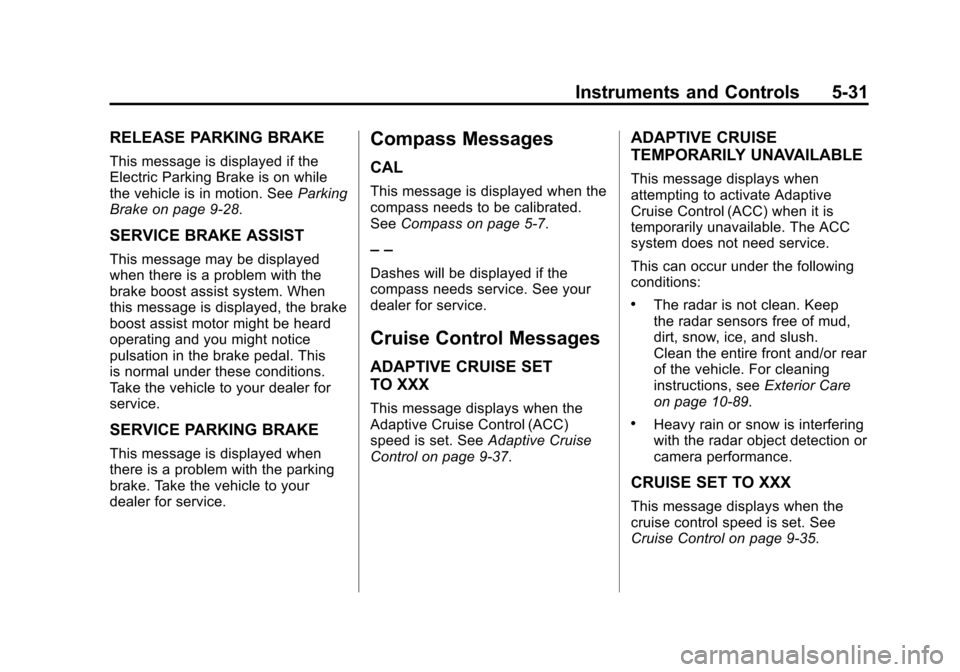
RELEASE PARKING BRAKE
This message is displayed if the
Electric Parking Brake is on while
the vehicle is in motion. SeeParking
Brake on page 9‑28.
SERVICE BRAKE ASSIST
This message may be displayed
when there is a problem with the
brake boost assist system. When
this message is displayed, the brake
boost assist motor might be heard
operating and you might notice
pulsation in the brake pedal. This
is normal under these conditions.
Take the vehicle to your dealer for
service.
SERVICE PARKING BRAKE
This message is displayed when
there is a problem with the parking
brake. Take the vehicle to your
dealer for service.
Compass Messages
CAL
This message is displayed when the
compass needs to be calibrated.
See Compass on page 5‑7.
– –
Dashes will be displayed if the
compass needs service. See your
dealer for service.
Cruise Control Messages
ADAPTIVE CRUISE SET
TO XXX
This message displays when the
Adaptive Cruise Control (ACC)
speed is set. See Adaptive Cruise
Control on page 9‑37.
ADAPTIVE CRUISE
TEMPORARILY UNAVAILABLE
This message displays when
attempting to activate Adaptive
Cruise Control (ACC) when it is
temporarily unavailable. The ACC
system does not need service.
This can occur under the following
conditions:
.The radar is not clean. Keep
the radar sensors free of mud,
dirt, snow, ice, and slush.
Clean the entire front and/or rear
of the vehicle. For cleaning
instructions, see Exterior Care
on page 10‑89.
.Heavy rain or snow is interfering
with the radar object detection or
camera performance.
CRUISE SET TO XXX
This message displays when the
cruise control speed is set. See
Cruise Control on page 9‑35.
Page 157 of 432
Black plate (33,1)Cadillac SRX Owner Manual - 2013 - CRC - 11/9/12
Instruments and Controls 5-33
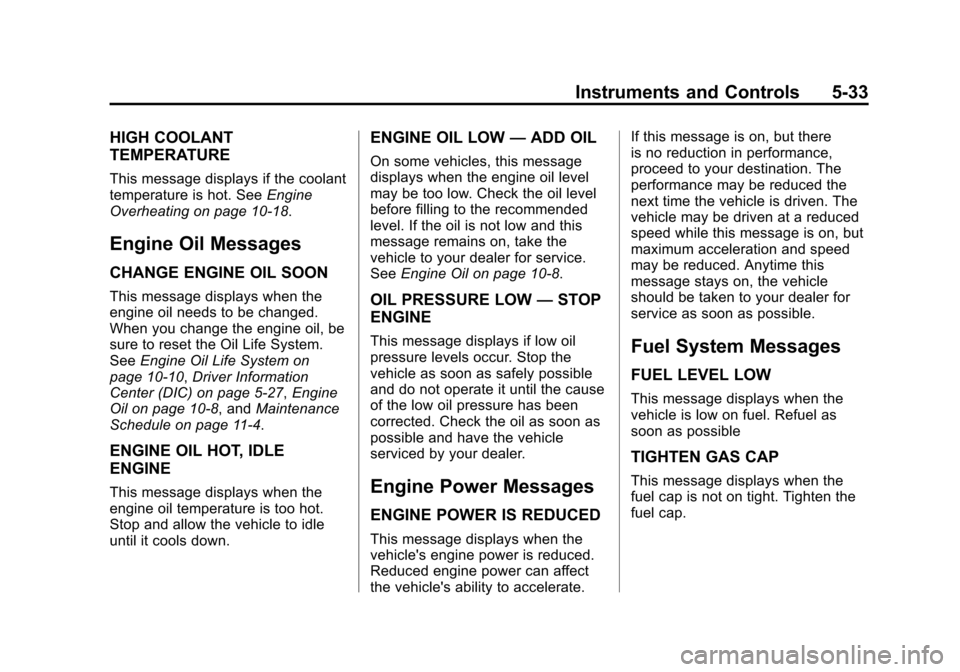
HIGH COOLANT
TEMPERATURE
This message displays if the coolant
temperature is hot. SeeEngine
Overheating on page 10‑18.
Engine Oil Messages
CHANGE ENGINE OIL SOON
This message displays when the
engine oil needs to be changed.
When you change the engine oil, be
sure to reset the Oil Life System.
See Engine Oil Life System on
page 10‑10, Driver Information
Center (DIC) on page 5‑27, Engine
Oil on page 10‑8, and Maintenance
Schedule on page 11‑4.
ENGINE OIL HOT, IDLE
ENGINE
This message displays when the
engine oil temperature is too hot.
Stop and allow the vehicle to idle
until it cools down.
ENGINE OIL LOW —ADD OIL
On some vehicles, this message
displays when the engine oil level
may be too low. Check the oil level
before filling to the recommended
level. If the oil is not low and this
message remains on, take the
vehicle to your dealer for service.
See Engine Oil on page 10‑8.
OIL PRESSURE LOW —STOP
ENGINE
This message displays if low oil
pressure levels occur. Stop the
vehicle as soon as safely possible
and do not operate it until the cause
of the low oil pressure has been
corrected. Check the oil as soon as
possible and have the vehicle
serviced by your dealer.
Engine Power Messages
ENGINE POWER IS REDUCED
This message displays when the
vehicle's engine power is reduced.
Reduced engine power can affect
the vehicle's ability to accelerate. If this message is on, but there
is no reduction in performance,
proceed to your destination. The
performance may be reduced the
next time the vehicle is driven. The
vehicle may be driven at a reduced
speed while this message is on, but
maximum acceleration and speed
may be reduced. Anytime this
message stays on, the vehicle
should be taken to your dealer for
service as soon as possible.
Fuel System Messages
FUEL LEVEL LOW
This message displays when the
vehicle is low on fuel. Refuel as
soon as possible
TIGHTEN GAS CAP
This message displays when the
fuel cap is not on tight. Tighten the
fuel cap.
Page 158 of 432
Black plate (34,1)Cadillac SRX Owner Manual - 2013 - CRC - 11/9/12
5-34 Instruments and Controls
Key and Lock Messages
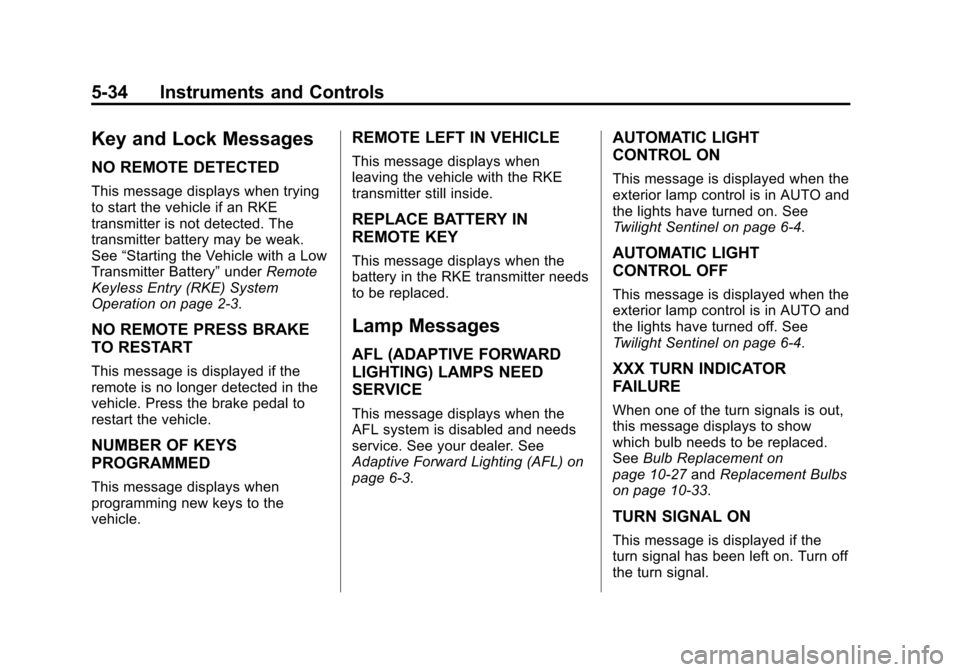
NO REMOTE DETECTED
This message displays when trying
to start the vehicle if an RKE
transmitter is not detected. The
transmitter battery may be weak.
See“Starting the Vehicle with a Low
Transmitter Battery” underRemote
Keyless Entry (RKE) System
Operation on page 2‑3.
NO REMOTE PRESS BRAKE
TO RESTART
This message is displayed if the
remote is no longer detected in the
vehicle. Press the brake pedal to
restart the vehicle.
NUMBER OF KEYS
PROGRAMMED
This message displays when
programming new keys to the
vehicle.
REMOTE LEFT IN VEHICLE
This message displays when
leaving the vehicle with the RKE
transmitter still inside.
REPLACE BATTERY IN
REMOTE KEY
This message displays when the
battery in the RKE transmitter needs
to be replaced.
Lamp Messages
AFL (ADAPTIVE FORWARD
LIGHTING) LAMPS NEED
SERVICE
This message displays when the
AFL system is disabled and needs
service. See your dealer. See
Adaptive Forward Lighting (AFL) on
page 6‑3.
AUTOMATIC LIGHT
CONTROL ON
This message is displayed when the
exterior lamp control is in AUTO and
the lights have turned on. See
Twilight Sentinel on page 6‑4.
AUTOMATIC LIGHT
CONTROL OFF
This message is displayed when the
exterior lamp control is in AUTO and
the lights have turned off. See
Twilight Sentinel on page 6‑4.
XXX TURN INDICATOR
FAILURE
When one of the turn signals is out,
this message displays to show
which bulb needs to be replaced.
See Bulb Replacement on
page 10‑27 andReplacement Bulbs
on page 10‑33.
TURN SIGNAL ON
This message is displayed if the
turn signal has been left on. Turn off
the turn signal.
Page 159 of 432
Black plate (35,1)Cadillac SRX Owner Manual - 2013 - CRC - 11/9/12
Instruments and Controls 5-35
Object Detection System
Messages
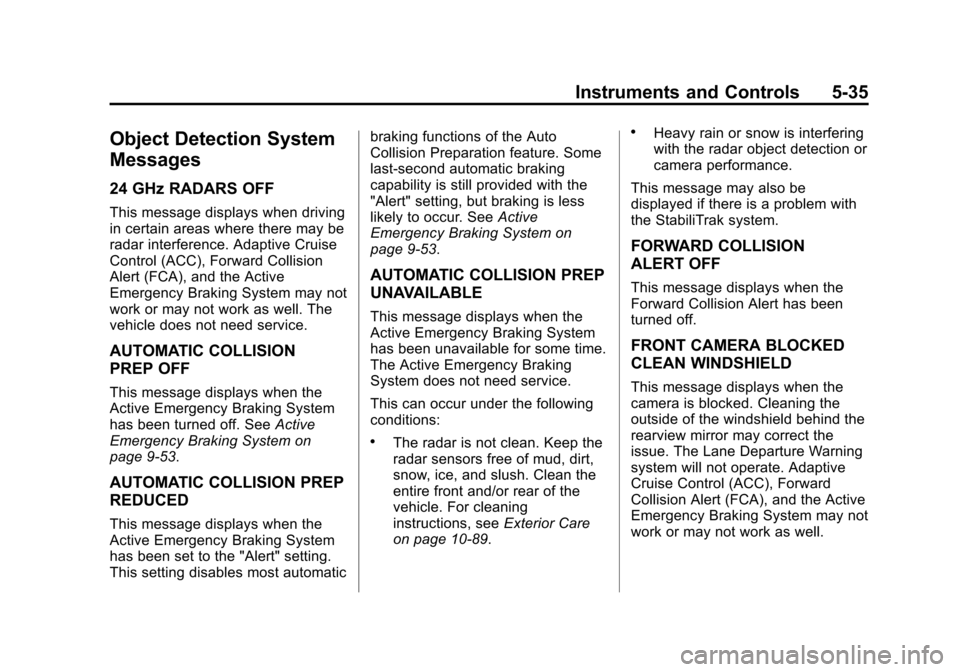
24 GHz RADARS OFF
This message displays when driving
in certain areas where there may be
radar interference. Adaptive Cruise
Control (ACC), Forward Collision
Alert (FCA), and the Active
Emergency Braking System may not
work or may not work as well. The
vehicle does not need service.
AUTOMATIC COLLISION
PREP OFF
This message displays when the
Active Emergency Braking System
has been turned off. SeeActive
Emergency Braking System on
page 9‑53.
AUTOMATIC COLLISION PREP
REDUCED
This message displays when the
Active Emergency Braking System
has been set to the "Alert" setting.
This setting disables most automatic braking functions of the Auto
Collision Preparation feature. Some
last-second automatic braking
capability is still provided with the
"Alert" setting, but braking is less
likely to occur. See
Active
Emergency Braking System on
page 9‑53.
AUTOMATIC COLLISION PREP
UNAVAILABLE
This message displays when the
Active Emergency Braking System
has been unavailable for some time.
The Active Emergency Braking
System does not need service.
This can occur under the following
conditions:
.The radar is not clean. Keep the
radar sensors free of mud, dirt,
snow, ice, and slush. Clean the
entire front and/or rear of the
vehicle. For cleaning
instructions, see Exterior Care
on page 10‑89.
.Heavy rain or snow is interfering
with the radar object detection or
camera performance.
This message may also be
displayed if there is a problem with
the StabiliTrak system.
FORWARD COLLISION
ALERT OFF
This message displays when the
Forward Collision Alert has been
turned off.
FRONT CAMERA BLOCKED
CLEAN WINDSHIELD
This message displays when the
camera is blocked. Cleaning the
outside of the windshield behind the
rearview mirror may correct the
issue. The Lane Departure Warning
system will not operate. Adaptive
Cruise Control (ACC), Forward
Collision Alert (FCA), and the Active
Emergency Braking System may not
work or may not work as well.
Page 160 of 432
Black plate (36,1)Cadillac SRX Owner Manual - 2013 - CRC - 11/9/12
5-36 Instruments and Controls
LANE DEPARTURE WARNING
UNAVAILABLE
This message displays when
attempting to activate the Lane
Departure Warning (LDW) system
when it is temporarily unavailable.
The LDW system does not need
service.
This message could be due to the
camera being blocked. Cleaning the
outside of the windshield behind the
rearview mirror may correct the
issue.
PARK ASSIST OFF
This message displays when the
Parking Assist system has been
turned off or when there is a
temporary condition causing the
system to be disabled.
REAR AUTO BRAKE AND
PARK ASSIST UNAVAILABLE
This message displays when
attempting to activate the parking
and backing features of the DriverAssistance System when they are
temporarily unavailable. The system
does not need service.
This can occur under the following
conditions:
.The radar is not clean. Keep the
radar sensors free of mud, dirt,
snow, ice, and slush. Clean
the entire front and/or rear
of the vehicle. For cleaning
instructions, see
Exterior Care
on page 10‑89.
.Heavy rain or snow is interfering
with the radar object detection or
camera performance.
See Driver Assistance Systems on
page 9‑46.
SERVICE AUTOMATIC
COLLISION PREP
If this message displays, take the
vehicle to your dealer to repair the
system.
SERVICE DRIVER ASSIST
SYSTEM
If this message displays, take the
vehicle to your dealer to repair the
system.
Adaptive Cruise Control (ACC),
Forward Collision Alert (FCA),
Active Emergency Braking System,
Assistance Systems for Parking or
Backing, and/or Lane Departure
Warning (LDW) system may not
work. Do not use these systems
until the vehicle has been repaired.
SERVICE FRONT CAMERA
If this message remains on after
continued driving, the vehicle needs
service. Do not use the Lane
Departure Warning (LDW) and
Forward Collision Alert (FCA)
features. Take the vehicle to your
dealer.
Page 161 of 432
Black plate (37,1)Cadillac SRX Owner Manual - 2013 - CRC - 11/9/12
Instruments and Controls 5-37
SERVICE PARK ASSIST
This message displays if there is a
problem with the Parking Assist
system. Do not use this system to
help you park. See your dealer for
service.
SERVICE REAR AUTO BRAKE
AND PARK ASSIST
This message displays if there is a
problem with the parking and
backing features of the Driver
Assistance System. Do not use this
system to help park or back the
vehicle. See your dealer for service.
SIDE BLIND ZONE ALERT OFF
This message indicates that the
driver has turned the Side Blind
Zone Alert (SBZA) system off.
SERVICE SIDE DETECTION
SYSTEM
If this message remains on after
continued driving, the vehicle needs
service. Side Blind Zone Alert
(SBZA) and Rear Cross Traffic Alert
(RCTA) features will not work. Take
the vehicle to your dealer.
SIDE DETECTION SYSTEM
UNAVAILABLE
This message indicates that Side
Blind Zone Alert (SBZA) and Rear
Cross Traffic Alert (RCTA) are
disabled either because the sensor
is blocked and cannot detect
vehicles in the blind zone, or the
vehicle is passing through an open
area, such as the desert, where
there is insufficient data for
operation. This message may also
activate during heavy rain or due to
road spray. The vehicle does not
need service. For cleaning, see
"Washing the Vehicle" under
Exterior Care on page 10‑89.
Ride Control System
Messages
SERVICE REAR AXLE
This message displays when there
is a problem with the All-Wheel
Drive (AWD) System. See your
dealer for service.
SERVICE STABILITRAK
This message displays if there is a
problem with the StabiliTrak system.
SeeStabiliTrak
®System on
page 9‑33.
SERVICE SUSPENSION
SYSTEM
This message displays if there is a
problem with the selective ride
control. See Selective Ride Control
on page 9‑34.
Page 162 of 432
Black plate (38,1)Cadillac SRX Owner Manual - 2013 - CRC - 11/9/12
5-38 Instruments and Controls
SERVICE TRACTION
CONTROL
This message displays when there
is a problem with the Traction
Control System (TCS). SeeTraction
Control System (TCS) on
page 9‑31.
SPORT MODE ON
This message displays when Sport
Mode has been activated. See
Selective Ride Control on page 9‑34
and Manual Mode on page 9‑24.
TRACTION CONTROL OFF
This message displays when the
Traction Control System (TCS) has
been turned off. See Traction
Control System (TCS) on
page 9‑31.
TRACTION CONTROL ON
This message displays when the
Traction Control System (TCS) has
been turned on. See Traction
Control System (TCS) on
page 9‑31.
Airbag System Messages
SERVICE AIRBAG
This message displays if there is a
problem with the airbag system.
Take the vehicle to your dealer for
service.
Security Messages
THEFT ATTEMPTED
This message displays if the vehicle
detects a tamper condition.
Service Vehicle Messages
SERVICE POWER STEERING
This message is displayed if there is
a problem with the power steering
system and a chime may sound.
Take the vehicle to your dealer for
service.
SERVICE VEHICLE SOON
This message is displayed if there is
a problem with the vehicle. Take the
vehicle to your dealer for service.
Starting the Vehicle
Messages
PRESS BRAKE TO START
VEHICLE
This message is displayed when
attempting to start the vehicle
without first pressing the brake
pedal.
SERVICE KEYLESS START
SYSTEM
This message is displayed if there is
a problem with the pushbutton start
system. Take the vehicle to your
dealer for service.
Tire Messages
SERVICE TIRE MONITOR
SYSTEM
This message displays if there is a
problem with the Tire Pressure
Monitor System (TPMS). See Tire
Pressure Monitor Operation on
page 10‑54.
Page 163 of 432
Black plate (39,1)Cadillac SRX Owner Manual - 2013 - CRC - 11/9/12
Instruments and Controls 5-39
TIRE LEARNING ACTIVE
This message displays when the
system is learning new tires. See
Tire Pressure Monitor Operation on
page 10‑54.
TIRE LOW ADD AIR TO TIRE
This message displays when the
pressure in one or more of the tires
is low.
This message also displays LEFT
FRONT, RIGHT FRONT, LEFT
REAR, or RIGHT REAR to indicate
the location of the low tire.
The low tire pressure warning light
will also come on. SeeTire
Pressure Light on page 5‑24.
If a tire pressure message appears
on the DIC, stop as soon as you
can. Inflate the tires by adding air
until the tire pressure is equal to the
values shown on the Tire and
Loading Information label. See Tires
on page 10‑42, Vehicle Load Limits
on page 9‑10, and Tire Pressure on
page 10‑51. You can receive more than one tire
pressure message at a time. The
DIC also shows the tire pressure
values. See
Driver Information
Center (DIC) on page 5‑27.
Transmission Messages
SERVICE TRANSMISSION
This message displays if there is a
problem with the transmission. See
your dealer.
SHIFT DENIED
This message displays when using
the Driver Shift Control (DSC) and
attempting to shift to a gear not
appropriate for the vehicle speed
and engine revolutions per
minute (rpm). See Manual Mode on
page 9‑24.
SHIFT TO PARK
This message displays when the
transmission needs to be shifted to
P (Park). This may appear when
attempting to remove the key from
the vehicle if the vehicle is not in
P (Park).
TRANSMISSION HOT —IDLE
ENGINE
This message displays and a chime
sounds if the transmission fluid in
the vehicle gets hot. Driving with the
transmission fluid temperature high
can cause damage to the vehicle.
Stop the vehicle and let it idle to
allow the transmission to cool. This
message clears when the fluid
temperature reaches a safe level.
Page 194 of 432
Black plate (8,1)Cadillac SRX Owner Manual - 2013 - CRC - 11/9/12
8-8 Climate Controls
+/−(Temperature Control): Press
or press and hold the rear
temperature control buttons or touch
screen to adjust the rear passenger
temperature. Press + for warmer air
and press −for cooler air.
Y/\/Y(Air Delivery Mode
Control): Press the desired mode
button on the touch screen or the
mode button on the rear faceplate to
change the direction of the airflow in
the rear seating area.
MorL(Heated Rear Seats, If
Equipped): Press
MorLto heat
the left or right outboard seat
cushion and seatback. See Heated
Rear Seats on page 3‑12.
Air Vents
Move the sliding knob on the air
outlets up and down or left and
right to direct the airflow. Use the
thumbwheels near the air outlets to
open or close off the airflow.
Operation Tips
.Clear away any ice, snow,
or leaves from air inlets at the
base of the windshield that could
block the flow of air into the
vehicle.
.Keep the path under the front
seats clear of objects to help
circulate the air inside the
vehicle more effectively.
.Use of non‐GM approved hood
deflectors can adversely affect
the performance of the system.
Check with your dealer before
adding equipment to the outside
of the vehicle.
.Do not insert any objects in
the outlets, as failure of the
mechanism may occur.
Maintenance
Passenger Compartment
Air Filter
The filter removes dust, pollen, and
other airborne irritants from outside
air that is pulled into the vehicle.
The filter should be replaced as part
of routine scheduled maintenance,
see Maintenance Schedule on
page 11‑4. To find out what type of
filter to use, see Maintenance
Replacement Parts on page 11‑15.
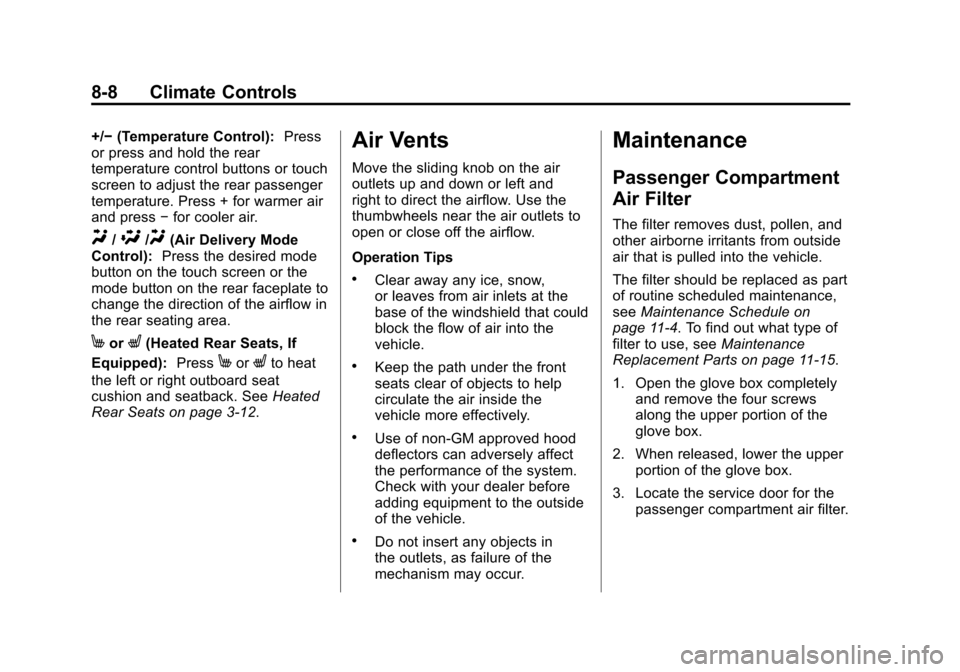
1. Open the glove box completely
and remove the four screws
along the upper portion of the
glove box.
2. When released, lower the upper portion of the glove box.
3. Locate the service door for the passenger compartment air filter.
Page 195 of 432
Black plate (9,1)Cadillac SRX Owner Manual - 2013 - CRC - 11/9/12
Climate Controls 8-9
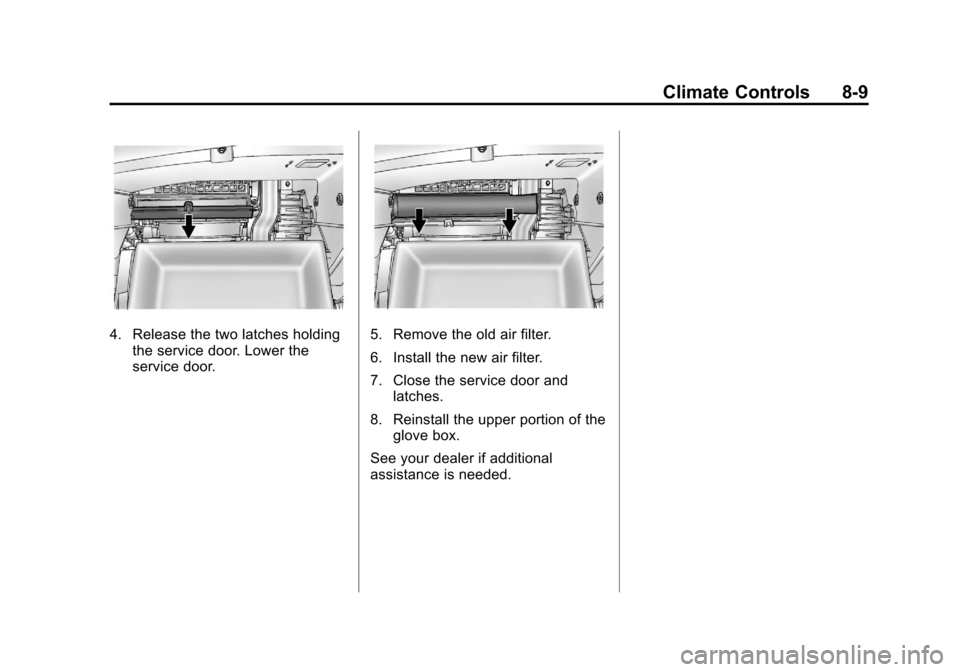
4. Release the two latches holdingthe service door. Lower the
service door.5. Remove the old air filter.
6. Install the new air filter.
7. Close the service door andlatches.
8. Reinstall the upper portion of the glove box.
See your dealer if additional
assistance is needed.