stabilitrak CADILLAC SRX 2014 User Guide
[x] Cancel search | Manufacturer: CADILLAC, Model Year: 2014, Model line: SRX, Model: CADILLAC SRX 2014Pages: 416, PDF Size: 4.56 MB
Page 221 of 416
Black plate (31,1)Cadillac SRX Owner Manual (GMNA-Localizing-U.S./Canada/Mexico-
6081464) - 2014 - CRC - 10/4/13
Driving and Operating 9-31
vehicle wheel brakes to assist the
driver in keeping the vehicle on the
intended path. Trailer Sway Control
(TSC) is also on automatically when
the vehicle is started. SeeTrailer
Sway Control (TSC) on page 9-68.
If cruise control is being used and
traction control or StabiliTrak begins
to limit wheel spin, cruise control will
disengage. Cruise control may be
turned back on when road
conditions allow.
Both systems come on
automatically when the vehicle is
started and begins to move. The
systems may be heard or felt while
they are operating or while
performing diagnostic checks. This
is normal and does not mean there
is a problem with the vehicle.
It is recommended to leave both
systems on for normal driving
conditions, but it may be necessary
to turn TCS off if the vehicle gets
stuck in sand, mud, ice, or snow. See
If the Vehicle Is Stuck on
page 9-9 and“Turning the Systems
Off and On” later in this section.
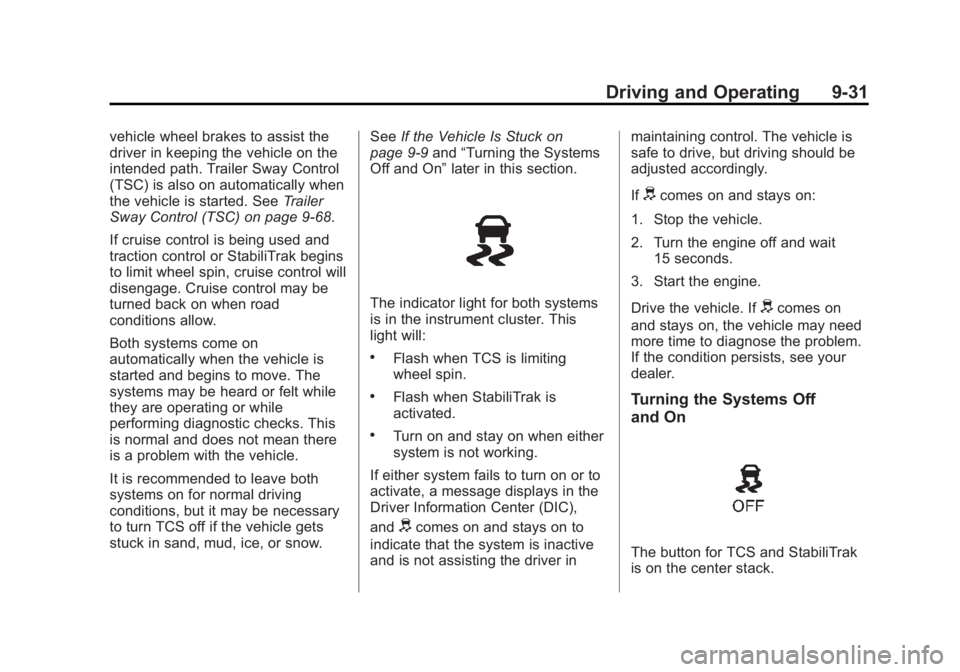
The indicator light for both systems
is in the instrument cluster. This
light will:
.Flash when TCS is limiting
wheel spin.
.Flash when StabiliTrak is
activated.
.Turn on and stay on when either
system is not working.
If either system fails to turn on or to
activate, a message displays in the
Driver Information Center (DIC),
and
dcomes on and stays on to
indicate that the system is inactive
and is not assisting the driver in maintaining control. The vehicle is
safe to drive, but driving should be
adjusted accordingly.
If
dcomes on and stays on:
1. Stop the vehicle.
2. Turn the engine off and wait 15 seconds.
3. Start the engine.
Drive the vehicle. If
dcomes on
and stays on, the vehicle may need
more time to diagnose the problem.
If the condition persists, see your
dealer.
Turning the Systems Off
and On
The button for TCS and StabiliTrak
is on the center stack.
Page 222 of 416
Black plate (32,1)Cadillac SRX Owner Manual (GMNA-Localizing-U.S./Canada/Mexico-
6081464) - 2014 - CRC - 10/4/13
9-32 Driving and Operating
{Caution
Do not repeatedly brake or
accelerate heavily when TCS is
off. The vehicle driveline could be
damaged.
To turn off only TCS, press and
release the
gbutton. The traction
off light
idisplays in the instrument
cluster. The appropriate message is
displayed in the DIC. See Ride
Control System Messages on
page 5-37.
To turn TCS on again, press and
release the
gbutton. The traction
off light
idisplayed in the
instrument cluster will turn off. The
appropriate message is displayed in
the DIC. See Ride Control System
Messages on page 5-37.
If TCS is limiting wheel spin when
the
gbutton is pressed, the system
will not turn off until the wheels stop
spinning. To turn off both TCS and StabiliTrak,
press and hold the
gbutton until
the traction off light
iand the
StabiliTrak OFF light
gcome on
and stay on in the instrument
cluster. The appropriate message is
displayed in the DIC. See Ride
Control System Messages on
page 5-37.
To turn TCS and StabiliTrak on
again, press and release the
g
button. The traction off lightiand
the StabiliTrak OFF light
gin the
instrument cluster turn off. The
appropriate message is displayed in
the DIC. See Ride Control System
Messages on page 5-37.
Adding accessories can affect the
vehicle performance. See
Accessories and Modifications on
page 10-3.
Limited-Slip Rear Axle
Vehicles with a limited-slip rear axle
can give more traction on snow,
mud, ice, sand, or gravel. When
traction is low, this feature allows
the drive wheel with the most
traction to move the vehicle. The
limited-slip rear axle also gives the
driver enhanced control when
cornering hard or completing a
maneuver, such as a lane change.
Selective Ride Control
The vehicle may have a ride control
system called Selective Ride
Control. The setting can be changed
at any time. Based on road
conditions, steering wheel angle,
and the vehicle speed, the system
automatically adjusts to provide the
best handling while providing a
smooth ride. The Tour and Sport
modes will feel similar on a
smooth road.
Tour: Use for normal city and
highway driving. This setting
provides a smooth, soft ride.
Page 224 of 416
Black plate (34,1)Cadillac SRX Owner Manual (GMNA-Localizing-U.S./Canada/Mexico-
6081464) - 2014 - CRC - 10/4/13
9-34 Driving and Operating
If the StabiliTrak®system begins to
limit wheel spin while using cruise
control, the cruise control
automatically disengages. See
Traction Control/Electronic Stability
Control on page 9-30. If a collision
alert occurs when cruise control is
activated, cruise control is
disengaged. See Forward Collision
Alert (FCA) System on page 9-49.
When road conditions allow the
cruise control to be safely used, you
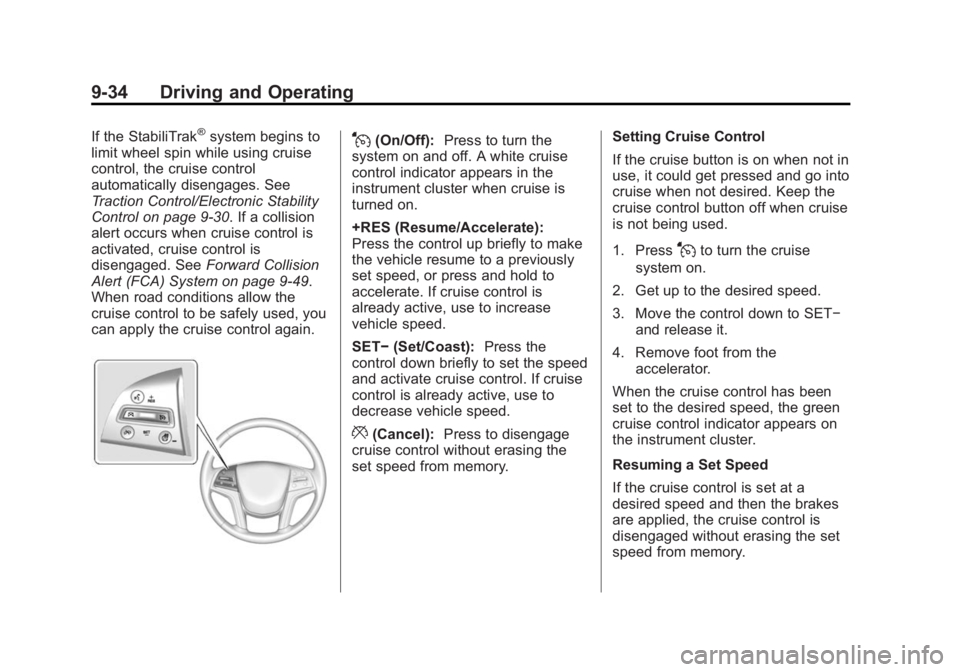
can apply the cruise control again.J(On/Off): Press to turn the
system on and off. A white cruise
control indicator appears in the
instrument cluster when cruise is
turned on.
+RES (Resume/Accelerate):
Press the control up briefly to make
the vehicle resume to a previously
set speed, or press and hold to
accelerate. If cruise control is
already active, use to increase
vehicle speed.
SET− (Set/Coast): Press the
control down briefly to set the speed
and activate cruise control. If cruise
control is already active, use to
decrease vehicle speed.
*(Cancel): Press to disengage
cruise control without erasing the
set speed from memory. Setting Cruise Control
If the cruise button is on when not in
use, it could get pressed and go into
cruise when not desired. Keep the
cruise control button off when cruise
is not being used.
1. Press
Jto turn the cruise
system on.
2. Get up to the desired speed.
3. Move the control down to SET− and release it.
4. Remove foot from the accelerator.
When the cruise control has been
set to the desired speed, the green
cruise control indicator appears on
the instrument cluster.
Resuming a Set Speed
If the cruise control is set at a
desired speed and then the brakes
are applied, the cruise control is
disengaged without erasing the set
speed from memory.
Page 226 of 416

Black plate (36,1)Cadillac SRX Owner Manual (GMNA-Localizing-U.S./Canada/Mexico-
6081464) - 2014 - CRC - 10/4/13
9-36 Driving and Operating
Erasing Speed Memory
The cruise control set speed is
erased from memory if
Jis
pressed or if the ignition is
turned off.
Adaptive Cruise Control
If equipped with Adaptive Cruise
Control (ACC), it allows the driver to
select the cruise control set speed
and following gap. Read this entire
section before using this system.
The following gap is the following
time between your vehicle and a
vehicle detected directly ahead in
your path moving in the same
direction. If no vehicle is detected in
your path, ACC works like regular
cruise control. ACC uses camera
and radar sensors. See Radio
Frequency Statement on
page 13-15.
If a vehicle is detected in your path,
ACC can apply acceleration or
limited, moderate braking to
maintain the selected following gap.
To disengage ACC, apply the brake. If ACC is controlling your vehicle
speed when the traction control
system (TCS) or electronic stabilty
control system activates, the ACC
may automatically disengage. See
Traction Control/Electronic Stability
Control on page 9-30. When road
conditions allow ACC to be safely
used, the ACC can be turned
back on.
ACC will not engage if the TCS or
StabiliTrak electronic stability control
system is disabled.
{Warning
ACC has limited braking ability
and may not have time to slow
the vehicle down enough to avoid
a collision with another vehicle
you are following. This can occur
when vehicles suddenly slow or
stop ahead, or enter your lane.
Also see
“Alerting the Driver” in
this section. Complete attention is
always required while driving and
(Continued)
Warning (Continued)
you should be ready to take
action and apply the brakes. See
Defensive Driving on page 9-3.
{Warning
Adaptive Cruise Control will not
detect or brake for children,
pedestrians, animals, or other
objects.
Do not use Adaptive Cruise
Control when:
.On winding and hilly roads or
when the sensors are
blocked by snow, ice, or dirt.
The system may not detect a
vehicle ahead. Keep the
entire front of the vehicle
clean.(Continued)
Page 258 of 416
Black plate (68,1)Cadillac SRX Owner Manual (GMNA-Localizing-U.S./Canada/Mexico-
6081464) - 2014 - CRC - 10/4/13
9-68 Driving and Operating
Hitch Cover
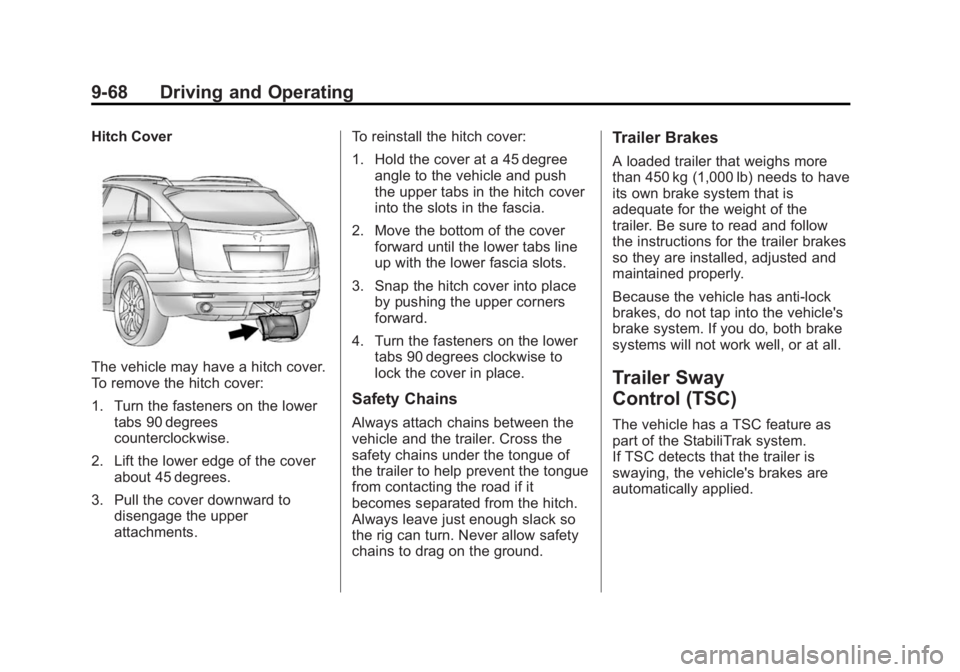
The vehicle may have a hitch cover.
To remove the hitch cover:
1. Turn the fasteners on the lowertabs 90 degrees
counterclockwise.
2. Lift the lower edge of the cover about 45 degrees.
3. Pull the cover downward to disengage the upper
attachments. To reinstall the hitch cover:
1. Hold the cover at a 45 degree
angle to the vehicle and push
the upper tabs in the hitch cover
into the slots in the fascia.
2. Move the bottom of the cover forward until the lower tabs line
up with the lower fascia slots.
3. Snap the hitch cover into place by pushing the upper corners
forward.
4. Turn the fasteners on the lower tabs 90 degrees clockwise to
lock the cover in place.
Safety Chains
Always attach chains between the
vehicle and the trailer. Cross the
safety chains under the tongue of
the trailer to help prevent the tongue
from contacting the road if it
becomes separated from the hitch.
Always leave just enough slack so
the rig can turn. Never allow safety
chains to drag on the ground.
Trailer Brakes
A loaded trailer that weighs more
than 450 kg (1,000 lb) needs to have
its own brake system that is
adequate for the weight of the
trailer. Be sure to read and follow
the instructions for the trailer brakes
so they are installed, adjusted and
maintained properly.
Because the vehicle has anti-lock
brakes, do not tap into the vehicle's
brake system. If you do, both brake
systems will not work well, or at all.
Trailer Sway
Control (TSC)
The vehicle has a TSC feature as
part of the StabiliTrak system.
If TSC detects that the trailer is
swaying, the vehicle's brakes are
automatically applied.
Page 259 of 416
Black plate (69,1)Cadillac SRX Owner Manual (GMNA-Localizing-U.S./Canada/Mexico-
6081464) - 2014 - CRC - 10/4/13
Driving and Operating 9-69
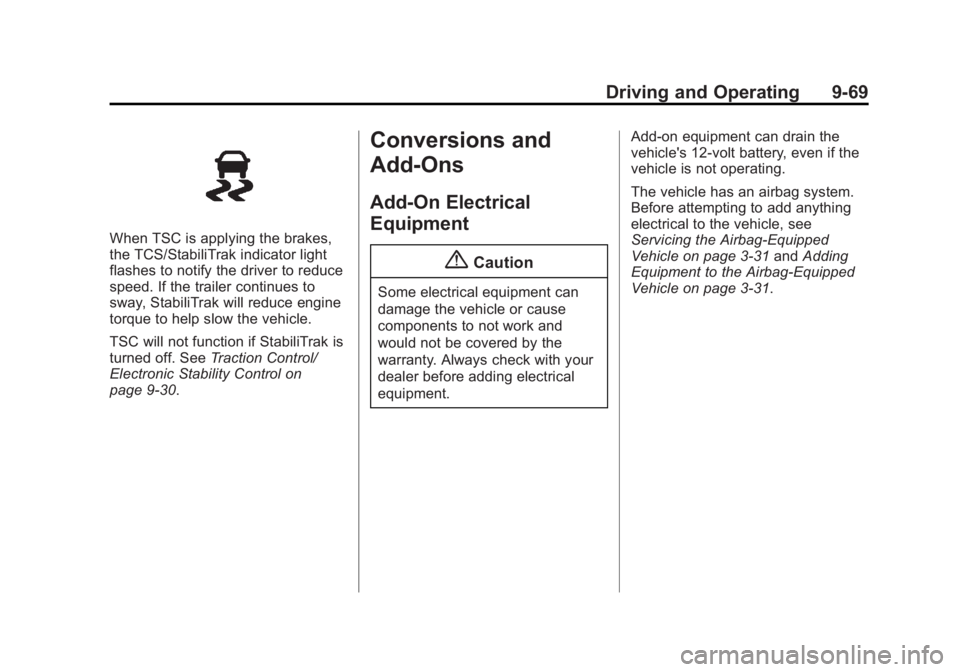
When TSC is applying the brakes,
the TCS/StabiliTrak indicator light
flashes to notify the driver to reduce
speed. If the trailer continues to
sway, StabiliTrak will reduce engine
torque to help slow the vehicle.
TSC will not function if StabiliTrak is
turned off. SeeTraction Control/
Electronic Stability Control on
page 9-30.
Conversions and
Add-Ons
Add-On Electrical
Equipment
{Caution
Some electrical equipment can
damage the vehicle or cause
components to not work and
would not be covered by the
warranty. Always check with your
dealer before adding electrical
equipment. Add-on equipment can drain the
vehicle's 12-volt battery, even if the
vehicle is not operating.
The vehicle has an airbag system.
Before attempting to add anything
electrical to the vehicle, see
Servicing the Airbag-Equipped
Vehicle on page 3-31
andAdding
Equipment to the Airbag-Equipped
Vehicle on page 3-31.
Page 409 of 416
Black plate (7,1)Cadillac SRX Owner Manual (GMNA-Localizing-U.S./Canada/Mexico-
6081464) - 2014 - CRC - 10/4/13
INDEX i-7
LiftgateCarbon Monoxide . . . . . . . . . . . . . 2-13
Light Adaptive Forward Lighting(AFL) Light . . . . . . . . . . . . . . . . . . 5-25
Lighter, Cigarette . . . . . . . . . . . . . . . 5-8
Lighting Adaptive Forward . . . . . . . . . . . . . . 6-4
Entry . . . . . . . . . . . . . . . . . . . . . . . . . . 6-9
Exit . . . . . . . . . . . . . . . . . . . . . . . . . . . . 6-9
Illumination Control . . . . . . . . . . . . 6-7
Lights Airbag Readiness . . . . . . . . . . . . . 5-14
Antilock Brake System(ABS) Warning . . . . . . . . . . . . . . 5-20
Brake System Warning . . . . . . . 5-19
Charging System . . . . . . . . . . . . . 5-16
Cruise Control . . . . . . . . . . . . . . . . 5-26
Electric Parking Brake . . . . . . . . 5-19
Engine Coolant Temperature Warning . . . . . . . 5-22
Engine Oil Pressure . . . . . . . . . . 5-23
Flash-to-Pass . . . . . . . . . . . . . . . . . . 6-3
Front Fog Lamp . . . . . . . . . . . . . . 5-25
Fuel Economy . . . . . . . . . . . . . . . . 5-24
High-Beam On . . . . . . . . . . . . . . . . 5-25 Lights (cont'd)
High/Low Beam Changer . . . . . . 6-3
Lane Departure Warning . . . . . . 5-21
Low Fuel Warning . . . . . . . . . . . . 5-24
Safety Belt Reminders . . . . . . . . 5-13
Security . . . . . . . . . . . . . . . . . . . . . . 5-24
Service Electric Parking
Brake . . . . . . . . . . . . . . . . . . . . . . . 5-20
StabiliTrak
®OFF . . . . . . . . . . . . . 5-22
Tire Pressure . . . . . . . . . . . . . . . . . 5-23
Traction Control System (TCS)/StabiliTrak
®. . . . . . . . . . 5-22
Traction Off . . . . . . . . . . . . . . . . . . . 5-21
Limited-Slip Rear Axle . . . . . . . . . 9-32
Locks
Automatic Door . . . . . . . . . . . . . . . 2-11
Delayed Locking . . . . . . . . . . . . . . 2-11
Door . . . . . . . . . . . . . . . . . . . . . . . . . . 2-10
Lockout Protection . . . . . . . . . . . . 2-12
Power Door . . . . . . . . . . . . . . . . . . . 2-11
Safety . . . . . . . . . . . . . . . . . . . . . . . . 2-12
Loss of Control . . . . . . . . . . . . . . . . . 9-5
Low Fuel Warning Light . . . . . . . . 5-24
Lower Anchors and Tethers for Children (LATCH
System) . . . . . . . . . . . . . . . . . . . . . . 3-40 Lumbar Adjustment . . . . . . . . . . . . . 3-4
Front Seats . . . . . . . . . . . . . . . . . . . . 3-4
M
Maintenance
Records . . . . . . . . . . . . . . . . . . . . .11-15
Maintenance Schedule Recommended Fluidsand Lubricants . . . . . . . . . . . . .11-13
Malfunction Indicator Lamp . . . . 5-16
Manual Mode . . . . . . . . . . . . . . . . . . 9-24
Memory Features . . . . . . . . . . . . . . . 1-8
Memory Seats . . . . . . . . . . . . . . . . . . 3-6
Messages Airbag System . . . . . . . . . . . . . . . . 5-37
Battery Voltage andCharging . . . . . . . . . . . . . . . . . . . . 5-29
Brake System . . . . . . . . . . . . . . . . 5-29
Compass . . . . . . . . . . . . . . . . . . . . . 5-30
Door Ajar . . . . . . . . . . . . . . . . . . . . . 5-31
Engine Cooling System . . . . . . . 5-31
Engine Oil . . . . . . . . . . . . . . . . . . . . 5-32
Engine Power . . . . . . . . . . . . . . . . 5-32
Fuel System . . . . . . . . . . . . . . . . . . 5-33
Key and Lock . . . . . . . . . . . . . . . . . 5-33
Lamp . . . . . . . . . . . . . . . . . . . . . . . . . 5-33
Page 413 of 416
Black plate (11,1)Cadillac SRX Owner Manual (GMNA-Localizing-U.S./Canada/Mexico-
6081464) - 2014 - CRC - 10/4/13
INDEX i-11
StabiliTrakOFF Light . . . . . . . . . . . . . . . . . . . . . 5-22
Start Assist, Hills . . . . . . . . . . . . . . 9-30
Start Vehicle, Remote . . . . . . . . . . 2-8
Starter Switch Check . . . . . . . . . 10-23
Starting the Gasoline Engine . . . . . . . . . . . . . . . . . . . . . . . 9-17
Starting the Vehicle Messages . . . . . . . . . . . . . . . . . . . . 5-38
Steering . . . . . . . . . . . . . . . . . . . . . . . . 9-4 Fluid, Power . . . . . . . . . . . . . . . . 10-18
Heated Wheel . . . . . . . . . . . . . . . . . 5-3
Wheel Adjustment . . . . . . . . . . . . . 5-2
Wheel Controls . . . . . . . . . . . . . . . . 5-2
Storage Areas Armrest . . . . . . . . . . . . . . . . . . . . . . . . 4-2
Cargo Cover . . . . . . . . . . . . . . . . . . . 4-3
Cargo Management System . . . 4-5
Center Console . . . . . . . . . . . . . . . . 4-3
Convenience Net . . . . . . . . . . . . . 4-11
Front . . . . . . . . . . . . . . . . . . . . . . . . . . 4-2
Glove Box . . . . . . . . . . . . . . . . . . . . . 4-1
Roof Rack System . . . . . . . . . . . . 4-11
Storage Compartments . . . . . . . . . 4-1
Storing the Tire Sealant and Compressor Kit . . . . . . . . . 10-72 Stuck Vehicle . . . . . . . . . . . . . . . . . . . 9-9
Sun Visors . . . . . . . . . . . . . . . . . . . . . 2-25
Sunroof . . . . . . . . . . . . . . . . . . . . . . . . 2-25
Symbols . . . . . . . . . . . . . . . . . . . . . . . . . . iv
System
Active Emergency Braking . . . . 9-51
Forward CollisionAlert (FCA) . . . . . . . . . . . . . . . . . . 9-49
Infotainment . . . . . . . . . . . . 7-1, 13-14
Roof Rack . . . . . . . . . . . . . . . . . . . . 4-11
Systems
Driver Assistance . . . . . . . . . . . . . 9-44
T
Tachometer . . . . . . . . . . . . . . . . . . . . 5-12
Text Telephone (TTY) Users . . . 13-4
Theft-Deterrent Systems . . . . . . . 2-18Immobilizer . . . . . . . . . . . . . . . . . . . 2-18
Thigh Support Adjustment . . . . . . 3-5
Throttle, Adjustable . . . . . . . . . . . . 9-15
Time . . . . . . . . . . . . . . . . . . . . . . . . . . . . 5-6
Tires Buying New Tires . . . . . . . . . . . 10-58
Chains . . . . . . . . . . . . . . . . . . . . . . 10-62
Changing . . . . . . . . . . . . . . . . . . . 10-73
Compact Spare . . . . . . . . . . . . . 10-79 Tires (cont'd)
Designations . . . . . . . . . . . . . . . 10-46
Different Size . . . . . . . . . . . . . . . 10-59
If a Tire Goes Flat . . . . . . . . . . 10-63
Inflation Monitor System . . . . 10-52
Inspection . . . . . . . . . . . . . . . . . . 10-55
Messages . . . . . . . . . . . . . . . . . . . . 5-38
Pressure . . . . . . . . . . . . . . . . . . . . 10-51
Pressure Light . . . . . . . . . . . . . . . . 5-23
Pressure Monitor System . . . 10-51
Rotation . . . . . . . . . . . . . . . . . . . . 10-56
Sealant and
Compressor Kit . . . . . . . . . . . 10-65
Sealant and Compressor
Kit, Storing . . . . . . . . . . . . . . . . 10-72
Sidewall Labeling . . . . . . . . . . . 10-44
Terminology and Definitions . . . . . . . . . . . . . . . . . 10-46
Uniform Tire Quality Grading . . . . . . . . . . . . . . . . . . . 10-60
Wheel Alignment and Tire Balance . . . . . . . . . . . . . . . . . . . 10-61
Wheel Replacement . . . . . . . . 10-62
When It Is Time for New
Tires . . . . . . . . . . . . . . . . . . . . . . 10-57
Winter . . . . . . . . . . . . . . . . . . . . . . 10-43
Page 414 of 416
Black plate (12,1)Cadillac SRX Owner Manual (GMNA-Localizing-U.S./Canada/Mexico-
6081464) - 2014 - CRC - 10/4/13
i-12 INDEX
TowingDriving Characteristics . . . . . . . . 9-61
Equipment . . . . . . . . . . . . . . . . . . . . 9-67
General Information . . . . . . . . . . 9-61
Recreational Vehicle . . . . . . . . 10-84
Trailer . . . . . . . . . . . . . . . . . . . . . . . . 9-65
Trailer Sway Control (TSC) . . . 9-68
Vehicle . . . . . . . . . . . . . . . . . . . . . 10-84
Traction Control System (TCS)/StabiliTrak
®Light . . . . . . . . . . . . 5-22
Limited-Slip Rear Axle . . . . . . . . 9-32
Off Light . . . . . . . . . . . . . . . . . . . . . . 5-21
Selective Ride Control . . . . . . . . 9-32
Traction Control/Electronic Stability Control . . . . . . . . . . . . . . 9-30
Trailer Sway Control (TSC) . . . . . . . . . . 9-68
Towing . . . . . . . . . . . . . . . . . . . . . . . . 9-65
Transmission Automatic . . . . . . . . . . . . . . . . . . . . . 9-22
Fluid, Automatic . . . . . . . . . . . . 10-10
Messages . . . . . . . . . . . . . . . . . . . . 5-39
Transportation Program, Courtesy . . . . . . . . . . . . . . . . . . . . . 13-7
Trip Odometer . . . . . . . . . . . . . . . . . 5-12 Turn and Lane-Change
Signals . . . . . . . . . . . . . . . . . . . . . . . . 6-6
Twilight Sentinel . . . . . . . . . . . . . . . . 6-5
U
Uniform Tire Quality Grading . . . . . . . . . . . . . . . . . . . . . 10-60
Universal Remote System . . . . . 5-46 Operation . . . . . . . . . . . . . . . . . . . . . 5-49
Programming . . . . . . . . . . . . . . . . . 5-46
Using This Manual . . . . . . . . . . . . . . . . iv
V
Vehicle Alarm System . . . . . . . . . . . . . . . . 2-17
Canadian Owners . . . . . . . . . . . . . . . iii
Control . . . . . . . . . . . . . . . . . . . . . . . . 9-3
IdentificationNumber (VIN) . . . . . . . . . . . . . . . 12-1
Load Limits . . . . . . . . . . . . . . . . . . . 9-10
Messages . . . . . . . . . . . . . . . . . . . . 5-29
Personalization . . . . . . . . . . . . . . . 5-40
Reminder Messages . . . . . . . . . . 5-39
Remote Start . . . . . . . . . . . . . . . . . . 2-8 Vehicle (cont'd)
Security . . . . . . . . . . . . . . . . . . . . . . 2-17
Speed Messages . . . . . . . . . . . . . 5-39
Towing . . . . . . . . . . . . . . . . . . . . . . 10-84
Vehicle Ahead Indicator . . . . . . . 5-21
Vehicle Care Storing the Tire Sealantand Compressor Kit . . . . . . . 10-72
Tire Pressure . . . . . . . . . . . . . . . 10-49
Vehicle Diagnostics OnStar
®. . . . . . . . . . . . . . . . . . . . . . 14-5
Ventilation, Air . . . . . . . . . . . . . . . . . . 8-7
Visors . . . . . . . . . . . . . . . . . . . . . . . . . 2-25
W
Warning Brake System Light . . . . . . . . . . . 5-19
Lane Departure (LDW) . . . . . . . 9-55
Warning Lights, Gauges, and Indicators . . . . . . . . . . . . . . . . . . . . . 5-9
Warnings . . . . . . . . . . . . . . . . . . . . . . . . . iv Cautions and Danger . . . . . . . . . . . .iv
Hazard Flashers . . . . . . . . . . . . . . . 6-6
Washer Fluid . . . . . . . . . . . . . . . . . 10-19 Messages . . . . . . . . . . . . . . . . . . . . 5-39
Washer, Headlamps . . . . . . . . . . . . 5-6