glove box CADILLAC STS 2005 1.G Owners Manual
[x] Cancel search | Manufacturer: CADILLAC, Model Year: 2005, Model line: STS, Model: CADILLAC STS 2005 1.GPages: 446, PDF Size: 2.58 MB
Page 65 of 446
Keys...............................................................2-2
Keyless Access System...................................2-3
Keyless Access System Operation....................2-4
Doors and Locks............................................2-11
Door Locks..................................................2-11
Power Door Locks........................................2-11
Programmable Automatic Door Locks..............2-12
Rear Door Security Locks..............................2-12
Lockout Protection........................................2-13
Trunk..........................................................2-14
Windows........................................................2-16
Power Windows............................................2-17
Sun Visors...................................................2-18
Theft-Deterrent Systems..................................2-19
Theft-Deterrent System..................................2-19
Valet Lockout Switch.....................................2-21
Starting and Operating Your Vehicle................2-22
New Vehicle Break-In....................................2-22
Ignition Positions..........................................2-22
Retained Accessory Power (RAP)...................2-23
Starting the Engine.......................................2-24
Engine Coolant Heater..................................2-25
Automatic Transmission Operation...................2-26
All-Wheel Drive............................................2-29
Parking Brake..............................................2-29
Shifting Into Park (P).....................................2-30Shifting Out of Park (P).................................2-31
Parking Over Things That Burn.......................2-32
Engine Exhaust............................................2-33
Running the Engine While Parked...................2-34
Mirrors...........................................................2-35
Automatic Dimming Rearview Mirror with
OnStar
®...................................................2-35
Automatic Dimming Rearview Mirror with
OnStar
®and Compass...............................2-35
Outside Power Heated Mirrors........................2-37
Outside Automatic Dimming Mirror..................2-38
Outside Convex Mirror...................................2-38
Outside Parallel Park Assist Mirror..................2-38
OnStar
®System.............................................2-39
HomeLink®Wireless Control System...............2-41
HomeLink®Wireless Control System
Operation.................................................2-42
Storage Areas................................................2-45
Glove Box...................................................2-45
Cupholder(s)................................................2-45
Center Console Storage Area.........................2-45
Convenience Net..........................................2-45
Sunroof.........................................................2-46
Vehicle Personalization...................................2-47
Memory Seat, Mirrors and Steering Wheel.......2-65
Section 2 Features and Controls
2-1
Page 67 of 446
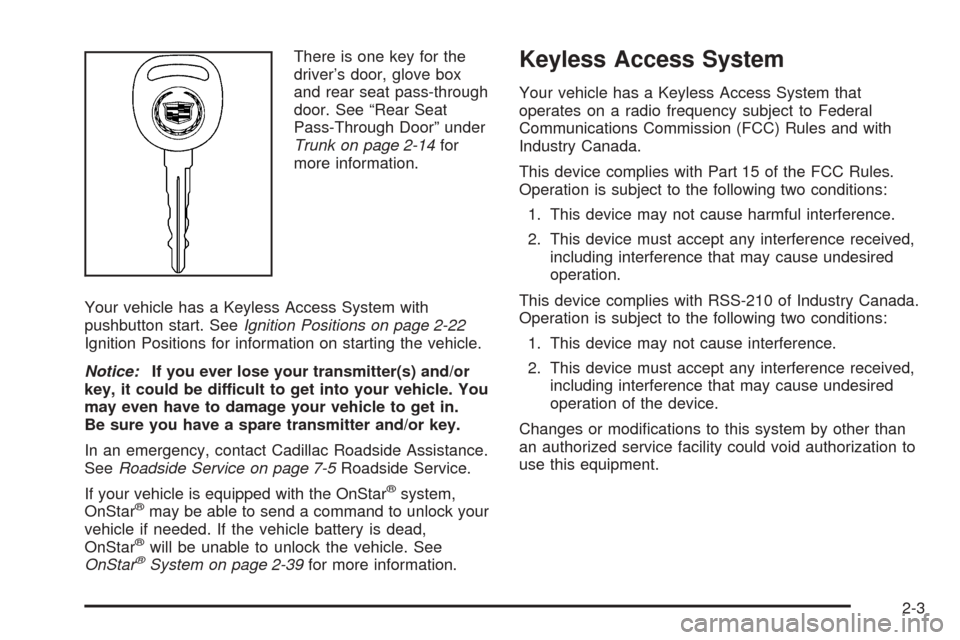
There is one key for the
driver’s door, glove box
and rear seat pass-through
door. See “Rear Seat
Pass-Through Door” under
Trunk on page 2-14for
more information.
Your vehicle has a Keyless Access System with
pushbutton start. SeeIgnition Positions on page 2-22
Ignition Positions for information on starting the vehicle.
Notice:If you ever lose your transmitter(s) and/or
key, it could be difficult to get into your vehicle. You
may even have to damage your vehicle to get in.
Be sure you have a spare transmitter and/or key.
In an emergency, contact Cadillac Roadside Assistance.
SeeRoadside Service on page 7-5Roadside Service.
If your vehicle is equipped with the OnStar
®system,
OnStar®may be able to send a command to unlock your
vehicle if needed. If the vehicle battery is dead,
OnStar
®will be unable to unlock the vehicle. See
OnStar®System on page 2-39for more information.
Keyless Access System
Your vehicle has a Keyless Access System that
operates on a radio frequency subject to Federal
Communications Commission (FCC) Rules and with
Industry Canada.
This device complies with Part 15 of the FCC Rules.
Operation is subject to the following two conditions:
1. This device may not cause harmful interference.
2. This device must accept any interference received,
including interference that may cause undesired
operation.
This device complies with RSS-210 of Industry Canada.
Operation is subject to the following two conditions:
1. This device may not cause interference.
2. This device must accept any interference received,
including interference that may cause undesired
operation of the device.
Changes or modications to this system by other than
an authorized service facility could void authorization to
use this equipment.
2-3
Page 85 of 446

Valet Lockout Switch
The valet lockout switch
is located inside the
glove box.
9(Off):Press the left side of the valet lockout switch
to turn the lockout feature off. When the lockout
feature is off, you can open the trunk using either the
keyless access transmitter or the trunk release
button located on the driver’s door.
R(On):Press the right side of the valet lockout switch
to turn the lockout feature on. When the lockout
feature is turned on, the trunk cannot be unlocked with
the keyless access transmitter or the trunk release
button located on the driver’s door. If the valet lockout
feature is on it will also disable the remote start
feature and the HomeLink
®transmitter, if equipped.
Locking the glove box with your key will also help
to secure your vehicle.
SeeKeyless Access System Operation on page 2-4and
Trunk on page 2-14for additional information.
2-21
Page 103 of 446
If further mirror adjustment is needed press the arrows
located on the outside mirror control pad. If the
outside mirror selector switch is in the middle position,
neither outside mirror will move.
When the vehicle is shifted out of REVERSE (R), and a
ve-second delay has occurred, the mirror will return to
its original position. The delay prevents movement of
the mirror if multiple gear transitions REVERSE (R) to
AUTOMATIC OVERDRIVE (D) to REVERSE (R) occur
during a parallel parking maneuver.
OnStar®System
OnStar®uses global positioning system (GPS) satellite
technology, wireless communications, and call centers
to provide you with a wide range of safety, security,
information, and convenience services.
A complete OnStar
®user’s guide and the terms and
conditions of the OnStar®Subscription Service
Agreement are included in the vehicle’s glove box
literature. For more information, visit www.onstar.com or
www.onstarcanada.com. Contact OnStar
®at
1-888-4-ONSTAR (1-888-466-7827), or press the
OnStar
®button to speak to an OnStar®advisor
24 hours a day, 7 days a week.
Terms and conditions of the Subscription Service
Agreement can be found at www.onstar.com or
www.onstarcanada.com.
OnStar®Services
The Directions and Connections Plan is included on
new vehicles for one year from the date of purchase.
The OnStar
®subscription can be extended for time
beyond the rst year to meet your needs. For more
information, press the OnStar
®button to speak with
an advisor.
Directions and Connections Plan
Advanced Automatic Collision Notication
Automatic Notication of Airbag Deployment
Emergency Services
Roadside Assistance
Stolen Vehicle Tracking
AccidentAssist
Remote Door Unlock/Vehicle Alert
Remote Diagnostics
Online Concierge
Driving Directions
RideAssist
Information and Convenience Services
2-39
Page 104 of 446
OnStar®Personal Calling
As an OnStar®subscriber, the Personal Calling
capability is an available hands-free wireless phone that
is integrated into the vehicle. Calls can be placed
nationwide using simple voice commands with no
additional contracts and no additional roaming charges.
To nd out more about OnStar
®Personal Calling,
refer to the OnStar®user’s guide in the vehicle’s glove
box, visit www.onstar.com or www.onstarcanada.com;
or speak to an OnStar
®advisor by pressing the OnStar®
button or calling 1-888-4-ONSTAR (1-888-466-7827).
OnStar®Virtual Advisor
Virtual Advisor is a feature of OnStar®Personal Calling
that uses minutes to access up-to-date weather and
traffic reports for your area, news and sports updates,
stock quotes, entertainment, and more. Customize
your information prole at www.myonstar.com.
See the OnStar
®user’s guide for more information.
OnStar®Steering Wheel Controls
A steering wheel control can be used to interact with
the OnStar®personal calling feature.
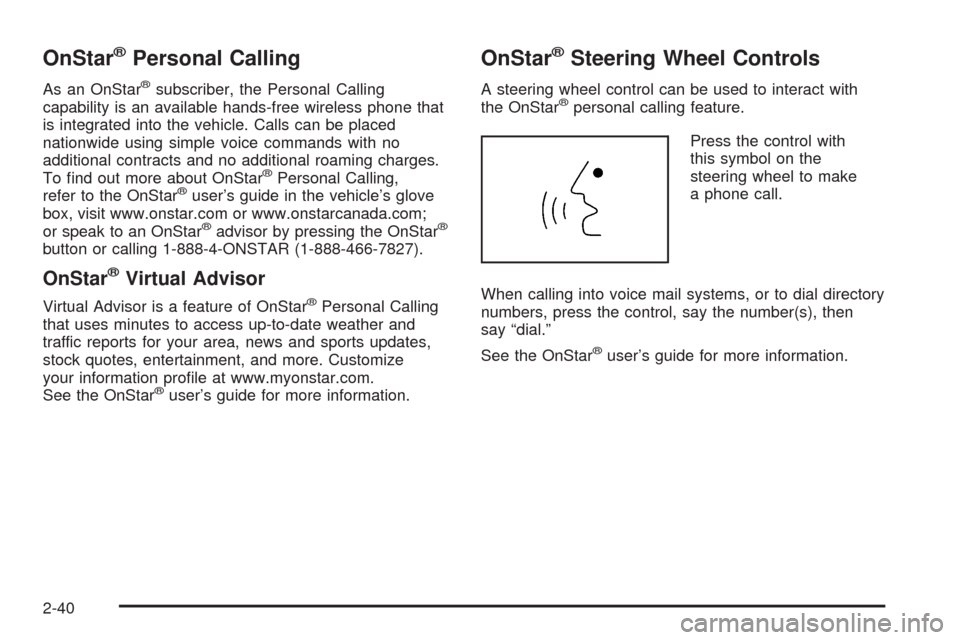
Press the control with
this symbol on the
steering wheel to make
a phone call.
When calling into voice mail systems, or to dial directory
numbers, press the control, say the number(s), then
say “dial.”
See the OnStar
®user’s guide for more information.
2-40
Page 109 of 446
Reprogramming a Single HomeLink®
Button
To program a device to HomeLink®using a HomeLink®
button previously trained, follow these steps:
1. Press and hold the desired HomeLink
®button.
Do not release the button.
2. The indicator light will begin to ash after
20 seconds. While still holding the HomeLink
®
button, proceed with Step 2 under “Programming
HomeLink®” shown earlier in this section.
Resetting Defaults
To reset HomeLink®to default settings do the following:
1. Hold down the two outside buttons for about
20 seconds until the indicator light begins to ash.
2. Continue to hold both buttons until the HomeLink
®
indicator light turns off.
3. Release both buttons.
For questions or comments, contact HomeLink
®
at 1-800-355-3515, or on the Internet at
www.homelink.com.
Storage Areas
Glove Box
To open the glove box, lift up on the lever. The glove
box has a light inside.
Cupholder(s)
Your vehicle has two cupholders in the center
console area.
Center Console Storage Area
Your vehicle has a center console storage area located
between the front seats. It includes storage areas, and
accessory power outlet(s) on the rear of the console.
Convenience Net
If your vehicle has a convenience net, the convenience
net attaches to the oor or back wall of the rear of
the vehicle using six anchor points. The net can be used
like a hammock across the rear of the vehicle or
hooked on the oor. Put small loads, like grocery bags,
behind the net. It can help keep them from falling
over during sharp turns or quick starts and stops.
The net is not for larger, heavier loads. Store them in
the rear of the vehicle as far forward as you can.
2-45
Page 139 of 446
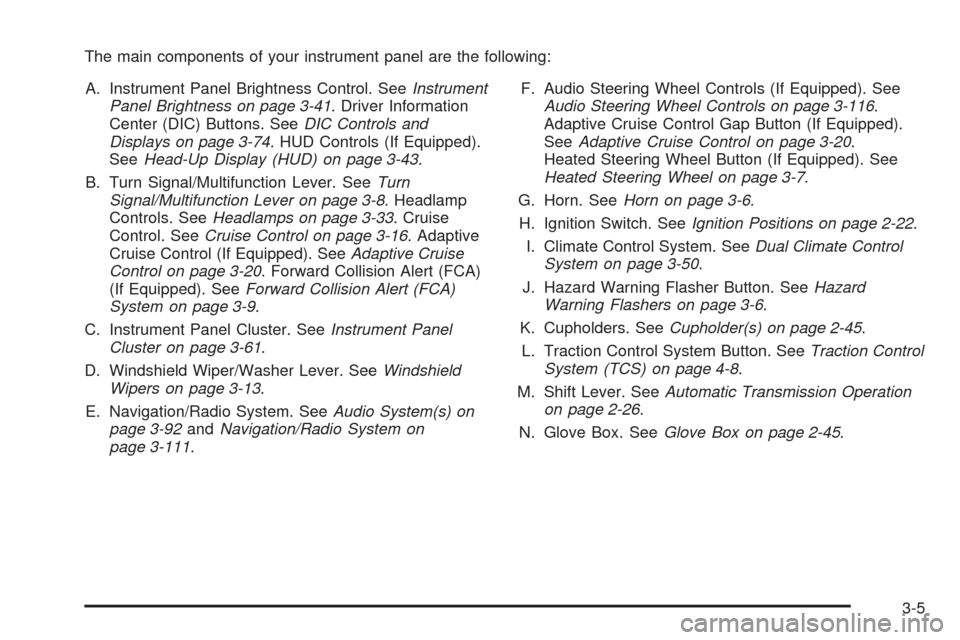
The main components of your instrument panel are the following:
A. Instrument Panel Brightness Control. SeeInstrument
Panel Brightness on page 3-41. Driver Information
Center (DIC) Buttons. SeeDIC Controls and
Displays on page 3-74. HUD Controls (If Equipped).
SeeHead-Up Display (HUD) on page 3-43.
B. Turn Signal/Multifunction Lever. SeeTurn
Signal/Multifunction Lever on page 3-8. Headlamp
Controls. SeeHeadlamps on page 3-33. Cruise
Control. SeeCruise Control on page 3-16. Adaptive
Cruise Control (If Equipped). SeeAdaptive Cruise
Control on page 3-20. Forward Collision Alert (FCA)
(If Equipped). SeeForward Collision Alert (FCA)
System on page 3-9.
C. Instrument Panel Cluster. SeeInstrument Panel
Cluster on page 3-61.
D. Windshield Wiper/Washer Lever. SeeWindshield
Wipers on page 3-13.
E. Navigation/Radio System. SeeAudio System(s) on
page 3-92andNavigation/Radio System on
page 3-111.F. Audio Steering Wheel Controls (If Equipped). See
Audio Steering Wheel Controls on page 3-116.
Adaptive Cruise Control Gap Button (If Equipped).
SeeAdaptive Cruise Control on page 3-20.
Heated Steering Wheel Button (If Equipped). See
Heated Steering Wheel on page 3-7.
G. Horn. SeeHorn on page 3-6.
H. Ignition Switch. SeeIgnition Positions on page 2-22.
I. Climate Control System. SeeDual Climate Control
System on page 3-50.
J. Hazard Warning Flasher Button. SeeHazard
Warning Flashers on page 3-6.
K. Cupholders. SeeCupholder(s) on page 2-45.
L. Traction Control System Button. SeeTraction Control
System (TCS) on page 4-8.
M. Shift Lever. SeeAutomatic Transmission Operation
on page 2-26.
N. Glove Box. SeeGlove Box on page 2-45.
3-5
Page 177 of 446
If the battery continues to discharge, even with the
engine idling at a higher rpm setting, some electrical
loads will automatically be reduced. When this occurs,
the rear window defogger may take slightly longer
to clear the glass and the fan may cut back to a lower
speed. For more battery saving information, see “Battery
Saver Active Message” underDIC Warnings and
Messages on page 3-78.
Inadvertent Power Battery Saver
This feature is designed to protect your vehicle’s battery
against drainage from the interior lamps, trunk lamp,
glove box lamp, or the garage door opener. When the
ignition is turned off, the power to these features will
automatically turn off after 10 minutes (three minutes if
a new car has 15 miles (24 km) or less). Power will
be restored for an additional 10 minutes if any door is
opened, the trunk is opened or the courtesy lamp switch
is turned on.
Head-Up Display (HUD)
{CAUTION:
If the HUD image is too bright, or too high in
your eld of view, it may take you more time to
see things you need to see when it is dark
outside. Be sure to keep the HUD image dim
and placed low in your eld of view.
The Head-Up Display (HUD) allows you to see some of
the driver information that appears on your instrument
panel cluster on the windshield.
The information may be displayed in English or metric
units and appears as an image focused out toward
the front of your vehicle. To change from English
to metric units, seeDIC Controls and Displays on
page 3-74.
3-43
Page 410 of 446
(d)Visually inspect wiper blades for wear or cracking.
Replace blade inserts that appear worn or damaged
or that streak or miss areas of the windshield.
(e)Make sure the safety belt reminder light and all your
belts, buckles, latch plates, retractors, and anchorages
are working properly. Look for any other loose or
damaged safety belt system parts. If you see anything
that might keep a safety belt system from doing its
job, have it repaired. Have any torn or frayed safety belts
replaced. Also look for any opened or broken airbag
coverings, and have them repaired or replaced.
The airbag system does not need regular maintenance.
(f)Lubricate all key lock cylinders. Lubricate all
hinges and latches, including those for the hood, rear
compartment, glove box door, and console door.
More frequent lubrication may be required when
exposed to a corrosive environment. Applying silicone
grease on weatherstrips with a clean cloth will make
them last longer, seal better, and not stick or squeak.
(g)If you drive regularly under dusty conditions, the lter
may require replacement more often.(h)Change automatic transmission uid and lter if the
vehicle is mainly driven under one or more of these
conditions:
In heavy city traffic where the outside temperature
regularly reaches 90°F (32°C) or higher.
In hilly or mountainous terrain.
When doing frequent trailer towing.
Uses such as limousine service.
Uses such as high performance operation.
If you do not use your vehicle under any of these
conditions, the uid and lter do not require change.
(j)Drain, ush, and rell cooling system. This service
can be complex; you should have your dealer perform
this service. See Engine Coolant on page 5-22 for
what to use. Inspect hoses. Clean radiator, condenser,
pressure cap, and ller neck. Pressure test the
cooling system and pressure cap.
(k)A uid loss in any vehicle system could indicate a
problem. Have the system inspected and repaired
and the uid level checked. Add uid if needed.
(l)Inspect throttle body bore and valve plates for
deposits. Open the throttle valve and inspect all
surfaces. Clean as required.
(m)If you drive regularly under dusty conditions, inspect
the lter at each engine oil change.
6-8
Page 438 of 446

Glove Box.....................................................2-45
GM Mobility Reimbursement Program.................. 7-5
H
Hazard Warning Flashers................................... 3-6
Head Restraints............................................... 1-6
Headlamp
Aiming.......................................................5-46
Headlamp Wiring............................................5-95
Headlamps....................................................3-33
Bulb Replacement.......................................5-48
Daytime Running Lamps...............................3-38
Flash-to-Pass..............................................3-13
Front Turn Signal Lamps..............................5-49
Halogen Bulbs............................................5-49
High Intensity Discharge (HID) Lighting...........5-48
High/Low Beam Changer................................ 3-9
On Reminder..............................................3-37
Sidemarker Lamps.......................................5-50
Washer......................................................3-16
Wiper Activated...........................................3-37
Head-Up Display (HUD)...................................3-43
Heated Seats............................................1-3, 1-4
Heated Steering Wheel..................................... 3-7
Heater...........................................................3-50
Highbeam On Light.........................................3-72Highway Hypnosis...........................................4-23
Hill and Mountain Roads..................................4-23
HomeLink
®Wireless Control System.................2-41
HomeLink®Wireless Control System Operation . . . 2-42
Hood
Checking Things Under................................5-10
Release.....................................................5-11
Horn............................................................... 3-6
How to Use This Manual...................................... ii
How to Wear Safety Belts Properly...................1-13
I
Ignition Positions.............................................2-22
Inadvertent Power Battery Saver.......................3-43
Infants and Young Children, Restraints...............1-28
Ination -- Tire Pressure..................................5-60
Instrument Panel
Overview..................................................... 3-4
Instrument Panel (I/P)
Brightness..................................................3-41
Cluster.......................................................3-61
J
Jump Starting.................................................5-38
6