mirror CADILLAC STS 2006 1.G User Guide
[x] Cancel search | Manufacturer: CADILLAC, Model Year: 2006, Model line: STS, Model: CADILLAC STS 2006 1.GPages: 480, PDF Size: 2.74 MB
Page 117 of 480
If further mirror adjustment is needed press the arrows
located on the outside mirror control pad. If the outside
mirror selector switch is in the middle position, neither
outside mirror will move.
When the vehicle is shifted out of REVERSE (R), and
a ve-second delay has occurred, the mirror will return
to its original position. The delay prevents movement of
the mirror if multiple gear transitions REVERSE (R) to
AUTOMATIC OVERDRIVE (D) to REVERSE (R) occur
during a parallel parking maneuver.
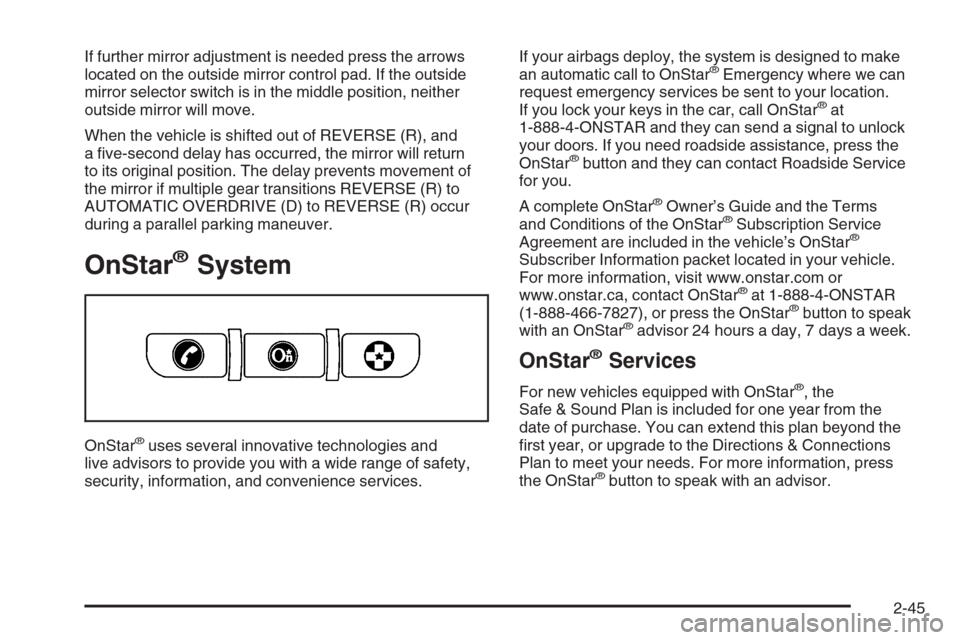
OnStar®System
OnStar®uses several innovative technologies and
live advisors to provide you with a wide range of safety,
security, information, and convenience services.If your airbags deploy, the system is designed to make
an automatic call to OnStar
®Emergency where we can
request emergency services be sent to your location.
If you lock your keys in the car, call OnStar
®at
1-888-4-ONSTAR and they can send a signal to unlock
your doors. If you need roadside assistance, press the
OnStar
®button and they can contact Roadside Service
for you.
A complete OnStar
®Owner’s Guide and the Terms
and Conditions of the OnStar®Subscription Service
Agreement are included in the vehicle’s OnStar®
Subscriber Information packet located in your vehicle.
For more information, visit www.onstar.com or
www.onstar.ca, contact OnStar
®at 1-888-4-ONSTAR
(1-888-466-7827), or press the OnStar®button to speak
with an OnStar®advisor 24 hours a day, 7 days a week.
OnStar®Services
For new vehicles equipped with OnStar®, the
Safe & Sound Plan is included for one year from the
date of purchase. You can extend this plan beyond the
rst year, or upgrade to the Directions & Connections
Plan to meet your needs. For more information, press
the OnStar
®button to speak with an advisor.
2-45
Page 125 of 480
Vehicle Personalization
Your vehicle has personalization that allows you to
program certain features to a preferred setting for up to
two drivers. The back of the keyless access transmitters
are labelled 1 or 2. Additional keyless access transmitters
programmed to the vehicle, as 3 and/or 4, do not have
a number on the back and are not capable of being
personalized. The number of programmable features
varies depending upon which vehicle options are
purchased.
On all vehicles, features such as climate control settings,
radio and XM™ preset settings, exterior lighting at unlock
and remote lock unlock conrmation, and language have
already been programmed for your convenience. Your
vehicle also has an automatic door locking feature that
is always on. You cannot turn the automatic door locking
feature off. SeeProgrammable Automatic Door Locks
on page 2-13.
Some vehicles have additional features that can be
programmed including the seat, steering column, and
outside rearview mirror position.
If your vehicle has the base audio system, the following
information explains the vehicle personalization on
your vehicle.If your vehicle has the Navigation system, see
“Personalization” in the Index of the Navigation System
manual for information on vehicle personalization.
If your vehicle has the ability to program additional
personalization features, the driver’s preferences
are recalled by pressing any button on the keyless
access transmitter, 1 or 2, by selecting Driver 1 or 2
on the radio display, or when a valid keyless access
transmitter is detected upon opening the driver’s door.
If more than one valid keyless access transmitter is
detected upon opening the driver’s door, the driver
preferences for the lowest driver number will be recalled.
Certain features can be programmed not to recall until
the ignition is turned off.
To change feature preferences, use the following
procedure.
Entering the Personal Settings Menu
To enter the feature programming mode, use the
following procedure:
1. Be sure the ignition is either on, in ACC position, or
in RAP and place the transmission in PARK (P) or
the vehicle speed is less than 6 mph (9 km/h).
2. Press any button on the appropriate keyless access
transmitter to identify yourself as Driver 1 or
Driver 2.
2-53
Page 129 of 480
When REMOTE START is on, a check mark will appear
next to the feature name. You can then choose to
activate any or all of the following features by turning
the tune/select knob to highlight the feature, then
pressing the knob to turn it on.
CLIMATE CONTROL:The climate control system will
engage when the vehicle is started using the remote
start feature. It will be at the same climate control setting
that was last used by the driver using that keyless
entry transmitter.
REAR WINDOW DEFOG:If this feature is active, the
rear defogger will engage when the vehicle is started
using the remote start feature.
SEAT TEMP (Temperature) CONTROL:If your vehicle
has this feature and this feature is active, the seats
will be heated or cooled when the vehicle is started
using the remote start feature.
The mode you selected is now set. You can either exit
the programming mode by following the instructions
later in this section or program the next feature available
on your vehicle by pressing the F6 (BACK) button,
located on the radio, to return to the PERSONAL
SETTINGS MENU.REMOTE RECALL MEMORY
If your vehicle has the optional memory package, you
will have this feature. When this feature is turned on, you
can recall any previously programmed seat position
and mirror position when the unlock button on the
keyless access transmitter is pressed.
Programmable Modes
Mode 1:ON
Mode 2:OFF
Before your vehicle was shipped from the factory, it was
programmed to Mode 2 with the exception of recall
seat to driver position which is on. The mode to which
the vehicle was programmed may have been changed
since it left the factory.
To program the vehicle to a different mode, use the
following procedure:
1. Enter the PERSONAL SETTINGS MENU by
following the instructions listed previously under
“Entering the Personal Settings Menu.”
2. Turn the tune/select knob until REMOTE RECALL
MEMORY is highlighted.
3. Press the tune/select knob to switch back and forth
between on and off.
When the mode is turned on, a check mark will
appear next to the feature name.
2-57
Page 130 of 480
If this feature is selected, START BUTTON RECALL
cannot be selected.
The mode you selected is now set. You can either exit
the programming mode by following the instructions
later in this section or program the next feature available
on your vehicle.
START BUTTON RECALL
If your vehicle has the optional memory package, you will
have this feature. When this feature is turned on, you can
recall any previously programmed seat, mirror, and
steering column position when the start button on the
ignition is pressed.
Programmable Modes
Mode 1:ON
Mode 2:OFF
Before your vehicle was shipped from the factory, it was
programmed to Mode 2. The mode to which the vehicle
was programmed may have been changed since it left
the factory.
To program the vehicle to a different mode, use the
following procedure:
1. Enter the PERSONAL SETTINGS MENU by
following the instructions listed previously under
“Entering the Personal Settings Menu.”
2. Turn the tune/select knob until START BUTTON
RECALL is highlighted.3. Press the tune/select knob to switch back and forth
between on and off.
When the mode is turned on, a check mark will
appear next to the feature name.
If this feature is selected, REMOTE RECALL MEMORY
cannot be selected.
The mode you selected is now set. You can either exit
the programming mode by following the instructions
later in this section or program the next feature available
on your vehicle.
AUTO EXIT SEAT
If your vehicle has the optional memory package, you
will have this feature. When this feature is turned on, you
can recall any previously programmed exit position for
the driver’s seat when the vehicle is off, the shift lever is
in PARK (P), and the driver’s door is opened.
Programmable Modes
Mode 1:ON
Mode 2:OFF
Before your vehicle was shipped from the factory, it was
programmed to Mode 2. The mode to which the vehicle
was programmed may have been changed since it left
the factory.
2-58
Page 142 of 480
Memory Seat, Mirrors and
Steering Wheel
If your vehicle has the memory feature, you can
program and recall memory settings for the following
features for up to two drivers:
The driver’s seat position
The outside rearview mirrors position
The telescopic steering column position
The following settings and presets are set automatically:
The language, radio and XM™ presets, tone,
volume, playback mode (AM/FM or CD), last
displayed stations, and compact disc position
The last climate control setting
The Head-Up Display (HUD) position, if your
vehicle has this feature
Other personalization settings, for example, remote
start settings
SeeVehicle Personalization on page 2-53.For vehicles with the base audio system, memory
features are programmed and recalled through the radio
from the DRIVER SELECTION and the DRIVER EXIT
SETTINGS submenus. See “Entering the Driver
Selection Submenu” and “Entering the Driver Exit
Settings Submenu” later in this section for more
information on recalling and programming the memory
settings using the base audio system.
For vehicles with the Navigation system, memory
features are programmed and recalled through the
navigation display. See “Personalization” in the Index
of the Navigation System manual for more information
on programming and recalling the memory settings using
the Navigation system.
For vehicles with the Navigation system, you can also
recall the memory features by using voice recognition,
if your vehicle has this feature. See “Voice Recognition”
in the Index of the Navigation System manual for
more information.
2-70
Page 144 of 480
RECALL DRIVER SETTINGS
To recall driver settings, use the following procedure:
1. Enter the memory programming mode for your
driver settings by following the instructions listed
previously under “Entering the Driver Selection
Submenu.”
2. From the DRIVER SELECTION submenu, turn the
tune/select knob to scroll to RECALL DRIVER
SETTINGS and press in the knob.
If the vehicle is in PARK (P), one beep will sound
and your previously saved driving position will
then be recalled.
If the vehicle is not in PARK (P), three beeps will
sound and your previously saved driving position will
not be recalled.
A memory recall can be stopped by pressing any
memory seat or mirror position button.
If you would like the stored driving positions to be
recalled when unlocking your vehicle with the keyless
access transmitter or when starting your vehicle,
see “REMOTE RECALL MEMORY” or “START
BUTTON RECALL” underVehicle Personalization
on page 2-53.
STORE DRIVER SETTINGS
To store driver settings, use the following procedure:
1. Adjust your settings for the driver’s seat, the outside
rearview mirrors, and the steering column to a
comfortable driving position.
2. Enter the memory programming mode for your
driver settings by following the instructions listed
previously under “Entering the Driver Selection
Submenu.”
3. From the DRIVER SELECTION submenu, turn
the tune/select knob to scroll to STORE DRIVER
SETTINGS and press in the knob. Two beeps will
sound to conrm that your driver settings are saved.
4. Set the HUD position, if your vehicle has this
feature, the climate control temperature, fan
speed and mode settings, the radio presets, tone,
volume, playback mode (AM/FM, XM™, or CD), and
compact disc position.
Your memory settings are now programmed. Any
changes that are made to the HUD, audio system,
and climate controls while driving will be
automatically stored when the ignition is turned off.
5. Repeat the procedure for a second driver by
programming the other driver number.
2-72
Page 145 of 480
Entering the Driver Exit Settings
Submenu
To enter the memory programming mode for your exit
settings, use the following procedure:
1. Be sure the ignition is either on, in ACC position, or
in RAP and place the transmission in PARK (P) or
the vehicle speed is less than 6 mph (9 km/h).
2. Press any button on the appropriate keyless access
transmitter to identify yourself as Driver 1 or
Driver 2.
3. Turn on the radio by pressing the
power/volume knob.
4. Press the CNFG radio button to enter the main
menu of the radio.
5. Turn the tune/select knob and scroll to SETUP.
6. Press the tune/select knob to enter the
SETUP menu.
7. Turn the tune/select knob and scroll to DRIVER
EXIT SETTINGS.
8. Press the tune/select knob to enter the DRIVER
EXIT SETTINGS submenu. The following items
will appear:
RECALL EXIT SETTINGS
STORE EXIT SETTINGS
Driver Exit Settings Submenu Items
RECALL EXIT SETTINGS
To recall exit settings, use the following procedure:
1. Enter the memory programming mode for your
exit settings by following the instructions listed
previously under “Entering the Driver Exit Settings
Submenu.”
2. From the DRIVER EXIT SETTINGS submenu, turn
the tune/select knob to scroll to RECALL EXIT
SETTINGS and press in the knob.
If the vehicle is in PARK (P), one beep will sound
and your previously saved exit position will then be
recalled.
If the vehicle is not in PARK (P), three beeps will
sound and your previously saved exit position
will not be recalled.
A memory recall can be stopped by pressing any
memory seat or mirror position button.
If you would like the stored exit positions to be recalled
when your vehicle is in PARK (P), the vehicle is off,
and the driver’s door is opened, see “AUTO EXIT SEAT”
and “AUTO EXIT COLUMN” underVehicle
Personalization on page 2-53.
2-73
Page 146 of 480
STORE EXIT SETTINGS
To store exit settings, use the following procedure:
1. Adjust your settings for the driver’s seat, the outside
rearview mirrors, and the steering column to a
comfortable exit position.
2. Enter the memory programming mode for your
exit settings by following the instructions listed
previously under “Entering the Driver Exit Settings
Submenu.”3. From the DRIVER EXIT SETTINGS submenu,
turn the tune/select knob to scroll to STORE EXIT
SETTINGS and press in the knob. Two beeps will
sound to conrm that your new exit settings are
saved.
4. Repeat the procedure for a second driver by
programming the other driver number.
2-74
Page 153 of 480
Push the control forward and the steering wheel moves
toward the front of the vehicle. Push the control
rearward and the steering wheel moves toward the rear
of the vehicle. To set the memory position, see
Vehicle Personalization on page 2-53andMemory
Seat, Mirrors and Steering Wheel on page 2-70.
Heated Steering Wheel
Your vehicle may have a heated steering wheel.
The button for this
feature is located on
the steering wheel.
Press the bottom of the button to turn the heated
steering wheel on or off. A light on the button will display
while the feature is on.
The steering wheel will take about three minutes to
reach its maximum temperature.
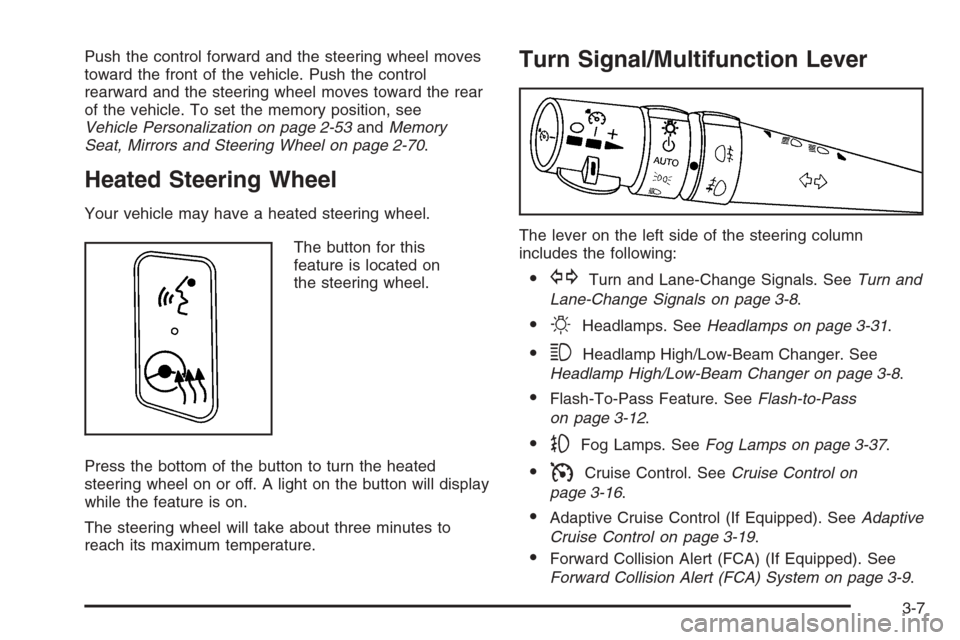
Turn Signal/Multifunction Lever
The lever on the left side of the steering column
includes the following:
GTurn and Lane-Change Signals. SeeTurn and
Lane-Change Signals on page 3-8.
OHeadlamps. SeeHeadlamps on page 3-31.
3Headlamp High/Low-Beam Changer. See
Headlamp High/Low-Beam Changer on page 3-8.
Flash-To-Pass Feature. SeeFlash-to-Pass
on page 3-12.
-Fog Lamps. SeeFog Lamps on page 3-37.
ICruise Control. SeeCruise Control on
page 3-16.
Adaptive Cruise Control (If Equipped). SeeAdaptive
Cruise Control on page 3-19.
Forward Collision Alert (FCA) (If Equipped). See
Forward Collision Alert (FCA) System on page 3-9.
3-7
Page 160 of 480
Rainsense™ II Wipers
If your vehicle has this feature, the moisture sensor is
mounted on the interior side of the windshield behind the
rearview mirror. It is used to automatically operate the
wipers by monitoring the amount of moisture build-up on
the windshield. Wipes occur as needed to clear the
windshield depending on driving conditions and the
sensitivity setting. In light rain or snow, fewer wipes will
occur. In heavy rain or snow, wipes will occur more
frequently. The Rainsense™ wipers operate in a delay
mode as well as a continuous low or high speed as
needed. If the system is left on for long periods of time,
occasional wipes may occur without any moisture on the
windshield. This is normal and indicates that the
Rainsense™ system is activated.
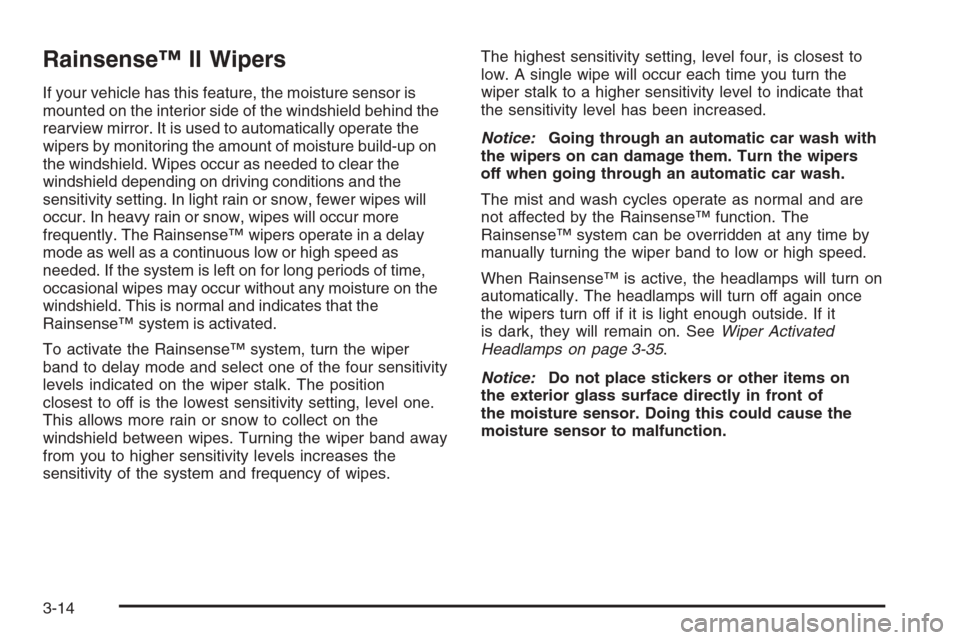
To activate the Rainsense™ system, turn the wiper
band to delay mode and select one of the four sensitivity
levels indicated on the wiper stalk. The position
closest to off is the lowest sensitivity setting, level one.
This allows more rain or snow to collect on the
windshield between wipes. Turning the wiper band away
from you to higher sensitivity levels increases the
sensitivity of the system and frequency of wipes.The highest sensitivity setting, level four, is closest to
low. A single wipe will occur each time you turn the
wiper stalk to a higher sensitivity level to indicate that
the sensitivity level has been increased.
Notice:Going through an automatic car wash with
the wipers on can damage them. Turn the wipers
off when going through an automatic car wash.
The mist and wash cycles operate as normal and are
not affected by the Rainsense™ function. The
Rainsense™ system can be overridden at any time by
manually turning the wiper band to low or high speed.
When Rainsense™ is active, the headlamps will turn on
automatically. The headlamps will turn off again once
the wipers turn off if it is light enough outside. If it
is dark, they will remain on. SeeWiper Activated
Headlamps on page 3-35.
Notice:Do not place stickers or other items on
the exterior glass surface directly in front of
the moisture sensor. Doing this could cause the
moisture sensor to malfunction.
3-14