mirror CADILLAC STS 2006 1.G Owner's Manual
[x] Cancel search | Manufacturer: CADILLAC, Model Year: 2006, Model line: STS, Model: CADILLAC STS 2006 1.GPages: 480, PDF Size: 2.74 MB
Page 178 of 480
;(Parking Lamps):Turn the control to this position to
turn on the parking lamps together with the following:
Sidemarker Lamps
Taillamps
License Plate Lamps
Instrument Panel Lights
5(Headlamps):Turn the control to this position to
turn on the headlamps, together with the previously
listed lamps and lights.
IntelliBeam™ Intelligent High-Beam
Headlamp Control System
If your vehicle has this feature, be sure to read this
entire section before using it.
IntelliBeam™ is an enhancement to your vehicle’s
headlamp system. Using a digital light sensor on your
rearview mirror, this system will turn the vehicle’s
high-beam headlamps on and off according to
surrounding traffic conditions.
The IntelliBeam™ system will turn your high-beam
headlamps on when it is dark enough, there is no other
traffic present, and the IntelliBeam™ system is
enabled.
Turning On and Enabling IntelliBeam™
AUTO3(IntelliBeam™ On/Off):Press and release
the IntelliBeam™ button on the inside rear view
mirror. The IntelliBeam™ indicator on the mirror turn on
to let you know the system has been turned on.
Once the system has been turned on, it will remain on
each time the vehicle is started. Additionally, the
IntelliBeam™ system must be enabled.
To enable the IntelliBeam™ System, turn the exterior
lamp control to AUTO, with the turn signal/multifunction
lever in its neutral position. The High-Beam On Light
will appear on the instrument panel cluster when
the high-beams are on. SeeHighbeam On Light on
page 3-72. Your vehicle is equipped with variable
intensity high-beams. The high-beam indicator on the
instrument panel will illuminate as soon as the
high-beams start to come on, and will remain on until
the high-beams have completely turned off. All
IntelliBeam™ equipped vehicles, however, will quickly
turn off the high-beams if the system detects the sudden
presence of vehicle lights ahead.
3-32
Page 179 of 480
Driving with IntelliBeam™
IntelliBeam™ will only activate your high-beams when
driving over 20 mph (32 km/h).
The high-beam headlamps will remain on, under the
control of IntelliBeam™, until any of the following
situations occur:
The system detects an approaching vehicle’s
headlamps.
The system detects a preceding vehicle’s taillamps.
The outside light is bright enough that high-beam
headlamps are not required.
The high-beam headlamps are manually turned on
or you use the ash-to-pass feature. SeeHeadlamp
High/Low-Beam Changer on page 3-8and
Flash-to-Pass on page 3-12.
When either of these conditions occur, the
IntelliBeam™ feature will be temporarily disabled
until the high-beam stalk is returned to the neutral
position. If either of these conditions occur and
IntelliBeam™ already has the high-beam headlamps
on, the IntelliBeam™ feature will be disabled and the
IntelliBeam™ light in the mirror will turn off.
The exterior lamp control is turned to any setting
except AUTO.
When this occurs, IntelliBeam™ will be disabled until
the control is turned back to the AUTO position and
the AUTOMATIC LIGHTS ON message is displayed
on the DIC.
The IntelliBeam™ system is turned off at the inside
rearview mirror.
The vehicle’s speed drops below 15 mph (24 km/h).
IntelliBeam™ may not turn off the high-beams if the
system cannot detect other vehicle’s lamps because of
any of the following:
The others vehicle’s lamp(s) are missing, damaged,
obstructed from view or otherwise undetected.
The other vehicle’s lamp(s) are covered with dirt,
snow and/or road spray.
The other vehicle’s lamp(s) cannot be detected due
to dense exhaust, smoke, fog, snow, road spray,
mist or other airborne obstructions.
Your vehicle’s windshield is dirty, cracked or
obstructed by something that blocks the view of the
IntelliBeam™ light sensor.
Your vehicle’s windshield is covered with ice, dirt,
haze or other obstructions.
3-33
Page 180 of 480
Your vehicle is loaded such that the front end of the
vehicle points upward, causing the IntelliBeam™
sensor to aim high and not detect headlamps
and taillamps.
You are driving on winding or hilly roads.
You may need to manually disable or cancel the
high-beam headlamps by turning the low-beam
headlamps on, if any of the above conditions exist.
Disabling and Resetting IntelliBeam™ at
the Rearview Mirror
IntelliBeam™ can be disabled and reset to the original
factory setting by using the controls on the inside
rearview mirror.
AUTO
3(IntelliBeam™ On/Off):To disable the
system, press this button on the inside rearview mirror.
The IntelliBeam™ indicator will turn off and the will
not come back on until the IntelliBeam™ button
is pressed again.
When IntelliBeam™ has turned on the high-beams, pull
or push the high-beam stalk. This will disable
IntelliBeam™. The IntelliBeam™ indicator on the mirror
will turn off. To re-enable IntelliBeam™, press the
IntelliBeam™ button on the mirror.A different sensitivity setting is available for dealer
diagnostics. This is done by pushing and holding this
button for 20 seconds until the light ashes three times.
If you accidentally activate this, the vehicle’s setting
will automatically be reset each time the ignition
is turned off and then on again; otherwise, refer to
the text above for resetting the system.
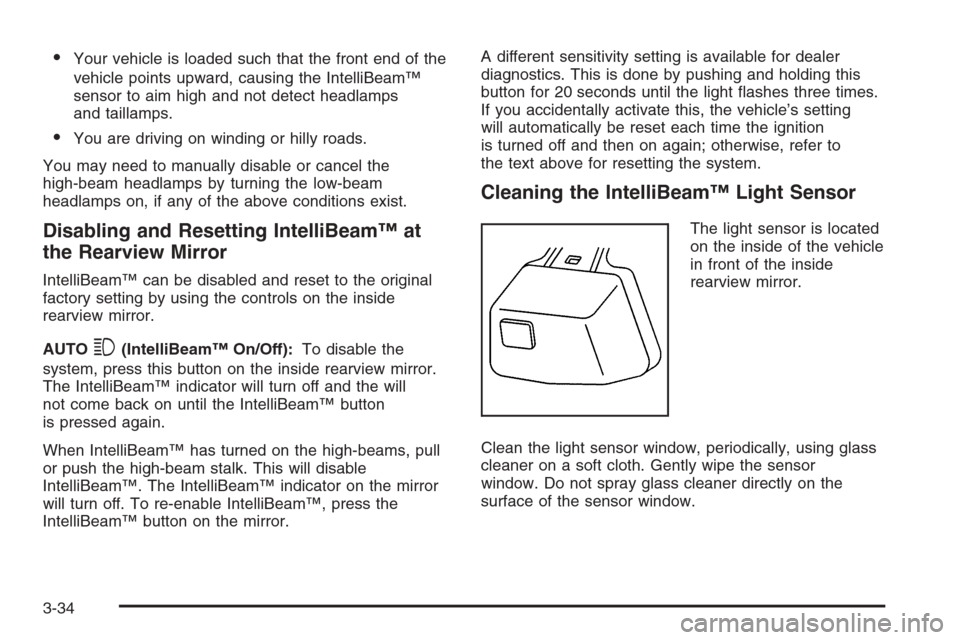
Cleaning the IntelliBeam™ Light Sensor
The light sensor is located
on the inside of the vehicle
in front of the inside
rearview mirror.
Clean the light sensor window, periodically, using glass
cleaner on a soft cloth. Gently wipe the sensor
window. Do not spray glass cleaner directly on the
surface of the sensor window.
3-34
Page 190 of 480
Ultrasonic Rear Parking
Assist (URPA)
The Ultrasonic Rear Parking Assist (URPA) system is
designed to help you park while the vehicle is in
REVERSE (R). It operates only at very low speeds, less
than 3 mph (5 km/h). URPA can help make parking
easier and help you avoid colliding with objects such as
parked vehicles. The URPA system can detect objects
up to 5 feet (1.5 m) behind the vehicle, and tell you how
close these objects are from your rear bumper.
{CAUTION:
Even with the Ultrasonic Rear Park Assist
system, the driver must check carefully before
backing up. The system does not operate above
typical backing speeds of 3 mph (5 km/h) while
parking. And, the system does not detect
objects that are more than 5 feet (1.5 meters)
behind the vehicle.
CAUTION: (Continued)
CAUTION: (Continued)
So, unless you check carefully behind you
before and when you back up, you could strike
children, pedestrians, bicyclists or pets behind
you, and they could be injured or killed.
Whether or not you are using rear park assist,
always check carefully behind your vehicle
before you back up and then watch closely as
you do.
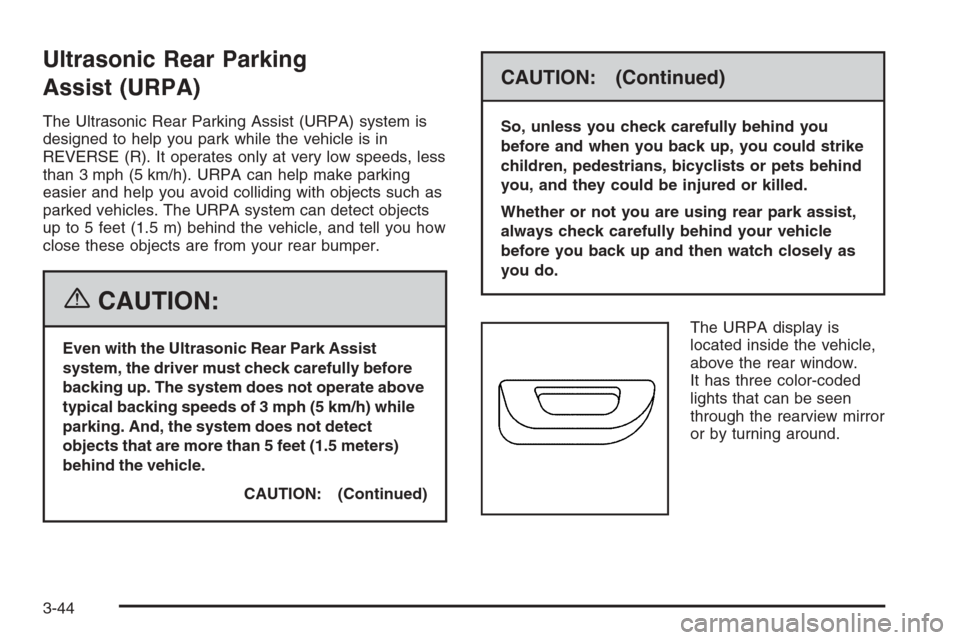
The URPA display is
located inside the vehicle,
above the rear window.
It has three color-coded
lights that can be seen
through the rearview mirror
or by turning around.
3-44
Page 199 of 480
0(Defrost):Pressing the defrost button directs most
of the air to the windshield, with some air directed to the
side windows and outboard panel outlets. In this mode,
the system will automatically turn off recirculation and run
the air-conditioning compressor, unless the outside
temperature is at or below freezing. Recirculation cannot
be selected while in the defrost mode.
This mode may also cause the fan speed and air
temperature to increase.
Rear Window Defogger
The rear window defogger uses a warming grid to
remove fog or frost from the rear window.
The rear window defogger will only work when the
ignition is in ON or during remote start, if programmed.
See “Personal Settings Menu” underVehicle
Personalization on page 2-53for additional information.
=(Rear Window Defogger):Press this button to
turn the rear window defogger on or off. Be sure to clear
as much snow from the rear window as possible.
The rear window defogger will turn off about 10 minutes
after the button is pressed, or if the vehicle’s speed
is above 30 mph (48 km/h), the rear defogger will stay
on continuously. If turned on again, the defogger
will only run for about ve minutes before turning off.
The defogger can also be turned off by pressing
the button again or by turning off the engine.
The heated outside rearview mirrors will heat to help
clear fog or frost from the surface of the mirror when the
rear window defogger button is on.
Notice:Do not use a razor blade or sharp object to
clear the inside rear window. Do not adhere
anything to the defogger grid lines in the rear glass.
These actions may damage the rear defogger.
Repairs would not be covered by your warranty.
3-53
Page 264 of 480
LANG (Language):To change the language displayed
on the radio, select LANGUAGE by pressing the
tune/select knob. Turn the tune/select knob to scroll
through the following available languages:
ENGLISH
GERMAN
FRENCH
SPANISH
JAPANESE
To make your selection, press the tune/select knob. If
you accidentally select a language that you did not want,
ENGLISH is always at the top of the language list.
SETUP:When you select this menu item, the following
submenu is available:
PERSONAL SETTINGS MENU
DRIVER SELECTION
DRIVER EXIT SETTINGS
CONFIGURE DISPLAY KEYS
SETUP Submenu Items
The following choices are available for programming
using the Base audio system.
PERSONAL SETTINGS MENU
This item turns the entire list of personalization features
on or off. This item allows you to program certain features
to a preferred setting for up to two people. The number of
available features varies depending upon which options
are purchased. When this item is on, a check mark will
appear after it. For more information on the PERSONAL
SETTINGS MENU item, seeVehicle Personalization on
page 2-53.
DRIVER SELECTION
When you select this item, the following submenu
appears:
DRIVER 1
DRIVER 2
RECALL DRIVER SETTINGS
STORE DRIVER SETTINGS
For more information on the DRIVER SELECTION
submenu item, see “Recalling Driver Settings”
and “Storing Driver Settings” underMemory Seat,
Mirrors and Steering Wheel on page 2-70.
3-118
Page 265 of 480
DRIVER EXIT SETTINGS
When you select this item, the following submenu
appears:
RECALL EXIT SETTINGS
STORE EXIT SETTINGS
For more information on the DRIVER EXIT SETTINGS
submenu item, see “Recalling Exit Settings” and
“Storing Exit Settings” underMemory Seat, Mirrors and
Steering Wheel on page 2-70.
CONFIGURE DISPLAY KEYS
(Base Audio System)
This item allows you to customize the functions of the
four congurable keys located to the left and right of the
audio display. See “Congurable Radio Display Keys”
underRadio with CD on page 3-96for programming
information.
Theft-Deterrent Feature
THEFTLOCK®is designed to discourage theft of your
vehicle’s radio. The feature works automatically by
learning a portion of the Vehicle Identication Number
(VIN). If the radio is moved to a different vehicle, it
will not operate. If the radio is removed from your
vehicle, the original VIN in the radio can be used to
trace the radio back to your vehicle.
With THEFTLOCK
®activated, the radio will not operate
if stolen.
Audio Steering Wheel Controls
The audio steering wheel controls may be different
depending on your vehicle’s options. Some audio
controls can be adjusted at the steering wheel. They
include the following:
0(Mute):Press this button to silence the system.
Press this button again, or any other radio button, to turn
the sound on.
SRCE (Source):Press this button to switch between
FM1, FM2, AM, or XM1 or XM2 (if equipped), radio,
or CD.
3-119
Page 284 of 480
Do not get too close to the vehicle you want to pass
while you are awaiting an opportunity. For one thing,
following too closely reduces your area of vision,
especially if you are following a larger vehicle. Also,
you will not have adequate space if the vehicle
ahead suddenly slows or stops. Keep back a
reasonable distance.
When it looks like a chance to pass is coming up,
start to accelerate but stay in the right lane and do
not get too close. Time your move so you will be
increasing speed as the time comes to move into the
other lane. If the way is clear to pass, you will have
a running start that more than makes up for the
distance you would lose by dropping back. And if
something happens to cause you to cancel your
pass, you need only slow down and drop back again
and wait for another opportunity.
If other vehicles are lined up to pass a slow vehicle,
wait your turn. But take care that someone is not
trying to pass you as you pull out to pass the slow
vehicle. Remember to glance over your shoulder and
check the blind spot.
Check your mirrors, glance over your shoulder, and
start your left lane change signal before moving out
of the right lane to pass. When you are far enough
ahead of the passed vehicle to see its front in your
inside mirror, activate your right lane change signal
and move back into the right lane. Remember that
your passenger side outside mirror is convex. The
vehicle you just passed may seem to be farther away
from you than it really is.
Try not to pass more than one vehicle at a time on
two-lane roads. Reconsider before passing the next
vehicle.
Do not overtake a slowly moving vehicle too rapidly.
Even though the brake lamps are not ashing, it may
be slowing down or starting to turn.
If you are being passed, make it easy for the
following driver to get ahead of you. Perhaps you
can ease a little to the right.
4-16
Page 286 of 480
While driving on a surface with reduced traction, try your
best to avoid sudden steering, acceleration, or braking,
including reducing vehicle speed by shifting to a lower
gear. Any sudden changes could cause the tires to
slide. You may not realize the surface is slippery until
your vehicle is skidding. Learn to recognize warning
clues — such as enough water, ice, or packed snow on
the road to make a mirrored surface — and slow down
when you have any doubt.
Remember: Any Anti-Lock Brake System (ABS) helps
avoid only the braking skid.
Competitive Driving
See your warranty book before using your vehicle for
competitive driving.
Notice:If you use your vehicle for racing or other
competitive driving, the engine may use more
oil than it would with normal use. Low oil levels can
damage the engine. Be sure to check the oil level
often during racing or other competitive driving
and keep the level at or near the upper mark that
shows the proper operating range on the engine oil
dipstick. For information on how to add oil, see
Engine Oil on page 5-18.
Driving at Night
Night driving is more dangerous than day driving.
One reason is that some drivers are likely to be
impaired — by alcohol or drugs, with night vision
problems, or by fatigue.
Here are some tips on night driving.
Drive defensively.
Do not drink and drive.
Adjust the inside rearview mirror to reduce the glare
from headlamps behind you.
Since you cannot see as well, you may need to
slow down and keep more space between you
and other vehicles.
Slow down, especially on higher speed roads.
Your vehicle’s headlamps can light up only so much
road ahead.
In remote areas, watch for animals.
If you are tired, pull off the road in a safe place
and rest.
4-18
Page 291 of 480
Freeway Driving
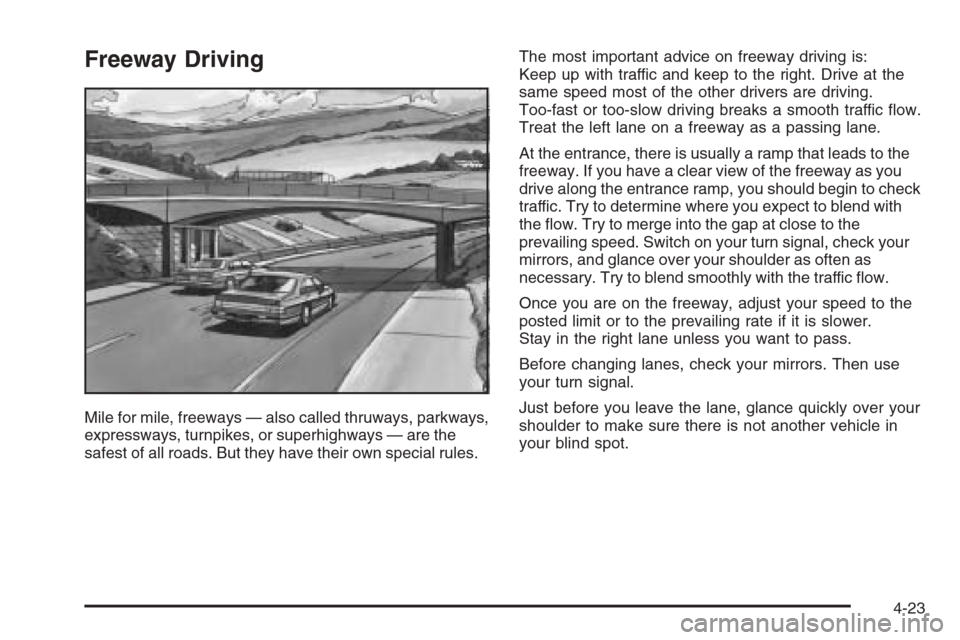
Mile for mile, freeways — also called thruways, parkways,
expressways, turnpikes, or superhighways — are the
safest of all roads. But they have their own special rules.The most important advice on freeway driving is:
Keep up with traffic and keep to the right. Drive at the
same speed most of the other drivers are driving.
Too-fast or too-slow driving breaks a smooth traffic ow.
Treat the left lane on a freeway as a passing lane.
At the entrance, there is usually a ramp that leads to the
freeway. If you have a clear view of the freeway as you
drive along the entrance ramp, you should begin to check
traffic. Try to determine where you expect to blend with
the ow. Try to merge into the gap at close to the
prevailing speed. Switch on your turn signal, check your
mirrors, and glance over your shoulder as often as
necessary. Try to blend smoothly with the traffic ow.
Once you are on the freeway, adjust your speed to the
posted limit or to the prevailing rate if it is slower.
Stay in the right lane unless you want to pass.
Before changing lanes, check your mirrors. Then use
your turn signal.
Just before you leave the lane, glance quickly over your
shoulder to make sure there is not another vehicle in
your blind spot.
4-23