trunk CADILLAC STS 2006 1.G User Guide
[x] Cancel search | Manufacturer: CADILLAC, Model Year: 2006, Model line: STS, Model: CADILLAC STS 2006 1.GPages: 480, PDF Size: 2.74 MB
Page 95 of 480
If the alarm does not sound when it should, check to
see if the horn works. The horn fuse may be blown.
To replace the fuse, seeFuses and Circuit Breakers
on page 5-105. If the fuse does not need to be replaced,
you may need to have your vehicle serviced.
To reduce the possibility of theft, always arm the
Theft-Deterrent system when leaving your vehicle.
Valet Lockout Switch
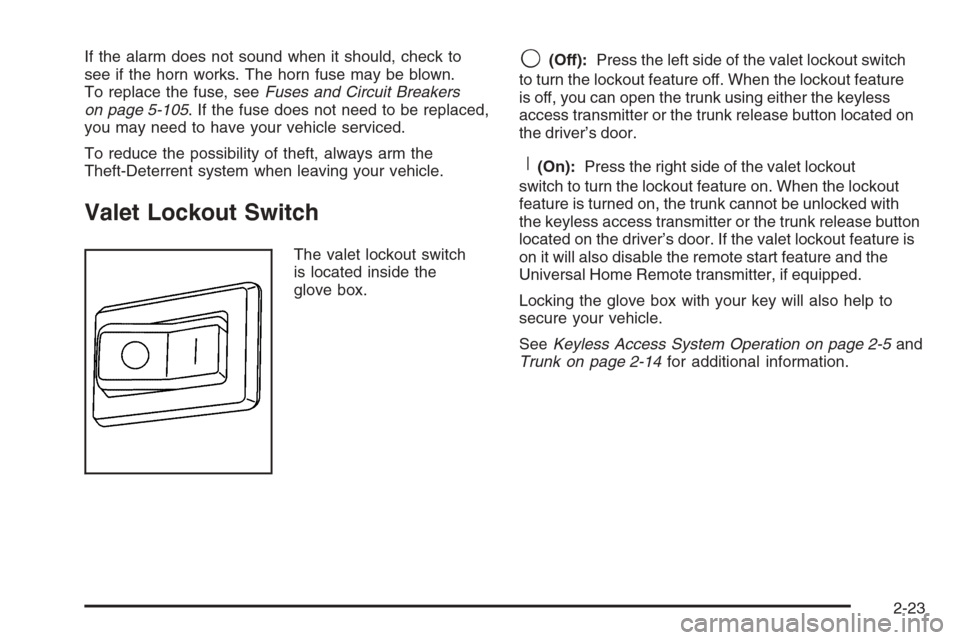
The valet lockout switch
is located inside the
glove box.
9(Off):Press the left side of the valet lockout switch
to turn the lockout feature off. When the lockout feature
is off, you can open the trunk using either the keyless
access transmitter or the trunk release button located on
the driver’s door.
R(On):Press the right side of the valet lockout
switch to turn the lockout feature on. When the lockout
feature is turned on, the trunk cannot be unlocked with
the keyless access transmitter or the trunk release button
located on the driver’s door. If the valet lockout feature is
on it will also disable the remote start feature and the
Universal Home Remote transmitter, if equipped.
Locking the glove box with your key will also help to
secure your vehicle.
SeeKeyless Access System Operation on page 2-5and
Trunk on page 2-14for additional information.
2-23
Page 186 of 480
Reading Lamps
The reading lamps are located on the overhead
console. These lamps come on automatically when any
door is opened.
For manual operation, press the button next to each
lamp to turn it on. Press it again to turn the lamp off.
If the reading lamps are left on, they automatically shut
off 10 minutes after the ignition has been turned off.
Battery Load Management
The battery load management feature is designed to
monitor the vehicle’s electrical load and determine when
the battery is in a heavy discharge condition. During
times of high electrical loading, the engine may idle at a
higher revolutions per minute (rpm) setting than normal to
make sure the battery charges. High electrical loads may
occur when several of the following are on: headlamps,
high beams, fog lamps, rear window defogger, the
climate control fan at high speeds, heated seats and
engine cooling fans.
If the battery continues to discharge, even with the
engine idling at a higher rpm setting, some electrical
loads will automatically be reduced. When this occurs,
the rear window defogger may take slightly longer
to clear the glass and the fan may cut back to a lower
speed. For more battery saving information, see “Battery
Saver Active Message” underDIC Warnings and
Messages on page 3-79.
Inadvertent Power Battery Saver
This feature is designed to protect your vehicle’s battery
against drainage from the interior lamps, trunk lamp,
glove box lamp, or the garage door opener. When the
ignition is turned off, the power to these features will
automatically turn off after 10 minutes (three minutes if
a new car has 15 miles (24 km) or less). Power will
be restored for an additional 10 minutes if any door is
opened, the trunk is opened or the courtesy lamp switch
is turned on.
Head-Up Display (HUD)
{CAUTION:
If the HUD image is too bright, or too high in
your eld of view, it may take you more time to
see things you need to see when it is dark
outside. Be sure to keep the HUD image dim
and placed low in your eld of view.
If equipped, the Head-Up Display (HUD) allows you to
see some of the driver information that appears on your
instrument panel cluster on the windshield.
3-40
Page 191 of 480

How the System Works
URPA comes on automatically when the shift lever is
moved into REVERSE (R) and the vehicle speed is less
than 3 mph (5 km/h). When the system turns on, the
three lights on the display will illuminate for one and a
half seconds to let you know that the system is
working. If your vehicle is moving in REVERSE (R) at a
speed greater than 3 mph (5 km/h), the red light will
ash to remind you that the system does not work at a
speed greater than 3 mph (5 km/h).
If an object is detected at a REVERSE (R) speed of
less than 3 mph (5 km/h), one of the following will occur:
Description English Metric
Amber light 5 ft 1.5 m
Amber/amber lights 40 in 1.0 m
Amber/amber/red lights &
continuous chime20 in 0.5 m
Amber/amber/red lights
ashing & continuous
chime1 ft 0.3 m
A chime will sound the rst time an object is detected
between 20 inches (0.5 m) and 5 feet (1.5 m) away.
URPA cannot detect objects that are above trunk level.
In order for the rear sensors to recognize an object,
it must be within detection range behind the vehicle.
When the System Does Not Seem to
Work Properly
The light may ash red when the vehicle is in
REVERSE (R), if the ultrasonic sensors are not kept
clean. So be sure to keep your rear bumper free of mud,
dirt, snow, ice and slush. Other conditions that may
affect system performance include things like the
vibrations from a jackhammer or the compression of air
brakes on a very large truck. If after cleaning the
rear bumper and then driving forward at least 15 mph
(25 km/h), the display continues to ash red, see
your dealer.
If a trailer was attached to your vehicle, or a bicycle or
an object was hanging out of your trunk during your
last drive cycle, the light may also ash red. The light will
continue to ash whenever in REVERSE (R) until
your vehicle is driven forward at least 15 mph (25 km/h)
without any obstructions behind the vehicle.
For cleaning instructions, seeWashing Your Vehicle on
page 5-98.
3-45
Page 238 of 480
TRACTION ACTIVE
This message will display when the traction control
system is actively limiting wheel spin. Slippery
road conditions may exist if this message is displayed,
so adjust your driving accordingly. The message will
stay on for a few seconds after the traction control
system stops limiting wheel spin. SeeTraction Control
System (TCS) on page 4-9for more information.
TRANS (Transmission) HOT IDLE
ENGINE
This message will display when the transmission uid in
your vehicle is too hot. Stop the vehicle and allow it
to idle until the transmission cools down or until
this message is removed.
TRUNK OPEN
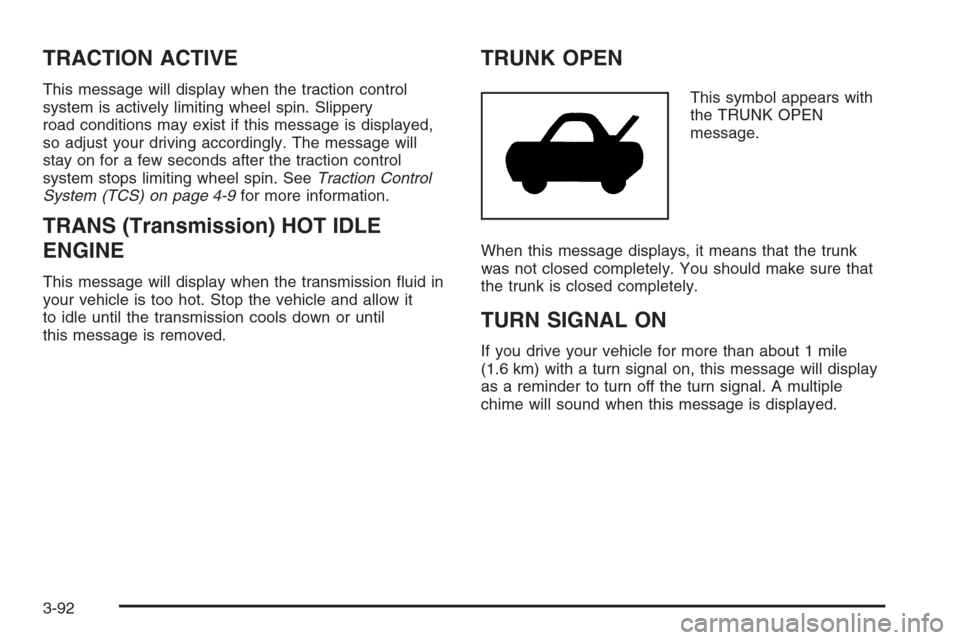
This symbol appears with
the TRUNK OPEN
message.
When this message displays, it means that the trunk
was not closed completely. You should make sure that
the trunk is closed completely.
TURN SIGNAL ON
If you drive your vehicle for more than about 1 mile
(1.6 km) with a turn signal on, this message will display
as a reminder to turn off the turn signal. A multiple
chime will sound when this message is displayed.
3-92
Page 295 of 480
Winter Driving
Here are some tips for winter driving:
Have your vehicle in good shape for winter.
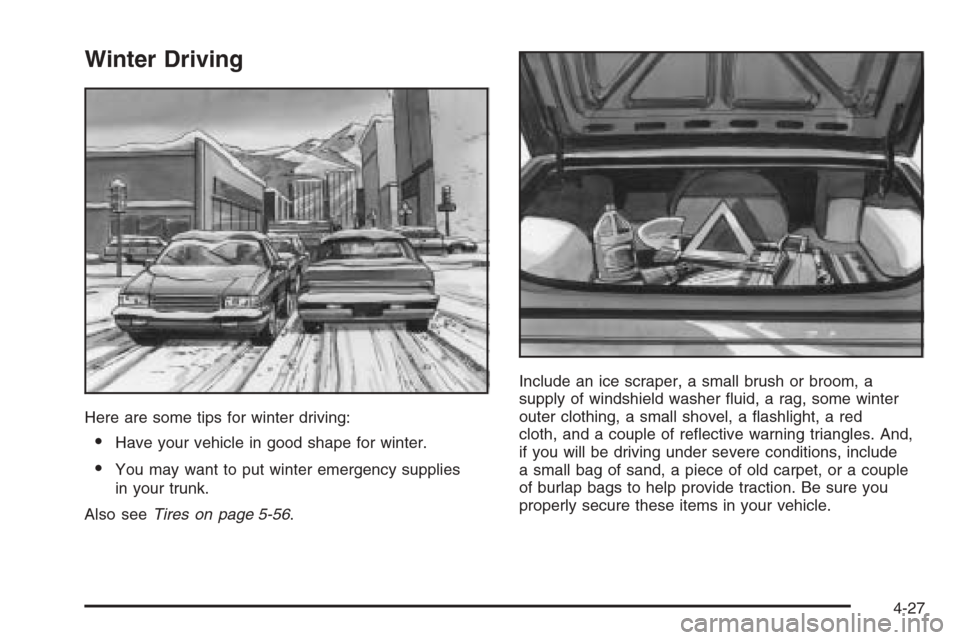
You may want to put winter emergency supplies
in your trunk.
Also seeTires on page 5-56.Include an ice scraper, a small brush or broom, a
supply of windshield washer uid, a rag, some winter
outer clothing, a small shovel, a ashlight, a red
cloth, and a couple of reective warning triangles. And,
if you will be driving under severe conditions, include
a small bag of sand, a piece of old carpet, or a couple
of burlap bags to help provide traction. Be sure you
properly secure these items in your vehicle.
4-27
Page 304 of 480
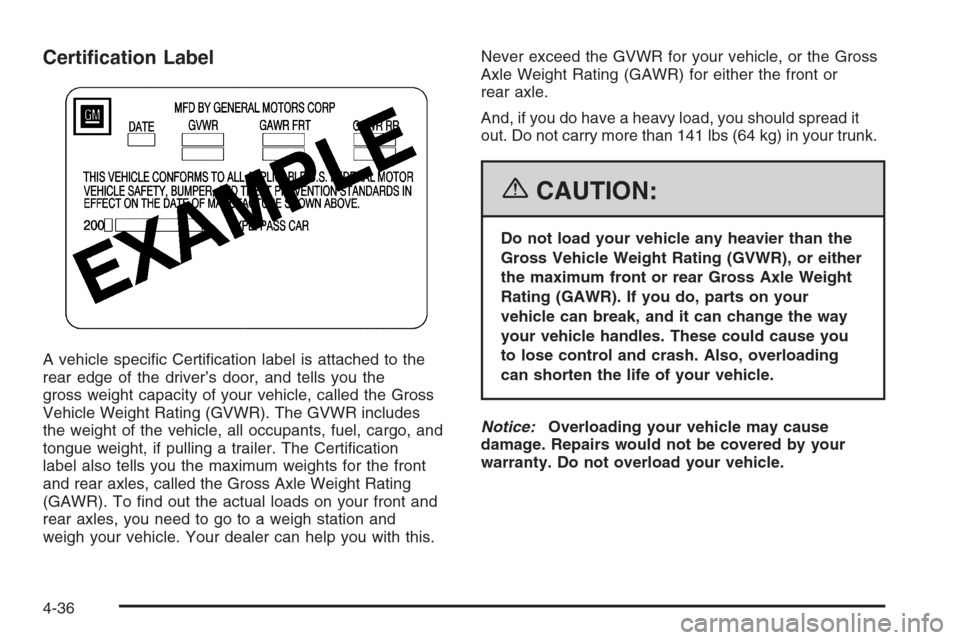
Certication Label
A vehicle specic Certication label is attached to the
rear edge of the driver’s door, and tells you the
gross weight capacity of your vehicle, called the Gross
Vehicle Weight Rating (GVWR). The GVWR includes
the weight of the vehicle, all occupants, fuel, cargo, and
tongue weight, if pulling a trailer. The Certication
label also tells you the maximum weights for the front
and rear axles, called the Gross Axle Weight Rating
(GAWR). To nd out the actual loads on your front and
rear axles, you need to go to a weigh station and
weigh your vehicle. Your dealer can help you with this.Never exceed the GVWR for your vehicle, or the Gross
Axle Weight Rating (GAWR) for either the front or
rear axle.
And, if you do have a heavy load, you should spread it
out. Do not carry more than 141 lbs (64 kg) in your trunk.
{CAUTION:
Do not load your vehicle any heavier than the
Gross Vehicle Weight Rating (GVWR), or either
the maximum front or rear Gross Axle Weight
Rating (GAWR). If you do, parts on your
vehicle can break, and it can change the way
your vehicle handles. These could cause you
to lose control and crash. Also, overloading
can shorten the life of your vehicle.
Notice:Overloading your vehicle may cause
damage. Repairs would not be covered by your
warranty. Do not overload your vehicle.
4-36
Page 305 of 480
If you put things inside your vehicle, like suitcases,
tools, packages, or anything else, they will go as fast as
the vehicle goes. If you have to stop or turn quickly,
or if there is a crash, they will keep going.
{CAUTION:
Things you put inside your vehicle can strike
and injure people in a sudden stop or turn, or
in a crash.
Put things in the trunk of your vehicle. In a
trunk, put them as far forward as you can.
Try to spread the weight evenly.
Never stack heavier things, like suitcases,
inside the vehicle so that some of them
are above the tops of the seats.
Do not leave an unsecured child restraint
in your vehicle.
When you carry something inside the
vehicle, secure it whenever you can.
Automatic Level Control
This feature keeps the rear of your vehicle level as
the load changes. It is automatic, you do not need to
adjust anything.
Towing
Towing Your Vehicle
Consult your dealer or a professional towing service if
you need to have your disabled vehicle towed. See
Roadside Service on page 7-5.
If you want to tow your vehicle behind another vehicle
for recreational purposes (such as behind a motorhome),
see Recreational Vehicle Towing following.
4-37
Page 324 of 480
Filling a Portable Fuel Container
{CAUTION:
Never ll a portable fuel container while it is in
your vehicle. Static electricity discharge from
the container can ignite the gasoline vapor.
You can be badly burned and your vehicle
damaged if this occurs. To help avoid injury
to you and others:
Dispense gasoline only into approved
containers.
Do not ll a container while it is inside a
vehicle, in a vehicle’s trunk, pickup bed,
or on any surface other than the ground.
Bring the ll nozzle in contact with the
inside of the ll opening before operating
the nozzle. Contact should be maintained
until the lling is complete.
Do not smoke while pumping gasoline.
Checking Things Under
the Hood
{CAUTION:
An electric fan under the hood can start up
and injure you even when the engine is not
running. Keep hands, clothing, and tools
away from any underhood electric fan.
{CAUTION:
Things that burn can get on hot engine parts
and start a re. These include liquids like fuel,
oil, coolant, brake uid, windshield washer and
other uids, and plastic or rubber. You or others
could be burned. Be careful not to drop or spill
things that will burn onto a hot engine.
5-10
Page 368 of 480
Back-Up Lamps
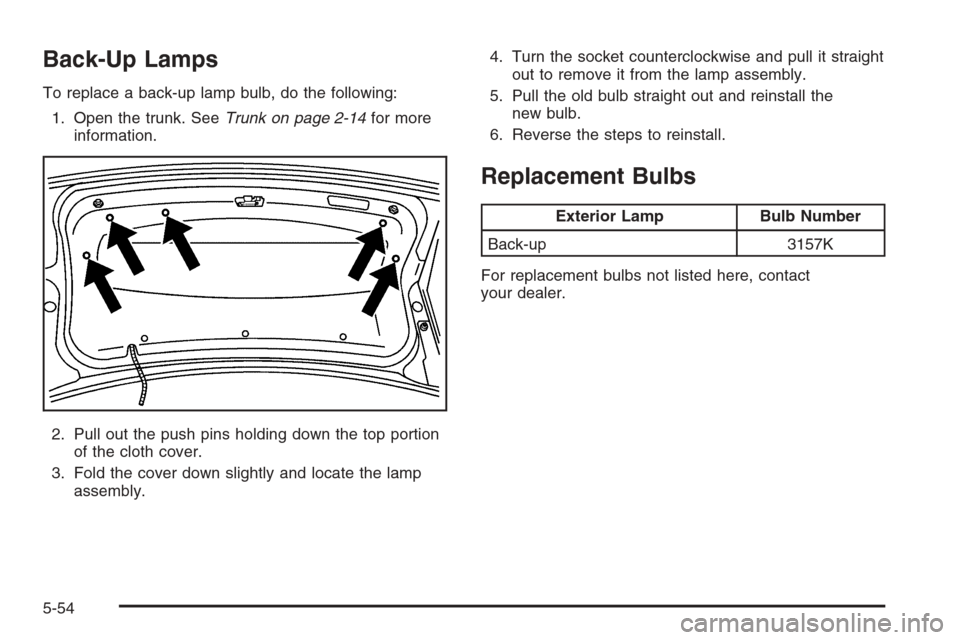
To replace a back-up lamp bulb, do the following:
1. Open the trunk. SeeTrunk on page 2-14for more
information.
2. Pull out the push pins holding down the top portion
of the cloth cover.
3. Fold the cover down slightly and locate the lamp
assembly.4. Turn the socket counterclockwise and pull it straight
out to remove it from the lamp assembly.
5. Pull the old bulb straight out and reinstall the
new bulb.
6. Reverse the steps to reinstall.
Replacement Bulbs
Exterior Lamp Bulb Number
Back-up 3157K
For replacement bulbs not listed here, contact
your dealer.
5-54
Page 399 of 480
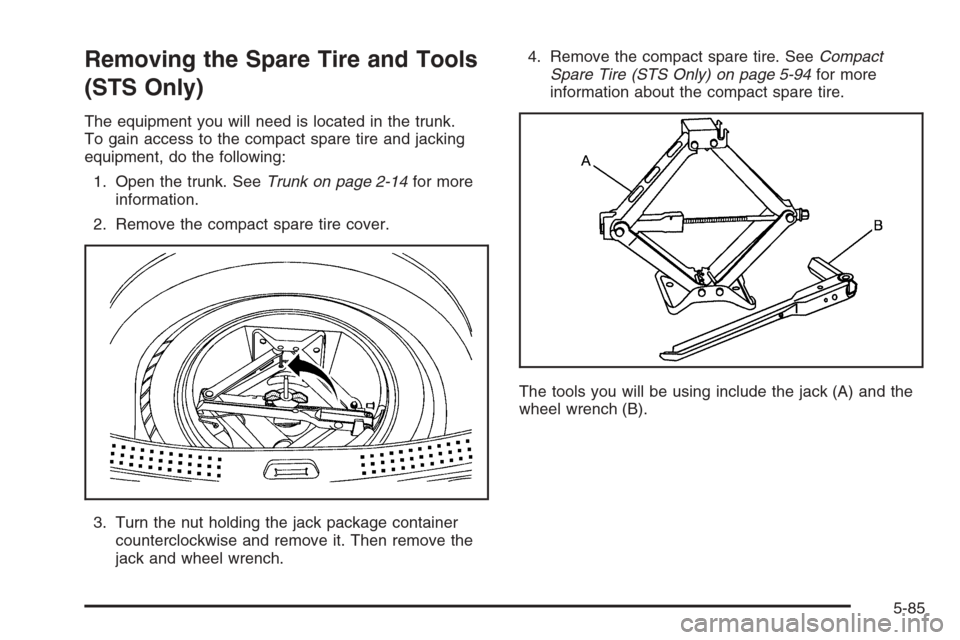
Removing the Spare Tire and Tools
(STS Only)
The equipment you will need is located in the trunk.
To gain access to the compact spare tire and jacking
equipment, do the following:
1. Open the trunk. SeeTrunk on page 2-14for more
information.
2. Remove the compact spare tire cover.
3. Turn the nut holding the jack package container
counterclockwise and remove it. Then remove the
jack and wheel wrench.4. Remove the compact spare tire. SeeCompact
Spare Tire (STS Only) on page 5-94for more
information about the compact spare tire.
The tools you will be using include the jack (A) and the
wheel wrench (B).
5-85