lock CADILLAC STS 2006 1.G Workshop Manual
[x] Cancel search | Manufacturer: CADILLAC, Model Year: 2006, Model line: STS, Model: CADILLAC STS 2006 1.GPages: 480, PDF Size: 2.74 MB
Page 140 of 480
FRONT PASS (Passenger) WINDOW LOCK
This feature allows you to choose whether or not to
have the front passenger window deactivated as part of
the window lockout button. If you would like the front
passenger window to be deactivated when the window
lockout button is pushed, turn this feature on. If this
feature is left off, the window lockout button located on
the door will deactivate only the rear windows. See
Power Windows on page 2-18for more information.
Programmable Modes
Mode 1:ON
Mode 2:OFF
Before your vehicle was shipped from the factory, it was
programmed to Mode 2. The mode to which the vehicle
was programmed may have been changed since it left
the factory.
To program the vehicle to a different mode, use the
following procedure:
1. Enter the PERSONAL SETTINGS MENU by
following the instructions listed previously under
“Entering the Personal Settings Menu.”
2. Turn the tune/select knob until FRONT PASS
WINDOW LOCK is highlighted.
3. Press the tune/select knob to switch back and forth
between on and off.
When the mode is turned on, a check mark will
appear next to the feature name.The mode you selected is now set. You can either exit
the programming mode by following the instructions
later in this section or program the next feature available
on your vehicle.
CHIME VOLUME HIGH
This feature allows you to adjust the volume level of the
vehicle’s warning chimes. The chime volume cannot be
turned off, only adjusted.
Programmable Modes
Mode 1:NORMAL
Mode 2:HIGH
Before your vehicle was shipped from the factory, it was
programmed to Mode 1. The mode to which the vehicle
was programmed may have been changed since it left
the factory.
To program the vehicle to a different mode, use the
following procedure:
1. Enter the PERSONAL SETTINGS MENU by
following the instructions listed previously under
“Entering the Personal Settings Menu.”
2. Turn the tune/select knob until CHIME VOLUME
HIGH is highlighted.
2-68
Page 144 of 480
RECALL DRIVER SETTINGS
To recall driver settings, use the following procedure:
1. Enter the memory programming mode for your
driver settings by following the instructions listed
previously under “Entering the Driver Selection
Submenu.”
2. From the DRIVER SELECTION submenu, turn the
tune/select knob to scroll to RECALL DRIVER
SETTINGS and press in the knob.
If the vehicle is in PARK (P), one beep will sound
and your previously saved driving position will
then be recalled.
If the vehicle is not in PARK (P), three beeps will
sound and your previously saved driving position will
not be recalled.
A memory recall can be stopped by pressing any
memory seat or mirror position button.
If you would like the stored driving positions to be
recalled when unlocking your vehicle with the keyless
access transmitter or when starting your vehicle,
see “REMOTE RECALL MEMORY” or “START
BUTTON RECALL” underVehicle Personalization
on page 2-53.
STORE DRIVER SETTINGS
To store driver settings, use the following procedure:
1. Adjust your settings for the driver’s seat, the outside
rearview mirrors, and the steering column to a
comfortable driving position.
2. Enter the memory programming mode for your
driver settings by following the instructions listed
previously under “Entering the Driver Selection
Submenu.”
3. From the DRIVER SELECTION submenu, turn
the tune/select knob to scroll to STORE DRIVER
SETTINGS and press in the knob. Two beeps will
sound to conrm that your driver settings are saved.
4. Set the HUD position, if your vehicle has this
feature, the climate control temperature, fan
speed and mode settings, the radio presets, tone,
volume, playback mode (AM/FM, XM™, or CD), and
compact disc position.
Your memory settings are now programmed. Any
changes that are made to the HUD, audio system,
and climate controls while driving will be
automatically stored when the ignition is turned off.
5. Repeat the procedure for a second driver by
programming the other driver number.
2-72
Page 147 of 480
Instrument Panel Overview...............................3-4
Hazard Warning Flashers................................3-6
Other Warning Devices...................................3-6
Horn .............................................................3-6
Power Tilt Wheel and Telescopic Steering
Column......................................................3-6
Heated Steering Wheel...................................3-7
Turn Signal/Multifunction Lever.........................3-7
Turn and Lane-Change Signals........................3-8
Headlamp High/Low-Beam Changer..................3-8
Forward Collision Alert (FCA) System................3-9
Flash-to-Pass...............................................3-12
Windshield Wipers........................................3-13
Rainsense™ II Wipers...................................3-14
Windshield Washer.......................................3-15
Headlamp Washer........................................3-15
Cruise Control..............................................3-16
Adaptive Cruise Control.................................3-19
Headlamps..................................................3-31
Wiper Activated Headlamps............................3-35
Headlamps on Reminder................................3-35
Daytime Running Lamps (DRL).......................3-35
Fog Lamps ..................................................3-37
Twilight Sentinel
®..........................................3-37
Exterior Lighting Battery Saver........................3-38
Instrument Panel Brightness...........................3-39Entry Lighting...............................................3-39
Parade Dimming...........................................3-39
Reading Lamps............................................3-40
Battery Load Management.............................3-40
Inadvertent Power Battery Saver.....................3-40
Head-Up Display (HUD).................................3-40
Ultrasonic Rear Parking Assist (URPA)............3-44
Accessory Power Outlet(s).............................3-46
Ashtray(s) and Cigarette Lighter......................3-47
Climate Controls............................................3-48
Dual Climate Control System..........................3-48
Outlet Adjustment.........................................3-54
Rear Climate Control System.........................3-54
Passenger Compartment Air Filter...................3-55
Warning Lights, Gages, and Indicators............3-57
Instrument Panel Cluster................................3-58
Speedometer and Odometer...........................3-59
Tachometer.................................................3-59
Safety Belt Reminder Light.............................3-59
Passenger Safety Belt Reminder Light.............3-60
Airbag Readiness Light..................................3-60
Passenger Airbag Status Indicator...................3-61
Charging System Light..................................3-63
Brake System Warning Light..........................3-64
Anti-Lock Brake System Warning Light.............3-65
Section 3 Instrument Panel
3-1
Page 157 of 480
Warning the Driver
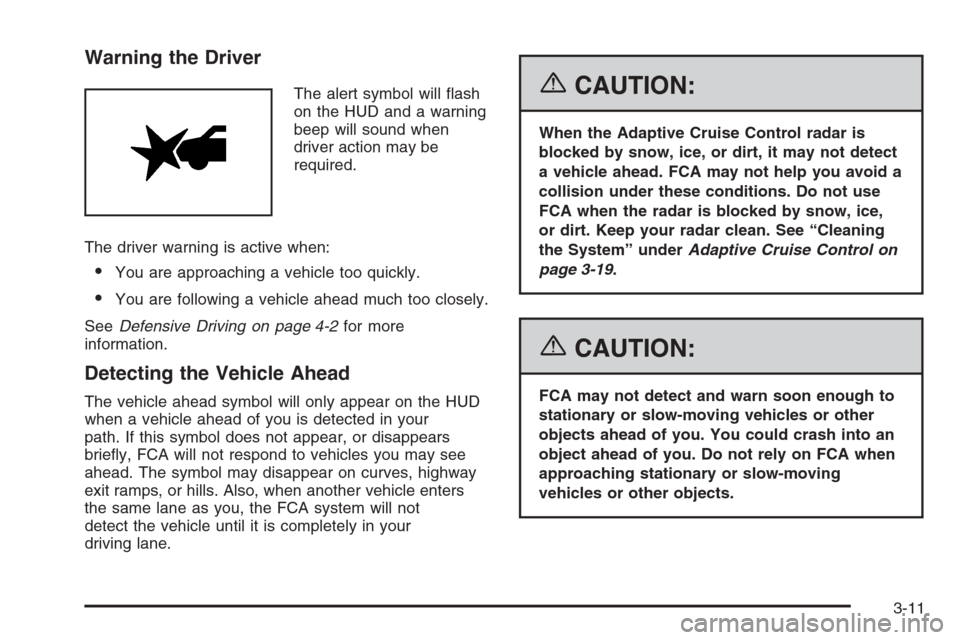
The alert symbol will ash
on the HUD and a warning
beep will sound when
driver action may be
required.
The driver warning is active when:
You are approaching a vehicle too quickly.
You are following a vehicle ahead much too closely.
SeeDefensive Driving on page 4-2for more
information.
Detecting the Vehicle Ahead
The vehicle ahead symbol will only appear on the HUD
when a vehicle ahead of you is detected in your
path. If this symbol does not appear, or disappears
briey, FCA will not respond to vehicles you may see
ahead. The symbol may disappear on curves, highway
exit ramps, or hills. Also, when another vehicle enters
the same lane as you, the FCA system will not
detect the vehicle until it is completely in your
driving lane.
{CAUTION:
When the Adaptive Cruise Control radar is
blocked by snow, ice, or dirt, it may not detect
a vehicle ahead. FCA may not help you avoid a
collision under these conditions. Do not use
FCA when the radar is blocked by snow, ice,
or dirt. Keep your radar clean. See “Cleaning
the System” underAdaptive Cruise Control on
page 3-19.
{CAUTION:
FCA may not detect and warn soon enough to
stationary or slow-moving vehicles or other
objects ahead of you. You could crash into an
object ahead of you. Do not rely on FCA when
approaching stationary or slow-moving
vehicles or other objects.
3-11
Page 158 of 480

Unnecessary Warnings
FCA may occasionally provide an unnecessary warning
to guard rails, signs, and other stationary objects.
This is normal operation, your vehicle does not need
service.
Other Messages
There are three messages that may appear on the
Driver Information Center (DIC). They are CLEAN
RADAR, RADAR CRUISE NOT READY and SERVICE
RADAR CRUISE. SeeDIC Warnings and Messages
on page 3-79.
Cleaning the System
The radar can become blocked by snow, ice, or dirt.
If so, you may need to turn off the engine and clean the
lens. See “Cleaning the System” underAdaptive
Cruise Control on page 3-19.
Flash-to-Pass
This feature allows you to use the high-beam
headlamps to signal the driver in front of you that you
want to pass.
Pull and hold the turn signal/multifunction lever toward
you to use this feature. When you do, the following
will occur:
If the headlamps are off, in low-beam or in Daytime
Running Lamps (DRL) mode, the high-beam
headlamps will turn on. They’ll stay on as long as
you hold the lever there. Release the lever to
turn them off.
If the headlamps are in high-beam mode, they will
switch to low beam. To return to high-beam, push
the lever away from you.
3-12
Page 161 of 480

Windshield Washer
K(Washer Fluid):The lever on the right side of the
steering column also controls the windshield washer.
There is a button at the end of the lever. To spray
washer uid on the windshield, press the button and
hold it. The washer will spray until you release the
button. The wipers will continue to clear the window for
about six seconds after the button is released and
then stop or return to your preset speed.
{CAUTION:
In freezing weather, do not use your washer
until the windshield is warmed. Otherwise the
washer uid can form ice on the windshield,
blocking your vision.
If the uid in the windshield washer uid reservoir is
low, the message CHECK WASHER FLUID will appear
on the Driver Information Center (DIC) display. It will
take 60 seconds after the bottle is relled for this
message to turn off. For information on the correct
washer uid mixture to use, seeWindshield Washer
Fluid on page 5-40andRecommended Fluids and
Lubricants on page 6-12.
Headlamp Washer
Your vehicle may have headlamp washers. The
headlamp washers clear debris from the headlamp
lenses.
The headlamp washers are located to the inside of the
headlamps.
To wash the headlamps, press the washer button
located at the end of the windshield wiper lever.
Headlamps will be washed when the washer button is
pressed if two minutes have elapsed since the last
washer button press. If two minutes have not elapsed,
the headlamps will be washed every fourth washer
button press.
3-15
Page 172 of 480
Approaching and Following a Vehicle
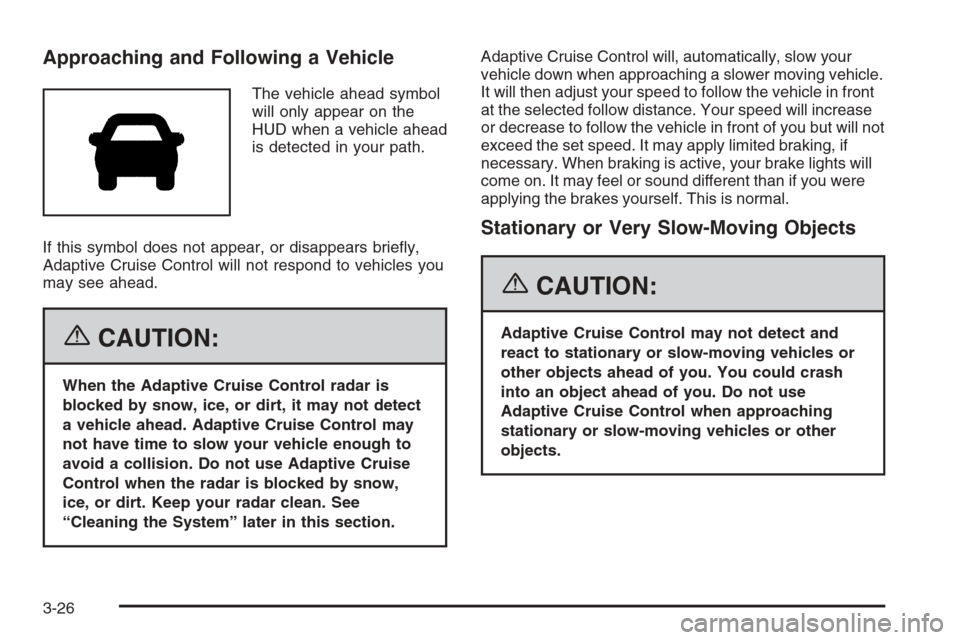
The vehicle ahead symbol
will only appear on the
HUD when a vehicle ahead
is detected in your path.
If this symbol does not appear, or disappears briey,
Adaptive Cruise Control will not respond to vehicles you
may see ahead.
{CAUTION:
When the Adaptive Cruise Control radar is
blocked by snow, ice, or dirt, it may not detect
a vehicle ahead. Adaptive Cruise Control may
not have time to slow your vehicle enough to
avoid a collision. Do not use Adaptive Cruise
Control when the radar is blocked by snow,
ice, or dirt. Keep your radar clean. See
“Cleaning the System” later in this section.Adaptive Cruise Control will, automatically, slow your
vehicle down when approaching a slower moving vehicle.
It will then adjust your speed to follow the vehicle in front
at the selected follow distance. Your speed will increase
or decrease to follow the vehicle in front of you but will not
exceed the set speed. It may apply limited braking, if
necessary. When braking is active, your brake lights will
come on. It may feel or sound different than if you were
applying the brakes yourself. This is normal.
Stationary or Very Slow-Moving Objects
{CAUTION:
Adaptive Cruise Control may not detect and
react to stationary or slow-moving vehicles or
other objects ahead of you. You could crash
into an object ahead of you. Do not use
Adaptive Cruise Control when approaching
stationary or slow-moving vehicles or other
objects.
3-26
Page 176 of 480
Using Adaptive Cruise Controls on Hills
and When Towing a Trailer
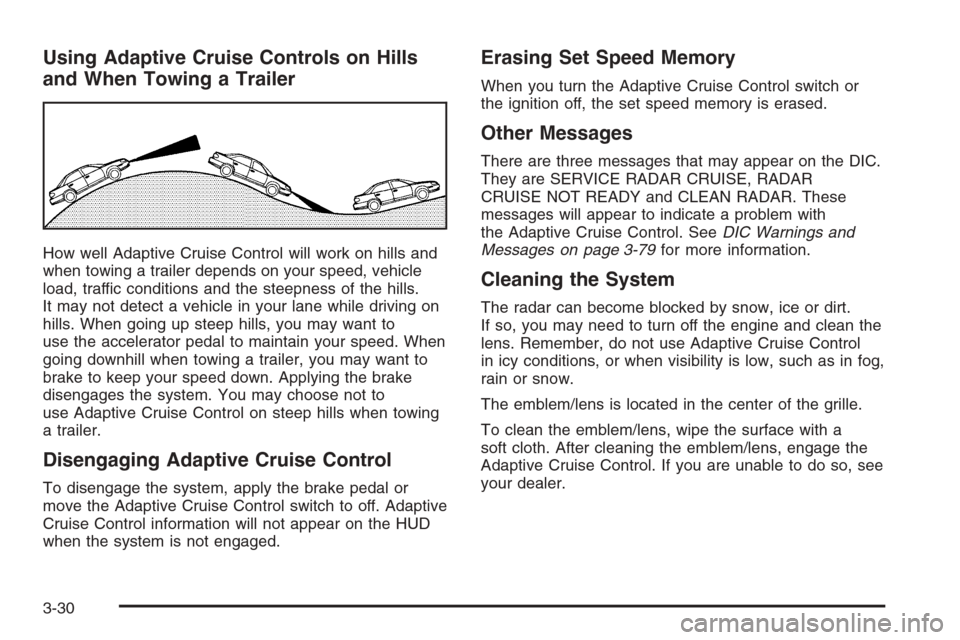
How well Adaptive Cruise Control will work on hills and
when towing a trailer depends on your speed, vehicle
load, traffic conditions and the steepness of the hills.
It may not detect a vehicle in your lane while driving on
hills. When going up steep hills, you may want to
use the accelerator pedal to maintain your speed. When
going downhill when towing a trailer, you may want to
brake to keep your speed down. Applying the brake
disengages the system. You may choose not to
use Adaptive Cruise Control on steep hills when towing
a trailer.
Disengaging Adaptive Cruise Control
To disengage the system, apply the brake pedal or
move the Adaptive Cruise Control switch to off. Adaptive
Cruise Control information will not appear on the HUD
when the system is not engaged.
Erasing Set Speed Memory
When you turn the Adaptive Cruise Control switch or
the ignition off, the set speed memory is erased.
Other Messages
There are three messages that may appear on the DIC.
They are SERVICE RADAR CRUISE, RADAR
CRUISE NOT READY and CLEAN RADAR. These
messages will appear to indicate a problem with
the Adaptive Cruise Control. SeeDIC Warnings and
Messages on page 3-79for more information.
Cleaning the System
The radar can become blocked by snow, ice or dirt.
If so, you may need to turn off the engine and clean the
lens. Remember, do not use Adaptive Cruise Control
in icy conditions, or when visibility is low, such as in fog,
rain or snow.
The emblem/lens is located in the center of the grille.
To clean the emblem/lens, wipe the surface with a
soft cloth. After cleaning the emblem/lens, engage the
Adaptive Cruise Control. If you are unable to do so, see
your dealer.
3-30
Page 179 of 480
Driving with IntelliBeam™
IntelliBeam™ will only activate your high-beams when
driving over 20 mph (32 km/h).
The high-beam headlamps will remain on, under the
control of IntelliBeam™, until any of the following
situations occur:
The system detects an approaching vehicle’s
headlamps.
The system detects a preceding vehicle’s taillamps.
The outside light is bright enough that high-beam
headlamps are not required.
The high-beam headlamps are manually turned on
or you use the ash-to-pass feature. SeeHeadlamp
High/Low-Beam Changer on page 3-8and
Flash-to-Pass on page 3-12.
When either of these conditions occur, the
IntelliBeam™ feature will be temporarily disabled
until the high-beam stalk is returned to the neutral
position. If either of these conditions occur and
IntelliBeam™ already has the high-beam headlamps
on, the IntelliBeam™ feature will be disabled and the
IntelliBeam™ light in the mirror will turn off.
The exterior lamp control is turned to any setting
except AUTO.
When this occurs, IntelliBeam™ will be disabled until
the control is turned back to the AUTO position and
the AUTOMATIC LIGHTS ON message is displayed
on the DIC.
The IntelliBeam™ system is turned off at the inside
rearview mirror.
The vehicle’s speed drops below 15 mph (24 km/h).
IntelliBeam™ may not turn off the high-beams if the
system cannot detect other vehicle’s lamps because of
any of the following:
The others vehicle’s lamp(s) are missing, damaged,
obstructed from view or otherwise undetected.
The other vehicle’s lamp(s) are covered with dirt,
snow and/or road spray.
The other vehicle’s lamp(s) cannot be detected due
to dense exhaust, smoke, fog, snow, road spray,
mist or other airborne obstructions.
Your vehicle’s windshield is dirty, cracked or
obstructed by something that blocks the view of the
IntelliBeam™ light sensor.
Your vehicle’s windshield is covered with ice, dirt,
haze or other obstructions.
3-33
Page 185 of 480
Instrument Panel Brightness
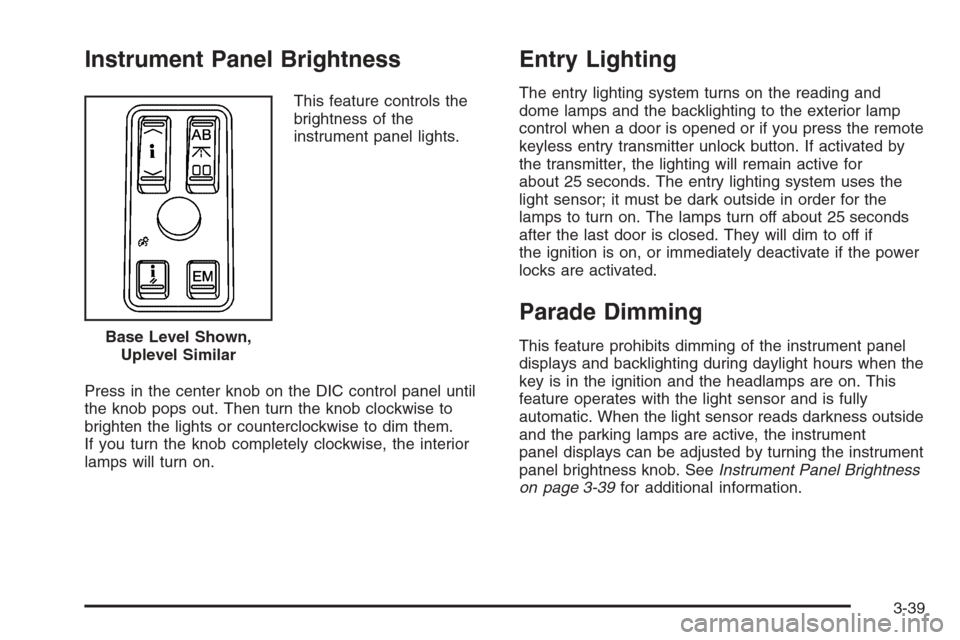
This feature controls the
brightness of the
instrument panel lights.
Press in the center knob on the DIC control panel until
the knob pops out. Then turn the knob clockwise to
brighten the lights or counterclockwise to dim them.
If you turn the knob completely clockwise, the interior
lamps will turn on.
Entry Lighting
The entry lighting system turns on the reading and
dome lamps and the backlighting to the exterior lamp
control when a door is opened or if you press the remote
keyless entry transmitter unlock button. If activated by
the transmitter, the lighting will remain active for
about 25 seconds. The entry lighting system uses the
light sensor; it must be dark outside in order for the
lamps to turn on. The lamps turn off about 25 seconds
after the last door is closed. They will dim to off if
the ignition is on, or immediately deactivate if the power
locks are activated.
Parade Dimming
This feature prohibits dimming of the instrument panel
displays and backlighting during daylight hours when the
key is in the ignition and the headlamps are on. This
feature operates with the light sensor and is fully
automatic. When the light sensor reads darkness outside
and the parking lamps are active, the instrument
panel displays can be adjusted by turning the instrument
panel brightness knob. SeeInstrument Panel Brightness
on page 3-39for additional information. Base Level Shown,
Uplevel Similar
3-39