lock CADILLAC STS 2006 1.G Repair Manual
[x] Cancel search | Manufacturer: CADILLAC, Model Year: 2006, Model line: STS, Model: CADILLAC STS 2006 1.GPages: 480, PDF Size: 2.74 MB
Page 188 of 480
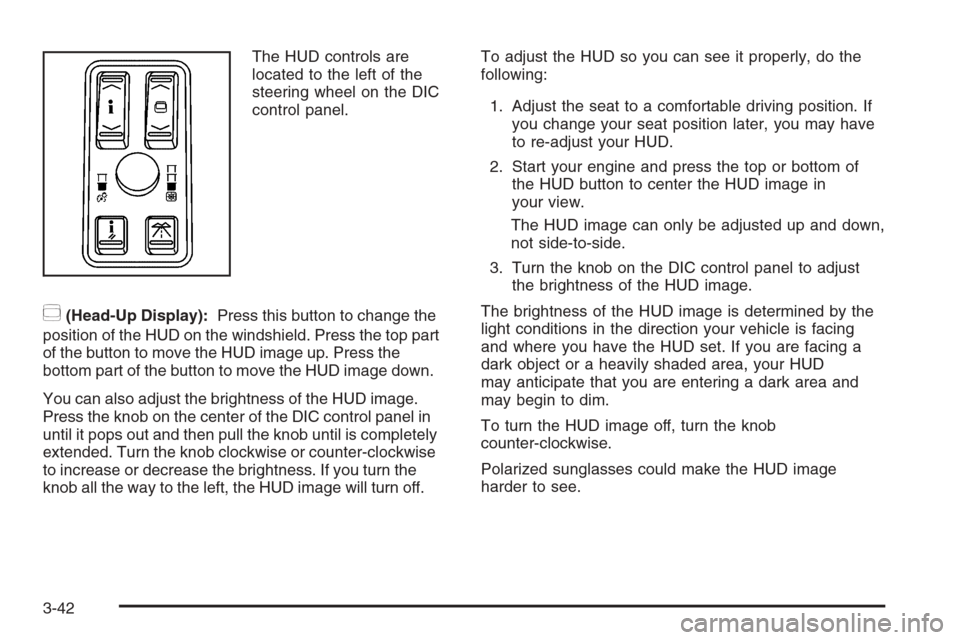
The HUD controls are
located to the left of the
steering wheel on the DIC
control panel.
~(Head-Up Display):Press this button to change the
position of the HUD on the windshield. Press the top part
of the button to move the HUD image up. Press the
bottom part of the button to move the HUD image down.
You can also adjust the brightness of the HUD image.
Press the knob on the center of the DIC control panel in
until it pops out and then pull the knob until is completely
extended. Turn the knob clockwise or counter-clockwise
to increase or decrease the brightness. If you turn the
knob all the way to the left, the HUD image will turn off.To adjust the HUD so you can see it properly, do the
following:
1. Adjust the seat to a comfortable driving position. If
you change your seat position later, you may have
to re-adjust your HUD.
2. Start your engine and press the top or bottom of
the HUD button to center the HUD image in
your view.
The HUD image can only be adjusted up and down,
not side-to-side.
3. Turn the knob on the DIC control panel to adjust
the brightness of the HUD image.
The brightness of the HUD image is determined by the
light conditions in the direction your vehicle is facing
and where you have the HUD set. If you are facing a
dark object or a heavily shaded area, your HUD
may anticipate that you are entering a dark area and
may begin to dim.
To turn the HUD image off, turn the knob
counter-clockwise.
Polarized sunglasses could make the HUD image
harder to see.
3-42
Page 193 of 480
Ashtray(s) and Cigarette Lighter
Your vehicle may have an ashtray and cigarette lighter.
Notice:If you put papers, pins, or other ammable
items in the ashtray, hot cigarettes or other
smoking materials could ignite them and possibly
damage your vehicle. Never put ammable items in
the ashtray.
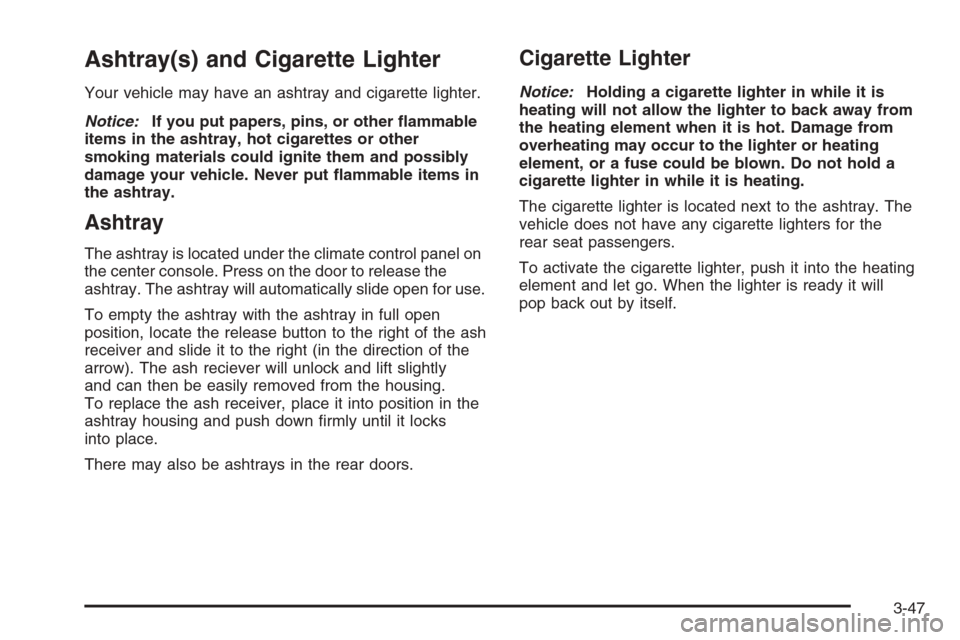
Ashtray
The ashtray is located under the climate control panel on
the center console. Press on the door to release the
ashtray. The ashtray will automatically slide open for use.
To empty the ashtray with the ashtray in full open
position, locate the release button to the right of the ash
receiver and slide it to the right (in the direction of the
arrow). The ash reciever will unlock and lift slightly
and can then be easily removed from the housing.
To replace the ash receiver, place it into position in the
ashtray housing and push down rmly until it locks
into place.
There may also be ashtrays in the rear doors.
Cigarette Lighter
Notice:Holding a cigarette lighter in while it is
heating will not allow the lighter to back away from
the heating element when it is hot. Damage from
overheating may occur to the lighter or heating
element, or a fuse could be blown. Do not hold a
cigarette lighter in while it is heating.
The cigarette lighter is located next to the ashtray. The
vehicle does not have any cigarette lighters for the
rear seat passengers.
To activate the cigarette lighter, push it into the heating
element and let go. When the lighter is ready it will
pop back out by itself.
3-47
Page 200 of 480
Outlet Adjustment
Use the lever located in the center of each outlet to
change the direction of the airow, either side-to-side or
up and down. Use the thumbwheels to open or close
the outlets to adjust the airow.
Turn the thumbwheel to the right to open the outlets
completely and allow the maximum amount of air
to enter your vehicle. Turn the thumbwheel to the left to
close the outlets and minimize the amount of air
entering the vehicle.
Operation Tips
Clear away any ice, snow or leaves from the air
inlets at the base of the windshield that may
block the ow of air into your vehicle.
Use of non-GM approved hood deectors may
adversely affect the performance of the system.
Keep the path under the front seats clear of objects
to help circulate the air inside of your vehicle more
effectively.
If the airow seems low when the fan speed is at
the highest setting, the passenger compartment
air lter may need to be replaced. For more
information, seePassenger Compartment Air Filter
on page 3-55.
Rear Climate Control System
Your vehicle has a rear climate control system. The
base model includes air outlets in the rear of the center
console for cooling and under-seat air outlets for
heating. The temperature, quantity, and air delivery
location is controlled automatically by the front climate
control system.
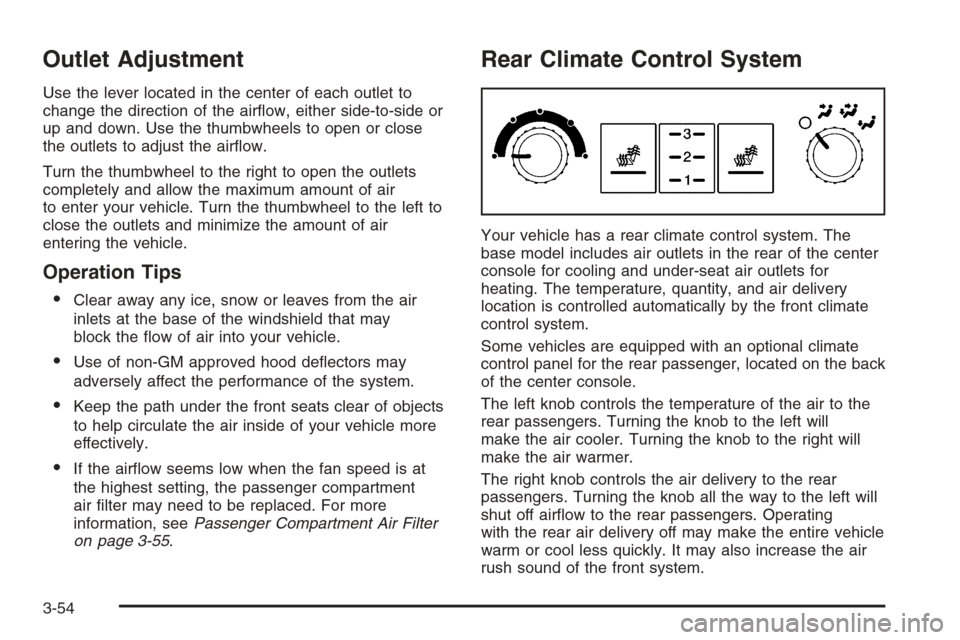
Some vehicles are equipped with an optional climate
control panel for the rear passenger, located on the back
of the center console.
The left knob controls the temperature of the air to the
rear passengers. Turning the knob to the left will
make the air cooler. Turning the knob to the right will
make the air warmer.
The right knob controls the air delivery to the rear
passengers. Turning the knob all the way to the left will
shut off airow to the rear passengers. Operating
with the rear air delivery off may make the entire vehicle
warm or cool less quickly. It may also increase the air
rush sound of the front system.
3-54
Page 211 of 480
Anti-Lock Brake System
Warning Light
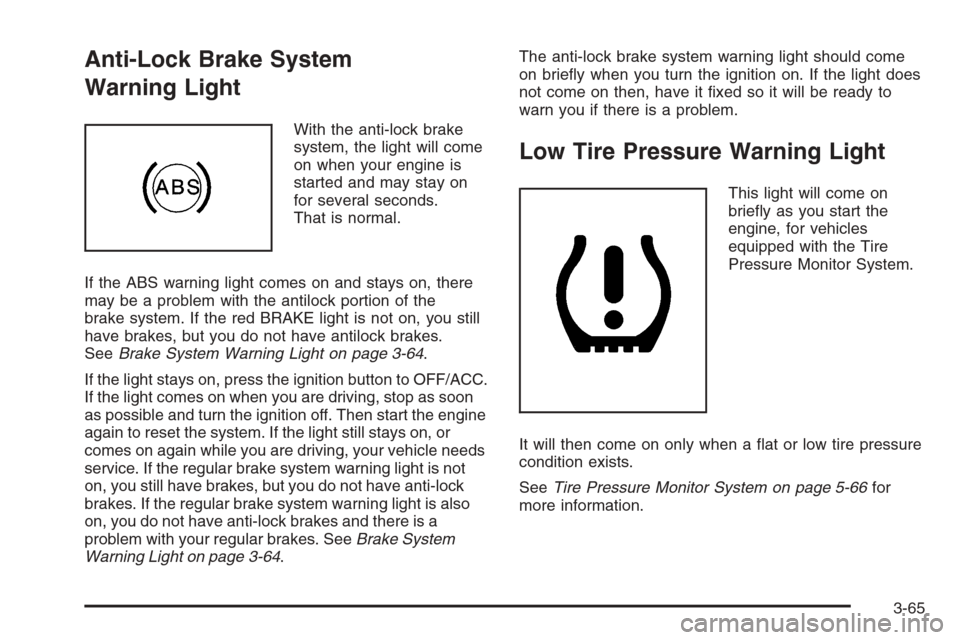
With the anti-lock brake
system, the light will come
on when your engine is
started and may stay on
for several seconds.
That is normal.
If the ABS warning light comes on and stays on, there
may be a problem with the antilock portion of the
brake system. If the red BRAKE light is not on, you still
have brakes, but you do not have antilock brakes.
SeeBrake System Warning Light on page 3-64.
If the light stays on, press the ignition button to OFF/ACC.
If the light comes on when you are driving, stop as soon
as possible and turn the ignition off. Then start the engine
again to reset the system. If the light still stays on, or
comes on again while you are driving, your vehicle needs
service. If the regular brake system warning light is not
on, you still have brakes, but you do not have anti-lock
brakes. If the regular brake system warning light is also
on, you do not have anti-lock brakes and there is a
problem with your regular brakes. SeeBrake System
Warning Light on page 3-64.The anti-lock brake system warning light should come
on briey when you turn the ignition on. If the light does
not come on then, have it xed so it will be ready to
warn you if there is a problem.
Low Tire Pressure Warning Light
This light will come on
briey as you start the
engine, for vehicles
equipped with the Tire
Pressure Monitor System.
It will then come on only when a at or low tire pressure
condition exists.
SeeTire Pressure Monitor System on page 5-66for
more information.
3-65
Page 228 of 480
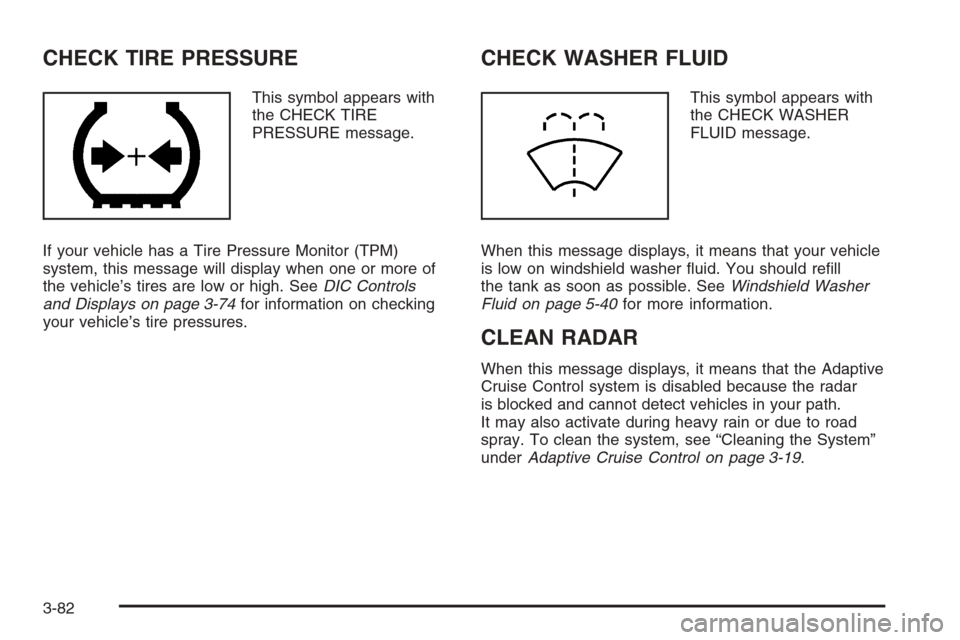
CHECK TIRE PRESSURE
This symbol appears with
the CHECK TIRE
PRESSURE message.
If your vehicle has a Tire Pressure Monitor (TPM)
system, this message will display when one or more of
the vehicle’s tires are low or high. SeeDIC Controls
and Displays on page 3-74for information on checking
your vehicle’s tire pressures.
CHECK WASHER FLUID
This symbol appears with
the CHECK WASHER
FLUID message.
When this message displays, it means that your vehicle
is low on windshield washer uid. You should rell
the tank as soon as possible. SeeWindshield Washer
Fluid on page 5-40for more information.
CLEAN RADAR
When this message displays, it means that the Adaptive
Cruise Control system is disabled because the radar
is blocked and cannot detect vehicles in your path.
It may also activate during heavy rain or due to road
spray. To clean the system, see “Cleaning the System”
underAdaptive Cruise Control on page 3-19.
3-82
Page 241 of 480
Notice:The chime signals related to safety belts,
parking brake, and other functions of your vehicle
operate through the radio/entertainment system. If
that equipment is replaced or additional equipment is
added to your vehicle, the chimes may not work.
Make sure that replacement or additional equipment
is compatible with your vehicle before installing it.
SeeAccessories and Modifications on page 5-3.
Your vehicle has a feature called Retained Accessory
Power (RAP). With RAP, the audio system can be
played even after the ignition is turned off. SeeRetained
Accessory Power (RAP) on page 2-25for more
information.
Setting the Time
1. Press the tune/select knob (the right knob) to enter
the main menu.
2. Turn the tune/select knob until SET CLOCK
appears on the display.
3. Press the tune/select knob to select SET CLOCK.
4. Turn the tune/select knob to adjust the time.
5. Press the tune/select knob to update the time.
VEHICLE TIME UPDATED will appear on the
display.If the CLOCK/RADIO DISP is congured into one of the
congurable keys, pressing the key will switch the display
back to the clock set function. The time and date will
always appear on the radio display. See “Congurable
Radio Display Keys” underRadio with CD on page 3-96
for more information on conguring the keys.
Setting the Date
1. Press the tune/select knob (the right knob) to enter
the main menu.
2. Turn the tune/select knob until SET DATE appears
on the display.
3. Press the tune/select knob to select SET DATE.
4. Turn the tune/select knob to adjust the date.
5. Press the tune/select knob to update the time.
VEHICLE DATE UPDATED will appear on the
display.
If the DATE is congured into one of the congurable
keys, pressing the key will switch the display back to the
date set function. The time and date will always
appear on the radio display. See “Congurable Radio
Display Keys” underRadio with CD on page 3-96
for more information on conguring the keys.
3-95
Page 248 of 480
Activating Program Type (PTY)
Stations (RDS and XM™)
PTY allows you to search for stations with specic types
of music. The selectable PTYs are POP, EASY,
TALK, CNTRY (Country), CLASS (Classical), and JAZZ.
To activate program types, perform the
following steps:
1. Press the tune/select knob to enter the main menu.
2. Turn the tune/select knob until PROGRAM TYPE
MODE appears on the display.
3. Press the tune/select knob to select ON or OFF.
An X will appear in the box when PTY is
selected on.
4. Press the BACK (F6) button to exit the display. To
return to the original display, repeatedly press the
BACK (F6) button or wait for the display to time out.
Once program type is activated the PTYs will appear on
the display above the pushbuttons, in place of the
preset stations (if programmed). Press the pushbutton
for the PTY that you would like to listen to. Not all
stations support PTYs. The radio may not go to all of
the stations with that music type when pressing the
pushbutton.AF (Alternate Frequency):Alternate frequency allows
the radio to switch to a stronger station with the
same program type.
To turn AF on or off, perform the following steps:
1. Press the tune/select knob to enter the main menu.
2. Turn the tune/select knob until ALTERNATE
FREQ. appears on the display.
3. Press the tune/select knob to select AF OFF,
AF ON, or AF REG. An X will appear in the box
when AF is selected on.
4. Press the BACK (F6) button to exit the display. To
return to the original display, repeatedly press the
BACK (F6) button or wait for the display to time out.
Radio Message
THEFTLOCK:This message is displayed when the
THEFTLOCK®system has been activated. Take
the vehicle to the dealer for service.
3-102
Page 249 of 480
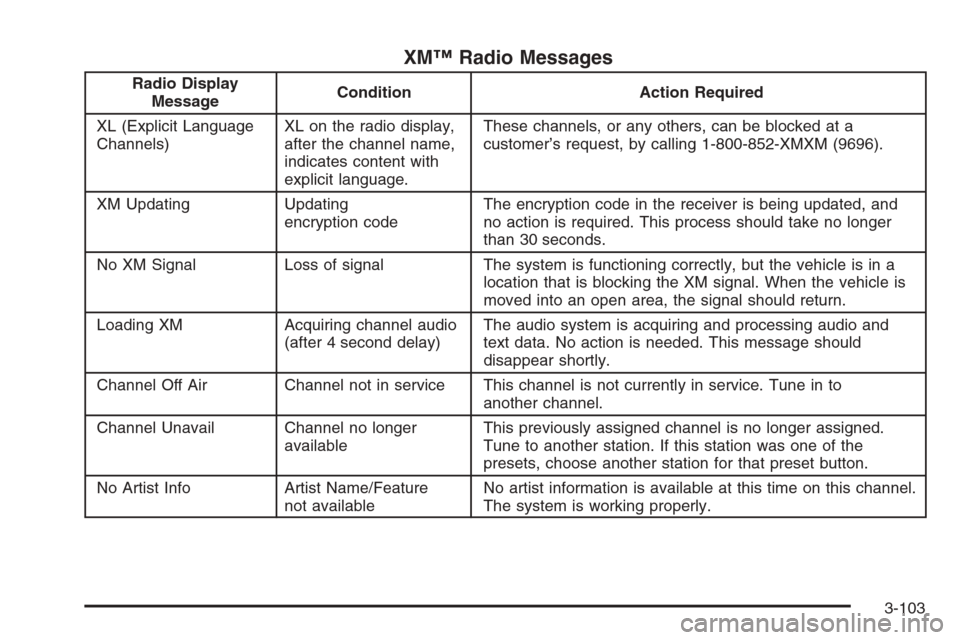
XM™ Radio Messages
Radio Display
MessageCondition Action Required
XL (Explicit Language
Channels)XL on the radio display,
after the channel name,
indicates content with
explicit language.These channels, or any others, can be blocked at a
customer’s request, by calling 1-800-852-XMXM (9696).
XM Updating Updating
encryption codeThe encryption code in the receiver is being updated, and
no action is required. This process should take no longer
than 30 seconds.
No XM Signal Loss of signal The system is functioning correctly, but the vehicle is in a
location that is blocking the XM signal. When the vehicle is
moved into an open area, the signal should return.
Loading XM Acquiring channel audio
(after 4 second delay)The audio system is acquiring and processing audio and
text data. No action is needed. This message should
disappear shortly.
Channel Off Air Channel not in service This channel is not currently in service. Tune in to
another channel.
Channel Unavail Channel no longer
availableThis previously assigned channel is no longer assigned.
Tune to another station. If this station was one of the
presets, choose another station for that preset button.
No Artist Info Artist Name/Feature
not availableNo artist information is available at this time on this channel.
The system is working properly.
3-103
Page 250 of 480
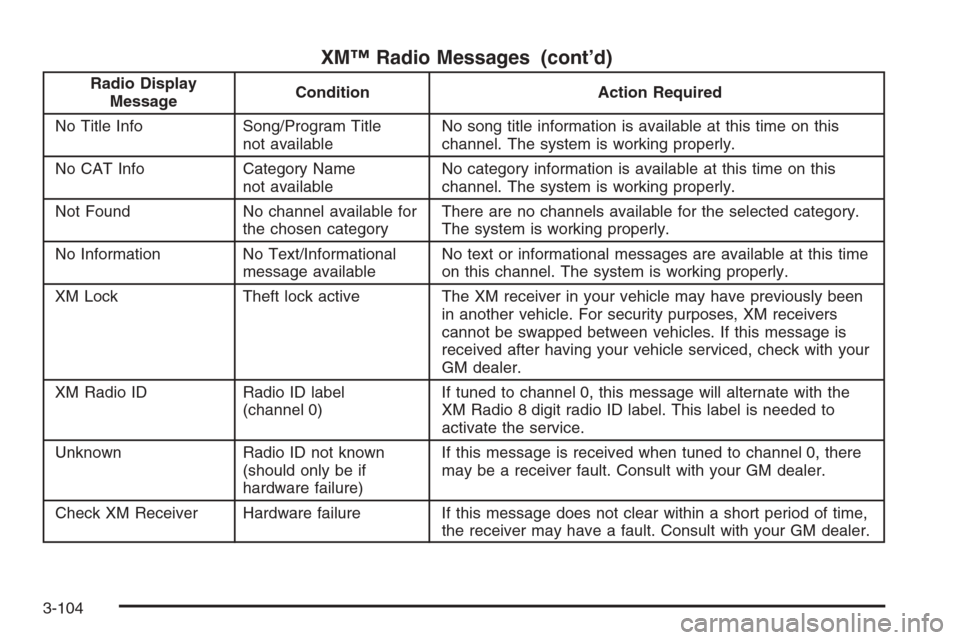
XM™ Radio Messages (cont’d)
Radio Display
MessageCondition Action Required
No Title Info Song/Program Title
not availableNo song title information is available at this time on this
channel. The system is working properly.
No CAT Info Category Name
not availableNo category information is available at this time on this
channel. The system is working properly.
Not Found No channel available for
the chosen categoryThere are no channels available for the selected category.
The system is working properly.
No Information No Text/Informational
message availableNo text or informational messages are available at this time
on this channel. The system is working properly.
XM Lock Theft lock active The XM receiver in your vehicle may have previously been
in another vehicle. For security purposes, XM receivers
cannot be swapped between vehicles. If this message is
received after having your vehicle serviced, check with your
GM dealer.
XM Radio ID Radio ID label
(channel 0)If tuned to channel 0, this message will alternate with the
XM Radio 8 digit radio ID label. This label is needed to
activate the service.
Unknown Radio ID not known
(should only be if
hardware failure)If this message is received when tuned to channel 0, there
may be a receiver fault. Consult with your GM dealer.
Check XM Receiver Hardware failure If this message does not clear within a short period of time,
the receiver may have a fault. Consult with your GM dealer.
3-104
Page 261 of 480

8. Turn the tune/select knob to nd the feature that
you would like to store to the key.
9. Press the tune/select knob when you have found
the feature to be stored. The display will update,
by showing the symbol of the feature that you
selected next to the congurable key.
10. Repeat the previous steps for each
congurable key.
Once a feature is programmed to a key, the feature will
not appear on the display when programming the
remaining congurable keys. The congurable keys
can be changed at any time.
Navigation/Radio System
Your vehicle may have a navigation radio system.
The navigation system has built-in features intended to
minimize driver distraction. Technology alone, no
matter how advanced, can never replace your own
judgment. See the Navigation System manual for some
tips to help you reduce distractions while driving.
Radio Personalization
Accessing the Radio’s Main Menu
(Base Audio System)
There are two different procedures for accessing the
radio’s main menu depending upon whether or not your
vehicle has the Navigation system.
To access the main menu of the radio, do one of
the following:
Using the Base audio system, press the CNFG
button located on the radio or press the tune/select
knob located on the right side of the radio.
Then turn the tune/select knob clockwise or
counterclockwise to scroll through the menu items.
If your vehicle has the Navigation system, see the
Navigation System manual supplied with your
vehicle for more information on accessing the main
menu and for descriptions of the menu items for
the Navigation system.
3-115