ECO mode CADILLAC STS 2008 1.G Owner's Manual
[x] Cancel search | Manufacturer: CADILLAC, Model Year: 2008, Model line: STS, Model: CADILLAC STS 2008 1.GPages: 500, PDF Size: 5.81 MB
Page 239 of 500
ENGINE COOLANT HOT IDLE ENGINE
Notice:If you drive your vehicle while the engine
is overheating, severe engine damage may occur.
If an overheat warning appears on the instrument
panel cluster and/or DIC, stop the vehicle as soon
as possible. Do not increase the engine speed
above normal idling speed. SeeEngine Overheating
on page 5-29for more information.
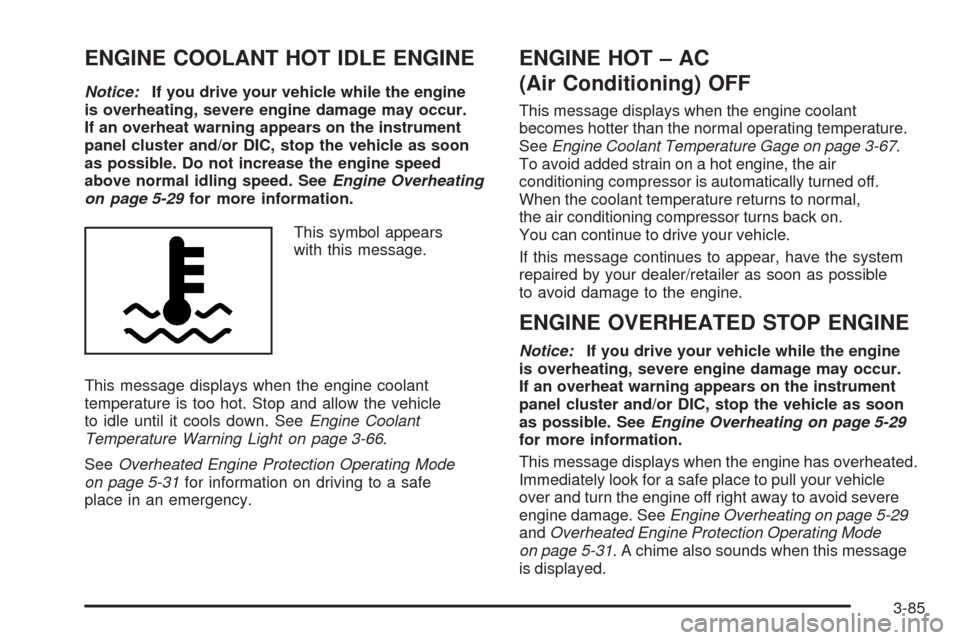
This symbol appears
with this message.
This message displays when the engine coolant
temperature is too hot. Stop and allow the vehicle
to idle until it cools down. SeeEngine Coolant
Temperature Warning Light on page 3-66.
SeeOverheated Engine Protection Operating Mode
on page 5-31for information on driving to a safe
place in an emergency.
ENGINE HOT – AC
(Air Conditioning) OFF
This message displays when the engine coolant
becomes hotter than the normal operating temperature.
SeeEngine Coolant Temperature Gage on page 3-67.
To avoid added strain on a hot engine, the air
conditioning compressor is automatically turned off.
When the coolant temperature returns to normal,
the air conditioning compressor turns back on.
You can continue to drive your vehicle.
If this message continues to appear, have the system
repaired by your dealer/retailer as soon as possible
to avoid damage to the engine.
ENGINE OVERHEATED STOP ENGINE
Notice:If you drive your vehicle while the engine
is overheating, severe engine damage may occur.
If an overheat warning appears on the instrument
panel cluster and/or DIC, stop the vehicle as soon
as possible. SeeEngine Overheating on page 5-29
for more information.
This message displays when the engine has overheated.
Immediately look for a safe place to pull your vehicle
over and turn the engine off right away to avoid severe
engine damage. SeeEngine Overheating on page 5-29
andOverheated Engine Protection Operating Mode
on page 5-31. A chime also sounds when this message
is displayed.
3-85
Page 248 of 500
STABILITY COMPETITIVE MODE
If your All-Wheel Drive (AWD) vehicle has the
Active Steering with Enhanced StabiliTrak®option,
this message displays when the Competitive Mode
for stability control has been turned on using the
TC (traction control) button. SeeEnhanced StabiliTrak
®
on page 4-9. When the Enhanced StabiliTrak®
Competitive Mode has been activated, traction control
operates in competitive mode and cannot be turned
off. Also, the Active Steering and the Magnetic
Ride Control systems operate in the Performance
Mode. For more information, see “Active Steering
and Magnetic Ride Control” in the Index in the
Navigation manual.
STABILITY SECURE MODE
If your All-Wheel Drive (AWD) vehicle has the
Active Steering with Enhanced StabiliTrak®option,
this message displays when the stability control system
is in the secure mode. Stability Secure Mode is set
automatically when certain system faults or vehicle
conditions are detected. When the Stability Secure
Mode is activated, the stability control system will
not respond to driver requests to change the stability
mode until the next ignition cycle or until the vehicle
condition or fault is returned to normal. SeeEnhanced
StabiliTrak
®on page 4-9.
STABILITY SYS (System) ACTIVE
This message displays any time the StabiliTrak®system
or Enhanced StabiliTrak®system is actively assisting
with directional control of the vehicle. Slippery road
conditions may exist when this message is displayed,
so adjust your driving accordingly. This message
may stay on for a few seconds after StabiliTrak
®
stops assisting with directional control of the vehicle.
SeeStabiliTrak®System on page 4-8orEnhanced
StabiliTrak®on page 4-9for more information.
STABILITY SYS (System) NOT READY
This message displays if the StabiliTrak®system is
not ready. Two conditions may cause this message
to display:
The vehicle needs to be driven in a straight line
until the sensors are centered. Once the sensors
are centered, the StabiliTrak
®system is ready and
the STABILITY SYS READY message displays.
The system needs to warm up. This may occur
when rst starting your vehicle and driving away
during cold winter weather. This is normal. To
acknowledge this message, press the reset button.
The StabiliTrak
®performance is affected until the
STABILITY SYS READY message is displayed in the
DIC. SeeStabiliTrak
®System on page 4-8for more
information.
3-94
Page 255 of 500
Playing the Radio
O
(Power):Press to turn the system on and off.
n(Volume):Turn clockwise or counterclockwise to
increase or to decrease the volume.
SRCE (Source):Press to select a source, either radio
or CD. The CD must be loaded to select the source
and to play. CD displays if a CD is loaded. If a CD is
not loaded, the display does not change from the
radio source.
Finding a Station
BAND:Press to select FM1, FM2, AM, or XM1
or XM2 (if equipped).
w(Tune):Turn to select radio stations.
©¨(Seek):Press the left arrow to go to the
previous station and stay there. Press the right arrow
to go to the next station and stay there. The sound
mutes while seeking.
The radio seeks stations only with a strong signal
that are in the selected band.
©¨(Scan):Press the arrows to enter scan mode.
SCAN displays. Press the arrows to scan the next
station. The radio goes to a station, plays for
ve seconds, then goes to the next station. Press
the arrows again to stop scanning.
To scan preset stations, press and hold the arrows for
more than two seconds until a beep sounds and PSCAN
displays. The radio goes to the rst preset station,
plays for ve seconds, then goes to the next preset
station. Press the arrows again to stop scanning presets.
The radio only scans stations with a strong signal that
are in the selected band.
AF (Alternate Frequency):This feature lets you turn
the Alternate Frequency feature on or off. See Alternate
Frequency under, “Activating Program Type (PTY)
Stations” later in this section for more information.
ALOCAL/DISTANT Selection:With this feature the
radio can be set to search for local stations or stations
that are further away for a larger selection.
3-101
Page 256 of 500
To set this feature to LOCAL or DISTANT, perform the
following steps:
1. Press the
wknob to enter the main menu.
2. Turn this knob until SEEK LOCAL or SEEK
DISTANT displays.
3. Press the same knob to select either LOCAL
or DISTANT.
4. Press the BACK (F6) button to exit the display. To
return to the original display, repeatedly press the
BACK (F6) button or wait for the display to time out.
To search for stations, press either
©¨seek arrow.
If the system is set to LOCAL, SEEK displays and
seeks to stations only with strong signals. If the system
is set to DISTANT, D-SEEK displays and seeks to
stations with weak and strong signals.
This feature does not function with the XM™ radio
stations.
4(Information):Press this button while in XM mode
to retrieve three different categories of information
related to the current song or channel: Artist, Song Title,
Category or PTY. To view this information, perform
the following:
1. Press the
wknob to enter the main menu.
2. Turn this knob until INFO displays.
3. Press the same knob to select INFO. The display
changes to show the additional XM™ information.4. Press the BACK (F6) button to exit the display. To
return to the original display, repeatedly press the
BACK (F6) button or wait for the display to time out.
Setting Preset Stations
Up to 30 stations (six FM1, six FM2, and six AM,
six XM1 and six XM2 (if equipped)), can be programmed
on the six numbered pushbuttons, by performing the
following steps:
1. Turn the radio on.
2. Press BAND to select FM1, FM2, or AM, or XM1
or XM2.
3. Tune in the desired station.
4. Press and hold one of the six numbered pushbuttons
for two seconds until a beep sounds. The set preset
station number displays above the set pushbutton.
When that numbered pushbutton is pressed for less
than two seconds, the station that was set, returns.
5. Repeat the steps for each pushbutton.
To set the preset stations with an equalization
setting, DSP setting, or a PTY (program type) setting,
see each of these features later in this section.
When a preset station is selected, once one of these
additional settings is selected, the preset station
remembers each setting and it remains active, until
the setting is selected off for that preset station.
3-102
Page 264 of 500
F5 MODE:Press to select from NORMAL, RPT TRCK
(Repeat Track), RPT DISC (Repeat CD), RDM TRCK
(Random Track), and RDM ALL (Random All CDs).
NORMAL:Sets the system for normal play of
the CD(s). NORMAL does not display while in
this mode.
RPT TRCK (Repeat Track):Repeats the track
over again. RPT TRCK displays. Press the
MODE pushbutton again to turn off repeat play.
RPT TRCK disappears from the display.
RPT DISC (Repeat CD):Repeats the CD over
again. RPT DISC displays. Press the MODE
pushbutton again to turn off repeat play.
RPT DISC disappears from the display.
RDM TRCK (Random Track):Plays the tracks on
the current CD in random, rather than sequential,
order. RDM TRCK displays. Press the MODE
pushbutton again to turn off random play.
RDM TRCK disappears from the display.
RDM ALL (Random All CDs):Plays all of the CDs
loaded in random, rather than sequential, order.
RDM ALL displays. Press the MODE pushbutton
again to turn off random play. RDM ALL disappears
from the display.F6 DISP (Display):Press to display the time of the
track. Press again to display CD PLAY MODE.
©¨(Seek):Press the left arrow to go to the previous
or press the right arrow button to go to the next track
on the CD.
©¨(Scan):Press the arrows to listen to each track
for 10 seconds. The CD goes to a track, plays for
10 seconds, then goes to the next track. Press the
arrows again to stop scanning.
Z(Eject):Press to eject the CD that is currently
playing, or press and hold to eject all of the CDs loaded.
A beep sounds. Eject can be activated with the
ignition or radio off.
Playing an MP3 CD-R Disc
The vehicle’s radio system could have the MP3 feature.
If it has this feature, it is capable of playing an MP3
CD-R disc. For more information on how to play an MP3
CD-R disc, seeUsing an MP3 on page 3-112later in
this section.
3-110
Page 277 of 500
g(Mute/Voice Recognition):Press and release
this button to silence the vehicle speakers only.
The audio of the wireless and wired headphones, if your
vehicle has these features, does not mute. Press and
release this button again, to turn the sound on.
If your vehicle has the navigation system, press and
hold this button for longer than one second to initiate
voice recognition. See “Voice Recognition” in the
Navigation System manual for more information.
If your vehicle has OnStar
®, press and hold this
button for longer than one second to interact with the
OnStar
®system. If your vehicle also has the navigation
system, press and hold this button for longer than
one second to initiate voice recognition and say “OnStar”
to enter OnStar
®mode. See theOnStar®System on
page 2-48in this manual for more information.
Radio Reception
Frequency interference and static can occur during
normal radio reception if items such as cell phone
chargers, vehicle convenience accessories, and external
electronic devices are plugged into the accessory
power outlet. If there is interference or static, unplug
the item from the accessory power outlet.
AM
The range for most AM stations is greater than for FM,
especially at night. The longer range can cause station
frequencies to interfere with each other. For better radio
reception, most AM radio stations boost the power levels
during the day, and then reduce these levels during the
night. Static can also occur when things like storms and
power lines interfere with radio reception. When this
happens, try reducing the treble on your radio.
FM Stereo
FM stereo gives the best sound, but FM signals only
reach about 10 to 40 miles (16 to 65 km). Tall buildings
or hills can interfere with FM signals, causing the
sound to fade in and out.
XM™ Satellite Radio Service
XM™ Satellite Radio Service gives digital radio
reception from coast-to-coast in the 48 contiguous
United States, and in Canada. Just as with FM,
tall buildings or hills can interfere with satellite radio
signals, causing the sound to fade in and out. In
addition, traveling or standing under heavy foliage,
bridges, garages, or through tunnels could cause loss
of the XM™ signal for a period of time. The radio
may display NO XM SIGNAL to indicate interference.
3-123
Page 279 of 500
Your Driving, the Road, and Your Vehicle..........4-2
Defensive Driving...........................................4-2
Drunk Driving.................................................4-2
Control of a Vehicle........................................4-3
Braking.........................................................4-4
Antilock Brake System (ABS)...........................4-5
Braking in Emergencies...................................4-6
Traction Control System (TCS).........................4-6
Competitive Driving Mode (STS-V)....................4-7
Magnetic Ride Control.....................................4-8
Limited-Slip Rear Axle.....................................4-8
StabiliTrak
®System........................................4-8
Enhanced StabiliTrak®.....................................4-9
Panic Brake Assist........................................4-12
All-Wheel Drive (AWD) System.......................4-13
Steering......................................................4-13
Off-Road Recovery.......................................4-16
Passing.......................................................4-16
Loss of Control.............................................4-16Competitive Driving.......................................4-18
Driving at Night............................................4-18
Driving in Rain and on Wet Roads..................4-19
Before Leaving on a Long Trip.......................4-20
Highway Hypnosis........................................4-20
Hill and Mountain Roads................................4-21
Winter Driving..............................................4-22
If Your Vehicle is Stuck in Sand, Mud,
Ice, or Snow.............................................4-25
Rocking Your Vehicle to Get It Out.................4-26
Loading Your Vehicle....................................4-26
Towing..........................................................4-31
Towing Your Vehicle.....................................4-31
Recreational Vehicle Towing...........................4-31
Towing a Trailer (Vehicles With
Heavy Duty Cooling)..................................4-34
Towing a Trailer (Vehicles Without
Heavy Duty Cooling)..................................4-40
Section 4 Driving Your Vehicle
4-1
Page 285 of 500
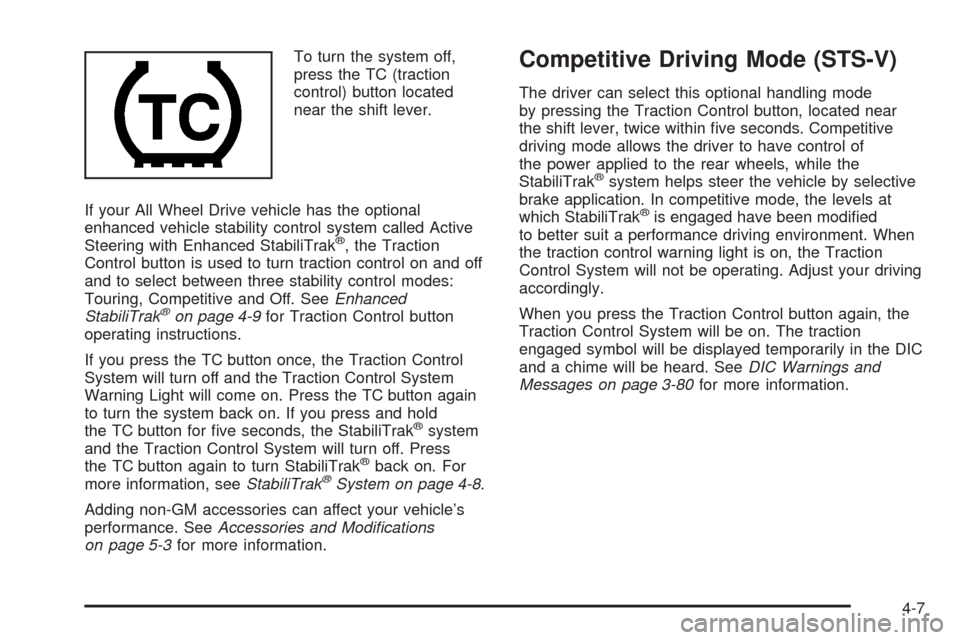
To turn the system off,
press the TC (traction
control) button located
near the shift lever.
If your All Wheel Drive vehicle has the optional
enhanced vehicle stability control system called Active
Steering with Enhanced StabiliTrak
®, the Traction
Control button is used to turn traction control on and off
and to select between three stability control modes:
Touring, Competitive and Off. SeeEnhanced
StabiliTrak
®on page 4-9for Traction Control button
operating instructions.
If you press the TC button once, the Traction Control
System will turn off and the Traction Control System
Warning Light will come on. Press the TC button again
to turn the system back on. If you press and hold
the TC button for ve seconds, the StabiliTrak
®system
and the Traction Control System will turn off. Press
the TC button again to turn StabiliTrak
®back on. For
more information, seeStabiliTrak®System on page 4-8.
Adding non-GM accessories can affect your vehicle’s
performance. SeeAccessories and Modifications
on page 5-3for more information.
Competitive Driving Mode (STS-V)
The driver can select this optional handling mode
by pressing the Traction Control button, located near
the shift lever, twice within ve seconds. Competitive
driving mode allows the driver to have control of
the power applied to the rear wheels, while the
StabiliTrak
®system helps steer the vehicle by selective
brake application. In competitive mode, the levels at
which StabiliTrak
®is engaged have been modied
to better suit a performance driving environment. When
the traction control warning light is on, the Traction
Control System will not be operating. Adjust your driving
accordingly.
When you press the Traction Control button again, the
Traction Control System will be on. The traction
engaged symbol will be displayed temporarily in the DIC
and a chime will be heard. SeeDIC Warnings and
Messages on page 3-80for more information.
4-7
Page 288 of 500
If the vehicle is in cruise control when Enhanced
StabiliTrak®activates, the cruise control will automatically
disengage. When road conditions allow you to safely use
it again, you may re-engage the cruise control. See
Cruise Control on page 3-17,orAdaptive Cruise Control
on page 3-20for more information.
Enhanced StabiliTrak
®comes on automatically in the
Stability Touring Mode, when the vehicle is started. The
Stability Touring Mode is recommended for normal
driving. Enhanced StabiliTrak
®also has Stability
Competitive Mode that is turned on by pressing the
Traction Control (TC) Button. SeeTraction Control
System (TCS) on page 4-6. This mode is designed to be
used by the performance conscious driver who desires
less stabilty control intervention. SeeCompetitive Driving
Mode (STS-V) on page 4-7. When the Stability Control
Competitive Mode has been activated, traction control
operates in competitive mode and cannot be turned off.
The STABILITY COMPETITIVE MODE message will be
displayed on the DIC. SeeDIC Warnings and Messages
on page 3-80.
When operating your vehicle in the Stability Competitive
Mode, the system provides less stability control
intervention. Driving should be adjusted accordingly.When the stability control Stability Competitive Mode
has been selected, the Active Steering and Magnetic
Ride Control Touring Mode is not available. These
systems are automatically changed to the Performance
Mode, providing more response to road conditions
and quicker steering response. For more information,
see “Active Steering and Magnetic Ride Control
Mode” in the Index of the vehicle’s Navigation Manual.
To assist you with directional control of the vehicle,
always leave the system on. Stability control can
be turned off however, by using the traction control
button. SeeTraction Control System (TCS) on page 4-6.
The STABILITY SYS OFF message will be displayed
on the DIC. SeeDIC Warnings and Messages on
page 3-80.
If there is a problem detected with Enhanced
StabiliTrak
®, the SERVICE STABILITY SYS message
will be displayed on the DIC. SeeDIC Warnings
and Messages on page 3-80. When this message is
displayed, the system is not operating. Driving should be
adjusted accordingly.
4-10
Page 289 of 500
When certain faults or vehicle conditions are detected,
the Stability control will automatically go into a secure
mode and the STABILITY SECURE MODE message will
be displayed on the DIC. When the Stability Secure Mode
is activated, the stability control system will not respond
to driver requests to change the stability mode until the
next ignition cycle or until the vehicle condition or fault is
returned to normal. When the Stability Secure Mode is
activated, you may see other messages, such as
SERVICE STEERING SYS, SERVICE SUSPENSION
SYS or CHECK TIRE PRESSURE on the DIC. When the
Stability Secure Mode is activated, a larger degree of
steering wheel input at low vehicle speeds and a smaller
degree of steering wheel input at high vehicle speeds
may be required. Stability Secure Mode will be activated
if you are using a compact spare tire. SeeDIC Warnings
and Messages on page 3-80andCompact Spare Tire on
page 5-106.
Persistent operation of your vehicle in the STABILITY
SECURE MODE may be an indication that your vehicle
needs to be serviced by the dealer/retailer.
When certain faults are present, the vehicle’s speed may
be limited and the SPEED LIMITED TO XXX message
will be displayed on the DIC. SeeDIC Warnings and
Messages on page 3-80. When the vehicle’s speed is
limited, you may see other messages, such as SERVICE
STABILITY SYS, SERVICE STEERING SYS or
SERVICE SUSPENSION SYS on the DIC. Have your
vehicle serviced by your dealer/retailer.Enhanced StabiliTrak®and Traction
Control Mode Selection
Enhanced StabiliTrak®can be operated in Touring Mode
or Competitive Mode. It can also be turned off. The
traction control button is used to change stability control
modes (Touring, Competitive or Off) as well as to turn
traction control on or off. SeeTraction Control System
(TCS) on page 4-6. The following information describes
the operation of the traction control button for changing
Traction Control and Stability Control Modes.
When you start your vehicle, Stability control comes on
automatically in the Stability Touring Mode.
To change from Stability Touring Mode to Stability
Competitive Mode, press and hold the traction
control button for about three seconds until
the STABILITY COMPETITIVE MODE message is
displayed on the DIC.
To change from Stability Touring Mode to Stability
Off Mode, press and hold the traction control
button for about ve seconds until the STABILITY
SYS OFF message is displayed on the DIC.
The DIC will temporarily display the STABILITY
COMPETITIVE MODE message prior to displaying
the STABILITY SYS OFF message.
4-11