tow CADILLAC STS 2008 1.G Owner's Manual
[x] Cancel search | Manufacturer: CADILLAC, Model Year: 2008, Model line: STS, Model: CADILLAC STS 2008 1.GPages: 500, PDF Size: 5.81 MB
Page 186 of 500
Using Adaptive Cruise Controls on Hills
and When Towing a Trailer
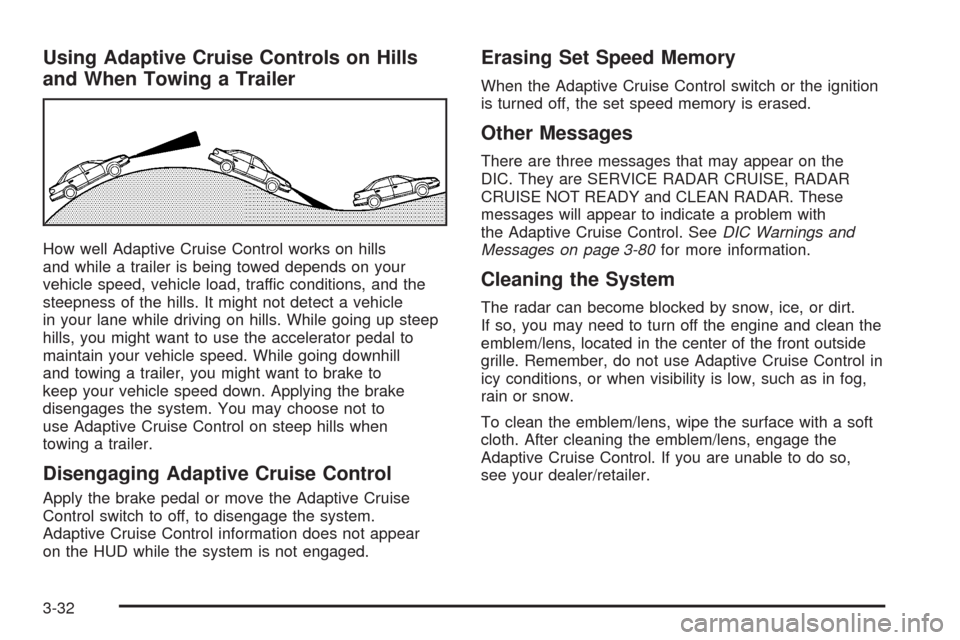
How well Adaptive Cruise Control works on hills
and while a trailer is being towed depends on your
vehicle speed, vehicle load, traffic conditions, and the
steepness of the hills. It might not detect a vehicle
in your lane while driving on hills. While going up steep
hills, you might want to use the accelerator pedal to
maintain your vehicle speed. While going downhill
and towing a trailer, you might want to brake to
keep your vehicle speed down. Applying the brake
disengages the system. You may choose not to
use Adaptive Cruise Control on steep hills when
towing a trailer.
Disengaging Adaptive Cruise Control
Apply the brake pedal or move the Adaptive Cruise
Control switch to off, to disengage the system.
Adaptive Cruise Control information does not appear
on the HUD while the system is not engaged.
Erasing Set Speed Memory
When the Adaptive Cruise Control switch or the ignition
is turned off, the set speed memory is erased.
Other Messages
There are three messages that may appear on the
DIC. They are SERVICE RADAR CRUISE, RADAR
CRUISE NOT READY and CLEAN RADAR. These
messages will appear to indicate a problem with
the Adaptive Cruise Control. SeeDIC Warnings and
Messages on page 3-80for more information.
Cleaning the System
The radar can become blocked by snow, ice, or dirt.
If so, you may need to turn off the engine and clean the
emblem/lens, located in the center of the front outside
grille. Remember, do not use Adaptive Cruise Control in
icy conditions, or when visibility is low, such as in fog,
rain or snow.
To clean the emblem/lens, wipe the surface with a soft
cloth. After cleaning the emblem/lens, engage the
Adaptive Cruise Control. If you are unable to do so,
see your dealer/retailer.
3-32
Page 198 of 500
The information may be displayed in English or metric
units and appears as an image focused out toward
the front of your vehicle. To change from English
to metric units, seeDIC Operation and Displays
on page 3-74.
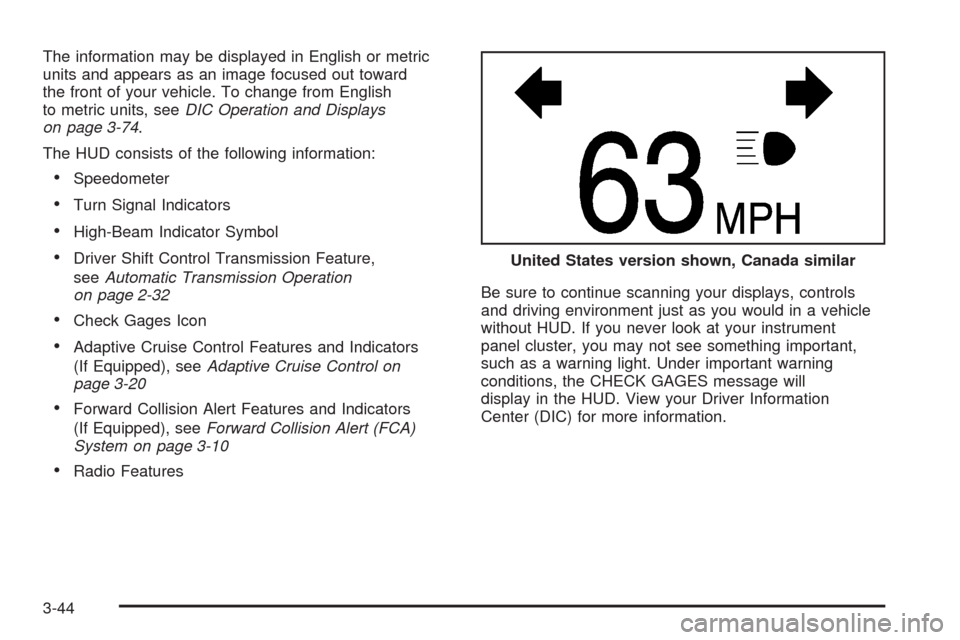
The HUD consists of the following information:
Speedometer
Turn Signal Indicators
High-Beam Indicator Symbol
Driver Shift Control Transmission Feature,
seeAutomatic Transmission Operation
on page 2-32
Check Gages Icon
Adaptive Cruise Control Features and Indicators
(If Equipped), seeAdaptive Cruise Control on
page 3-20
Forward Collision Alert Features and Indicators
(If Equipped), seeForward Collision Alert (FCA)
System on page 3-10
Radio FeaturesBe sure to continue scanning your displays, controls
and driving environment just as you would in a vehicle
without HUD. If you never look at your instrument
panel cluster, you may not see something important,
such as a warning light. Under important warning
conditions, the CHECK GAGES message will
display in the HUD. View your Driver Information
Center (DIC) for more information.United States version shown, Canada similar
3-44
Page 208 of 500
Outlet Adjustment
Use the lever located in the center of each outlet to
change the direction of the airow, either side-to-side
or up and down. Use the thumbwheels to open or close
the outlets to adjust the airow.
Turn the thumbwheel towards the vehicle door to open
the outlets and allow the maximum amount of air to
enter your vehicle. Turn the thumbwheel towards
the center console to close the outlets and minimize
the amount of air entering the vehicle.
Operation Tips
Clear away any ice, snow or leaves from the air
inlets at the base of the windshield that may
block the ow of air into your vehicle.
Use of non-GM approved hood deectors may
adversely affect the performance of the system.
Keep the path under the front seats clear of
objects to help circulate the air inside of your
vehicle more effectively.
If the airow seems low when the fan speed is at the
highest setting, the passenger compartment air lter
may need to be replaced. For more information, see
Passenger Compartment Air Filter on page 3-55.
Rear Climate Control System
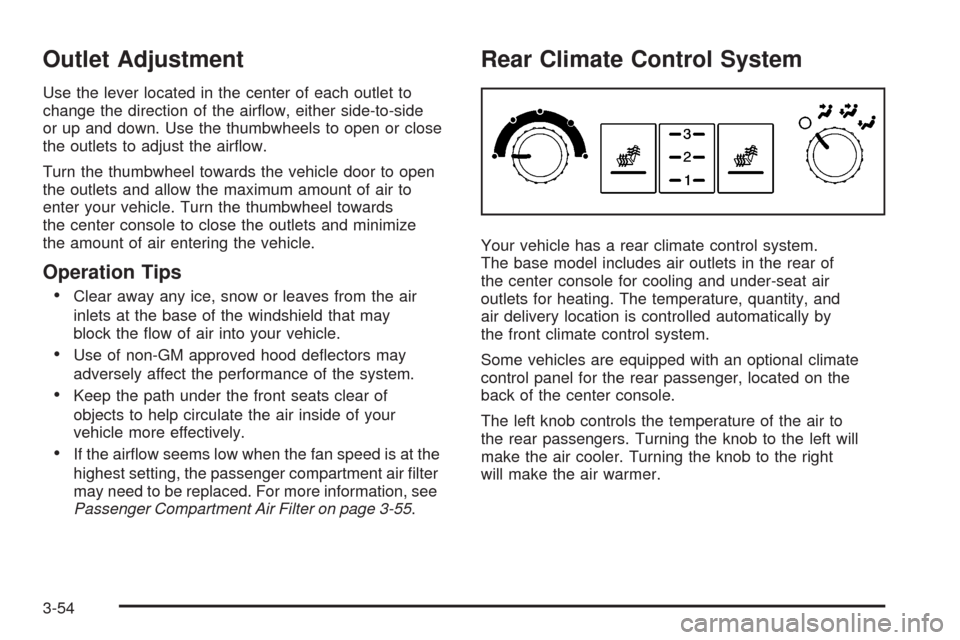
Your vehicle has a rear climate control system.
The base model includes air outlets in the rear of
the center console for cooling and under-seat air
outlets for heating. The temperature, quantity, and
air delivery location is controlled automatically by
the front climate control system.
Some vehicles are equipped with an optional climate
control panel for the rear passenger, located on the
back of the center console.
The left knob controls the temperature of the air to
the rear passengers. Turning the knob to the left will
make the air cooler. Turning the knob to the right
will make the air warmer.
3-54
Page 210 of 500
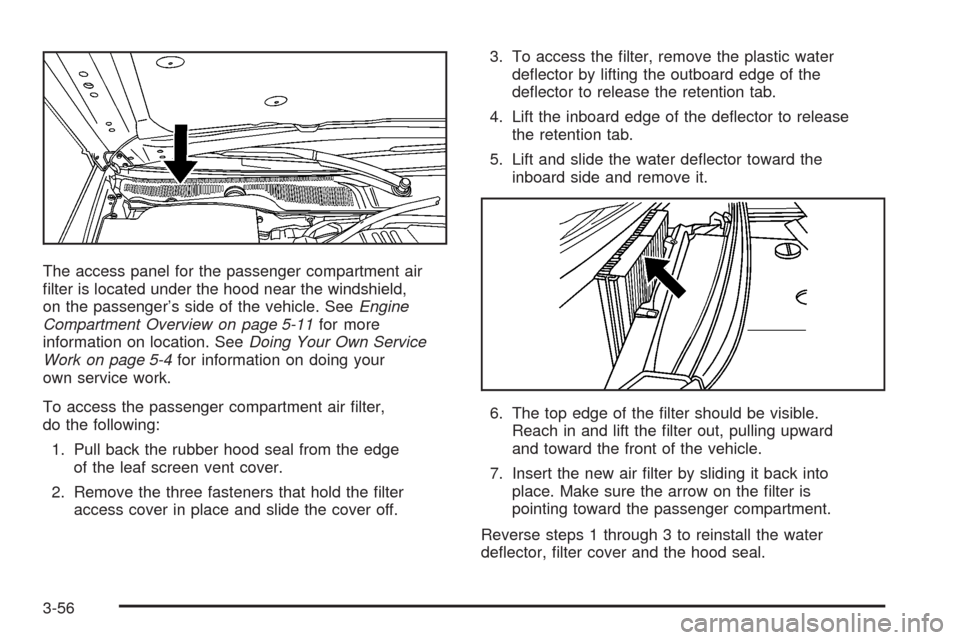
The access panel for the passenger compartment air
lter is located under the hood near the windshield,
on the passenger’s side of the vehicle. SeeEngine
Compartment Overview on page 5-11for more
information on location. SeeDoing Your Own Service
Work on page 5-4for information on doing your
own service work.
To access the passenger compartment air lter,
do the following:
1. Pull back the rubber hood seal from the edge
of the leaf screen vent cover.
2. Remove the three fasteners that hold the lter
access cover in place and slide the cover off.3. To access the lter, remove the plastic water
deector by lifting the outboard edge of the
deector to release the retention tab.
4. Lift the inboard edge of the deector to release
the retention tab.
5. Lift and slide the water deector toward the
inboard side and remove it.
6. The top edge of the lter should be visible.
Reach in and lift the lter out, pulling upward
and toward the front of the vehicle.
7. Insert the new air lter by sliding it back into
place. Make sure the arrow on the lter is
pointing toward the passenger compartment.
Reverse steps 1 through 3 to reinstall the water
deector, lter cover and the hood seal.
3-56
Page 218 of 500
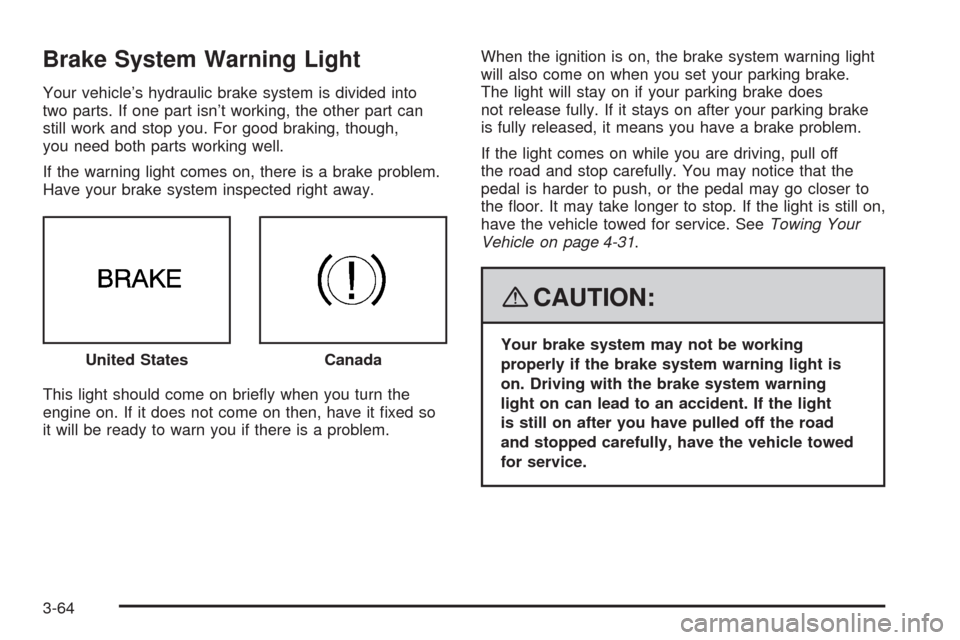
Brake System Warning Light
Your vehicle’s hydraulic brake system is divided into
two parts. If one part isn’t working, the other part can
still work and stop you. For good braking, though,
you need both parts working well.
If the warning light comes on, there is a brake problem.
Have your brake system inspected right away.
This light should come on briey when you turn the
engine on. If it does not come on then, have it xed so
it will be ready to warn you if there is a problem.When the ignition is on, the brake system warning light
will also come on when you set your parking brake.
The light will stay on if your parking brake does
not release fully. If it stays on after your parking brake
is fully released, it means you have a brake problem.
If the light comes on while you are driving, pull off
the road and stop carefully. You may notice that the
pedal is harder to push, or the pedal may go closer to
the oor. It may take longer to stop. If the light is still on,
have the vehicle towed for service. SeeTowing Your
Vehicle on page 4-31.
{CAUTION:
Your brake system may not be working
properly if the brake system warning light is
on. Driving with the brake system warning
light on can lead to an accident. If the light
is still on after you have pulled off the road
and stopped carefully, have the vehicle towed
for service. United StatesCanada
3-64
Page 279 of 500
Your Driving, the Road, and Your Vehicle..........4-2
Defensive Driving...........................................4-2
Drunk Driving.................................................4-2
Control of a Vehicle........................................4-3
Braking.........................................................4-4
Antilock Brake System (ABS)...........................4-5
Braking in Emergencies...................................4-6
Traction Control System (TCS).........................4-6
Competitive Driving Mode (STS-V)....................4-7
Magnetic Ride Control.....................................4-8
Limited-Slip Rear Axle.....................................4-8
StabiliTrak
®System........................................4-8
Enhanced StabiliTrak®.....................................4-9
Panic Brake Assist........................................4-12
All-Wheel Drive (AWD) System.......................4-13
Steering......................................................4-13
Off-Road Recovery.......................................4-16
Passing.......................................................4-16
Loss of Control.............................................4-16Competitive Driving.......................................4-18
Driving at Night............................................4-18
Driving in Rain and on Wet Roads..................4-19
Before Leaving on a Long Trip.......................4-20
Highway Hypnosis........................................4-20
Hill and Mountain Roads................................4-21
Winter Driving..............................................4-22
If Your Vehicle is Stuck in Sand, Mud,
Ice, or Snow.............................................4-25
Rocking Your Vehicle to Get It Out.................4-26
Loading Your Vehicle....................................4-26
Towing..........................................................4-31
Towing Your Vehicle.....................................4-31
Recreational Vehicle Towing...........................4-31
Towing a Trailer (Vehicles With
Heavy Duty Cooling)..................................4-34
Towing a Trailer (Vehicles Without
Heavy Duty Cooling)..................................4-40
Section 4 Driving Your Vehicle
4-1
Page 304 of 500
Rocking Your Vehicle to Get It Out
First, turn the steering wheel left and right to clear the
area around the front wheels. Turn off any traction or
stability system. SeeTraction Control System (TCS) on
page 4-6andStabiliTrak
®System on page 4-8or
Enhanced StabiliTrak®on page 4-9. Then shift back and
forth between REVERSE (R) and a forward gear,
spinning the wheels as little as possible. To prevent
transmission wear, wait until the wheels stop spinning
before shifting gears. Release the accelerator pedal while
you shift, and press lightly on the accelerator pedal when
the transmission is in gear. By slowly spinning the wheels
in the forward and reverse directions, you will cause a
rocking motion that could free your vehicle. If that does
not get your vehicle out after a few tries, it might need to
be towed out. If your vehicle does need to be towed out,
seeTowing Your Vehicle on page 4-31.
Loading Your Vehicle
It is very important to know how much weight your
vehicle can carry. This weight is called the vehicle
capacity weight and includes the weight of all
occupants, cargo, and all nonfactory-installed
options. Two labels on your vehicle show how much
weight it may properly carry, the Tire and Loading
Information label, and the Certication label.
{CAUTION:
Do not load your vehicle any heavier than
the Gross Vehicle Weight Rating (GVWR),
or either the maximum front or rear Gross
Axle Weight Rating (GAWR). If you do,
parts on your vehicle can break, and it
can change the way your vehicle handles.
These could cause you to lose control
and crash. Also, overloading can shorten
the life of your vehicle.
4-26
Page 306 of 500
4.The resulting gure equals the available
amount of cargo and luggage load capacity.
For example, if the “XXX” amount equals
1400 lbs and there will be ve 150 lb
passengers in your vehicle, the amount of
available cargo and luggage load capacity is
650 lbs (1400−750 (5 x 150) = 650 lbs).
5.Determine the combined weight of luggage
and cargo being loaded on the vehicle. That
weight may not safely exceed the available
cargo and luggage load capacity calculated in
Step 4.
6.If your vehicle will be towing a trailer, the load
from your trailer will be transferred to your
vehicle. Consult this manual to determine how
this reduces the available cargo and luggage
load capacity of your vehicle.
SeeTowing a Trailer (Vehicles With Heavy
Duty Cooling) on page 4-34orTowing a Trailer
(Vehicles Without Heavy Duty Cooling) on
page 4-40for important information on towing a
trailer, towing safety rules and trailering tips.
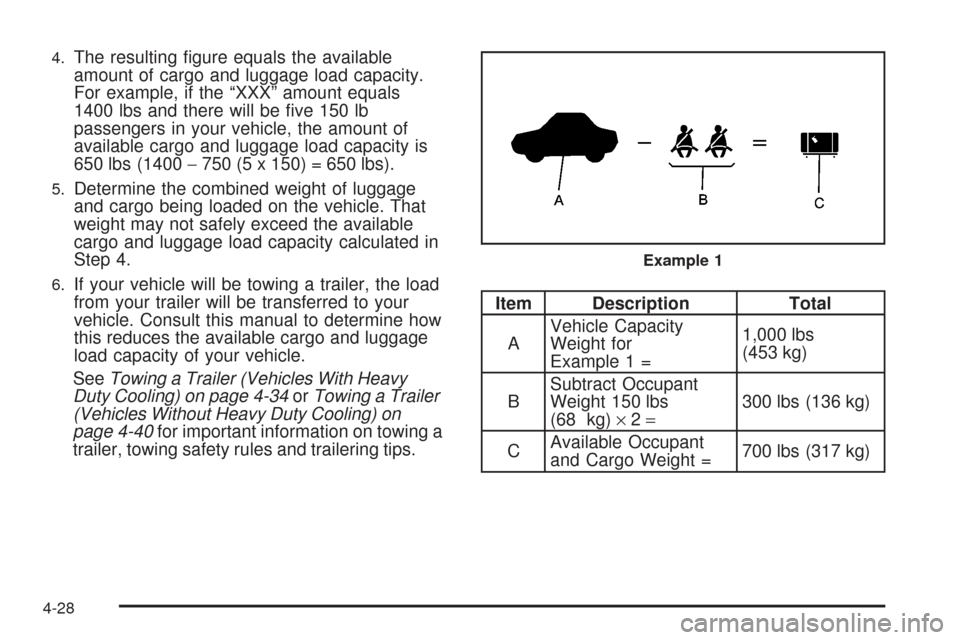
Item Description Total
AVehicle Capacity
Weight for
Example 1 =1,000 lbs
(453 kg)
BSubtract Occupant
Weight 150 lbs
(68 kg)×2=300 lbs (136 kg)
CAvailable Occupant
and Cargo Weight =700 lbs (317 kg)
Example 1
4-28
Page 309 of 500
If you put things inside your vehicle, like suitcases,
tools, packages, or anything else, they will go as
fast as the vehicle goes. If you have to stop or turn
quickly, or if there is a crash, they will keep going.
{CAUTION:
Things you put inside your vehicle can
strike and injure people in a sudden stop
or turn, or in a crash.
Put things in the trunk of your vehicle.
In a trunk, put them as far forward as
you can. Try to spread the weight
evenly.
Never stack heavier things, like
suitcases, inside the vehicle so that
some of them are above the tops of
the seats.
Do not leave an unsecured child
restraint in your vehicle.
When you carry something inside the
vehicle, secure it whenever you can.
Do not leave a seat folded down
unless you need to.
Towing
Towing Your Vehicle
Consult your dealer/retailer or a professional towing
service if you need to have your disabled vehicle towed.
SeeRoadside Service on page 7-6.
If you want to tow your vehicle behind another vehicle
for recreational purposes (such as behind a motorhome),
see Recreational Vehicle Towing following.
Recreational Vehicle Towing
Recreational vehicle towing means towing your vehicle
behind another vehicle – such as behind a motorhome.
The two most common types of recreational vehicle
towing are known as “dinghy towing” (towing your vehicle
with all four wheels on the ground) and “dolly towing”
(towing your vehicle with two wheels on the ground and
two wheels up on a device known as a “dolly”).
With the proper preparation and equipment, many
vehicles can be towed in these ways. See “Dinghy
Towing” and “Dolly Towing,” following.
4-31
Page 310 of 500
Here are some important things to consider before you
do recreational vehicle towing:
What is the towing capacity of the towing vehicle?
Be sure you read the tow vehicle manufacturer’s
recommendations.
How far will you tow? Some vehicles have
restrictions on how far and how long they can tow.
Do you have the proper towing equipment?
See your dealer or trailering professional for
additional advice and equipment recommendations.
Is your vehicle ready to be towed? Just as you
would prepare your vehicle for a long trip, you
will want to make sure your vehicle is prepared to
be towed. SeeBefore Leaving on a Long Trip
on page 4-20.
Dinghy Towing
Notice:If you tow your vehicle with all four wheels
on the ground, the drivetrain components could
be damaged. The repairs would not be covered by
your warranty. Do not tow your vehicle with all
four wheels on the ground.
Your vehicle was not designed to be towed with all four
wheels on the ground. If your vehicle must be towed,
you should use a dolly. See “Dolly Towing” later in this
section for more information.
Dolly Towing (Rear-Wheel-Drive
Vehicles) (STS Only)
Notice:Dolly towing or dinghy towing your vehicle
may cause damage because of reduced ground
clearance. Always tow your vehicle using the dolly
towing or dinghy towing procedure listed in this
section or put your vehicle on a at-bed truck.
4-32