engine CADILLAC STS 2008 1.G Workshop Manual
[x] Cancel search | Manufacturer: CADILLAC, Model Year: 2008, Model line: STS, Model: CADILLAC STS 2008 1.GPages: 500, PDF Size: 5.81 MB
Page 233 of 500
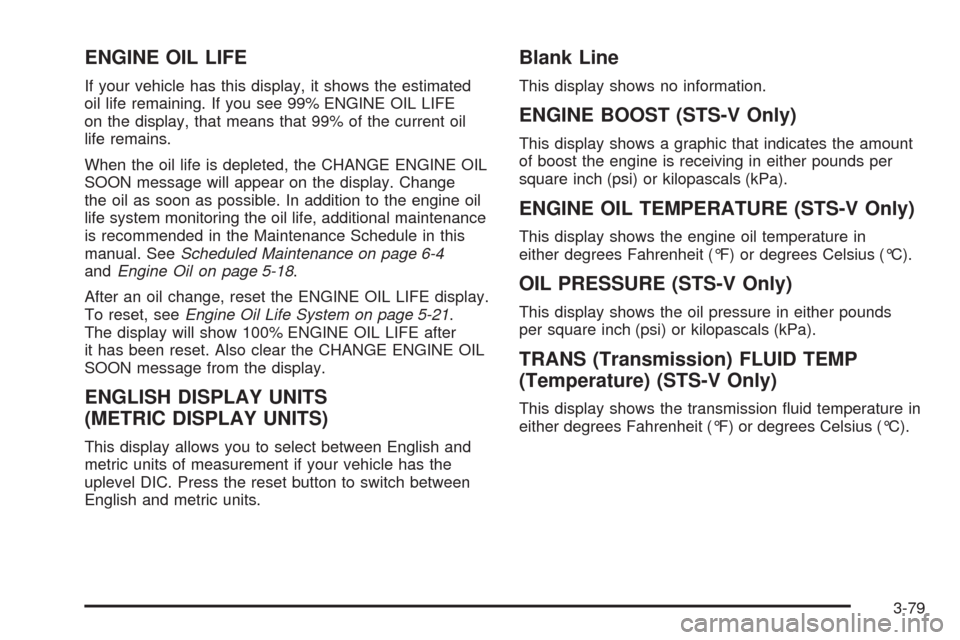
ENGINE OIL LIFE
If your vehicle has this display, it shows the estimated
oil life remaining. If you see 99% ENGINE OIL LIFE
on the display, that means that 99% of the current oil
life remains.
When the oil life is depleted, the CHANGE ENGINE OIL
SOON message will appear on the display. Change
the oil as soon as possible. In addition to the engine oil
life system monitoring the oil life, additional maintenance
is recommended in the Maintenance Schedule in this
manual. SeeScheduled Maintenance on page 6-4
andEngine Oil on page 5-18.
After an oil change, reset the ENGINE OIL LIFE display.
To reset, seeEngine Oil Life System on page 5-21.
The display will show 100% ENGINE OIL LIFE after
it has been reset. Also clear the CHANGE ENGINE OIL
SOON message from the display.
ENGLISH DISPLAY UNITS
(METRIC DISPLAY UNITS)
This display allows you to select between English and
metric units of measurement if your vehicle has the
uplevel DIC. Press the reset button to switch between
English and metric units.
Blank Line
This display shows no information.
ENGINE BOOST (STS-V Only)
This display shows a graphic that indicates the amount
of boost the engine is receiving in either pounds per
square inch (psi) or kilopascals (kPa).
ENGINE OIL TEMPERATURE (STS-V Only)
This display shows the engine oil temperature in
either degrees Fahrenheit (°F) or degrees Celsius (°C).
OIL PRESSURE (STS-V Only)
This display shows the oil pressure in either pounds
per square inch (psi) or kilopascals (kPa).
TRANS (Transmission) FLUID TEMP
(Temperature) (STS-V Only)
This display shows the transmission uid temperature in
either degrees Fahrenheit (°F) or degrees Celsius (°C).
3-79
Page 236 of 500
BATTERY VOLTAGE HIGH
This symbol appears
with this message.
This message displays when the electrical charging
system is overcharging the battery. When the system
detects that the battery voltage is above an estimated
16 volts, this message displays.
To reduce the charging overload, use the vehicle’s
accessories:
Turn on the exterior lamps and radio.
Set the climate control on AUTO and the
fan speed on the highest setting.
Turn the rear window defogger on.
The normal battery voltage range is 11.5 to 15.5 volts
when the engine is running. To monitor battery
voltage on the DIC, press the information button until
BATTERY VOLTS displays.
BATTERY VOLTAGE LOW
This symbol appears
with this message.
This message displays when the electrical system is
charging less than 10 volts or the battery has been
drained.
If this message appears immediately after starting the
engine, it is possible that the generator can still recharge
the battery. The battery should recharge while driving,
but may take a few hours to do so. Consider using
an auxiliary charger to boost the battery after returning
home or to a nal destination. Follow the manufacturer’s
instructions.
If this message appears while driving or after starting
your vehicle and stays on, have it checked immediately
to determine the cause of this problem.
To help the generator recharge the battery quickly,
reduce the load on the electrical system by turning off
the accessories.
The normal battery voltage range is 11.5 to 15.5 volts.
To monitor battery voltage on the DIC, press the
information button until BATTERY VOLTS displays.
3-82
Page 237 of 500
CHANGE ENGINE OIL SOON
This message displays when the engine oil needs to be
changed. See your dealer/retailer. SeeEngine Oil on
page 5-18andScheduled Maintenance on page 6-4for
more information.
After resetting the CHANGE ENGINE OIL SOON
message by clearing it from the display, reset the engine
oil life system separately. For more information on
resetting the engine oil life system, seeEngine Oil Life
System on page 5-21.
CHECK BRAKE FLUID
This message displays if the ignition is on to inform the
driver that the brake uid level is low. Have the brake
system serviced by your dealer/retailer as soon as
possible. SeeBrake System Warning Light on page 3-64
for more information.
CHECK GAS CAP
This message displays when the fuel cap has not been
fully tightened. Recheck the fuel cap to ensure that it
is on and tightened properly.
CHECK TIRE PRESSURE
This message displays when the pressure in one or
more of the vehicle’s tires needs to be checked. If a tire
pressure message appears on the DIC, stop as soon
as you can. Have the tire pressures checked and set
to those shown on the Tire Loading Information
label. SeeTires on page 5-57,Loading Your Vehicle on
page 4-26, andInflation - Tire Pressure on page 5-66.
The DIC also shows the tire pressure values. See
DIC Operation and Displays on page 3-74. If the tire
pressure is low, the low tire pressure warning light
comes on. SeeTire Pressure Light on page 3-67.
CHECK WASHER FLUID
This symbol appears
with this message.
This message displays when the windshield washer
uid is low. Fill the windshield washer uid reservoir
as soon as possible. SeeWindshield Washer Fluid
on page 5-40for more information.
3-83
Page 239 of 500
ENGINE COOLANT HOT IDLE ENGINE
Notice:If you drive your vehicle while the engine
is overheating, severe engine damage may occur.
If an overheat warning appears on the instrument
panel cluster and/or DIC, stop the vehicle as soon
as possible. Do not increase the engine speed
above normal idling speed. SeeEngine Overheating
on page 5-29for more information.
This symbol appears
with this message.
This message displays when the engine coolant
temperature is too hot. Stop and allow the vehicle
to idle until it cools down. SeeEngine Coolant
Temperature Warning Light on page 3-66.
SeeOverheated Engine Protection Operating Mode
on page 5-31for information on driving to a safe
place in an emergency.
ENGINE HOT – AC
(Air Conditioning) OFF
This message displays when the engine coolant
becomes hotter than the normal operating temperature.
SeeEngine Coolant Temperature Gage on page 3-67.
To avoid added strain on a hot engine, the air
conditioning compressor is automatically turned off.
When the coolant temperature returns to normal,
the air conditioning compressor turns back on.
You can continue to drive your vehicle.
If this message continues to appear, have the system
repaired by your dealer/retailer as soon as possible
to avoid damage to the engine.
ENGINE OVERHEATED STOP ENGINE
Notice:If you drive your vehicle while the engine
is overheating, severe engine damage may occur.
If an overheat warning appears on the instrument
panel cluster and/or DIC, stop the vehicle as soon
as possible. SeeEngine Overheating on page 5-29
for more information.
This message displays when the engine has overheated.
Immediately look for a safe place to pull your vehicle
over and turn the engine off right away to avoid severe
engine damage. SeeEngine Overheating on page 5-29
andOverheated Engine Protection Operating Mode
on page 5-31. A chime also sounds when this message
is displayed.
3-85
Page 240 of 500
ENGINE POWER REDUCED
This message displays when the engine power is
being reduced to protect the engine from damage.
There could be several malfunctions that might cause
this message. Reduced engine power can affect
the vehicle’s ability to accelerate. If this message is on,
but there is no reduction in performance, proceed to
your destination. The performance may be reduced
the next time the vehicle is driven. The vehicle may
be driven at a reduced speed while this message
is on, but acceleration and speed may be reduced.
Anytime this message stays on, take the vehicle to
your dealer/retailer for service as soon as possible.
ENGINE PROTECTION REDUCED
RPM’S (Revolutions Per Minute)
This message displays when your vehicle is in an
overheated engine operating mode. If this message
appears, the vehicle has determined that continued
operation at the existing engine speed may lead
to engine overheating. The vehicle automatically
limits engine RPMs to prevent engine overheating.You may notice the vehicle upshifting early or reduced
speeds while this message is displayed. When the
engine oil returns to a safe operating temperature, this
message clears from the DIC and the vehicle returns
to normal operation. Your vehicle does not require
service when this message is displayed.
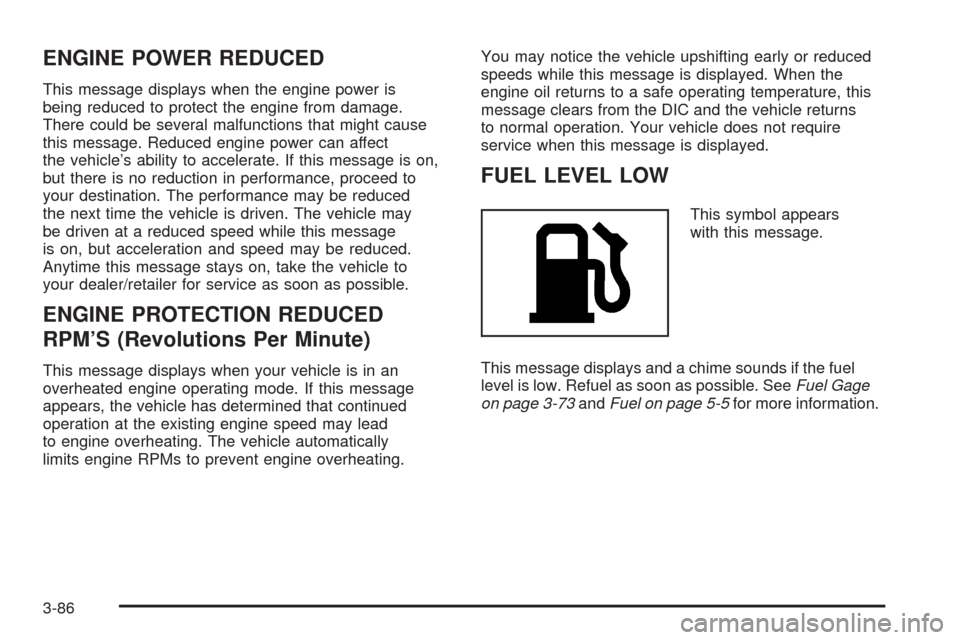
FUEL LEVEL LOW
This symbol appears
with this message.
This message displays and a chime sounds if the fuel
level is low. Refuel as soon as possible. SeeFuel Gage
on page 3-73andFuel on page 5-5for more information.
3-86
Page 243 of 500
The keyless access transmitter needs to be inside of
the vehicle in order for the vehicle to start. SeeStarting
the Engine on page 2-29for more information.
OIL PRESSURE LOW STOP ENGINE
Notice:If you drive your vehicle while the engine
oil pressure is low, severe engine damage may
occur. If a low oil pressure warning appears on
the instrument panel cluster and/or DIC, stop the
vehicle as soon as possible. Do not drive the vehicle
until the cause of the low oil pressure is corrected.
SeeEngine Oil on page 5-18for more information.
This message displays when the vehicle’s engine
oil pressure is low.
A multiple chime sounds when this message is
displayed. SeeEngine Oil on page 5-18for more
information.
Stop the vehicle immediately, as engine damage can
result from driving a vehicle with low oil pressure.
Have the vehicle serviced by your dealer/retailer as
soon as possible when this message is displayed.
PASSENGER DOOR AJAR
This symbol appears
with this message.
This message displays when the passenger side front
door is not closed completely. Make sure that the door
is closed completely.
PRESS START AND BRAKE TO
START ENGINE
This message displays when you need to press down
on the brake pedal while pressing the start button on
the electronic keyless ignition when trying to start
your vehicle. SeeStarting the Engine on page 2-29for
more information.
3-89
Page 250 of 500
STARTING DISABLED THROTTLE
PROBLEM
This message displays when your vehicle’s throttle
system is not functioning properly. Have your vehicle
serviced by your dealer/retailer.
THEFT ATTEMPTED
This symbol appears
with this message.
This message displays if the theft-deterrent system
has detected a break-in attempt while you were away
from your vehicle.
TRACTION ACTIVE
This message displays when the Traction Control
System (TCS) is actively limiting wheel spin. Slippery
road conditions may exist if this message is displayed,
so adjust your driving accordingly. The message
stays on for a few seconds after the TCS stops limiting
wheel spin. SeeTraction Control System (TCS)
on page 4-6for more information.
TRANS (Transmission) HOT IDLE
ENGINE
Notice:If you drive your vehicle while the
transmission uid is overheating and the
transmission temperature warning is displayed
on the instrument panel cluster and/or DIC, you
can damage the transmission. This could lead
to costly repairs that would not be covered by
your warranty. Do not drive your vehicle with
overheated transmission uid or while the
transmission temperature warning is displayed.
This message displays when the transmission uid
in your vehicle is too hot. Stop the vehicle and allow
it to idle until the transmission cools down or until
this message is removed.
3-96
Page 251 of 500
TRUNK OPEN
This symbol appears
with this message.
This message displays when the trunk is not closed
completely. Make sure that the trunk is closed
completely.
TURN SIGNAL ON
This message displays and a chime sounds if a
turn signal is left on for about 1 mile (1.6 km).
Turn off the turn signal.
Other Messages
Here are more messages that you can receive on your
Driver Information Center (DIC). To acknowledge a
message and read another message that may have
come on at the same time, press the reset button.
ACCESSORY ACTIVE
SeeIgnition Positions on page 2-28.
KNOWN FOB
See “Matching Transmitter(s) to Your Vehicle” under
Keyless Access System Operation on page 2-6.
MAX # FOBS LEARNED
See “Matching Transmitter(s) to Your Vehicle” under
Keyless Access System Operation on page 2-6.
OFF/ACC (Accessory) TO LEARN
See “Matching Transmitter(s) to Your Vehicle” under
Keyless Access System Operation on page 2-6.
READY FOR FOB X
See “Matching Transmitter(s) to Your Vehicle” under
Keyless Access System Operation on page 2-6.
SHIFT TO PARK
SeeStarting the Engine on page 2-29andShifting
Into PARK (P) on page 2-36.
WAIT XX MIN (Minutes)
See “Matching Transmitter(s) to Your Vehicle” under
Keyless Access System Operation on page 2-6.
3-97
Page 252 of 500
Audio System(s)
Determine which radio your vehicle has and then
read the pages following to familiarize yourself with
its features.
{CAUTION:
This system provides you with far greater
access to audio stations and song listings.
Giving extended attention to entertainment
tasks while driving can cause a crash and you
or others can be injured or killed. Always keep
your eyes on the road and your mind on the
drive — avoid engaging in extended searching
while driving.
Keeping your mind on the drive is important for
safe driving. SeeDefensive Driving on page 4-2.
Here are some ways in which you can help avoid
distraction while driving.While your vehicle is parked:
Familiarize yourself with all of its controls.
Familiarize yourself with its operation.
Set up your audio system by presetting your
favorite radio stations, setting the tone, and
adjusting the speakers. Then, when driving
conditions permit, you can tune to your favorite
radio stations using the presets and steering
wheel controls if the vehicle has them.
Notice:Before adding any sound equipment to
your vehicle, such as an audio system, CD player,
CB radio, mobile telephone, or two-way radio, make
sure that it can be added by checking with your
dealer/retailer. Also, check federal rules covering
mobile radio and telephone units. If sound equipment
can be added, it is very important to do it properly.
Added sound equipment may interfere with the
operation of your vehicle’s engine, radio, or other
systems, and even damage them. Your vehicle’s
systems may interfere with the operation of sound
equipment that has been added.
Your vehicle has a feature called Retained Accessory
Power (RAP). With RAP, the audio system can be
played even after the ignition is turned off. SeeRetained
Accessory Power (RAP) on page 2-29for more
information.
3-98
Page 282 of 500
Braking
SeeBrake System Warning Light on page 3-64.
Braking action involves perception time and reaction
time. First, you have to decide to push on the brake
pedal. That is perception time. Then you have to bring
up your foot and do it. That is reaction time.
Average reaction time is about three-fourths of a
second. But that is only an average. It might be less
with one driver and as long as two or three seconds or
more with another. Age, physical condition, alertness,
coordination, and eyesight all play a part. So do alcohol,
drugs, and frustration. But even in three-fourths of a
second, a vehicle moving at 60 mph (100 km/h) travels
66 feet (20 m). That could be a lot of distance in an
emergency, so keeping enough space between
your vehicle and others is important.
And, of course, actual stopping distances vary greatly
with the surface of the road, whether it is pavement
or gravel; the condition of the road, whether it is
wet, dry, or icy; tire tread; the condition of the brakes;
the weight of the vehicle; and the amount of brake force
applied.Avoid needless heavy braking. Some people drive
in spurts — heavy acceleration followed by heavy
braking — rather than keeping pace with traffic. This is a
mistake. The brakes might not have time to cool between
hard stops. The brakes will wear out much faster if you do
a lot of heavy braking. If you keep pace with the traffic
and allow realistic following distances, you will eliminate a
lot of unnecessary braking. That means better braking
and longer brake life.
If your vehicle’s engine ever stops while you are driving,
brake normally but do not pump the brakes. If you do,
the pedal could get harder to push down. If the
engine stops, you will still have some power brake
assist. But you will use it when you brake. Once the
power assist is used up, it can take longer to stop and
the brake pedal will be harder to push.
Adding non-dealer/non-retailer accessories can affect
your vehicle’s performance. SeeAccessories and
Modifications on page 5-3.
4-4