tow CADILLAC STS 2009 1.G Owner's Manual
[x] Cancel search | Manufacturer: CADILLAC, Model Year: 2009, Model line: STS, Model: CADILLAC STS 2009 1.GPages: 514, PDF Size: 2.73 MB
Page 167 of 514
Cleaning the System
The radar can become blocked by snow, ice, or dirt.
If so, you may need to turn off the engine and clean
the lens. See “Cleaning the System” underAdaptive
Cruise Control on page 3-20.
Flash-to-Pass
This feature allows you to use the high-beam
headlamps to signal the driver in front of you that
you want to pass.
Pull and hold the turn signal/multifunction lever toward
you to use this feature. When this is done the following
will occur:
If the headlamps are off, in low-beam or in
Daytime Running Lamps (DRL) mode, the
high-beam headlamps will turn on. They will
stay on as long as the lever is held there.
Release the lever to turn them off.
If the headlamps are in high-beam mode, they will
switch to low beam. To return to high-beam, push the
lever forward.
Windshield Wipers
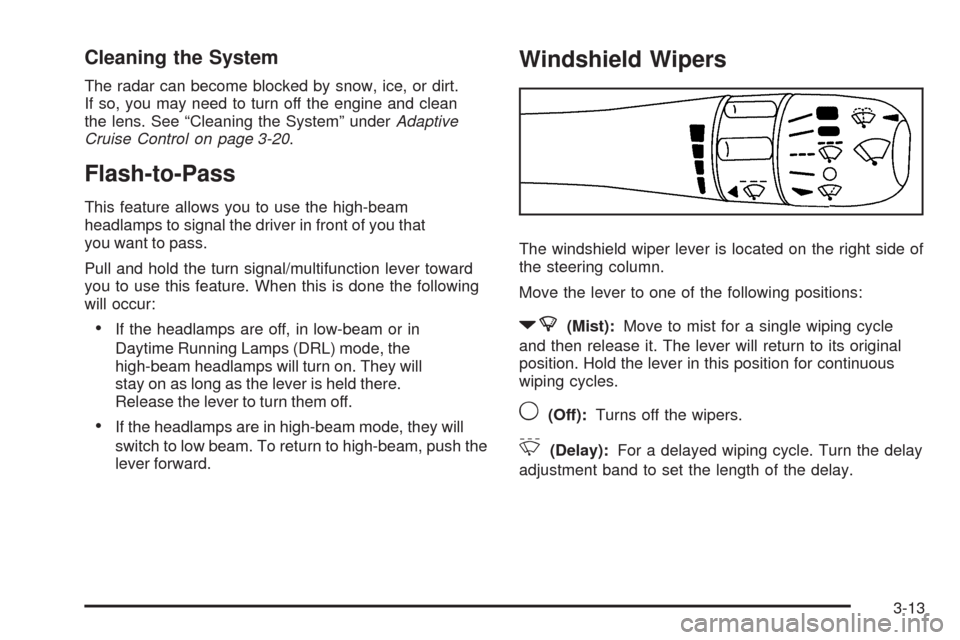
The windshield wiper lever is located on the right side of
the steering column.
Move the lever to one of the following positions:
7(Mist):Move to mist for a single wiping cycle
and then release it. The lever will return to its original
position. Hold the lever in this position for continuous
wiping cycles.
9(Off):Turns off the wipers.
&(Delay):For a delayed wiping cycle. Turn the delay
adjustment band to set the length of the delay.
3-13
Page 168 of 514
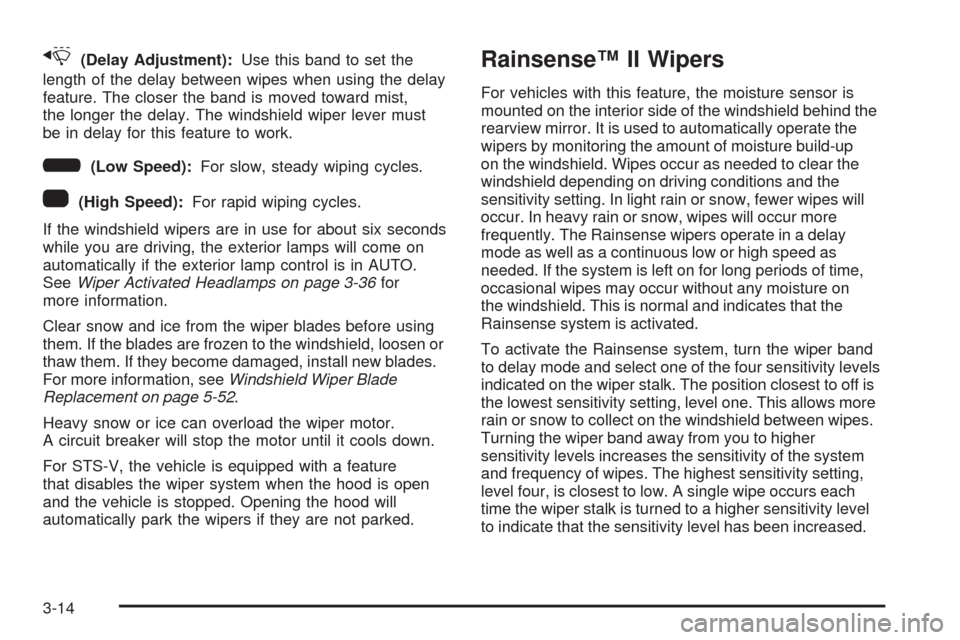
x(Delay Adjustment):Use this band to set the
length of the delay between wipes when using the delay
feature. The closer the band is moved toward mist,
the longer the delay. The windshield wiper lever must
be in delay for this feature to work.
6(Low Speed):For slow, steady wiping cycles.
1(High Speed):For rapid wiping cycles.
If the windshield wipers are in use for about six seconds
while you are driving, the exterior lamps will come on
automatically if the exterior lamp control is in AUTO.
SeeWiper Activated Headlamps on page 3-36for
more information.
Clear snow and ice from the wiper blades before using
them. If the blades are frozen to the windshield, loosen or
thaw them. If they become damaged, install new blades.
For more information, seeWindshield Wiper Blade
Replacement on page 5-52.
Heavy snow or ice can overload the wiper motor.
A circuit breaker will stop the motor until it cools down.
For STS-V, the vehicle is equipped with a feature
that disables the wiper system when the hood is open
and the vehicle is stopped. Opening the hood will
automatically park the wipers if they are not parked.
Rainsense™ II Wipers
For vehicles with this feature, the moisture sensor is
mounted on the interior side of the windshield behind the
rearview mirror. It is used to automatically operate the
wipers by monitoring the amount of moisture build-up
on the windshield. Wipes occur as needed to clear the
windshield depending on driving conditions and the
sensitivity setting. In light rain or snow, fewer wipes will
occur. In heavy rain or snow, wipes will occur more
frequently. The Rainsense wipers operate in a delay
mode as well as a continuous low or high speed as
needed. If the system is left on for long periods of time,
occasional wipes may occur without any moisture on
the windshield. This is normal and indicates that the
Rainsense system is activated.
To activate the Rainsense system, turn the wiper band
to delay mode and select one of the four sensitivity levels
indicated on the wiper stalk. The position closest to off is
the lowest sensitivity setting, level one. This allows more
rain or snow to collect on the windshield between wipes.
Turning the wiper band away from you to higher
sensitivity levels increases the sensitivity of the system
and frequency of wipes. The highest sensitivity setting,
level four, is closest to low. A single wipe occurs each
time the wiper stalk is turned to a higher sensitivity level
to indicate that the sensitivity level has been increased.
3-14
Page 181 of 514
{CAUTION:
When the Adaptive Cruise Control radar is blocked
by snow, ice, or dirt, it may not detect a vehicle
ahead. Adaptive Cruise Control may not have time
to slow your vehicle enough to avoid a collision.
Do not use Adaptive Cruise Control when the
radar is blocked by snow, ice, or dirt. Keep your
radar clean. See “Cleaning the System” later in
this section.
Adaptive Cruise Control automatically slows your vehicle
down when approaching a slower moving vehicle. It then
adjusts your speed to follow the vehicle in front at the
selected following distance. Your speed increases or
decreases to follow the vehicle in front of you but will
not exceed the set speed. It may apply limited braking,
if necessary. When braking is active, your brake lights
come on. It may feel or sound different than if you were
applying the brakes yourself. This is normal.
Stationary or Very Slow-Moving Objects
{CAUTION:
Adaptive Cruise Control may not detect and
react to stationary or slow-moving vehicles or
other objects ahead of you. You could crash into
an object ahead of you. Do not use Adaptive
Cruise Control when approaching stationary
or slow-moving vehicles or other objects.
{CAUTION:
Adaptive Cruise Control may not detect and react
to stationary or slow-moving vehicles or other
objects ahead of you. Your vehicle may accelerate
toward objects, such as a stopped vehicle that
suddenly appears after the lead vehicle changes
lanes. Your complete attention is always required
while driving and you should be ready to take
action and apply the brakes.
3-27
Page 185 of 514
Using Adaptive Cruise Controls on Hills
and When Towing a Trailer
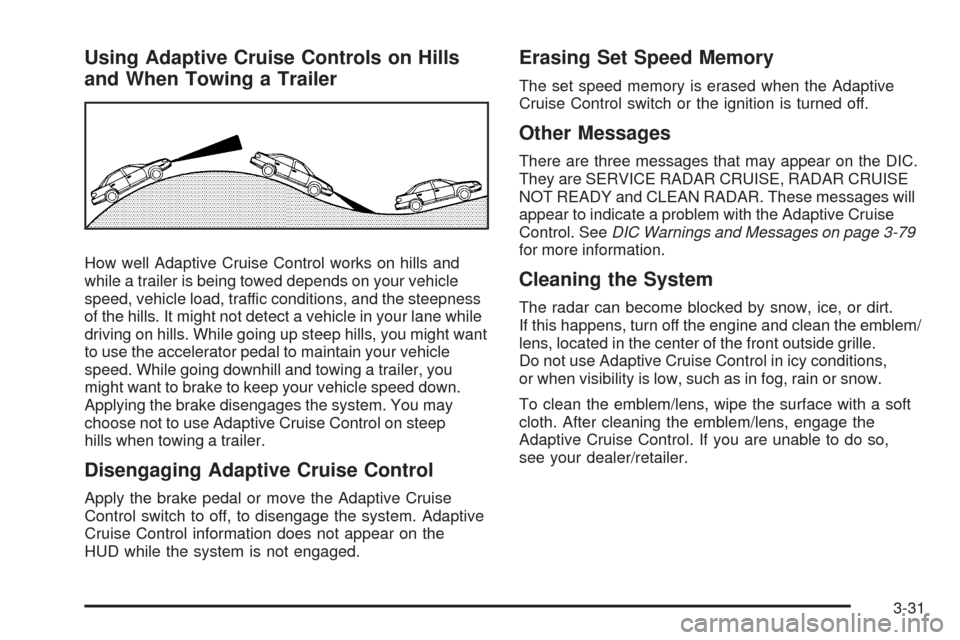
How well Adaptive Cruise Control works on hills and
while a trailer is being towed depends on your vehicle
speed, vehicle load, traffic conditions, and the steepness
of the hills. It might not detect a vehicle in your lane while
driving on hills. While going up steep hills, you might want
to use the accelerator pedal to maintain your vehicle
speed. While going downhill and towing a trailer, you
might want to brake to keep your vehicle speed down.
Applying the brake disengages the system. You may
choose not to use Adaptive Cruise Control on steep
hills when towing a trailer.
Disengaging Adaptive Cruise Control
Apply the brake pedal or move the Adaptive Cruise
Control switch to off, to disengage the system. Adaptive
Cruise Control information does not appear on the
HUD while the system is not engaged.
Erasing Set Speed Memory
The set speed memory is erased when the Adaptive
Cruise Control switch or the ignition is turned off.
Other Messages
There are three messages that may appear on the DIC.
They are SERVICE RADAR CRUISE, RADAR CRUISE
NOT READY and CLEAN RADAR. These messages will
appear to indicate a problem with the Adaptive Cruise
Control. SeeDIC Warnings and Messages on page 3-79
for more information.
Cleaning the System
The radar can become blocked by snow, ice, or dirt.
If this happens, turn off the engine and clean the emblem/
lens, located in the center of the front outside grille.
Do not use Adaptive Cruise Control in icy conditions,
or when visibility is low, such as in fog, rain or snow.
To clean the emblem/lens, wipe the surface with a soft
cloth. After cleaning the emblem/lens, engage the
Adaptive Cruise Control. If you are unable to do so,
see your dealer/retailer.
3-31
Page 206 of 514

Sensors
The solar sensor located on the instrument panel, near
the windshield, monitors the solar heat.
The interior temperature sensor located on the
instrument panel to the right of the steering wheel,
measures the temperature of the air inside the vehicle.
The climate control system uses the information
from these sensors to adjust the temperature, the fan
speed and the air delivery, in order to maintain the
selected temperature. The system may also supply
cooler air to the side of the vehicle facing the sun.
Do not cover the sensors or the automatic climate
control system will not work properly.
Outlet Adjustment
Use the lever located in the center of each outlet to
change the direction of the airow, either side-to-side or
up and down. Use the thumbwheels to open or close
the outlets to adjust the airow.
Turn the thumbwheel towards the vehicle door to open
the outlets and allow the maximum amount of air to
enter your vehicle. Turn the thumbwheel towards
the center console to close the outlets and minimize
the amount of air entering the vehicle.
Operation Tips
Clear away any ice, snow or leaves from the air
inlets at the base of the windshield that may
block the ow of air into your vehicle.
Use of non-GM approved hood deectors may
adversely affect the performance of the system.
Keep the path under the front seats clear of objects
to help circulate the air inside of your vehicle more
effectively.
If the airow seems low when the fan speed is at
the highest setting, the passenger compartment air
lter may need to be replaced. For more information,
seePassenger Compartment Air Filter on page 3-54.
3-52
Page 209 of 514

4. Lift the inboard edge of the deector to release the
retention tab.
5. Lift and slide the water deector toward the inboard
side and remove it.
6. The top edge of the lter should be visible. Reach
in and lift the lter out, pulling upward and toward
the front of the vehicle.
7. Insert the new air lter by sliding it back into place.
Make sure the arrow on the lter is pointing toward
the passenger compartment.
Reverse steps 1 through 3 to reinstall the water
deector, lter cover and the hood seal.Warning Lights, Gages, and
Indicators
Warning lights and gages can signal that something is
wrong before it becomes serious enough to cause an
expensive repair or replacement. Paying attention to
the warning lights and gages could prevent injury.
Warning lights come on when there may be or is a
problem with one of the vehicle’s functions. Some
warning lights come on briey when the engine is
started to indicate they are working.
Gages can indicate when there may be or is a problem
with one of the vehicle’s functions. Often gages and
warning lights work together to indicate a problem with
the vehicle.
When one of the warning lights comes on and stays on
while driving, or when one of the gages shows there may
be a problem, check the section that explains what to do.
Follow this manual’s advice. Waiting to do repairs can be
costly and even dangerous.
3-55
Page 216 of 514
Brake System Warning Light
The vehicle’s hydraulic brake system is divided into
two parts. If one part is not working, the other part
can still work and stop the vehicle. For good braking
both parts need to be working.
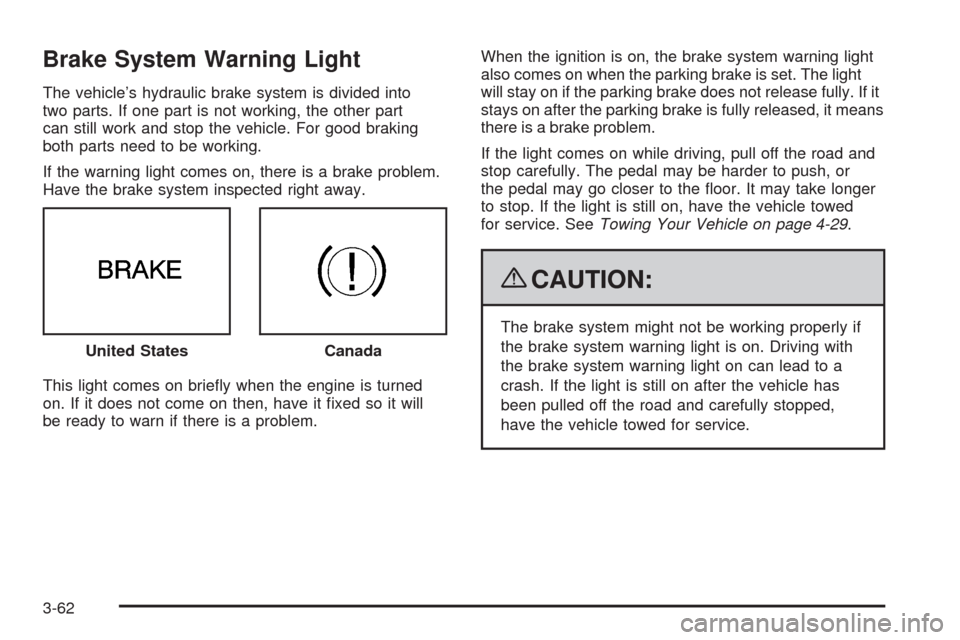
If the warning light comes on, there is a brake problem.
Have the brake system inspected right away.
This light comes on briey when the engine is turned
on. If it does not come on then, have it xed so it will
be ready to warn if there is a problem.When the ignition is on, the brake system warning light
also comes on when the parking brake is set. The light
will stay on if the parking brake does not release fully. If it
stays on after the parking brake is fully released, it means
there is a brake problem.
If the light comes on while driving, pull off the road and
stop carefully. The pedal may be harder to push, or
the pedal may go closer to the oor. It may take longer
to stop. If the light is still on, have the vehicle towed
for service. SeeTowing Your Vehicle on page 4-29.
{CAUTION:
The brake system might not be working properly if
the brake system warning light is on. Driving with
the brake system warning light on can lead to a
crash. If the light is still on after the vehicle has
been pulled off the road and carefully stopped,
have the vehicle towed for service. United States
Canada
3-62
Page 289 of 514
Your Driving, the Road, and the Vehicle............4-2
Defensive Driving...........................................4-2
Drunk Driving.................................................4-2
Control of a Vehicle........................................4-3
Braking.........................................................4-3
Antilock Brake System (ABS)...........................4-4
Braking in Emergencies...................................4-5
StabiliTrak
®System........................................4-6
Enhanced StabiliTrak®.....................................4-6
Traction Control System (TCS).......................4-10
Competitive Driving Mode..............................4-11
Magnetic Ride Control™................................4-12
Limited-Slip Rear Axle...................................4-12
All-Wheel Drive (AWD) System.......................4-12
Steering......................................................4-12
Off-Road Recovery.......................................4-15
Passing.......................................................4-15
Loss of Control.............................................4-15Competitive Driving.......................................4-17
Driving at Night............................................4-17
Driving in Rain and on Wet Roads..................4-18
Before Leaving on a Long Trip.......................4-19
Highway Hypnosis........................................4-19
Hill and Mountain Roads................................4-20
Winter Driving..............................................4-21
If Your Vehicle is Stuck in Sand, Mud,
Ice, or Snow.............................................4-23
Rocking Your Vehicle to Get It Out.................4-24
Loading the Vehicle......................................4-24
Towing..........................................................4-29
Towing Your Vehicle.....................................4-29
Recreational Vehicle Towing...........................4-29
Towing a Trailer (Vehicles Without
Heavy Duty Cooling)..................................4-31
Towing a Trailer (Vehicles With
Heavy Duty Cooling)..................................4-32
Section 4 Driving Your Vehicle
4-1
Page 312 of 514
Rocking Your Vehicle to Get It Out
Turn the steering wheel left and right to clear the area
around the front wheels. Turn off any traction or stability
system. Shift back and forth between R (Reverse) and a
forward gear, spinning the wheels as little as possible.
To prevent transmission wear, wait until the wheels stop
spinning before shifting gears. Release the accelerator
pedal while shifting, and press lightly on the accelerator
pedal when the transmission is in gear. Slowly spinning
the wheels in the forward and reverse directions causes a
rocking motion that could free the vehicle. If that does not
get the vehicle out after a few tries, it might need to be
towed out. If the vehicle does need to be towed out,
seeTowing Your Vehicle on page 4-29.
Loading the Vehicle
It is very important to know how much weight
your vehicle can carry. This weight is called the
vehicle capacity weight and includes the weight of
all occupants, cargo, and all nonfactory-installed
options. Two labels on your vehicle show how
much weight it may properly carry, the Tire and
Loading Information label, and the Certication
label.
{CAUTION:
Do not load the vehicle any heavier than the
Gross Vehicle Weight Rating (GVWR), or
either the maximum front or rear Gross Axle
Weight Rating (GAWR). If you do, parts on the
vehicle can break, and it can change the way
your vehicle handles. These could cause you
to lose control and crash. Also, overloading
can shorten the life of the vehicle.
4-24
Page 314 of 514
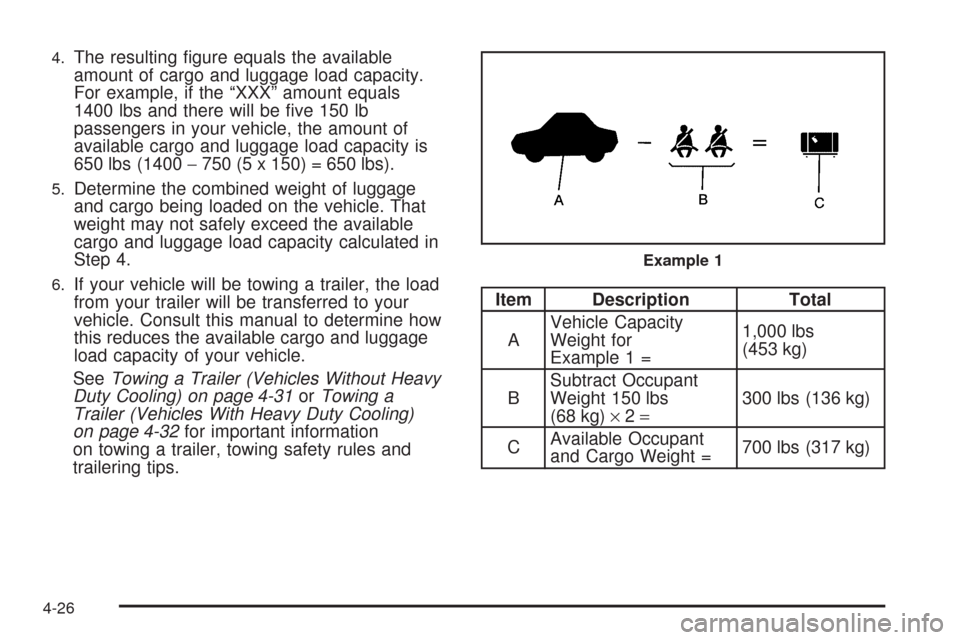
4.The resulting gure equals the available
amount of cargo and luggage load capacity.
For example, if the “XXX” amount equals
1400 lbs and there will be ve 150 lb
passengers in your vehicle, the amount of
available cargo and luggage load capacity is
650 lbs (1400−750 (5 x 150) = 650 lbs).
5.Determine the combined weight of luggage
and cargo being loaded on the vehicle. That
weight may not safely exceed the available
cargo and luggage load capacity calculated in
Step 4.
6.If your vehicle will be towing a trailer, the load
from your trailer will be transferred to your
vehicle. Consult this manual to determine how
this reduces the available cargo and luggage
load capacity of your vehicle.
SeeTowing a Trailer (Vehicles Without Heavy
Duty Cooling) on page 4-31orTowing a
Trailer (Vehicles With Heavy Duty Cooling)
on page 4-32for important information
on towing a trailer, towing safety rules and
trailering tips.Item Description Total
AVehicle Capacity
Weight for
Example 1 =1,000 lbs
(453 kg)
BSubtract Occupant
Weight 150 lbs
(68 kg)×2=300 lbs (136 kg)
CAvailable Occupant
and Cargo Weight =700 lbs (317 kg)
Example 1
4-26