service CADILLAC STS 2009 1.G Service Manual
[x] Cancel search | Manufacturer: CADILLAC, Model Year: 2009, Model line: STS, Model: CADILLAC STS 2009 1.GPages: 514, PDF Size: 2.73 MB
Page 239 of 514
ENGINE PROTECTION REDUCED
RPM’S (Revolutions Per Minute)
This message displays when your vehicle is in an
overheated engine operating mode. If this message
appears, the vehicle has determined that continued
operation at the existing engine speed may lead to
engine overheating. The vehicle automatically limits
engine RPMs to prevent engine overheating. You may
notice the vehicle upshifting early or reduced speeds
while this message is displayed. When the engine oil
returns to a safe operating temperature, this message
clears from the DIC and the vehicle returns to normal
operation. Your vehicle does not require service when
this message is displayed.
FUEL LEVEL LOW
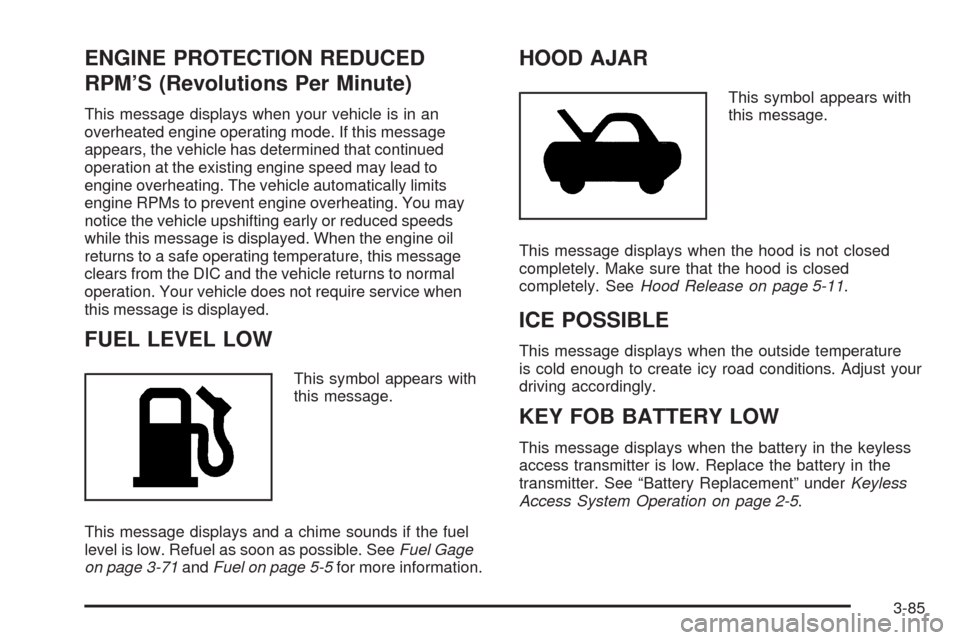
This symbol appears with
this message.
This message displays and a chime sounds if the fuel
level is low. Refuel as soon as possible. SeeFuel Gage
on page 3-71andFuel on page 5-5for more information.
HOOD AJAR
This symbol appears with
this message.
This message displays when the hood is not closed
completely. Make sure that the hood is closed
completely. SeeHood Release on page 5-11.
ICE POSSIBLE
This message displays when the outside temperature
is cold enough to create icy road conditions. Adjust your
driving accordingly.
KEY FOB BATTERY LOW
This message displays when the battery in the keyless
access transmitter is low. Replace the battery in the
transmitter. See “Battery Replacement” underKeyless
Access System Operation on page 2-5.
3-85
Page 242 of 514
OIL PRESSURE LOW STOP ENGINE
Notice:If you drive your vehicle while the engine
oil pressure is low, severe engine damage may
occur. If a low oil pressure warning appears on
the instrument panel cluster and/or DIC, stop the
vehicle as soon as possible. Do not drive the vehicle
until the cause of the low oil pressure is corrected.
SeeEngine Oil on page 5-18for more information.
This message displays when the vehicle’s engine
oil pressure is low.
A multiple chime sounds when this message is
displayed. SeeEngine Oil on page 5-18for more
information.
Stop the vehicle immediately, as engine damage can
result from driving a vehicle with low oil pressure.
Have the vehicle serviced by your dealer/retailer as
soon as possible when this message is displayed.
PASSENGER DOOR AJAR
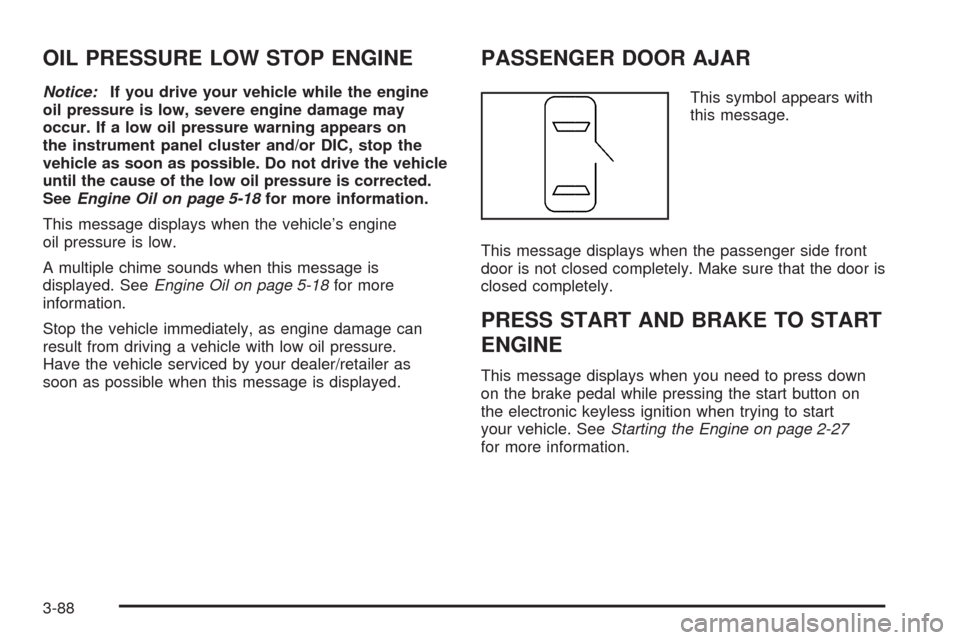
This symbol appears with
this message.
This message displays when the passenger side front
door is not closed completely. Make sure that the door is
closed completely.
PRESS START AND BRAKE TO START
ENGINE
This message displays when you need to press down
on the brake pedal while pressing the start button on
the electronic keyless ignition when trying to start
your vehicle. SeeStarting the Engine on page 2-27
for more information.
3-88
Page 243 of 514
RADAR CRUISE NOT READY
This message displays when the Adaptive Cruise
Control system is not activating due to a temporary
condition. Your vehicle does not require service.
This message also displays when either of the
following conditions occur:
The driver turns off the head-up display (HUD)
while the Adaptive Cruise Control is engaged.
The driver attempts to engage the Adaptive Cruise
Control while the HUD is off.
If this message appears when attempting to activate the
system, continue driving for several minutes and then
try activating the system again.
RIGHT REAR DOOR AJAR
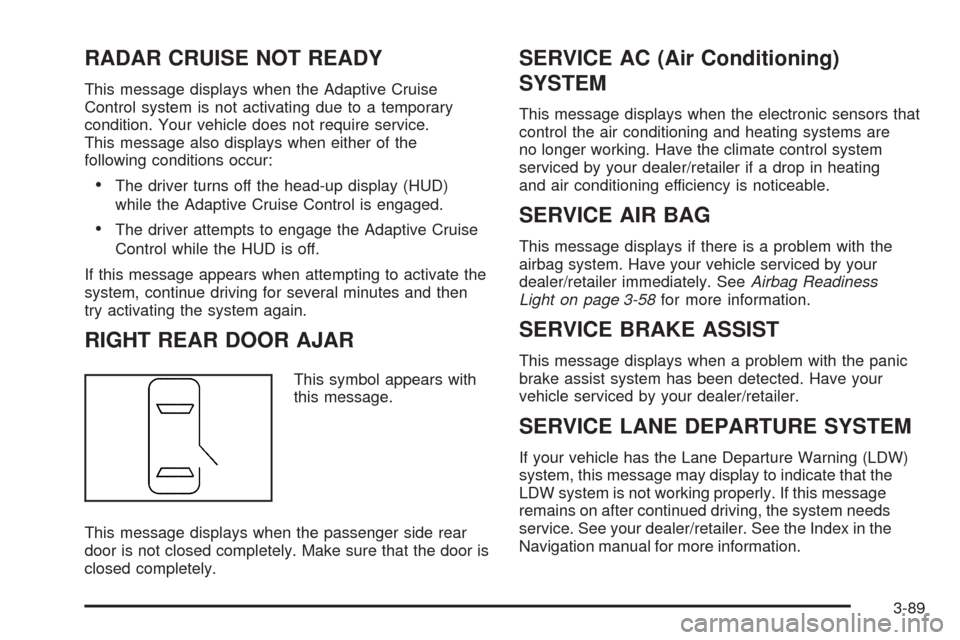
This symbol appears with
this message.
This message displays when the passenger side rear
door is not closed completely. Make sure that the door is
closed completely.
SERVICE AC (Air Conditioning)
SYSTEM
This message displays when the electronic sensors that
control the air conditioning and heating systems are
no longer working. Have the climate control system
serviced by your dealer/retailer if a drop in heating
and air conditioning efficiency is noticeable.
SERVICE AIR BAG
This message displays if there is a problem with the
airbag system. Have your vehicle serviced by your
dealer/retailer immediately. SeeAirbag Readiness
Light on page 3-58for more information.
SERVICE BRAKE ASSIST
This message displays when a problem with the panic
brake assist system has been detected. Have your
vehicle serviced by your dealer/retailer.
SERVICE LANE DEPARTURE SYSTEM
If your vehicle has the Lane Departure Warning (LDW)
system, this message may display to indicate that the
LDW system is not working properly. If this message
remains on after continued driving, the system needs
service. See your dealer/retailer. See the Index in the
Navigation manual for more information.
3-89
Page 244 of 514
SERVICE RADAR CRUISE
This message displays when the Adaptive Cruise
Control system is disabled and needs service.
See your dealer/retailer.
SERVICE SIDE BLIND ZONE ALERT
SYSTEM
If your vehicle has the Side Blind Zone Alert (SBZA)
system and this message displays, both SBZA displays
will remain on indicating there is a problem with the SBZA
system. If these displays remain on after continued
driving, the system needs service. See your dealer/
retailer. See the Index in the Navigation manual for
more information.
SERVICE STABILITY SYS (System)
Your vehicle has a vehicle stability enhancement system
called StabiliTrak®. All-Wheel Drive (AWD) vehicle
with the Active Steering with Enhanced StabiliTrak
option have a stability enhancement system called
Enhanced StabiliTrak.This message displays if there has been a problem
detected with the stability system.
If this message comes on while driving, pull off the road
as soon as possible and stop carefully. Try resetting
the system by turning the ignition off then back on. If this
message still stays on or comes back on again while
driving, your vehicle needs service. Have the stability
system inspected by your dealer/retailer as soon
as possible. SeeStabiliTrak
®System on page 4-6or
Enhanced StabiliTrak®on page 4-6for more information.
For vehicles with the Active Steering with Enhanced
StabiliTrak option, in some cases when the SERVICE
STABILITY SYS message is displayed, a larger degree
of steering wheel input at low vehicle speeds and a
smaller degree of steering wheel input at higher vehicle
speeds may be required.
3-90
Page 245 of 514
SERVICE STEERING SYS (System)
Your vehicle has a speed variable assist steering
system. Your All-Wheel Drive (AWD) vehicle may have
the Active Steering with Enhanced StabiliTrak option.
See “Active Steering” underSteering on page 4-12.
This message displays if a problem is detected with
the speed variable assist steering system or the Active
Steering system. When this message is displayed, you
may notice that the effort required to steer the vehicle
increases or feels heavier, but you will still be able to
steer the vehicle. SeeSteering on page 4-12for more
information. Have the steering system inspected by
your dealer/retailer as soon as possible.
If the SERVICE STEERING SYS message appears
because the Active Steering system needs service,
normal power steering is still operational. However,
compared to Active Steering, normal power steering
requires a larger degree of steering wheel input at
low vehicle speeds and a smaller degree of steering
wheel input at high vehicle speeds. The center position
of the steering wheel may be different. You may
continue to drive your vehicle with normal power
steering, but have the steering system inspected
by your dealer/retailer as soon as possible.
If the Active Steering system needs service, the system
may be operating in the Stability Secure Mode and
the STABILITY SECURE MODE message will display.
SeeEnhanced StabiliTrak
®on page 4-6.When certain steering faults are present, the vehicle
speed may be limited. If vehicle speed is limited,
the SPEED LIMITED TO XXX message will display.
See “Active Steering” underSteering on page 4-12.
SERVICE SUSPENSION SYS (System)
This message displays when the suspension system
is not operating properly. Have your vehicle serviced
by your dealer/retailer.
If your All-Wheel Drive (AWD) vehicle has the Active
Steering with Enhanced StabiliTrak option and the
suspension system needs service, the Enhanced
StabiliTrak system may be operating in the Stability
Secure Mode and the STABILITY SECURE MODE
message will display. SeeEnhanced StabiliTrak
®
on page 4-6.
SERVICE TIRE MONITOR
This message displays if a part on the Tire Pressure
Monitor System (TPMS) is not working properly. The tire
pressure light also ashes and then remains on during
the same ignition cycle. SeeTire Pressure Light on
page 3-65. Several conditions may cause this message
to appear. SeeTire Pressure Monitor Operation on
page 5-68for more information. If the warning comes on
and stays on, there may be a problem with the TPMS.
See your dealer/retailer.
3-91
Page 246 of 514

SERVICE THEFT SYSTEM
This message displays when there is a problem with the
hood open and closed switches. The switches may need
to be replaced. When this message is displayed, the
theft-deterrent system will still be protecting the interior of
the vehicle, however, the hood area will not be protected
at this time. Also, the remote start function will not work
when this message appears. See your dealer/retailer for
service.
SERVICE TRANSMISSION
This message displays when there is a problem with
the transmission. Have your vehicle serviced by
your dealer/retailer.
SERVICE VEHICLE SOON
This message displays when a non-emissions related
malfunction occurs. Have your vehicle serviced by your
dealer/retailer as soon as possible.
SIDE BLIND ZONE ALERT
SYSTEM OFF
If your vehicle has the Side Blind Zone Alert (SBZA)
system, this message displays when the SBZA system
has been turned off. SeeSide Blind Zone Alert (SBZA) on
page 2-44andDIC Operation and Displays on page 3-72
for more information.
SIDE BLIND ZONE SYSTEM
UNAVAILABLE
If your vehicle has the Side Blind Zone Alert (SBZA)
system, this message displays when the SBZA system
is disabled because the sensor is blocked and cannot
detect vehicles in your blind zone. The sensor may be
blocked by mud, dirt, snow, ice, or slush. This message
may also display during heavy rain or due to road spray.
Your vehicle does not need service. For cleaning
instructions, seeWashing Your Vehicle on page 5-118.
SeeSide Blind Zone Alert (SBZA) on page 2-44for more
information.
SPEED LIMIT: XXX MPH (KM/H)
This message displays when the Speed Alert has been
turned on through the DIC Information Menu and the
vehicle is at or above the speed limit. SeeDIC Operation
and Displays on page 3-72for more information.
SPEED LIMITED TO XXX
This message displays when the vehicle speed is
limited to XXX, mph in English mode and km/h in
Metric mode, because the vehicle detects a problem
in the steering, stability control, or suspension system.
Have your vehicle serviced by your dealer/retailer.
3-92
Page 248 of 514
STABILITY SYS (System) OFF
This message displays any time StabiliTrak or
Enhanced StabiliTrak is turned off using the TC (traction
control) on/off button. SeeTraction Control System (TCS)
on page 4-10and “Enhanced StabiliTrak and Traction
Control Mode Selection” underEnhanced StabiliTrak
®on
page 4-6for more information. When this message has
been displayed, StabiliTrak or Enhanced StabiliTrak is
no longer available to assist with directional control of the
vehicle. Adjust your driving accordingly. SeeStabiliTrak
®
System on page 4-6orEnhanced StabiliTrak®on
page 4-6for more information.
STABILITY SYS (System) READY
This message displays any time StabiliTrak is turned
back on using the TC (traction control) on/off button.
SeeTraction Control System (TCS) on page 4-10
for more information. When this message has been
displayed, StabiliTrak is ready to assist with directional
control of the vehicle, if needed. SeeStabiliTrak
®
System on page 4-6for more information.
STABILITY TOURING MODE
If your All-Wheel Drive (AWD) vehicle has the Active
Steering with Enhanced StabiliTrak option, this message
displays when the Stability Touring Mode is re-activated
by using the traction control button after:
Driving in the Stability Competitive Mode.
The stability control system is turned off by
the driver.
This message may also display after exiting STABILITY
SECURE MODE when certain system faults or vehicle
conditions have been cleared. SeeEnhanced
StabiliTrak
®on page 4-6.
STARTING DISABLED THEFT
PROBLEM
This message displays when incorrect conditions exist
within the theft-deterrent system. See your dealer/retailer
for service.
STARTING DISABLED THROTTLE
PROBLEM
This message displays when your vehicle’s throttle
system is not functioning properly. Have your vehicle
serviced by your dealer/retailer.
3-94
Page 260 of 514
Radio Message
THEFTLOCK:Displays when the THEFTLOCK®
system has been activated. Take the vehicle to your
dealer/retailer for service.
XM Satellite Radio Service
XM is a satellite radio service that is based in the
48 contiguous United States and 10 Canadian provinces.
XM Satellite Radio has a wide variety of programming
and commercial-free music, coast-to-coast, and in
digital-quality sound. During your trial or when you
subscribe, you will get unlimited access to XM Radio
Online for when you are not in the vehicle. A service
fee is required to receive the XM service. For more
information, contact XM at xmradio.com or call
1-800-929-2100 in the U.S. and xmradio.ca or
call 1-877-438-9677 in Canada.
Radio Messages for XM Only
SeeXM Radio Messages on page 3-114XM Radio
Messages later in this section for further detail.
Using the Single CD Player
Load a CD partway into the slot, label side up.
The player pulls it in. The CD player can play the
smaller 3 inch (8 cm) single CDs with an adapter ring.
Full-size CDs and the smaller CDs are loaded in
the same manner.
The CD begins playing after it is loaded if the
ignition and the radio are on.
The CD starts to play where it was last stopped if it
was the last selected audio source when the radio
is turned on.
The CD stays in the player when the ignition or
radio is turned off.
A CD can be loaded with the radio off, but it does
not start playing until the radio is turned on.
When a CD is loaded, CD displays and the CD
functions display above the pushbuttons in place of the
programmed preset stations. The track number displays
as each new track starts to play.
F1
{(Reverse):Press and hold to reverse quickly
within a track. Release to resume playback. The elapsed
time of the track displays.
F2
|(Forward):Press and hold to advance quickly
within a track. Release to resume playback. The elapsed
time of the track displays.
3-106
Page 268 of 514
w(Tune):Turn to fast track reverse or advance
through the tracks in all folders or playlists. The
track number and le name displays for each track.
Turning
wwhile in random will fast track reverse
or advance the tracks in sequential order.
4(Information):Press to view the Title, Artist, Album,
or Folder names. To view this information:
1. Press
wto enter the main menu.
2. Turn
wuntil INFO displays.
3. Press
wto select INFO. The display changes
to show the additional MP3 information.
4. Press one of the following pushbuttons to view that
specic information.
F1 TTLE (Title):Displays the title name.
F2 ATST (Artist):Displays the artist name.
F3 ALBM (Album):Displays the album name.
F4 FLDR (Folder):Displays the folder name.
5. Press F6 to exit the display. To return to the original
display, repeatedly press F6 or wait for the display
to time out.
XM Radio Messages
XL (Explicit Language Channels):These channels,
or any others, can be blocked at a customer’s request,
by calling 1-800-852-XMXM (9696).
XM Updating:The encryption code in the receiver is
being updated, and no action is required. This process
should take no longer than 30 seconds.
No XM Signal:The system is functioning correctly, but
the vehicle is in a location that is blocking the XM™
signal. When the vehicle is moved into an open area,
the signal should return.
Loading XM:The audio system is acquiring and
processing audio and text data. No action is needed.
This message should disappear shortly.
Channel Off Air:This channel is not currently in
service. Tune in to another channel.
Channel Unauth:This channel is blocked or cannot be
received with your XM Subscription package.
3-114
Page 269 of 514
Channel Unavail:This previously assigned channel
is no longer assigned. Tune to another station.
If this station was one of the presets, choose another
station for that preset button.
No Artist Info:No artist information is available at this
time on this channel. The system is working properly.
No Title Info:No song title information is available
at this time on this channel. The system is working
properly.
No CAT Info:No category information is available
at this time on this channel. The system is working
properly.
No Information:No text or informational messages are
available at this time on this channel. The system is
working properly.
CAT Not Found:There are no channels available for
the selected category. The system is working properly.XM Theftlocked:The XM™ receiver in your vehicle
could have previously been in another vehicle.
For security purposes, XM™ receivers cannot be
swapped between vehicles. If this message is received
after having your vehicle serviced, check with your
dealer/retailer.
XM Radio ID:If tuned to channel 0, this message
alternates with the XM™ Radio 8 digit radio ID label.
This label is needed to activate the service.
Unknown:If this message is received when tuned to
channel 0, there could be a receiver fault. Consult
with your dealer/retailer.
Check XM Receivr:If this message does not clear
within a short period of time, the receiver could have a
fault. Consult with your dealer/retailer.
XM Not Available:If this message does not clear
within a short period of time, the receiver could have
a fault. Consult with your dealer/retailer.
3-115