ignition CADILLAC STS 2009 1.G Workshop Manual
[x] Cancel search | Manufacturer: CADILLAC, Model Year: 2009, Model line: STS, Model: CADILLAC STS 2009 1.GPages: 514, PDF Size: 2.73 MB
Page 247 of 514

STABILITY COMPETITIVE MODE
If your All-Wheel Drive (AWD) vehicle has the Active
Steering with Enhanced StabiliTrak option, this message
displays when the Competitive Mode for stability control
has been turned on using the TC (traction control) button.
SeeEnhanced StabiliTrak
®on page 4-6for more
information. When the Enhanced StabiliTrak Competitive
Mode has been activated, traction control operates in
competitive mode and cannot be turned off. Also, the
Active Steering and the Magnetic Ride Control systems
operate in the Performance Mode. For more information,
see “Active Steering and Magnetic Ride Control” in the
Index in the Navigation manual.
STABILITY SECURE MODE
If your All-Wheel Drive (AWD) vehicle has the Active
Steering with Enhanced StabiliTrak option, this message
displays when the stability control system is in the
secure mode. Stability Secure Mode is set automatically
when certain system faults or vehicle conditions are
detected. When the Stability Secure Mode is activated,
the stability control system will not respond to driver
requests to change the stability mode until the next
ignition cycle or until the vehicle condition or fault
is returned to normal. SeeEnhanced StabiliTrak
®
on page 4-6for more information.
STABILITY SYS (System) ACTIVE
This message displays any time the StabiliTrak system
or Enhanced StabiliTrak system is actively assisting
with directional control of the vehicle. Slippery road
conditions may exist when this message is displayed,
so adjust your driving accordingly. This message
may stay on for a few seconds after StabiliTrak
stops assisting with directional control of the vehicle.
SeeStabiliTrak
®System on page 4-6orEnhanced
StabiliTrak®on page 4-6for more information.
STABILITY SYS (System) NOT READY
This message displays if the StabiliTrak system is
not ready. Two conditions may cause this message
to display:
The vehicle needs to be driven in a straight line
until the sensors are centered. Once the sensors
are centered, the StabiliTrak system is ready
and the STABILITY SYS READY message displays.
The system needs to warm up. This may occur
when rst starting your vehicle and driving away
during cold winter weather. This is normal.
To acknowledge this message, press the
reset button.
The StabiliTrak performance is affected until the
STABILITY SYS READY message is displayed in the
DIC. SeeStabiliTrak
®System on page 4-6for more
information.
3-93
Page 250 of 514
TRUNK OPEN
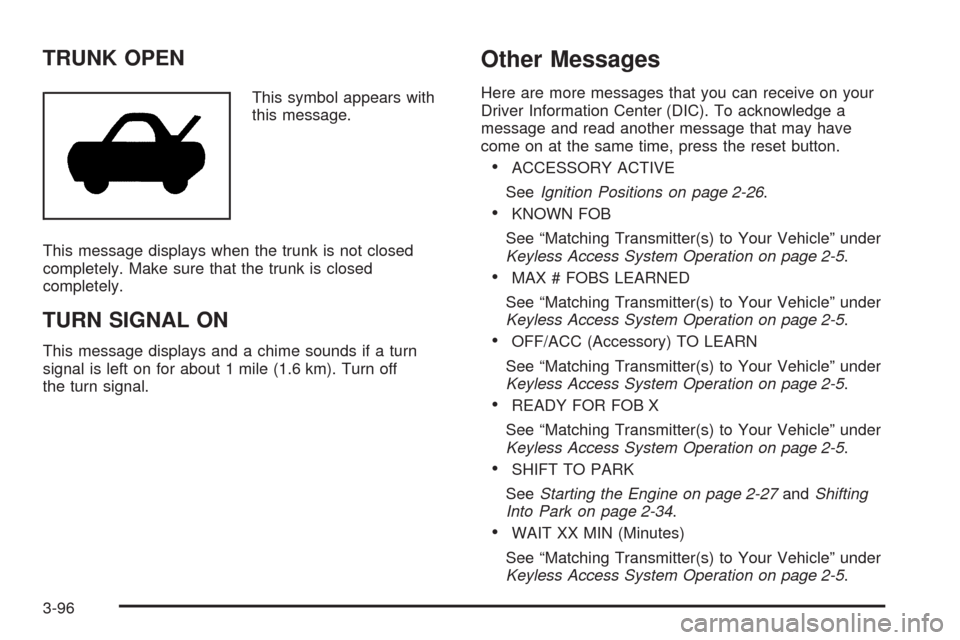
This symbol appears with
this message.
This message displays when the trunk is not closed
completely. Make sure that the trunk is closed
completely.
TURN SIGNAL ON
This message displays and a chime sounds if a turn
signal is left on for about 1 mile (1.6 km). Turn off
the turn signal.
Other Messages
Here are more messages that you can receive on your
Driver Information Center (DIC). To acknowledge a
message and read another message that may have
come on at the same time, press the reset button.
ACCESSORY ACTIVE
SeeIgnition Positions on page 2-26.
KNOWN FOB
See “Matching Transmitter(s) to Your Vehicle” under
Keyless Access System Operation on page 2-5.
MAX # FOBS LEARNED
See “Matching Transmitter(s) to Your Vehicle” under
Keyless Access System Operation on page 2-5.
OFF/ACC (Accessory) TO LEARN
See “Matching Transmitter(s) to Your Vehicle” under
Keyless Access System Operation on page 2-5.
READY FOR FOB X
See “Matching Transmitter(s) to Your Vehicle” under
Keyless Access System Operation on page 2-5.
SHIFT TO PARK
SeeStarting the Engine on page 2-27andShifting
Into Park on page 2-34.
WAIT XX MIN (Minutes)
See “Matching Transmitter(s) to Your Vehicle” under
Keyless Access System Operation on page 2-5.
3-96
Page 251 of 514
Audio System(s)
Determine which radio the vehicle has and read the
following pages to become familiar with its features.
{CAUTION:
Taking your eyes off the road for extended periods
could cause a crash resulting in injury or death to
you or others. Do not give extended attention to
entertainment tasks while driving.
This system provides access to many audio and non
audio listings.To minimize taking your eyes off the road while driving,
do the following while the vehicle is parked:
Become familiar with the operation and controls of
the audio system.
Set up the tone, speaker adjustments, and preset
radio stations.
For more information, seeDefensive Driving on
page 4-2.
Notice:Contact your dealer/retailer before adding
any equipment.
Adding audio or communication equipment could
interfere with the operation of the vehicle’s engine,
radio, or other systems, and could damage them.
Follow federal rules covering mobile radio and
telephone equipment.
The vehicle has Retained Accessory Power (RAP).
With RAP, the audio system can be played even after
the ignition is turned off. SeeRetained Accessory
Power (RAP) on page 2-27for more information.
3-97
Page 260 of 514
Radio Message
THEFTLOCK:Displays when the THEFTLOCK®
system has been activated. Take the vehicle to your
dealer/retailer for service.
XM Satellite Radio Service
XM is a satellite radio service that is based in the
48 contiguous United States and 10 Canadian provinces.
XM Satellite Radio has a wide variety of programming
and commercial-free music, coast-to-coast, and in
digital-quality sound. During your trial or when you
subscribe, you will get unlimited access to XM Radio
Online for when you are not in the vehicle. A service
fee is required to receive the XM service. For more
information, contact XM at xmradio.com or call
1-800-929-2100 in the U.S. and xmradio.ca or
call 1-877-438-9677 in Canada.
Radio Messages for XM Only
SeeXM Radio Messages on page 3-114XM Radio
Messages later in this section for further detail.
Using the Single CD Player
Load a CD partway into the slot, label side up.
The player pulls it in. The CD player can play the
smaller 3 inch (8 cm) single CDs with an adapter ring.
Full-size CDs and the smaller CDs are loaded in
the same manner.
The CD begins playing after it is loaded if the
ignition and the radio are on.
The CD starts to play where it was last stopped if it
was the last selected audio source when the radio
is turned on.
The CD stays in the player when the ignition or
radio is turned off.
A CD can be loaded with the radio off, but it does
not start playing until the radio is turned on.
When a CD is loaded, CD displays and the CD
functions display above the pushbuttons in place of the
programmed preset stations. The track number displays
as each new track starts to play.
F1
{(Reverse):Press and hold to reverse quickly
within a track. Release to resume playback. The elapsed
time of the track displays.
F2
|(Forward):Press and hold to advance quickly
within a track. Release to resume playback. The elapsed
time of the track displays.
3-106
Page 261 of 514
F3 RDM (Random):Press to listen to the tracks in a
random, rather than sequential order. RANDOM displays.
Press again to turn off random play. RANDOM
disappears from the display.
F4 RPT (Repeat):Press to hear a track over again.
REPEAT displays. Press again to turn off repeat
play. REPEAT disappears from the display.
F6 DISP (Display):Press to display the time of the
track. Press again to remove the time of the track from
the display.
©¨(Seek):Press to go to the previous or next track
on the CD.
©¨(Scan):Press to listen to each track for
10 seconds. The CD goes to a track, plays for
10 seconds, then goes to the next track. Press
again to stop scanning.
SRCE (Source):Press to select a source, either radio
or CD. The CD must be loaded to select the source
and to play. CD displays if a CD is loaded. If a CD is
not loaded, the display does not change from the radio
source.
Z(Eject):Press to stop a CD when it is playing
or to eject a CD when it is not playing. Eject can be
used when the ignition and the radio are off.
Using the Six-Disc CD Changer
M
(Load):Press to load CDs into the CD player.
This CD player holds up to six CDs.
To insert one CD:
1. The ignition and the radio can be on or off.
2. Press and release
M. Please Wait displays.
3. When INSERT displays, load a CD partway into the
slot, label side up. The player pulls the CD in.
If the radio is on, the CD begins to play automatically.
CD displays and the number of the CD and the
track number displays.
To insert multiple CDs:
1. The ignition and the radio can be on or off.
2. Press and hold
Mfor two seconds. Please Wait
displays and a beep sounds.
3. When INSERT displays, load the rst CD partway
into the slot, label side up, and the player pulls it in.
4. Wait until INSERT displays again to load the
next CD.
5. Repeat Step 4 until all the desired CDs are loaded.
If the radio is on, the lased CD loaded begins to play
automatically. CD displays and the number of the
CD and the track number displays.
3-107
Page 262 of 514
F1 DISCn(Down):Press to go to the previous CD.
F2 DISC
m(Up):Press to go to the next CD.
F3 CD REV
{(Reverse):Press to go to the previous
track. Press and hold to reverse quickly within the
track. Release to resume playback.
F4 CD FWD
|(Forward):Press to go to the next
track. Press and hold to advance quickly within the track.
Release to resume playback.
F5 MODE:Press to select from:
NORMAL:Sets the system for normal play of the
CD(s). NORMAL does not display while in this mode.
RPT TRCK (Repeat Track):Repeats the track over
again. RPT TRCK displays. Press F5 MODE again to
turn off repeat play. RPT TRCK disappears from the
display.
RPT DISC (Repeat CD):Repeats the CD over again.
RPT DISC displays. Press F5 MODE again to turn off
repeat play. RPT DISC disappears from the display.
RDM TRCK (Random Track):Plays the tracks on
the current CD in random, rather than sequential
order. RDM TRCK displays. Press F5 MODE again
to turn off random play. RDM TRCK disappears from
the display.
RDM ALL (Random All CDs):Plays all of the CDs
loaded in random, rather than sequential order.
RDM ALL displays. Press F5 MODE again to turn off
random play. RDM ALL disappears from the display.
F6 DISP (Display):Press to display the time of the
track. Press again to display CD PLAY MODE.
©¨(Seek):Press to go to the previous or the next
track on the CD.
©¨(Scan):Press to listen to each track for
10 seconds. The CD goes to a track, plays for
10 seconds, then goes to the next track. Press
again to stop scanning.
Z(Eject):Press to eject the CD that is currently
playing, or press and hold to eject all of the CDs loaded.
A beep sounds. Eject can be used when the ignition
and the radio are off.
3-108
Page 296 of 514
If there is a problem detected with Enhanced StabiliTrak,
the SERVICE STABILITY SYS message will be
displayed on the DIC. SeeDIC Warnings and Messages
on page 3-79. When this message is displayed, the
system is not operating. Driving should be adjusted
accordingly.
When certain faults or vehicle conditions are detected,
the Stability control will automatically go into a secure
mode and the STABILITY SECURE MODE message will
be displayed on the DIC. When the Stability Secure
Mode is activated, the stability control system will
not respond to driver requests to change the stability
mode until the next ignition cycle or until the vehicle
condition or fault is returned to normal. When the
Stability Secure Mode is activated, other messages
may be displayed, such as SERVICE STEERING SYS,
SERVICE SUSPENSION SYS or CHECK TIRE
PRESSURE on the DIC. When the Stability Secure
Mode is activated, a larger degree of steering wheel
input at low vehicle speeds and a smaller degree
of steering wheel input at high vehicle speeds may be
required. Stability Secure Mode will be activated if
a compact spare tire is being used. SeeDIC Warnings
and Messages on page 3-79andCompact Spare
Tire on page 5-114.Persistent operation of the vehicle in the STABILITY
SECURE MODE may be an indication that the vehicle
needs to be serviced by your dealer/retailer.
When certain faults are present, the vehicle’s speed
may be limited and the SPEED LIMITED TO XXX
message will be displayed on the DIC. SeeDIC
Warnings and Messages on page 3-79. When the
vehicle’s speed is limited, other messages may
be displayed, such as SERVICE STABILITY SYS,
SERVICE STEERING SYS or SERVICE SUSPENSION
SYS on the DIC. Have the vehicle serviced by your
dealer/retailer.
Enhanced StabiliTrak and Traction Control
Mode Selection
Enhanced StabiliTrak can be operated in Touring Mode
or Competitive Mode. It can also be turned off. The
TC button is used to change stability control modes
(Touring, Competitive or Off) as well as to turn traction
control on or off. SeeTraction Control System (TCS)
on page 4-10. The following information describes
the operation of the TC button for changing Traction
Control and Stability Control Modes.
4-8
Page 308 of 514

Hill and Mountain Roads
Driving on steep hills or through mountains is different
than driving on at or rolling terrain. Tips for driving
in these conditions include:
Keep the vehicle serviced and in good shape.
Check all uid levels and brakes, tires, cooling
system, and transmission.
Going down steep or long hills, shift to a
lower gear.
{CAUTION:
If you do not shift down, the brakes could get so
hot that they would not work well. You would then
have poor braking or even none going down a hill.
You could crash. Shift down to let the engine
assist the brakes on a steep downhill slope.
{CAUTION:
Coasting downhill in N (Neutral) or with the ignition
off is dangerous. The brakes will have to do all the
work of slowing down and they could get so hot
that they would not work well. You would then
have poor braking or even none going down a hill.
You could crash. Always have the engine running
and the vehicle in gear when going downhill.
Stay in your own lane. Do not swing wide or cut
across the center of the road. Drive at speeds
that let you stay in your own lane.
Top of hills: Be alert — something could be in your
lane (stalled car, accident).
Pay attention to special road signs (falling rocks
area, winding roads, long grades, passing or
no-passing zones) and take appropriate action.
4-20
Page 319 of 514
Rear-wheel drive vehicles can be towed using a dolly.
To tow the vehicle using a dolly, follow these steps:
1. Attach the dolly to the tow vehicle following the dolly
manufacturer’s instructions.
2. Drive the rear wheels onto the dolly.
3. Firmly set the parking brake. SeeParking Brake on
page 2-33.
4. Put the transmission in P (Park).
5. Secure the vehicle to the dolly following the
manufacturer’s instructions.
6. Use an adequate clamping device designed for
towing to ensure that the front wheels are locked
into the straight position.
7. Turn the ignition to LOCK/OFF.
Dolly Towing (STS-V)
Notice:Dolly towing or dinghy towing the vehicle
may cause damage because of reduced ground
clearance. Always put the vehicle on a atbed truck.
The STS-V can only be towed on a at-bed truck or
trailer.
Dolly Towing (All-Wheel-Drive Vehicles)
Notice:Towing an all-wheel-drive vehicle with all
four wheels on the ground, or even with only two of
its wheels on the ground, will damage drivetrain
components. Do not tow an all-wheel-drive vehicle
with any of its wheels on the ground.
All-Wheel Drive (AWD) vehicles can only be towed on a
at-bed truck or trailer.
Towing a Trailer (Vehicles Without
Heavy Duty Cooling)
Vehicles without heavy duty cooling are neither designed
nor intended to tow a trailer.
4-31
Page 363 of 514
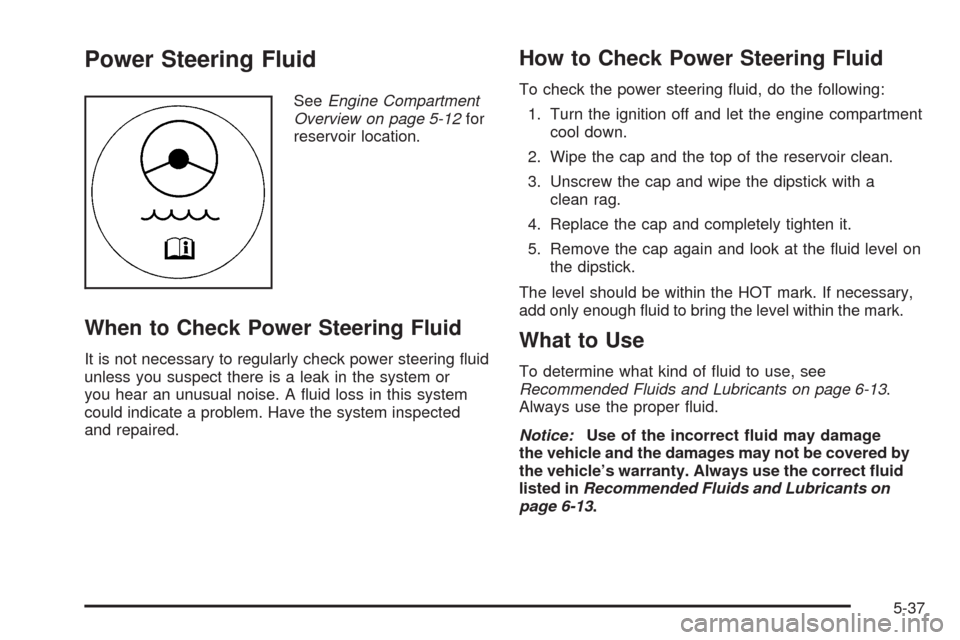
Power Steering Fluid
SeeEngine Compartment
Overview on page 5-12for
reservoir location.
When to Check Power Steering Fluid
It is not necessary to regularly check power steering uid
unless you suspect there is a leak in the system or
you hear an unusual noise. A uid loss in this system
could indicate a problem. Have the system inspected
and repaired.
How to Check Power Steering Fluid
To check the power steering uid, do the following:
1. Turn the ignition off and let the engine compartment
cool down.
2. Wipe the cap and the top of the reservoir clean.
3. Unscrew the cap and wipe the dipstick with a
clean rag.
4. Replace the cap and completely tighten it.
5. Remove the cap again and look at the uid level on
the dipstick.
The level should be within the HOT mark. If necessary,
add only enough uid to bring the level within the mark.
What to Use
To determine what kind of uid to use, see
Recommended Fluids and Lubricants on page 6-13.
Always use the proper uid.
Notice:Use of the incorrect uid may damage
the vehicle and the damages may not be covered by
the vehicle’s warranty. Always use the correct uid
listed inRecommended Fluids and Lubricants on
page 6-13.
5-37