start stop button CADILLAC STS 2011 1.G User Guide
[x] Cancel search | Manufacturer: CADILLAC, Model Year: 2011, Model line: STS, Model: CADILLAC STS 2011 1.GPages: 528, PDF Size: 4.96 MB
Page 277 of 528
Black plate (91,1)Cadillac STS Owner Manual - 2011
STABILITY TOURING MODE
If your All-Wheel Drive (AWD) vehicle has the Active
Steering with Enhanced StabiliTrak option, this
message displays when the Stability Touring Mode is
re-activated by using the traction control button after:
.Driving in the Stability Competitive Mode.
.The stability control system is turned off by the
driver.
This message may also display after exiting STABILITY
SECURE MODE when certain system faults or vehicle
conditions have been cleared. See Enhanced
StabiliTrak
®on page 5‑7.
STARTING DISABLED THEFT
PROBLEM
This message displays when incorrect conditions exist
within the theft-deterrent system. See your dealer for
service.
STARTING DISABLED THROTTLE
PROBLEM
This message displays when your vehicle's throttle
system is not functioning properly. Have your vehicle
serviced by your dealer.
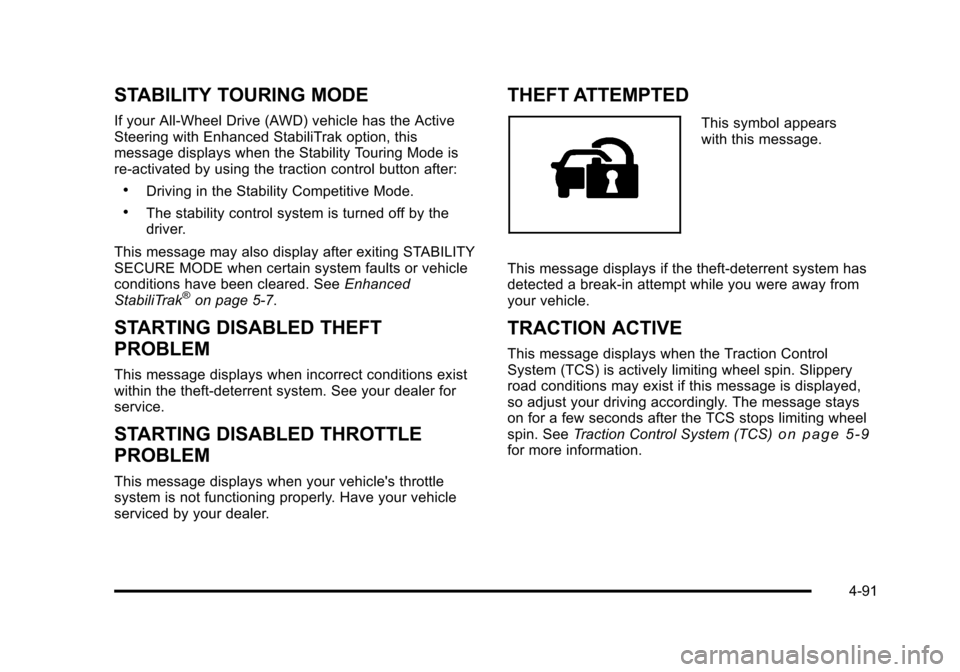
THEFT ATTEMPTED
This symbol appears
with this message.
This message displays if the theft-deterrent system has
detected a break-in attempt while you were away from
your vehicle.
TRACTION ACTIVE
This message displays when the Traction Control
System (TCS) is actively limiting wheel spin. Slippery
road conditions may exist if this message is displayed,
so adjust your driving accordingly. The message stays
on for a few seconds after the TCS stops limiting wheel
spin. See Traction Control System (TCS)
on page 5‑9for more information.
4-91
Page 289 of 528
Black plate (103,1)Cadillac STS Owner Manual - 2011
Radio Message
THEFTLOCK:Displays when the THEFTLOCK®
system has been activated. Take the vehicle to your
dealer for service.
XM Satellite Radio Service
XM is a satellite radio service that is based in the
48 contiguous United States and 10 Canadian
provinces. XM Satellite Radio has a wide variety
of programming and commercial-free music,
coast-to-coast, and in digital-quality sound. A service
fee is required to receive the XM service. If XM
Service needs to be reactivated, the radio will display
“No Subscription Please Renew” on channel XM1. For
more information, contact XM at www.xmradio.com or
call 1-800-929-2100 in the U.S. and www.xmradio.ca
or call 1-877-438-9677 in Canada.
Radio Messages for XM Only
See XM Radio Messageson page 4‑112later in this
section for further detail.
Using the Single CD Player
Load a CD partway into the slot, label side up. The
player pulls it in. The CD player can play the smaller
3 inch (8 cm) single CDs with an adapter ring. Full-size
CDs and the smaller CDs are loaded in the same
manner.
.The CD begins playing after it is loaded if the
ignition and the radio are on.
.The CD starts to play where it was last stopped if it
was the last selected audio source when the radio
is turned on.
.The CD stays in the player when the ignition or
radio is turned off.
.A CD can be loaded with the radio off, but it does
not start playing until the radio is turned on.
When a CD is loaded, CD displays and the CD
functions display above the pushbuttons in place of the
programmed preset stations. The track number displays
as each new track starts to play.
F1
{(Reverse): Press and hold to reverse quickly
within a track. Release to resume playback. The
elapsed time of the track displays.
F2
|(Forward): Press and hold to advance quickly
within a track. Release to resume playback. The
elapsed time of the track displays.
4-103
Page 297 of 528

Black plate (111,1)Cadillac STS Owner Manual - 2011
F4 RPT (Repeat):Single tracks or folders can be
repeated.
.To repeat the current track, press and release
F4 RPT until RPT TRCK displays.
.To repeat the tracks in the current folder, press and
release F4 RPT until RPT FLDR displays.
.To turn repeat off, press and release F4 RPT until
NORMAL displays.
F6 DISP (Display): Press to switch between the
elapsed time of the track and the MP3 playback
information.
© ¨(Seek): Press and release to go to the start of the
previous track or the start of the next track. Press and
hold for more than two seconds to search the previous
or next tracks at two tracks per second. Release to stop
searching and to play the track.
© ¨(Scan): Press to scan the tracks in each folder. The
radio goes to the next track, plays for 10 seconds, then
goes to the next track. Press again to stop scanning.
w(Tune): Turn to fast track reverse or advance
advance through the tracks in all folders or playlists.
The track number and file name displays for each track.
Turning
wwhile in random will fast track reverse or
advance the tracks in sequential order.
4(Information): Press to view the Title, Artist, Album,
or Folder names. To view this information:
1. Press
wto enter the main menu.
2. Turn
wuntil INFO displays.
3. Press
wto select INFO. The display changes to
show the additional MP3 information.
4. Press one of the following pushbuttons to view that specific information.
.F1 TTLE (Title): Displays the title name.
.F2 ATST (Artist): Displays the artist name.
.F3 ALBM (Album): Displays the album name.
.F4 FLDR (Folder):Displays the folder name.
5. Press F6 to exit the display. To return to the original display, repeatedly press F6 or wait for the
display to time out.
4-111
Page 414 of 528

Black plate (64,1)Cadillac STS Owner Manual - 2011
TPMS Sensor Matching Process
Each TPMS sensor has a unique identification code.
Any time you replace one or more of the TPMS sensors
or rotate your vehicle's tires, the identification codes will
need to be matched to the new tire/wheel position. The
sensors are matched to the tire/wheel positions in the
following order: driver side front tire, passenger side
front tire, passenger side rear tire, and driver side rear
tire using a TPMS diagnostic tool. See your dealer for
service.
The TPMS sensors may also be matched to each tire/
wheel position by increasing or decreasing the tire's air
pressure. When increasing the tire's pressure, do not
exceed the maximum inflation pressure indicated on the
tire's sidewall. If using this method to match TPMS
sensors, the complete procedure outlined below must
be performed within 15 minutes of the vehicle being
stationary.
To decrease air-pressure out of a tire you can use the
pointed end of the valve cap, a pencil-style air pressure
gauge, or a key.
You will have one minute to match the first tire/wheel
position, and five minutes overall, to match all four
tire/wheel positions. If it takes longer than one minute to
match the first tire and wheel, or more than five minutes
to match all four tire/wheel positions, the matching
process stops and you will need to start over.The TPM matching process is outlined below:
1. Set the parking brake.
2. Press the push-button ignition switch to Acc.
3. Using the keyless access transmitter, lock and unlock the vehicle's doors.
4. Press the lock and unlock buttons, at the same time, on the keyless access transmitter. The horn
sounds twice, indicating that the TPMS is ready,
and the sensor matching process can begin.
5. Start with the driver side front tire.
6. Remove the valve cap from the valve stem. Activate the TPMS sensor by increasing or
decreasing the tire's air pressure for five seconds,
or until a horn chirp sounds. The horn chirp, which
may take up to 30 seconds to sound, confirms that
the sensor identification code has been matched to
this tire position.
7. Proceed to the passenger side front tire, and repeat the procedure in Step 6.
8. Proceed to the passenger side rear tire, and repeat the procedure in Step 6.
9. Proceed to the driver side rear tire, and repeat the procedure in Step 6.
6-64