tow CADILLAC STS 2011 1.G User Guide
[x] Cancel search | Manufacturer: CADILLAC, Model Year: 2011, Model line: STS, Model: CADILLAC STS 2011 1.GPages: 528, PDF Size: 4.96 MB
Page 133 of 528
Black plate (27,1)Cadillac STS Owner Manual - 2011
If the engine is off, press this button to turn on the
accessory mode. ACCESSORY ACTIVE will display on
the Driver Information Center (DIC). Accessory mode
allows use of the audio system and windshield wipers.
Accessory mode must be used if the vehicle must be
towed or in motion when the engine is not running.
After the vehicle has been in accessory mode for more
than 20 minutes, the vehicle will enter RAP or turn off,
depending on if the doors are opened or closed.
Retained Accessory Power (RAP)
These vehicle accessories can be used for up to
20 minutes after the engine is turned off:
.Audio System
.Audio Steering Wheel Controls
.Power Windows
Power to these accessories will work up to 20 minutes
or until one of the front doors is opened. For an
additional 20 minutes of operation, close all the doors
and press Acc. to place the vehicle in accessory mode.
Press the button again to return to RAP.
Starting the Engine
To place the transmission in the proper gear:
Move the shift lever to P (Park) or N (Neutral). To restart
the engine when the vehicle is already moving, use
N (Neutral).
Notice: Do not try to shift to P (Park) if the
vehicle is moving. If you do, you could damage
the transmission. Shift to P (Park) only when the
vehicle is stopped.
The keyless access transmitter must be inside the
vehicle for the ignition to work.
Cell phone chargers can interfere with the operation of
the Keyless Access System. Battery chargers should
not be plugged in when starting or turning off the
engine.
To start the vehicle, do the following:
Starting Procedure
1. With your foot on the brake pedal, press the START button located on the instrument panel.
If there is not a keyless access transmitter
in the vehicle or if there is something causing
interference with it, the DIC will display NO FOBS
DETECTED. See DIC Warnings and Messages
on
page 4‑76for more information.
3-27
Page 136 of 528
Black plate (30,1)Cadillac STS Owner Manual - 2011
The length of time the heater should remain plugged in
depends on several factors. Ask a dealer in the area
where you will be parking the vehicle for the best advice
on this.
Automatic Transmission Operation
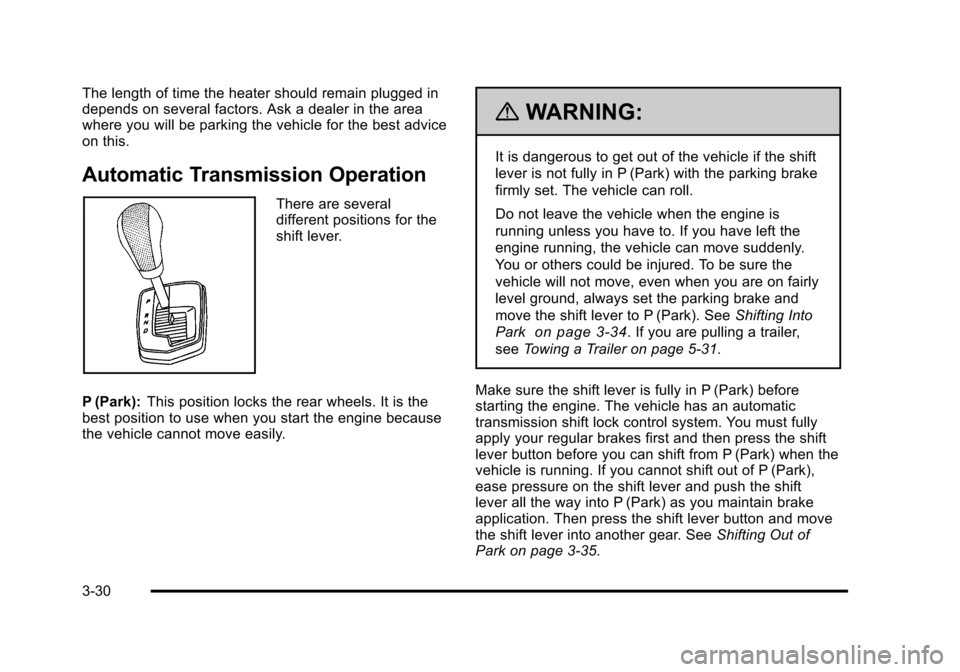
There are several
different positions for the
shift lever.
P (Park): This position locks the rear wheels. It is the
best position to use when you start the engine because
the vehicle cannot move easily.
{WARNING:
It is dangerous to get out of the vehicle if the shift
lever is not fully in P (Park) with the parking brake
firmly set. The vehicle can roll.
Do not leave the vehicle when the engine is
running unless you have to. If you have left the
engine running, the vehicle can move suddenly.
You or others could be injured. To be sure the
vehicle will not move, even when you are on fairly
level ground, always set the parking brake and
move the shift lever to P (Park). See Shifting Into
Park
on page 3‑34. If you are pulling a trailer,
see Towing a Trailer on page 5‑31.
Make sure the shift lever is fully in P (Park) before
starting the engine. The vehicle has an automatic
transmission shift lock control system. You must fully
apply your regular brakes first and then press the shift
lever button before you can shift from P (Park) when the
vehicle is running. If you cannot shift out of P (Park),
ease pressure on the shift lever and push the shift
lever all the way into P (Park) as you maintain brake
application. Then press the shift lever button and move
the shift lever into another gear. See Shifting Out of
Park on page 3‑35.
3-30
Page 137 of 528
Black plate (31,1)Cadillac STS Owner Manual - 2011
Notice:Shifting to R (Reverse) while the vehicle is
moving forward could damage the transmission.
The repairs would not be covered by the vehicle
warranty. Shift to R (Reverse) only after the vehicle
is stopped.
R (Reverse): Use this gear to back up.
At low vehicle speeds, you can also use R (Reverse)
to rock your vehicle back and forth to get out of snow,
ice, or sand without damaging the transmission. See If
Your Vehicle is Stuck in Sand, Mud, Ice, or Snow
on
page 5‑22for additional information.
N (Neutral): In this position, the engine does not
connect with the wheels. To restart the engine when the
vehicle is already moving, use N (Neutral) only. You can
also use N (Neutral) when the vehicle is being towed.
{WARNING:
Shifting into a drive gear while the engine is
running at high speed is dangerous. Unless your
foot is firmly on the brake pedal, the vehicle could
move very rapidly. You could lose control and hit
people or objects. Do not shift into a drive gear
while the engine is running at high speed. Notice:
Shifting out of P (Park) or N (Neutral) with
the engine running at high speed may damage the
transmission. The repairs would not be covered by
the vehicle warranty. Be sure the engine is not
running at high speed when shifting the vehicle.
D (Drive): This position is for normal driving. It provides
the best fuel economy. If you need more power for
passing, and you are:
.Going less than 35 mph (55 km/h), push the
accelerator pedal about halfway down.
.Going about 35 mph (55 km/h) or more, push the
accelerator all the way down.
The transmission will shift down to a lower gear
and have more power.
Downshifting the transmission in slippery road
conditions could result in skidding, see “Skidding”under
Loss of Control on page 5‑14.
3-31
Page 139 of 528
Black plate (33,1)Cadillac STS Owner Manual - 2011
If shifting is prevented for any reason, the selected gear
will flash multiple times, indicating that the transmission
has not shifted gears.
The transmission will allow you to shift to the gear
selected and will automatically downshift when the
vehicle comes to a stop. This will allow for more power
during take-off and passing.
Parking Brake
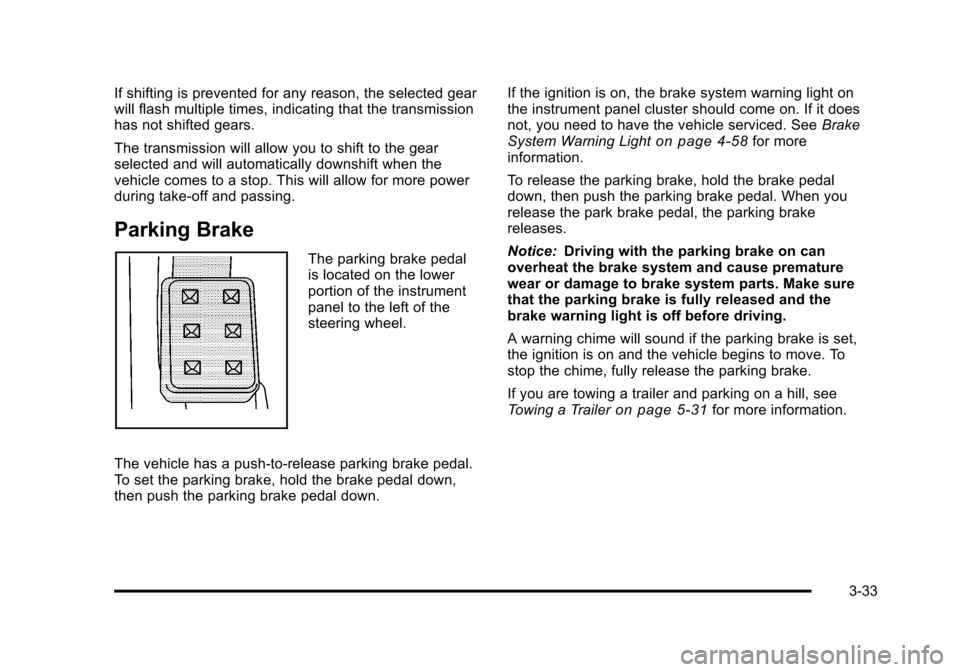
The parking brake pedal
is located on the lower
portion of the instrument
panel to the left of the
steering wheel.
The vehicle has a push-to-release parking brake pedal.
To set the parking brake, hold the brake pedal down,
then push the parking brake pedal down. If the ignition is on, the brake system warning light on
the instrument panel cluster should come on. If it does
not, you need to have the vehicle serviced. See
Brake
System Warning Light
on page 4‑58for more
information.
To release the parking brake, hold the brake pedal
down, then push the parking brake pedal. When you
release the park brake pedal, the parking brake
releases.
Notice: Driving with the parking brake on can
overheat the brake system and cause premature
wear or damage to brake system parts. Make sure
that the parking brake is fully released and the
brake warning light is off before driving.
A warning chime will sound if the parking brake is set,
the ignition is on and the vehicle begins to move. To
stop the chime, fully release the parking brake.
If you are towing a trailer and parking on a hill, see
Towing a Trailer
on page 5‑31for more information.
3-33
Page 140 of 528
Black plate (34,1)Cadillac STS Owner Manual - 2011
Shifting Into Park
{WARNING:
It can be dangerous to get out of the vehicle if the
shift lever is not fully in P (Park) with the parking
brake firmly set. The vehicle can roll. If you have
left the engine running, the vehicle can move
suddenly. You or others could be injured. To be
sure the vehicle will not move, even when you are
on fairly level ground, use the steps that follow.
If you are pulling a trailer, seeTowing a Trailer
on
page 5‑31
.
To shift into P (Park), use the following steps: 1. Hold the brake pedal down.
2. Move the shift lever into P (Park) by pressing the button on the front of the shift lever while pushing
the lever all the way toward the front of the vehicle.
Release the button.
3. With your foot still holding the brake pedal down, set the parking brake. See Parking Brake
on
page 3‑33for more information.
4. Turn the ignition off.
Leaving the Vehicle With the Engine
Running
{WARNING:
It can be dangerous to leave the vehicle with the
engine running. The vehicle could move suddenly
if the shift lever is not fully in P (Park) with the
parking brake firmly set. And, if you leave the
vehicle with the engine running, it could overheat
and even catch fire. You or others could be
injured. Do not leave the vehicle with the engine
running.
If you leave the vehicle with the engine running, the
vehicle must be in P (Park) and the parking brake set.
After shifting into P (Park), try to move the shift lever out
without first pushing the button on the shift lever. If you
can, the shift lever was not fully locked into P (Park).
3-34
Page 141 of 528
Black plate (35,1)Cadillac STS Owner Manual - 2011
Torque Lock
Torque lock is when the weight of the vehicle puts too
much force on the parking pawl in the transmission.
This happens when parking on a hill and shifting the
transmission into P (Park) is not done properly and then
it is difficult to shift out of P (Park). To prevent torque
lock, set the parking brake and then shift into P (Park).
To find out how, see“Shifting Into P (Park)” listed
previously.
If torque lock does occur, your vehicle may need to be
pushed uphill by another vehicle to relieve the parking
pawl pressure, so you can shift out of P (Park).
Shifting Out of Park
Shift lock release prevents shifting out of P (Park)
unless the vehicle is running or in Accessory mode and
the brake pedal is applied.
The shift lock release is always functional except in the
case of an uncharged or low voltage (less than 9‐volt)
battery. See Jump Starting
on page 6‑38for more
information. To shift out of P (Park) use the following:
1. Apply the brake pedal.
2. Press the shift lever button.
3. Move the shift lever to the desired position.
If you still are unable to shift out of P (Park): 1. Fully release the shift lever button.
2. While holding down the brake pedal, press the shift lever button again.
3. Move the shift lever to the desired position.
If you still cannot move the shift lever from P (Park),
consult your dealer or a professional towing service.
Parking Over Things That Burn
{WARNING:
Things that can burn could touch hot exhaust
parts under the vehicle and ignite. Do not park
over papers, leaves, dry grass, or other things that
can burn.
3-35
Page 143 of 528
Black plate (37,1)Cadillac STS Owner Manual - 2011
WARNING: (Continued)
death. Never run the engine in an enclosed area
that has no fresh air ventilation. For more
information, seeEngine Exhaust on page 3‑36.
{WARNING:
It can be dangerous to get out of the vehicle if the
automatic transmission shift lever is not fully in
P (Park) with the parking brake firmly set. The
vehicle can roll. Do not leave the vehicle when the
engine is running unless you have to. If you have
left the engine running, the vehicle can move
suddenly. You or others could be injured. To be
sure the vehicle will not move, even when you are
on fairly level ground, always set the parking
brake after you move the shift lever to P (Park).
Follow the proper steps to be sure the vehicle will not
move. See Shifting Into Park on page 3‑34.
If parking on a hill and pulling a trailer, see Towing a
Trailer on page 5‑31.
Mirrors
Automatic Dimming Rearview Mirror
The vehicle may have an inside rearview mirror with
automatic dimming and OnStar®controls; or it may
have OnStar®and a compass display. See the OnStar®
owner guide and/or Compasson page 3‑38for more
information.
O(On/Off): Press to turn the dimming feature on or off.
Automatic Dimming Mirror Operation
Automatic dimming reduces the glare of lights from
behind the vehicle. The dimming feature comes on and
the indicator light illuminates each time the vehicle is
started.
Cleaning the Mirror
Do not spray glass cleaner directly on the mirror. Use a
soft towel dampened with water.
3-37
Page 145 of 528
Black plate (39,1)Cadillac STS Owner Manual - 2011
3. Once the zone number displays, pressO
repeatedly until the correct zone number displays.
Stop pressing the button and the mirror returns to
normal operation. If C appears in the compass
window, the compass may need calibration. See
“Compass Calibration”listed previously.
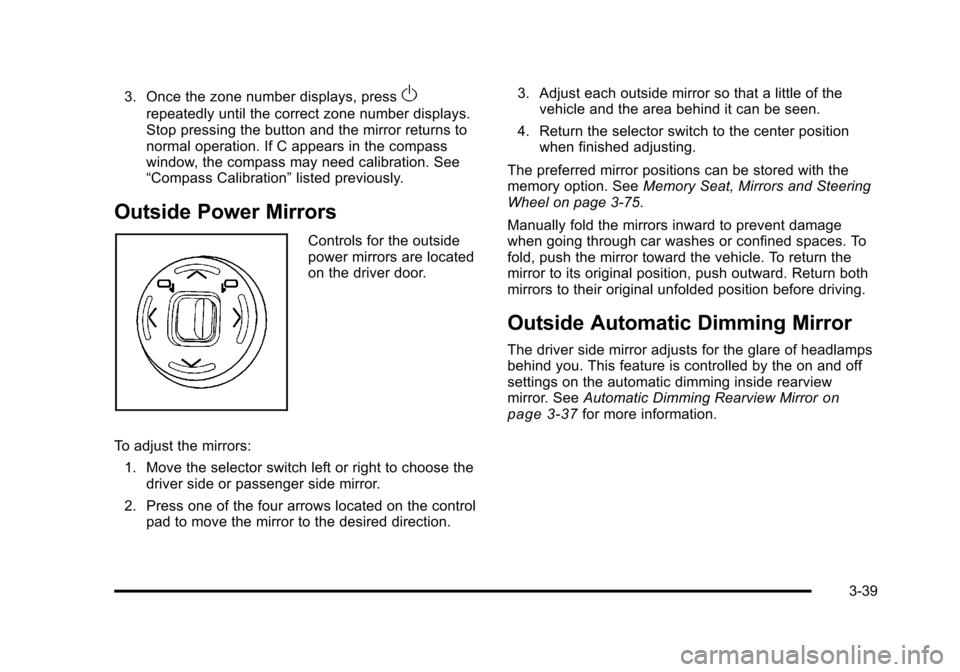
Outside Power Mirrors
Controls for the outside
power mirrors are located
on the driver door.
To adjust the mirrors: 1. Move the selector switch left or right to choose the driver side or passenger side mirror.
2. Press one of the four arrows located on the control pad to move the mirror to the desired direction. 3. Adjust each outside mirror so that a little of the
vehicle and the area behind it can be seen.
4. Return the selector switch to the center position when finished adjusting.
The preferred mirror positions can be stored with the
memory option. See Memory Seat, Mirrors and Steering
Wheel on page 3‑75.
Manually fold the mirrors inward to prevent damage
when going through car washes or confined spaces. To
fold, push the mirror toward the vehicle. To return the
mirror to its original position, push outward. Return both
mirrors to their original unfolded position before driving.
Outside Automatic Dimming Mirror
The driver side mirror adjusts for the glare of headlamps
behind you. This feature is controlled by the on and off
settings on the automatic dimming inside rearview
mirror. See Automatic Dimming Rearview Mirror
on
page 3‑37for more information.
3-39
Page 151 of 528
Black plate (45,1)Cadillac STS Owner Manual - 2011
The SBZA detection zones do not change if the vehicle
is towing a trailer. So be extra careful when changing
lanes while towing a trailer.
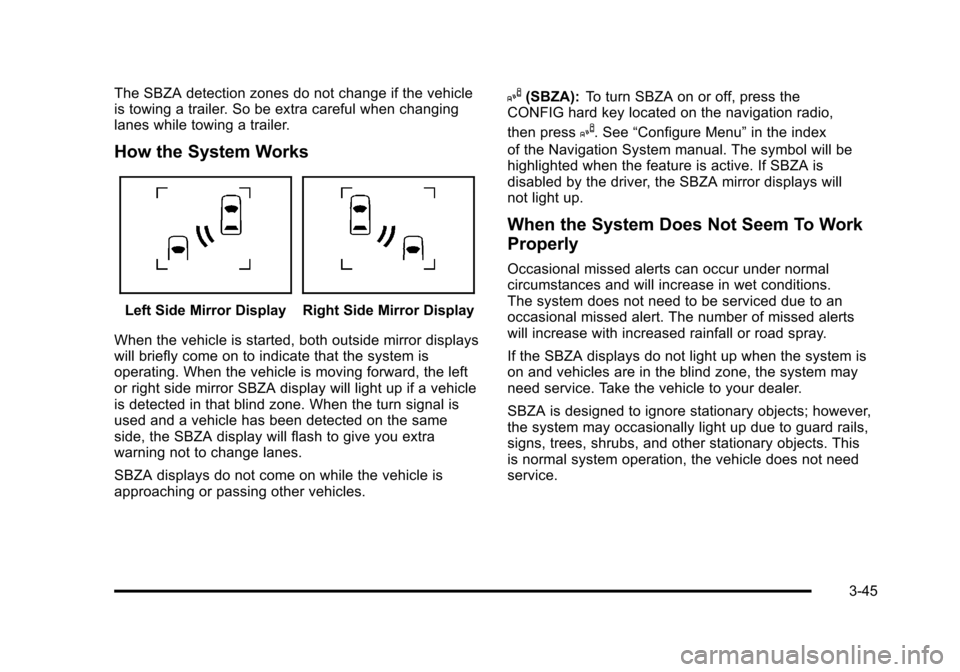
How the System Works
Left Side Mirror DisplayRight Side Mirror Display
When the vehicle is started, both outside mirror displays
will briefly come on to indicate that the system is
operating. When the vehicle is moving forward, the left
or right side mirror SBZA display will light up if a vehicle
is detected in that blind zone. When the turn signal is
used and a vehicle has been detected on the same
side, the SBZA display will flash to give you extra
warning not to change lanes.
SBZA displays do not come on while the vehicle is
approaching or passing other vehicles.
I(SBZA): To turn SBZA on or off, press the
CONFIG hard key located on the navigation radio,
then press
I. See “Configure Menu” in the index
of the Navigation System manual. The symbol will be
highlighted when the feature is active. If SBZA is
disabled by the driver, the SBZA mirror displays will
not light up.
When the System Does Not Seem To Work
Properly
Occasional missed alerts can occur under normal
circumstances and will increase in wet conditions.
The system does not need to be serviced due to an
occasional missed alert. The number of missed alerts
will increase with increased rainfall or road spray.
If the SBZA displays do not light up when the system is
on and vehicles are in the blind zone, the system may
need service. Take the vehicle to your dealer.
SBZA is designed to ignore stationary objects; however,
the system may occasionally light up due to guard rails,
signs, trees, shrubs, and other stationary objects. This
is normal system operation, the vehicle does not need
service.
3-45
Page 189 of 528
Black plate (3,1)Cadillac STS Owner Manual - 2011
Instrument Panel Overview
Hazard Warning Flashers
|:Press this button located on the console, near the
shift lever, to make the front and rear turn signal lamps
flash on and off. This warns others that you are having
trouble. Press again to turn the flashers off.
When the hazard warning flashers are on, the turn
signals do not work.
Horn
Press near or on the horn symbols on the steering
wheel pad to sound the horn.
Power Tilt Wheel and Telescopic
Steering Column
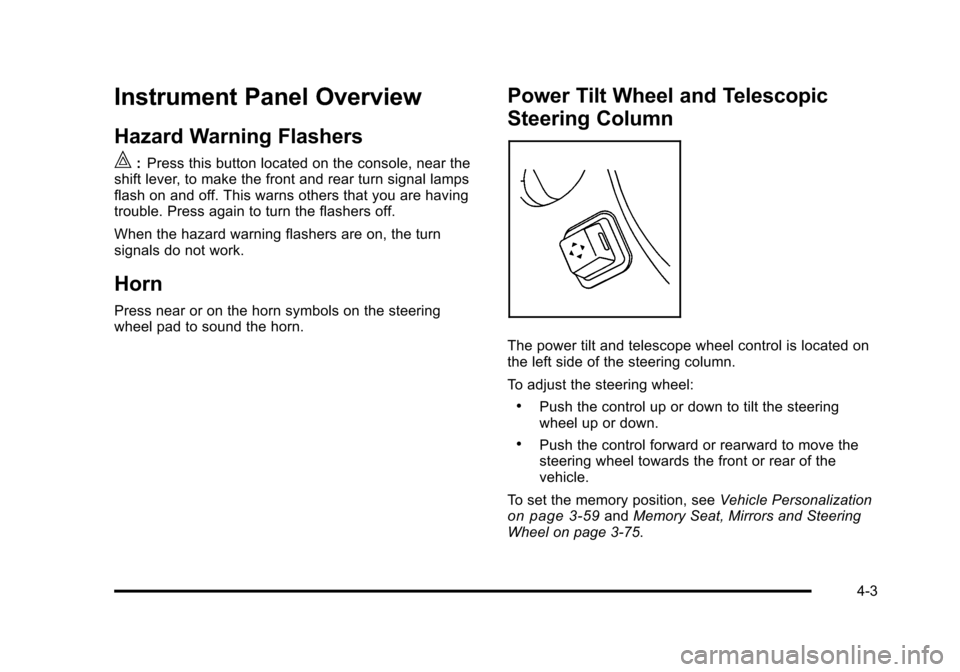
The power tilt and telescope wheel control is located on
the left side of the steering column.
To adjust the steering wheel:
.Push the control up or down to tilt the steering
wheel up or down.
.Push the control forward or rearward to move the
steering wheel towards the front or rear of the
vehicle.
To set the memory position, see Vehicle Personalization
on page 3‑59andMemory Seat, Mirrors and Steering
Wheel on page 3‑75.
4-3