service CADILLAC STS 2011 1.G Owner's Manual
[x] Cancel search | Manufacturer: CADILLAC, Model Year: 2011, Model line: STS, Model: CADILLAC STS 2011 1.GPages: 528, PDF Size: 4.96 MB
Page 152 of 528
Black plate (46,1)Cadillac STS Owner Manual - 2011
SBZA does not operate when the left or right corners of
the rear bumper are covered with mud, dirt, snow, ice,
slush, or in heavy rainstorms. For cleaning instructions,
seeWashing Your Vehicle
on page 6‑109. If the DIC
still displays the SIDE BLIND ZONE SYSTEM
UNAVAILABLE message after cleaning the bumper,
see your dealer.
The SBZA displays may remain on if a trailer is
attached to the vehicle, or a bicycle or object is
extending out to either side of the vehicle.
When SBZA is disabled for any reason other than the
driver turning it off, the driver will not be able to turn
SBZA back on using the DIC. The SIDE BLIND ZONE
ALERT ON option will not be selectable if the conditions
for normal system operation are not met. Until normal
operating conditions for SBZA are met, you should not
rely upon SBZA while driving.
SBZA Error Messages
The following messages may appear in the DIC:
SIDE BLIND ZONE ALERT SYSTEM OFF: This
message indicates that the system has been turned off.
SIDE BLIND ZONE SYSTEM UNAVAILABLE: This
message indicates that the SBZA system is disabled
because the sensor is blocked and cannot detect
vehicles in the blind zone. The sensor may be blocked by mud, dirt, snow, ice, slush, or even heavy
rainstorms. This message may also activate during
heavy rain or due to road spray. The vehicle does not
need service. For cleaning, see
Washing Your Vehicle
on page 6‑109.
SERVICE SIDE BLIND ZONE ALERT SYSTEM: If this
message appears, both SBZA displays will remain on
indicating there is a problem with the SBZA system.
If these displays remain on after continued driving, the
system needs service. Take the vehicle to your dealer.
FCC Information
See Radio Frequency Statementon page 8‑20for
information regarding Part 15 of the Federal
Communications Commission (FCC) rules and
Industry Canada Standards RSS-210/220/310.
Frequency of operation: 24.05GHz –24.25GHz
Field Strength: Not greater than 2.5V/m peak
(0.25V/m average) at a distance of 3m
The manufacturer is not responsible for any radio or TV
interference caused by unauthorized modifications to
this equipment. Such modifications could void the user's
authority to operate the equipment.
3-46
Page 154 of 528
Black plate (48,1)Cadillac STS Owner Manual - 2011
How the System Works
LDW uses a camera located between the inside
rearview mirror and the windshield to detect the lane
markings.
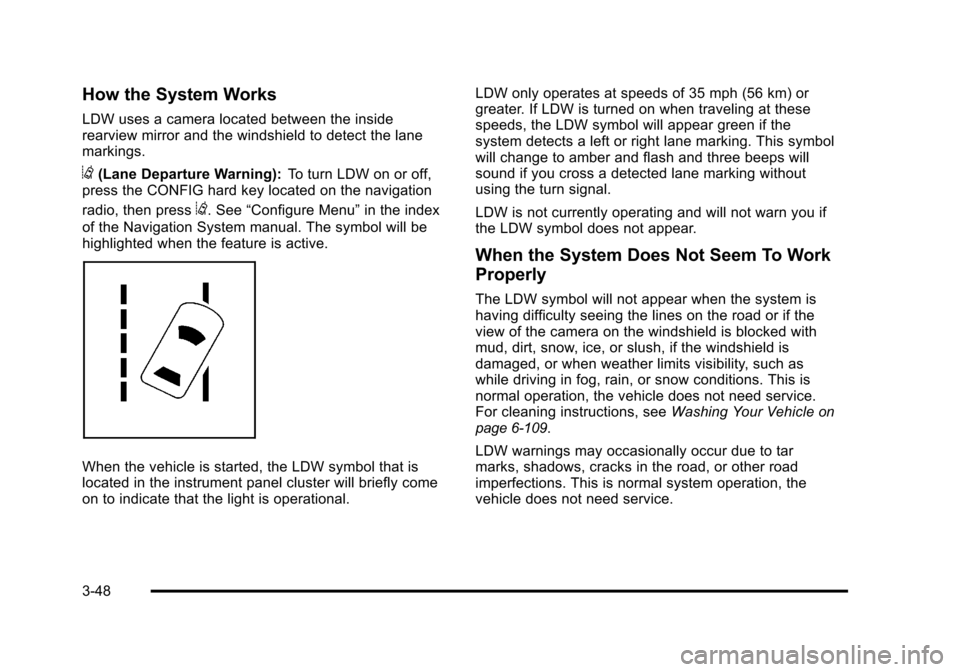
@(Lane Departure Warning):To turn LDW on or off,
press the CONFIG hard key located on the navigation
radio, then press
@. See “Configure Menu” in the index
of the Navigation System manual. The symbol will be
highlighted when the feature is active.
When the vehicle is started, the LDW symbol that is
located in the instrument panel cluster will briefly come
on to indicate that the light is operational. LDW only operates at speeds of 35 mph (56 km) or
greater. If LDW is turned on when traveling at these
speeds, the LDW symbol will appear green if the
system detects a left or right lane marking. This symbol
will change to amber and flash and three beeps will
sound if you cross a detected lane marking without
using the turn signal.
LDW is not currently operating and will not warn you if
the LDW symbol does not appear.
When the System Does Not Seem To Work
Properly
The LDW symbol will not appear when the system is
having difficulty seeing the lines on the road or if the
view of the camera on the windshield is blocked with
mud, dirt, snow, ice, or slush, if the windshield is
damaged, or when weather limits visibility, such as
while driving in fog, rain, or snow conditions. This is
normal operation, the vehicle does not need service.
For cleaning instructions, see
Washing Your Vehicle
on
page 6‑109.
LDW warnings may occasionally occur due to tar
marks, shadows, cracks in the road, or other road
imperfections. This is normal system operation, the
vehicle does not need service.
3-48
Page 155 of 528
Black plate (49,1)Cadillac STS Owner Manual - 2011
LDW Error Message
SERVICE LANE DEPARTURE SYSTEM:This
message may appear in the DIC to indicate that LDW is
not working properly. If this message remains on after
continued driving, the system needs service. Take the
vehicle to your dealer. See DIC Warnings and
Messages
on page 4‑76for more information.
LANE DEPARTURE SYSTEM UNAVAILABLE : This
message may appear in the DIC if LDW does not
activate due to a temporary condition. See DIC
Warnings and Messages
on page 4‑76for more
information.
Universal Home Remote
System
See Radio Frequency Statementon page 8‑20for
information regarding Part 15 of the Federal
Communications Commission (FCC) rules and
Industry Canada Standards RSS-210/220/310.
Universal Home Remote System
Operation (With Three Round LED)
The vehicle may have the Universal Home Remote
System. If there are three round Light Emitting Diode
(LED) indicator lights above the Universal Home
Remote buttons, follow the instructions below.
This system provides a way to replace up to three
remote control transmitters used to activate devices
such as garage door openers, security systems, and
home automation devices.
Do not use this system with any garage door opener
that does not have the stop and reverse feature. This
includes any garage door opener model manufactured
before April 1, 1982.
3-49
Page 192 of 528
Black plate (6,1)Cadillac STS Owner Manual - 2011
Forward Collision Alert (FCA)
System
For vehicles with this feature, read the following section
before using it.
This vehicle has systems that operate on a radio
frequency that comply with Part 15 of the Federal
Communications Commission (FCC) rules and with
Industry Canada Standards RSS‐210/220/310.
Operation is subject to the following two conditions:1. The device may not cause interference.
2. The device must accept any interference received, including interference that may cause undesired
operation of the device.
Changes or modifications to this system by other than
an authorized service facility could void authorization to
use this equipment. The Forward Collision Alert (FCA) system provides an
audible and visual warning if you approach a vehicle
too rapidly. FCA also provides a visual warning with
no audible warning if you are following another vehicle
much too closely. FCA uses the Adaptive Cruise Control
radar to detect a vehicle directly ahead, in your path,
within a distance of 100 m (328 ft) and operates at
speeds above 32 km/h (20 mph).
{WARNING:
FCA is only a warning system and does not apply
the brakes. When you are approaching a vehicle
or object too rapidly or when you are following a
vehicle too closely that is ahead of you, FCA may
not provide you with enough time to avoid a
collision. FCA is not designed to warn the driver of
pedestrians or animals. Your complete attention is
always required while driving and you should be
ready to take action and apply the brakes. For
more information, see
Defensive Driving
on
page 5‑2
.
4-6
Page 195 of 528
Black plate (9,1)Cadillac STS Owner Manual - 2011
Unnecessary Warnings
FCA may occasionally provide an unnecessary warning
to guard rails, signs, and other stationary objects. This
is normal operation, your vehicle does not need service.
Other Messages
There are three messages that may appear on the
Driver Information Center (DIC). They are CLEAN
RADAR, RADAR CRUISE NOT READY and SERVICE
RADAR CRUISE. SeeDIC Warnings and Messages
on
page 4‑76.
Cleaning the System
The radar can become blocked by snow, ice, or dirt.
If so, you may need to turn off the engine and clean the
lens. See “Cleaning the System” underAdaptive Cruise
Control on page 4‑15.
Flash-to-Pass
This feature allows you to use the high-beam
headlamps to signal the driver in front of you that you
want to pass.
Pull and hold the turn signal/multifunction lever toward
you to use this feature. When this is done the following
will occur:
.If the headlamps are off, in low-beam or in Daytime
Running Lamps (DRL) mode, the high-beam
headlamps will turn on. They will stay on as long
as the lever is held there. Release the lever to turn
them off.
.If the headlamps are in high-beam mode, they will
switch to low beam. To return to high-beam, push
the lever forward.
4-9
Page 201 of 528
Black plate (15,1)Cadillac STS Owner Manual - 2011
When going downhill, you might have to brake to keep
the vehicle speed down. When the brakes are applied
the cruise control is disengaged.
Ending Cruise Control
There are three ways to end cruise control.
.To disengage cruise control; step lightly on the
brake pedal.
.Press the[button on the steering wheel.
.To turn off cruise control, move the cruise control
switch to
9.
Erasing Speed Memory
The cruise control set speed is erased from memory by
moving the cruise control switch to
9or if the ignition
is turned off.
Adaptive Cruise Control
If the vehicle has adaptive cruise control, read the
Radio Frequency Statementon page 8‑20before using
this feature.
Changes or modifications to this system by other than
an authorized service facility could void authorization to
use this equipment.
Adaptive Cruise Control is an enhancement to
traditional cruise control and is not a safety system.
It allows you to keep cruise control engaged in
moderate traffic conditions without having to constantly
be reset. Adaptive Cruise Control uses radar to
detect a vehicle directly ahead in your path, within a
distance of 100 m (328 ft), and operates at speeds
above 48 km/h (30 mph). When it is engaged by
the driver, the system can apply limited braking or
acceleration of the vehicle, automatically, to maintain
a selected following distance to the vehicle ahead.
4-15
Page 211 of 528
Black plate (25,1)Cadillac STS Owner Manual - 2011
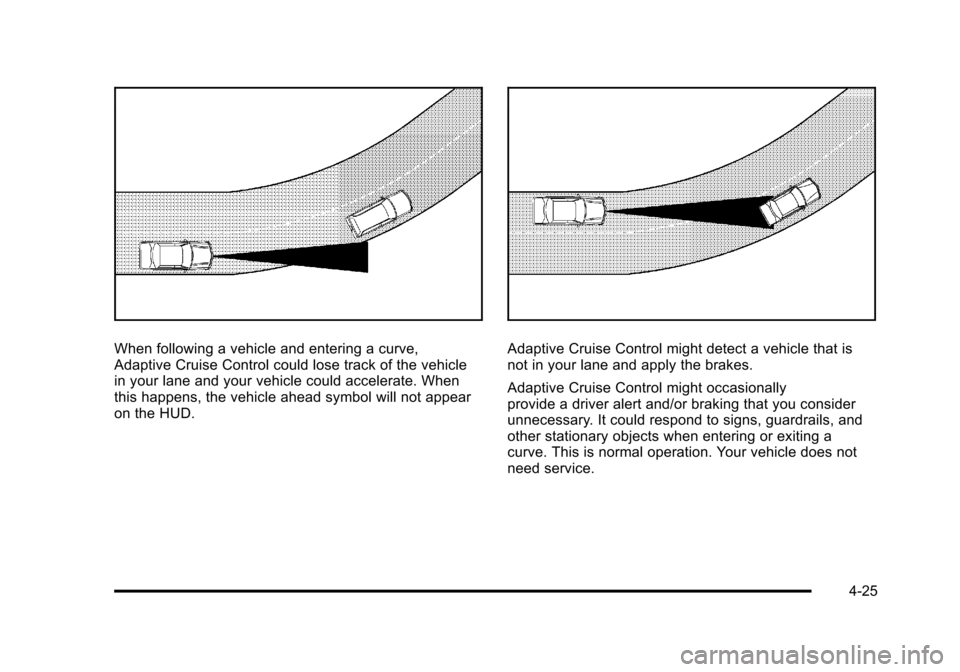
When following a vehicle and entering a curve,
Adaptive Cruise Control could lose track of the vehicle
in your lane and your vehicle could accelerate. When
this happens, the vehicle ahead symbol will not appear
on the HUD.Adaptive Cruise Control might detect a vehicle that is
not in your lane and apply the brakes.
Adaptive Cruise Control might occasionally
provide a driver alert and/or braking that you consider
unnecessary. It could respond to signs, guardrails, and
other stationary objects when entering or exiting a
curve. This is normal operation. Your vehicle does not
need service.
4-25
Page 213 of 528
Black plate (27,1)Cadillac STS Owner Manual - 2011
Erasing Set Speed Memory
The set speed memory is erased from memory by
moving the Adaptive Cruise Control switch to
9or if
the ignition is turned off.
Other Messages
There are three messages that may appear on the DIC.
They are SERVICE RADAR CRUISE, RADAR CRUISE
NOT READY and CLEAN RADAR. These messages
will appear to indicate a problem with the Adaptive
Cruise Control. See DIC Warnings and Messages
on
page 4‑76for more information.
Cleaning the System
The radar can become blocked by snow, ice, or dirt.
If this happens, turn off the engine and clean the
emblem/lens, located in the center of the front outside
grille. Do not use Adaptive Cruise Control in icy
conditions, or when visibility is low, such as in fog,
rain or snow.
To clean the emblem/lens, wipe the surface with a
soft cloth. After cleaning the emblem/lens, engage the
Adaptive Cruise Control. If there are problems, see your
dealer.
Headlamps
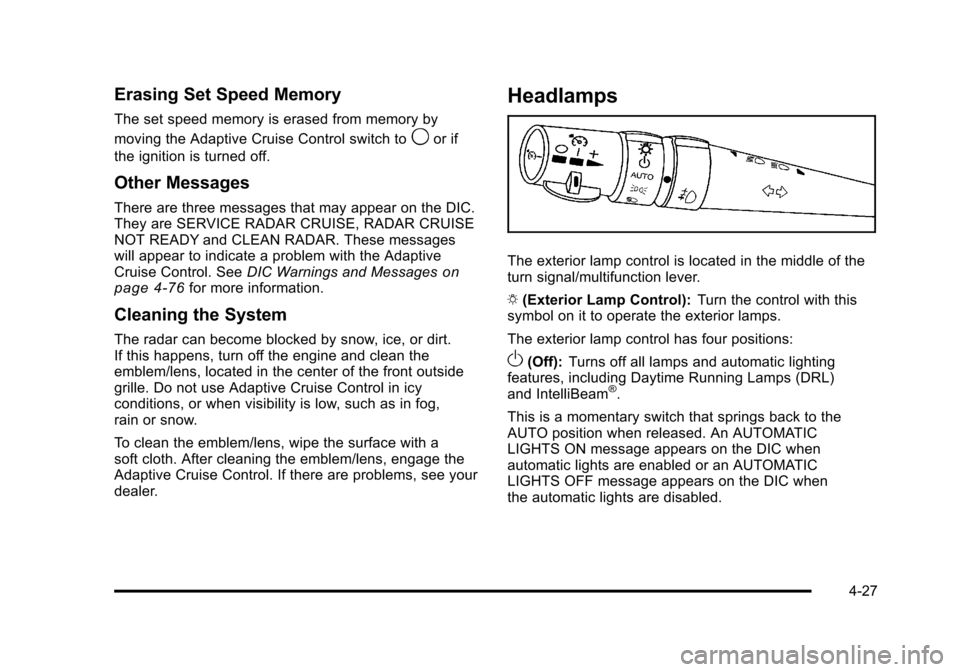
The exterior lamp control is located in the middle of the
turn signal/multifunction lever.
O (Exterior Lamp Control): Turn the control with this
symbol on it to operate the exterior lamps.
The exterior lamp control has four positions:
O(Off): Turns off all lamps and automatic lighting
features, including Daytime Running Lamps (DRL)
and IntelliBeam
®.
This is a momentary switch that springs back to the
AUTO position when released. An AUTOMATIC
LIGHTS ON message appears on the DIC when
automatic lights are enabled or an AUTOMATIC
LIGHTS OFF message appears on the DIC when
the automatic lights are disabled.
4-27
Page 236 of 528
Black plate (50,1)Cadillac STS Owner Manual - 2011
Passenger Compartment Air Filter
Your vehicle may be equipped with a passenger
compartment air filter. There are two types of filters
available. There is a standard dust filter that traps small
particles including pollen. There is, also, a dust/odor
filter available that traps dust and pollen and uses a
charcoal element to help reduce many offensive odors
from entering your vehicle. The filter will need to be
changed periodically. For information on when to
change the passenger compartment air filter, see
Scheduled Maintenance on page 7‑3.
Notice:Driving without a passenger compartment
air filter in place can cause water and small
particles, like paper and leaves, to be pulled into
your climate control system which may cause
damage to it. Make sure you always replace the old
filter with a new one.
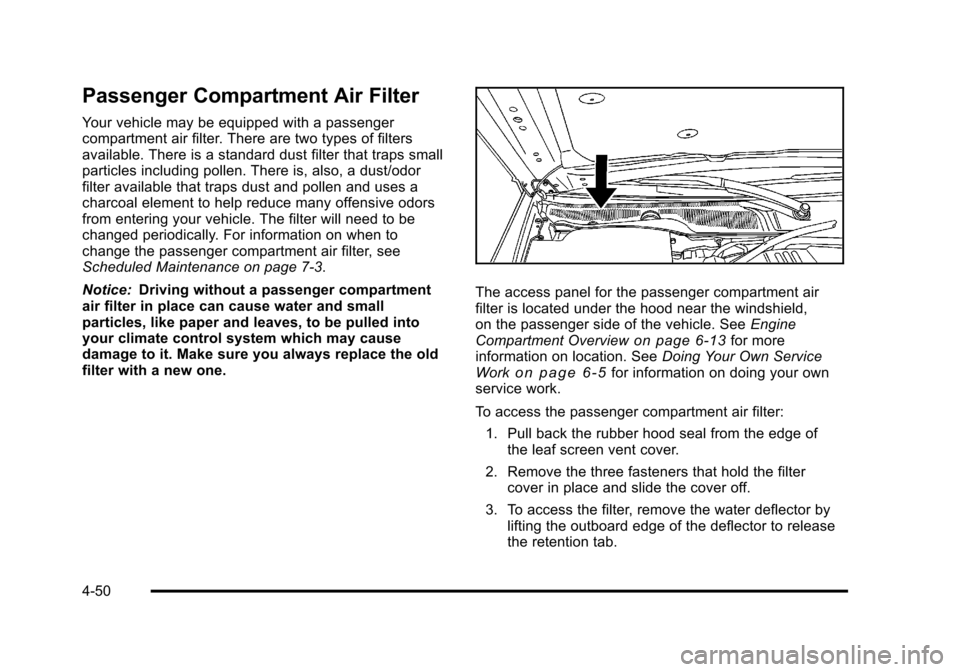
The access panel for the passenger compartment air
filter is located under the hood near the windshield,
on the passenger side of the vehicle. See Engine
Compartment Overview
on page 6‑13for more
information on location. See Doing Your Own Service
Work
on page 6‑5for information on doing your own
service work.
To access the passenger compartment air filter:
1. Pull back the rubber hood seal from the edge of the leaf screen vent cover.
2. Remove the three fasteners that hold the filter cover in place and slide the cover off.
3. To access the filter, remove the water deflector by lifting the outboard edge of the deflector to release
the retention tab.
4-50
Page 241 of 528
Black plate (55,1)Cadillac STS Owner Manual - 2011
{WARNING:
If the airbag readiness light stays on after the
vehicle is started or comes on while driving, it
means the airbag system might not be working
properly. The airbags in the vehicle might not
inflate in a crash, or they could even inflate
without a crash. To help avoid injury, have the
vehicle serviced right away.
If there is a problem with the airbag system, an airbag
Driver Information Center (DIC) message can also
come on. See DIC Warnings and Messages
on
page 4‑76for more information.
Passenger Airbag Status Indicator
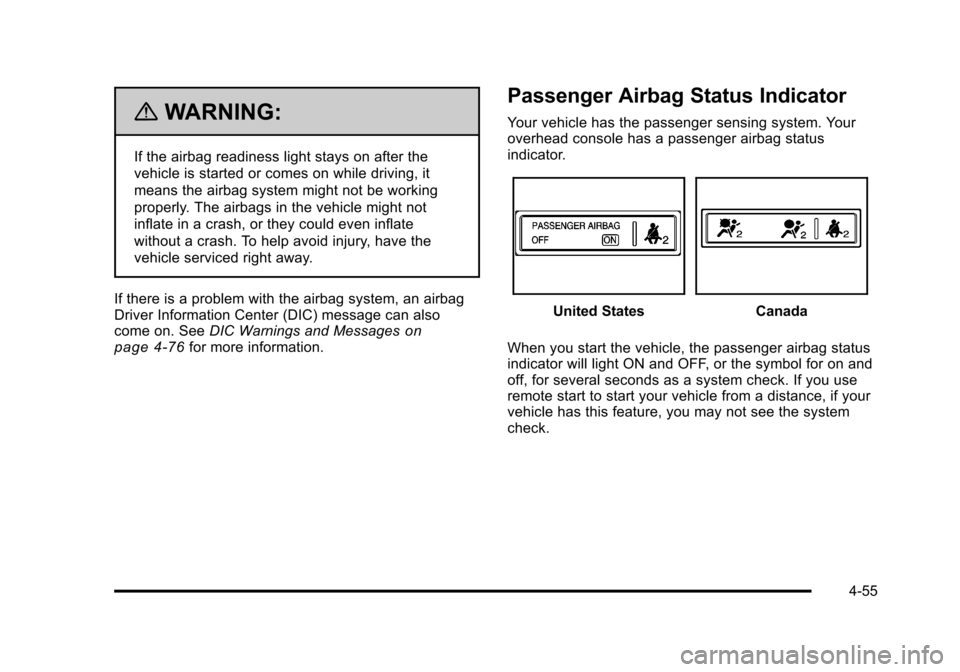
Your vehicle has the passenger sensing system. Your
overhead console has a passenger airbag status
indicator.
United StatesCanada
When you start the vehicle, the passenger airbag status
indicator will light ON and OFF, or the symbol for on and
off, for several seconds as a system check. If you use
remote start to start your vehicle from a distance, if your
vehicle has this feature, you may not see the system
check.
4-55