light CADILLAC STS 2011 1.G Owner's Guide
[x] Cancel search | Manufacturer: CADILLAC, Model Year: 2011, Model line: STS, Model: CADILLAC STS 2011 1.GPages: 528, PDF Size: 4.96 MB
Page 130 of 528
Black plate (24,1)Cadillac STS Owner Manual - 2011
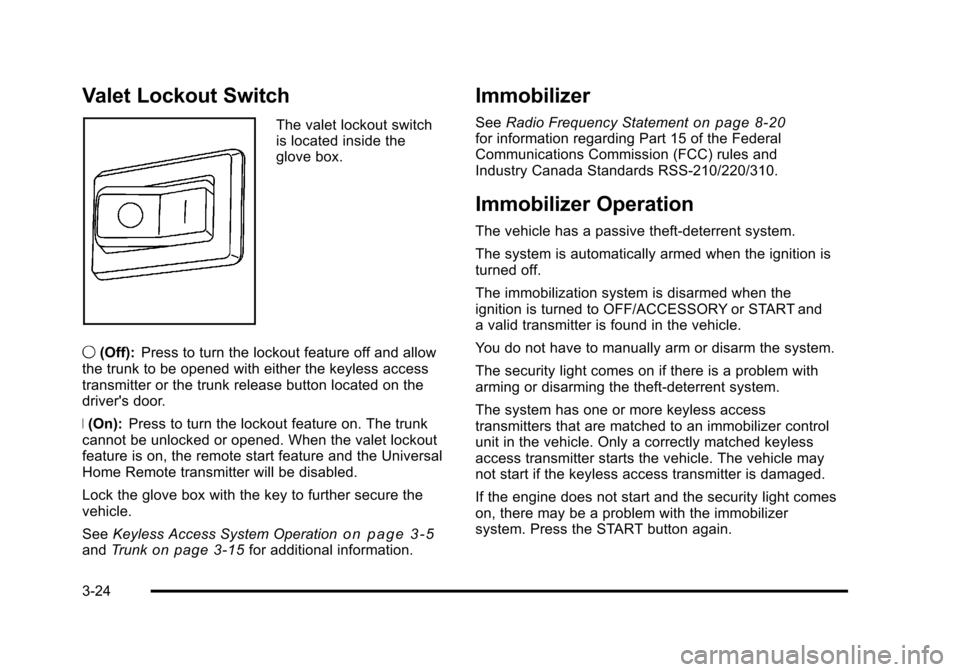
Valet Lockout Switch
The valet lockout switch
is located inside the
glove box.
9 (Off): Press to turn the lockout feature off and allow
the trunk to be opened with either the keyless access
transmitter or the trunk release button located on the
driver's door.
R (On): Press to turn the lockout feature on. The trunk
cannot be unlocked or opened. When the valet lockout
feature is on, the remote start feature and the Universal
Home Remote transmitter will be disabled.
Lock the glove box with the key to further secure the
vehicle.
See Keyless Access System Operation
on page 3‑5andTrunkon page 3‑15for additional information.
Immobilizer
See Radio Frequency Statementon page 8‑20for information regarding Part 15 of the Federal
Communications Commission (FCC) rules and
Industry Canada Standards RSS-210/220/310.
Immobilizer Operation
The vehicle has a passive theft-deterrent system.
The system is automatically armed when the ignition is
turned off.
The immobilization system is disarmed when the
ignition is turned to OFF/ACCESSORY or START and
a valid transmitter is found in the vehicle.
You do not have to manually arm or disarm the system.
The security light comes on if there is a problem with
arming or disarming the theft-deterrent system.
The system has one or more keyless access
transmitters that are matched to an immobilizer control
unit in the vehicle. Only a correctly matched keyless
access transmitter starts the vehicle. The vehicle may
not start if the keyless access transmitter is damaged.
If the engine does not start and the security light comes
on, there may be a problem with the immobilizer
system. Press the START button again.
3-24
Page 139 of 528
Black plate (33,1)Cadillac STS Owner Manual - 2011
If shifting is prevented for any reason, the selected gear
will flash multiple times, indicating that the transmission
has not shifted gears.
The transmission will allow you to shift to the gear
selected and will automatically downshift when the
vehicle comes to a stop. This will allow for more power
during take-off and passing.
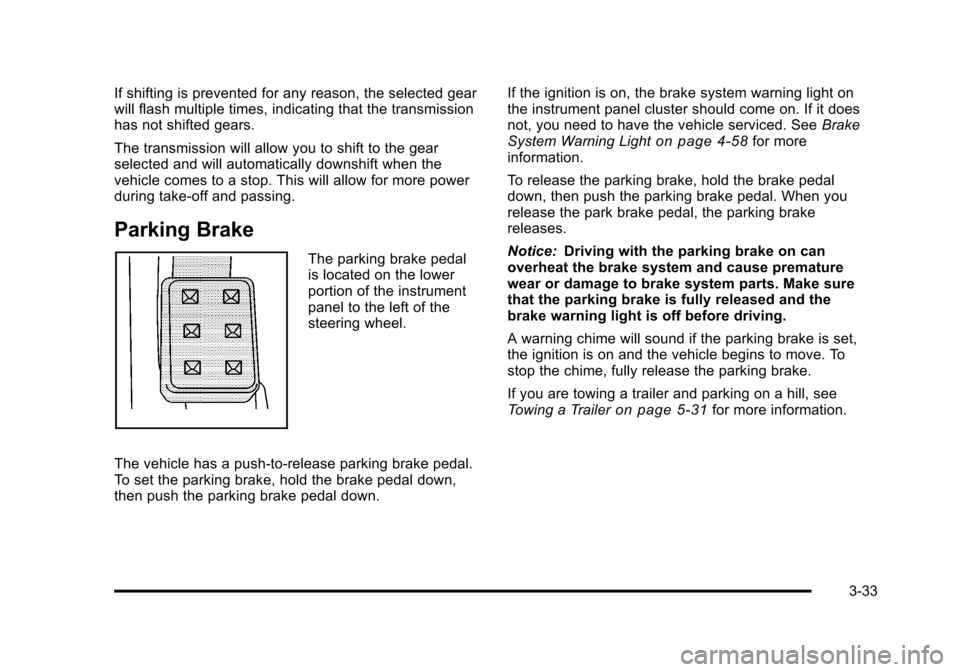
Parking Brake
The parking brake pedal
is located on the lower
portion of the instrument
panel to the left of the
steering wheel.
The vehicle has a push-to-release parking brake pedal.
To set the parking brake, hold the brake pedal down,
then push the parking brake pedal down. If the ignition is on, the brake system warning light on
the instrument panel cluster should come on. If it does
not, you need to have the vehicle serviced. See
Brake
System Warning Light
on page 4‑58for more
information.
To release the parking brake, hold the brake pedal
down, then push the parking brake pedal. When you
release the park brake pedal, the parking brake
releases.
Notice: Driving with the parking brake on can
overheat the brake system and cause premature
wear or damage to brake system parts. Make sure
that the parking brake is fully released and the
brake warning light is off before driving.
A warning chime will sound if the parking brake is set,
the ignition is on and the vehicle begins to move. To
stop the chime, fully release the parking brake.
If you are towing a trailer and parking on a hill, see
Towing a Trailer
on page 5‑31for more information.
3-33
Page 143 of 528
Black plate (37,1)Cadillac STS Owner Manual - 2011
WARNING: (Continued)
death. Never run the engine in an enclosed area
that has no fresh air ventilation. For more
information, seeEngine Exhaust on page 3‑36.
{WARNING:
It can be dangerous to get out of the vehicle if the
automatic transmission shift lever is not fully in
P (Park) with the parking brake firmly set. The
vehicle can roll. Do not leave the vehicle when the
engine is running unless you have to. If you have
left the engine running, the vehicle can move
suddenly. You or others could be injured. To be
sure the vehicle will not move, even when you are
on fairly level ground, always set the parking
brake after you move the shift lever to P (Park).
Follow the proper steps to be sure the vehicle will not
move. See Shifting Into Park on page 3‑34.
If parking on a hill and pulling a trailer, see Towing a
Trailer on page 5‑31.
Mirrors
Automatic Dimming Rearview Mirror
The vehicle may have an inside rearview mirror with
automatic dimming and OnStar®controls; or it may
have OnStar®and a compass display. See the OnStar®
owner guide and/or Compasson page 3‑38for more
information.
O(On/Off): Press to turn the dimming feature on or off.
Automatic Dimming Mirror Operation
Automatic dimming reduces the glare of lights from
behind the vehicle. The dimming feature comes on and
the indicator light illuminates each time the vehicle is
started.
Cleaning the Mirror
Do not spray glass cleaner directly on the mirror. Use a
soft towel dampened with water.
3-37
Page 147 of 528
Black plate (41,1)Cadillac STS Owner Manual - 2011
Object Detection Systems
Ultrasonic Rear Parking
Assist (URPA)
For vehicles with the URPA system, it operates at
speeds less than 3 mph (5 km/h), and assists the driver
with parking and avoiding objects while in R (Reverse).
The sensors on the rear bumper are used to detect the
distance to an object up to 5 feet (1.5 m) behind the
vehicle and at least 10 inches (25.4 cm) off the ground.
{WARNING:
The Ultrasonic Rear Parking Assist (URPA)
system does not replace driver vision. It cannot
detect:
.Objects that are below the bumper,
underneath the vehicle, or too close or far
from the vehicle
.Children, pedestrians, bicyclists, or pets.(Continued)
WARNING: (Continued)
If you do not use proper care before and while
backing, vehicle damage, injury, or death could
occur. Even with URPA, always check behind the
vehicle before backing up. While backing, be sure
to look for objects and check the vehicle's mirrors.
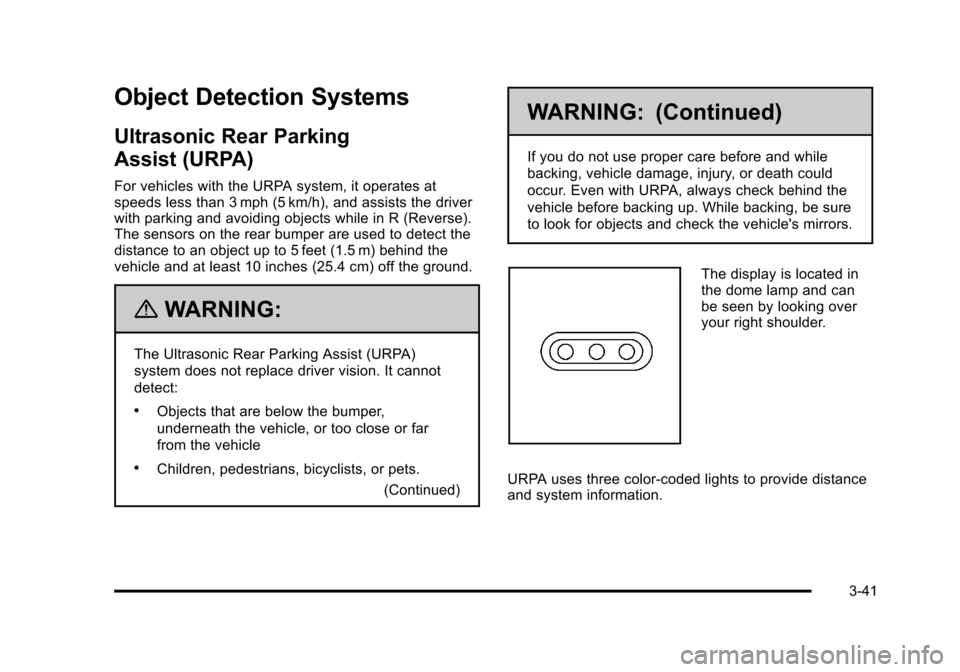
The display is located in
the dome lamp and can
be seen by looking over
your right shoulder.
URPA uses three color-coded lights to provide distance
and system information.
3-41
Page 148 of 528
Black plate (42,1)Cadillac STS Owner Manual - 2011
How the System Works
URPA comes on automatically when the shift lever is
moved into R (Reverse). The rear display briefly
illuminates to indicate the system is working.
URPA operates only at speeds less than 3 mph
(5 km/h). If the vehicle is above this speed, the red light
on the rear display will flash.
To be detected, objects must be at least 10 inches
(25.4 cm) off the ground and below trunk level. Objects
must also be within 5 feet (1.5 m) from the rear bumper.
This distance may be less during warmer or humid
weather.
A single beep will sound the first time an object is
detected between 20 inches (0.5 m) and 5 feet (1.5 m)
away. Beeping will occur when the vehicle is closer than
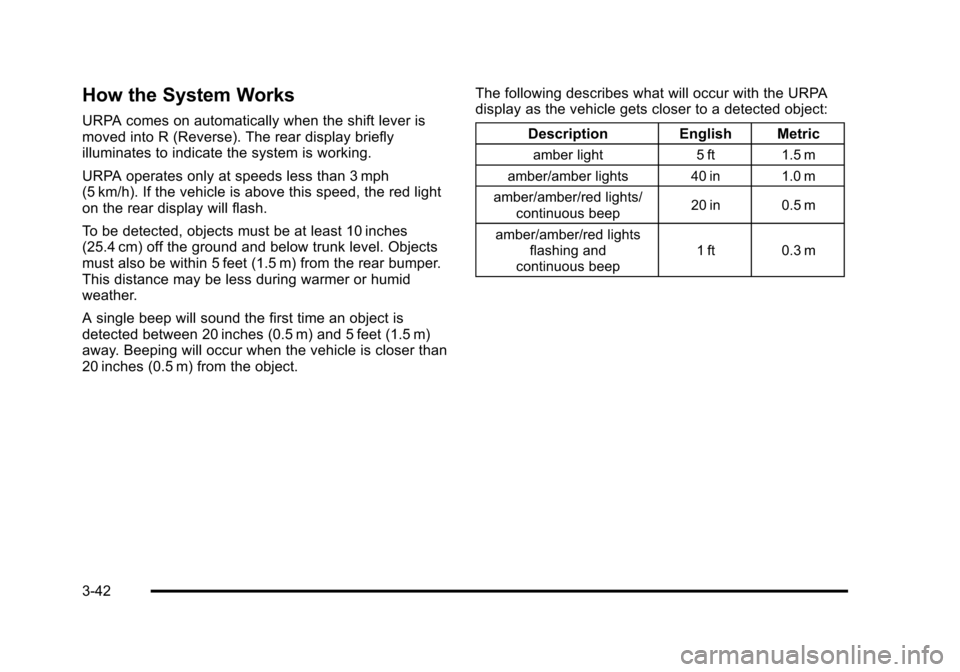
20 inches (0.5 m) from the object.The following describes what will occur with the URPA
display as the vehicle gets closer to a detected object:
Description English Metric
amber light 5 ft 1.5 m
amber/amber lights 40 in 1.0 m
amber/amber/red lights/ continuous beep 20 in 0.5 m
amber/amber/red lights flashing and
continuous beep 1 ft 0.3 m
3-42
Page 149 of 528
Black plate (43,1)Cadillac STS Owner Manual - 2011
When the System Does Not Seem to
Work Properly
If the URPA system will not activate due to a temporary
condition a red light will be shown on the rear URPA
display when the shift lever is moved into R (Reverse).
This occurs under the following conditions:
.The ultrasonic sensors are not clean. Keep the
vehicle's rear bumper free of mud, dirt, snow, ice
and slush. For cleaning instructions, seeWashing
Your Vehicle on page 6‑109.
.A trailer was attached to the vehicle, or a bicycle or
an object was hanging out of the trunk during the
last drive cycle, the red light may illuminate in the
rear display. Once the attached object is removed,
URPA will return to normal operation.
.The vehicle's bumper is damaged. Take the vehicle
to your dealer to repair the system.
.Other conditions may affect system performance,
such as vibrations from a jackhammer or the
compression of air brakes on a very large truck.
If the system is still disabled, after driving forward at
least 15 mph (25 km/h), take the vehicle to your dealer.
3-43
Page 150 of 528
Black plate (44,1)Cadillac STS Owner Manual - 2011
Side Blind Zone Alert (SBZA)
The vehicle may have a Side Blind Zone Alert (SBZA)
system. Read this entire section before using the
system.
{WARNING:
SBZA is only a lane changing aid and does not
replace driver vision. SBZA does not detect:
.Vehicles outside the side blind zones which
may be rapidly approaching.
.Pedestrians, bicyclists, or animals.
Failure to use proper care when changing lanes
may result in damage to the vehicle, injury,
or death. Always check the outside and rearview
mirrors, glance over your shoulder, and use the
turn signal before changing lanes.
The SBZA system is an aid that may help you avoid
lane change crashes with vehicles in the side blind
spots (zones). When the system detects a vehicle in the
side blind zone, amber SBZA displays will light up in the
side mirrors. This indicates that it may be unsafe to
change lanes. Before making a lane change, always check the SBZA display, the outside and rearview
mirrors, look over your shoulder for vehicles and
hazards, and use the turn signal.
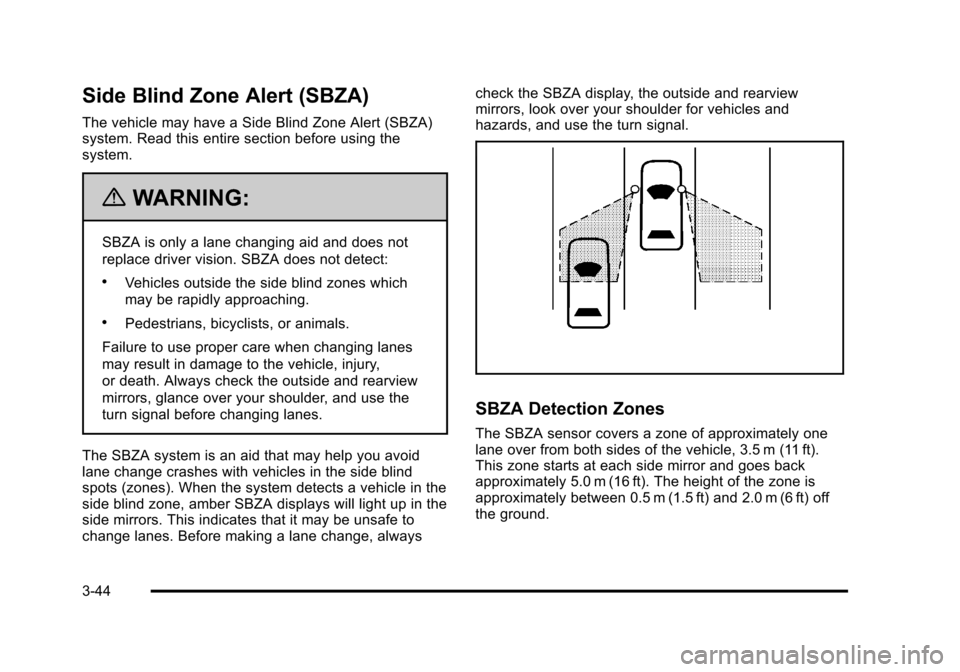
SBZA Detection Zones
The SBZA sensor covers a zone of approximately one
lane over from both sides of the vehicle, 3.5 m (11 ft).
This zone starts at each side mirror and goes back
approximately 5.0 m (16 ft). The height of the zone is
approximately between 0.5 m (1.5 ft) and 2.0 m (6 ft) off
the ground.
3-44
Page 151 of 528
Black plate (45,1)Cadillac STS Owner Manual - 2011
The SBZA detection zones do not change if the vehicle
is towing a trailer. So be extra careful when changing
lanes while towing a trailer.
How the System Works
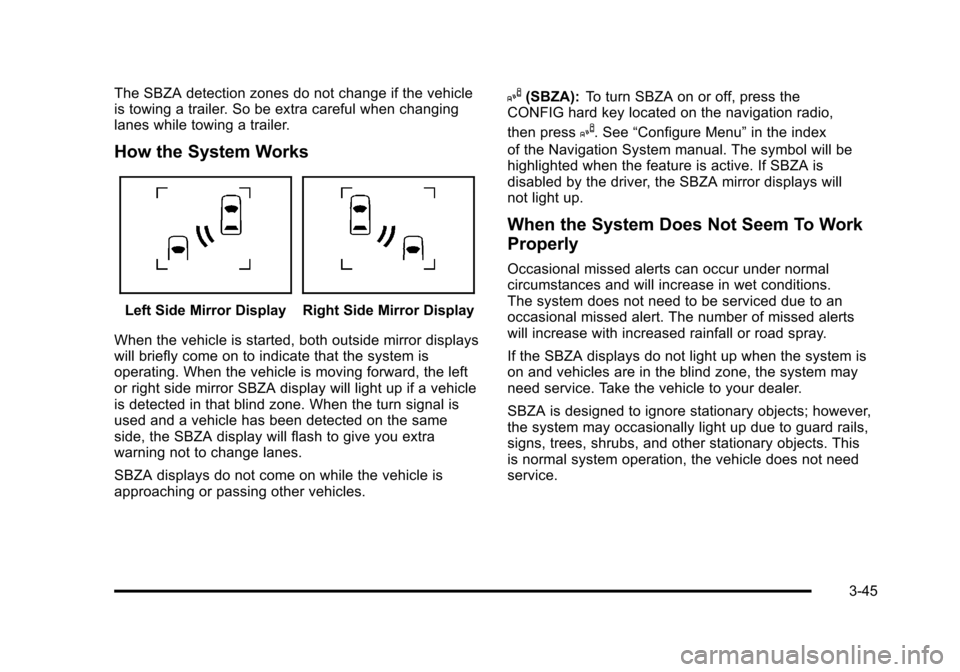
Left Side Mirror DisplayRight Side Mirror Display
When the vehicle is started, both outside mirror displays
will briefly come on to indicate that the system is
operating. When the vehicle is moving forward, the left
or right side mirror SBZA display will light up if a vehicle
is detected in that blind zone. When the turn signal is
used and a vehicle has been detected on the same
side, the SBZA display will flash to give you extra
warning not to change lanes.
SBZA displays do not come on while the vehicle is
approaching or passing other vehicles.
I(SBZA): To turn SBZA on or off, press the
CONFIG hard key located on the navigation radio,
then press
I. See “Configure Menu” in the index
of the Navigation System manual. The symbol will be
highlighted when the feature is active. If SBZA is
disabled by the driver, the SBZA mirror displays will
not light up.
When the System Does Not Seem To Work
Properly
Occasional missed alerts can occur under normal
circumstances and will increase in wet conditions.
The system does not need to be serviced due to an
occasional missed alert. The number of missed alerts
will increase with increased rainfall or road spray.
If the SBZA displays do not light up when the system is
on and vehicles are in the blind zone, the system may
need service. Take the vehicle to your dealer.
SBZA is designed to ignore stationary objects; however,
the system may occasionally light up due to guard rails,
signs, trees, shrubs, and other stationary objects. This
is normal system operation, the vehicle does not need
service.
3-45
Page 154 of 528
Black plate (48,1)Cadillac STS Owner Manual - 2011
How the System Works
LDW uses a camera located between the inside
rearview mirror and the windshield to detect the lane
markings.
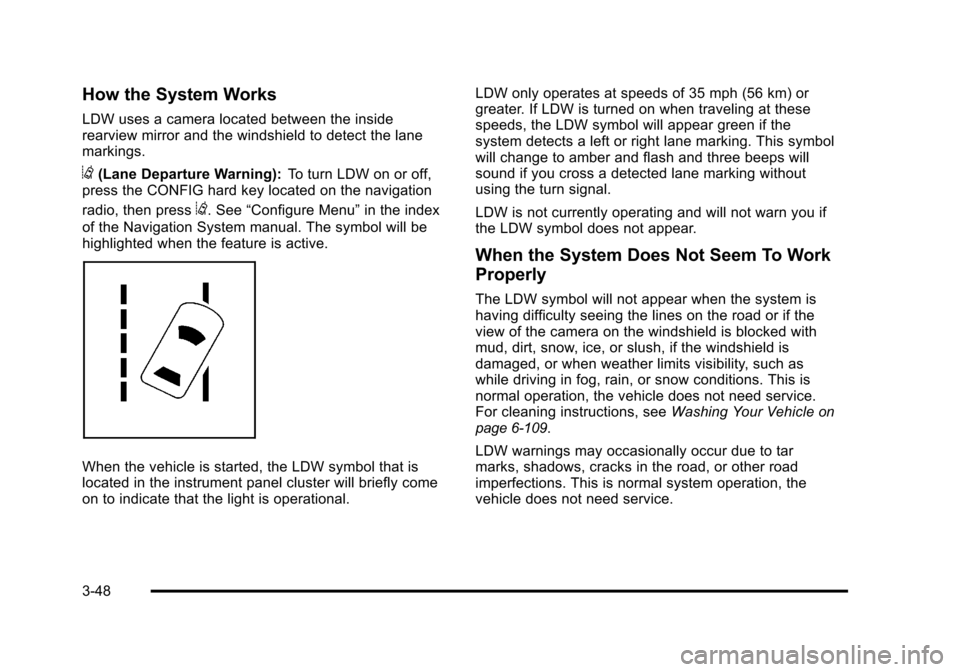
@(Lane Departure Warning):To turn LDW on or off,
press the CONFIG hard key located on the navigation
radio, then press
@. See “Configure Menu” in the index
of the Navigation System manual. The symbol will be
highlighted when the feature is active.
When the vehicle is started, the LDW symbol that is
located in the instrument panel cluster will briefly come
on to indicate that the light is operational. LDW only operates at speeds of 35 mph (56 km) or
greater. If LDW is turned on when traveling at these
speeds, the LDW symbol will appear green if the
system detects a left or right lane marking. This symbol
will change to amber and flash and three beeps will
sound if you cross a detected lane marking without
using the turn signal.
LDW is not currently operating and will not warn you if
the LDW symbol does not appear.
When the System Does Not Seem To Work
Properly
The LDW symbol will not appear when the system is
having difficulty seeing the lines on the road or if the
view of the camera on the windshield is blocked with
mud, dirt, snow, ice, or slush, if the windshield is
damaged, or when weather limits visibility, such as
while driving in fog, rain, or snow conditions. This is
normal operation, the vehicle does not need service.
For cleaning instructions, see
Washing Your Vehicle
on
page 6‑109.
LDW warnings may occasionally occur due to tar
marks, shadows, cracks in the road, or other road
imperfections. This is normal system operation, the
vehicle does not need service.
3-48
Page 155 of 528
Black plate (49,1)Cadillac STS Owner Manual - 2011
LDW Error Message
SERVICE LANE DEPARTURE SYSTEM:This
message may appear in the DIC to indicate that LDW is
not working properly. If this message remains on after
continued driving, the system needs service. Take the
vehicle to your dealer. See DIC Warnings and
Messages
on page 4‑76for more information.
LANE DEPARTURE SYSTEM UNAVAILABLE : This
message may appear in the DIC if LDW does not
activate due to a temporary condition. See DIC
Warnings and Messages
on page 4‑76for more
information.
Universal Home Remote
System
See Radio Frequency Statementon page 8‑20for
information regarding Part 15 of the Federal
Communications Commission (FCC) rules and
Industry Canada Standards RSS-210/220/310.
Universal Home Remote System
Operation (With Three Round LED)
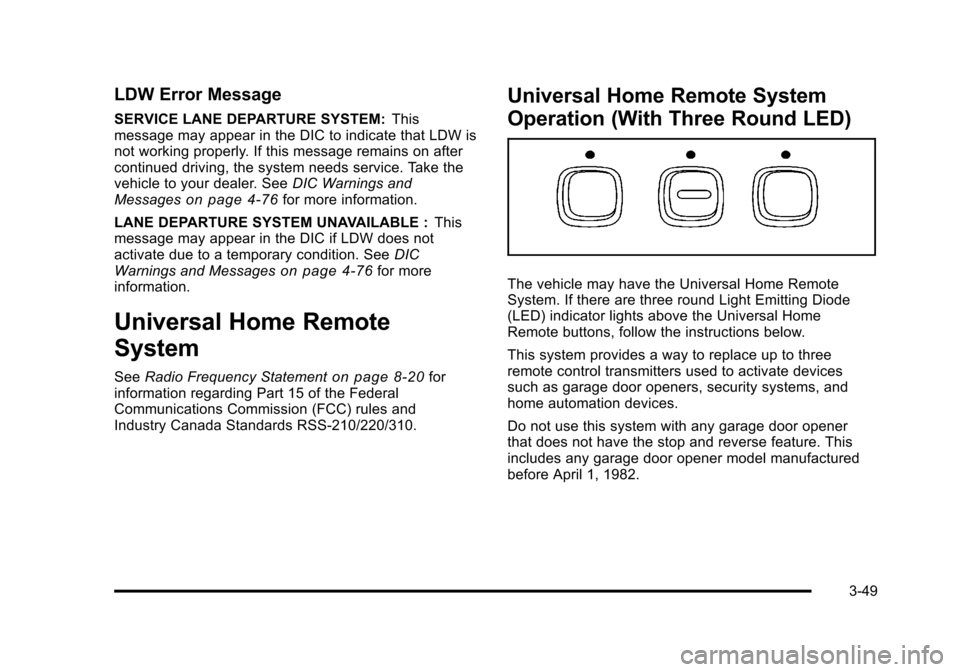
The vehicle may have the Universal Home Remote
System. If there are three round Light Emitting Diode
(LED) indicator lights above the Universal Home
Remote buttons, follow the instructions below.
This system provides a way to replace up to three
remote control transmitters used to activate devices
such as garage door openers, security systems, and
home automation devices.
Do not use this system with any garage door opener
that does not have the stop and reverse feature. This
includes any garage door opener model manufactured
before April 1, 1982.
3-49