keyless CADILLAC STS 2011 1.G Service Manual
[x] Cancel search | Manufacturer: CADILLAC, Model Year: 2011, Model line: STS, Model: CADILLAC STS 2011 1.GPages: 528, PDF Size: 4.96 MB
Page 184 of 528
Black plate (78,1)Cadillac STS Owner Manual - 2011
STORE DRIVER SETTINGS
To store driver settings:1. Adjust your settings for the driver seat, the outside rearview mirrors, and the steering column to a
comfortable driving position.
2. Enter the memory programming mode for your driver settings by following the instructions listed
previously under “Entering the Driver Selection
Submenu.”
3. From the DRIVER SELECTION submenu, turn the tune/select knob to scroll to STORE DRIVER
SETTINGS and press in the knob. Two beeps will
sound to confirm that your driver settings are
saved.
4. Set the HUD position, if your vehicle has this feature, the climate control temperature, fan speed
and mode settings, the radio presets, tone,
volume, playback mode (AM/FM, XM™, or CD),
and compact disc position.
Your memory settings are now programmed.
Any changes that are made to the HUD, audio
system, and climate controls while driving will be
automatically stored when the ignition is turned off.
5. Repeat the procedure for a second driver by programming the other driver number.
Entering the Driver Exit Settings
Submenu
To enter the memory programming mode for your exit
settings:
1. The ignition must be either on, in ACCESSORY, or in RAP and the transmission in P (Park) or the
vehicle speed less than 6 mph (9 km/h).
2. Press any button on the appropriate keyless access transmitter to identify yourself as Driver 1 or
Driver 2.
3. Turn on the radio by pressing the power/ volume knob.
4. Press the CNFG radio button to enter the main menu of the radio.
5. Turn the tune/select knob and scroll to SETUP.
6. Press the tune/select knob to enter the SETUP menu.
7. Turn the tune/select knob and scroll to DRIVER EXIT SETTINGS.
8. Press the tune/select knob to enter the DRIVER EXIT SETTINGS submenu. The following items will
appear:
.RECALL EXIT SETTINGS
.STORE EXIT SETTINGS
3-78
Page 222 of 528
Black plate (36,1)Cadillac STS Owner Manual - 2011
Entry Lighting
The entry lighting system turns on the reading and
dome lamps and the backlighting to the exterior lamp
control when a door is opened or if you press the
remote keyless entry transmitter unlock button.
If activated by the transmitter, the lighting will remain
active for about 25 seconds. The entry lighting system
uses the light sensor; it must be dark outside in order
for the lamps to turn on. The lamps turn off about
25 seconds after the last door is closed. They will dim
to off if the ignition is on, or immediately deactivate if
the power locks are activated.
Parade Dimming
This feature prohibits dimming of the instrument panel
displays and backlighting during daylight hours when
the key is in the ignition and the headlamps are on.
This feature operates with the light sensor and is fully
automatic. When the light sensor reads darkness
outside and the parking lamps are active, the
instrument panel displays can be adjusted by turning
the instrument panel brightness knob. SeeInstrument
Panel Brightness
on page 4‑35for additional
information.
Reading Lamps
The reading lamps are located on the overhead
console. These lamps come on automatically when any
door is opened.
For manual operation, press the button next to each
lamp to turn it on or off.
If the reading lamps are left on, they automatically shut
off 10 minutes after the ignition has been turned off.
Battery Load Management
The battery load management feature is designed to
monitor the vehicle's electrical load and determine when
the battery is in a heavy discharge condition. During
times of high electrical loading, the engine may idle at a
higher revolutions per minute (rpm) setting than normal
to make sure the battery charges. High electrical loads
may occur when several of the following are on:
headlamps, high beams, fog lamps, rear window
defogger, the climate control fan at high speeds, heated
seats and engine cooling fans.
If the battery continues to discharge, even with the
engine idling at a higher rpm setting, some electrical
loads will automatically be reduced. When this occurs,
the rear window defogger may take slightly longer to
clear the glass and the fan may cut back to a lower
4-36
Page 268 of 528
Black plate (82,1)Cadillac STS Owner Manual - 2011
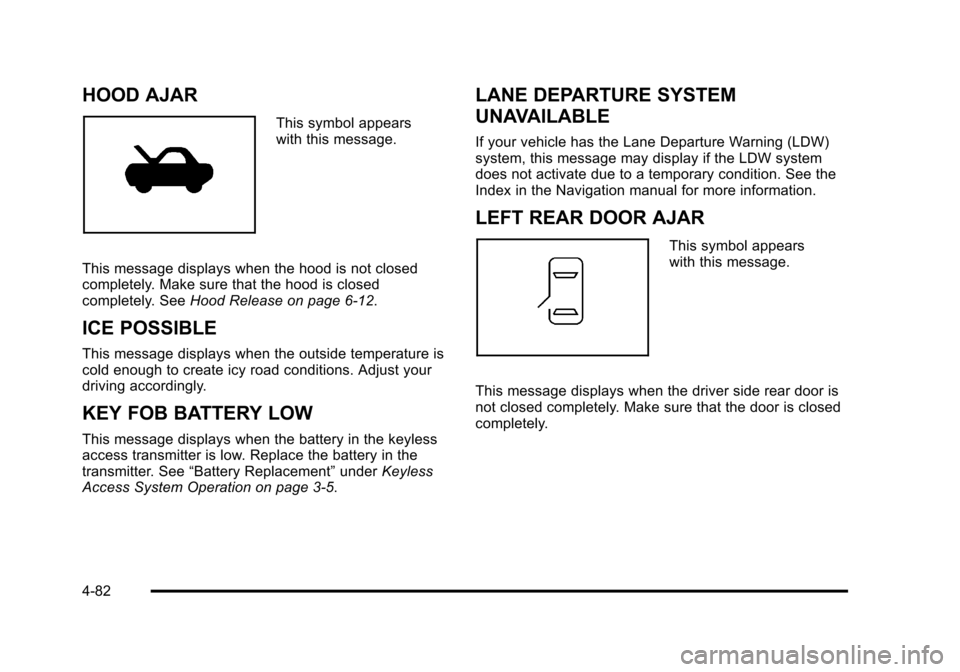
HOOD AJAR
This symbol appears
with this message.
This message displays when the hood is not closed
completely. Make sure that the hood is closed
completely. See Hood Release on page 6‑12.
ICE POSSIBLE
This message displays when the outside temperature is
cold enough to create icy road conditions. Adjust your
driving accordingly.
KEY FOB BATTERY LOW
This message displays when the battery in the keyless
access transmitter is low. Replace the battery in the
transmitter. See“Battery Replacement” underKeyless
Access System Operation on page 3‑5.
LANE DEPARTURE SYSTEM
UNAVAILABLE
If your vehicle has the Lane Departure Warning (LDW)
system, this message may display if the LDW system
does not activate due to a temporary condition. See the
Index in the Navigation manual for more information.
LEFT REAR DOOR AJAR
This symbol appears
with this message.
This message displays when the driver side rear door is
not closed completely. Make sure that the door is closed
completely.
4-82
Page 269 of 528
Black plate (83,1)Cadillac STS Owner Manual - 2011
NO FOBS DETECTED
This message displays if the vehicle does not detect the
presence of a keyless access transmitter when you
have attempted to start the vehicle or a vehicle door
has just closed. The following conditions may cause this
message to appear:
.Driver-added equipment plugged into the
accessory power outlet on the center console
is causing interference. Examples of these
devices are cell phones and cell phone chargers,
two-way radios, power inverters, or similar items.
Try moving the keyless access transmitter away
from these devices when starting the vehicle. In
addition, PDA devices and remote garage and
gate openers may also generate Electromagnetic
Interference (EMI) that may interfere with the
keyless access transmitter. Do not carry the
keyless access transmitter in the same pocket
or bag as these devices.
.The vehicle is experiencing Electromagnetic
Interference (EMI). Some locations, such as
airports, automatic toll booths, and some gas
stations, have EMI fields which may interfere
with the keyless access transmitter.
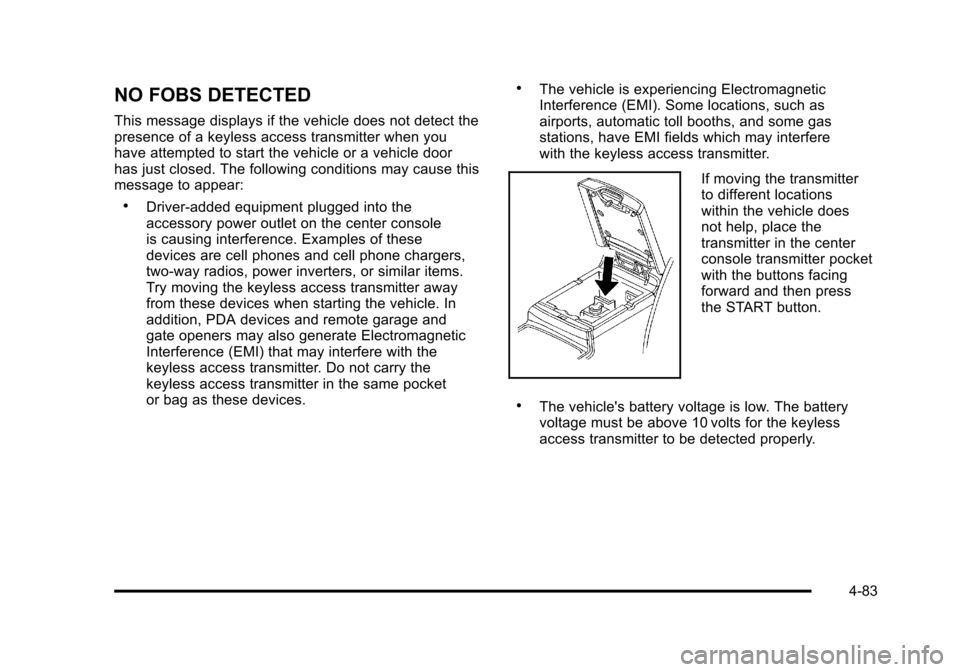
If moving the transmitter
to different locations
within the vehicle does
not help, place the
transmitter in the center
console transmitter pocket
with the buttons facing
forward and then press
the START button.
.The vehicle's battery voltage is low. The battery
voltage must be above 10 volts for the keyless
access transmitter to be detected properly.
4-83
Page 270 of 528
Black plate (84,1)Cadillac STS Owner Manual - 2011
NO FOB OFF OR RUN?
This message displays when the keyless access
transmitter is not detected inside the vehicle while you
are trying to turn the ignition off. Your vehicle may be
near a strong radio antenna signal causing the keyless
access system to be jammed. The vehicle remains in
ACCESSORY until OFF or START has been pressed or
10 minutes has expired. If you turn the ignition off and
you cannot find the keyless access transmitter, you will
not be able to restart the vehicle. The keyless access
transmitter needs to be inside of the vehicle in order for
the vehicle to start. SeeStarting the Engine
on
page 3‑27for more information.
OIL PRESSURE LOW STOP ENGINE
Notice: If you drive your vehicle while the engine
oil pressure is low, severe engine damage may
occur. If a low oil pressure warning appears on
the instrument panel cluster and/or DIC, stop the
vehicle as soon as possible. Do not drive the
vehicle until the cause of the low oil pressure is
corrected. See Engine Oil
on page 6‑16for more
information.
This message displays when the vehicle's engine oil
pressure is low. A multiple chime sounds when this message is
displayed. See
Engine Oil
on page 6‑16for more
information.
Stop the vehicle immediately, as engine damage can
result from driving a vehicle with low oil pressure. Have
the vehicle serviced by your dealer as soon as possible
when this message is displayed.
PASSENGER DOOR AJAR
This symbol appears
with this message.
This message displays when the passenger side front
door is not closed completely. Make sure that the door
is closed completely.
4-84
Page 271 of 528
Black plate (85,1)Cadillac STS Owner Manual - 2011
PRESS START AND BRAKE TO START
ENGINE
This message displays when you need to press down
on the brake pedal while pressing the start button on
the electronic keyless ignition when trying to start your
vehicle. SeeStarting the Engine
on page 3‑27for more
information.
RADAR CRUISE NOT READY
This message displays when the Adaptive Cruise
Control system is not activating due to a temporary
condition. Your vehicle does not require service. This
message also displays when either of the following
conditions occur:
.The driver turns off the head-up display (HUD)
while the Adaptive Cruise Control is engaged.
.The driver attempts to engage the Adaptive Cruise
Control while the HUD is off.
If this message appears when attempting to activate the
system, continue driving for several minutes and then
try activating the system again.
RIGHT REAR DOOR AJAR
This symbol appears
with this message.
This message displays when the passenger side rear
door is not closed completely. Make sure that the door
is closed completely.
SERVICE AC
(Air Conditioning) SYSTEM
This message displays when the electronic sensors
that control the air conditioning and heating systems
are no longer working. Have the climate control system
serviced by your dealer if a drop in heating and air
conditioning efficiency is noticeable.
4-85
Page 279 of 528

Black plate (93,1)Cadillac STS Owner Manual - 2011
Other Messages
Here are more messages that you can receive on your
Driver Information Center (DIC). To acknowledge a
message and read another message that may have
come on at the same time, press the reset button.
.ACCESSORY ACTIVE
SeeIgnition Positions on page 3‑26.
.KNOWN FOB
See“Matching Transmitter(s) to Your Vehicle”
under Keyless Access System Operation
on
page 3‑5.
.MAX # FOBS LEARNED
See “Matching Transmitter(s) to Your Vehicle”
under Keyless Access System Operation
on
page 3‑5.
.OFF/ACC (Accessory) TO LEARN
See “Matching Transmitter(s) to Your Vehicle”
under Keyless Access System Operation
on
page 3‑5.
.READY FOR FOB X
See “Matching Transmitter(s) to Your Vehicle”
under Keyless Access System Operation
on
page 3‑5.
.SHIFT TO PARK
See Starting the Engine
on page 3‑27and
Shifting Into Park on page 3‑34.
.WAIT XX MIN (Minutes)
See “Matching Transmitter(s) to Your Vehicle”
under Keyless Access System Operation
on
page 3‑5.
4-93
Page 355 of 528
Black plate (5,1)Cadillac STS Owner Manual - 2011
California Proposition 65 Warning
Most motor vehicles, including this one, contain and/or
emit chemicals known to the State of California to
cause cancer and birth defects or other reproductive
harm. Engine exhaust, many parts and systems, many
fluids, and some component wear by-products contain
and/or emit these chemicals.
California Perchlorate Materials
Requirements
Certain types of automotive applications, such as
airbag initiators, seat belt pretensioners, and lithium
batteries contained in remote keyless transmitters,
may contain perchlorate materials. Special handling
may be necessary. For additional information, see
www.dtsc.ca.gov/hazardouswaste/perchlorate.
Doing Your Own Service Work
{WARNING:
You can be injured and the vehicle could be
damaged if you try to do service work on a vehicle
without knowing enough about it.
.Be sure you have sufficient knowledge,
experience, the proper replacement parts,
and tools before attempting any vehicle
maintenance task.
.Be sure to use the proper nuts, bolts, and
other fasteners. English and metric fasteners
can be easily confused. If the wrong fasteners
are used, parts can later break or fall off. You
could be hurt.
If doing some of your own service work, use the proper
service manual. It tells you much more about how to
service the vehicle than this manual can. To order the
proper service manual, see Service Publications
Ordering Information on page 8‑17.
6-5
Page 414 of 528

Black plate (64,1)Cadillac STS Owner Manual - 2011
TPMS Sensor Matching Process
Each TPMS sensor has a unique identification code.
Any time you replace one or more of the TPMS sensors
or rotate your vehicle's tires, the identification codes will
need to be matched to the new tire/wheel position. The
sensors are matched to the tire/wheel positions in the
following order: driver side front tire, passenger side
front tire, passenger side rear tire, and driver side rear
tire using a TPMS diagnostic tool. See your dealer for
service.
The TPMS sensors may also be matched to each tire/
wheel position by increasing or decreasing the tire's air
pressure. When increasing the tire's pressure, do not
exceed the maximum inflation pressure indicated on the
tire's sidewall. If using this method to match TPMS
sensors, the complete procedure outlined below must
be performed within 15 minutes of the vehicle being
stationary.
To decrease air-pressure out of a tire you can use the
pointed end of the valve cap, a pencil-style air pressure
gauge, or a key.
You will have one minute to match the first tire/wheel
position, and five minutes overall, to match all four
tire/wheel positions. If it takes longer than one minute to
match the first tire and wheel, or more than five minutes
to match all four tire/wheel positions, the matching
process stops and you will need to start over.The TPM matching process is outlined below:
1. Set the parking brake.
2. Press the push-button ignition switch to Acc.
3. Using the keyless access transmitter, lock and unlock the vehicle's doors.
4. Press the lock and unlock buttons, at the same time, on the keyless access transmitter. The horn
sounds twice, indicating that the TPMS is ready,
and the sensor matching process can begin.
5. Start with the driver side front tire.
6. Remove the valve cap from the valve stem. Activate the TPMS sensor by increasing or
decreasing the tire's air pressure for five seconds,
or until a horn chirp sounds. The horn chirp, which
may take up to 30 seconds to sound, confirms that
the sensor identification code has been matched to
this tire position.
7. Proceed to the passenger side front tire, and repeat the procedure in Step 6.
8. Proceed to the passenger side rear tire, and repeat the procedure in Step 6.
9. Proceed to the driver side rear tire, and repeat the procedure in Step 6.
6-64
Page 521 of 528

Black plate (7,1)Cadillac STS Owner Manual - 2011
Heated Seats . . . . . . . . . . . . . . . . . . . . . . . . . . . . . . . . . . . 2-4, 2-5
HeaterEngine Coolant . . . . . . . . . . . . . . . . . . . . . . . . . . . . . . . . . . . 3-29
High-Speed Operation, Tires . . . . . . . . . . . . . . . . . . . . . . 6-60
Highbeam On Light . . . . . . . . . . . . . . . . . . . . . . . . . . . . . . . . 4-68
Highway Hypnosis . . . . . . . . . . . . . . . . . . . . . . . . . . . . . . . . . 5-18
Hill and Mountain Roads . . . . . . . . . . . . . . . . . . . . . . . . . . . 5-19
Hood Checking Things Under . . . . . . . . . . . . . . . . . . . . . . . . . . . 6-12
Release . . . . . . . . . . . . . . . . . . . . . . . . . . . . . . . . . . . . . . . . . . 6-12
Horn . . . . . . . . . . . . . . . . . . . . . . . . . . . . . . . . . . . . . . . . . . . . . . . . .4-3
How to Wear Safety Belts Properly . . . . . . . . . . . . . . . . 2-19
I
Ignition Positions . . . . . . . . . . . . . . . . . . . . . . . . . . . . . . . . . . 3-26
Immobilizer . . . . . . . . . . . . . . . . . . . . . . . . . . . . . . . . . . . . . . . . 3-24
Inadvertent Power Battery Saver . . . . . . . . . . . . . . . . . . 4-37
Infants and Young Children, Restraints . . . . . . . . . . . . 2-38
Inflation - Tire Pressure . . . . . . . . . . . . . . . . . . . . . . . . . . . . 6-58
Instrument Panel
Brightness . . . . . . . . . . . . . . . . . . . . . . . . . . . . . . . . . . . . . . . . 4-35
Instrument Panel Cluster . . . . . . . . . . . . . . . . . . . . . . . . . . 4-52
Integrated Trailer Brake Control System (ITBC) . . . . 5-31
Introduction . . . . . . . . . . . . . . . . . . . . . . . . . . . . . . . . . . . . . . . . . .7-2
J
Jump Starting . . . . . . . . . . . . . . . . . . . . . . . . . . . . . . . . . . . . . . 6-38
K
Keyless Access System . . . . . . . . . . . . . . . . . . . . . . . . . . . . .3-4
Keyless Access System, Operation . . . . . . . . . . . . . . . . . .3-5
Keys . . . . . . . . . . . . . . . . . . . . . . . . . . . . . . . . . . . . . . . . . . . . . . . . .3-3
L
Labeling, Tire Sidewall . . . . . . . . . . . . . . . . . . . . . . . . . . . . . 6-52
Lamps Back-Up . . . . . . . . . . . . . . . . . . . . . . . . . . . . . . . . . . . . . . . . . . 6-48
Daytime Running (DRL) . . . . . . . . . . . . . . . . . . . . . . . . . . 4-32
Exterior Lighting Battery Saver . . . . . . . . . . . . . . . . . . . 4-35
Malfunction Indicator . . . . . . . . . . . . . . . . . . . . . . . . . . . . . 4-62
Reading . . . . . . . . . . . . . . . . . . . . . . . . . . . . . . . . . . . . . . . . . . 4-36
Twilight Sentinel
®. . . . . . . . . . . . . . . . . . . . . . . . . . . . . . . . . 4-34
Lane Departure Warning . . . . . . . . . . . . . . . . . . . . . . . . . . . 3-47
Lane Departure Warning Light . . . . . . . . . . . . . . . . . . . . . 4-60
Lap-Shoulder Belt . . . . . . . . . . . . . . . . . . . . . . . . . . . . . . . . . 2-28
LATCH System for Child Restraints . . . . . . . . . . . . . . . . 2-45
Lighting Entry . . . . . . . . . . . . . . . . . . . . . . . . . . . . . . . . . . . . . . . . . . . . . 4-36
Parade Dimming . . . . . . . . . . . . . . . . . . . . . . . . . . . . . . . . . . 4-36
Lights . . . . . . . . . . . . . . . . . . . . . . . . . . . . . . . . . . . . . . . . . . . . . . 4-27 Airbag Readiness . . . . . . . . . . . . . . . . . . . . . . . . . . . . . . . . . 4-54
Antilock Brake System (ABS) Warning . . . . . . . . . . . . 4-59
Brake System Warning . . . . . . . . . . . . . . . . . . . . . . . . . . . 4-58
Charging System . . . . . . . . . . . . . . . . . . . . . . . . . . . . . . . . . 4-57
Cruise Control . . . . . . . . . . . . . . . . . . . . . . . . . . . . . . . . . . . . 4-67
i - 7