keyless CADILLAC STS 2011 1.G Owner's Manual
[x] Cancel search | Manufacturer: CADILLAC, Model Year: 2011, Model line: STS, Model: CADILLAC STS 2011 1.GPages: 528, PDF Size: 4.96 MB
Page 128 of 528
Black plate (22,1)Cadillac STS Owner Manual - 2011
Theft-Deterrent Systems
This vehicle has theft-deterrent features, however, they
do not make it impossible to steal.
Theft-Deterrent System
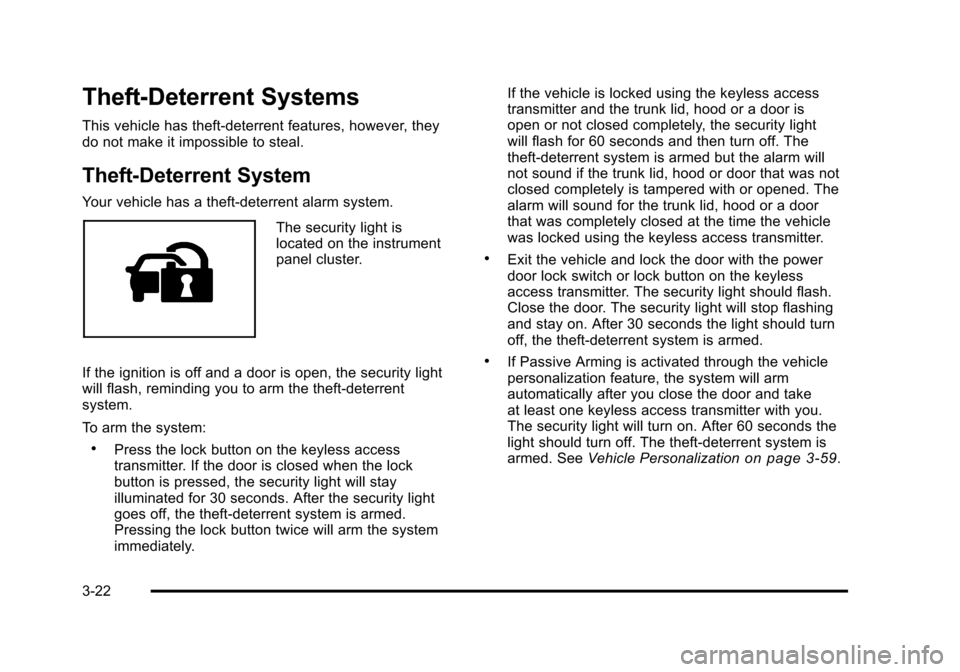
Your vehicle has a theft-deterrent alarm system.
The security light is
located on the instrument
panel cluster.
If the ignition is off and a door is open, the security light
will flash, reminding you to arm the theft-deterrent
system.
To arm the system:
.Press the lock button on the keyless access
transmitter. If the door is closed when the lock
button is pressed, the security light will stay
illuminated for 30 seconds. After the security light
goes off, the theft‐deterrent system is armed.
Pressing the lock button twice will arm the system
immediately. If the vehicle is locked using the keyless access
transmitter and the trunk lid, hood or a door is
open or not closed completely, the security light
will flash for 60 seconds and then turn off. The
theft‐deterrent system is armed but the alarm will
not sound if the trunk lid, hood or door that was not
closed completely is tampered with or opened. The
alarm will sound for the trunk lid, hood or a door
that was completely closed at the time the vehicle
was locked using the keyless access transmitter.
.Exit the vehicle and lock the door with the power
door lock switch or lock button on the keyless
access transmitter. The security light should flash.
Close the door. The security light will stop flashing
and stay on. After 30 seconds the light should turn
off, the theft‐deterrent system is armed.
.If Passive Arming is activated through the vehicle
personalization feature, the system will arm
automatically after you close the door and take
at least one keyless access transmitter with you.
The security light will turn on. After 60 seconds the
light should turn off. The theft-deterrent system is
armed. See
Vehicle Personalization
on page 3‑59.
3-22
Page 129 of 528
Black plate (23,1)Cadillac STS Owner Manual - 2011
If a door, hood, or the trunk is opened without the
keyless access transmitter, the horn will sound for
30 seconds and the lamps will flash for two minutes.
The vehicle cannot be started without a keyless access
transmitter.
The Theft-Deterrent system will not arm if :
.The key is used to turn the key cylinder to the lock
position.
.The driver's door is locked using the power door
lock switch after the doors are closed.
The vehicle can be programmed to automatically unlock
the doors and disarm the theft‐deterrent system when
you approach the vehicle and the keyless access
transmitter is with you. See Vehicle Personalization
on
page 3‑59.
Pressing the unlock button on the keyless access
transmitter or using the key to unlock the driver's door
disarms the theft-deterrent system. Unlocking a door
any other way while the system is armed will activate
the alarm.
Testing the Alarm
1. From inside the vehicle, roll down the window, then get out of the vehicle, keeping the door open.
2. From outside of the vehicle, with the door open, lock the vehicle using the power door lock switch
or the keyless access transmitter and close the
door. Wait about 30 seconds until the security light
goes off.
3. Reach in and open the door using the inside door handle. The horn will sound and the exterior lamps
will flash.
You can turn off the alarm by pressing the unlock button
on the keyless access transmitter or by starting the car.
If the alarm does not sound when it should, check to
see if the horn works. The horn fuse may be blown. To
replace the fuse, see Fuses and Circuit Breakers
on
page 6‑115. If the fuse does not need to be replaced,
you may need to have your vehicle serviced.
To reduce the possibility of theft, always arm the
Theft-Deterrent system when leaving your vehicle.
Do not leave the key or device that disarms or
deactivates the theft deterrent system in the vehicle.
3-23
Page 130 of 528
Black plate (24,1)Cadillac STS Owner Manual - 2011
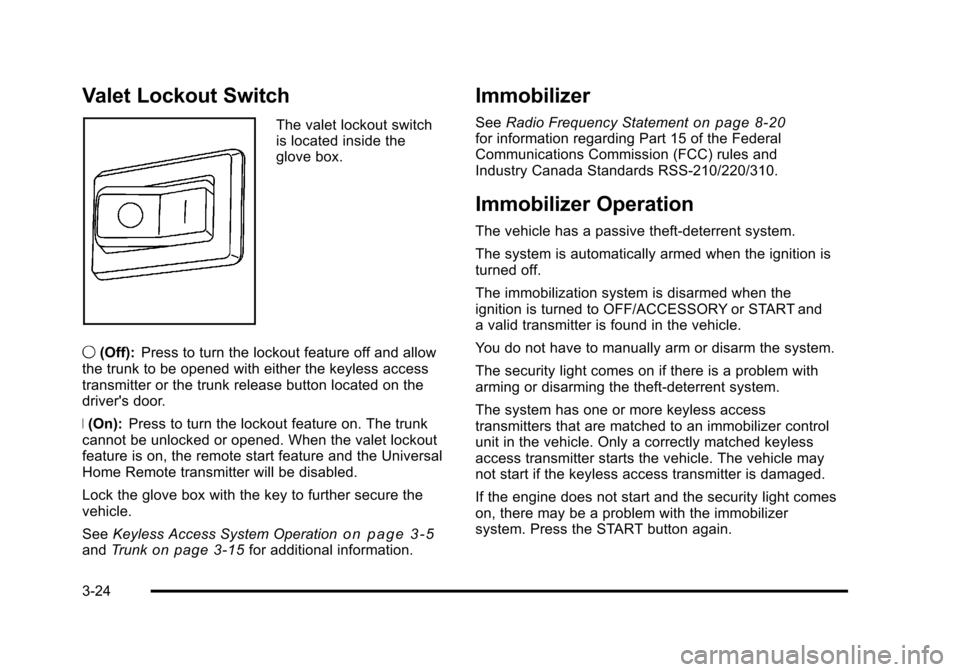
Valet Lockout Switch
The valet lockout switch
is located inside the
glove box.
9 (Off): Press to turn the lockout feature off and allow
the trunk to be opened with either the keyless access
transmitter or the trunk release button located on the
driver's door.
R (On): Press to turn the lockout feature on. The trunk
cannot be unlocked or opened. When the valet lockout
feature is on, the remote start feature and the Universal
Home Remote transmitter will be disabled.
Lock the glove box with the key to further secure the
vehicle.
See Keyless Access System Operation
on page 3‑5andTrunkon page 3‑15for additional information.
Immobilizer
See Radio Frequency Statementon page 8‑20for information regarding Part 15 of the Federal
Communications Commission (FCC) rules and
Industry Canada Standards RSS-210/220/310.
Immobilizer Operation
The vehicle has a passive theft-deterrent system.
The system is automatically armed when the ignition is
turned off.
The immobilization system is disarmed when the
ignition is turned to OFF/ACCESSORY or START and
a valid transmitter is found in the vehicle.
You do not have to manually arm or disarm the system.
The security light comes on if there is a problem with
arming or disarming the theft-deterrent system.
The system has one or more keyless access
transmitters that are matched to an immobilizer control
unit in the vehicle. Only a correctly matched keyless
access transmitter starts the vehicle. The vehicle may
not start if the keyless access transmitter is damaged.
If the engine does not start and the security light comes
on, there may be a problem with the immobilizer
system. Press the START button again.
3-24
Page 131 of 528
Black plate (25,1)Cadillac STS Owner Manual - 2011
If the vehicle does not start and the keyless access
transmitter appears to be undamaged, try another
keyless access transmitter. Or, place the transmitter in
the transmitter pocket. See“NO FOBS DETECTED”
under DIC Warnings and Messages
on page 4‑76for
additional information. Check the fuse. See Fuses and
Circuit Breakers
on page 6‑115. If the engine still does
not start with the other transmitter, the vehicle needs
service. If the engine does start, the first transmitter
may be faulty. See your dealer or have a new keyless
access transmitter programmed to the vehicle.
The immobilizer system can learn new or replacement
keyless access transmitters. Up to four keyless access
transmitters can be programmed for the vehicle.
To program additional transmitters, see “Matching
transmitter(s) to Your Vehicle” underKeyless Access
System Operation on page 3‑5.
Do not leave the key or device that disarms or
deactivates the theft deterrent system in the vehicle.
Starting and Operating Your
Vehicle
New Vehicle Break-In
Notice: The vehicle does not need an elaborate
break-in. But it will perform better in the long run if
you follow these guidelines:
.Do not drive at any one constant speed,
fast or slow, for the first 500 miles (805 km).
Do not make full-throttle starts. Avoid
downshifting to brake or slow the vehicle.
.Avoid making hard stops for the first
200 miles (322 km) or so. During this time the
new brake linings are not yet broken in. Hard
stops with new linings can mean premature
wear and earlier replacement. Follow this
breaking-in guideline every time you get new
brake linings.
.Do not tow a trailer during break-in. See
Towing a Trailer
on page 5‑31for the trailer
towing capabilities of your vehicle and more
information.
Following break‐in, engine speed and load can be
gradually increased.
3-25
Page 132 of 528

Black plate (26,1)Cadillac STS Owner Manual - 2011
Ignition Positions
The vehicle has an
electronic keyless ignition
with pushbutton start.
To shift out of P (Park), the vehicle must be running or
in ACCESSORY mode and the regular brake pedal
must be applied.
/ (START): Press to start the engine with your foot on
the brake pedal. The shifter must be in P (Park) or
N (Neutral) and the keyless access transmitter must be
in the vehicle.
If the start button does not work, the vehicle may be
near a strong radio antenna signal causing interference
to the keyless access system. See DIC Warnings and
Messages
on page 4‑76for more information. 9/Acc. (STOPPING THE ENGINE/OFF/
ACCESSORY):
When the vehicle is stopped with the
engine on, press the button once to turn the engine off.
If the shifter is in P (Park), RAP will engage if all doors
are closed. RAP will turn off when a front door is
opened. See Retained Accessory Power (RAP)
on
page 3‑27for more information.
Do not turn the engine off when the vehicle is moving.
This will cause a loss of power assist in the brake and
steering systems and disable the airbags.
In an emergency: 1. Brake using a firm and steady pressure. Do not pump the brakes repeatedly. This may deplete
power assist, requiring increased brake pedal
force.
2. Shift the vehicle to N (Neutral). This can be done while the vehicle is moving. After shifting
to N (Neutral), firmly apply the brakes and steer
the vehicle to a safe location.
3. Come to a complete stop, shift to P (Park), and switch the ignition to OFF. On vehicles with an
automatic transmission, the shift lever must be in
P (Park) to switch the ignition to the OFF position.
4. Set the parking brake. See Parking Brake
on
page 3‑33.
3-26
Page 133 of 528
Black plate (27,1)Cadillac STS Owner Manual - 2011
If the engine is off, press this button to turn on the
accessory mode. ACCESSORY ACTIVE will display on
the Driver Information Center (DIC). Accessory mode
allows use of the audio system and windshield wipers.
Accessory mode must be used if the vehicle must be
towed or in motion when the engine is not running.
After the vehicle has been in accessory mode for more
than 20 minutes, the vehicle will enter RAP or turn off,
depending on if the doors are opened or closed.
Retained Accessory Power (RAP)
These vehicle accessories can be used for up to
20 minutes after the engine is turned off:
.Audio System
.Audio Steering Wheel Controls
.Power Windows
Power to these accessories will work up to 20 minutes
or until one of the front doors is opened. For an
additional 20 minutes of operation, close all the doors
and press Acc. to place the vehicle in accessory mode.
Press the button again to return to RAP.
Starting the Engine
To place the transmission in the proper gear:
Move the shift lever to P (Park) or N (Neutral). To restart
the engine when the vehicle is already moving, use
N (Neutral).
Notice: Do not try to shift to P (Park) if the
vehicle is moving. If you do, you could damage
the transmission. Shift to P (Park) only when the
vehicle is stopped.
The keyless access transmitter must be inside the
vehicle for the ignition to work.
Cell phone chargers can interfere with the operation of
the Keyless Access System. Battery chargers should
not be plugged in when starting or turning off the
engine.
To start the vehicle, do the following:
Starting Procedure
1. With your foot on the brake pedal, press the START button located on the instrument panel.
If there is not a keyless access transmitter
in the vehicle or if there is something causing
interference with it, the DIC will display NO FOBS
DETECTED. See DIC Warnings and Messages
on
page 4‑76for more information.
3-27
Page 134 of 528
Black plate (28,1)Cadillac STS Owner Manual - 2011
2. When the engine begins cranking, let go of thebutton and the engine cranks automatically until
it starts. If the battery in the keyless access
transmitter is weak, the DIC displays KEY FOB
BATTERY LOW. You can still drive the vehicle.
See “Battery Replacement” underKeyless Access
System Operation
on page 3‑5for more
information. If the fob battery is dead, you need to
insert the fob into the fob slot to enable engine
starting. See “No Fobs Detected” underDIC
Warnings and Messages on page 4‑76.
3. Do not race the engine immediately after starting it. Operate the engine and transmission gently until
the oil warms up and lubricates all moving parts.
4. If the engine does not start and no DIC message is displayed, wait 15 seconds before trying again to
let the cranking motor cool down.
If the engine does not start after 5-10 seconds,
especially in very cold weather (below
0°F or −18°C), it could be flooded with too
much gasoline. Try pushing the accelerator
pedal all the way to the floor while cranking
for up to 15 seconds maximum. Notice:
Cranking the engine for long periods of
time, by pressing the START button immediately
after cranking has ended, can overheat and damage
the cranking motor, and drain the battery. Wait at
least 15 seconds between each try, to allow the
cranking motor to cool down.
When the engine starts, let go of the accelerator. If the
vehicle starts briefly but then stops again, do the same
thing. This clears the extra gasoline from the engine.
The vehicle has a Computer-Controlled Cranking
System. This feature assists in starting the engine and
protects components. Once cranking has been initiated,
the engine continues cranking for a few seconds or until
the vehicle starts. If the engine does not start, cranking
automatically stops after 15 seconds to prevent
cranking motor damage. To prevent gear damage, this
system also prevents cranking if the engine is already
running.
Notice: The engine is designed to work with the
electronics in the vehicle. If you add electrical
parts or accessories, you could change the way
the engine operates. Before adding electrical
equipment, check with your dealer. If you do not,
the engine might not perform properly. Any
resulting damage would not be covered by the
vehicle warranty.
3-28
Page 135 of 528
Black plate (29,1)Cadillac STS Owner Manual - 2011
Stopping the Engine
Move the shift lever to P (Park) and press the Acc.
button located on the instrument panel. If the shifter is
not in P (Park), the engine shuts off and the vehicle
goes into the Accessory Mode. The DIC displays SHIFT
TO PARK. Once the shifter is moved to P (Park), the
vehicle turns off.
The DIC displays NO FOB, OFF OR RUN?, if the
keyless access transmitter is not detected inside the
vehicle when it is turned off.
SeeDIC Warnings and Messages
on page 4‑76for
more information.
Engine Coolant Heater
The engine coolant heater can provide easier starting
and better fuel economy during engine warm‐up in
cold weather conditions at or below −18°C (0°F).
Vehicles with an engine coolant heater should be
plugged in at least four hours before starting. Some
models have an internal thermostat in the cord which
will prevent engine coolant heater operation at
temperatures above −18°C (0°F).
To Use the Engine Coolant Heater
1. Turn off the engine.
2. Open the hood and unwrap the electrical cord.
The cord is located in the front of the engine
compartment, on the passenger side of the vehicle.
3. You must remove the plastic cap to access the plug.
4. Plug it into a normal, grounded 110-volt AC outlet.
{WARNING:
Plugging the cord into an ungrounded outlet could
cause an electrical shock. Also, the wrong kind of
extension cord could overheat and cause a fire.
You could be seriously injured. Plug the cord into
a properly grounded three-prong 110-volt AC
outlet. If the cord will not reach, use a heavy-duty
three-prong extension cord rated for at least
15 amps.
5. Before starting the engine, be sure to unplug and store the cord as it was before to keep it away from
moving engine parts. If you do not, it could be
damaged.
3-29
Page 165 of 528
Black plate (59,1)Cadillac STS Owner Manual - 2011
Vehicle Personalization
The vehicle has personalization that allows you to
program certain features to a preferred setting for
up to two drivers. The back of the keyless access
transmitters are labelled 1 or 2. Additional keyless
access transmitters programmed to the vehicle,
as 3 and/or 4, do not have a number on the back and
are not capable of being personalized. The number of
programmable features varies depending upon which
vehicle options are purchased.
On all vehicles, features such as climate control
settings, radio and XM™preset settings, exterior
lighting at unlock and remote lock unlock confirmation,
and language have already been programmed. Your
vehicle also has an automatic door locking feature
that is always on. You cannot turn the automatic door
locking feature off. See Programmable Automatic Door
Locks on page 3‑14.
Some vehicles have additional features that can be
programmed including the seat, steering column, and
outside rearview mirror position.
If your vehicle has the base audio system, the following
information explains the vehicle personalization on your
vehicle.
If your vehicle has the Navigation system, see
“Personalization” in the Index of the Navigation System
manual for information on vehicle personalization. If your vehicle has the ability to program additional
personalization features, the driver's preferences are
recalled by pressing any button on the keyless access
transmitter, 1 or 2, by selecting Driver 1 or 2 on the radio
display, or when a valid keyless access transmitter is
detected upon opening the driver's door.
If more than one valid keyless access transmitter is
detected upon opening the driver's door, the driver
preferences for the lowest driver number will be
recalled.
Certain features can be programmed not to recall until
the ignition is turned off.
The default settings were preset but may have been
changed.
To change feature preferences, use the following
procedure.
Entering the Personal Settings Menu
To enter the feature programming mode:
1. The ignition must be either on, in ACCESSORY, or in RAP and the transmission in P (Park) or the
vehicle speed less than 6 mph (9 km/h).
To avoid excessive drain on the battery, it is
recommended that the headlamps are turned off.
2. Press any button on the appropriate keyless access transmitter to identify yourself as Driver 1 or
Driver 2.
3-59
Page 166 of 528
Black plate (60,1)Cadillac STS Owner Manual - 2011
3. Turn on the radio by pressing the power/volume knob.
4. Press the CNFG radio button or the tune/select knob located on the right side of the radio to enter
the radio's main menu.
5. Turn the tune/select knob and scroll to SETUP.
6. Press the tune/select knob to enter the SETUP menu.
7. Turn the tune/select knob and scroll to PERSONAL SETTINGS MENU, then press the tune/select knob
to turn the feature on. A check mark appears after
this selection when it is turned on and the entire
list of personalization features will appear.
8. Turn the tune/select knob and scroll to the feature you want to change, then press the tune/select
knob to turn the feature on or off. If the feature is
turned on, a check mark will appear next to the
feature name.
Some features have submenus that show
additional features that can be turned on or off.
After entering a submenu, turn the tune/select
knob and scroll to the feature you want to change,
then press the tune/select knob to turn the feature
on or off.Personal Settings Menu Items
The PERSONAL SETTINGS MENU must be selected
with a check mark to program the personalization
features. If it is not selected, press the tune/select knob
until the check mark appears. If it is selected, the entire
list of features will be available to program.
DRIVER GREETING
This feature allows you to type in a customized name or
greeting that will appear on the display whenever the
corresponding keyless access transmitter, 1 or 2, is used
or Driver 1 or Driver 2 is selected on the radio display.
If a customized name or greeting is not programmed,
the system will show Driver 1 or Driver 2 to correspond
with the numbers on the back of the keyless access
transmitters. In this case, the customized driver greeting
feature is factory shipped as off.
To turn the driver greeting feature on and to program a
customized name or greeting:
1. Enter the PERSONAL SETTINGS MENU by following the instructions listed previously under
“Entering the Personal Settings Menu.”
2. Turn the tune/select knob until DRIVER GREETING is highlighted.
3-60