ignition CADILLAC STS 2011 1.G Repair Manual
[x] Cancel search | Manufacturer: CADILLAC, Model Year: 2011, Model line: STS, Model: CADILLAC STS 2011 1.GPages: 528, PDF Size: 4.96 MB
Page 299 of 528
Black plate (113,1)Cadillac STS Owner Manual - 2011
Check Antenna:If this message does not clear within
a short period of time, the receiver or antenna could
have a fault. Consult with your dealer.
Check XM Receivr: If this message does not clear
within a short period of time, the receiver could have
a fault. Consult with your dealer.
XM Not Available: If this message does not clear
within a short period of time, the receiver could have
a fault. Consult with your dealer.
Navigation/Radio System
For vehicles with a navigation radio system, see the
separate Navigation System manual.
Bluetooth®
For vehicles with a Navigation System and Bluetooth,
see the Navigation System Manual for information
about how to use the Bluetooth system.
For vehicles without a Navigation System, the Bluetooth
system can use a Bluetooth‐capable cell phone with
a Hands‐Free Profile to make and receive phone
calls. The system can be used while the ignition is in
ON/RUN or ACC/ACCESSORY. The range of the
Bluetooth system can be up to 9.1 m (30 ft). Not all
phones support all functions and not all phones work
with the Bluetooth system. See www.gm.com/bluetooth
for more information about compatible phones.
Voice Recognition
The Bluetooth system uses voice recognition to
interpret voice commands to control the system
and dial phone numbers.
For additional information say “Help”while you are
in a voice recognition menu.
Noise: The system may not recognize voice commands
if there is too much background noise.
When to Speak: A tone sounds to indicate that the
system is ready for a voice command. Wait for the tone
and then speak.
How to Speak: Speak clearly in a calm and natural
voice.
Audio System
When using the Bluetooth system, sound comes
through the vehicle's front audio system speakers and
overrides the audio system. Use the the audio system
volume knob during a call to change the volume level.
The adjusted volume level remains in memory for later
calls. The system maintains a minimum volume level.
4-113
Page 305 of 528
Black plate (119,1)Cadillac STS Owner Manual - 2011
Transferring a Call
Audio can be transferred between the Bluetooth system
and the cell phone.
The cell phone must be paired and connected with the
Bluetooth system before a call can be transferred. The
connection process can take up to two minutes after the
ignition is turned to ON/RUN.
Transferring Audio from the Bluetooth
System to a Cell Phone
During a call with the audio in the vehicle:1. Press
b g.
2. Say “Transfer Call.”
Transferring Audio to the Bluetooth System
from a Cell Phone
During a call with the audio on the cell phone,
press
bg. The audio transfers to the vehicle. If the
audio does not transfer to the vehicle, use the audio
transfer feature on the cell phone. See your cell phone
manufacturer's user guide for more information.
Voice Pass-Thru
Voice pass‐thru allows access to the voice recognition
commands on the cell phone. See your cell phone
manufacturer's user guide to see if the cell phone
supports this feature.
To access contacts stored in the cell phone:
1. Press and hold
b gfor two seconds.
2. Say “Bluetooth.”
3. Say “Voice.”
The cell phone's normal prompt messages will go
through their cycle according to the phone's operating
instructions.
Dual Tone Multi-Frequency
(DTMF) Tones
The Bluetooth system can send numbers and the
numbers stored as name tags during a call. You can
use this feature when calling a menu‐driven phone
system. Account numbers can also be stored for use.
4-119
Page 320 of 528
Black plate (8,1)Cadillac STS Owner Manual - 2011
To assist with directional control of the vehicle, always
leave the system on. Stability control can be turned off
however, by using the TC button. SeeTraction Control
System (TCS)
on page 5‑9. The STABILITY SYS
OFF message will be displayed on the DIC. See DIC
Warnings and Messages on page 4‑76.
If there is a problem detected with Enhanced
StabiliTrak, the SERVICE STABILITY SYS message
will be displayed on the DIC. See DIC Warnings and
Messages
on page 4‑76. When this message is
displayed, the system is not operating. Driving should
be adjusted accordingly.
When certain faults or vehicle conditions are detected,
the Stability control will automatically go into a secure
mode and the STABILITY SECURE MODE message
will be displayed on the DIC. When the Stability Secure
Mode is activated, the stability control system will not
respond to driver requests to change the stability mode
until the next ignition cycle or until the vehicle condition
or fault is returned to normal. When the Stability Secure
Mode is activated, other messages may be displayed,
such as SERVICE STEERING SYS, SERVICE
SUSPENSION SYS or CHECK TIRE PRESSURE on
the DIC. When the Stability Secure Mode is activated,
a larger degree of steering wheel input at low vehicle
speeds and a smaller degree of steering wheel input at
high vehicle speeds may be required. Stability Secure Mode will be activated if a compact spare tire is being
used. See
DIC Warnings and Messages
on page 4‑76andCompact Spare Tire on page 6‑105.
Persistent operation of the vehicle in the STABILITY
SECURE MODE may be an indication that the vehicle
needs to be serviced by your dealer.
When certain faults are present, the vehicle’s speed
may be limited and the SPEED LIMITED TO XXX
message will be displayed on the DIC. See DIC
Warnings and Messages
on page 4‑76. When the
vehicle’s speed is limited, other messages may be
displayed, such as SERVICE STABILITY SYS,
SERVICE STEERING SYS or SERVICE SUSPENSION
SYS on the DIC. Have the vehicle serviced by your
dealer.
Enhanced StabiliTrak and Traction Control
Mode Selection
Enhanced StabiliTrak can be operated in Touring Mode.
It can also be turned off. The TC button is used to
change stability control modes (Touring or Off) as well
as to turn traction control on or off. See Traction Control
System (TCS)
on page 5‑9. The following information
describes the operation of the TC button for changing
Traction Control and Stability Control Modes.
5-8
Page 331 of 528
Black plate (19,1)Cadillac STS Owner Manual - 2011
Hill and Mountain Roads
Driving on steep hills or through mountains is different
than driving on flat or rolling terrain. Tips for driving in
these conditions include:
.Keep the vehicle serviced and in good shape.
.Check all fluid levels and brakes, tires, cooling
system, and transmission.
.Going down steep or long hills, shift to a
lower gear.
{WARNING:
If you do not shift down, the brakes could get so
hot that they would not work well. You would then
have poor braking or even none going down a hill.
You could crash. Shift down to let the engine
assist the brakes on a steep downhill slope.
{WARNING:
Coasting downhill in N (Neutral) or with the
ignition off is dangerous. The brakes will have to
do all the work of slowing down and they could
get so hot that they would not work well. You
would then have poor braking or even none going
down a hill. You could crash. Always have the
engine running and the vehicle in gear when
going downhill.
.Stay in your own lane. Do not swing wide or cut
across the center of the road. Drive at speeds that
let you stay in your own lane.
.Top of hills: Be alert—something could be in your
lane (stalled car, accident).
.Pay attention to special road signs (falling rocks
area, winding roads, long grades, passing or
no-passing zones) and take appropriate action.
5-19
Page 343 of 528
Black plate (31,1)Cadillac STS Owner Manual - 2011
3. Firmly set the parking brake. SeeParking Brakeon page 3‑33.
4. Put the transmission in P (Park).
5. Secure the vehicle to the dolly following the manufacturer's instructions.
6. Use an adequate clamping device designed for towing to ensure that the front wheels are locked
into the straight position.
7. Turn the ignition to LOCK/OFF.
Dolly Towing (All‐Wheel‐Drive Vehicles)
Notice: Towing an all-wheel-drive vehicle with all
four wheels on the ground, or even with only two of
its wheels on the ground, will damage drivetrain
components. Do not tow an all-wheel-drive vehicle
with any of its wheels on the ground.
All‐Wheel Drive (AWD) vehicles can only be towed on a
flat‐bed truck or trailer.
Towing a Trailer
{WARNING:
The driver can lose control when pulling a trailer if
the correct equipment is not used or the vehicle is
not driven properly. For example, if the trailer is
too heavy, the brakes may not work well —or
even at all. The driver and passengers could be
seriously injured. The vehicle may also be
damaged; the resulting repairs would not be
covered by the vehicle warranty. Pull a trailer only
if all the steps in this section have been followed.
Ask your dealer for advice and information about
towing a trailer with the vehicle.
To identify the trailering capacity of the vehicle, read the
information in “Weight of the Trailer” that appears later
in this section.
5-31
Page 383 of 528
Black plate (33,1)Cadillac STS Owner Manual - 2011
Power Steering Fluid
SeeEngine Compartment
Overviewon page 6‑13for reservoir location.
When to Check Power Steering Fluid
It is not necessary to regularly check power steering
fluid unless you suspect there is a leak in the system or
you hear an unusual noise. A fluid loss in this system
could indicate a problem. Have the system inspected
and repaired.
How to Check Power Steering Fluid
To check the power steering fluid, do the following:
1. Turn the ignition off and let the engine compartment cool down.
2. Wipe the cap and the top of the reservoir clean.
3. Unscrew the cap and wipe the dipstick with a clean rag.
4. Replace the cap and completely tighten it.
5. Remove the cap again and look at the fluid level on the dipstick.
The level should be within the HOT mark. If necessary,
add only enough fluid to bring the level within the mark.
What to Use
To determine what kind of fluid to use, see
Recommended Fluids and Lubricantson page 7‑9.
Always use the proper fluid.
Notice: Use of the incorrect fluid may damage the
vehicle and the damages may not be covered by the
vehicle's warranty. Always use the correct fluid
listed in Recommended Fluids and Lubricants
on
page 7‑9.
6-33
Page 385 of 528
Black plate (35,1)Cadillac STS Owner Manual - 2011
Brakes
Brake Fluid
The brake master cylinder
reservoir is filled with DOT
3 brake fluid. SeeEngine
Compartment Overview
on page 6‑13for
reservoir location and
access.
There are only two reasons why the brake fluid level in
the reservoir might go down:
.The brake fluid level goes down because of
normal brake lining wear. When new linings are
installed, the fluid level goes back up.
.A fluid leak in the brake hydraulic system can also
cause a low fluid level. Have the brake hydraulic
system fixed, since a leak means that sooner or
later the brakes will not work well. Do not top off the brake fluid. Adding fluid does not
correct a leak. If fluid is added when the linings are
worn, there will be too much fluid when new brake
linings are installed. Add or remove brake fluid, as
necessary, only when work is done on the brake
hydraulic system.
{WARNING:
If too much brake fluid is added, it can spill on the
engine and burn, if the engine is hot enough. You
or others could be burned, and the vehicle could
be damaged. Add brake fluid only when work is
done on the brake hydraulic system.
If the ignition is on and the brake fluid is low, the
CHECK BRAKE FLUID message displays in the Driver
Information Center (DIC). See DIC Warnings and
Messages on page 4‑76.
6-35
Page 389 of 528
Black plate (39,1)Cadillac STS Owner Manual - 2011
Notice:Ignoring these steps could result in costly
damage to the vehicle that would not be covered by
the warranty.
Trying to start the vehicle by pushing or pulling it
will not work, and it could damage the vehicle.
1. Check the other vehicle. It must have a 12-volt battery with a negative ground system.
Notice: If the other vehicle's system is not a 12-volt
system with a negative ground, both vehicles can
be damaged. Only use vehicles with 12-volt systems
with negative grounds to jump start your vehicle.
2. Get the vehicles close enough so the jumper cables can reach, but be sure the vehicles are not
touching each other. If they are, it could cause a
ground connection you do not want. You would not
be able to start your vehicle and the bad grounding
could damage the electrical systems.
To avoid the possibility of the vehicles rolling, set
the parking brake firmly on both vehicles involved
in the jump start procedure. Put an automatic
transmission in P (Park) or a manual transmission
in NEUTRAL before setting the parking brake. Notice:
If you leave the radio or other accessories
on during the jump starting procedure, they could
be damaged. The repairs would not be covered by
the warranty. Always turn off the radio and other
accessories when jump starting the vehicle.
3. Turn off the ignition on both vehicles. Unplug unnecessary accessories plugged into the
cigarette lighter or the accessory power outlets.
Turn off the radio and all lamps that are not
needed. This will avoid sparks and help save both
batteries. And it could save the radio!
4. Open the hoods and locate the positive (+) and negative (−) terminal locations or the remote
positive (+) and remote negative (−) terminals of
the other vehicle. Then locate the remote
positive (+) location on your vehicle. See Engine
Compartment Overview
on page 6‑13for more
information on locations the terminals.
6-39
Page 412 of 528
Black plate (62,1)Cadillac STS Owner Manual - 2011
Tire Pressure Monitor Operation
This vehicle may have a Tire Pressure Monitor System
(TPMS). The TPMS is designed to warn the driver when
a low tire pressure condition exists. TPMS sensors are
mounted onto each tire and wheel assembly, excluding
the spare tire and wheel assembly, if the vehicle has
one. The TPMS sensors monitor the air pressure in the
vehicle's tires and transmits the tire pressure readings
to a receiver located in the vehicle.
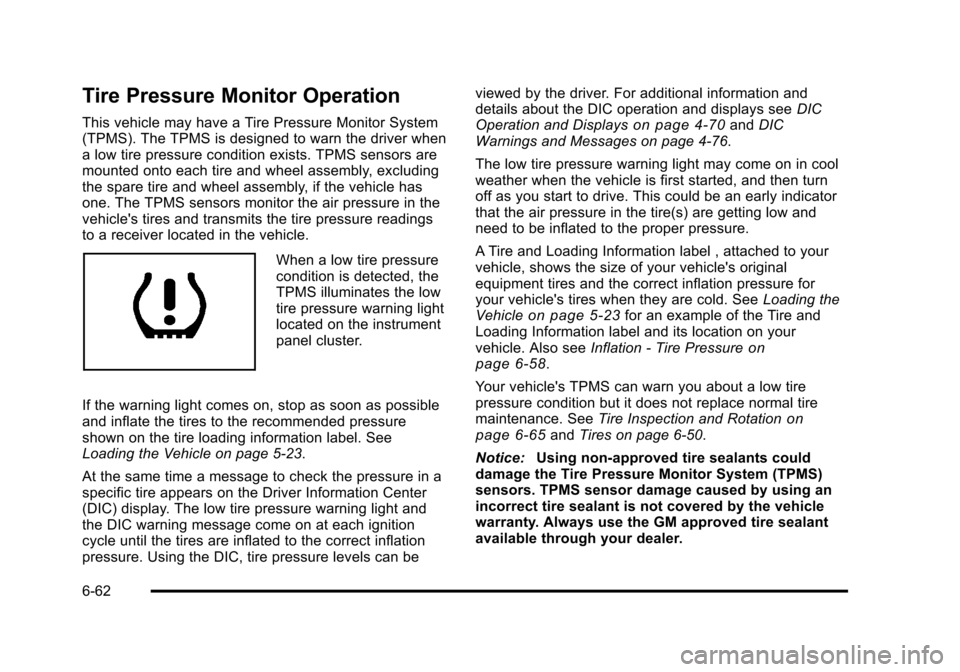
When a low tire pressure
condition is detected, the
TPMS illuminates the low
tire pressure warning light
located on the instrument
panel cluster.
If the warning light comes on, stop as soon as possible
and inflate the tires to the recommended pressure
shown on the tire loading information label. See
Loading the Vehicle on page 5‑23.
At the same time a message to check the pressure in a
specific tire appears on the Driver Information Center
(DIC) display. The low tire pressure warning light and
the DIC warning message come on at each ignition
cycle until the tires are inflated to the correct inflation
pressure. Using the DIC, tire pressure levels can be viewed by the driver. For additional information and
details about the DIC operation and displays see
DIC
Operation and Displays
on page 4‑70and DIC
Warnings and Messages on page 4‑76.
The low tire pressure warning light may come on in cool
weather when the vehicle is first started, and then turn
off as you start to drive. This could be an early indicator
that the air pressure in the tire(s) are getting low and
need to be inflated to the proper pressure.
A Tire and Loading Information label , attached to your
vehicle, shows the size of your vehicle's original
equipment tires and the correct inflation pressure for
your vehicle's tires when they are cold. See Loading the
Vehicle
on page 5‑23for an example of the Tire and
Loading Information label and its location on your
vehicle. Also see Inflation - Tire Pressure
on
page 6‑58.
Your vehicle's TPMS can warn you about a low tire
pressure condition but it does not replace normal tire
maintenance. See Tire Inspection and Rotation
on
page 6‑65and Tires on page 6‑50.
Notice: Using non‐approved tire sealants could
damage the Tire Pressure Monitor System (TPMS)
sensors. TPMS sensor damage caused by using an
incorrect tire sealant is not covered by the vehicle
warranty. Always use the GM approved tire sealant
available through your dealer.
6-62
Page 413 of 528
Black plate (63,1)Cadillac STS Owner Manual - 2011
Factory-installed Tire Inflator Kits use a GM approved
liquid tire sealant. Using non-approved tire sealants
could damage the TPMS sensors. SeeTire Sealant and
Compressor Kit (Without Selector Switch)
on
page 6‑76or Tire Sealant and Compressor Kit (With
Selector Switch)on page 6‑85for information
regarding the inflator kit materials and instructions.
TPMS Malfunction Light and Message
The TPMS will not function properly if one or more of
the TPMS sensors are missing or inoperable. When the
system detects a malfunction, the low tire warning light
flashes for about one minute and then stays on for the
remainder of the ignition cycle. A DIC warning message
is also displayed. The low tire warning light and DIC
warning message come on at each ignition cycle until
the problem is corrected. Some of the conditions that
can cause the malfunction light and DIC message to
come on are:
.One of the road tires has been replaced with the
spare tire, if the vehicle has one. The spare tire
does not have a TPMS sensor. The DIC message
should go off once you re‐install the road tire
containing the TPMS sensor.
.The TPMS sensor matching process was started
but not completed or not completed successfully
after rotating the vehicle's tires. The DIC message
and TPMS malfunction light should go off once the
TPMS sensor matching process is performed
successfully. See “TPMS Sensor Matching
Process” later in this section.
.One or more TPMS sensors are missing or
damaged. The DIC message and the TPMS
malfunction light should go off when the TPMS
sensors are installed and the sensor matching
process is performed successfully. See your dealer
for service.
.Replacement tires or wheels do not match your
vehicle's original equipment tires or wheels. Tires
and wheels other than those recommended for
your vehicle could prevent the TPMS from
functioning properly. See Buying New Tires
on
page 6‑67.
.Operating electronic devices or being near facilities
using radio wave frequencies similar to the TPMS
could cause the TPMS sensors to malfunction.
If the TPMS is not functioning it cannot detect or signal
a low tire condition. See your dealer for service if the
TPMS malfunction light and DIC message comes on
and stays on.
6-63