change time CADILLAC XLR 2004 1.G User Guide
[x] Cancel search | Manufacturer: CADILLAC, Model Year: 2004, Model line: XLR, Model: CADILLAC XLR 2004 1.GPages: 356, PDF Size: 2.36 MB
Page 137 of 356
Head-Up Display (HUD)
{CAUTION:
If the HUD image is too bright, or too high in
your ®eld of view, it may take you more time to
see things you need to see when it is dark
outside. Be sure to keep the HUD image dim
and placed low in your ®eld of view.
The Head-Up Display (HUD) allows you to see some of
the driver information that appears on your instrument
panel cluster.
The information may be displayed in English or metric
units and appears as an image focused out toward
the front of your vehicle. To change from English
to metric units, see
Driver Information Center (DIC) on
page 3-55.
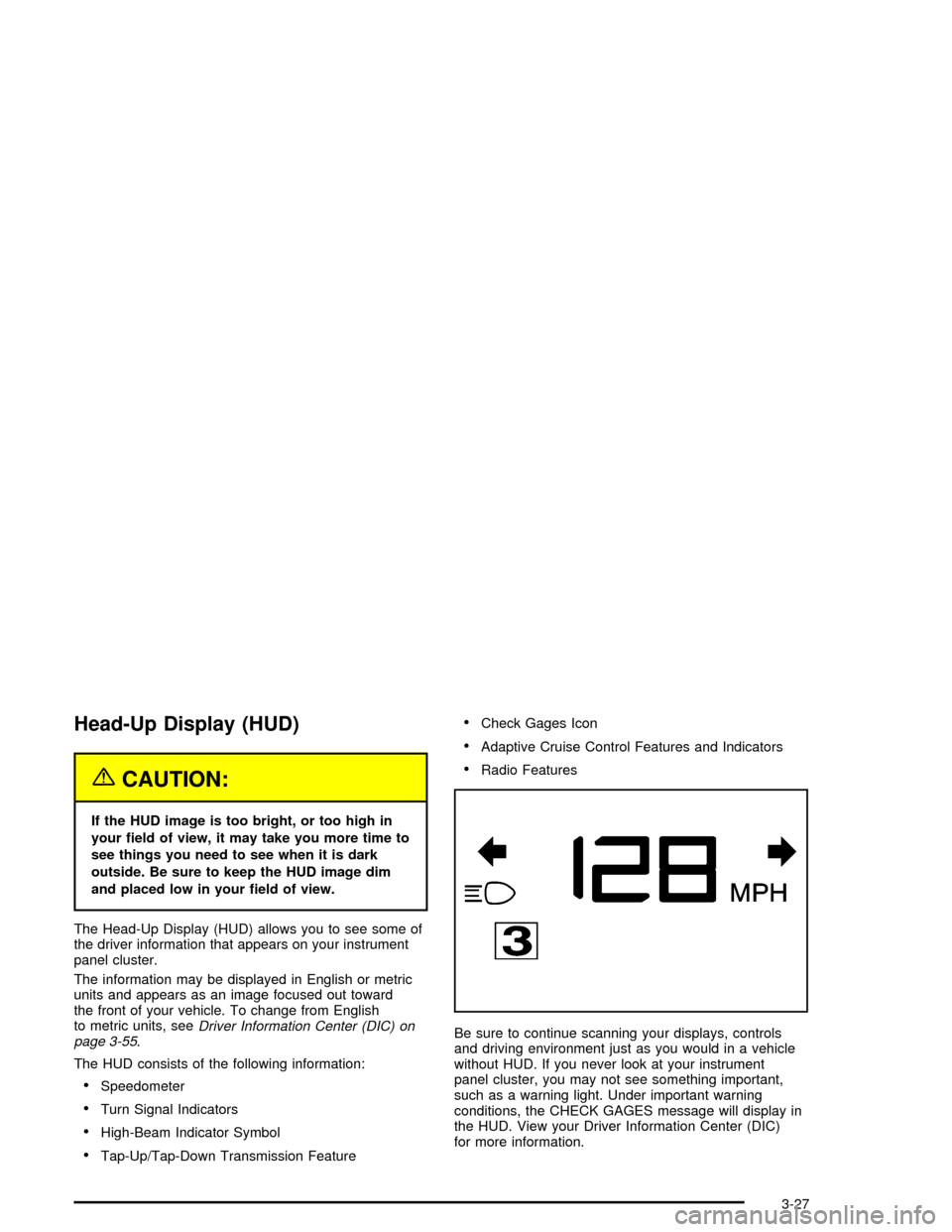
The HUD consists of the following information:
·Speedometer
·Turn Signal Indicators
·High-Beam Indicator Symbol
·Tap-Up/Tap-Down Transmission Feature
·Check Gages Icon
·Adaptive Cruise Control Features and Indicators
·Radio Features
Be sure to continue scanning your displays, controls
and driving environment just as you would in a vehicle
without HUD. If you never look at your instrument
panel cluster, you may not see something important,
such as a warning light. Under important warning
conditions, the CHECK GAGES message will display in
the HUD. View your Driver Information Center (DIC)
for more information.
3-27
Page 144 of 356

Automatic Operation
AUTO (Automatic):When this button is pressed and
the temperature is set, the system will automatically
control the inside temperature, the air delivery mode, the
air-conditioning compressor and the fan speed. AUTO
will appear on the display.
1. Press the AUTO button.
2. Adjust the temperature to a comfortable setting
between 70ÉF (21ÉC) and 80ÉF (27ÉC).
Choosing the warmest or coldest temperature
setting will not cause the system to heat or cool any
faster. If you set the system at the warmest or
coldest temperature setting, the system will remain
in manual mode at that temperature and it will
not go into automatic mode.
In cold weather, the system will start at reduced fan
speeds to avoid blowing cold air into your vehicle
until warmer air is available. The system will
start out blowing air at the ¯oor but may change
modes automatically as the vehicle warms up
to maintain the chosen temperature setting. The
length of time needed for warm up will depend on
the outside temperature and the length of time
that has elapsed since your vehicle was last driven.
3. Wait for the system to regulate. This may take from
10 to 30 minutes. Then adjust the temperature, if
necessary.You can switch from English to metric units through the
Driver Information Center (DIC). SeeDIC Controls
and Displays on page 3-55for more information.
The air-conditioning system removes moisture from the
air, so you may sometimes notice a small amount of
water dripping underneath your vehicle while idling
or after turning off the engine. This is normal.
Do not cover the solar sensor located in the center of
the instrument panel, near the windshield. For more
information on the solar sensor, see ªSensorsº later in
this section.
Manual Operation
wPWRx(Power/Temperature):Press the PWR
button on the left side of the climate control panel to turn
the entire climate control system on or off. Press the
up or down arrow on the switch to manually increase or
decrease the temperature inside the vehicle.
Press the PWR button on the right side of the climate
control panel to turn the passenger's climate control
system on or off. Press the up or down arrow on
the switch to manually increase or decrease the
temperature for the passenger.
If the passenger's PWR button is off, the driver's
temperature switch controls the temperature for the
entire vehicle.
3-34
Page 146 of 356

?(Recirculation):Press this button to turn the
recirculation mode on or off. The air-conditioning
compressor also comes on. This mode keeps outside
air from coming in the vehicle. It can be used to prevent
outside air and odors from entering your vehicle or to
help cool the air inside your vehicle more quickly.
Recirculation is not available in defrost or
¯oor/defog mode.
Using recirculation for long periods of time may cause
the air inside your vehicle to become too dry. To prevent
this from happening, after the air in your vehicle has
cooled, turn the recirculation mode off.
Sensors
There are sensors to measure the temperature and
sun's effect on passenger comfort.
The solar sensor on your vehicle monitors the solar
radiation then uses the information to maintain the
selected temperature when operating in AUTO mode by
initiating needed adjustments to the temperature, the
fan speed and the air delivery system. The system may
also supply cooler air to the side of the vehicle facing
the sun. The recirculation mode will also be activated, as
necessary. Do not cover the solar sensor located on
the top right side of the instrument panel near the
windshield or system will not work properly.There is also a sensor located behind the front bumper.
This sensor reads the outside air temperature and
helps maintain the temperature inside the vehicle. The
outside temperature will be displayed in the navigation
system only when the engine is running. Any cover
on the front of the vehicle could give a false reading of
the temperature.
If the outside temperature goes up, the display
temperature will not change until:
·The vehicle's speed is above 10 mph (16 km/h) for
®ve minutes.
·The vehicle's speed is above 32 mph (51 km/h) for
two and one-half minutes.
These delays prevent false readings. If the temperature
goes down, the outside temperature will be shown
when you start the vehicle. If it has been turned off for
less than three hours, the temperature will be recalled
from the previous vehicle operation.
There is also an inside temperature sensor located to
the left of the ignition button. The automatic climate
control system uses this sensor to receive information,
so if you block or cover it, the system will not function
properly.
3-36
Page 164 of 356

Fuel Gage
Your fuel gage tells you
about how much fuel you
have left when the
ignition is on.
When the needle approaches the low fuel symbol, LOW
FUEL will appear on the Driver Information Center (DIC)
display. At this time, you still have a little fuel left, but
you should get more soon.
Press RESET to acknowledge a DIC message(s).
Pressing RESET will also turn off a DIC message but
the LOW FUEL message will come on again in
10 minutes if you have not added fuel to the vehicle.Here are ®ve things that some owners ask about. All
these things are normal and do not indicate that
anything is wrong with the fuel gage.·At the gas station, the gas pump shuts off before
the gage reads the full symbol.
·It takes more (or less) fuel to ®ll up than the gage
reads. For example, the gage reads half full, but it
took more (or less) than half of the tank's
capacity to ®t it.
·The gage pointer may move while cornering,
braking or speeding up.
·The gage may not indicate the tank is empty when
the ignition is turned off.
·The gage reading may change slightly within the
®rst several minutes after starting the vehicle.
3-54
Page 167 of 356

Once ELAPSED TIME 00:00:00 is displayed, press the
RESET button to start the timing feature. Press the
RESET button again to stop it. If you will be starting and
stopping your vehicle, during a trip for instance, the
ELAPSED TIME feature will automatically start timing
where it left off when you last stopped. To reset it, press
and hold the RESET button until the display reads
ELAPSED TIME 00:00:00. Press the information button
to exit from the ELAPSED TIME display.
FRONT Lxx Rxx PSI:This feature shows the tire
pressure for the front left and right tires.
REAR Lxx Rxx PSI:This feature shows the tire
pressure for the rear left and right tires.
OIL LIFE:This feature shows the estimated oil life
remaining. Press the information button to display OIL
LIFE, then press and hold the RESET button until
100% OIL LIFE is displayed. This only needs to be reset
after you have had the oil changed.
ENG/METRIC (English/Metric):This feature allows
you to switch the DIC displays between English
and Metric. Press the RESET button to switch the
display between English and Metric. There will be an
arrow next to the option that is selected.DIC Warnings and Messages
These messages will appear if there is a problem
sensed in one of your vehicle's systems. You must then
press RESET to clear the display screen for further
use. However, be sure to take any message that
appears on the display screen seriously and remember
that pressing the RESET button will only make the
message disappear, not the problem.
DIC messages can also be displayed in English,
French, German, Italian and Spanish.
ABS ACTIVE:When your anti-lock system is adjusting
brake pressure to help avoid a braking skid, the ABS
ACTIVE message will be displayed.
Slippery road conditions may exist if this message is
displayed, so adjust your driving accordingly. The
message may stay on for a few seconds after the
system stops adjusting brake pressure.
BATTERY SAVER ACTIVE:This message is displayed
when the vehicle has detected that the battery voltage
is dropping beyond a reasonable point. The battery
saver system will start reducing certain features of the
vehicle that you may not be able to notice. At the
point that features are disabled, this message is
displayed. It means that the vehicle is trying to save the
charge in the battery. Turn off unnecessary accessories
to allow the battery to recharge.
3-57
Page 175 of 356

Other Messages
Here are more messages that you can receive on your
Driver Information Center (DIC). To acknowledge a
message and read another message that may have
come on at the same time, press the RESET button.
·ACCESSORY MODE ACTIVE
·CHANGE OIL SOON
(See ªGM Oil Life SystemŸº under
Engine Oil on
page 5-13.)
·FOB BATTERY LOW
·HIGH TIRE PRESS LF
·HIGH TIRE PRESS RF
·HIGH TIRE PRESS LR
·HIGH TIRE PRESS RR
·INTRUSION SENSOR OFF
·INTRUSION SENSOR ON
·KNOWN FOB
·LEFT FRONT TIRE FLAT MAX SPD 55,
REDUCED HNDLG
·LEFT REAR TIRE FLAT MAX SPD 55, REDUCED
HNDLG
·LOW TIRE PRESS LF
·LOW TIRE PRESS RF
·LOW TIRE PRESS LR
·LOW TIRE PRESS RR
·MAX # FOBS LEARNED
·OFF-ACC TO LEARN
·READY FOR FOB #X
·RIGHT FRT TIRE FLAT MAX SPD 55,
REDUCED HNDLG
·RIGHT REAR TIRE FLAT MAX SPD 55,
REDUCED HNDLG
·WAIT XX MINUTES
3-65
Page 177 of 356

Auto Recall
This feature allows the steering column, outside mirrors
and the driver's seat to automatically move to the
current driver's set position when the engine starts. The
DIC will display AUTO RECALL OFF or AUTO
RECALL ON. Press the OPTIONS button to change the
setting.
Auto Exit Recall
This feature allows the steering column and driver's
seat to automatically move to the current driver's
exit position when one of the following occurs:
·The vehicle is turned off or in RAP or ACCESSORY
mode and the driver's door is opened.
·The vehicle is turned off or in RAP and the unlock
button on the Keyless Access transmitter is
pressed.
The DIC will display AUTO EXIT RECALL OFF or
AUTO EXIT RECALL ON. Press the OPTIONS button
to change the setting.
Approach Lights
This feature activates the parking lamps, front fog lamps
and back-up lamps during low light periods when the
unlock button on the keyless access transmitter is
pressed, both doors are closed and the vehicle is off or
in RAP. The lamps remain on for 20 seconds or until
a door is opened, the lock button on the keyless access
transmitter is pressed or the vehicle is no longer off
or in RAP.
The DIC will display APPROACH LIGHTS OFF or
APPROACH LIGHTS ON. Press the OPTIONS button
to change the setting.
Exit Lights
This feature activates the parking lamps and front fog
lamps for 15, 30 or 90 seconds. This will occur when the
vehicle is off or in RAP and the headlamps are on
due to the automatic headlamp system. The parking
lamps and front fog lamps will remain on until the driver
selected time period expires, the exterior lamp control
is activated or the vehicle is no longer off or in RAP.
The DIC will display EXIT LIGHTS OFF, EXIT
LIGHTS - 15 SEC, EXIT LIGHTS - 30 SEC or EXIT
LIGHTS - 90 SEC. Press the OPTIONS button to
change the setting.
3-67
Page 178 of 356

Flash at Unlock
This feature activates the front and rear turn signals for
two short ¯ashes when the unlock or trunk button on
the keyless access transmitter is pressed or when
OnStar
žunlocks the doors. This will only occur when
the vehicle is off.
The DIC will display NO FLASH AT UNLOCK or FLASH
AT UNLOCK. Press the OPTIONS button to change
the setting.
Flash at Lock
This feature activates the front and rear turn signals for
one long ¯ash when the lock button on the keyless
access transmitter is pressed or when OnStar
žlocks the
doors. This will only occur when the vehicle is off. If
the lock button is pressed again within ®ve seconds, the
horn will sound regardless of which setting you have
selected.
The DIC will display NO FLASH AT LOCK or FLASH
AT LOCK. Press the OPTIONS button to change
the setting.
FOB Reminder
This feature sounds the horn three times when the
driver door is closed and there is a keyless access
transmitter inside the interior of the vehicle. This will only
occur when the vehicle is off.
The DIC will display FOB REMINDER OFF or FOB
REMINDER HORN. Press the OPTIONS button
to change the setting.
Passive Locking
This feature automatically locks the doors when:
·no keyless access transmitter is in the vehicle while
closing either door, resulting in both doors being
closed,
·the vehicle is off, and
·both doors have been closed for ®ve seconds.
This feature may be temporarily disabled by pressing
the unlock button on the door while the door is
open. Passive locking will then remain disabled until the
lock button on the door is pressed or the vehicle is
no longer off.
You can also select to have the horn sound once when
the passive lock occurs.
The DIC will display PASSIVE LOCKING OFF, SILENT
PASSIVE LOCK or HORN AT PASSIVE LOCK.
Press the OPTIONS button to change the setting.
3-68
Page 180 of 356

Trip Computer
Oil Life Indicator
This feature lets you know when to change the engine
oil. It is based on the engine oil temperatures and
your driving patterns.
To see the display, press the information button several
times until OIL LIFE appears. If you see 99% OIL
LIFE, 99 percent of your current oil life remains.
The DIC may display a CHANGE OIL NOW message.
For more information, see
Scheduled Maintenance
on page 6-4. If you see CHANGE OIL NOW, it means
the oil life is gone and you should change the oil
right away. The system does not check how much oil
you have, so you will still have to check for that. To see
how, see
Engine Oil on page 5-13.
When the oil is changed, you will need to reset the
system. See
Engine Oil on page 5-13. Always keep a
written record of the mileage and date when you
changed your oil.
Audio System(s)
Notice:Before adding any sound equipment to
your vehicle, like a tape player, CB radio, mobile
telephone, or two-way radio, make sure that it can
be added by checking with your dealer. Also,
check federal rules covering mobile radio and
telephone units. If sound equipment can be added,
it is very important to do it properly. Added
sound equipment may interfere with the operation
of your vehicle's engine, radio, or other systems,
and even damage them. Your vehicle's systems may
interfere with the operation of sound equipment
that has been added improperly.
Figure out which audio system is in your vehicle, ®nd
out what your audio system can do, and how to operate
all of its controls.
Your vehicle has a feature called Retained Accessory
Power (RAP). With RAP, the audio system can be
played even after the ignition is turned off. See
ªRetained Accessory Power (RAP)º under
Ignition
Positions on page 2-19.
3-70
Page 192 of 356
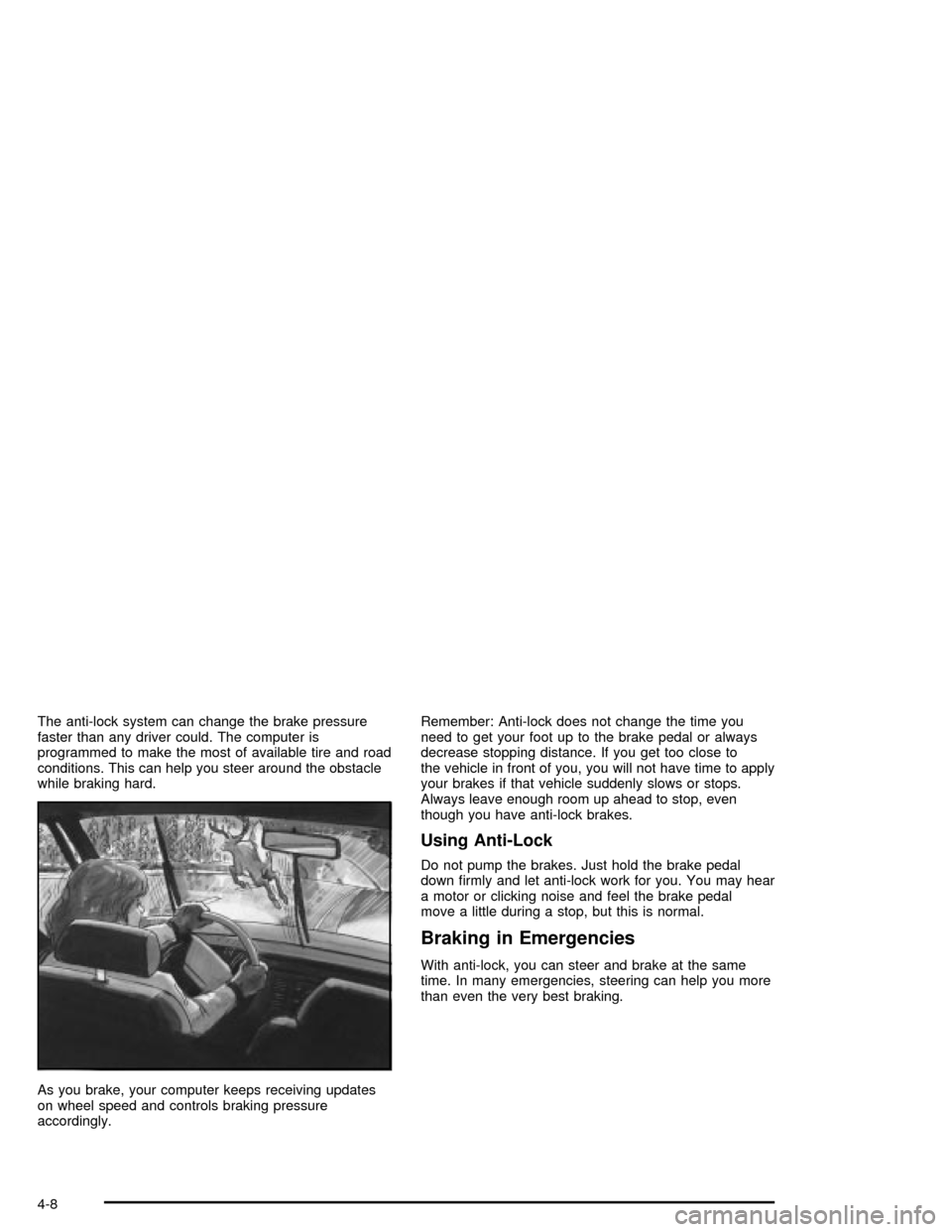
The anti-lock system can change the brake pressure
faster than any driver could. The computer is
programmed to make the most of available tire and road
conditions. This can help you steer around the obstacle
while braking hard.
As you brake, your computer keeps receiving updates
on wheel speed and controls braking pressure
accordingly.Remember: Anti-lock does not change the time you
need to get your foot up to the brake pedal or always
decrease stopping distance. If you get too close to
the vehicle in front of you, you will not have time to apply
your brakes if that vehicle suddenly slows or stops.
Always leave enough room up ahead to stop, even
though you have anti-lock brakes.
Using Anti-Lock
Do not pump the brakes. Just hold the brake pedal
down ®rmly and let anti-lock work for you. You may hear
a motor or clicking noise and feel the brake pedal
move a little during a stop, but this is normal.
Braking in Emergencies
With anti-lock, you can steer and brake at the same
time. In many emergencies, steering can help you more
than even the very best braking.
4-8