mirror CADILLAC XLR 2004 1.G User Guide
[x] Cancel search | Manufacturer: CADILLAC, Model Year: 2004, Model line: XLR, Model: CADILLAC XLR 2004 1.GPages: 356, PDF Size: 2.36 MB
Page 140 of 356
Ultrasonic Rear Parking
Assist (URPA)
Ultrasonic Rear Parking Assist can help you to
determine how close an object is to your rear bumper
within a given area, making parking easier.
{CAUTION:
Even with the Ultrasonic Rear Park Assist
system, the driver must check carefully before
backing up. The system does not operate
above typical backing speeds of 3 mph
(5 km/h) while parking. And, the system does
not detect objects that are more than 5 feet
(1.5 meters) behind the vehicle.
CAUTION: (Continued)
CAUTION: (Continued)
So, unless you check carefully behind you
before and when you back up, you could strike
children, pedestrians, bicyclists or pets behind
you, and they could be injured or killed.
Whether or not you are using rear park assist,
always check carefully behind your vehicle
before you back up and then watch closely as
you do.
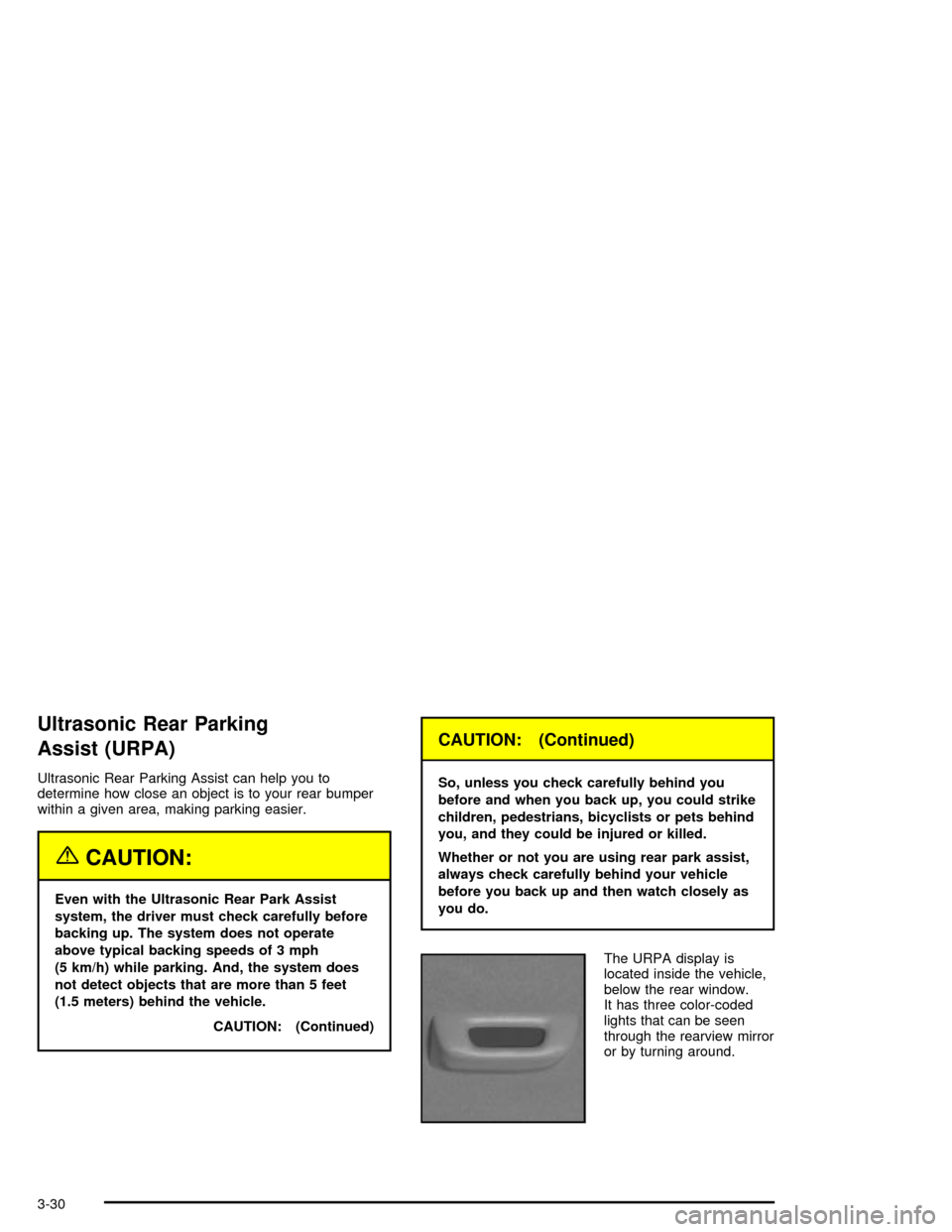
The URPA display is
located inside the vehicle,
below the rear window.
It has three color-coded
lights that can be seen
through the rearview mirror
or by turning around.
3-30
Page 147 of 356

Defogging and Defrosting
Fog on the inside of windows is a result of high humidity
(moisture) condensing on the cool window glass. This
can be minimized if the climate control system is
used properly. There are two modes to clear fog or frost
from your windshield. Use the ¯oor/defog mode to
clear the windows of fog or moisture and warm
the passengers. Use defrost to remove fog or frost from
the windshield more quickly.
-(Floor/Defog):Press the mode button until the
defog mode appears on the display. This mode directs
the air between the windshield, ¯oor outlets and
side windows. When you select this mode, the system
turns off recirculation and runs the air-conditioning
compressor unless the outside temperature is near or
below freezing. The recirculation mode cannot be
selected while in the ¯oor/defog mode.
1(Defrost):Press this button to direct most of the
air to the windshield, with some air directed to the
side windows. In this mode, the system will automatically
turn off the recirculation and run the air-conditioning
compressor, unless the outside temperature is near or
below freezing. Recirculation cannot be selected while in
the defrost mode. Do not drive the vehicle until all the
windows are clear.
Rear Window Defogger
The rear window defogger uses a warming grid to
remove fog or frost from the rear window.
The rear window defogger will only work when the
engine is running.
=(Rear Window Defogger):Press this button to
turn the rear window defogger on or off. Be sure to clear
as much snow from the rear window as possible.
The rear window defogger will turn off approximately
10 minutes after the button is pressed when traveling
less than 30 mph (48 km/h). If turned on again, the
defogger will only run for approximately ®ve minutes
before turning off. The defogger can also be turned off
by pressing the button again or by turning off the
engine.
The heated outside rearview mirrors will heat to help
clear fog or frost from the surface of the mirrors
when the rear window defogger is on.
The rear window defogger and heated mirrors are
automatically disabled when the retractable hardtop is
moving or down.
Notice:Don't use anything sharp on the inside of
the rear window. If you do, you could cut or damage
the warming grid, and the repairs wouldn't be
covered by your warranty. Do not attach a temporary
vehicle license, tape, a decal or anything similar
to the defogger grid.
3-37
Page 177 of 356

Auto Recall
This feature allows the steering column, outside mirrors
and the driver's seat to automatically move to the
current driver's set position when the engine starts. The
DIC will display AUTO RECALL OFF or AUTO
RECALL ON. Press the OPTIONS button to change the
setting.
Auto Exit Recall
This feature allows the steering column and driver's
seat to automatically move to the current driver's
exit position when one of the following occurs:
·The vehicle is turned off or in RAP or ACCESSORY
mode and the driver's door is opened.
·The vehicle is turned off or in RAP and the unlock
button on the Keyless Access transmitter is
pressed.
The DIC will display AUTO EXIT RECALL OFF or
AUTO EXIT RECALL ON. Press the OPTIONS button
to change the setting.
Approach Lights
This feature activates the parking lamps, front fog lamps
and back-up lamps during low light periods when the
unlock button on the keyless access transmitter is
pressed, both doors are closed and the vehicle is off or
in RAP. The lamps remain on for 20 seconds or until
a door is opened, the lock button on the keyless access
transmitter is pressed or the vehicle is no longer off
or in RAP.
The DIC will display APPROACH LIGHTS OFF or
APPROACH LIGHTS ON. Press the OPTIONS button
to change the setting.
Exit Lights
This feature activates the parking lamps and front fog
lamps for 15, 30 or 90 seconds. This will occur when the
vehicle is off or in RAP and the headlamps are on
due to the automatic headlamp system. The parking
lamps and front fog lamps will remain on until the driver
selected time period expires, the exterior lamp control
is activated or the vehicle is no longer off or in RAP.
The DIC will display EXIT LIGHTS OFF, EXIT
LIGHTS - 15 SEC, EXIT LIGHTS - 30 SEC or EXIT
LIGHTS - 90 SEC. Press the OPTIONS button to
change the setting.
3-67
Page 179 of 356

Auto Unlock
This feature automatically unlocks either the driver's
door or both doors, depending on the setting, when the
shift lever is moved to PARK (P).
The DIC will display AUTO UNLOCK OFF, AUTO
UNLOCK DRIVER or AUTO UNLOCK BOTH. Press the
OPTIONS button to change the setting.
Park Assist
This feature tilts the passenger's side mirror downward
when the shifter is moved to REVERSE (R). This
can help you to see the curb while backing up. If you
adjust the mirror while in REVERSE (R), the new
position will be saved as the park assist position.
The DIC will display PARK ASSIST OFF or PARK
ASSIST ON.
Language
This feature allows you to select the language the DIC
and Head-Up Display (HUD), uses to display
messages.
The DIC will display ENGLISH, FRENCH, GERMAN,
ITALIAN, JAPANESE or SPANISH. Press the OPTIONS
button to change the setting.
If you become stuck in a language that you do not
understand, hold the OPTIONS and RESET button for
®ve seconds. The DIC will scroll through all available
languages for as long as the buttons are held.
Each language option will display in its own language.
For example, English will be displayed as ENGLISH,
Spanish as ESPANOL, etc. When the desired language
is available, release the buttons and the DIC will set
to this language.
3-69
Page 200 of 356

·Do not get too close to the vehicle you want to
pass while you are awaiting an opportunity. For one
thing, following too closely reduces your area of
vision, especially if you are following a larger
vehicle. Also, you will not have adequate space if
the vehicle ahead suddenly slows or stops.
Keep back a reasonable distance.
·When it looks like a chance to pass is coming up,
start to accelerate but stay in the right lane and
do not get too close. Time your move so you will be
increasing speed as the time comes to move into
the other lane. If the way is clear to pass, you
will have a ªrunning startº that more than makes up
for the distance you would lose by dropping
back. And if something happens to cause you to
cancel your pass, you need only slow down
and drop back again and wait for another
opportunity.
·If other vehicles are lined up to pass a slow vehicle,
wait your turn. But take care that someone is not
trying to pass you as you pull out to pass the slow
vehicle. Remember to glance over your shoulder
and check the blind spot.
·Check your mirrors, glance over your shoulder, and
start your left lane change signal before moving out
of the right lane to pass. When you are farenough ahead of the passed vehicle to see its front
in your inside mirror, activate your right lane
change signal and move back into the right lane.
(Remember that your right outside mirror is convex.
The vehicle you just passed may seem to be
farther away from you than it really is.)
·Try not to pass more than one vehicle at a time on
two-lane roads. Reconsider before passing the
next vehicle.
·Do not overtake a slowly moving vehicle too rapidly.
Even though the brake lamps are not ¯ashing, it
may be slowing down or starting to turn.
·If you are being passed, make it easy for the
following driver to get ahead of you. Perhaps
you can ease a little to the right.
Loss of Control
Let us review what driving experts say about what
happens when the three control systems (brakes,
steering and acceleration) do not have enough friction
where the tires meet the road to do what the driver
has asked.
In any emergency, do not give up. Keep trying to steer
and constantly seek an escape route or area of less
danger.
4-16
Page 201 of 356

Skidding
In a skid, a driver can lose control of the vehicle.
Defensive drivers avoid most skids by taking reasonable
care suited to existing conditions, and by not
ªoverdrivingº those conditions. But skids are always
possible.
The three types of skids correspond to your vehicle's
three control systems. In the braking skid, your wheels
are not rolling. In the steering or cornering skid, too
much speed or steering in a curve causes tires to slip
and lose cornering force. And in the acceleration
skid, too much throttle causes the driving wheels
to spin.
A cornering skid is best handled by easing your foot off
the accelerator pedal.
Remember: Any traction control system helps avoid only
the acceleration skid. If your TCS system is off, then
an acceleration skid is also best handled by easing your
foot off the accelerator pedal.If your vehicle starts to slide, ease your foot off the
accelerator pedal and quickly steer the way you want
the vehicle to go. If you start steering quickly enough,
your vehicle may straighten out. Always be ready
for a second skid if it occurs.
Of course, traction is reduced when water, snow, ice,
gravel or other material is on the road. For safety,
you will want to slow down and adjust your driving to
these conditions. It is important to slow down on slippery
surfaces because stopping distance will be longer and
vehicle control more limited.
While driving on a surface with reduced traction, try
your best to avoid sudden steering, acceleration
or braking (including engine braking by shifting to a
lower gear). Any sudden changes could cause the tires
to slide. You may not realize the surface is slippery
until your vehicle is skidding. Learn to recognize warning
clues Ð such as enough water, ice or packed snow
on the road to make a ªmirrored surfaceº Ð and slow
down when you have any doubt.
Remember: Any anti-lock brake system (ABS) helps
avoid only the braking skid.
4-17
Page 202 of 356

Driving at Night
Night driving is more dangerous than day driving.
One reason is that some drivers are likely to be
impaired Ð by alcohol or drugs, with night vision
problems, or by fatigue.Here are some tips on night driving.
·Drive defensively.
·Do not drink and drive.
·Adjust your inside rearview mirror to reduce the
glare from headlamps behind you.
·Since you can not see as well, you may need to
slow down and keep more space between you
and other vehicles.
·Slow down, especially on higher speed roads. Your
headlamps can light up only so much road ahead.
·In remote areas, watch for animals.
·If you are tired, pull off the road in a safe place
and rest.
4-18
Page 208 of 356
Freeway Driving
Mile for mile, freeways (also called thruways, parkways,
expressways, turnpikes or superhighways) are the
safest of all roads. But they have their own special rules.
The most important advice on freeway driving is:
Keep up with traffic and keep to the right. Drive at the
same speed most of the other drivers are driving.
Too-fast or too-slow driving breaks a smooth traffic ¯ow.
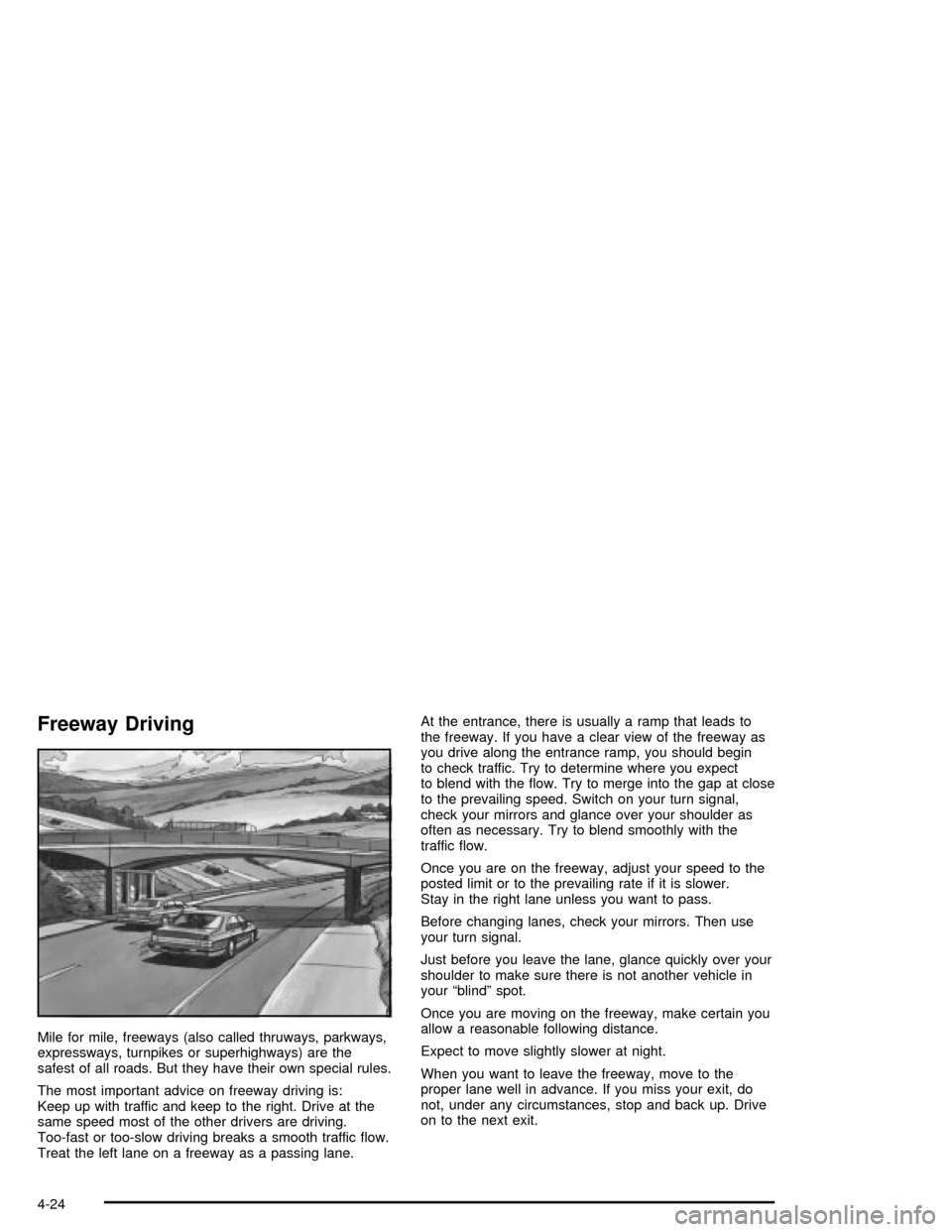
Treat the left lane on a freeway as a passing lane.At the entrance, there is usually a ramp that leads to
the freeway. If you have a clear view of the freeway as
you drive along the entrance ramp, you should begin
to check traffic. Try to determine where you expect
to blend with the ¯ow. Try to merge into the gap at close
to the prevailing speed. Switch on your turn signal,
check your mirrors and glance over your shoulder as
often as necessary. Try to blend smoothly with the
traffic ¯ow.
Once you are on the freeway, adjust your speed to the
posted limit or to the prevailing rate if it is slower.
Stay in the right lane unless you want to pass.
Before changing lanes, check your mirrors. Then use
your turn signal.
Just before you leave the lane, glance quickly over your
shoulder to make sure there is not another vehicle in
your ªblindº spot.
Once you are moving on the freeway, make certain you
allow a reasonable following distance.
Expect to move slightly slower at night.
When you want to leave the freeway, move to the
proper lane well in advance. If you miss your exit, do
not, under any circumstances, stop and back up. Drive
on to the next exit.
4-24
Page 210 of 356

Highway Hypnosis
Is there actually such a condition as ªhighway
hypnosisº? Or is it just plain falling asleep at the wheel?
Call it highway hypnosis, lack of awareness, or
whatever.
There is something about an easy stretch of road with
the same scenery, along with the hum of the tires on the
road, the drone of the engine, and the rush of the
wind against the vehicle that can make you sleepy. Do
not let it happen to you! If it does, your vehicle can
leave the road in
less than a second,and you could
crash and be injured.
What can you do about highway hypnosis? First, be
aware that it can happen.
Then here are some tips:
·Make sure your vehicle is well ventilated, with a
comfortably cool interior.
·Keep your eyes moving. Scan the road ahead and
to the sides. Check your rearview mirrors and your
instruments frequently.
·If you get sleepy, pull off the road into a rest,
service or parking area and take a nap, get some
exercise, or both. For safety, treat drowsiness
on the highway as an emergency.
Hill and Mountain Roads
Driving on steep hills or mountains is different from
driving in ¯at or rolling terrain.
If you drive regularly in steep country, or if you are
planning to visit there, here are some tips that can make
your trips safer and more enjoyable.
·Keep your vehicle in good shape. Check all ¯uid
levels and also the brakes, tires, cooling system
and transmission. These parts can work hard
on mountain roads.
4-26
Page 309 of 356
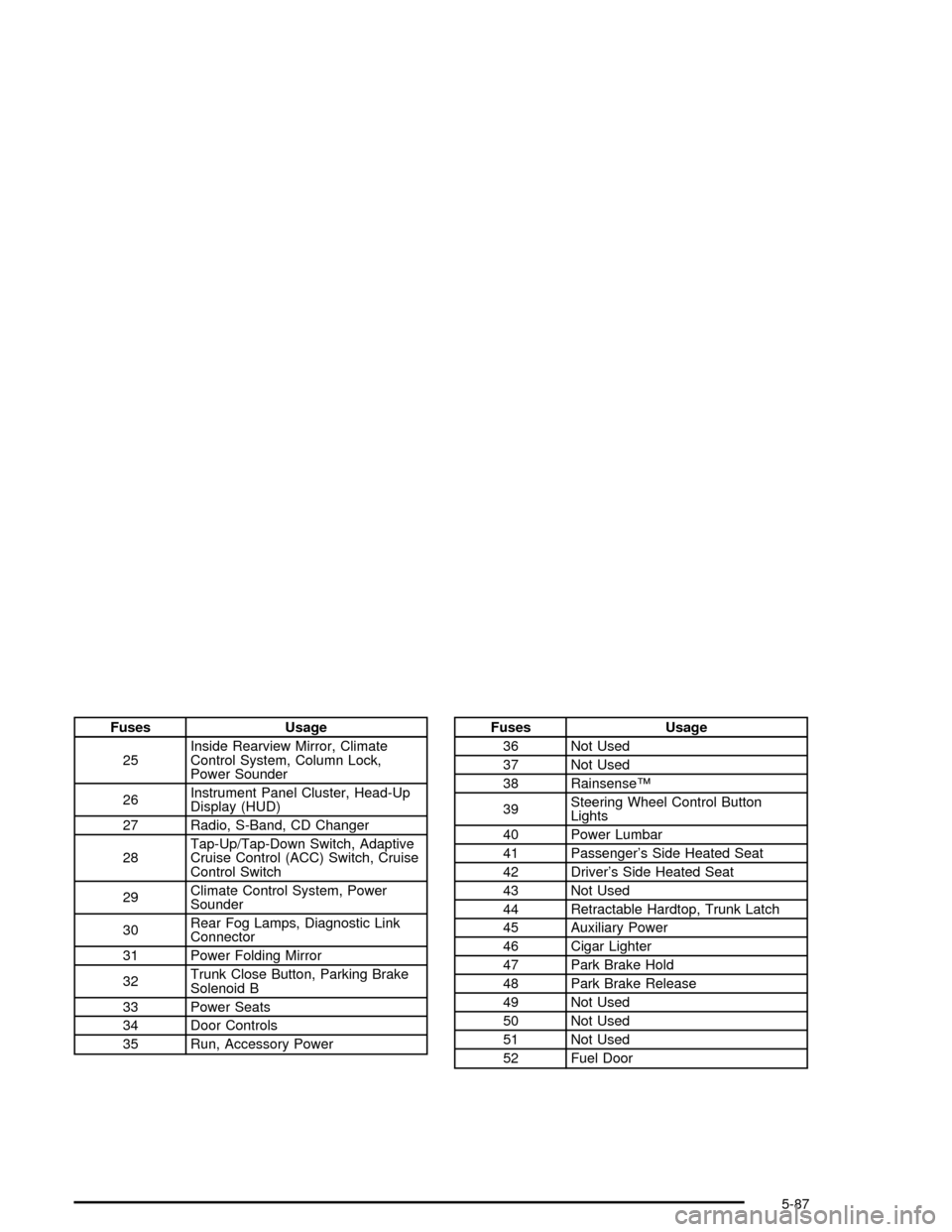
Fuses Usage
25Inside Rearview Mirror, Climate
Control System, Column Lock,
Power Sounder
26Instrument Panel Cluster, Head-Up
Display (HUD)
27 Radio, S-Band, CD Changer
28Tap-Up/Tap-Down Switch, Adaptive
Cruise Control (ACC) Switch, Cruise
Control Switch
29Climate Control System, Power
Sounder
30Rear Fog Lamps, Diagnostic Link
Connector
31 Power Folding Mirror
32Trunk Close Button, Parking Brake
Solenoid B
33 Power Seats
34 Door Controls
35 Run, Accessory PowerFuses Usage
36 Not Used
37 Not Used
38 RainsenseŸ
39Steering Wheel Control Button
Lights
40 Power Lumbar
41 Passenger's Side Heated Seat
42 Driver's Side Heated Seat
43 Not Used
44 Retractable Hardtop, Trunk Latch
45 Auxiliary Power
46 Cigar Lighter
47 Park Brake Hold
48 Park Brake Release
49 Not Used
50 Not Used
51 Not Used
52 Fuel Door
5-87