steering CADILLAC XLR 2004 1.G Owner's Manual
[x] Cancel search | Manufacturer: CADILLAC, Model Year: 2004, Model line: XLR, Model: CADILLAC XLR 2004 1.GPages: 356, PDF Size: 2.36 MB
Page 165 of 356

You can use the Driver Information Center (DIC) to
display more detailed fuel information. While scrolling
through the DIC, you will also ®nd:
·AVERAGE XX.X MPG (Average Miles Per
Gallon):The fuel economy calculated for the last
20 gallons (76 L) of fuel used, or since you last
reset the display.
·INST XX.X MPG (Instantaneous Miles Per
Gallon):The fuel economy calculated for your
current driving conditions.
·RANGE XXX MI:The approximate distance you
can drive before refueling.
See
DIC Controls and Displays on page 3-55for more
information.
You should reset the fuel information display every time
you refuel. To reset AVERAGE, use the information up or
down button to scroll to AVE FUEL ECON and hold the
reset button. RANGE will automatically reset.
Driver Information Center (DIC)
This display gives you the status of many of your
vehicle's systems. The DIC is also used to display driver
personalization features and warning/status messages.
All messages will appear in the DIC display, located
at the bottom of the instrument panel cluster.
DIC Controls and Displays
The Driver Information
Center (DIC) buttons are
located to the right of
the steering wheel on the
instrument panel, near
the air outlets.
«4ª(Information):Press the top or bottom of this
button to scroll through the available features which
include the odometer, trip odometers, fuel range, miles
per gallon, average speed, timer, tire pressure and
remaining oil life.
+(Interior Lamps):Press this button to turn the
interior lamps on and off.
OPTION:Press this button to choose personal options
that are available on your vehicle.
3-55
Page 173 of 356

SERVICE TRANSMISSION:This message indicates
that there is a problem with the transmission. Have your
vehicle serviced by your dealership.
SERVICE VEHICLE SOON:This message is displayed
when a non-emissions related powertrain malfunction
occurs. Have your vehicle serviced by a technician
as soon as possible.
SHIFT TO PARK:This message indicates that the
vehicle is not in PARK (P) when the engine is being
turned off. The vehicle will be in ACCESSORY.
Once the shifter is moved to PARK (P), the vehicle will
turn off.
STABILITRAK ACTIVE:You may see the
STABILITRAK ACTIVE message on the Driver
Information Center. It means that an advanced,
computer-controlled system has come on to help your
vehicle continue to go in the direction in which you
are steering. This stability enhancement system
activates when the computer senses that your vehicle is
just starting to spin, as it might if you hit a patch of
ice or other slippery spot on the road. When the system
is on, you may hear a noise or feel a vibration in the
brake pedal. This is normal.
When the STABILITRAK ACTIVE message is on, you
should continue to steer in the direction you want to go.
The system is designed to help you in bad weather
or other difficult driving situations by making the most ofwhatever road conditions will permit. If the
STABILITRAK ACTIVE message comes on, you will
know that something has caused your vehicle to start to
spin, so you should consider slowing down. A single
chime will also sound when this message is displayed.
STABILITRAK READY:If you receive this message
and hear a chime, the system has completed the
functional check of the Stabilitrak
žSystem.
STABILITRAK WARMING:When you ®rst start your
vehicle and drive away, especially during cold winter
weather, the STABILITRAK WARMING message may
be displayed in the DIC along with a chime and the
traction control warning light. This is normal. You can
acknowledge this message by pressing the RESET
button. The Stabilitrak
žperformance is affected until
the STABILITRAK READY message is displayed in
the DIC.
SVC TIRE MONITOR:If this message comes on, a
part on the Tire Pressure Monitor (TPM) is not working
properly. If you drive your vehicle while any of the
four sensors are missing or inoperable, the warning will
come on in approximately 10 minutes. If all four
sensors are missing, the warning will come on in
approximately 15 to 20 minutes. (All the sensors would
be missing, for example, if you put different wheels
on your vehicle without transferring the sensors.) If the
warning comes on and stays on, there may be a
problem with the TPM. See your dealer.
3-63
Page 174 of 356

TOO COLD TO MOVE TOP:This message will display
when the retractable hardtop button is pressed and
the hardtop pump motor temperature is below -4É F (-20É
C). Wait for the hardtop pump motor to warm up
before using the retractable hardtop.
TOP INOP ± VALET ON:This message will display
when the retractable hardtop button is pressed and the
valet switch is on. Turn off the valet switch before
using the retractable hardtop.
TOP INOP OUT OF PARK:This message will display if
the retractable hardtop button is pressed while the
vehicle is not in PARK (P).
TOP MOTOR OVER TEMP:This message will display
when the retractable hardtop button is pressed and
the hardtop pump motor temperature is over 185É F (85É
C). Wait for the hardtop pump motor to cool down
before using the retractable hardtop.
TOP NOT SECURE:This message will display when
the retractable hardtop button is released before the top
open or close operation is complete. Press and hold
the retractable hardtop button to fully open or close
the top.
TRAC SYSTEM ACTIVE:When your traction control
system is limiting wheel spin, the TRACTION SYSTEM
ACTIVE message will be displayed. Slippery road
conditions may exist if this message is displayed, soadjust your driving accordingly. This message will stay
on for a few seconds after the traction control system
stops limited wheel spin.
TRAC/STABILITRAK OFF:This message indicates
that both the Traction Control System (TCS) and
Stabilitrak
žare off. The message will remain until
RESET is pressed or the systems are turned on again.
TRAC/STABILITRAK ON:This message indicates
that both the Traction Control System (TCS) and
the Stabilitrak
žare on.
TRACTION SYSTEM OFF:This message indicates
that the Traction Control System (TCS) is off but
Stabilitrak
žremains on.
TRACTION SYSTEM ON:This message indicates that
the Traction Control System (TCS) is on, but
Stabilitrak
žis off.
TRUNK AJAR:This message indicates that the trunk is
open while the vehicle is running and not in PARK (P).
WAIT FOR STABILITRAK:This message will be
displayed after driving 19 mph (30 km/h) for 10 seconds
if the steering is not centered. Stabilitrak
žis not
available until the steering centers itself and the
STABILITRAK READY message is displayed in the DIC.
3-64
Page 177 of 356

Auto Recall
This feature allows the steering column, outside mirrors
and the driver's seat to automatically move to the
current driver's set position when the engine starts. The
DIC will display AUTO RECALL OFF or AUTO
RECALL ON. Press the OPTIONS button to change the
setting.
Auto Exit Recall
This feature allows the steering column and driver's
seat to automatically move to the current driver's
exit position when one of the following occurs:
·The vehicle is turned off or in RAP or ACCESSORY
mode and the driver's door is opened.
·The vehicle is turned off or in RAP and the unlock
button on the Keyless Access transmitter is
pressed.
The DIC will display AUTO EXIT RECALL OFF or
AUTO EXIT RECALL ON. Press the OPTIONS button
to change the setting.
Approach Lights
This feature activates the parking lamps, front fog lamps
and back-up lamps during low light periods when the
unlock button on the keyless access transmitter is
pressed, both doors are closed and the vehicle is off or
in RAP. The lamps remain on for 20 seconds or until
a door is opened, the lock button on the keyless access
transmitter is pressed or the vehicle is no longer off
or in RAP.
The DIC will display APPROACH LIGHTS OFF or
APPROACH LIGHTS ON. Press the OPTIONS button
to change the setting.
Exit Lights
This feature activates the parking lamps and front fog
lamps for 15, 30 or 90 seconds. This will occur when the
vehicle is off or in RAP and the headlamps are on
due to the automatic headlamp system. The parking
lamps and front fog lamps will remain on until the driver
selected time period expires, the exterior lamp control
is activated or the vehicle is no longer off or in RAP.
The DIC will display EXIT LIGHTS OFF, EXIT
LIGHTS - 15 SEC, EXIT LIGHTS - 30 SEC or EXIT
LIGHTS - 90 SEC. Press the OPTIONS button to
change the setting.
3-67
Page 181 of 356
Navigation/Radio System
Your vehicle is equipped with a navigation radio system
that includes Digital Signal Processing (DSP), a
Radio Data System (RDS) with Program Type (PTY)
selections that will seek out the kind of music you want
to listen to. The radio can also communicate with
the navigation system to broadcast announcements on
traffic, weather, and emergency alert communications.
For information on how to use this system, see the
ªNavigation Systemº manual.
Theft-Deterrent Feature
THEFTLOCKžis designed to discourage theft of your
vehicle's radio. The feature works automatically by
learning a portion of the Vehicle Identi®cation Number
(VIN). If the radio is moved to a different vehicle, it
will not operate. If the radio is removed from your
vehicle, the original VIN in the radio can be used to
trace the radio back to your vehicle.
With THEFTLOCK
žactivated, the radio will not operate
if stolen.
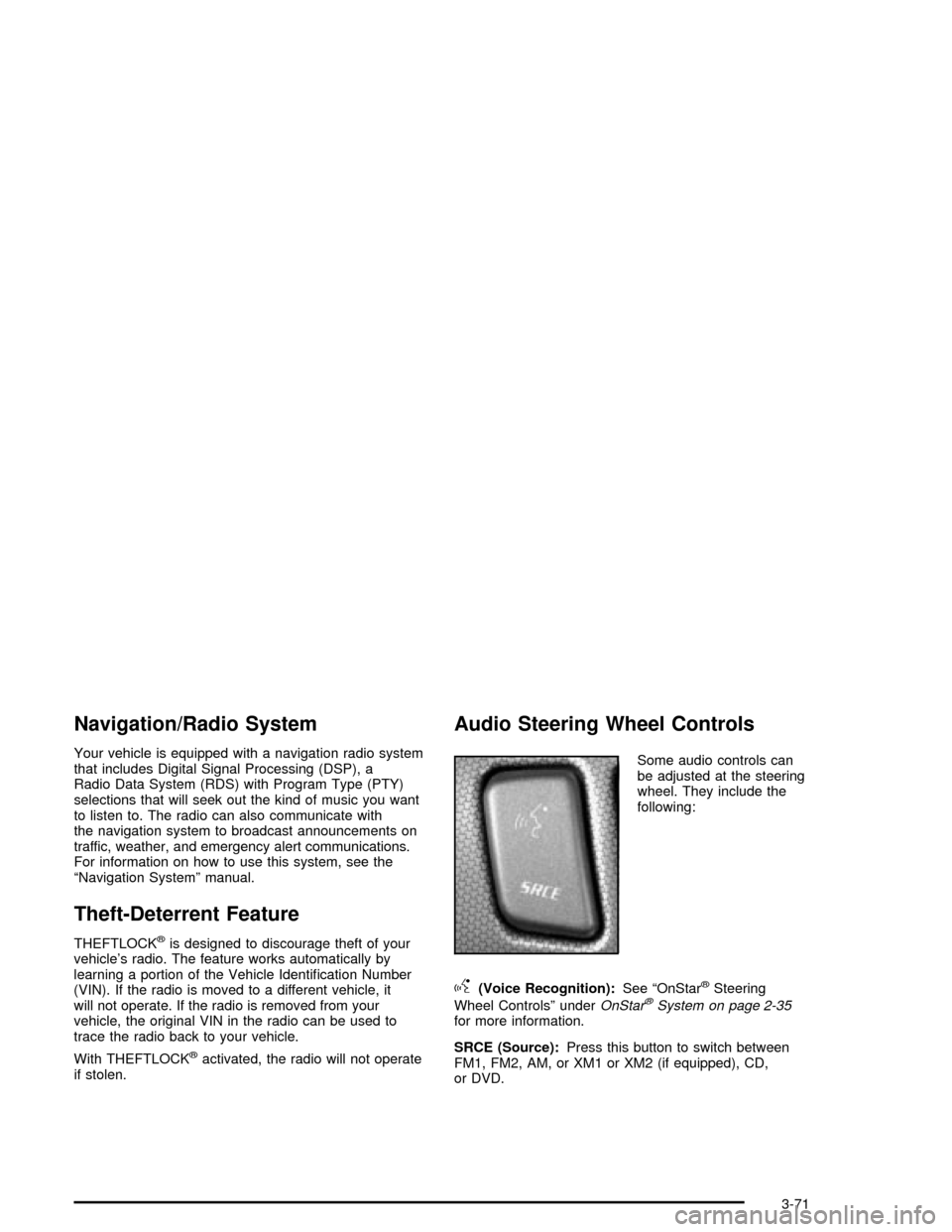
Audio Steering Wheel Controls
Some audio controls can
be adjusted at the steering
wheel. They include the
following:
g(Voice Recognition):See ªOnStaržSteering
Wheel Controlsº under
OnStaržSystem on page 2-35for more information.
SRCE (Source):Press this button to switch between
FM1, FM2, AM, or XM1 or XM2 (if equipped), CD,
or DVD.
3-71
Page 185 of 356

Your Driving, the Road, and Your Vehicle..........4-2
Defensive Driving...........................................4-2
Drunken Driving.............................................4-2
Control of a Vehicle........................................4-5
Braking.........................................................4-6
Traction Control System (TCS).........................4-9
Magnetic Ride Control...................................4-10
Limited-Slip Rear Axle...................................4-10
Stabilitrak
žSystem.......................................4-11
Steering......................................................4-12
Off-Road Recovery.......................................4-15
Passing.......................................................4-15
Loss of Control.............................................4-16
Driving at Night............................................4-18Driving in Rain and on Wet Roads..................4-20
City Driving..................................................4-23
Freeway Driving...........................................4-24
Before Leaving on a Long Trip.......................4-25
Highway Hypnosis........................................4-26
Hill and Mountain Roads................................4-26
Winter Driving..............................................4-28
If You Are Stuck: In Sand, Mud,
Ice or Snow..............................................4-31
Towing..........................................................4-32
Towing Your Vehicle.....................................4-32
Recreational Vehicle Towing...........................4-32
Loading Your Vehicle....................................4-32
Towing a Trailer...........................................4-37
Section 4 Driving Your Vehicle
4-1
Page 189 of 356

There is something else about drinking and driving that
many people do not know. Medical research shows
that alcohol in a person's system can make crash
injuries worse, especially injuries to the brain, spinal
cord or heart. This means that when anyone who has
been drinking Ð driver or passenger Ð is in a crash,
that person's chance of being killed or permanently
disabled is higher than if the person had not been
drinking.
{CAUTION:
Drinking and then driving is very dangerous.
Your re¯exes, perceptions, attentiveness and
judgment can be affected by even a small
amount of alcohol. You can have a serious Ð or
even fatal Ð collision if you drive after drinking.
Please do not drink and drive or ride with a
driver who has been drinking. Ride home in a
cab; or if you are with a group, designate a
driver who will not drink.
Control of a Vehicle
You have three systems that make your vehicle go
where you want it to go. They are the brakes, the steering
and the accelerator. All three systems have to do their
work at the places where the tires meet the road.
Sometimes, as when you are driving on snow or ice, it
is easy to ask more of those control systems than
the tires and road can provide. That means you can lose
control of your vehicle. Also see
Traction Control
System (TCS) on page 4-9andStabilitrakžSystem on
page 4-11.
4-5
Page 192 of 356
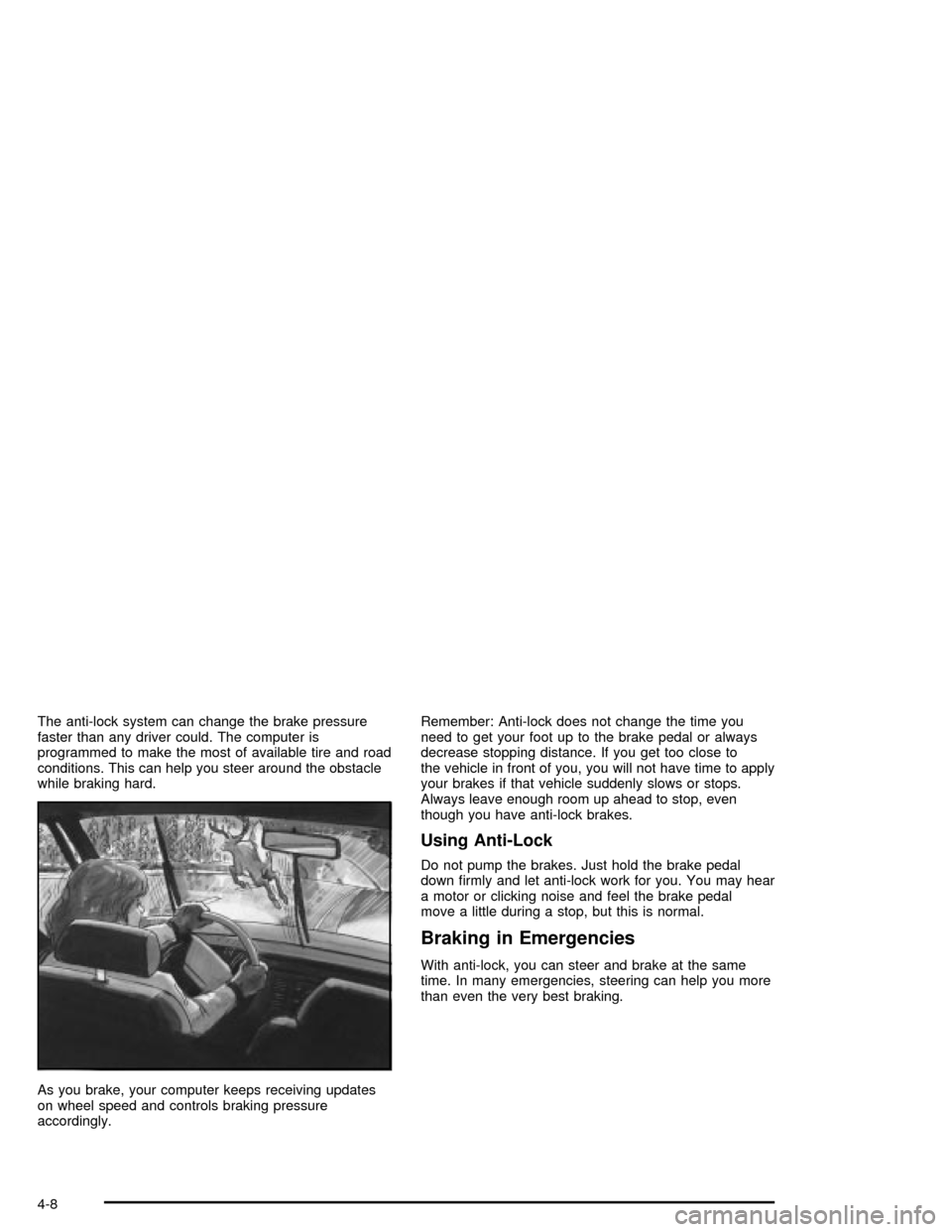
The anti-lock system can change the brake pressure
faster than any driver could. The computer is
programmed to make the most of available tire and road
conditions. This can help you steer around the obstacle
while braking hard.
As you brake, your computer keeps receiving updates
on wheel speed and controls braking pressure
accordingly.Remember: Anti-lock does not change the time you
need to get your foot up to the brake pedal or always
decrease stopping distance. If you get too close to
the vehicle in front of you, you will not have time to apply
your brakes if that vehicle suddenly slows or stops.
Always leave enough room up ahead to stop, even
though you have anti-lock brakes.
Using Anti-Lock
Do not pump the brakes. Just hold the brake pedal
down ®rmly and let anti-lock work for you. You may hear
a motor or clicking noise and feel the brake pedal
move a little during a stop, but this is normal.
Braking in Emergencies
With anti-lock, you can steer and brake at the same
time. In many emergencies, steering can help you more
than even the very best braking.
4-8
Page 195 of 356

StabilitrakžSystem
The StabilitrakžSystem is a computer controlled system
that helps the driver maintain directional control of the
vehicle in difficult driving conditions. This is
accomplished by selectively applying any one of the
vehicle's brakes.
When you ®rst start your vehicle and begin to drive
away (6 mph (10 km/h)), especially during cold weather,
the message STABILITRAK WARMING may be
displayed in the Driver Information Center (DIC), the
instrument cluster light will be on, and a chime will
sound. This is normal. You can acknowledge this
message by pressing the RESET button. The
Stabilitrak
žSystem performance is affected until the
message, STABILITRAK READY, is displayed in
the DIC.
The WAIT FOR STABILITRAK message may be
displayed in the DIC after exceeding 19 mph (30 km/h)
for 10 seconds if the steering is not centered. The
system is off until the STABILITRAK ACTIVE message
is displayed.
The STABILITRAK ACTIVE message will come on
when the system is operating. See
DIC Warnings and
Messages on page 3-57for more information. You
may also feel or hear the system working. This
is normal.The instrument cluster light
will come on and a chime
will sound to let you
know if there is a problem
with the system.
The SERVICE STABILITRAK message will also be
displayed. See
DIC Warnings and Messages on
page 3-57for more information.
When this light and the SERVICE STABILITRAK
message are on, the system is not operational. Adjust
your driving accordingly.
The system comes on automatically whenever you start
your vehicle. To help maintain directional control of
the vehicle, you should always leave the system on. You
can turn the system off if you ever need to. If you turn
the STABILITRAK
žSystem off, the Traction Control
System will also be turned off. Adjust your driving
accordingly.
4-11
Page 196 of 356

To turn the system off,
press and hold the traction
control button on the
console for ®ve seconds
with the vehicle stopped.
You can turn the
system back on at any
time by pressing the
button.
The DIC will display the appropriate message when you
push the button, either TRAC/STABILITRAK ON or
TRAC/STABILITRAK OFF.Steering
Power Steering
If you lose power steering assist because the engine
stops or the system is not functioning, you can steer but
it will take much more effort.
Magnetic Speed Variable Assist
Steering
Your vehicle is equipped with a steering system that
continuously adjusts the effort you feel when steering at
all vehicle speeds. It provides ease when parking,
yet a ®rm, solid feel at highway speeds.
4-12