warning CADILLAC XLR 2004 1.G Owner's Manual
[x] Cancel search | Manufacturer: CADILLAC, Model Year: 2004, Model line: XLR, Model: CADILLAC XLR 2004 1.GPages: 356, PDF Size: 2.36 MB
Page 162 of 356

Engine Oil Pressure Gage
The engine oil pressure gage shows the engine oil
pressure in psi (pounds per square inch) or kPa
(kilopascals) when the engine is running.
Oil pressure should be 20 to 80 psi (140 to 550 kPa). In
certain situations such as long, extended idles on
hot days, it could read as low as 6 psi (40 kPa) and still
be considered normal. It may vary with engine speed,
outside temperature and oil viscosity. The Driver
Information Center (DIC) may display messages
regarding the oil condition. See
DIC Warnings and
Messages on page 3-57andEngine Oil on page 5-13.
{CAUTION:
Do not keep driving if the oil pressure is low. If
you do, your engine can become so hot that it
catches ®re. You or others could be burned.
Check your oil as soon as possible and have
your vehicle serviced.
Notice:Lack of proper engine oil maintenance may
damage the engine. The repairs would not be
covered by your warranty. Always follow the
maintenance schedule in this manual for changing
engine oil.
Security Light
For information regarding
this light, see
Theft-Deterrent Systems
on page 2-17. United States
Canada
3-52
Page 165 of 356

You can use the Driver Information Center (DIC) to
display more detailed fuel information. While scrolling
through the DIC, you will also ®nd:
·AVERAGE XX.X MPG (Average Miles Per
Gallon):The fuel economy calculated for the last
20 gallons (76 L) of fuel used, or since you last
reset the display.
·INST XX.X MPG (Instantaneous Miles Per
Gallon):The fuel economy calculated for your
current driving conditions.
·RANGE XXX MI:The approximate distance you
can drive before refueling.
See
DIC Controls and Displays on page 3-55for more
information.
You should reset the fuel information display every time
you refuel. To reset AVERAGE, use the information up or
down button to scroll to AVE FUEL ECON and hold the
reset button. RANGE will automatically reset.
Driver Information Center (DIC)
This display gives you the status of many of your
vehicle's systems. The DIC is also used to display driver
personalization features and warning/status messages.
All messages will appear in the DIC display, located
at the bottom of the instrument panel cluster.
DIC Controls and Displays
The Driver Information
Center (DIC) buttons are
located to the right of
the steering wheel on the
instrument panel, near
the air outlets.
«4ª(Information):Press the top or bottom of this
button to scroll through the available features which
include the odometer, trip odometers, fuel range, miles
per gallon, average speed, timer, tire pressure and
remaining oil life.
+(Interior Lamps):Press this button to turn the
interior lamps on and off.
OPTION:Press this button to choose personal options
that are available on your vehicle.
3-55
Page 167 of 356

Once ELAPSED TIME 00:00:00 is displayed, press the
RESET button to start the timing feature. Press the
RESET button again to stop it. If you will be starting and
stopping your vehicle, during a trip for instance, the
ELAPSED TIME feature will automatically start timing
where it left off when you last stopped. To reset it, press
and hold the RESET button until the display reads
ELAPSED TIME 00:00:00. Press the information button
to exit from the ELAPSED TIME display.
FRONT Lxx Rxx PSI:This feature shows the tire
pressure for the front left and right tires.
REAR Lxx Rxx PSI:This feature shows the tire
pressure for the rear left and right tires.
OIL LIFE:This feature shows the estimated oil life
remaining. Press the information button to display OIL
LIFE, then press and hold the RESET button until
100% OIL LIFE is displayed. This only needs to be reset
after you have had the oil changed.
ENG/METRIC (English/Metric):This feature allows
you to switch the DIC displays between English
and Metric. Press the RESET button to switch the
display between English and Metric. There will be an
arrow next to the option that is selected.DIC Warnings and Messages
These messages will appear if there is a problem
sensed in one of your vehicle's systems. You must then
press RESET to clear the display screen for further
use. However, be sure to take any message that
appears on the display screen seriously and remember
that pressing the RESET button will only make the
message disappear, not the problem.
DIC messages can also be displayed in English,
French, German, Italian and Spanish.
ABS ACTIVE:When your anti-lock system is adjusting
brake pressure to help avoid a braking skid, the ABS
ACTIVE message will be displayed.
Slippery road conditions may exist if this message is
displayed, so adjust your driving accordingly. The
message may stay on for a few seconds after the
system stops adjusting brake pressure.
BATTERY SAVER ACTIVE:This message is displayed
when the vehicle has detected that the battery voltage
is dropping beyond a reasonable point. The battery
saver system will start reducing certain features of the
vehicle that you may not be able to notice. At the
point that features are disabled, this message is
displayed. It means that the vehicle is trying to save the
charge in the battery. Turn off unnecessary accessories
to allow the battery to recharge.
3-57
Page 171 of 356

MAX SPEED XX MPH (XX KM/H):A failure in the
magnetic ride control system has occurred when this
message appears. The Powertrain Control Module (PCM)
determines the speed to which your vehicle is limited.
Have your vehicle serviced if this message appears.
NO FOB DETECTED:This message is displayed if the
vehicle does not detect the presence of a keyless
access transmitter when you have attempted to start the
vehicle or a vehicle door has just closed. The following
conditions may cause this message to appear:
·Driver-added equipment, such as two-way radios or
power inverters, is causing interference. Try moving
the keyless access transmitter away from these
devices when starting the vehicle.
·The vehicle is experiencing Electro-Magnetic
Interference (EMI). Some locations, such as
airports, have EMI ®elds which may interfere with
your keyless access transmitter. If moving the
transmitter to different locations within the vehicle
does not help, place the transmitter in the glove box
transmitter pocket with the buttons facing to the
right while pressing the START button.NO FOB, OFF OR RUN?:This message is displayed
when you turn off the engine, but the vehicle does
not detect a keyless access transmitter in the vehicle.
The vehicle will remain in ACCESSORY until OFF
or START has been pressed or 10 minutes has expired.
If you select OFF, the vehicle cannot be started again
without a remote access transmitter in the vehicle.
OVER SPEED WARNING:This message is displayed
when the vehicle speed exceeds a certain limit as
required by some export countries. A chime will sound
when this message is displayed.
PRESS BRAKE TO START:The brake pedal must be
applied to start the vehicle. Make sure you are
pressing the brake pedal all the way down.
REDUCED ENGINE POWER:This message informs
you that the vehicle is reducing engine power because
the transmission is being placed in gear under
conditions that may cause damage to the vehicle's
engine, transmission or ability to accelerate.
RIGHT DOOR AJAR:The passenger's door is open or
ajar when this message appears. The vehicle must
be running and the transmission not in PARK (P) for this
message to display. A chime will sound if the vehicle's
speed is greater than 3 mph (5 km/h).
3-61
Page 172 of 356

SERVICE A/C:This message appears when the
electronic sensors that control the air conditioning and
heating systems are no longer working. Have the climate
control system serviced if you notice a drop in heating
and air conditioning efficiency.
SERVICE ABS:If the SERVICE ABS message is
displayed when you are driving, stop as soon as
possible and turn the ignition off. Then start the engine
again to reset the system. If the message stays on,
or comes back on again while you are driving,
your vehicle is in need of service.
If the SERVICE ABS message is being displayed, your
Traction Control System and Stabilitrak
žSystem will
also be disabled. The Driver Information Center
will scroll three messages: SERVICE ABS, SERVICE
TRACTION SYS and SERVICE STABILITRAK, and the
traction control warning light on the instrument panel
cluster will be illuminated. The driver can acknowledge
these messages by pressing the RESET button
three times. When the service message is displayed the
computer controlled systems will not assist the driver
and you should have the system repaired as soon
as possible. Adjust your driving accordingly.
SERVICE ELECT SYSTEM:This message will display
if an electrical problem has occurred within the
Powertrain Control Module (PCM) or the ignition switch.
Have your vehicle serviced by your dealership.SERVICE FUEL SYSTEM:The Powertrain Control
Module (PCM) has detected a problem within the fuel
system when this message appears. Have your
vehicle serviced by your dealership. This message will
also be displayed when the cluster is not getting
fuel information from the PCM.
SERVICE RADAR CRUISE:This message indicates
that the Adaptive Cruise Control (ACC) system is
disabled and needs service.
SERVICE RIDE CONTROL:This message indicates
there is a problem with the Magnetic Ride Control
System. Have your vehicle serviced by your dealership.
SERVICE TRACTION SYS:This message indicates
there is a problem with the Traction Control System
(TCS). Have your vehicle serviced by your dealership.
SERVICE STABILITRAK:If this message appears
it means there may be a problem with your stability
enhancement system. If you see this message, try to
reset the system (stop, turn off the engine, then start the
engine again). If the SERVICE STABILITRAK message
still comes on, it means there is a problem. You
should see your dealer for service. Reduce your speed
and drive accordingly. A single chime will also sound
when this message is displayed.
3-62
Page 173 of 356

SERVICE TRANSMISSION:This message indicates
that there is a problem with the transmission. Have your
vehicle serviced by your dealership.
SERVICE VEHICLE SOON:This message is displayed
when a non-emissions related powertrain malfunction
occurs. Have your vehicle serviced by a technician
as soon as possible.
SHIFT TO PARK:This message indicates that the
vehicle is not in PARK (P) when the engine is being
turned off. The vehicle will be in ACCESSORY.
Once the shifter is moved to PARK (P), the vehicle will
turn off.
STABILITRAK ACTIVE:You may see the
STABILITRAK ACTIVE message on the Driver
Information Center. It means that an advanced,
computer-controlled system has come on to help your
vehicle continue to go in the direction in which you
are steering. This stability enhancement system
activates when the computer senses that your vehicle is
just starting to spin, as it might if you hit a patch of
ice or other slippery spot on the road. When the system
is on, you may hear a noise or feel a vibration in the
brake pedal. This is normal.
When the STABILITRAK ACTIVE message is on, you
should continue to steer in the direction you want to go.
The system is designed to help you in bad weather
or other difficult driving situations by making the most ofwhatever road conditions will permit. If the
STABILITRAK ACTIVE message comes on, you will
know that something has caused your vehicle to start to
spin, so you should consider slowing down. A single
chime will also sound when this message is displayed.
STABILITRAK READY:If you receive this message
and hear a chime, the system has completed the
functional check of the Stabilitrak
žSystem.
STABILITRAK WARMING:When you ®rst start your
vehicle and drive away, especially during cold winter
weather, the STABILITRAK WARMING message may
be displayed in the DIC along with a chime and the
traction control warning light. This is normal. You can
acknowledge this message by pressing the RESET
button. The Stabilitrak
žperformance is affected until
the STABILITRAK READY message is displayed in
the DIC.
SVC TIRE MONITOR:If this message comes on, a
part on the Tire Pressure Monitor (TPM) is not working
properly. If you drive your vehicle while any of the
four sensors are missing or inoperable, the warning will
come on in approximately 10 minutes. If all four
sensors are missing, the warning will come on in
approximately 15 to 20 minutes. (All the sensors would
be missing, for example, if you put different wheels
on your vehicle without transferring the sensors.) If the
warning comes on and stays on, there may be a
problem with the TPM. See your dealer.
3-63
Page 191 of 356
Anti-lock Brake System (ABS)
Your vehicle has anti-lock brakes. ABS is an advanced
electronic braking system that will help prevent a
braking skid.
When you start your engine and begin to drive away,
your anti-lock brake system will check itself. You
may hear a momentary motor or clicking noise while
this test is going on, and you may even notice that your
brake pedal moves a little. This is normal.
If there is a problem with
the anti-lock brake system,
this warning light will
stay on. See
Anti-Lock
Brake System Warning
Light on page 3-46
.
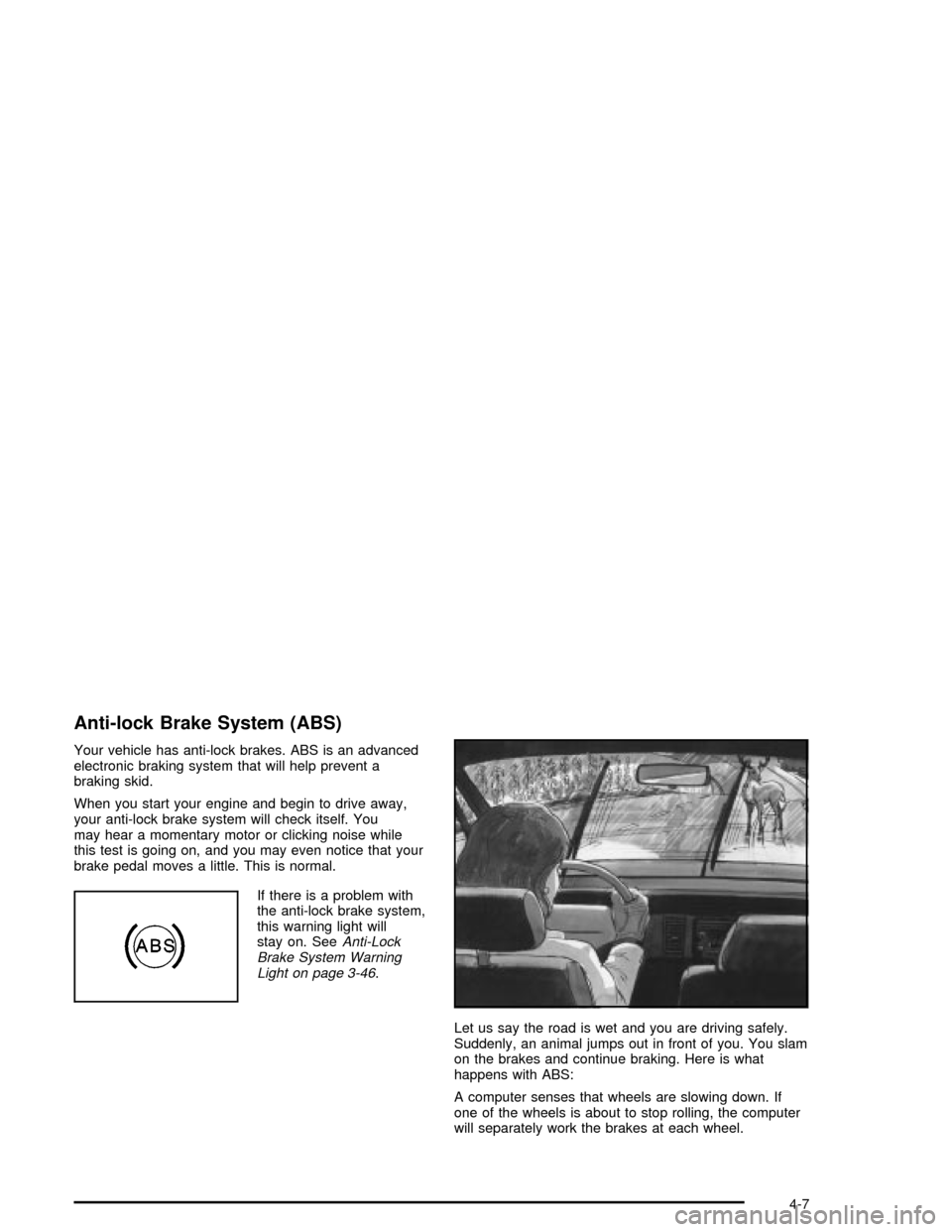
Let us say the road is wet and you are driving safely.
Suddenly, an animal jumps out in front of you. You slam
on the brakes and continue braking. Here is what
happens with ABS:
A computer senses that wheels are slowing down. If
one of the wheels is about to stop rolling, the computer
will separately work the brakes at each wheel.
4-7
Page 193 of 356

Traction Control System (TCS)
Your vehicle has a traction control system that limits
wheel spin. This is especially useful in slippery
road conditions. The system operates only if it senses
that one or both of the rear wheels are spinning or
beginning to lose traction. When this happens,
the system works the rear brakes and reduces engine
power to limit wheel spin.
The TRAC SYSTEM ACTIVE message will display on
the Driver Information Center (DIC) when the traction
control system is limiting wheel spin. See
DIC Warnings
and Messages on page 3-57. You may feel or hear
the system working, but this is normal.
If your vehicle is in cruise control when the traction
control system begins to limit wheel spin, the cruise
control will automatically disengage. When road
conditions allow you to safely use it again, you may
reengage the cruise control. See ªCruise Controlº under
Turn Signal/Multifunction Lever on page 3-5.This warning light will
come on to let you know if
there is a problem with
your traction control
system.
See
Traction Control System (TCS) Warning Light on
page 3-46. When this warning light is on, the system will
not limit wheel spin. Adjust your driving accordingly.
The traction control system automatically comes
on whenever you start your vehicle. To limit wheel spin,
especially in slippery road conditions, you should
always leave the system on. But you can turn the
traction control system off if you ever need to. You
should turn the system off if your vehicle ever gets stuck
in sand, mud or snow and rocking the vehicle is
required. See ªRocking Your Vehicle To Get It Outº
under
If You Are Stuck: In Sand, Mud, Ice or Snow on
page 4-31.
4-9
Page 194 of 356

To turn the system off,
press the traction control
button located on the
center console.
The TRACTION SYSTEM-OFF message will display on
the DIC and the traction control system warning light
will come on. If the system is limiting wheel spin when
you press the button, the TRACTION SYSTEM-OFF
message will display ± but the system will not turn
off right away. It will wait until there is no longer
a current need to limit wheel spin.
You can turn the system back on at any time by
pressing the button again. The TRACTION SYSTEM-ON
message should display brie¯y on the Driver Information
Center.Magnetic Ride Control
Magnetic Ride Control automatically adjusts the ride of
your vehicle. Automatic ride control is achieved
through a computer used to control and monitor the
suspension system. The controller receives input from
various sensors to determine the proper system
response. If the controller detects a problem within the
system, the DIC will display a SERVICE RIDE
CONTROL message. See
DIC Warnings and Messages
on page 3-57for more information. See your dealer
for service.
Limited-Slip Rear Axle
Your limited-slip rear axle can give you additional
traction on snow, mud, ice, sand or gravel. It works like
a standard axle most of the time, but when one of
the rear wheels has no traction and the other does, this
feature will allow the wheel with traction to move the
vehicle.
4-10
Page 195 of 356

StabilitrakžSystem
The StabilitrakžSystem is a computer controlled system
that helps the driver maintain directional control of the
vehicle in difficult driving conditions. This is
accomplished by selectively applying any one of the
vehicle's brakes.
When you ®rst start your vehicle and begin to drive
away (6 mph (10 km/h)), especially during cold weather,
the message STABILITRAK WARMING may be
displayed in the Driver Information Center (DIC), the
instrument cluster light will be on, and a chime will
sound. This is normal. You can acknowledge this
message by pressing the RESET button. The
Stabilitrak
žSystem performance is affected until the
message, STABILITRAK READY, is displayed in
the DIC.
The WAIT FOR STABILITRAK message may be
displayed in the DIC after exceeding 19 mph (30 km/h)
for 10 seconds if the steering is not centered. The
system is off until the STABILITRAK ACTIVE message
is displayed.
The STABILITRAK ACTIVE message will come on
when the system is operating. See
DIC Warnings and
Messages on page 3-57for more information. You
may also feel or hear the system working. This
is normal.The instrument cluster light
will come on and a chime
will sound to let you
know if there is a problem
with the system.
The SERVICE STABILITRAK message will also be
displayed. See
DIC Warnings and Messages on
page 3-57for more information.
When this light and the SERVICE STABILITRAK
message are on, the system is not operational. Adjust
your driving accordingly.
The system comes on automatically whenever you start
your vehicle. To help maintain directional control of
the vehicle, you should always leave the system on. You
can turn the system off if you ever need to. If you turn
the STABILITRAK
žSystem off, the Traction Control
System will also be turned off. Adjust your driving
accordingly.
4-11