warning CADILLAC XLR 2004 1.G User Guide
[x] Cancel search | Manufacturer: CADILLAC, Model Year: 2004, Model line: XLR, Model: CADILLAC XLR 2004 1.GPages: 356, PDF Size: 2.36 MB
Page 125 of 356

Alerting the Driver
The alert symbol will ¯ash
on the HUD and a warning
beep will sound when
driver action is required.
Driver action is required when:
·ACC cannot apply sufficient braking because you
are approaching a vehicle too rapidly.
·The vehicle speed drops below about
20 mph (32 km/h).
·A temporary condition prohibits ACC from operating.
See
DIC Warnings and Messages on page 3-57for
more information.
·A malfunction is detected in the ACC system. See
DIC Warnings and Messages on page 3-57for
more information.
See
Defensive Driving on page 4-2for more information.
{CAUTION:
Adaptive Cruise Control has only limited
braking ability to slow your vehicle. In some
cases, ACC may not have time to slow your
vehicle enough to avoid a collision. Be ready
to take action and apply the brakes yourself.
See
Defensive Driving on page 4-2.
3-15
Page 127 of 356

Stationary or Very Slow-Moving Objects
{CAUTION:
ACC may not detect and react to stationary or
slow-moving objects in your lane. You could
crash into an object ahead of you. Do not use
ACC when approaching stationary or
slow-moving vehicles or other objects.
{CAUTION:
ACC may not detect and react to stationary or
slow-moving objects in your lane. ACC may
accelerate toward objects, such as a stopped
vehicle that suddenly appears after the lead
vehicle changes lanes. Your complete attention
is always required while driving and you
should be ready to take action and apply the
brakes.
Low-Speed Deactivation
If your speed falls below 20 mph (32 km/h) while
following a vehicle ahead, ACC will begin to disengage.
The driver alert symbol on the HUD will ¯ash and the
warning beep will sound. The driver must take
action since ACC will not slow the vehicle to a stop.
Passing a Vehicle
If you need to increase speed to pass a vehicle, use the
accelerator pedal. While your foot is on the accelerator
pedal, the system will not automatically apply the
brakes. Once you pass the vehicle and remove your
foot from the accelerator pedal, ACC will return to
normal operation and be able to apply the brakes if
needed.
{CAUTION:
If you rest your foot on the accelerator pedal,
the system will not automatically apply the
brakes. You could crash into a vehicle ahead
of you. Do not rest your foot on the accelerator
pedal when using ACC.
3-17
Page 131 of 356

Disengaging ACC
To disengage ACC, apply the brake pedal or move the
ACC switch to off. ACC information on the HUD will
not display when ACC is not engaged.
Erasing Set Speed Memory
When you turn the ACC switch or the ignition off, your
ACC set speed memory is erased.
Other Messages
There are three messages that may appear in the
Driver Information Center (DIC). They are SERVICE
RADAR CRUISE, CRUISE NOT READY and CLEAN
RADAR CRUISE. These messages will only appear
to indicate a problem if ACC is active. See
DIC
Warnings and Messages on page 3-57for more
information.
You may also see CRUISE SPEED LIMITED displayed
in the HUD. See
Head-Up Display (HUD) on page 3-27for more information.
Cleaning the System
The radar can become blocked by snow, ice or dirt. If
so, you may need to turn off the engine and clean
the lens. Remember, do not use ACC in icy conditions,
or when visibility is low, such as in fog, rain or snow.
The lens is located on the driver's side of the front
fascia.
After cleaning the fascia lens, try to engage the ACC. If
this does not ®x the problem, you may have to
remove the fascia lens and clean the inside of the
fascia lens and radar lens.
To clean the inside of the fascia lens and radar lens,
insert a screwdriver or similar object into one of
the small slots on the inboard side of the lens and pop
the lens out. After cleaning the lens, set the lens
back in place and press until it snaps in.
3-21
Page 133 of 356

Lamps on Reminder
A warning chime will sound if the exterior lamp control
is left on in either the headlamp or parking lamp position
and the driver's door is opened with the ignition off.
Daytime Running Lamps
Daytime Running Lamps (DRL) can make it easier for
others to see the front of your vehicle during the
day. DRL can be helpful in many different driving
conditions, but they can be especially helpful in the short
periods after dawn and before sunset. Fully functional
daytime running lamps are required on all vehicles
®rst sold in Canada.
The DRL system will make the front turn signal lamps
come on when the following conditions are met:
·It is still daylight and the ignition is on,
·the exterior lamp control is in the off position and
·the transmission is not in PARK (P).
When DRL are on, only the front turn signal lamps will
be on. No other exterior lamps such as the parking
lamps, taillamps, etc. will be on when the DRL are being
used. Your instrument panel will not be lit up either.
When it is dark enough outside, the front turn signal
lamps will turn off and normal low-beam headlamps will
turn on.When it is bright enough outside, the regular lamps will
go off, and the front turn signal lamps will take over.
If you start your vehicle in a dark garage, the automatic
headlamp system will come on immediately. Once
you leave the garage, it will take approximately
one minute for the automatic headlamp system to
change to DRL if it is light outside. During that delay,
your instrument panel cluster may not be as bright
as usual. Make sure your instrument panel brightness
knob is in the full bright position. See ªInstrument Panel
Brightnessº under
Interior Lamps on page 3-25.
If it is dark enough outside and the exterior lamp control
is off, a HEADLAMPS SUGGESTED message will
display on the Driver's Information Center (DIC). This
message informs the driver that turning on the exterior
lamps is recommended.
Turning the exterior lamp control to off a second time,
or turning on the headlamps will remove the
HEADLAMPS SUGGESTED message. If the parking
lamps or the fog lamps were turned on instead,
the HEADLAMPS SUGGESTED message will continue
to be displayed.
As with any vehicle, you should turn on the regular
headlamp system when you need it.
3-23
Page 137 of 356

Head-Up Display (HUD)
{CAUTION:
If the HUD image is too bright, or too high in
your ®eld of view, it may take you more time to
see things you need to see when it is dark
outside. Be sure to keep the HUD image dim
and placed low in your ®eld of view.
The Head-Up Display (HUD) allows you to see some of
the driver information that appears on your instrument
panel cluster.
The information may be displayed in English or metric
units and appears as an image focused out toward
the front of your vehicle. To change from English
to metric units, see
Driver Information Center (DIC) on
page 3-55.
The HUD consists of the following information:
·Speedometer
·Turn Signal Indicators
·High-Beam Indicator Symbol
·Tap-Up/Tap-Down Transmission Feature
·Check Gages Icon
·Adaptive Cruise Control Features and Indicators
·Radio Features
Be sure to continue scanning your displays, controls
and driving environment just as you would in a vehicle
without HUD. If you never look at your instrument
panel cluster, you may not see something important,
such as a warning light. Under important warning
conditions, the CHECK GAGES message will display in
the HUD. View your Driver Information Center (DIC)
for more information.
3-27
Page 149 of 356

Warning Lights, Gages, and
Indicators
This part describes the warning lights and gages that
may be on your vehicle. The pictures will help you
locate them.
Warning lights and gages can signal that something is
wrong before it becomes serious enough to cause
an expensive repair or replacement. Paying attention to
your warning lights and gages could also save you
or others from injury.
Warning lights come on when there may be or is a
problem with one of your vehicle's functions. As you will
see in the details on the next few pages, some
warning lights come on brie¯y when you start the
engine just to let you know they are working. If you are
familiar with this section, you should not be alarmed
when this happens.Gages can indicate when there may be or is a problem
with one of your vehicle's functions. Often gages
and warning lights work together to let you know when
there is a problem with your vehicle.
When one of the warning lights comes on and stays on
when you are driving, or when one of the gages
shows there may be a problem, check the section that
tells you what to do about it. Please follow this
manual's advice. Waiting to do repairs can be
costly Ð and even dangerous. So please get to know
your warning lights and gages. They are a big help.
Your vehicle may also have a Driver Information Center
that works along with the warning lights and gages.
See
Driver Information Center (DIC) on page 3-55.
3-39
Page 150 of 356

Instrument Panel Cluster
Your instrument panel cluster and Driver Information Center (DIC) are designed to let you know at a glance how the
vehicle is running. You will know how fast you are going, about how much fuel you have left and many other things
you will need to know to drive safely and economically. The instrument panel cluster indicator warning lights, gages
and DIC messages are explained on the following pages.
United States shown, Canada similar
3-40
Page 155 of 356
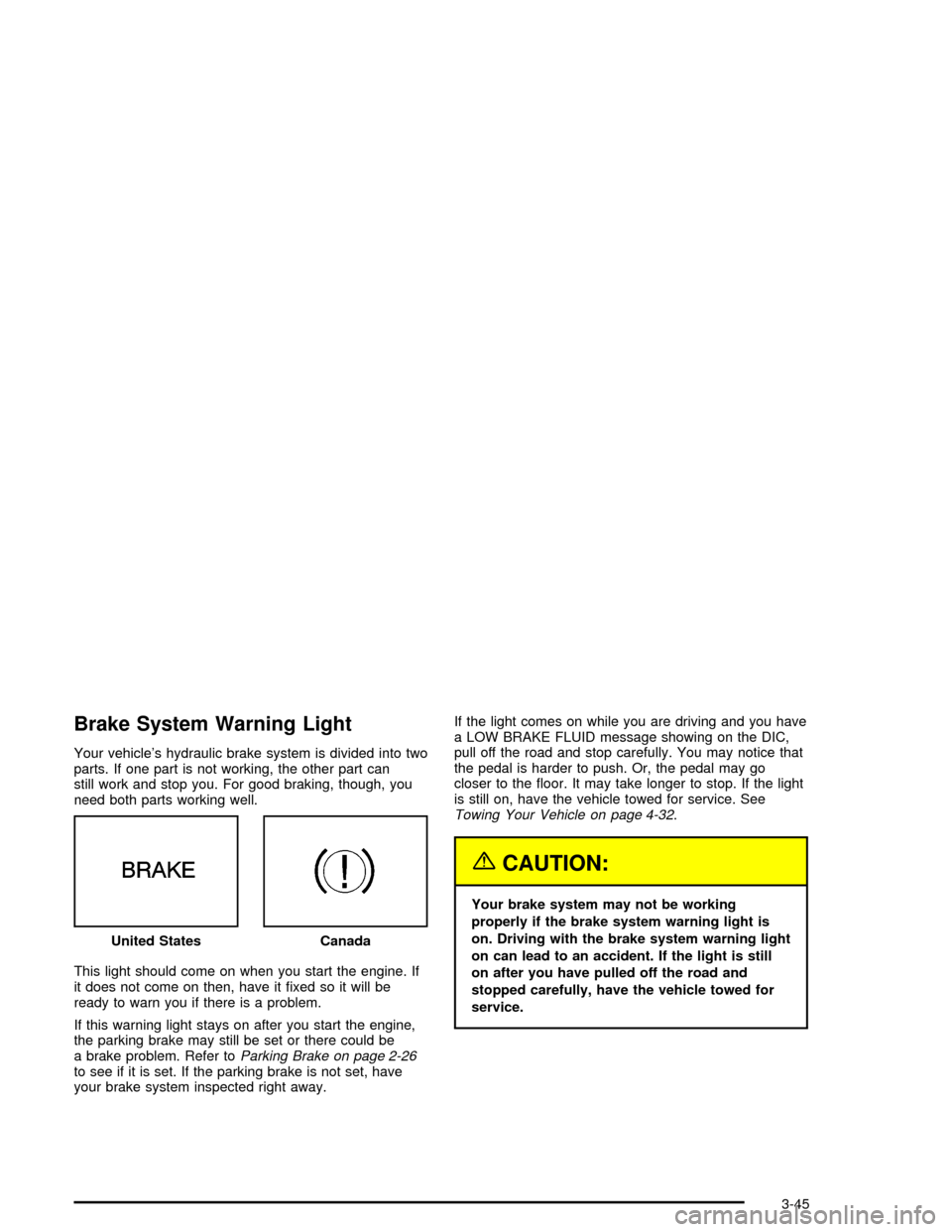
Brake System Warning Light
Your vehicle's hydraulic brake system is divided into two
parts. If one part is not working, the other part can
still work and stop you. For good braking, though, you
need both parts working well.
This light should come on when you start the engine. If
it does not come on then, have it ®xed so it will be
ready to warn you if there is a problem.
If this warning light stays on after you start the engine,
the parking brake may still be set or there could be
a brake problem. Refer to
Parking Brake on page 2-26to see if it is set. If the parking brake is not set, have
your brake system inspected right away.If the light comes on while you are driving and you have
a LOW BRAKE FLUID message showing on the DIC,
pull off the road and stop carefully. You may notice that
the pedal is harder to push. Or, the pedal may go
closer to the ¯oor. It may take longer to stop. If the light
is still on, have the vehicle towed for service. See
Towing Your Vehicle on page 4-32.
{CAUTION:
Your brake system may not be working
properly if the brake system warning light is
on. Driving with the brake system warning light
on can lead to an accident. If the light is still
on after you have pulled off the road and
stopped carefully, have the vehicle towed for
service. United States
Canada
3-45
Page 156 of 356

Anti-Lock Brake System
Warning Light
With the anti-lock brake
system, the light will come
on when your engine is
started and may stay on for
several seconds. That is
normal.
If the light stays on, turn the ignition off. Or, if the light
comes on when you are driving, stop as soon as
possible and turn the ignition off. Then start the engine
again to reset the system. If the light still stays on,
or comes on again while you are driving, your vehicle
needs service. If the regular brake system warning light
is not on, you still have brakes, but you do not have
anti-lock brakes. If the regular brake system warning
light is also on, you do not have anti-lock brakes
and there is a problem with your regular brakes. See
ªService ABSº under
DIC Warnings and Messages
on page 3-57.
The anti-lock brake system warning light will come on
brie¯y when you turn the ignition on. This is normal.
If the light does not come on then, have it ®xed so it will
be ready to warn you if there is a problem.
Traction Control System (TCS)
Warning Light
This light should come on
brie¯y as you start the
engine. If the light does not
come on then, have it
®xed so it will be ready to
warn you if there is a
problem.
The light will also come on while the Stabilitrak
žsystem
warms up and the STABILITRAK WARMING message
will be displayed in the Driver Information Center (DIC).
If it stays on, or comes on and the DIC shows a
SERVICE TRACTION SYS message when you are
driving, there is a problem with your TCS and your
vehicle needs service. When this light is on, the system
will not limit wheel spin. Adjust your driving accordingly.
If the driver turns off TCS by pressing the button on
the console, the TCS system light will come on and the
TRACTION SYSTEM-OFF message will show on
the DIC.
3-46
Page 157 of 356

If the light stays on or comes on while you are driving, a
chime sounds and a SERVICE STABILITRAK message
appears on the DIC, there is a problem with your
Stabilitrak
žand the vehicle needs service.
You can acknowledge this message by pressing the
RESET button. When the SERVICE STABILITRAK
message is displayed, the Stabilitrak
žsystem will not
assist you in controlling the vehicle. You should have the
system serviced as soon as possible. Adjust your
driving accordingly.
When the system is working, you will see the
STABILITRAK ACTIVE message displayed in the DIC.
You may also feel of hear the system working. This
is normal.
If you turn off the Stabilitrak
žsystem by pressing the
button on the console, the traction control system
light will come on, a chime will sound and the
TRAC/STABILITRAK OFF message will be displayed in
the DIC. The Traction Control System will also be
turned off. See
DIC Warnings and Messages on
page 3-57for more information.
If the Stabilitrak
žsystem and Traction Control System
are turned off, pressing the console button momentarily
will turn both systems on. The DIC will display the
TRAC/STABILITRAK ON message, the instrument
cluster light will be off and a chime will sound. See
DIC
Warnings and Messages on page 3-57for more
information.
Engine Coolant Temperature Gage
This gage shows the engine coolant temperature.
As the pointer nears 260ÉF (125ÉC), your engine coolant
temperature is high. A message may display on the
Driver Information Center (DIC) depending on how high
the temperature is. See
DIC Warnings and Messages
on page 3-57for more information.
See
Engine Overheating on page 5-23for more
information.United States
Canada
3-47