radio CADILLAC XLR 2004 1.G Owners Manual
[x] Cancel search | Manufacturer: CADILLAC, Model Year: 2004, Model line: XLR, Model: CADILLAC XLR 2004 1.GPages: 356, PDF Size: 2.36 MB
Page 59 of 356

There is a key that works
the glove box and can
open the trunk if vehicle
power is lost. See
Trunk on
page 2-11for more
information.
Your vehicle has a keyless access system with
pushbutton start. See
Ignition Positions on page 2-19for information on starting the vehicle.
Notice:Your vehicle has a number of features that
can help prevent theft. You can have a lot of
trouble getting into your vehicle if you ever lose
your transmitters and/or key. You may even have to
damage your vehicle to get in. So be sure you
have a spare transmitter and/or key.In an emergency, contact Cadillac Roadside Assistance.
See
Roadside Service on page 7-5.
If your vehicle is equipped with the OnStar
žsystem,
OnStaržmay be able to send a command to unlock your
vehicle if needed. If the vehicle battery is dead,
OnStar
žwill be unable to unlock the vehicle. SeeOnStaržSystem on page 2-35for more information.
Keyless Access System
Your vehicle has a Keyless Access system that operates
on a radio frequency subject to Federal Communications
Commission (FCC) Rules and with Industry Canada.
This device complies with Part 15 of the FCC Rules.
Operation is subject to the following two conditions:
(1) this device may not cause harmful interference, and
(2) this device must accept any interference received,
including interference that may cause undesired
operation.
This device complies with RSS-210 of Industry Canada.
Operation is subject to the following two conditions:
(1) this device may not cause interference, and (2) this
device must accept any interference received,
including interference that may cause undesired
operation of the device.
2-3
Page 76 of 356

When the engine is off, press this button to place the
vehicle in ACCESSORY mode. ACCESSORY
MODE ACTIVE will display on the Driver Information
Center (DIC). This mode allows you to use things
like the radio and the windshield wipers while the engine
is off. Use ACCESSORY if you must have your vehicle
in motion while the engine is off, for example, if your
vehicle is being pushed or towed. If the door is
open while in ACCESSORY, the key in reminder chime
will sound continuously.
Retained Accessory Power (RAP)
The following accessories on your vehicle may be used
for up to 10 minutes after the engine is turned off:
·Radio
·Power Windows
·Audio Steering Wheel Controls
Power to these accessories stops after 10 minutes or if
a door is opened. If you want power for another
10 minutes, close all the doors and press the
OFF/ACCESSORY button to place the vehicle in
ACCESSORY mode. Press the button again and the
vehicle will return to RAP.
Starting Your Engine
Move your shift lever to PARK (P) or NEUTRAL (N).
Your engine will not start in any other position ± that is
a safety feature. To restart when you are already
moving, use NEUTRAL (N) only.
The keyless access transmitter must be in the vehicle
for the ignition to work.
Notice:Do not try to shift to PARK (P) if your
vehicle is moving. If you do, you could damage the
transmission. Shift to PARK (P) only when your
vehicle is stopped.
1. With your foot on the brake pedal, press the
START button. When the engine begins cranking,
let go of the button. The idle speed will go down as
your engine gets warm.
If the battery in the keyless access transmitter is
weak, the DIC will display FOB BATTERY
LOW. You can still drive the vehicle. See ªBattery
Replacementº under
Keyless Access System
Operation on page 2-4for more information.
2-20
Page 94 of 356

Keep the original transmitter for use in other vehicles as
well as for future HomeLinkžprogramming. It is also
recommended that upon the sale of the vehicle,
the programmed HomeLink
žbuttons should be erased
for security purposes. Refer to ªErasing HomeLinkž
Buttonsº or, for assistance, contact HomeLinkžon the
internet at: www.homelink.com or by calling
1-800-355-3515.
Be sure that people and objects are clear of the garage
door or gate operator you are programming. When
programming a garage door, it is advised to park outside
of the garage.
It is recommended that a new battery be installed in
your hand-held transmitter for quicker and more
accurate transmission of the radio frequency.
Your vehicle's engine should be turned off while
programming the transmitter. Follow these steps to
program up to three channels:
1. Press and hold down the two outside buttons,
releasing only when the indicator light begins to
¯ash, after 20 seconds. Do not hold down the
buttons for longer than 30 seconds and do not
repeat this step to program a second and/or third
transmitter to the remaining two HomeLink
žbuttons.
2. Position the end of your hand-held transmitter about
1 to 3 inches (3 to 8 cm) away from the HomeLink
ž
buttons while keeping the indicator light in view.3. Simultaneously press and hold both the desired
button on HomeLink
žand the hand-held transmitter
button. Do not release the buttons until Step 4
has been completed.
Some entry gates and garage door openers may
require you to substitute Step 3 with the procedure
noted in ªGate Operator and Canadian
Programmingº later in this section.
4. The indicator light will ¯ash slowly at ®rst and then
rapidly after HomeLink
žsuccessfully receives the
frequency signal from the hand-held transmitter.
Release both buttons.
5. Press and hold the newly-trained HomeLink
žbutton
and observe the indicator light.
If the indicator light stays on constantly,
programming is complete and your device should
activate when the HomeLink
žbutton is pressed and
released.
To program the remaining two HomeLink
žbuttons,
begin with Step 2 under ªProgramming HomeLinkž.º
Do not repeat Step 1 as this will erase all of the
programmed channels.
If the indicator light blinks rapidly for two seconds
and then turns to a constant light, continue with
Steps 6 through 8 following to complete the
programming of a rolling-code equipped device
(most commonly, a garage door opener).
2-38
Page 95 of 356

6. Locate in the garage, the garage door opener
receiver (motor-head unit). Locate the ªLearnº
or ªSmartº button. This can usually be found where
the hanging antenna wire is attached to the
motor-head unit.
7. Firmly press and release the ªLearnº or ªSmartº
button. The name and color of the button may
vary by manufacturer.
You will have 30 seconds to start Step 8.
8. Return to the vehicle. Firmly press and hold the
programmed HomeLink
žbutton for two seconds,
then release. Repeat the press/hold/release
sequence a second time, and depending on the
brand of the garage door opener (or other rolling
code device), repeat this sequence a third time
to complete the programming.
HomeLink
žshould now activate your rolling-code
equipped device.
To program the remaining two HomeLink
žbuttons,
begin with Step 2 of ªProgramming HomeLinkž.º Do not
repeat Step 1.
Gate Operator and Canadian
Programming
Canadian radio-frequency laws require transmitter
signals to ªtime outº or quit after several seconds of
transmission. This may not be long enough for
HomeLink
žto pick up the signal during programming.
Similarly, some U.S. gate operators are manufactured to
ªtime outº in the same manner.
If you live in Canada, or you are having difficulty
programming a gate operator by using the
ªProgramming HomeLink
žº procedures (regardless of
where you live), replace Step 3 under ªProgramming
HomeLink
žº with the following:
Continue to press and hold the HomeLink
žbutton while
you press and release every two seconds (cycle)
your hand-held transmitter until the frequency signal has
been successfully accepted by HomeLink
ž. The
indicator light will ¯ash slowly at ®rst and then rapidly.
Proceed with Step 4 under ªProgramming HomeLink
žº
to complete.
2-39
Page 101 of 356

4. Make sure that nothing or no one is on or around
the top. Make sure the trunk cargo cover is in
place with nothing on top or in front of the cargo
cover. See
Rear Storage Area on page 2-43for more information. Also, make sure the valet
lockout switch is off.
5. Push and hold the
bottom of the
retractable hardtop
button located on the
console behind the
shifter lever. The
windows will
automatically lower and
the top will
automatically lower into
the storage area. A
chime will sound when
the top has lowered
completely.
If your radio is on, you may also notice a brief mute in
sound. This is normal due to a new audio system
equalization being loaded for the vehicle with the top
lowered.
Under certain conditions, the Driver Information Center
(DIC) may display a message regarding the retractable
hardtop. If this happens, see
DIC Warnings and
Messages on page 3-57for more information.
Raising the Retractable Hardtop
1. Park on a level surface. Shift the transmission
into PARK (P).
2. The vehicle must be running or in
ACCESSORY mode.
3. Lower both sun visors.
Notice:Raising or lowering the top while the
vehicle is in motion can cause damage to the top or
top mechanism. Make sure the vehicle is in
PARK (P) to lower or raise the top.
4. Make sure nothing or no one is on or around the
top. Make sure the trunk cargo cover is in place
with no cargo on top of or in front of the cargo
cover. See
Rear Storage Area on page 2-43for
more information. Also, be sure the valet lockout
switch is off.
2-45
Page 102 of 356
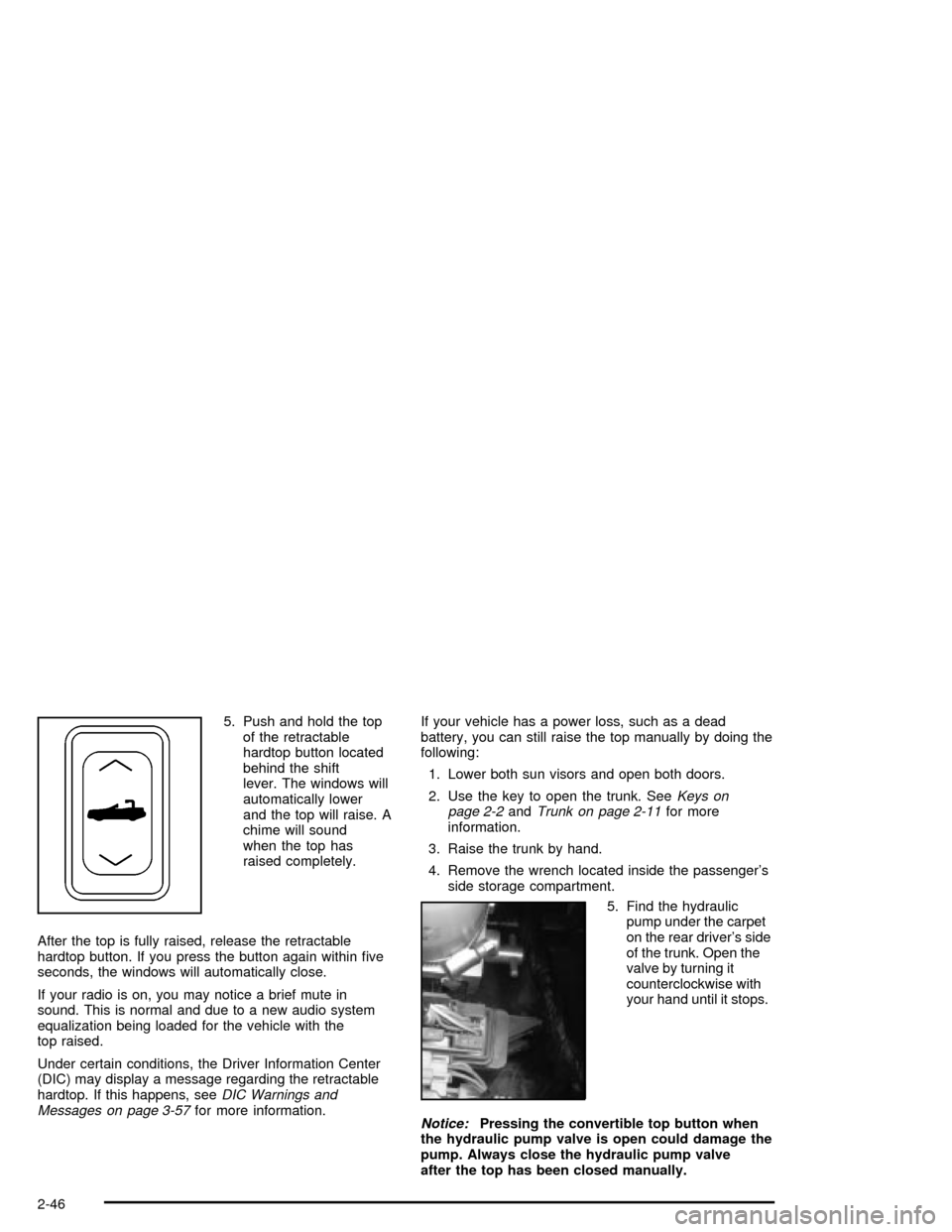
5. Push and hold the top
of the retractable
hardtop button located
behind the shift
lever. The windows will
automatically lower
and the top will raise. A
chime will sound
when the top has
raised completely.
After the top is fully raised, release the retractable
hardtop button. If you press the button again within ®ve
seconds, the windows will automatically close.
If your radio is on, you may notice a brief mute in
sound. This is normal and due to a new audio system
equalization being loaded for the vehicle with the
top raised.
Under certain conditions, the Driver Information Center
(DIC) may display a message regarding the retractable
hardtop. If this happens, see
DIC Warnings and
Messages on page 3-57for more information.If your vehicle has a power loss, such as a dead
battery, you can still raise the top manually by doing the
following:
1. Lower both sun visors and open both doors.
2. Use the key to open the trunk. See
Keys on
page 2-2andTrunk on page 2-11for more
information.
3. Raise the trunk by hand.
4. Remove the wrench located inside the passenger's
side storage compartment.
5. Find the hydraulic
pump under the carpet
on the rear driver's side
of the trunk. Open the
valve by turning it
counterclockwise with
your hand until it stops.
Notice:Pressing the convertible top button when
the hydraulic pump valve is open could damage the
pump. Always close the hydraulic pump valve
after the top has been closed manually.
2-46
Page 111 of 356

Instrument Panel Overview...............................3-2
Hazard Warning Flashers................................3-4
Other Warning Devices...................................3-4
Horn.............................................................3-5
Power Tilt Wheel and Telescopic Steering
Column......................................................3-5
Turn Signal/Multifunction Lever.........................3-5
Exterior Lamps.............................................3-22
Interior Lamps..............................................3-25
Head-Up Display (HUD).................................3-27
Ultrasonic Rear Parking Assist (URPA)............3-30
Accessory Power Outlets...............................3-32
Ashtrays and Cigarette Lighter........................3-33
Climate Controls............................................3-33
Dual Climate Control System..........................3-33
Outlet Adjustment.........................................3-38
Passenger Compartment Air Filter...................3-38
Warning Lights, Gages, and Indicators............3-39
Instrument Panel Cluster................................3-40
Speedometer and Odometer...........................3-41
Trip Odometer..............................................3-41
Tachometer.................................................3-41
Safety Belt Reminder Light.............................3-41
Air Bag Readiness Light................................3-42
Air Bag Off Light..........................................3-43
Voltmeter Gage............................................3-44
Brake System Warning Light..........................3-45
Anti-Lock Brake System Warning Light.............3-46Traction Control System (TCS) Warning Light . . .3-46
Engine Coolant Temperature Gage..................3-47
Tire Pressure Light.......................................3-48
Malfunction Indicator Lamp.............................3-48
Engine Oil Pressure Gage.............................3-52
Security Light...............................................3-52
Fog Lamp Light............................................3-53
Lights On Reminder......................................3-53
Fuel Gage...................................................3-54
Driver Information Center (DIC).......................3-55
DIC Controls and Displays.............................3-55
DIC Warnings and Messages.........................3-57
Other Messages...........................................3-65
DIC Vehicle Personalization............................3-66
Trip Computer................................................3-70
Oil Life Indicator...........................................3-70
Audio System(s).............................................3-70
Navigation/Radio System...............................3-71
Theft-Deterrent Feature..................................3-71
Audio Steering Wheel Controls.......................3-71
Radio Reception...........................................3-72
Care of Your CDs.........................................3-72
Care of Your CD Player................................3-72
Diversity Antenna System..............................3-73
XMŸ Satellite Radio Antenna System.............3-73
Section 3 Instrument Panel
3-1
Page 113 of 356

The main components of the instrument panel are the following:
A. Head-Up Display (HUD) Controls/Instrument Panel
Brightness Controls. See
Head-Up Display (HUD) on
page 3-27or ªInstrument Panel Brightnessº underInterior Lamps on page 3-25.
B. Turn Signal/Multifunction Lever. See
Turn
Signal/Multifunction Lever on page 3-5.
C. Instrument Panel Cluster. See
Instrument Panel
Cluster on page 3-40.
D. Windshield Wiper/Washer Lever. See ªWindshield
Wipersº under
Turn Signal/Multifunction Lever
on page 3-5.
E. Driver Information Center (DIC) Controls/Interior
Lamps. See
DIC Controls and Displays on
page 3-55.
F. Air Outlets. See
Outlet Adjustment on page 3-38.
G. Hazard Warning Flasher Button. See
Hazard
Warning Flashers on page 3-4.
H. Voice Commands/Audio Controls. See
OnStarž
System on page 2-35orAudio Steering Wheel
Controls on page 3-71.
I. Adaptive Cruise Controls. See ªAdaptive Cruise
Control (ACC)º under
Turn Signal/Multifunction Lever
on page 3-5.J. Horn. See
Horn on page 3-5.
K. Audio Steering Wheel Controls. See
Audio Steering
Wheel Controls on page 3-71.
L. Ignition Switch. See
Ignition Positions on page 2-19.
M. Shift Lever. See
Automatic Transmission Operation
on page 2-23.
N. Traction Control Button. See
Traction Control
System (TCS) on page 4-9.
O. Passenger Air Bag Off Indicator. See
Air Bag Off
Light on page 3-43.
P. Retractable Hardtop Button. See
Retractable
Hardtop on page 2-44.
Q. Cupholders. See
Cupholder(s) on page 2-41.
R. Cigarette Lighter. See
Ashtrays and Cigarette Lighter
on page 3-33.
S. Climate Controls. See
Dual Climate Control System
on page 3-33.
T. Audio/Navigation System. See
Navigation/Radio
System on page 3-71.
U. Glove Box. See
Glove Box on page 2-41.
3-3
Page 119 of 356

Windshield Washer
K
(Washer Fluid):The lever on the right side of the
steering column also controls the windshield washer.
There is a button at the end of the lever. To spray
washer ¯uid on the windshield, press the button and
hold it. The washer will spray until you release the
button. The wipers will continue to clear the window for
about six seconds after the button is released and
then stop or return to your preset speed.
Your vehicle also has headlamp washers. Every fourth
time the washer ¯uid button is pressed, washer ¯uid
will clean the headlamps.
{CAUTION:
In freezing weather, do not use your washer
until the windshield is warmed. Otherwise the
washer ¯uid can form ice on the windshield,
blocking your vision.If the ¯uid in the windshield washer ¯uid reservoir is
low, the message LOW WASHER FLUID will appear on
the Driver Information Center (DIC) display. It will
take 60 seconds after the bottle is re®lled for this
message to turn off. For information on the correct
washer ¯uid mixture to use, see
Windshield Washer
Fluid on page 5-33andRecommended Fluids and
Lubricants on page 6-11.
Adaptive Cruise Control (ACC)
Be sure to read this entire section before using this
feature.
The system operates on a radio frequency subject to
Federal Communications Commission (FCC) Rules and
with Industry Canada.
This device complies with Part 15 of the FCC Rules.
Operation is subject to the following two conditions:
1. This device may not cause interference, and
2. This device must accept any interference received,
including interference that may cause undesired
operation of the device.
3-9
Page 137 of 356
Head-Up Display (HUD)
{CAUTION:
If the HUD image is too bright, or too high in
your ®eld of view, it may take you more time to
see things you need to see when it is dark
outside. Be sure to keep the HUD image dim
and placed low in your ®eld of view.
The Head-Up Display (HUD) allows you to see some of
the driver information that appears on your instrument
panel cluster.
The information may be displayed in English or metric
units and appears as an image focused out toward
the front of your vehicle. To change from English
to metric units, see
Driver Information Center (DIC) on
page 3-55.
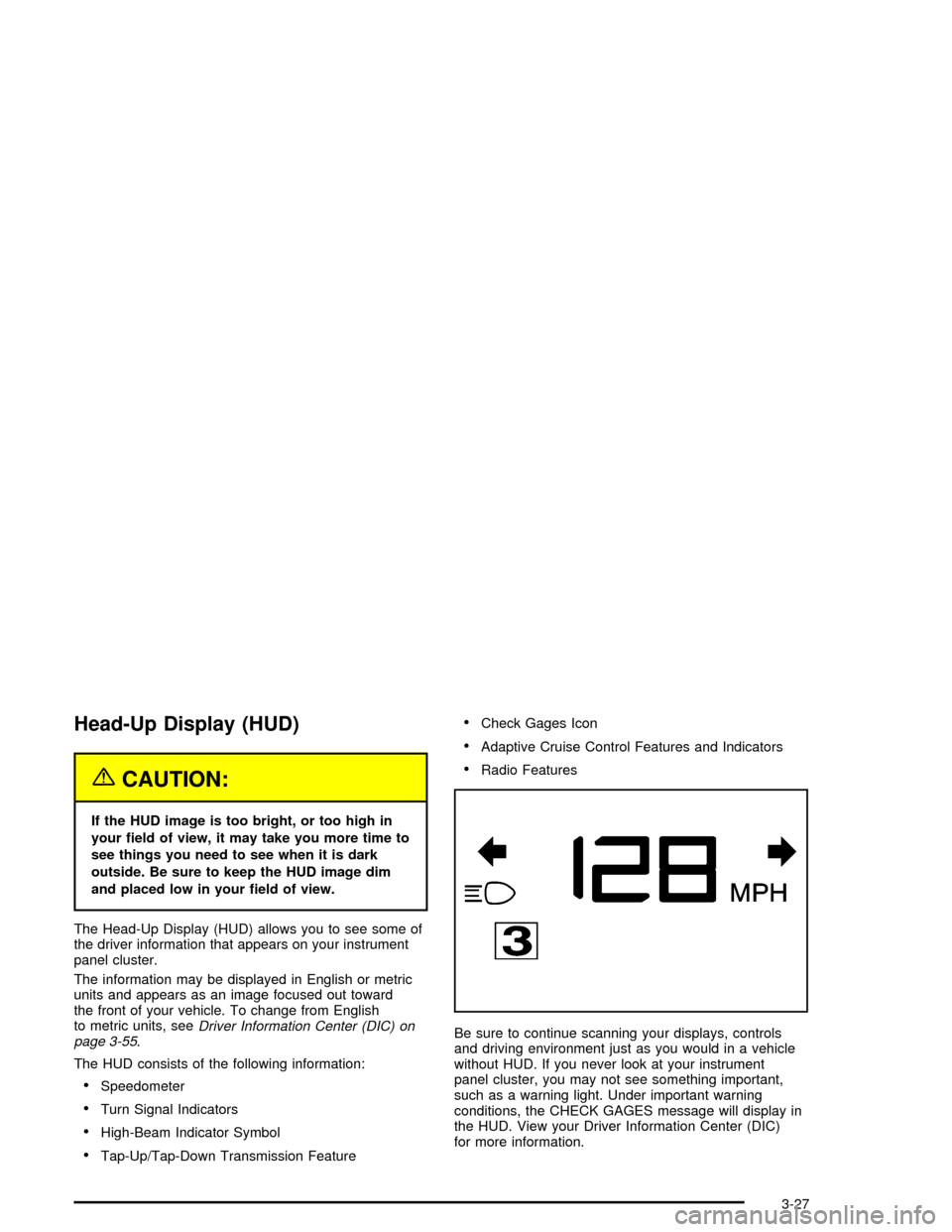
The HUD consists of the following information:
·Speedometer
·Turn Signal Indicators
·High-Beam Indicator Symbol
·Tap-Up/Tap-Down Transmission Feature
·Check Gages Icon
·Adaptive Cruise Control Features and Indicators
·Radio Features
Be sure to continue scanning your displays, controls
and driving environment just as you would in a vehicle
without HUD. If you never look at your instrument
panel cluster, you may not see something important,
such as a warning light. Under important warning
conditions, the CHECK GAGES message will display in
the HUD. View your Driver Information Center (DIC)
for more information.
3-27