audio CADILLAC XLR 2005 1.G User Guide
[x] Cancel search | Manufacturer: CADILLAC, Model Year: 2005, Model line: XLR, Model: CADILLAC XLR 2005 1.GPages: 438, PDF Size: 3.69 MB
Page 195 of 438
Overview.........................................................4-2
Navigation System Overview............................4-2
Getting Started...............................................4-4
Features and Controls......................................4-4
Using the Navigation System...........................4-4
Setup Menu...................................................4-7
Plan Route..................................................4-13
Edit Memory Point........................................4-13
Edit Waypoint...............................................4-17
Edit Avoid Point/Area....................................4-20
Enter Destination..........................................4-21
Route Preference..........................................4-31
Maps..........................................................4-33
Symbols......................................................4-36Remote Keyless Entry System........................4-42
OnStar®System...........................................4-42
Global Positioning System (GPS)....................4-42
Vehicle Positioning........................................4-43
Problems with Route Guidance.......................4-44
If the System Needs Service..........................4-45
Ordering Map DVDs......................................4-45
Database Coverage Explanations....................4-45
Navigation Audio System................................4-45
Six-Disc CD Changer....................................4-61
CD/DVD Player............................................4-63
Radio Personalization with Home and
Away Feature...........................................4-69
Voice Recognition..........................................4-69
Section 4 Navigation System
4-1
Page 197 of 438
A. BAND Key. See “Finding a Station” underNavigation
Audio System on page 4-45.
B. CD Key. SeeNavigation Audio System on page 4-45
orCD/DVD Player on page 4-63.
C. DVD Key. See “Playing a DVD” underCD/DVD
Player on page 4-63.
D. TUNE/SEEK Key. See “Playing the Radio” under
Navigation Audio System on page 4-45.
E. Audio/Adjust Key. See “Main Audio Menu” under
Navigation Audio System on page 4-45.
F. Power-Volume Knob. See “Hard Keys” underUsing
the Navigation System on page 4-4.G. Navigation System Screen
H. RPT (Repeat) Key. See “Hard Keys” underUsing
the Navigation System on page 4-4.
I. MAP Key. See “Hard Keys” underUsing the
Navigation System on page 4-4.
J. ROUTE Key. See “Hard Keys” underUsing the
Navigation System on page 4-4.
K. MENU Key. See “Hard Keys” underUsing the
Navigation System on page 4-4.
L. TILT Key. See “Hard Keys” underUsing the
Navigation System on page 4-4.
4-3
Page 198 of 438
Getting Started
Before you begin to operate the navigation system, read
this manual thoroughly to become familiar with it and
to understand how the system works.
The navigation system allows you to do the following:
Plan a route with provided turn-by-turn route
and map guidance with voice prompts. See
Plan Route on page 4-13for more information.
Select a destination using various methods and
choices.
Receive broadcast announcements on traffic and
emergency alert communications.
The information in the system may not always be
complete. Road conditions such as prohibited turns,
detours, and construction zones, change frequently. It is
important to consider whether you can follow the
directions given by the system for the current conditions.When getting started, you may set the navigation
system to your preference using various options. To do
so, reference the following topics:
To adjust screen appearance, language, clock,
English/metric measurements, or other options, see
“Main Audio Menu” underNavigation Audio
System on page 4-45.
To adjust voice guidance volume or other navigation
settings, seeSetup Menu on page 4-7.
Features and Controls
Using the Navigation System
This section presents basic information you will need to
know to operate the navigation system.
Use the keys located on each side of the navigation
screen, as well as the available touch-sensitive screen
buttons, to operate the system. SeeNavigation System
Overview on page 4-2for more information on location.
Once the vehicle is moving, various functions will be
disabled to reduce driver distraction.
4-4
Page 199 of 438
Hard Keys
The following hard keys are located to the left of the
navigation screen:
BAND:Press the BAND key to access the band screen
and switch between AM, FM1, FM2, XM1, XM2, and
WX, if equipped. See “Finding a Station” under
Navigation Audio System on page 4-45.
CD:Press the CD key to play a CD. The CD screen
will be displayed. SeeSix-Disc CD Changer on
page 4-61orCD/DVD Player on page 4-63.
DVD:Press the DVD key to play a DVD. The DVD
screen will be displayed. SeeCD/DVD Player on
page 4-63.
yTUNE/SEEKz:Press the TUNE/SEEK up or
down arrows to go to the next or previous radio station
and stay there. See “Finding a Station” under
Navigation Audio System on page 4-45.
e/z:Press the audio/adjust key to view the main
audio menu. See “Main Audio Menu” underNavigation
Audio System on page 4-45.PWR-VOL (Power/Volume Knob):Press the
power/volume knob to turn the audio and navigation
systems on and off. Turn the knob to increase or
decrease the volume to the audio system.
The following hard keys are located to the right of the
navigation screen:
RPT:Press the repeat key to repeat the current voice
guidance navigation prompt.
MAP:Press the MAP key to view the map screen
showing current vehicle position.
The map screen can also display the following
information:
North or Heading Up symbol. SeeSymbols on
page 4-36.
Map scale. SeeMaps on page 4-33.
Distance to destination.
GPS symbol if GPS signal is not being received. See
Global Positioning System (GPS) on page 4-42.
Options you have selected for reaching your current
destination.
Driver Information.
Radio band and presets.
4-5
Page 200 of 438
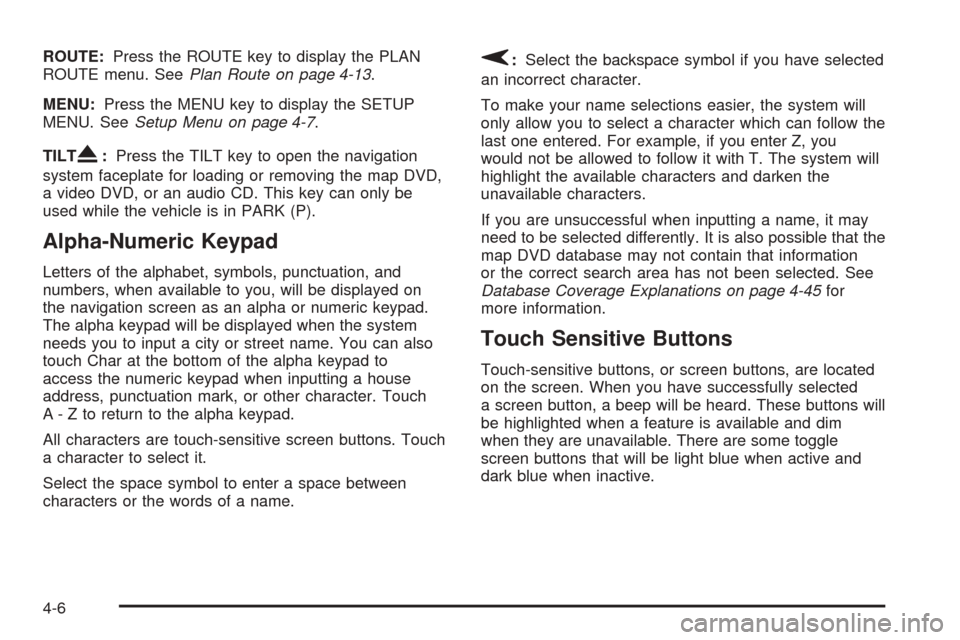
ROUTE:Press the ROUTE key to display the PLAN
ROUTE menu. SeePlan Route on page 4-13.
MENU:Press the MENU key to display the SETUP
MENU. SeeSetup Menu on page 4-7.
TILT
X:Press the TILT key to open the navigation
system faceplate for loading or removing the map DVD,
a video DVD, or an audio CD. This key can only be
used while the vehicle is in PARK (P).
Alpha-Numeric Keypad
Letters of the alphabet, symbols, punctuation, and
numbers, when available to you, will be displayed on
the navigation screen as an alpha or numeric keypad.
The alpha keypad will be displayed when the system
needs you to input a city or street name. You can also
touch Char at the bottom of the alpha keypad to
access the numeric keypad when inputting a house
address, punctuation mark, or other character. Touch
A - Z to return to the alpha keypad.
All characters are touch-sensitive screen buttons. Touch
a character to select it.
Select the space symbol to enter a space between
characters or the words of a name.
V:Select the backspace symbol if you have selected
an incorrect character.
To make your name selections easier, the system will
only allow you to select a character which can follow the
last one entered. For example, if you enter Z, you
would not be allowed to follow it with T. The system will
highlight the available characters and darken the
unavailable characters.
If you are unsuccessful when inputting a name, it may
need to be selected differently. It is also possible that the
map DVD database may not contain that information
or the correct search area has not been selected. See
Database Coverage Explanations on page 4-45for
more information.
Touch Sensitive Buttons
Touch-sensitive buttons, or screen buttons, are located
on the screen. When you have successfully selected
a screen button, a beep will be heard. These buttons will
be highlighted when a feature is available and dim
when they are unavailable. There are some toggle
screen buttons that will be light blue when active and
dark blue when inactive.
4-6
Page 206 of 438
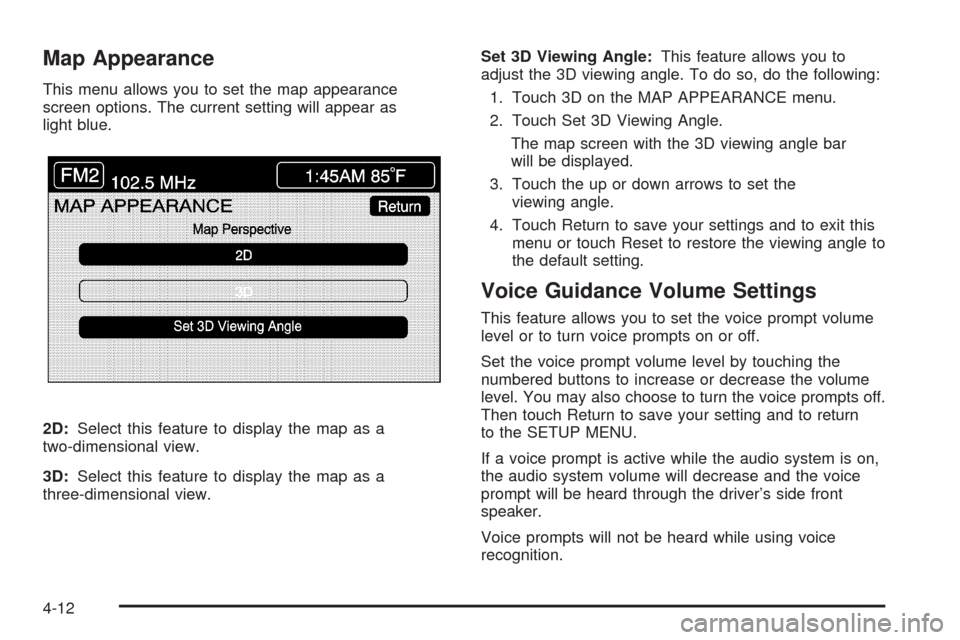
Map Appearance
This menu allows you to set the map appearance
screen options. The current setting will appear as
light blue.
2D:Select this feature to display the map as a
two-dimensional view.
3D:Select this feature to display the map as a
three-dimensional view.Set 3D Viewing Angle:This feature allows you to
adjust the 3D viewing angle. To do so, do the following:
1. Touch 3D on the MAP APPEARANCE menu.
2. Touch Set 3D Viewing Angle.
The map screen with the 3D viewing angle bar
will be displayed.
3. Touch the up or down arrows to set the
viewing angle.
4. Touch Return to save your settings and to exit this
menu or touch Reset to restore the viewing angle to
the default setting.
Voice Guidance Volume Settings
This feature allows you to set the voice prompt volume
level or to turn voice prompts on or off.
Set the voice prompt volume level by touching the
numbered buttons to increase or decrease the volume
level. You may also choose to turn the voice prompts off.
Then touch Return to save your setting and to return
to the SETUP MENU.
If a voice prompt is active while the audio system is on,
the audio system volume will decrease and the voice
prompt will be heard through the driver’s side front
speaker.
Voice prompts will not be heard while using voice
recognition.
4-12
Page 228 of 438
4. Load the map DVD into the slot by inserting it
partway. The system will pull it in.
5. Press and release the TILT key to close the
faceplate.
Notice:Shifting out of PARK (P) with the system’s
faceplate open will cause the faceplate to close
automatically. This could cause damage to a
CD, DVD or the system if it is partially loaded. Before
shifting out of PARK (P), make sure that the DVD
or CD is loaded properly. The vehicle must be
shifted back into PARK (P) to close the faceplate.
Once the map DVD is inserted correctly, you will
have the following two choices:
LANGUAGE
I AGREE
You can change the language at this time. See
“Language” underNavigation Audio System on
page 4-45for more information on choosing a language.
Once a language has been selected, touch I AGREE
to plan a route. The map will appear showing your
current vehicle position.
Setting the Search Area
To determine or change the system’s search area, do
the following:
1. Press the ROUTE key.
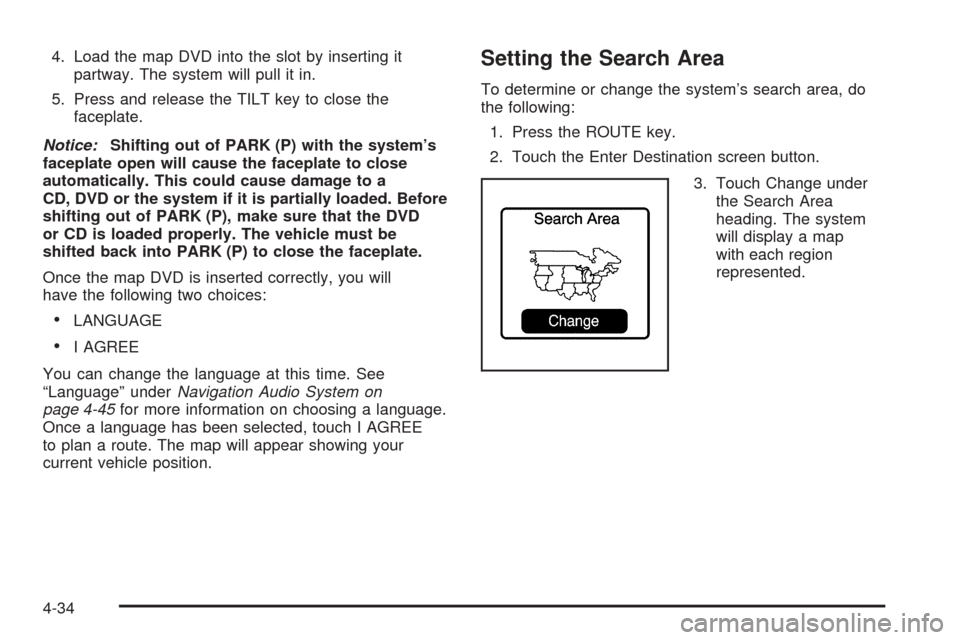
2. Touch the Enter Destination screen button.
3. Touch Change under
the Search Area
heading. The system
will display a map
with each region
represented.
4-34
Page 236 of 438
If you do not want to use the rst method, keep your
currently selected search area region and enter your
destination. This method allows you only to select a
destination from the easy planning route method or from
the All Points of Interest (POI) categories with the “All
Search Areas” comment for US Only. For example,
Tourist is a category that features this comment. See
Enter Destination on page 4-21for more information.
If you are traveling in or to Canada and you cross the
regional border, the only map scale views available
are 4 mi, 8 mi, 31 mi, and 128 mi (8 km, 16 km,
64 km and 256 km). Change the selected search area
region when you get closer to the area you are traveling
to. See “Setting the Search Area” underMaps on
page 4-33for more information.
Remote Keyless Entry System
When you insert the key in the ignition, Driver 1 or
Driver 2 will be displayed on the screen. A message will
not appear on the screen if the driver is unknown. The
number on the back of the RKE transmitter corresponds
to driver 1 or driver 2. The navigation system can store
memory points for drivers 1 and 2 individually. See
Keyless Access System on page 2-4for more
information.
OnStar®System
When using the OnStar®system, the audio system will
be muted and the navigation voice prompts will be
disabled during the call. The volume of the OnStar
®call
can be adjusted by using the steering wheel volume
controls. SeeOnStar
®System on page 2-36for
more information.
Global Positioning System (GPS)
The navigation system determines the position of your
vehicle by using satellite signals, various vehicle signals,
and map data.
The Global Positioning System (GPS) locates the
current position of your vehicle using signals sent by the
United States Department of Defense GPS satellites.
While your vehicle is receiving signals from these
satellites, the GPS symbol will not appear on the map
screen. SeeSymbols on page 4-36for more information
on the GPS symbol.
However, at times, other interferences such as the
satellite condition, road conguration, the condition of
the vehicle, and/or other circumstances can interfere
with the system’s ability to determine the accurate
position of the vehicle. This is when the GPS symbol
will appear on the map screen.
4-42
Page 239 of 438
If the System Needs Service
If you are still experiencing difficulty with your navigation
system after reading this information, see your dealer
for assistance.
Ordering Map DVDs
The map DVD in your vehicle is the most up-to-date
information available when your vehicle was purchased.
The map DVD is updated periodically, provided that
the map information has changed. To order a new map
DVD, contact your dealer.
Database Coverage Explanations
Coverage areas vary with respect to the level of map
detail available for any given area. Some areas will
feature greater levels of detail than others. If this
happens, it does not mean there is a problem with the
system. As the map DVD is updated, more detail
may become available for areas which previously had
limited detail. SeeOrdering Map DVDs on page 4-45.
Navigation Audio System
Notice:Before adding any sound equipment to
your vehicle, like a tape player, CB radio, mobile
telephone, or two-way radio, make sure that it can
be added by checking with your dealer. Also,
check federal rules covering mobile radio and
telephone units. If sound equipment can be added,
it is very important to do it properly. Added
sound equipment may interfere with the operation
of your vehicle’s engine, radio, or other systems,
and even damage them. Your vehicle’s systems may
interfere with the operation of sound equipment
that has been added improperly.
Your vehicle has a feature called Retained Accessory
Power (RAP). With RAP, the audio system can be
played even after the ignition is turned off. SeeRetained
Accessory Power (RAP) on page 2-22for more
information.
The audio system is operated using navigation system
menus. The audio menus are explained in this section.
4-45
Page 240 of 438
Main Audio Menu
e
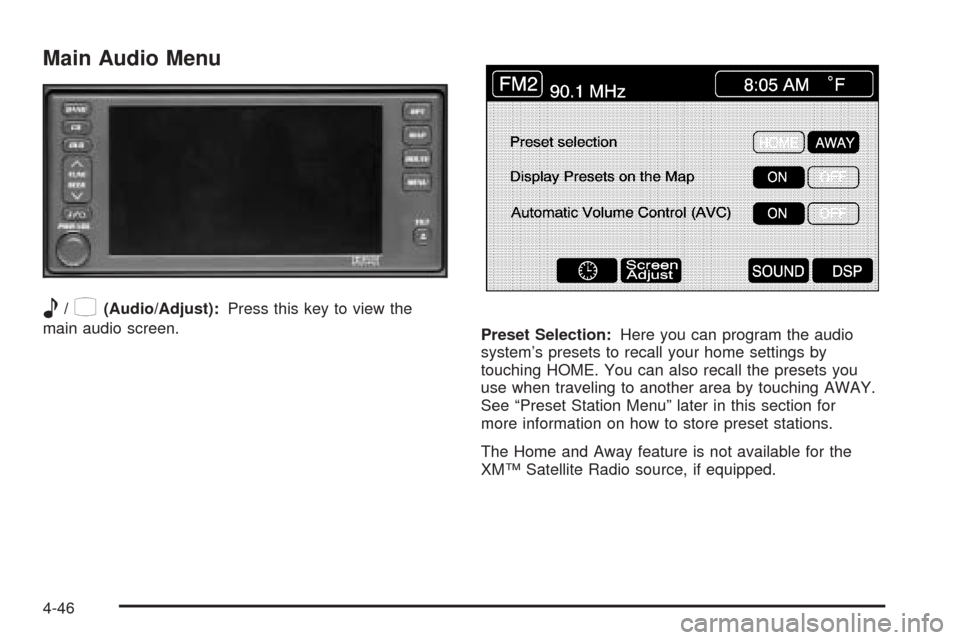
/z(Audio/Adjust):Press this key to view the
main audio screen.
Preset Selection:Here you can program the audio
system’s presets to recall your home settings by
touching HOME. You can also recall the presets you
use when traveling to another area by touching AWAY.
See “Preset Station Menu” later in this section for
more information on how to store preset stations.
The Home and Away feature is not available for the
XM™ Satellite Radio source, if equipped.
4-46